AI for Presentations: Create Better Slides with Steps, Examples, and Layout Rules
Published on April 17, 2026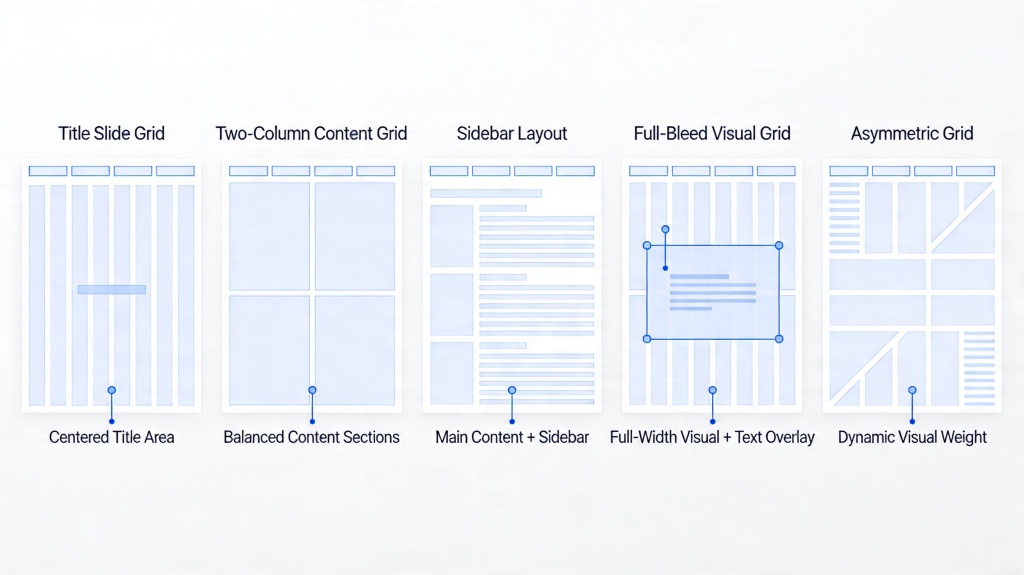
AI for Presentations: What It Should Help You Do
The best use of AI is not to replace presentation judgment. It is to remove blank-page work and make a better first draft. A strong AI workflow can turn rough notes into an outline, convert the outline into slides, suggest visuals, and help you polish layout and speaker notes.
Think of AI as a presentation assistant with five jobs: structure the story, draft the slides, suggest design direction, speed up revision, and prepare supporting notes. You still need to check facts, examples, audience fit, and final delivery.
| Question | What AI Can Help With | What You Should Still Review |
|---|---|---|
| Best tool? | Creates topic-to-slides drafts, templates, visuals, and notes. Use the AI tool for presentation core guide when comparing features, free limits, use cases, and privacy basics. | Whether the workflow fits your export, editing, and privacy needs. |
| Free workflow? | Tests outlines, draft quality, templates, and basic generation. | Credits, watermark, slide count, export limits, and privacy terms. |
| How to use it? | Turns audience, goal, and source material into a clear deck structure. For outline-first planning, use an AI presentation outline generator before designing slides. | Accuracy, examples, tone, visual hierarchy, and final call to action. |
| Use cases? | Speeds up class reports, proposals, updates, lessons, and pitch drafts. | Real data, citations, client context, and brand-specific details. |
How to Use AI for a Presentation: A Practical Workflow
Use this sequence when you want speed without losing control of the message.
| Step | Action | Prompt or Check |
|---|---|---|
| 1. Define the task | Write audience, goal, tone, slide count, and must-have sections. | "Create a 9-slide client proposal for a retail marketing campaign." |
| 2. Ask for an outline | Review slide titles and the job of each slide before design begins. | Check whether the sequence answers the audience's likely questions. |
| 3. Generate the deck | Choose a style such as clean business, classroom, pitch, or workshop. | Ask for concise slide text and speaker notes. |
| 4. Apply layout rules | Use grids, white space, contrast, and consistent titles. | Remove clutter and make the main message obvious. |
| 5. Review and export | Check facts, visuals, notes, CTA, and file format. | Use PPTX for editing, PDF for fixed sharing, or web link for review. |
Best and Free Options: What to Compare Before Choosing
Many users search for the best or free way to make AI-assisted slides. The right choice depends less on a generic feature list and more on whether the tool supports your actual workflow.
- Input quality: Can the tool work from a prompt, document, outline, or pasted notes?
- Editing control: Can you revise text, layouts, images, and speaker notes after generation?
- Template quality: Are the generated slides readable and consistent without heavy manual design?
- Export needs: Can you download PPTX or PDF, or do you need to present from a web link?
- Free-plan limits: Check credits, watermarks, slide count, image generation, and export restrictions.
For a deeper free-plan breakdown, use the related guide on the best free AI presentation generator.
Real Use Cases Where AI Works Well
AI is strongest when the deck has a repeatable structure and the presenter can add real examples afterward.
Class report or lesson deck
A student or teacher can paste research notes, request a simple 8-slide structure, add one quiz or recap slide, and use AI to suggest diagrams or examples. The human review step should add citations and course-specific requirements.
Weekly business update
A manager can turn meeting notes into progress, blockers, metrics, decisions needed, and next steps. AI saves structure time, while the manager adds real owners, dates, and numbers.
Client proposal or pitch draft
A freelancer or founder can generate problem, solution, proof, timeline, pricing placeholder, and call-to-action slides. For agency proposals, an AI proposal deck generator can keep scope, timeline, pricing, and next steps in one structure. If the story depends on future product priorities, build an AI product roadmap deck so the roadmap slide has clear Now-Next-Later logic. If the proof is a customer success story, use an AI case study presentation template to keep evidence, results, and limitations clear. The final version should add client context and remove generic claims.
When the deck needs a clearer persuasive arc, use a storytelling presentation framework before choosing grids, so each layout supports the problem, solution, and proof sequence.
Layout Rules That Keep AI Slides From Looking Generic
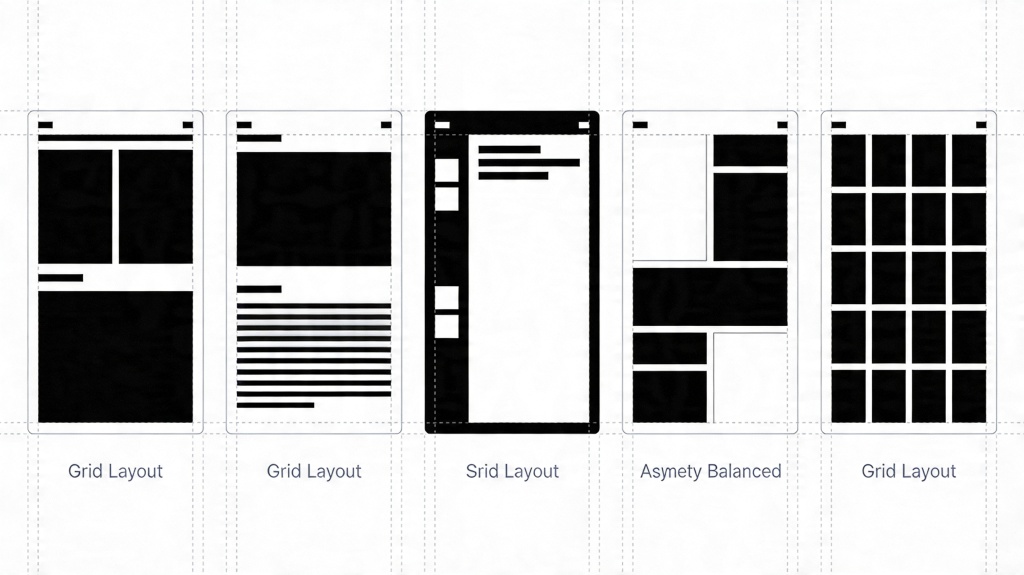
The original strength of this page was slide layout grids. That advice still matters because AI-generated decks can look polished but unfocused if the layout has no structure.
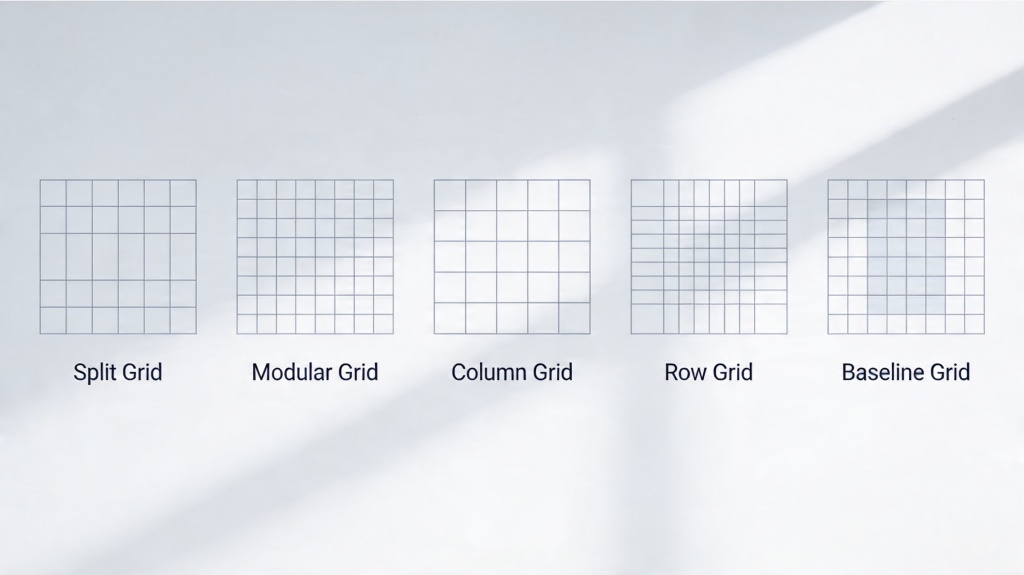
- Rule of thirds: useful for title slides, image-led slides, and high-impact statements.
- Two-column grid: best for problem vs solution, text plus image, or before-and-after comparisons.
- Modular grid: works for feature lists, team bios, dashboards, and grouped examples.
- Golden ratio layout: gives one primary area more weight while keeping support content visible.
- Hierarchical grid: makes one hero message, number, chart, or quote the clear focal point.
Layout rule: If the AI draft feels busy, choose one grid and rebuild the slide around a single main message.
Prompt Templates and Examples You Can Reuse
Prompt quality is the main difference between a generic deck and a useful first draft. If the output keeps sounding broad, use the AI presentation prompts guide to add audience, goal, structure, and constraints before regenerating.
| Scenario | Prompt Template | Review Focus |
|---|---|---|
| Business update | Create a 7-slide update for [audience] covering progress, wins, blockers, metrics, next steps, and decisions needed. | Owners, deadlines, real metrics. |
| Class presentation | Create an 8-slide lesson deck about [topic] for [level], with one example, one diagram, one quiz, and a recap. | Citations, assignment requirements, clarity. |
| Proposal deck | Create a 10-slide proposal for [client] covering problem, solution, deliverables, timeline, proof, risks, and call to action. | Client-specific proof and realistic scope. |
Reusable Review Checklist Before You Publish
- Does the first slide explain the topic and audience benefit clearly?
- Can the slide titles tell the story by themselves?
- Does each slide have one main idea?
- Are visuals specific, accurate, and useful rather than decorative?
- Are facts, citations, prices, dates, and claims checked?
- Is the deck using consistent layout, spacing, fonts, and colors?
- If text feels weak, compare the typography against the best fonts for presentations checklist.
- If colors feel random, define a presentation color palette before changing slide layouts.
- Does the final slide include a clear next step?
Frequently Asked Questions
What is the best way to use AI for presentations?
Use AI to turn a topic, document, or outline into a structured first draft, then review the story, layout, visuals, facts, and speaker notes before presenting.
Can I use AI presentation tools for free?
Yes. Free plans are useful for testing outlines, first drafts, templates, and basic editing, but may limit exports, credits, slide count, watermarks, or advanced design controls.
What presentation use cases work best with AI?
AI works well for class reports, business updates, client proposals, training decks, product explainers, webinar outlines, and early pitch drafts.
How do I keep AI-generated slides from looking generic?
Add audience context, real examples, source material, brand constraints, layout rules, and a review checklist so the AI draft becomes specific to your purpose.
Create your presentation with one click now
Start with a topic, document, or rough outline, then use PopAi to generate a structured deck you can edit, polish, and share.
Try PopAi Now