Why a Presentation Is the Key to Breaking the Deadlock for DevOps Teams?
Picture this all–too–common scenario: in a retrospective meeting, developers blame inconsistent testing environments for issues, testers complain about overly complex deployment scripts, and DevOps engineers criticize the lack of monitoring metrics in the code. Everyone sticks to their own arguments, and the discussion grinds to a halt. More often than not, the root cause is not technical—it is a failure to communicate on the same page.
In such moments, having a clear DevOps Lifecycle slides presentation (what we call a Value Stream Battle Map) changes everything. The core power of this presentation lies in one key fact: it formalizes the complete lifecycle of software, from a mere “idea” to tangible “user value”, in a visual, discussable format. It becomes the single source of truth for the team to collectively understand the current state, plan improvements, and celebrate achievements. This is not just a tool for operations; it is the common currency for high–efficiency collaboration between development, testing, product management, and DevOps teams.
What Exactly Should Be Covered in the “Battle Map”?
A DevOps Lifecycle presentation that truly drives collaboration is never just a jumble of buzzwords. It must be specific, authentic, and actionable. Below are detailed content examples for its core sections:
1. Current State of the Value Stream (How do we work right now?)
Content details: Use a horizontal flow chart to clearly mark every step from “product requirement card creation” to “code deployment and go–live”. Critically, label the average time consumed for each stage. For instance:
l “Average 45 minutes of waiting for the integration testing environment to be provisioned after code submission”
l “Manual security scanning and approval: average 2 business days of waiting”
l “Verifying core business metrics post–production release: no automated checks, relying on manual review, taking approximately 30 minutes”
Purpose: Visually expose bottlenecks. When everyone sees that “waiting time” far outweighs “working time”, the priority of improvements becomes immediately clear.
2. Focus of Improvements This Week/Month (Where are we concentrating our efforts right now?)
Content details: Avoid listing ten improvement plans. Focus on just 1 or 2 of the most critical initiatives that can be closed out the fastest. For example:
l Goal: Shorten the integration testing environment provisioning time from 45 minutes to under 5 minutes.
l Specific actions:
1. Development: Codify environment configurations and store them in the project repository.
2. DevOps: Provide a set of containerized standard environment templates.
3. Tools: Automatically call the template to create environments in the CI pipeline.
l Success metrics: Environment provisioning duration (displayed via charts).
l Owners: Zhang San (Development), Li Si (DevOps).
Purpose: Avoid vague discussions, assign clear ownership for cross–functional tasks, and form trackable concrete initiatives.
3. Core Health Metrics Dashboard (How well are we performing?)
Content details: Use a few simple trend charts to display the key metrics the team cares about most:
l Deployment Frequency: Trend of the number of successful production deployments per day over the past month.
l Lead Time for Changes: The average time from code submission to successful deployment and go–live.
l Change Failure Rate: The percentage of deployments that result in service rollbacks or hotfixes.
l Mean Time to Recover (MTTR): The average time to restore services if an issue occurs in production.
Purpose: Replace subjective perceptions with hard data. Together, these metrics reflect the team’s agility and stability, fostering a shared understanding of team performance across all roles.
4. Contingency Plan for Upcoming Critical Releases (How do we prepare for the next major launch?)
Content details: Tailor the plan to a specific, high–priority new feature launch schedule, including:
l Release window: Exact date and time frame.
l Dependency checklist: Have database changes been completed? Have third–party service APIs undergone integrated testing? Have configuration items been reviewed?
l Rollback plan: What is the first step if issues arise? Toggle off feature flags, or roll back code versions? Lay out the exact steps.
l Enhanced monitoring checkpoints: Which additional key business metrics are being monitored and alerting on for this new feature?
Purpose: Front–load the DevOps mindset of stability assurance into the development and product planning phases, creating a collective contingency plan instead of finger–pointing after a problem occurs.
How to Build This “Battle Map” Quickly? Let AI Be Your Collaboration Accelerator
Creating a content–rich, data–visualized presentation from scratch would consume a huge amount of time in data collection, chart creation, and format unification. This is where modern AI collaboration tools like PopAI shine, making the process of building a DevOps Lifecycle slides presentation efficient and even enjoyable in its own right.
Convert scattered documents into a structured first draft in seconds
You don’t have to struggle with a blank PPT slide. PopAI’s flexible upload options let you directly input relevant requirement documents, meeting minutes, and even links to monitoring platforms. Its core capability of automatic presentation conversion analyzes this scattered information rapidly and generates an initial slide outline with logical sections such as “Current State Analysis”, “Improvement Plans”, and “Data Dashboard”, laying a solid foundation for your work.
Turn abstract concepts into concrete visualizations automatically
When explaining a “value stream bottleneck”, a well–designed flow chart is far more effective than long paragraphs of text. PopAI’s AI–powered content enhancement feature intelligently recommends highly relevant professional schematics, icons, and even infographic templates for concepts like “workflow bottlenecks”, “automation”, and “continuous integration” as you write content. With one–click insertion, it drastically boosts the visual professionalism and persuasiveness of your presentation.
Customize tailored views for different audiences
A single presentation may be delivered to an audience of executives, product managers, and engineers. PopAI’s audience–centric design philosophy lets you quickly adjust the focus based on the same core material. Versions for executives emphasize outcome metrics (e.g., accelerated business iteration from higher deployment frequency) and return on investment (ROI), while versions for technical teams dive into specific technical solutions and operational details. This maximizes the efficiency of information delivery.
Facilitate seamless co–creation and iteration for dynamic planning
DevOps improvement is a continuous process, and this “Battle Map” needs to evolve with the team. PopAI’s seamless editing experience allows team members to easily comment on and revise the same presentation. When this month’s improvement goals are achieved, you can quickly update the slide deck with next month’s focus and move past accomplishments to a “Historical Achievements” page, ensuring the document remains current and vibrant at all times.
A Key Tip: Keep Your “Battle Map” Dynamic
This DevOps Lifecycle slides presentation should never be a one–time deliverable—it should become a living team dashboard. The best practice is to store it in a shared cloud space (such as cloud documents synergized with PopAI) and set it as the fixed opening slide for weekly standups or iteration retrospectives. Start every meeting not with individual updates, but with a collective review of the map: Were last week’s improvement focus areas completed? Have the metrics changed? Where have new bottlenecks emerged? This presentation–centric meeting model forces everyone to refocus on shared goals and facts, drastically reducing pointless arguments and finger–pointing.
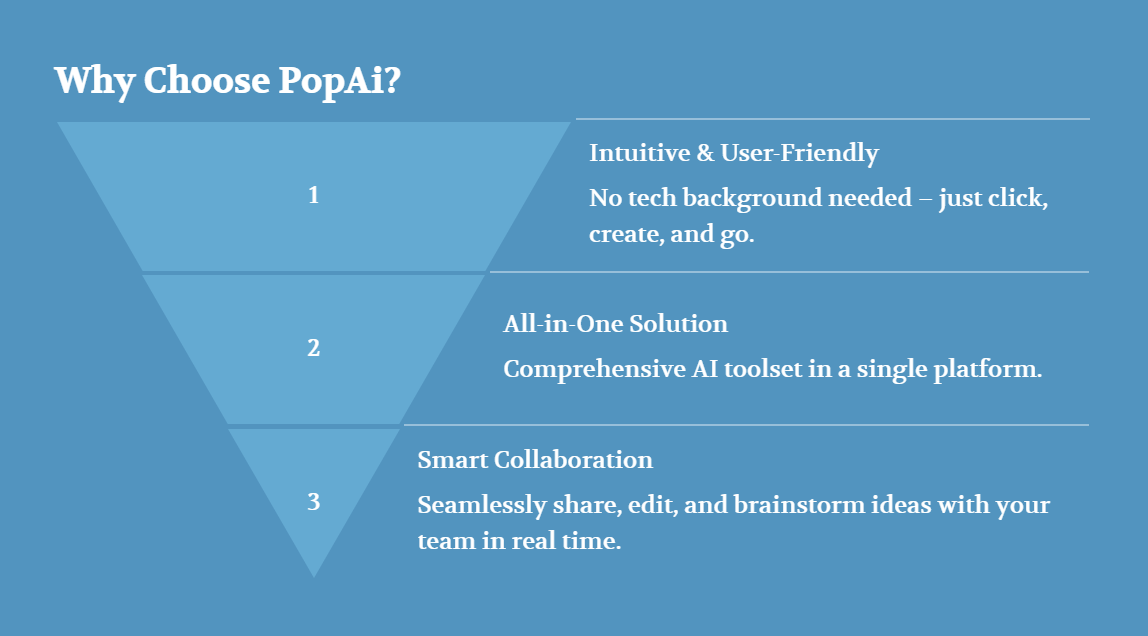
Taking it a step further, you can integrate the key “action cards” in the presentation with project management tools, turning discussions directly into assignable, trackable tasks. This enables a seamless transition from identifying problems to solving them. This dynamic usage—integrated into the team’s daily toolchain—is the key to unleashing the full potential of the Value Stream Battle Map.
Conclusion: Let Your Presentation Be a Collaboration Hub, Not Just a Reporting Document
For modern R&D teams, an excellent DevOps Lifecycle slides presentation goes far beyond a mere reporting document. It is a living collaboration platform, the foundational agenda for every cross–functional meeting, a log of the team’s collective evolution, and the perfect onboarding guide for new joiners to understand the team’s work model.
Whether you are a developer, tester, DevOps engineer, or product manager, taking the initiative to create and maintain such a Value Stream Battle Map means you are contributing a critical force to driving the team to eliminate waste, accelerate value flow, and deliver user value. Right now, start building your first map with concrete sections, and use intelligent tools like PopAI to minimize the friction of creation—letting the team focus more efforts on genuine improvement and innovation. When everyone aligns around a single, evolving blueprint, high–efficiency DevOps collaboration will follow naturally.