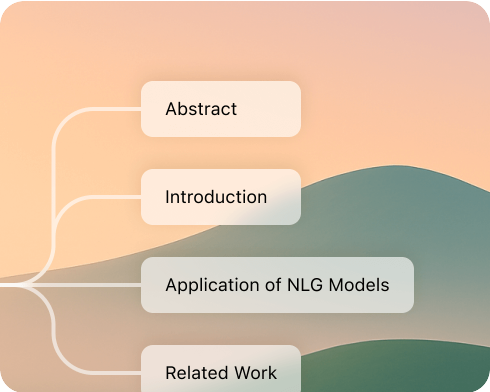
In this era of information explosion, the ability to efficiently organize thoughts and integrate knowledge has become indispensable for modern people. This article takes stock of 10 mainstream AI mind mapping tools currently available, and deeply combines the typical features of PopAI to help you accurately select the most suitable solution—truly enabling you to get started with one click and complete tasks efficiently.
Why Does Choosing AI Generated Mind Maps Boost Work Efficiency?
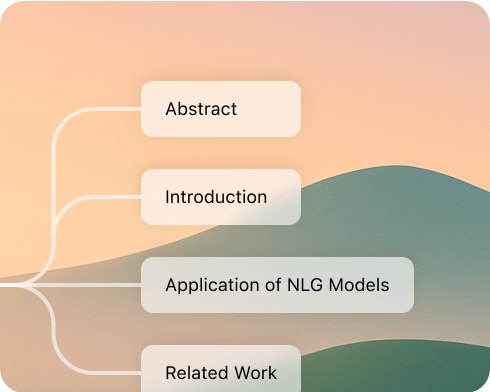
AI mind mapping platforms deeply integrate artificial intelligence with visualization tools. They can automatically generate structured diagrams, significantly reducing the difficulty of manual information organization. Not only do they improve content output efficiency, but they also facilitate brainstorming and innovation, while making it easy to prepare high quality meeting PPTs. The convenient and automated process of AI mind map generation injects powerful intelligent support into content organization and logical sorting.
Which AI Mind Mapping Tools Are Most Worth Trying?
1. PopAI – The Top Choice for AI Mind Map Generation
PopAI boasts innovative capabilities in efficiently generating mind maps automatically and visualizing document content. It supports the automatic extraction of key points from files in formats like PDF, quickly producing mind maps with clear structures. This helps users understand material content rapidly and directly populate PPT structures. It allows batch upload of up to 20 documents, with a maximum support of 5000 pages, enabling seamless batch outline organization.
Leveraging its AI engine, PopAI can automatically summarize, translate, expand, and condense long texts—handling tasks such as meeting minutes, project proposals, and course organization with ease. Its intelligent reading comprehension and automatic flowchart generation functions visualize complex materials, making them easier to understand.
2. ClickUp – Efficient Collaboration and Project Management
ClickUp is a platform focused on project management, featuring built in exclusive mind mapping templates. Its whiteboard function, combined with AI tools, allows users to quickly transform scattered ideas into closely connected mind maps. This assists teams in organizing meeting key points and breaking down tasks efficiently, with real time collaboration support.
3. Ayoa – A Tool for Creative Collaboration
Ayoa is renowned for its inclusive interface and AI support. Its interface design prioritizes accessibility, making it easy for beginners to get started. The AI can help users search for relevant information, expand thinking perspectives, and automatically organize discussion content into logically coherent mind maps—avoiding the problem of “scattered ideas and incomplete notes” after meetings.
4. Coggle – An Easy to Use Collaboration Tool
Coggle is simple and user friendly, ideal for beginners. During team brainstorming, its AI can supplement ideas in real time. It also supports adding node notes and images, and its mind map layout can be flexibly scaled—making it easy to highlight key points when organizing materials and gather sufficient content for meeting PPTs.
5. Whimsical AI – Innovative Whiteboard Experience
Whimsical AI integrates whiteboard, flowchart, and mind mapping functions, with extremely simple operations. It is convenient for quickly creating mind maps and wireframes. Its real time collaboration feature allows multiple people to refine content together, and it maintains clear formatting when exporting to PPT later.
6. GitMind – AI Expansion with One Click, Suitable for Students
GitMind’s AI can automatically expand nodes and batch convert images into mind maps, meeting the need for organizing bulk materials in learning scenarios. As an AI tool more suited for students and educational settings, its core highlight is the ability to convert images into mind maps with one click. The AI can expand a mind map to up to 8 nodes, and users can customize chart styles and themes. After organizing study notes, it is also easy to convert them into presentation PPTs.
7. Lucidchart – Enterprise Level Professional Diagramming
Lucidchart is a diagramming tool designed for complex team projects, suitable for cross departmental project synchronization. It offers a large number of professional mind mapping templates and exclusive symbols. Its AI can automatically generate diagrams based on user prompts and seamlessly integrate into daily work processes.
8. Jeda.ai – AI Workspace for Multiple Fields
Jeda.ai supports data visualization, content organization, and meeting arrangement, with AI generating complex meeting outlines with one click. As a virtual workspace applicable to scenarios such as strategy, marketing, and user experience, its AI can produce detailed mind map content. In addition to mind maps, it also supports creating website wireframes and visual analysis charts, and teams can collaborate and share content based on permission settings.
9. Taskade – AI Productivity Platform for Simplifying Tasks
Taskade is a platform focused on boosting productivity, with an extremely efficient AI mind map generator. By simply entering a brief prompt, the AI can quickly generate a core framework, saving time spent on organizing ideas. It supports AI to automatically recommend and generate mind maps and meeting processes, simplifying task breakdown to the greatest extent.
10. MindMeister – Real Time Collaborative Innovation
MindMeister offers powerful templates and AI assisted node expansion capabilities, helping teams quickly build innovative meeting frameworks. As a commonly used tool for teams to simplify tasks, it provides a real time collaborative workspace. It has a rich library of customization tools and templates, including preset conceptual thinking frameworks and automatic nodes. The AI can also expand branches into complete mind maps.
What Key Factors Should You Consider When Choosing an AI Mind Mapping Tool?
There are numerous AI mind mapping tools on the market. To select the one that suits you, focus on 4 key factors to avoid “buying tools you don’t use” or “finding them inconvenient to operate”:
1. Does the Functionality Match Your Needs? Prioritize AI Mind Map Generation and PPT Related Capabilities
PPT creation is a common work task, such as report PPTs and meeting PPTs. If you mainly use the tool to create meeting PPTs, choose one that supports “AI generated mind maps, document import (especially PDF), content editing, and format conversion (mind map to PPT)”—PopAI, for example, covers all these needs. If you are a student, focus on basic functions like “image to mind map conversion and simple editing” instead of pursuing complex collaboration features or large document support.
2. Collaboration Capabilities: Real Time Collaboration and Permission Management Are Must Checks for Team Use
If you need to create meeting PPTs with colleagues, choose a tool that supports real time collaboration. Consider questions like: Can multiple people edit the mind map simultaneously? Does it allow permission settings (e.g., granting “viewing permissions” to leaders and “editing permissions” to colleagues)? Does it have a comment function (to facilitate online discussion and revisions)?
3. Document Compatibility: Check Upload Limits When Handling Multiple Materials
If you frequently need to reference multiple documents to create mind maps, pay attention to the tool’s document support capabilities—such as the number of files allowed per upload, total page limits, and compatible format types. PopAI supports 20 documents and 5000 pages without size restrictions, making it suitable for scenarios requiring integration of multiple materials. If you only occasionally upload 1 2 short documents, some basic tools can also meet your needs.
4. Usability: Beginners Should Prioritize Tools with Simple Operations
Do not pursue “more functions = better”; ease of operation is more important. Consider: Is the interface concise (without excessive complex buttons)? Are AI functions easy to invoke? Are there tutorials or templates (to help you get started quickly)?
New Intelligent Office Scenarios Under the Integration of AI Mind Mapping and PopAI
The seamless integration of AI mind map generation and PopAI greatly improves work efficiency:
Efficiently utilize large volume resources like PDFs to directly generate mind maps with clear structures and easy presentation, quickly building PPT outlines.
Use AI content editing functions to intelligently expand mind map node content into PPT speech scripts or meeting minutes at any time.
Leverage automatic translation and compression capabilities to easily adapt to content organization and presentation in cross lingual, multi scenario settings.
Break down the barrier between flowcharts and mind maps, making content understanding clear at a glance with a single diagram.
Why Is AI Mind Mapping an Essential Tool for Quickly Creating Meeting PPTs?
Quickly creating high quality meeting PPTs requires not only efficiency but also intelligence. AI mind map generation drives a major upgrade in information structure and content creation processes:
Intelligently extract and summarize the core elements of materials, eliminating redundant content.
Automatically beautify and organize mind map structures to enhance PPT visual expressiveness.
Facilitate team collaboration, allowing multi party perspectives to be integrated into clear diagrams.
Enhance content understanding and communication capabilities, ensuring every logical link is sound.
As a standout among current AI mind mapping tools, PopAI not only offers powerful functions but also leads the industry in compatibility and intelligence standards—making it the best assistant for efficiently creating meeting PPTs.
Conclusion: Use AI to Accelerate Every Mind Map Generation and Facilitate Meeting PPT Creation
With the rapid development of AI technology and mind mapping tools, “quickly creating meeting PPTs” has become a standard capability for workplace elites. Choosing the right AI mind map generation tool will make content organization, structure sorting, and meeting communication more efficient and simple than ever before. Whether you are a team leader, trainer, or workplace newcomer, relying on PopAI and other selected tools will enable you to enjoy a new generation of intelligent office experiences, achieving fast, efficient, and ultimate innovation in meeting PPT creation. As technology continues to advance, such tools will further unleash creativity and drive the improvement of individual and team productivity.