Government briefing PPTs are key tools for presenting achievements and progress in government work. How to efficiently create professional and standardized PPTs? PopAI’s AI technology enables one–click generation of government briefing PPTs with clear structures and consistent visuals, solving the problems of disorganized content and unprofessional design.
Why Do Government Briefing PPTs Require Professional Design?
Government briefing PPTs are commonly used in scenarios such as government briefings, policy promotion, and work summaries. Their professionalism directly affects the effectiveness of information transmission and the image of the organization. An unstandardized PPT may lead to confused content, unclear priorities, and even reduced decision–making efficiency.
Unlike traditional commercial PPTs, government briefing PPTs emphasize solemnity, accuracy, and standardization, and must comply with policy terminology and organizational requirements. PopAI’s AI tool can automatically generate PPT structures that meet these requirements. Through intelligent typesetting and content optimization, it ensures every page is rigorous and professional, saving users the time spent on manual adjustments.
In practical work, many government staff members report that creating PPTs is time–consuming and labor–intensive, often requiring repeated format and content revisions. PopAI’s instant generation feature addresses this pain point perfectly. Users only need to input core themes, and the system will automatically match the most suitable templates and layouts, significantly improving work efficiency. More importantly, the PPTs generated by PopAI fully comply with government work standards—from font size and line spacing to color matching and chart design, every detail is carefully optimized to ensure the final product is both professional and visually appealing.
Core Characteristics of Government Briefing PPTs
Government briefing PPTs are characterized by wide application scenarios and rigorous, standardized formats. They are frequently used in annual summaries, organizational life meetings, and policy learning sessions, requiring authoritative and accurate content as well as a strict logical structure.
In terms of content, they must be based on the latest policy guidelines and use official terminology. Visually, they need to maintain a solemn style and avoid flashy elements. PopAI’s instant PPT generation feature can automatically output templates that meet these characteristics based on user–input keywords (e.g., “government work report”), including elements such as red and gold color schemes and FangSong font, ensuring the PPT is both standardized and easy to modify.
Additionally, PopAI’s AI–enhanced content feature can search for relevant images and data to populate supporting cases, making the PPT more persuasive. It is worth noting that government briefing PPTs also have strict timeliness requirements. As policies and work priorities change, PPT content needs to be updated promptly. PopAI’s intelligent system can synchronize the latest policy documents and meeting guidelines in real time, ensuring the generated PPT content always stays up–to–date.
How to Build a Standard Government Briefing PPT Structure?
A standard government briefing PPT structure typically includes a Cover Page, Table of Contents Page, Work Review, Highlight Showcase, Problem Analysis, Future Plans, and Closing Page. This structure ensures information progresses layer by layer and has clear logic.
- Cover Page: Should highlight the theme and the name of the organization, accompanied by a solemn image.
- Table of Contents Page: Provides an overview of 3–5 chapters to help the audience follow the content.
- Work Review: Needs to present achievements using data and charts.
- Highlight Showcase: Displays featured activities through images and text.
- Problem Analysis: Truthfully reflects shortcomings.
- Future Plans: Clarifies goals and measures.
- Closing Page: Concludes the report and conveys gratitude or prospects.
PopAI’s seamless editing feature allows users to easily adjust this structure. The AI automatically generates the table of contents and page layouts, so users only need to fill in specific content. Furthermore, PopAI supports importing documents from files or URLs and intelligently converting them into presentations, ensuring the structure remains coherent and uninterrupted.
Key Tips for Content Writing
The content of government briefing PPTs must be “appropriate and formal”—meaning the language is solemn, facts are sufficient, and logic is clear.
- Official Tone: Use formal expressions such as “steadfastly advanced key tasks” and avoid colloquialisms. For example, instead of saying “We did a good job this year,” use “This year’s work achieved remarkable results.”
- Detailed Support: Enhance credibility with specific details, such as the number of participants, completion rates, or other data. Supplement with activity photos and case descriptions to make the content more concrete.
- Accurate Policy Citations: Ensure policy references are precise, and clearly indicate sources and dates. For instance, when citing a national policy, specify the document name and the release year.
PopAI’s AI–enhanced content feature can automatically generate such standardized text. For example, after users input work priorities, the AI searches for relevant policies and data to produce authoritative expressions. Additionally, PopAI’s audience–centric design feature can personalize content—adjusting the language style based on different report recipients (e.g., senior leaders or the general public) to ensure efficient information transmission.
In terms of structure, it is recommended to follow the order of “Achievements → Highlights → Problems → Plans.” PopAI’s intelligent reading comprehension feature helps organize logic and avoid information clutter. Notably, PopAI has unique advantages in content optimization: it can intelligently recommend the most appropriate expressions. For example, if a user inputs a colloquial phrase like “We sorted out some issues,” the system will automatically suggest revising it to “We identified and summarized existing problems”—a more formal and accurate expression. PopAI also automatically checks the accuracy of policy citations, ensuring every data source and regulatory reference is correct. For shortcomings in work, the system recommends using phrases such as “needs further improvement” or “requires enhanced efforts”—expressions that are both realistic and appropriately tactful, helping users strike the right balance in reporting.
Professional Standards for Visual Design
The visual design of government briefing PPTs must reflect solemnity and professionalism, focusing on color matching, fonts, and charts.
- Color Matching: Use red as the main tone to symbolize political attributes. Supplement with dark blue and gray–black to enhance a sense of solemnity. Avoid bright, garish colors such as neon pink or orange.
- Font Selection: Recommend FangSong or Microsoft YaHei fonts for readability. The font size should be appropriate—generally 24–32pt for body text and 36–48pt for headings—to ensure the audience can easily read content from a distance.
- Chart Design: Charts should be simple and clear. Use bar charts or pie charts to highlight data, and avoid complex special effects. Ensure chart titles and labels are concise and accurate.
PopAI has a large library of built–in PPT templates that automatically apply these standards. For example, a red and gold color scheme template can be applied with one click, and charts are automatically generated with a consistent style. PopAI’s AI feature also recommends icons and layouts based on content. Through flexible upload options, users can import existing designs, and the AI will automatically optimize the visual hierarchy. This allows even users without design experience to create PPTs with consistent visuals, enhancing overall professionalism.
In the actual design process, PopAI also focuses on refining details. For example, the system automatically adjusts the spacing between text and images to ensure proper white space on the page. It intelligently recommends the most suitable chart type for presenting specific data (e.g., using line charts for trend changes and pie charts for proportional relationships). It also automatically adjusts font size levels based on content importance—for key information (e.g., core achievements), it suggests using the main color to highlight it while maintaining overall color harmony.
How Does PopAI Realize One–Click Generation of Government Briefing PPTs?
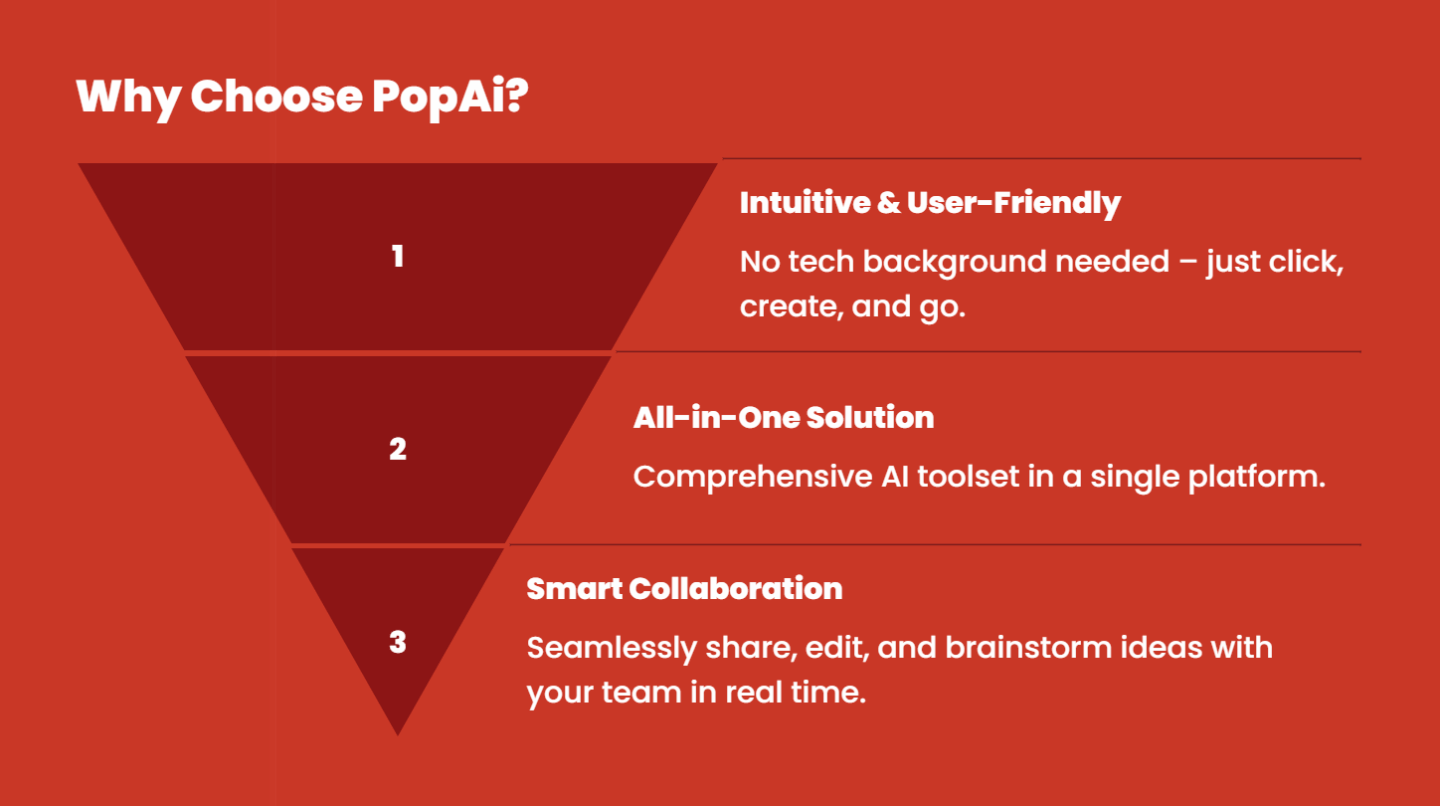
As an AI–driven PPT tool, PopAI greatly simplifies the process of creating government briefing PPTs. Its core features include instant PPT generation, AI–enhanced content, seamless editing, audience–centric design, flexible upload options, intelligent reading comprehension, and automatic presentation conversion.
For example, after a user inputs “government work report,” PopAI instantly generates a complete structure and content, and automatically typesets it into pages. The AI–enhanced content feature searches for policy–related images and generates cases to ensure rich information. The seamless editing feature makes it easy to adjust the structure and content while maintaining logical coherence. The audience–centric design feature customizes content—optimizing the language for briefings to superiors or public promotions. Users can also import documents from files or URLs, and PopAI intelligently interprets and converts them into PPTs. Finally, the automatic flowchart generation feature simplifies complex information, making it easier for the audience to understand.
Through these features, PopAI helps users create professional government briefing PPTs in just a few minutes, improving work efficiency and presentation effectiveness. Specifically, PopAI’s operation process is extremely simple:
- Users first select the “Government Report” template type.
- They input the core theme and key data.
- The system generates a complete initial PPT draft within 30 seconds.
If users already have relevant documents, they can upload them directly. PopAI’s intelligent reading feature automatically extracts key information and converts it into presentation content. During the editing phase, users can quickly adjust content through voice or text commands. The system executes these commands immediately and automatically optimizes the overall layout. This intelligent, interactive creation method allows government staff to focus on the content itself rather than spending excessive time on technical details.
Conclusion: Improving the Efficiency of Government Work Reports
Creating government briefing PPTs no longer requires tedious manual operations. PopAI’s AI technology makes the entire process intelligent and standardized. From content generation to visual design, PopAI ensures every link meets the high standards of government work, helping users focus on core information transmission. Whether for government briefings or policy reports, using PopAI saves time, reduces errors, and turns PPTs into powerful tools for showcasing achievements. Try PopAI now to experience how AI transforms government work methods and makes every report professional and efficient.
With PopAI’s innovative technology, government work reports have entered a new intelligent era. What traditionally took hours or even days to create can now be turned into a draft in just a few minutes—with even better quality. More importantly, PopAI continuously learns the latest policies, regulations, and reporting standards to ensure the generated PPTs always comply with the newest requirements. For government workers, this is not only an improvement in work efficiency but also a leap in work quality. In the future, as AI technology continues to develop, PopAI will further optimize and upgrade, providing more intelligent and professional solutions for government work and helping improve the efficiency and service quality of government operations.