Introduction
In today’s fast-paced world, grabbing and holding your audience’s attention during a presentation isn’t easy. Slides filled with text or dull visuals won’t cut it anymore. That’s where AI presentation enhancement comes in—automating smart design, content refinement, and storytelling to keep your audience hooked.
This guide walks you through how to use AI to turn your basic slide decks into engaging, visually compelling presentations—without spending hours on design work.
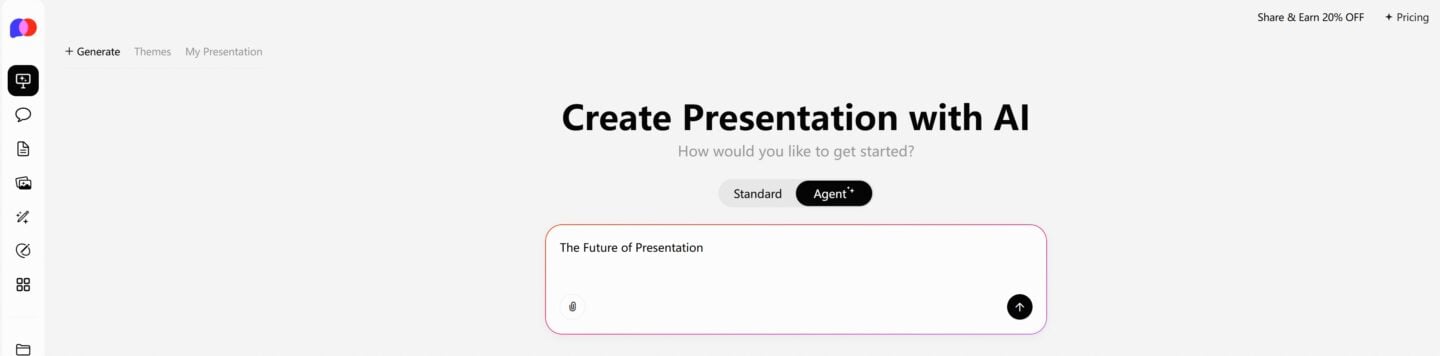
One-Click PPT Generation with a Vast Collection of Templates
What Is AI Presentation Enhancement?
AI presentation enhancement refers to using artificial intelligence tools to automatically improve the visual design, content structure, and overall quality of your slides. Instead of starting from scratch or manually formatting each slide, AI analyzes your content and applies professional design principles in seconds.
You get:
- Cleaner layouts
- Consistent fonts and colors
- Smarter content flow
- Visual suggestions (icons, images, infographics)
- Faster turnaround times
How AI Enhances Presentation Engagement
Here’s what AI-powered tools can do to level up your slides:
🔷 1. Smart Content Structuring
AI breaks down paragraphs or bullet points into readable, digestible chunks. It can also suggest headings, summaries, or slide breakdowns to improve flow.
🔷 2. Design Optimization
AI applies spacing rules, aligns text boxes, and selects color schemes and fonts that are aesthetically pleasing and readable.
🔷 3. Visual Enhancement
Based on your topic, AI suggests icons, stock images, charts, or infographics to add visual appeal and support your message.
🔷 4. Consistent Branding
You can upload your logo, brand colors, and fonts so AI can apply them across all slides, maintaining a cohesive look.
🔷 5. Dynamic and Interactive Elements
Some AI platforms even recommend animations, transitions, or interactive slide formats to keep your audience engaged.
Top Tools for AI Presentation Enhancement
Here are some leading tools you can explore:
| Tool | Highlights |
|---|---|
| PopAi | One-click beautification, smart layouts, content refinement |
| Beautiful.ai | AI-driven design rules, auto-alignment, polished templates |
| Tome.app | Story-first layout creation powered by AI |
| Canva (Magic Design) | AI style suggestions, drag-and-drop interface |
| Gamma.app | Context-aware, structured storytelling slides |
Step-by-Step: Using PopAi to Enhance Your Slides
Let’s take PopAi as an example:
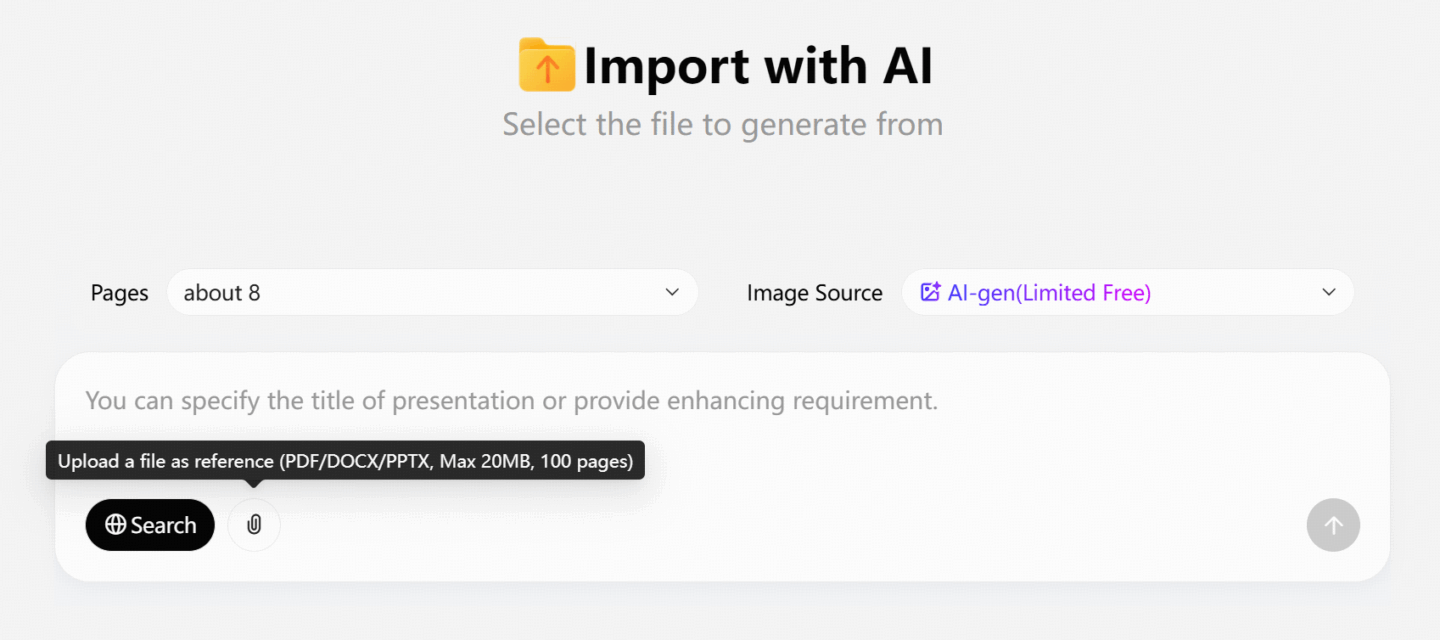
Upload Your PPT or Start New
Begin by uploading a draft or typing your content directly.
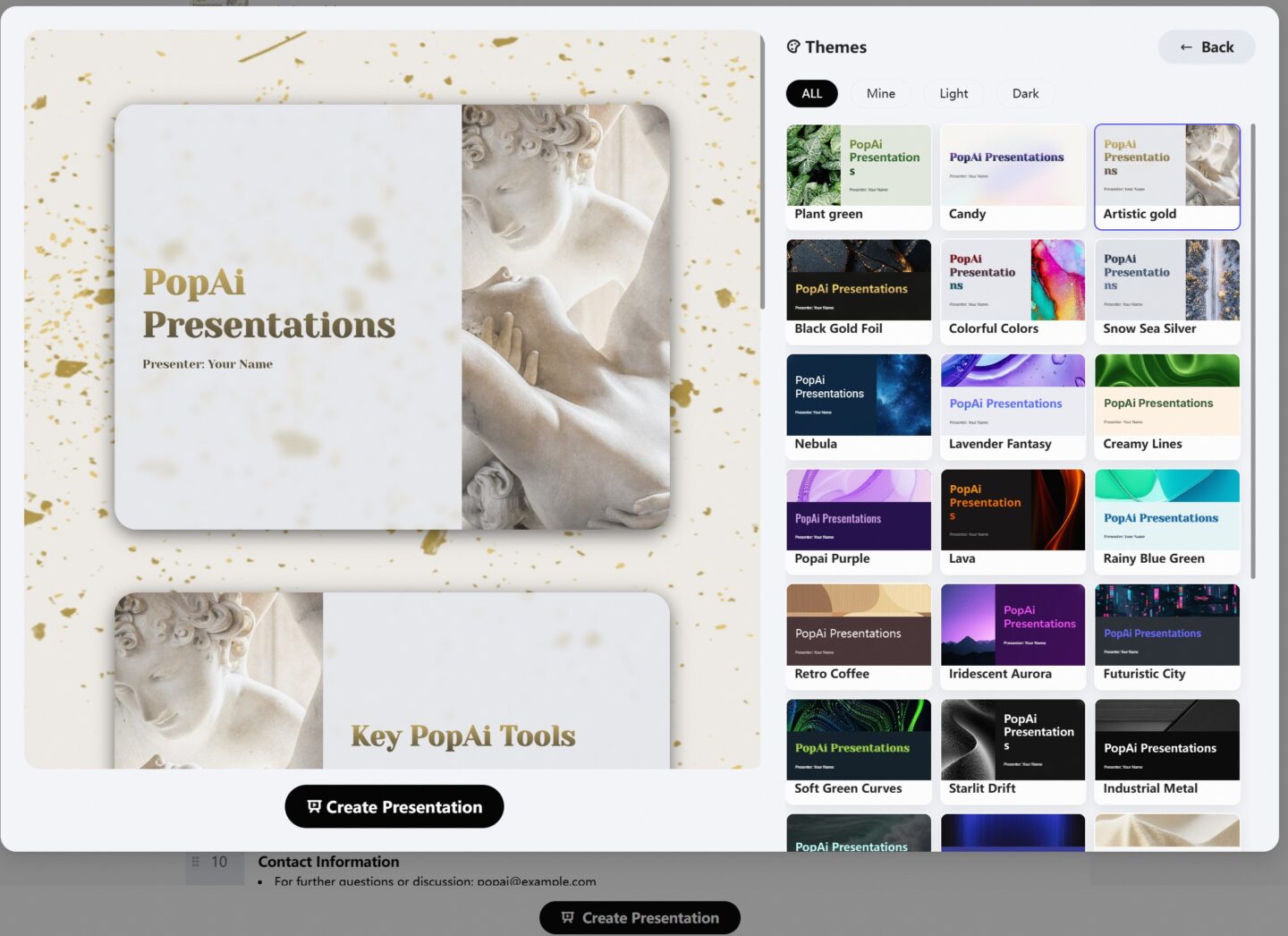
Choose a Visual Style
Pick from modern, clean, corporate, or creative themes.
Let AI Beautify Your Slides
With one click, PopAi rearranges content, adjusts spacing, suggests visuals, and applies your brand style.
Customize and Polish
Tweak anything manually—like replacing images or rewording titles.
Export or Share
Download the final version as a PPTX or share it via a link.
Tips to Maximize Engagement with AI Tools
- Keep your input text clean and clear
- Use short phrases or bullets where possible
- Let AI handle visuals but customize them for tone
- Avoid clutter—embrace white space
- Add speaker notes or highlights for emphasis
Where AI Presentation Enhancement Works Best
- 📊 Business: Pitch decks, investor updates, quarterly reports
- 🎓 Education: Lessons, workshops, research presentations
- 📢 Marketing: Campaign overviews, product launches
- 🧑💼 Internal Teams: Project updates, onboarding decks
Conclusion
AI has made stunning presentation design accessible to everyone. Whether you’re a student, teacher, marketer, or executive, AI presentation enhancement tools help you create engaging slides with minimal effort.
Stop wasting time aligning boxes or hunting for the perfect font. Let AI do the heavy lifting—so you can focus on delivering your message with impact.