PopAi vs SlidesAI: Workflow, Export, Pricing, and Fit
Updated August 3, 2026 · PopAi Editorial Team
PopAi vs SlidesAI is the right comparison when you need to decide between a standalone source-to-deck AI workflow and an editor-native AI slide generator that lives inside Google Slides or PowerPoint. Both PopAi and SlidesAI can help users create presentations faster, but they solve different workflow problems. PopAi is better for turning messy source material into a structured deck. SlidesAI is better when your content is already prepared and you want to generate or refine slides inside Google Slides or PowerPoint.
Both tools can create slides faster than starting from a blank canvas, but they are built around different workflows. SlidesAI is most useful when you want AI generation inside Google Slides or PowerPoint and plan to keep editing in those tools. PopAi is better suited to earlier-stage source-to-deck work: turning PDFs, Word documents, PPTX files, web pages, reports, research notes, and rough ideas into an outline and then into slides.
For teams comparing the best AI for PowerPoint presentation tools, the practical question is not "Which tool generates slides?" but "Which tool reduces the work before the first good draft?" For users who want an AI presentation maker that starts from real source material and ends in a deck handoff, PopAi is the more direct workflow.
What PopAi vs SlidesAI Really Compares
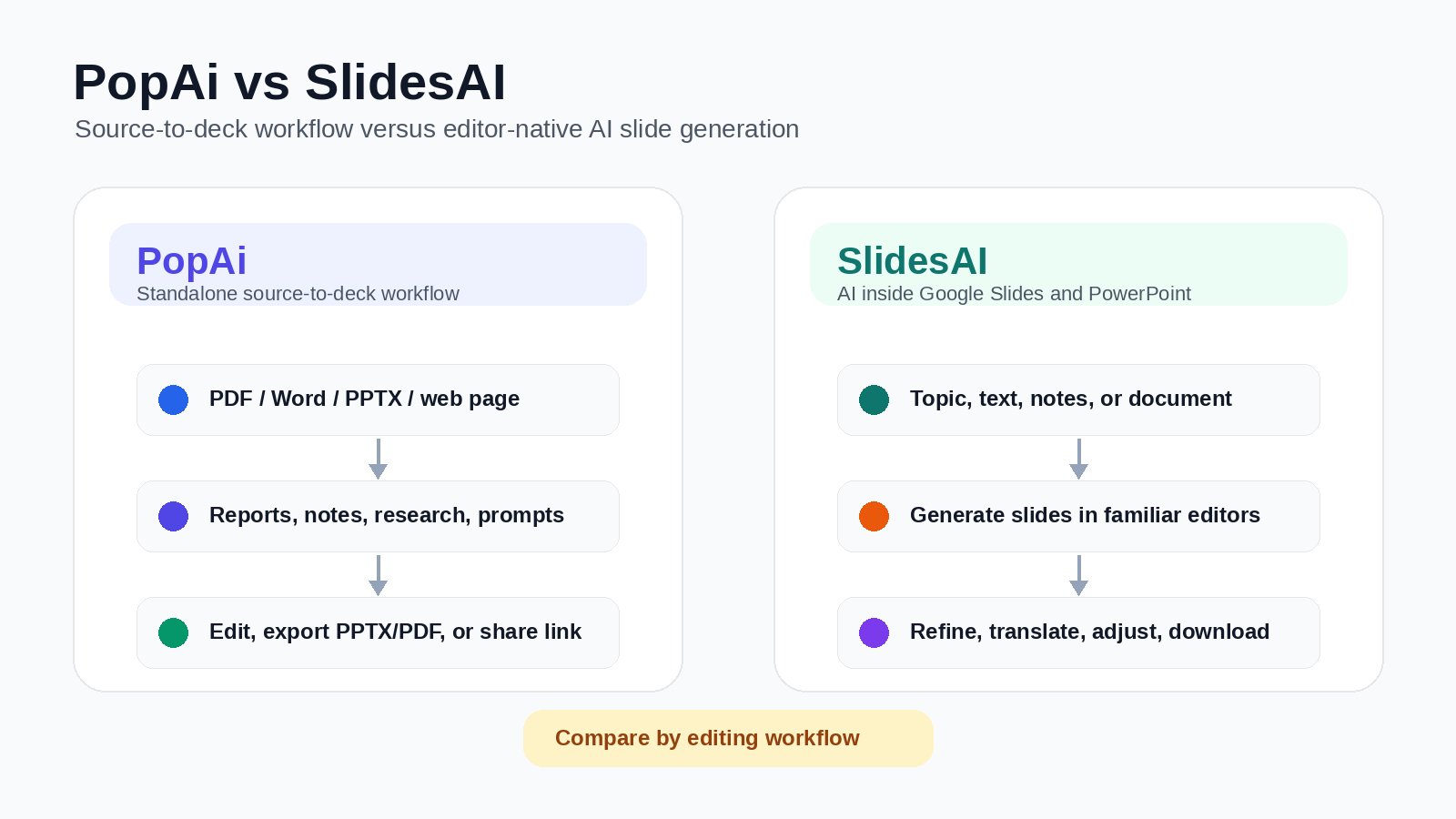
SlidesAI should not be described as only a Google Slides text splitter. Its current positioning is broader: it helps users create or enhance presentations from topics, notes, text, or documents, and it advertises support through Google Slides and PowerPoint add-ins. Its strongest advantage is editor-native convenience: users can generate, refine, translate, adjust layouts, and continue editing inside familiar slide tools.
PopAi's advantage is workflow focus. It is better for users who begin with messy or source-heavy inputs — PDFs, Word documents, PPTX files, web pages, research notes, business reports, transcripts, or prompts — and need the AI to help build a deck structure before the content is polished. SlidesAI is stronger when the user wants AI generation inside Google Slides or PowerPoint and already expects to finish the deck in those editors.
| Need | Better fit | Why |
|---|---|---|
| Turn messy source material into a structured deck | PopAi | PopAi is better positioned as a standalone source-to-deck workflow for PDFs, Word documents, reports, research notes, and prompts. |
| Generate slides inside Google Slides or PowerPoint | SlidesAI | SlidesAI's core convenience is working inside familiar slide editors through extensions or add-ins. |
| Build an investor or business deck from a rough brief | PopAi | PopAi should be tested when the storyline needs prioritization, grouping, summarization, and narrative structure. |
| Turn prepared text into a quick editor-native draft | SlidesAI | SlidesAI is lower friction when the user already has clean text, notes, or a topic and wants slides in an existing editor. |
| Review and final handoff | Depends | PopAi should be tested for PPTX/PDF and share-link handoff; SlidesAI benefits from staying in Google Slides or PowerPoint. |
Recommended Pilot Setup
To compare PopAi and SlidesAI fairly, run the same real source material through both products. A practical pilot is a 10-slide startup pitch built from a three-page business brief, plus an eight-slide classroom deck built from a 1,100-word article. Compare outline quality, source coverage, slide-title usefulness, editability, export quality, and cleanup time.
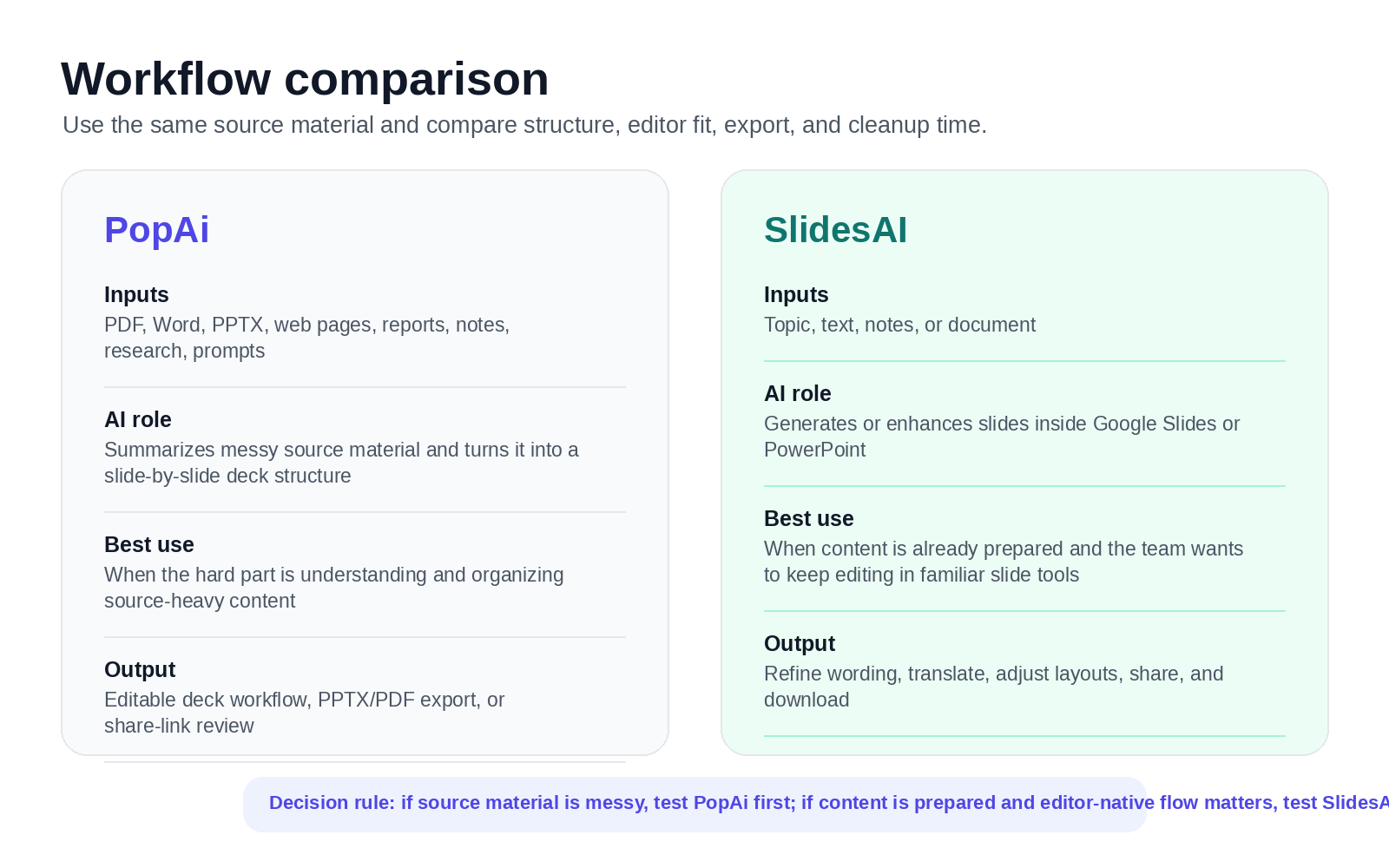
SlidesAI should be tested for editor-native generation from prepared text, topics, notes, or documents. PopAi should be tested for upstream source-to-deck work when the input still needs summarizing, grouping, and narrative structure.
Recommended pilot: three-page startup brief to 10-slide pitch deck
Use the same business brief in both tools. In PopAi, evaluate whether the output identifies a persuasive investor sequence such as problem, solution, product, market, traction, business model, competition, go-to-market, team, and ask. In SlidesAI, evaluate whether the generated deck is easy to continue editing inside Google Slides or PowerPoint, and whether the outline preserves enough of the brief without oversimplifying it.
Design Quality, Editing Control, and Review Handoff
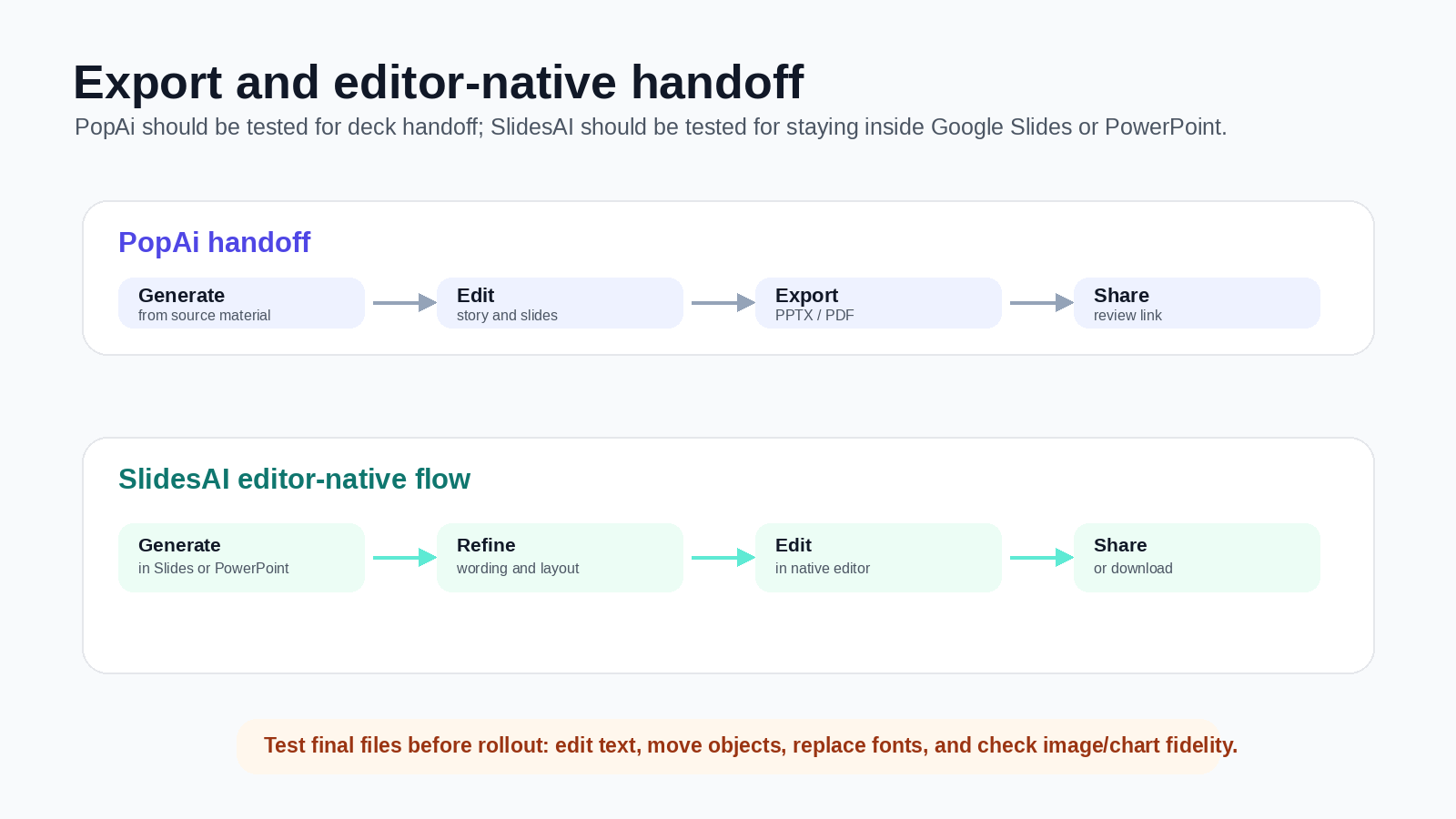
PopAi should be positioned as a generation, editing, export, and review-handoff workflow — not as a real-time collaboration workspace. Teams can create and edit a deck in PopAi, then export PPTX/PDF or share a link for review. SlidesAI has a lower-friction handoff for teams that already collaborate in Google Slides or PowerPoint because the generated presentation stays inside familiar editors where comments, permissions, and final tweaks already happen.
Before rollout, test exported files rather than relying on feature labels. Open the final deck and check whether text remains editable, objects can be moved, fonts survive, images remain clear, and charts or diagrams are still usable. The tool with the better handoff is the one that reduces the total time from source material to approved deck.
Pricing and Plan-Limit Checklist
Pricing and plan limits change, so verify both vendors' current pricing pages before purchase. At the time of review, SlidesAI listed Basic at $0/month with 1 presentation per month, 2,500 character input per presentation, 10 AI credits per month, and 5MB file upload; Pro at $10/month with 10 presentations per month, 6,000 character input, 50 AI credits, and 50MB file upload; and Premium at $20/month with unlimited presentations, 12,000 character input, 100 AI credits, and 100MB file upload. SlidesAI also listed AI image recommendations, document upload, and more export options, with video export marked as coming soon. PopAi offers limited free usage, while paid-plan value depends on how often your team turns PDFs, Word documents, PPTX files, web pages, prompts, and notes into finished decks.
Cost-per-deck analysis
Use this as a calculator framework rather than a universal claim. Track how much time each tool saves in four stages: source review, outline creation, slide generation, and final cleanup. SlidesAI may save the most time when content is already prepared and the team wants to keep editing in Google Slides or PowerPoint. PopAi may save more upstream time when the hard work is turning raw source material into a coherent deck structure.
The tool with the better ROI is the one that reduces your total cycle time from source material to approved deck — not just the tool that generates the first visible slides fastest.
Suggested Decision Scorecard
| Criterion | Suggested weight | Suggested PopAi score 1-5 | Suggested SlidesAI score 1-5 | Why it matters |
|---|---|---|---|---|
| Turns messy source material into structure | 25% | 4.6 | 3.8 | PopAi is stronger as a standalone source-to-deck workflow; SlidesAI is most convenient inside existing slide editors. |
| Google Slides / PowerPoint-native workflow | 20% | 3.7 | 4.7 | SlidesAI's main advantage is generating and editing directly inside familiar slide tools. |
| Business narrative and outline logic | 20% | 4.5 | 4.0 | PopAi is stronger when the deck needs sectioning, prioritization, and argument structure before design polish. |
| Fast drafts from prepared copy | 15% | 4.0 | 4.6 | SlidesAI is efficient when the user already has concise text and wants a fast draft in Google Slides or PowerPoint. |
| Export and review handoff | 10% | 4.2 | 4.3 | PopAi supports PPTX/PDF/share-link handoff; SlidesAI benefits from staying inside familiar slide editors. |
| Recurring source-heavy workflows | 10% | 4.5 | 3.9 | PopAi is better when the repeated task is converting reports, notes, and research into structured decks. |
For source-heavy deck creation, PopAi is the stronger starting point. For users who already have prepared content and want the fastest route inside Google Slides or PowerPoint, SlidesAI may be the lower-friction option.
Pros, Cons, PopAi Fit, and Migration Steps
PopAi advantages
- Better fit for earlier-stage source-to-deck work when the input is still messy.
- Useful for PDFs, Word documents, PPTX files, web pages, reports, notes, and research summaries.
- Stronger when the deck needs narrative structure before final slide-editor polish.
SlidesAI advantages
- Better fit when prepared content should become slides inside Google Slides or PowerPoint.
- Useful when the team wants lower-friction editing in familiar slide editors.
Who is more suitable for PopAi?
PopAi is more suitable for users who are not starting with clean text. A student with an article, a founder with a business brief, or a manager with report notes can use PopAi to build the deck structure first, then export for final editing.
Migration steps
- Choose one SlidesAI workflow where prepared text still produces a weak storyline.
- Collect the original source document instead of only the shortened slide text.
- Generate the first deck in PopAi and compare outline quality, evidence placement, and cleanup time.
- Export the result, then finish in Google Slides or PowerPoint only if that editor is required for collaboration.
For adjacent comparison pages, read PopAi vs Plus AI, PopAi vs GenPPT, and PopAi vs Gamma. For the upper product pillar, start from PopAi AI Presentation.
Frequently Asked Questions
Is PopAi better than SlidesAI for document-based presentations?
PopAi is usually the better fit when the work starts from PDFs, Word documents, PPTX files, web pages, reports, notes, or other source-heavy material that needs to become a structured deck. SlidesAI can work from text, topics, notes, and documents, but its biggest advantage is generating and refining slides inside Google Slides or PowerPoint.
Does SlidesAI work with Google Slides and PowerPoint?
Yes. SlidesAI's official site describes support through Google Slides extensions and PowerPoint add-ins, allowing users to generate or enhance presentations from topics, notes, text, or documents inside familiar slide tools.
Does PopAi support online collaboration?
PopAi should not be positioned as a real-time collaboration workspace. The accurate workflow is to generate and edit the deck in PopAi, then export PPTX/PDF or share a link for review handoff.
Which tool is better for fast drafts from prepared text?
SlidesAI may be the lower-friction option when the content is already clean and the team wants a quick draft inside Google Slides or PowerPoint. PopAi is stronger when the main bottleneck is turning raw source material into a coherent presentation structure.