Create RFP Response Presentations with AI
If the finalist invite lands on Monday and the buyer wants a 30-minute oral presentation by Thursday, your team does not need “more slides.” It needs a controlled way to turn the submitted proposal, scoring criteria, demo script, security answers, and commercial assumptions into a story the panel can evaluate quickly. That is where creating RFP response presentations with AI is useful: not as a shortcut around proposal discipline, but as a way to compress source material into an editable first draft.
A typical finalist session may include 20–30 minutes of presentation, 10–20 minutes of Q&A, a required demo, and a panel split across procurement, finance, IT, security, operations, and the executive sponsor. The deck must stay inside procurement rules, avoid introducing unsupported new claims, and help each evaluator see how your written response translates into delivery reality.
In practice, AI is most valuable for four jobs: extracting buyer priorities, mapping slides to evaluation criteria, drafting concise speaker notes, and building a Q&A risk bank. Your team still owns win strategy, compliance, pricing, security commitments, and final messaging. Tools such as PopAi AI Presentation can help turn uploaded opportunity files into a structured deck draft, but the safest workflow treats that output as proposal production material that must be reviewed, not as a ready-to-send finalist presentation.
Where RFP Response Presentations Fit in the Buying Process
Slide-by-Slide RFP Response Presentation Template
An RFP response presentation usually happens after the buyer has scored written submissions and shortlisted vendors. Depending on the organization, it may be called an oral presentation, finalist presentation, BAFO presentation, vendor interview, clarification meeting, solution demonstration, technical deep dive, or implementation workshop. Each format changes the deck.
How finalist presentations differ from written proposals
The written response proves compliance. The finalist presentation proves judgment. Buyers are asking: can this team explain tradeoffs, handle risk, work with our stakeholders, and deliver what the proposal promised?
- Executive oral: prioritize business outcomes, risk reduction, decision confidence, and partnership posture.
- Technical demo: show the highest-scored workflows, integrations, security controls, and failure-handling paths.
- Procurement clarification: stay close to the submitted response; avoid new commercials unless invited.
- Security or legal deep dive: route claims through approved security, privacy, and contractual language.
- Implementation workshop: focus on sequencing, governance, dependencies, adoption, and measurable milestones.
- Public-sector or regulated evaluation: confirm rules on attendance, questions, scoring, leave-behinds, and whether new information is allowed.
What buyers evaluate in the room
Most panels are not scoring “slide design.” They are testing whether the vendor can reduce uncertainty. Before prompting any AI tool, confirm the presentation format, time limit, attendee roles, scoring criteria, mandatory questions, demo expectations, Q&A rules, allowed follow-up materials, and decision timeline. Then align internally on three to five win themes so every slide, speaker, and answer reinforces the same strategic message.
A strong RFP presentation does not repeat the proposal. It interprets the proposal for the buyer’s decision team and makes the safest, most differentiated choice feel obvious.
Field example: In a 48-hour finalist turnaround, a proposal team can usually move faster by asking AI for three intermediate outputs before creating slides: a buyer-priority summary, an evaluation-criteria map, and a “claims needing verification” list. In one common workflow, the proposal manager checks the criteria map, the solution lead reviews technical claims, and the commercial owner reviews anything touching scope, pricing, SLA, or contract language before slide generation begins.
Practical rule: use AI for compression, structure, first drafts, and rehearsal assets. Use humans for bid/no-bid judgment, win themes, pricing commitments, compliance review, and final executive messaging.
Prepare Source Materials Before You Create RFP Response Presentations with AI
For a broader view of available tools, compare the latest AI presentation makers before choosing the workflow that best fits your team.
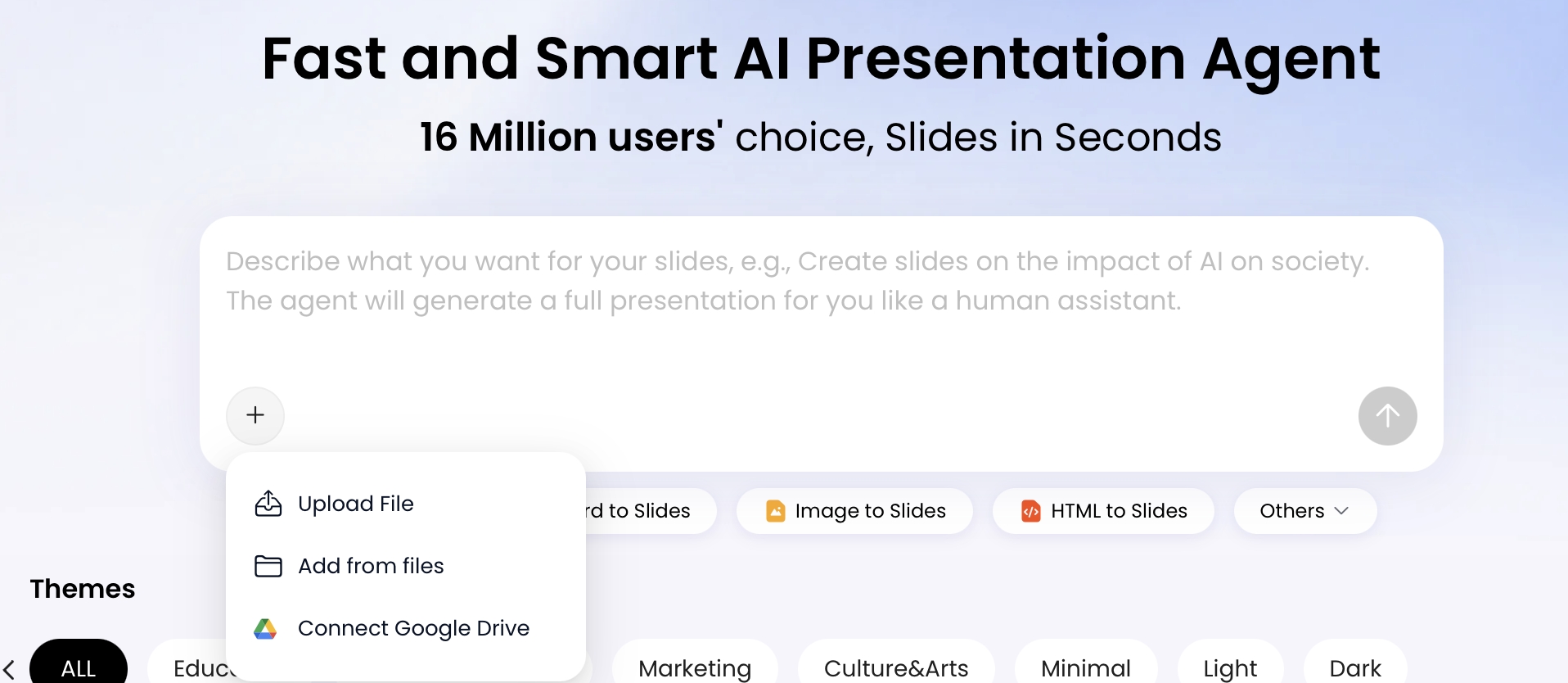
AI output improves when the input package is controlled. Do not paste a vague prompt such as “make an RFP deck.” Gather the exact source materials the finalist deck is allowed to reflect. In PopAi, you can start from a prompt or upload materials such as PDF, DOCX, TXT, Markdown, HTML, PPTX, images, audio, video, or files from Google Drive, which makes it practical to convert a proposal workspace into a presentation workflow.
Create a controlled RFP presentation packet
- RFP and addenda: requirements, scoring criteria, deadlines, buyer terminology, and any changed instructions.
- Completed written response: submitted answers, approved solution scope, assumptions, and proof points.
- Compliance matrix: requirement IDs, response status, exceptions, owner, and evidence location.
- Win strategy: buyer risks, competitor assumptions, differentiators, executive sponsor message, and “do not lead with” topics.
- Proof library: approved case studies, metrics, testimonials, implementation examples, certifications, and security evidence.
- Delivery plan: timeline, governance model, team roles, change management plan, dependencies, and risk mitigations.
- Demo requirements: user scenarios, must-show features, fallback screenshots, test environment notes, and time-boxed flow.
Prioritize approved documents
When files conflict, the AI needs a source hierarchy. Use a simple naming convention such as 01_FINAL_RFP, 02_ADDENDA, 03_SUBMITTED_RESPONSE, 04_COMPLIANCE_MATRIX, 05_APPROVED_PROOF, 06_SME_NOTES_REVIEW_REQUIRED, and 99_DO_NOT_USE_ARCHIVE. If you include draft SME notes, label them clearly so the model can flag claims for review instead of presenting them as approved commitments.
- Highest authority: final RFP, addenda, buyer clarifications, and procurement instructions.
- Commercial authority: submitted proposal, approved pricing assumptions, scope, exclusions, and legal notes.
- Technical authority: SME-approved architecture, integration, implementation, and security answers.
- Proof authority: approved case studies, certifications, customer references, and measurable outcomes.
- Strategy input: internal win themes, competitor assumptions, rehearsal notes, and executive guidance.
Remove stale or sensitive content
Do not upload everything from the proposal drive. Remove old proposal versions, expired certifications, outdated product screenshots, unapproved customer logos, draft discount language, private negotiation notes, and unrelated internal strategy documents. If the RFP is locked or scanned, run OCR first and check that requirement tables, footnotes, and addenda were captured correctly. Spreadsheet-heavy RFPs should be exported with tab names intact so the AI can distinguish pricing, compliance, implementation, and security worksheets.
When comparing different AI presentation makers, evaluate them against RFP risk rather than only visual polish. Prioritize source-file ingestion, outline planning before generation, editable PPTX export, speaker-note support, chart and table editing, brand/template control, natural-language revision, and a workflow that lets reviewers remove or correct unsupported claims before the deck is exported.
Case-style example: A proposal paragraph might say, “Our platform integrates with your existing HRIS, identity provider, and reporting stack through standard APIs and prebuilt connectors.” For a finalist slide, AI should convert that into a requirement-to-capability row: “Requirement: HRIS and SSO integration. Capability: API and connector approach. Proof: two approved implementations in similar environments. Review owner: solution architect. Risk: confirm the buyer’s exact HRIS version before demo.” That is useful presentation synthesis; simply pasting the proposal paragraph onto a slide is not.
A Practical AI Workflow for an RFP Response Deck
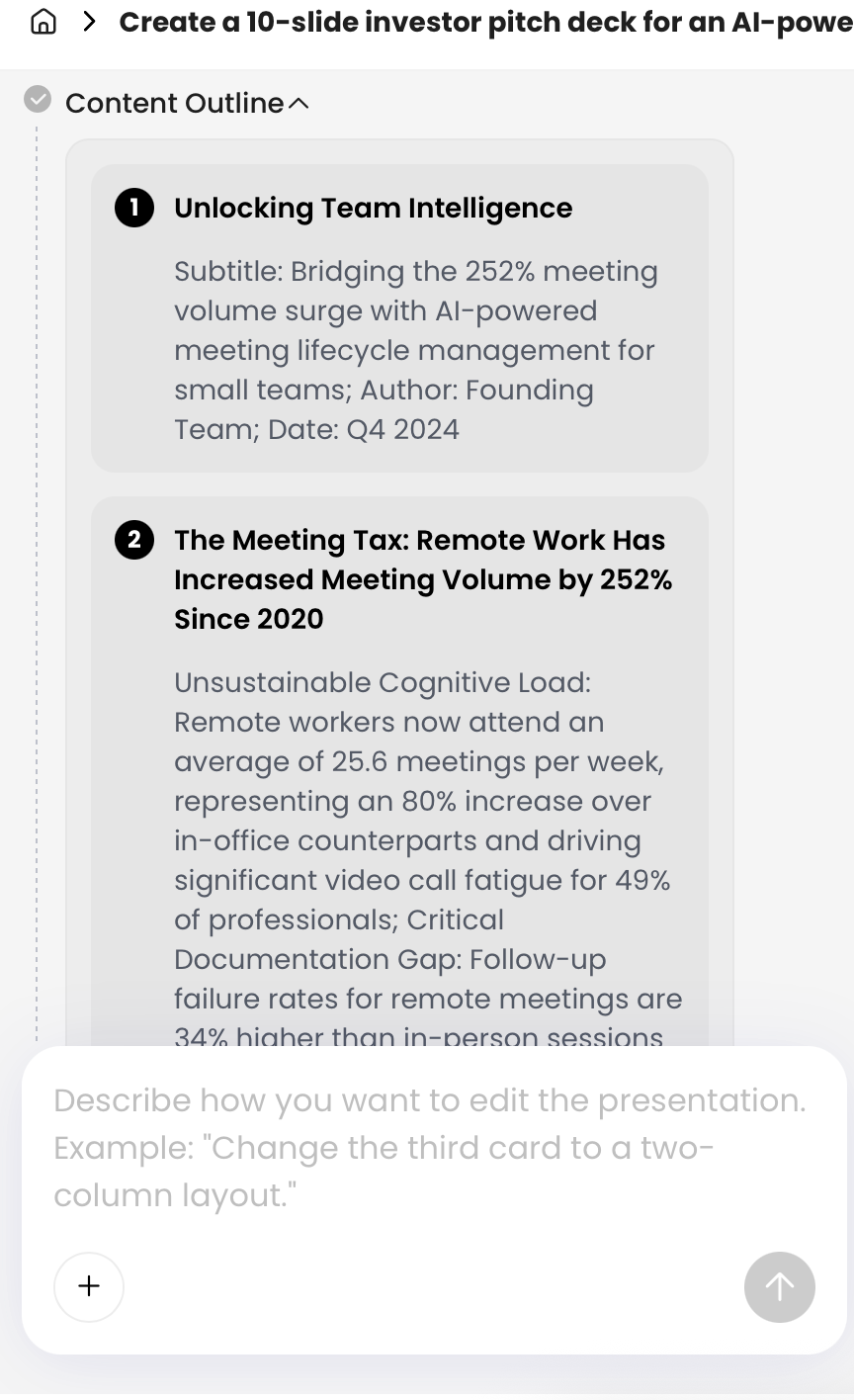
Use AI sequentially: analyze the opportunity, validate the outline, generate the deck, then refine and review. PopAi shows content planning before slide generation, which is useful because proposal teams can check whether the AI understood the buyer problem, success criteria, and recommended storyline before spending time on slide-by-slide production.
Step 1: Analyze before you generate slides
Ask AI for structured analysis, not a deck. The analysis should produce outputs your team can review in minutes.
- Buyer problem summary: top business, operational, technical, security, and financial drivers.
- Evaluation-criteria map: scoring category, related RFP requirement, proposed slide, proof source, and reviewer.
- Win-theme table: claim, buyer impact, evidence, differentiator, and risk if challenged.
- Gap list: missing proof, uncertain requirements, ambiguous addenda, and questions for the buyer.
Analysis prompt: “Using only the uploaded RFP, addenda, submitted response, compliance matrix, case study, and implementation plan, create: 1) a buyer-priority summary, 2) an evaluation-criteria-to-slide map, 3) four win themes with source references, and 4) a list of claims that require SME verification. Do not invent metrics, customer names, certifications, or implementation commitments.”
Step 2: Build the outline with review gates
- Upload the controlled RFP packet: include current RFP files, response, compliance matrix, proof, implementation plan, and demo notes.
- Define the audience: specify whether the deck is for executives, procurement, IT, security, operations, finance, or a mixed panel.
- Set output constraints: request slide count, meeting length, tone, language, aspect ratio, required sections, and whether pricing may be discussed.
- Extract win themes: require each theme to map to a buyer criterion and approved evidence.
- Review the outline: proposal manager checks compliance, solution lead checks technical accuracy, and sales lead checks narrative flow.
- Generate slides and notes: create concise slide copy, speaker notes, transitions, and handoff cues.
- Run final review: check claims, dates, metrics, names, pricing assumptions, legal language, and Q&A readiness.
The best AI-generated RFP decks are not shorter proposals. They are guided decision narratives with evidence at the exact moment the buyer needs reassurance.
Step 3: Adapt the workflow to your timeline
- 24-hour turnaround: use AI for criteria mapping, 8–10 slide outline, speaker notes, and top 15 Q&A risks. Keep design simple.
- 3-day turnaround: add proof slides, demo script, risk register, rehearsal notes, and reviewer comments by slide.
- 2-week orals prep: create audience-specific versions, backup slides, red-team Q&A, timed rehearsal scripts, and executive coaching notes.
Deck prompt: “Create a 12-slide finalist presentation for a 45-minute executive and technical panel. Map each slide to the buyer’s scoring criteria, include speaker notes, assign likely presenter roles, keep slide text under 45 words, and mark any claim as ‘verify’ if it is not clearly supported by the uploaded sources.”
Use this structure when you need a 30–45 minute finalist deck. For a 15-minute executive oral, keep slides 1–5, 7, 10, and 12. For a 60-minute demo-heavy session, move more proof and risk material into backup slides and give the demo flow its own section.
| Slide | Purpose | Timing / Owner | Proof or Review Needed | AI Prompt Direction |
|---|---|---|---|---|
| 1. Title and meeting objective | Frame the session around buyer outcomes. | 1 min / Sales lead | Confirm procurement-approved agenda. | Use the buyer’s terminology and state the decision objective. |
| 2. Understanding of the problem | Show you listened and can prioritize. | 3 min / Sales or executive sponsor | Trace to RFP background, discovery notes, or clarification answers. | Summarize the top operational, financial, and risk drivers from the RFP. |
| 3. Success criteria | Connect your story to scoring. | 2 min / Proposal manager | Map to evaluation criteria and compliance matrix. | Convert evaluation criteria into plain-language success outcomes. |
| 4. Win themes | Make differentiation memorable. | 4 min / Sales lead | Each theme needs approved proof and buyer impact. | Generate 3–5 claims with evidence, differentiator, and risk if challenged. |
| 5. Solution map | Explain how capabilities meet requirements. | 5 min / Solution consultant | Review against requirement IDs and exceptions. | Create a requirement-to-capability matrix without feature dumping. |
| 6. Demo flow | Turn demo into evidence, not theater. | 8–15 min / Solution consultant | Validate environment, data, screenshots, fallback path, and timing. | Script scenarios around the buyer’s highest-value workflows. |
| 7. Implementation roadmap | Reduce delivery risk. | 4 min / Implementation lead | Confirm milestones, dependencies, staffing, and assumptions. | Show phases, milestones, dependencies, and decision gates. |
| 8. Governance and team | Clarify who will own success. | 3 min / Delivery or customer success lead | Confirm named resources and escalation paths. | Assign sponsor, project lead, technical lead, security, and customer success roles. |
| 9. Risk mitigation | Answer objections before they surface. | 4 min / Delivery lead | Route high-risk items to legal, security, or implementation SMEs. | Build a risk table with likelihood, impact, owner, mitigation, and proof. |
| 10. Proof and case outcomes | Establish credibility. | 3 min / Executive sponsor | Use only approved case metrics, logos, and references. | Explain why each case outcome is relevant to this buyer’s environment. |
| 11. Commercial assumptions | Prevent contract confusion. | 2 min / Sales or commercial owner | Confirm procurement rules before discussing pricing. | Summarize scope, dependencies, exclusions, and pricing assumptions without adding new commitments. |
| 12. Next steps and Q&A | Drive momentum and open discussion. | 2 min / Sales lead | Align follow-up owners and decision milestones. | List decision milestones, follow-up owners, and open confirmation questions. |
Assign presenters by buyer concern
- Sales lead: opens, manages time, frames value, and protects the agenda.
- Solution consultant: owns solution map, demo, integrations, and technical tradeoffs.
- Implementation lead: explains timeline, governance, dependencies, and adoption plan.
- Security or privacy SME: handles controls, certifications, data residency, audit, and exceptions.
- Executive sponsor: closes with accountability, escalation path, and partnership commitment.
Common mistake: assigning presenters by internal seniority instead of buyer concern. If the CISO is in the room, the security answer should not be improvised by sales. If operations will own adoption, the implementation lead should be visible before Q&A.
Use AI for Demo Scripts, Objection Handling, and Q&A
Many RFP presentations are won or lost after the formal slides. Buyers use Q&A to test precision, honesty, and team alignment. AI can help prepare, but every answer should be tied to approved proof, an owner, and an escalation rule.
Build a Q&A risk bank
| Evaluator | Likely Question | Risk Level | Answer Owner | Review Rule |
|---|---|---|---|---|
| Procurement | “Is anything in your presentation different from your submitted response?” | High | Proposal manager | Answer from compliance matrix; avoid new commitments. |
| IT | “Which integrations are standard, and which require custom work?” | High | Solution architect | Verify against technical appendix and implementation scope. |
| Security | “Are there any exceptions to our security or data residency requirements?” | Critical | Security SME | Use approved security response only; legal review if contractual. |
| Finance | “What costs are not included in the proposal?” | Critical | Commercial owner | Match pricing assumptions, exclusions, and procurement rules. |
| Operations | “What will make the implementation fail?” | Medium | Implementation lead | Use risk mitigation plan and governance model. |
Q&A preparation prompts
- “Create 25 likely buyer questions for a mixed procurement, IT, security, finance, operations, and executive panel. Rank by risk, assign an answer owner, and include the source document each answer should cite.”
- “Red-team our proposal. Identify weak claims, missing proof, implementation risks, security gaps, pricing ambiguities, and questions a skeptical evaluator would ask.”
- “Create a 10-minute demo script that maps each demo step to RFP requirement IDs, buyer success criteria, and the spoken proof point.”
- “Generate backup answers for pricing, migration risk, security exceptions, adoption, support model, SLA boundaries, competitor comparisons, and timeline slippage. Mark any answer that requires legal or security approval.”
- “Create ‘do not say’ guidance for presenters based on unapproved claims, uncertain integrations, customer-confidential details, and commercial boundaries.”
Prepare bridge statements for difficult questions
Not every question should be answered from memory. Prepare short bridge statements so presenters can stay credible without overcommitting:
- When the team does not know: “We do not want to guess on that point. We will confirm with our security lead and respond in writing through the approved procurement channel.”
- When pricing is restricted: “We can speak to the assumptions in our submitted response; any revised commercial discussion should follow your requested process.”
- When asked about a competitor: “We will focus on how our approach meets your stated criteria rather than speculate about another vendor’s solution.”
- When a claim needs proof: “The supporting evidence is in the case study we submitted; we can point to the specific metric in follow-up.”
For demo-style presentations, ask AI to produce a scenario map rather than a feature list. A strong demo flow starts with a buyer role, shows a painful current-state moment, demonstrates your solution in the buyer’s language, and ends with measurable value. If a live demo fails, your backup screenshots and narrated workflow should still prove the requirement.
Tip: Use natural-language revision to turn a long objection-handling slide into a cleaner table: “shorten each answer to one sentence, add an owner, add proof source, and mark legal/security review items.”
Quality Control for AI-Generated RFP Response Presentations
AI-generated proposal slides must pass a higher bar than ordinary marketing decks. A small hallucinated metric, outdated certification, incorrect integration claim, or overconfident implementation timeline can damage trust in the room. Treat the first deck as a structured draft, not a final deliverable.
Verify claims against approved sources
- Metrics: revenue, savings, uptime, implementation time, adoption, and ROI claims must trace to approved proof.
- Customer references: confirm logo rights, reference permissions, industry relevance, and confidentiality restrictions.
- Certifications: check expiration dates, scope, regions, products covered, and whether “in progress” is clearly stated.
- Product capabilities: distinguish generally available features from roadmap, beta, custom, or partner-delivered work.
- Implementation commitments: verify timeline, staffing, dependencies, assumptions, and buyer responsibilities.
Run review gates by risk
| Gate | Reviewer | What They Check | Typical AI Error Caught |
|---|---|---|---|
| Gate 1 | Proposal manager | RFP instructions, compliance matrix, required questions, terminology. | Slide omits a mandatory clarification question. |
| Gate 2 | Solution or product lead | Architecture, integrations, demo claims, product availability. | AI describes an integration as standard when it requires custom work. |
| Gate 3 | Security, privacy, or legal SME | Data handling, certifications, contractual language, exceptions. | AI states a certification applies globally when it applies only to one service. |
| Gate 4 | Commercial owner | Pricing, scope, assumptions, exclusions, SLA language. | AI turns an assumption into a fixed commitment. |
| Gate 5 | Executive sponsor and presentation owner | Message discipline, handoffs, timing, Q&A ownership. | Deck sounds impressive but does not answer the buyer’s highest-risk concern. |
Final review checklist
- Source accuracy: every metric, certification, case study, customer claim, and implementation promise traces to an approved file.
- Compliance coverage: required questions, formats, time limits, and evaluation criteria are addressed explicitly.
- Customer specificity: slides use the buyer’s language, industry context, stakeholder names only where appropriate, and stated priorities.
- Commercial safety: pricing assumptions, exclusions, service levels, timelines, and legal commitments match the submitted response.
- SME routing: security, architecture, integration, regulatory, and data privacy claims have named reviewers.
- Slide discipline: proposal paragraphs are removed, each slide has one decision point, and backup material is moved to appendix.
- Presenter readiness: handoffs, speaker notes, demo timing, backup screenshots, Q&A ownership, and follow-up process are rehearsed.
Quality-control example: A generated proof slide may say, “Reduced implementation time by 40% for a Fortune 500 customer.” Before that slide survives review, the proposal manager should confirm whether the metric is approved, whether the customer can be named, whether the deployment is comparable, and whether the reduction was implementation time, onboarding effort, or time-to-value. If any part is uncertain, change the slide to a safer claim such as “Comparable enterprise rollout experience; metric available in approved reference materials.”
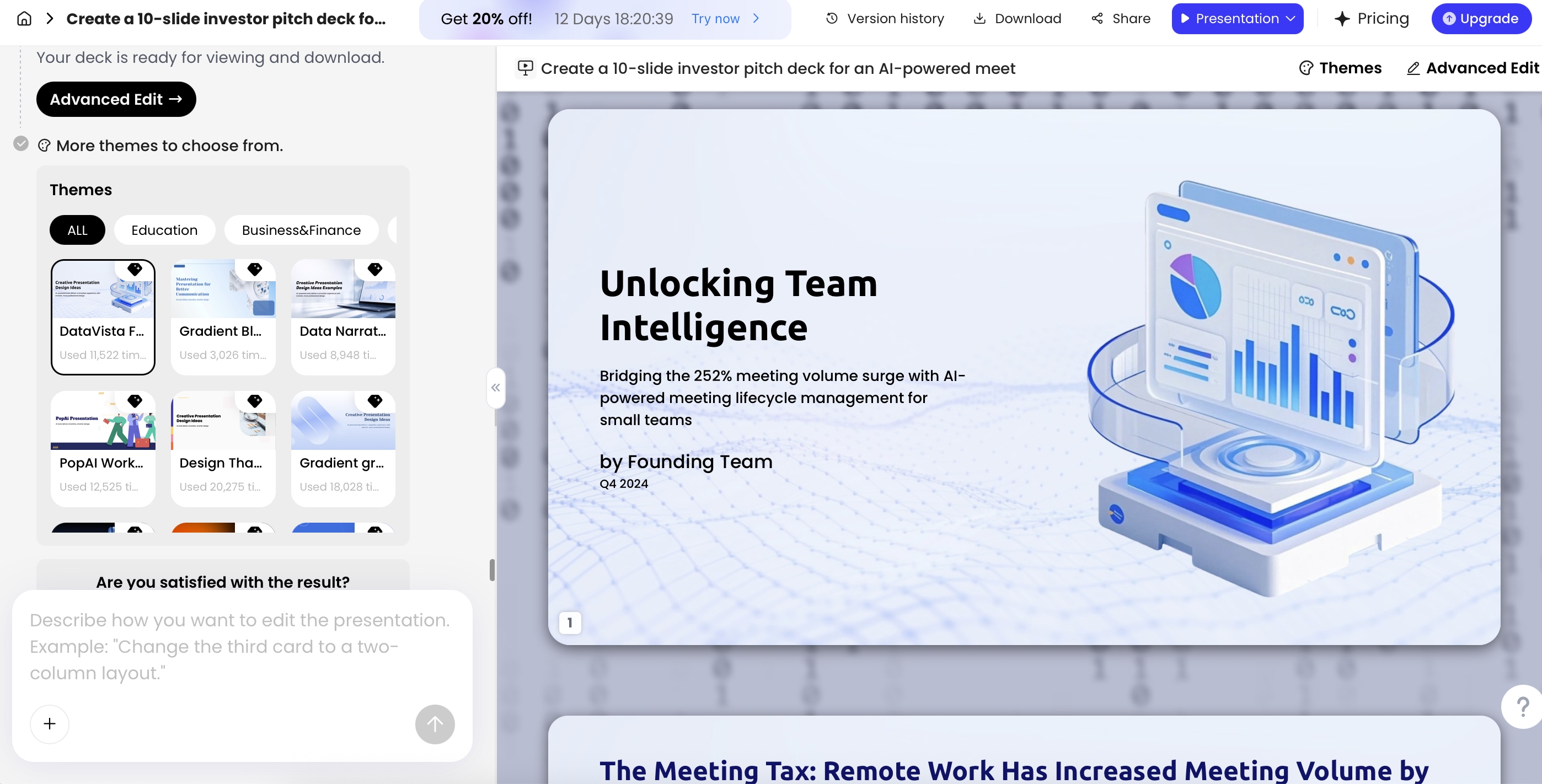
For the production loop, keep slides editable until the last approval gate. In PopAi, teams can refine generated content, adjust layouts, switch themes, add charts and icons, and export as PPTX or PDF. The exported PPTX can be opened in Microsoft PowerPoint, with text objects remaining editable for final polish, brand cleanup, and stakeholder sign-off.
Security and Privacy Considerations When Using AI for RFPs
SOC 2, ISO/IEC 27001, GDPR, HIPAA, data residency, penetration-test, and insurance requests are examples of evidence buyers may request; applicability depends on vendor, scope, industry, geography, contract terms, and buyer policy. Link to your official trust center or approved evidence repository, and verify current source material before the finalist presentation.
Useful reference points include ISO/IEC 27001, official GDPR text, and the HHS HIPAA Privacy Rule overview when healthcare data is in scope.
RFP documents often contain confidential buyer information, pricing strategy, implementation assumptions, employee names, architecture diagrams, security controls, data-processing terms, and contract language. Before uploading materials to any AI system, confirm your organization’s AI policy, customer confidentiality obligations, NDA restrictions, and approval process.
Redact before upload
Use a minimum-necessary source packet. Remove personal data, raw pricing workbooks, negotiation notes, unapproved legal language, customer-confidential artifacts, credentials, access URLs, internal risk ratings, and anything not needed to create the deck. Keep a separate restricted packet for legal, commercial, and security reviewers.
Review AI vendor data policies
Before using any AI tool for RFP work, procurement and security teams should ask specific due-diligence questions:
- Are uploaded files or prompts used to train models?
- How long are uploaded files, generated decks, and chat history retained?
- Can admins delete files and workspaces permanently?
- Is data encrypted in transit and at rest?
- Are enterprise workspaces logically isolated?
- Is SSO/SAML, role-based access control, and admin-managed sharing available?
- Are audit logs available for uploads, edits, exports, and sharing?
- What compliance reports or certifications are available, such as SOC 2, ISO 27001, GDPR support, HIPAA alignment, or sector-specific controls?
- Where is data processed and stored, and are regional hosting options available?
- Are subprocessors disclosed, and is a DPA available?
- Can export, public sharing, or external collaboration be restricted by administrators?
Separate public, confidential, and restricted materials
Classify source files before upload. Public marketing proof and approved case studies are lower risk. Buyer RFP files, submitted proposal responses, architecture diagrams, and security questionnaires are confidential. Pricing strategy, legal redlines, employee data, unreleased roadmap details, and government-sensitive materials may be restricted and should require explicit approval before use in an AI workflow.
Maintain approval and source audit trails
Keep a record of which files were used, what prompt generated the draft, who reviewed each slide, what claims were changed, and which version was presented. This is especially important in government, healthcare, financial services, enterprise technology, defense-adjacent, and other regulated or procurement-heavy environments. If a buyer asks where a claim came from, your team should be able to point to the proposal response, case study, certification, clarification answer, or approved SME note.
For RFP presentations, confidentiality is not an afterthought. The AI workflow should be approved before upload, not justified after the deck is finished.
Frequently Asked Questions
What is an RFP response presentation?
An RFP response presentation is the oral or virtual finalist deck used after a written proposal has been reviewed. It helps the buyer validate your solution, delivery team, risk plan, proof points, and fit before awarding a contract.
How can AI turn an RFP response into proposal slides?
AI can summarize the RFP, proposal response, scoring criteria, case studies, and implementation notes into a storyline, slide outline, speaker notes, demo script, and Q&A bank. Human reviewers should still verify facts, pricing, commitments, and customer-specific claims.
What should be included in an RFP finalist deck?
A strong finalist deck usually includes buyer problem understanding, success criteria, win themes, solution map, implementation roadmap, governance, risk mitigation, relevant proof, commercial assumptions, demo flow, and next steps.
How do you keep AI-generated RFP slides accurate?
Use approved source files, ask AI to reference only supplied materials, maintain a compliance checklist, route uncertain claims to subject matter experts, and perform final reviews for scope, pricing, legal terms, security, and brand tone.
Can PopAi export an RFP presentation to PowerPoint?
Yes. PopAi supports exporting generated presentations as PPTX or PDF. The PPTX file can be opened in Microsoft PowerPoint, and text objects remain editable for final team review.
Create your presentation with one click now
Turn RFP packets, proposal drafts, implementation notes, and proof points into an editable presentation workflow for your next finalist meeting.
Create an RFP presentation