Create Grant Proposal Presentations with AI
If you manage nonprofit programs, coordinate a research grant, or brief a foundation board, the hard part is rarely “making slides.” It is converting a proposal narrative, budget spreadsheet, evaluation plan, and funder priorities into a presentation that helps people make a funding decision.
AI is most useful in the middle of that process: turning source documents into an outline, suggesting slide titles, visualizing budget logic, and preparing speaker notes or reviewer Q&A. It should not decide your evidence, invent outcomes, soften compliance risks, or replace the finance, program, evaluation, or research staff who know the proposal. This guide focuses on practical workflows for foundation pitches, government or university review decks, board approval briefings, and continuation-funding updates.
Why AI-assisted grant presentations differ from written proposals
A written grant proposal is usually a compliance and persuasion document. It explains eligibility, background, methods, staffing, budget, evaluation, and risk controls in detail. A grant proposal presentation has a narrower job: help trustees, program officers, review panels, or internal approvers understand the decision in front of them.
That changes the structure. A proposal may run 5–20 pages, with attachments and budget notes. A presentation may need to work in a 10-minute foundation meeting, a 20-minute research review, or a board packet that is read without you in the room. Instead of copying paragraphs into slides, you need to create a decision narrative:
- Why this need matters now: urgency, affected population, evidence, and consequences of inaction.
- Why this model is credible: intervention, evidence base, partner roles, and feasibility.
- Why this amount is justified: staffing, direct services, evaluation, indirect costs, and matching funds.
- Why this team can deliver: track record, governance, staffing capacity, and risk controls.
- How success will be measured: outputs, outcomes, evaluation ownership, and reporting cadence.
Strong grant slides are not a shorter proposal. They are a guided conversation about need, evidence, execution, and trust.
Workflow benchmark: In a typical manual process, teams read the proposal, create an outline, draft slides, build charts, route the deck for finance/program review, then revise for delivery. AI mainly compresses the outline, slide-title, summarization, and formatting stages. The expert work remains the same: validating data, checking funder fit, defending the budget, and preparing for reviewer objections.
Use AI for transformation work: summarize dense sections, identify missing narrative links, propose claim-based slide titles, convert milestones into a timeline, and turn a budget into visuals. Then verify every number, citation, partner commitment, and outcome claim against the approved proposal materials.
Prepare your grant materials before asking AI to build slides
Grant proposal presentations should follow the funder’s current instructions, review criteria, page limits, budget rules, and submission process. Use official materials such as Grants.gov and the HHS grant proposal preparation tips as process references when relevant. AI can draft slide structure, but it should not invent eligibility, budget commitments, evaluation methods, or impact claims.
AI produces better grant decks when you give it a clean brief, approved source language, and clear boundaries about what it may not disclose.
Before opening a presentation tool, assemble the core materials in one folder: proposal narrative, funder guidelines, scoring rubric, budget, workplan, evaluation plan, letters of support, prior outcomes, approved boilerplate, and brand assets your organization is allowed to use. If your team is still choosing software, compare workflow fit, file handling, editing control, and privacy posture across AI presentation makers after you know what source materials you need to use.
Build a one-page AI brief
Create a short brief before generating slides. This reduces generic output and helps prevent the AI from emphasizing the wrong part of the proposal.
- Decision goal: “Secure foundation approval for a $250,000, 18-month youth mental health implementation grant.”
- Audience: program officer, foundation trustees, government review committee, scientific panel, university leadership, or internal board.
- Must-use content: approved problem statement, final budget totals, confirmed partner names, evaluation metrics, and funder terminology.
- Optional content: past success stories, maps, photos, quotes, or supplemental research that can support the story.
- Do-not-use content: identifiable client, patient, student, donor, personnel, or unpublished research data unless explicitly approved.
- Required constraints: slide count, time limit, required sections, citation style, accessibility needs, and whether the deck is live or a leave-behind.
What to collect first
- Funder context: foundation name, program area, priorities, geographic focus, award range, eligibility rules, and review criteria.
- Project summary: one-sentence purpose, target population or research question, geography, and expected change.
- Evidence: community needs assessment, pilot data, literature references, internal outcomes, demand indicators, or preliminary research findings.
- Budget logic: total request, cost categories, match, in-kind support, indirect cost rate, sustainability plan, and any allowable/unallowable cost constraints.
- Evaluation plan: outputs, outcomes, data sources, baseline, comparison logic if relevant, reporting schedule, and responsible owner.
- Presentation constraints: time limit, audience, slide count, required sections, tone, sharing rules, and whether the deck will be submitted as a pre-read.
When existing documents are long, label sections clearly before uploading or pasting: “Need,” “Program Model,” “Budget Justification,” “Evaluation,” “Sustainability,” and “Risks.” Remove appendices that are not relevant to the presentation, and paste exact funder scoring criteria near the top of the brief so the outline reflects what reviewers will actually assess.
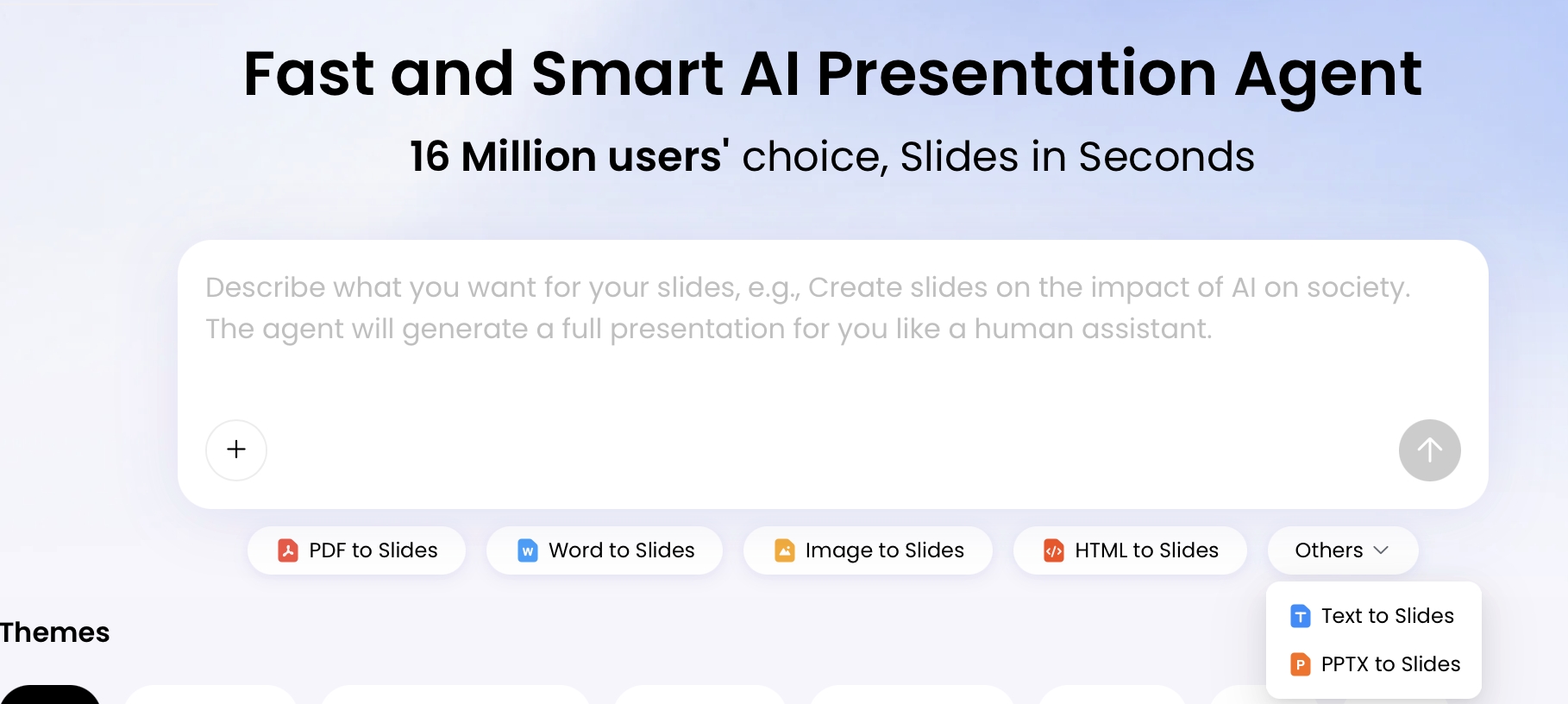
With PopAi AI Presentation, a grant team can start from a prompt or upload source materials such as proposal drafts, research summaries, meeting notes, or prior decks. A safer workflow is to upload only approved or de-identified material, include the funder rubric, and ask for an outline first. For healthcare, education, university research, or donor-sensitive work, check your organization’s rules on HIPAA, FERPA, IRB restrictions, donor confidentiality, unpublished data, and whether AI use must be disclosed to the funder.
How to create grant proposal presentations with AI step by step
The safest workflow is human-led and AI-assisted: define the ask, generate an outline, review the logic, create the deck, then edit for accuracy, compliance, and persuasion.
A practical workflow
- Write the decision goal. Example: “Secure board approval to submit a $500,000 research capacity grant.”
- Choose the audience. A foundation officer needs alignment and feasibility; a scientific review panel needs rigor and methods; an internal board needs risk, reputation, and financial exposure.
- Prepare source material. Include proposal sections, final or draft budget categories, project timeline, evaluation metrics, scoring rubric, and approved organizational language.
- Ask for an outline first. Do not generate full slides until the outline includes the ask, need, model, budget rationale, evaluation plan, sustainability, and risk controls.
- Request claim-based slide titles. Titles should make the argument, not merely label the topic.
- Generate the presentation. Select a slide count and theme that match the meeting format; use lighter slides for live delivery and more explanatory captions for leave-behind decks.
- Edit in layers. First fix facts and logic, then budget visuals, then design, speaker notes, citations, and anticipated Q&A.
- Route for approval. Program lead checks feasibility, finance checks numbers, evaluator checks metrics, leadership checks risk, and communications checks tone and branding.
- Export and rehearse. Use PPTX for team editing, PDF for controlled sharing, and a restricted link only when your organization’s sharing policy allows it.
Prompt patterns for common grant scenarios
“Create a 12-slide grant proposal presentation for a foundation program officer. Audience: education funder. Project: after-school STEM mentoring for 600 middle-school students. Funding request: $300,000 over 18 months. Include need, evidence, program model, implementation timeline, budget allocation, outcomes, evaluation plan, risks, sustainability, and final funding ask. Tone: credible, concise, community-centered. Use slide titles as claims, not labels. Do not invent statistics, partners, or outcomes.”
- Research review prompt: “Convert this research grant narrative into a 20-slide review deck. Emphasize research question, significance, methods, recruitment assumptions, preliminary data, ethics/IRB considerations, data management, budget justification, risks, and investigator capacity.”
- Government grant committee prompt: “Create a compliance-oriented grant presentation using the attached RFP criteria. Map each major slide to the scoring categories. Include allowable cost assumptions, reporting requirements, timeline, staffing, evaluation, and risk mitigation.”
- Internal board prompt: “Create a board approval briefing for submitting this grant. Focus on strategic fit, financial exposure, match requirements, staffing obligations, reputational risk, sustainability, and the approval decision needed today.”
- Continuation funding prompt: “Create a renewal funding deck from this progress report. Show outcomes to date, variance from original targets, lessons learned, budget burn rate, participant story if approved, and the case for next-stage funding.”
- Budget visualization prompt: “Turn this budget into three funder-friendly visuals: allocation by category, quarterly milestone-cost matrix, and cost-per-participant summary. Keep all numbers consistent with the uploaded spreadsheet.”
- Skeptical reviewer prompt: “Review this outline as a skeptical funder. List the five most likely objections, identify missing evidence, and suggest where to add answers without increasing slide count.”
Bad prompt vs better prompt
| Weak prompt | Better grant-ready prompt |
|---|---|
| “Make a grant presentation about our youth program.” | “Create a 10-slide live pitch for a $250,000 youth mental health grant. Use the attached proposal and funder priorities. Include the funding ask, target students, service volume, staffing model, evaluation metrics, budget rationale, and sustainability. Do not add data not found in the source documents.” |
| “Summarize this research proposal.” | “Convert this proposal into a 15-minute scientific review deck. Preserve approved aims language, show methods and feasibility, flag ethics/data management issues, and create an appendix for power assumptions and recruitment risks.” |
Before generating slides, inspect the proposed outline. Check whether it includes the funding ask, evaluation metrics, budget rationale, funder priorities, risks, and sustainability. AI outlines often overemphasize storytelling and underemphasize compliance, implementation detail, and measurable evaluation; catch that imbalance before design work begins.
Slide-by-slide frameworks for 10, 15, and 25-slide grant decks
Different grant meetings require different levels of detail. Scale the deck to the reviewer’s attention span, decision role, and evidence needs instead of using one deck for every audience.
| Deck length | Best for | Recommended structure |
|---|---|---|
| 10 slides | Short foundation meeting, executive preview, board pre-read | Title, need, target population, solution, why now, budget snapshot, impact metrics, team capacity, risk controls, funding ask |
| 15 slides | Formal pitch, nonprofit program review, university grant briefing | Add theory of change, implementation timeline, partner roles, evaluation plan, sustainability, and appendix-style evidence slide |
| 25+ slides | Technical review, research proposal defense, government grant committee | Include detailed methods, compliance, staffing, data management, budget justification, milestones, risks, and reviewer Q&A appendix |
10-slide foundation meeting deck
For a 10-slide deck, every slide should answer a reviewer question. If a slide does not help the funder decide, cut it or move it to an appendix.
- “$250,000 expands school-based counseling to the students missing the most class.” State the ask, project, geography, and decision.
- “Chronic absenteeism is rising fastest among middle-school students with unmet behavioral health needs.” Use one or two sourced data points, not a wall of background text.
- “The target group is 300 students identified through attendance, referral, and counselor data.” Define who will be served and how they are identified.
- “The model combines on-site counseling, family navigation, and referral follow-up.” Explain the intervention in plain language.
- “Partner schools can launch in quarter one because referral pathways already exist.” Show feasibility and why now.
- “Most funds pay for direct counseling capacity and family navigation.” Visualize the budget allocation.
- “Year-one success will be measured through sessions delivered, attendance change, and referral completion.” Show metrics and data sources.
- “The team has delivered comparable services in four schools with 86% appointment completion.” Use track record where available; avoid unsupported claims.
- “Recruitment, staffing, and data-sharing risks have named owners.” Show risk controls instead of pretending there are none.
- “Funding decision: approve $250,000 to launch services in August.” End with the specific ask and next step.
Use slide titles as arguments: “$250,000 funds the staff capacity needed to serve 600 additional families” is stronger than “Budget.”
15-slide formal grant presentation structure
A 15-slide deck works when the audience needs both persuasion and implementation confidence. Add more detail, but keep the main storyline visible.
- Slides 1–3: decision ask, need, and funder alignment.
- Slides 4–6: target population, intervention model, and theory of change.
- Slides 7–9: implementation timeline, staffing plan, and partner responsibilities.
- Slides 10–11: budget allocation and budget justification, including match or in-kind support.
- Slides 12–13: evaluation plan, reporting cadence, and learning questions.
- Slides 14–15: risks, sustainability, and final funding ask.
For a live 15-minute presentation, plan roughly one minute per slide and move detailed evidence into backup slides. For a leave-behind deck, add concise captions, source notes, and definitions so the deck can be understood without narration.
25-slide technical or research review deck
Technical decks need hierarchy. Keep the executive storyline simple, then add enough detail for reviewers who must assess rigor, compliance, feasibility, or budget allowability.
- Main deck: significance, aims or program goals, approach, workplan, budget rationale, team capacity, evaluation, risks, and ask.
- Methods appendix: recruitment, eligibility, instruments, statistical or qualitative analysis plan, data management, and limitations.
- Compliance appendix: IRB or ethics status, data privacy, procurement rules, reporting obligations, and allowable cost assumptions.
- Budget appendix: personnel assumptions, indirect costs, match, equipment, subcontractors, and sustainability beyond the award period.
- Q&A appendix: prepared answers for predictable reviewer concerns.
Claim-based titles still matter, but use them carefully when evidence is preliminary. “Pilot data suggest the model can improve retention” is safer than “The model will improve retention” if the evaluation has not yet proven causality.
Use AI to visualize budgets, timelines, and impact
Grant reviewers do not want a spreadsheet pasted into a slide. They want to know whether the request is reasonable, allowable, proportional to the work, and connected to measurable outcomes.
Budget visuals
Ask AI to suggest visuals that explain the budget rather than decorate it. A simple example for a $300,000, 18-month request:
- Personnel: $165,000 for program manager, part-time clinicians, data/evaluation support.
- Program delivery: $60,000 for curriculum, supplies, participant transportation, and family engagement.
- Evaluation: $30,000 for data collection, analysis, reporting, and learning meetings.
- Training and partner coordination: $20,000 for school staff training and referral workflow setup.
- Administration/indirect: $25,000 with a brief explanation of what overhead supports.
For this example, a donut chart can show high-level allocation, but a horizontal bar chart is often easier to read. If administration or indirect costs may raise questions, label them plainly: “grant reporting, fiscal oversight, insurance, HR, and compliance support.” Do not hide overhead in vague categories.
Timeline visuals
- Milestone-cost matrix: show how spending connects to hiring, training, launch, evaluation, and scale-up by quarter.
- Gantt-style timeline: useful for government, university, and research audiences that need implementation sequencing.
- Phase map: useful for foundation audiences when the work moves from pilot to implementation to learning.
Impact and evaluation visuals
- Logic model: connect inputs, activities, outputs, short-term outcomes, and long-term change.
- Evaluation dashboard: show 3–5 metrics, such as participants served, retention, referral completion, assessment change, or publication/data milestones.
- Cost-per-participant view: helpful when reviewers may ask whether the requested amount is proportionate to service volume.
Case example: A nonprofit presenting a $300,000 youth services request can make the budget easier to defend by pairing a category chart with a cost-per-participant note: “$300,000 supports 600 students over 18 months, or approximately $500 per student, including direct services, family navigation, evaluation, and compliance.” The point is not to reduce the program to one number; it is to show that the cost logic is visible and testable.
Charts to use carefully
- Pie charts: use only for a small number of categories; avoid tiny slices that hide material costs.
- Dual-axis charts: avoid unless the audience is technical and the relationship between measures is clear.
- 3D or decorative charts: avoid because they distort values and reduce trust.
- Maps: useful for geographic need, but include source notes and avoid implying precision you do not have.
- Outcome projections: label assumptions and ranges; do not present estimates as guaranteed results.
When editing charts in an AI presentation tool, choose chart types based on the reviewer question: bar charts for category comparison, line charts for trends, stacked bars for funding mix, milestone matrices for implementation logic, and logic models for theory-of-change alignment. Always check that chart values match the official budget and that color choices remain readable in PDF, projector, and black-and-white printouts.
Review and refine AI-generated grant decks before funder use
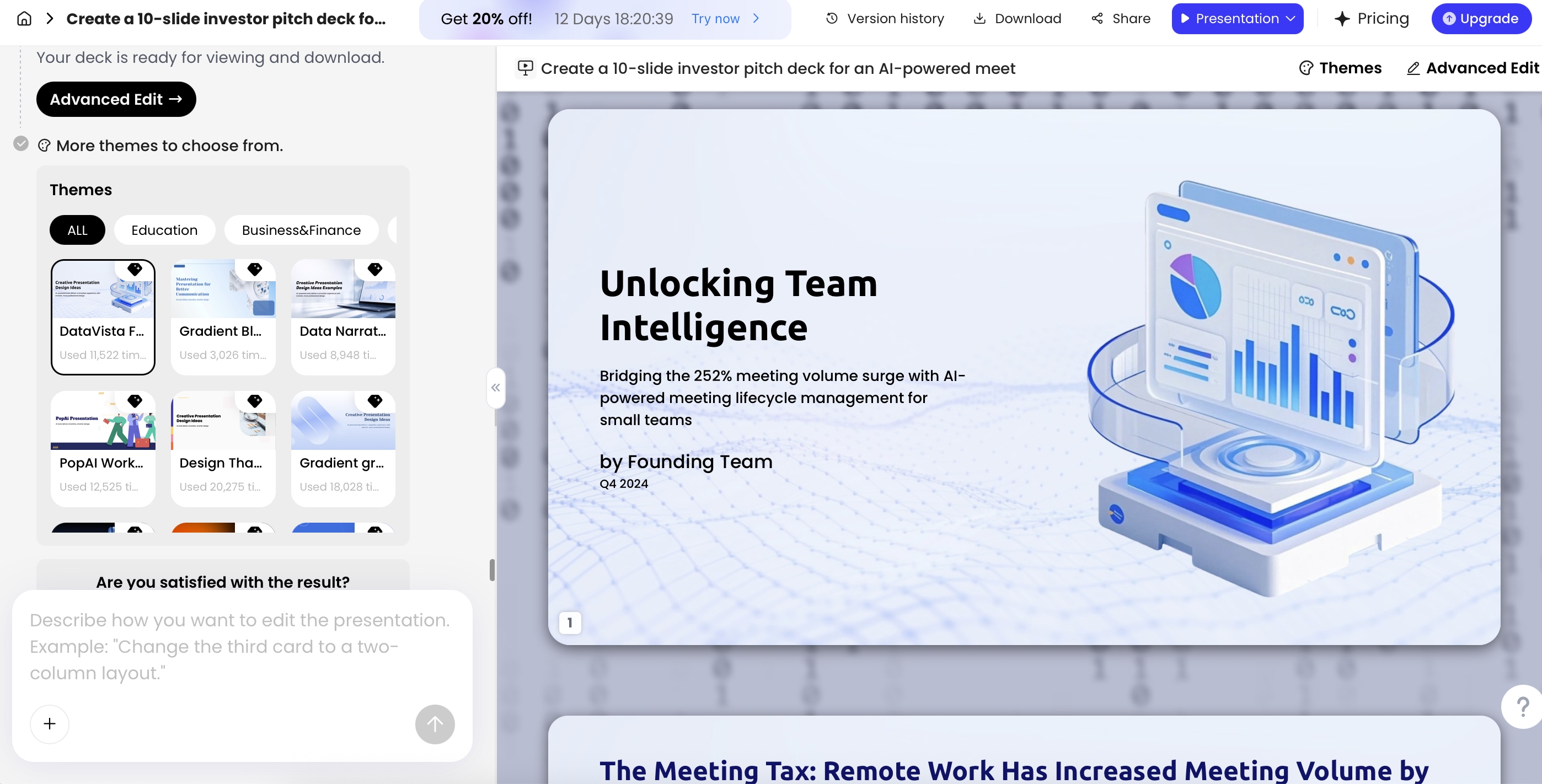
Once the deck is generated, treat it as a draft for expert review. The review should move from substance to compliance to design to delivery.
Accuracy review
- Verify every statistic: any number without a source should be removed, cited, or marked as an internal estimate.
- Check citations: AI may invent article titles, dates, agencies, or report names. Confirm sources against the original proposal or approved bibliography.
- Preserve approved language: keep official aims, outcomes, eligibility statements, and partner descriptions consistent with the submitted or draft proposal.
- Avoid guaranteed impact: replace “will eliminate absenteeism” with “is designed to reduce chronic absenteeism, measured quarterly.”
Budget and compliance review
- Match the budget spreadsheet: totals, categories, match, indirect costs, and year-by-year amounts must align.
- Check allowability: for government awards, confirm cost assumptions against the RFP and applicable rules, such as 2 CFR Part 200 for many U.S. federal grants.
- Confirm partner roles: do not imply a partner has committed staff, data, facilities, or match unless documented.
- Show risk ownership: name who manages recruitment, hiring, procurement, data-sharing, reporting, and evaluation risks.
Privacy and ethics review
- Remove sensitive data: exclude identifiable donor, patient, student, client, employee, or research participant information unless approved.
- Check AI disclosure rules: some funders, universities, or agencies may restrict AI use or require disclosure in proposal development.
- Protect unpublished research: avoid uploading or presenting confidential hypotheses, data, or methods outside approved channels.
- Use names and logos carefully: confirm permission before displaying funder, school, hospital, government, or partner logos.
Design and delivery review
- Make slides readable: use large type, strong contrast, plain labels, and one main claim per slide.
- Design for the format: live slides can be lighter; leave-behind decks need captions, source notes, and more context.
- Prepare speaker notes: include budget assumptions, evaluation definitions, and answers to likely questions.
- Use controlled exports: PPTX for internal editing, PDF for funder distribution, and restricted links only when allowed by policy.
Use editing tools for specific grant tasks, not cosmetic changes alone. For example: ask the AI to shorten a dense methodology slide for trustees, convert a budget table into a labeled funding-allocation chart, rewrite a vague outcome as a measurable indicator, or generate three anticipated questions for a Q&A appendix. Keep a version history so the finance-approved budget and evaluator-approved metrics are not accidentally overwritten during design edits.
Avoid the generic AI deck that funders ignore
The fastest way to weaken a funding presentation is to let AI overgeneralize. Generic decks have polished layouts but weak claims: broad problem statements, vague outcomes, stock icons, and budget slides that do not explain why the requested amount is necessary.
Before-and-after examples
| Generic AI phrasing | Funder-ready phrasing |
|---|---|
| “Community Impact” | “The grant funds 1,200 counseling sessions for 300 students at highest risk of chronic absenteeism.” |
| “Empowering underserved youth” | “Three partner schools will refer 600 middle-school students to weekly STEM mentoring and family engagement supports.” |
| “Innovative solution” | “The model combines evidence-informed mentoring, trained near-peer coaches, and quarterly attendance monitoring.” |
| “Budget overview” | “Seventy-five percent of requested funds support direct service staff, transportation, and participant materials.” |
| “Evaluation plan” | “Monthly attendance, referral completion, and pre/post confidence surveys will show whether the model is working by quarter two.” |
| “Sustainable impact” | “After the grant period, school district match and Medicaid-eligible billing will cover two of the three service roles.” |
| “Strong partnerships” | “The county health department provides referral training; two school districts provide space, data-sharing, and family outreach.” |
Weak AI slide title: “Community Impact.” The slide says the program will improve lives, build capacity, and support underserved families. It sounds positive but gives reviewers nothing to evaluate.
Stronger funder-oriented slide title: “The grant funds 1,200 counseling sessions for 300 students at highest risk of chronic absenteeism.” This version connects the money to a service volume, target group, and measurable issue. The body can then show referral sources, staff capacity, cost per session, and expected attendance improvement.
A polished deck is not the same as a fundable deck. Funders look for fit, feasibility, evidence, budget logic, and honesty about risk.
Generate separate versions for live, leave-behind, and appendix use
One master deck can become several funder-facing assets if you instruct AI clearly:
- Live pitch: 8–12 slides, minimal text, strong titles, simple charts, speaker notes for the presenter.
- Leave-behind deck: 12–18 slides, explanatory captions, source notes, budget labels, and enough context to stand alone.
- Board pre-read: decision summary, strategic fit, financial obligations, staffing implications, risks, and recommended approval action.
- Technical appendix: methods, evaluation instruments, data management, budget details, partner commitments, and reviewer Q&A.
If your deck will be read without you in the room, add brief context directly on slides or in appendix notes. If you will present live, keep slides lighter and prepare spoken answers for budget assumptions, staffing risk, evaluation methods, compliance, and sustainability.
Use a skeptical reviewer pass before final approval
A good final pass is to ask AI to act as a skeptical reviewer: “List the five questions a foundation program officer would ask after seeing this deck.” Then add answers where needed. Common gaps include unclear match funding, unsupported demand claims, unrealistic timelines, missing evaluation ownership, and no plan for sustaining the work after the grant period.
- Why this organization? Add track record, community trust, relevant staff capacity, or prior outcomes.
- Why now? Show urgency, policy window, demand increase, implementation readiness, or time-sensitive opportunity.
- Why this cost? Explain staffing assumptions, service volume, cost per participant, match, and indirect costs.
- What if recruitment is lower than expected? Add referral partners, outreach plan, and contingency milestones.
- Who owns evaluation? Name the role, data sources, reporting cadence, and how findings will inform decisions.
- What continues after the grant? Show renewal strategy, earned revenue, public reimbursement, institutional funding, or partner cost-sharing.
AI can accelerate the first draft of a grant proposal presentation, but the final deck should still feel like it came from the people accountable for the work. The strongest decks translate proposal detail into a decision narrative: the need is specific, the model is feasible, the budget is defensible, the evaluation is measurable, and the ask is unmistakable.
FAQ: Grant proposal presentations with AI
Can AI create a grant proposal presentation from an existing proposal?
Yes. A presentation-first AI tool can turn a proposal draft, research summary, budget narrative, or supporting document into a slide outline and editable deck. You should still verify facts, numbers, eligibility language, and funder-specific requirements before presenting or submitting.
How many slides should a grant proposal presentation have?
For most funder meetings, use 8 to 12 slides for a 10-minute conversation, 12 to 15 slides for a formal 20-minute pitch, and 20 or more only when reviewers expect detailed methodology, budget, compliance, or evaluation evidence.
Is it acceptable to use AI for grant proposal slides?
In most contexts, AI can be used for drafting, structuring, summarizing, and designing slides, but the applicant remains responsible for accuracy, originality, ethical representation, and any disclosure required by the funder or institution.
What information should I give AI before generating funding slides?
Provide the funder type, project goal, target community or research question, need statement, methods, timeline, budget categories, expected outcomes, evaluation metrics, required tone, and any constraints such as slide count or presentation length.
Can AI help visualize budgets and impact metrics?
Yes. AI can suggest chart types such as pie charts for budget allocation, milestone-cost matrices for implementation plans, bar charts for year-over-year outcomes, and logic models that connect activities to measurable impact.
Create your presentation with one click now
Turn proposals, research summaries, budgets, and project plans into an editable funding deck faster with AI-assisted structure, design, charts, and export options.
Start creating with PopAi