Best Strategy Presentation Templates for AI Tools
Published August 25, 2026
If you are building an AI product plan, internal automation roadmap, board update, or enterprise sales strategy, a blank slide deck is usually the wrong starting point. The best strategy presentation templates for AI tools give you a tested sequence for the hard parts: prioritizing use cases, proving value, exposing risk, and asking for a specific decision.
A weak AI support automation deck might spend eight slides explaining generative AI and only one slide on call deflection, escalation rules, data access, and quality controls. A stronger deck changes by audience: a COO needs workflow impact and cost per resolved ticket; a CTO needs integration, latency, security, and model monitoring; a CEO needs the strategic bet, investment level, and downside risk.
Why strategy presentation templates for AI tools matter
AI strategy decks are different because the audience is not only buying a feature; they are approving a change to workflow, data use, governance, cost structure, and accountability.
Generic business templates usually include market size, product screenshots, team credentials, and a roadmap. Those slides are not enough for AI initiatives. An AI strategy template should show where the model enters the workflow, what humans still review, what data is required, how performance will be measured, and which risks are acceptable at pilot versus scale.
A useful AI strategy deck does not ask, “Is this technology impressive?” It asks, “Which decision should this audience make, and what evidence removes the risk of making it?”
In practice, the same AI tool may need three different decks. A board deck should emphasize strategic options, investment, risk controls, and decision rights. A product strategy deck should emphasize target users, differentiation, data advantage, and release sequencing. A security review deck should emphasize data flow, access controls, auditability, vendor risk, and incident response.
| Generic strategy slide | AI strategy version | Why it matters |
|---|---|---|
| Roadmap by quarter | Roadmap with pilot, validation gate, model monitoring, training, and scale decision | AI rollouts should progress when evidence is strong, not only when dates arrive. |
| KPI slide with revenue and adoption | Dashboard with baseline, target, current result, automation rate, error rate, latency, and ROI | Executives need to see whether model performance changes the operating economics. |
| Risk slide with broad categories | Risk matrix for privacy, hallucination, bias, security, compliance, audit trail, and owner | AI risks must be assigned to controls and accountable teams. |
| Competitive positioning | Comparison against manual work, rules-based automation, incumbent software, and AI-native competitors | “We use AI” is not a moat; the deck must show where the advantage comes from. |
Testing note: In reviewing AI-generated business deck drafts for strategy use, the recurring problems are rarely slide design alone. The more costly issues are unsupported market numbers, vague ROI assumptions, missing governance owners, and charts that cannot be edited cleanly after export. Treat the first generated deck as a structured draft, not as final executive material.
Template rule: choose the template by decision type, not by visual style. A board approval deck, AI adoption roadmap, investor pitch, and sales enablement deck may all discuss the same product, but they need different evidence and sequencing.
The best strategy presentation templates for AI tools
For a broader view of available tools, compare the latest AI presentation makers before choosing the workflow that best fits your team.
The “best” AI strategy template is the one that matches the decision in the room: approve funding, choose a product direction, prioritize pilots, launch a GTM motion, or raise capital.
The templates below can be used as PowerPoint structures, Google Slides outlines, or prompt inputs for an AI slide generator. If you are also comparing software workflows, review the latest AI presentation makers before choosing how to generate and edit the deck.
1. Executive decision deck for AI investment approval
Best for: leadership meetings where the team must approve, pause, scale, or redirect an AI initiative. Audience: CEO, COO, CFO, CTO, business unit leaders. Recommended length: 8–12 slides.
- Core sequence: decision ask, executive summary, strategic context, options, ROI model, operating impact, risk controls, recommendation, next steps.
- Must-have evidence: baseline cost or cycle time, quantified benefit range, implementation cost, security/legal dependencies, owner for the decision.
- Common mistake prevented: presenting AI as an innovation project instead of a business trade-off.
- Example slide title: “Recommendation: fund a 90-day controlled pilot before enterprise rollout.”
2. Product strategy and positioning template for AI tools
Best for: product teams deciding where an AI capability fits in the market and roadmap. Audience: product, design, engineering, marketing, sales enablement. Recommended length: 10–14 slides.
- Core sequence: target user, painful workflow, alternatives, AI advantage, positioning, use case map, product principles, proof points, roadmap.
- Must-have evidence: user research, task frequency, willingness to pay, model performance constraints, differentiation versus manual work and competitors.
- Common mistake prevented: claiming differentiation because the product has AI, without showing why users switch.
- Example slide title: “Positioning: from ticket triage tool to resolution assistant with controlled escalation.”
3. Enterprise adoption roadmap template for internal AI transformation
Best for: operations, HR, finance, legal, IT, and customer support teams rolling out AI internally. Audience: transformation office, function leaders, IT, compliance, change management. Recommended length: 12–16 slides for planning; 6–8 slides for executives.
- Core sequence: workflow baseline, use case inventory, prioritization matrix, pilot plan, data readiness, governance, training, rollout gates, KPI dashboard.
- Must-have evidence: current process volume, error rate, approval bottlenecks, data owners, policy constraints, user adoption plan.
- Common mistake prevented: treating rollout as a calendar instead of a behavior, process, and control change.
- Example slide title: “Pilot gate: scale only if automation rate exceeds 35% with no increase in complaint escalations.”
4. AI go-to-market strategy template for sales and marketing teams
Best for: AI SaaS launches, category repositioning, sales kickoff, partner enablement, and campaign planning. Audience: revenue leadership, marketing, sales, customer success, channel partners. Recommended length: 10–15 slides.
- Core sequence: ICP, trigger events, pain-message matrix, offer, pricing hypothesis, competitive battlecard, proof assets, channel plan, pipeline KPIs.
- Must-have evidence: buyer objections, security answers, implementation timeline, ROI narrative, case examples, qualification criteria.
- Common mistake prevented: selling “AI productivity” instead of a measurable business outcome.
- Example slide title: “Objection handling: accuracy, data privacy, implementation effort, and payback period.”
5. Investor or funding strategy deck for AI ventures
Best for: seed, Series A, corporate venture, or internal innovation funding. Audience: investors, sponsors, venture boards, strategic finance. Recommended length: 12–18 slides, with technical detail in appendix.
- Core sequence: problem, market shift, product demo narrative, technical moat, data advantage, traction, business model, model performance, roadmap, team, funding use.
- Must-have evidence: customer validation, retention or usage data, unit economics, defensibility, data rights, model evaluation method.
- Common mistake prevented: overstating the AI moat while underexplaining distribution, data access, or switching cost.
- Example slide title: “Defensibility: proprietary workflow data plus embedded customer feedback loop.”
| Template type | Best decision | Must-have slides | Avoid if |
|---|---|---|---|
| Executive decision deck | Approve budget, pilot, scale-up, or stop | Options, ROI, risk, recommendation, decision ask | The audience mainly needs product positioning or sales messaging. |
| Product strategy deck | Choose target users, roadmap, and differentiation | User pain, alternatives, positioning, use case map, roadmap | The project is already approved and needs implementation governance. |
| Adoption roadmap | Select pilots and manage rollout | Workflow baseline, prioritization matrix, governance, training, KPI gates | You need an investor narrative rather than an operating plan. |
| GTM strategy deck | Align sales, marketing, pricing, and proof | ICP, messaging, objections, channels, pipeline KPIs | The AI product is still undefined or unvalidated. |
| Investor/funding deck | Secure capital or sponsor funding | Problem, moat, traction, model performance, business model, use of funds | The audience needs operational implementation detail more than a growth case. |

Slide-by-slide outline for an AI strategy deck
For most AI strategy presentations, 10 to 12 slides are enough: show the decision, prove the need, compare options, quantify impact, control risk, and close with ownership.
| Slide | Purpose | AI-specific content to include |
|---|---|---|
| 1. Title and decision ask | Clarify the meeting outcome. | Investment, pilot, rollout, partnership, or product direction; name the exact approval needed. |
| 2. Executive summary | Give the conclusion first. | Recommendation, expected impact range, timeline, key risks, and decision deadline. |
| 3. Market or workflow shift | Explain why now. | New user expectations, automation pressure, competitor movement, cost pressure, or regulatory trigger. |
| 4. Use case map | Prioritize where AI creates value. | Frequency, complexity, risk, data availability, user pain, and owner for each candidate use case. |
| 5. Strategic options | Compare choices. | Build, buy, partner, pilot, scale, or defer; include trade-offs and reversibility. |
| 6. ROI model | Quantify expected value. | Cost per task, time saved, quality lift, error reduction, implementation cost, and sensitivity range. |
| 7. Operating model impact | Show what changes. | Roles, handoffs, human review, escalation paths, retraining, and process ownership. |
| 8. Risk and governance | Make risks manageable. | Privacy, security, hallucination controls, compliance, audit trail, approvals, and kill-switch criteria. |
| 9. Roadmap | Translate strategy into execution. | Pilot, validation, training, launch, optimization, and scale gates tied to KPI thresholds. |
| 10. KPI dashboard | Define success. | Accuracy, latency, adoption, automation rate, CSAT, cost per task, ROI, and incident rate. |
| 11. Recommendation | Make the case. | Chosen option, rationale, trade-offs, assumptions, and what would change the recommendation. |
| 12. Next steps | Secure action. | Owners, dates, approvals, budget, dependencies, and first review checkpoint. |
Practical use case scoring: Score each AI opportunity from 1–5 across business value, task frequency, data readiness, implementation complexity, risk, and user pain. A good pilot is not always the highest-value case; it is often the case with high pain, repeatable workflow, available data, manageable risk, and a sponsor who can change the process.
Sample ROI logic: Start with a transparent formula: monthly volume × minutes saved per task × fully loaded hourly cost ÷ 60, then subtract software, implementation, review, and governance costs. For revenue use cases, separate “revenue influenced” from “revenue directly attributable” so the slide does not overclaim.
Case-style example: For an AI customer support pilot handling 50,000 monthly tickets, the deck should not simply claim “30% automation.” A stronger ROI slide shows the baseline cost per ticket, expected deflection by category, human review cost, escalation impact, CSAT guardrail, and a low/base/high savings range. That gives finance and operations something concrete to challenge.
Data and analysis: When comparing AI presentation workflows, do not measure only how fast a tool creates slides. Strategy teams should also evaluate whether data claims are sourced, whether charts remain editable, whether PowerPoint export is stable, whether speaker notes preserve the logic, and whether brand style drifts after regeneration. Put a verification step into the template before executive review: source check, assumption check, owner check, risk check, and export check.
The best AI strategy decks are not “generated and done.” They are generated, challenged, tightened, and then turned into a decision document.
How to build strategy presentation templates in PopAi
Use AI to accelerate the first draft, but keep the strategy logic under human control: sources first, outline second, slides third, verification last.
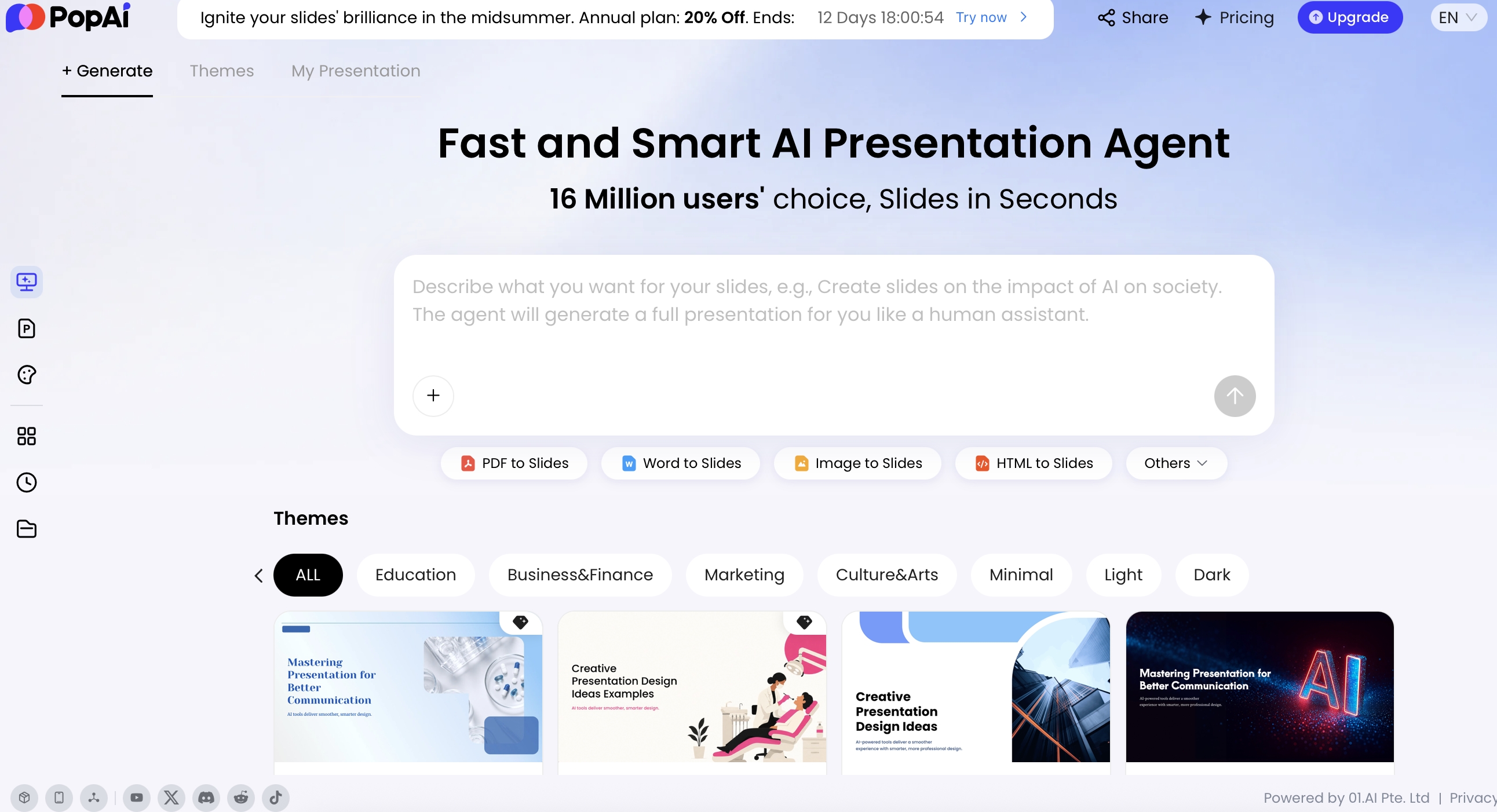
With PopAi AI Presentation, you can generate a deck from a topic or prompt and specify audience, tone, language, page count, and required sections. You can also upload source materials such as PDFs, Word files, text notes, HTML, PPTX files, images, audio, video, YouTube URLs, or Google Drive files so the draft starts from your context rather than a generic AI narrative.
Start with source materials, not a vague prompt
Before generating slides, gather the materials a strategy reviewer would ask for: customer research, workflow maps, support ticket volumes, cost assumptions, security requirements, product screenshots, competitive notes, and existing brand templates. If a claim will appear on an executive slide, put the source in the input set or mark it as an assumption.
Generate the outline and inspect the decision flow
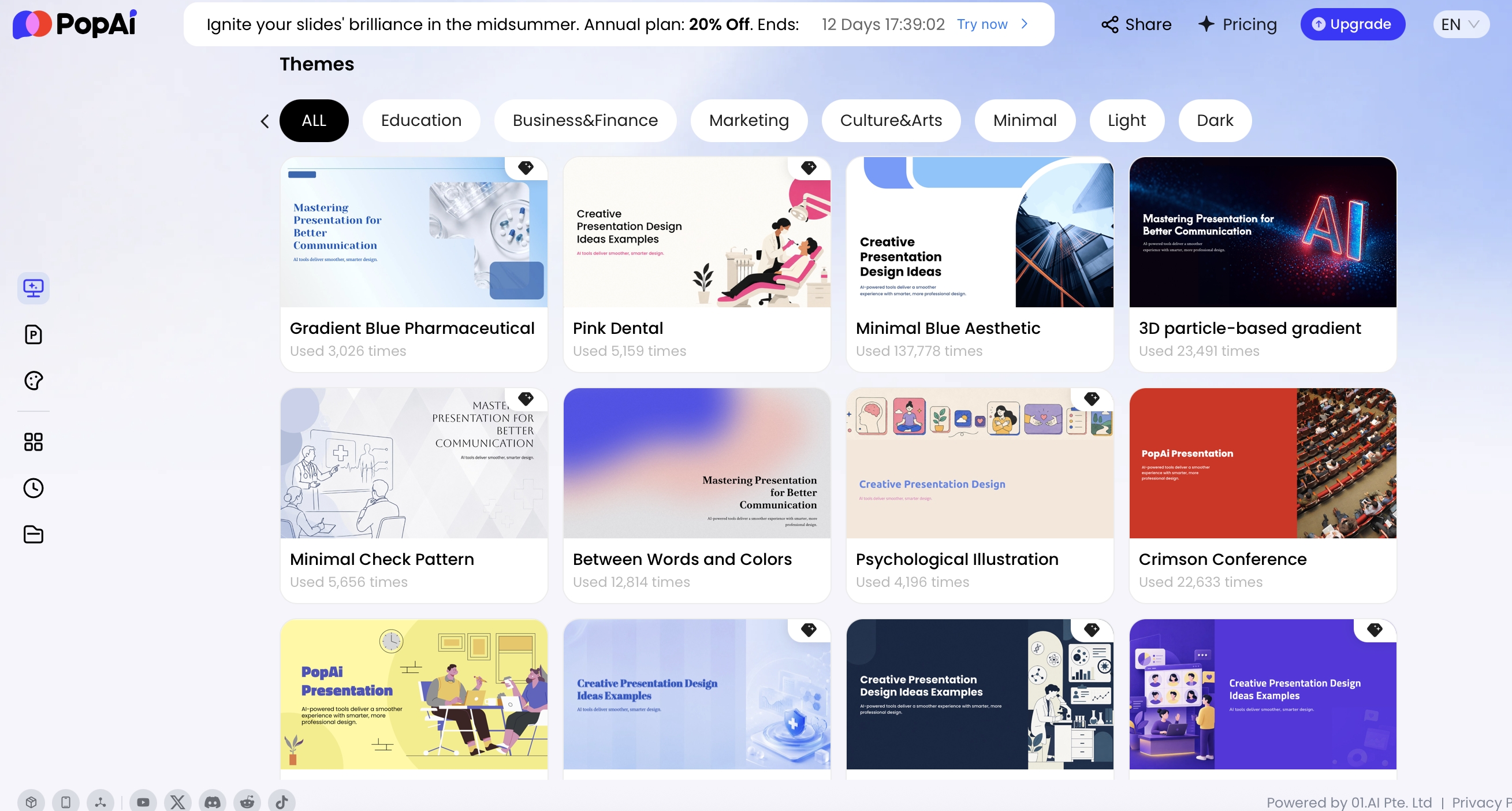
PopAi’s workflow is useful for strategy decks because it shows content organization before final generation. Depending on the entry point, the system displays a thought process, draft outline, content plan, or theme selection. Use that preview to catch missing sections before design work begins.
- If the first slide explains AI technology instead of the decision, rewrite the prompt.
- If the roadmap has dates but no validation gates, add pilot success criteria.
- If the ROI slide has benefits but no assumptions, request a sensitivity table.
- If governance appears only in appendix, move the key risks into the main story.
Prompt example for an AI strategy deck
Copy-ready prompt: “Create a 12-slide strategy presentation for executives evaluating an AI customer support tool. Audience: CEO, COO, CTO. Tone: concise and decision-oriented. Include: decision ask, market shift, current workflow pain, AI use case map, three strategic options, ROI model with assumptions, model accuracy and latency metrics, human-in-the-loop design, governance risks, implementation roadmap with validation gates, KPI dashboard, recommendation, and next steps. Flag any unsupported claims as assumptions.”
Prompt variations for different templates
- Product positioning: “Create a product strategy deck for an AI writing assistant aimed at enterprise marketing teams. Compare manual work, workflow automation, and AI-native competitors. Include positioning, buyer pain, differentiation, use case priority, roadmap, and proof required before launch.”
- Adoption roadmap: “Create an internal AI adoption roadmap for the finance team. Include process baseline, use case scoring, data readiness, governance, training plan, pilot gates, KPI dashboard, and change management risks.”
- GTM strategy: “Create an AI SaaS go-to-market strategy deck. Include ICP, trigger events, pain-message matrix, objection handling for security and accuracy, pricing hypothesis, sales proof assets, channel experiments, and pipeline metrics.”
- Investor deck: “Create a funding strategy deck for an AI analytics startup. Include problem, market shift, product demo narrative, data advantage, technical moat, traction, business model, model evaluation method, roadmap, team, and use of funds.”
Edit ROI, charts, and assumptions before export
After generation, revise the deck by task rather than by feature. Use natural-language revision to tighten the executive summary, Advanced Edit for slide-level changes, layout controls for dense comparison slides, AI Writing for speaker notes, Logic Frames for options and decision trees, and editable Charts for ROI, KPI, and scenario slides.
Data and analysis: Chart editability is not cosmetic in an AI strategy deck. If the ROI model changes from “minutes saved per case” to “cost avoided per resolved ticket,” the deck must adapt without rebuilding every slide. Editable charts, tables, labels, units, and reference lines make the deck more resilient during executive review, where assumptions often change in real time.
A selection framework for AI strategy presentation templates
Select the template workflow based on deadline, audience scrutiny, brand control, editability, and how much strategy logic you already have.
| Creation approach | Best for | Strength | Limitation | Use when |
|---|---|---|---|---|
| Static template libraries | Fast visual structure | Easy to download and adapt | Often lacks AI-specific logic, governance, and KPI design | You already have the strategy content and need layout speed. |
| AI presentation generators | First drafts from prompts or source documents | Fast outline and slide creation | Requires claim verification and strategic editing | You need to turn notes, research, or documents into a structured deck quickly. |
| PowerPoint or Google Slides add-ins | Teams locked into existing slide workflows | Familiar editing environment | May provide less help with strategy structure | Your company has strict slide review or collaboration habits. |
| Enterprise platforms | Large teams with brand and permission requirements | Governance, consistency, template control | Longer setup and higher process overhead | Many teams create decks and brand risk is material. |
Template selection checklist
- Decision: Does the template lead to a clear approval, priority, or investment choice?
- Audience: Does it match the questions executives, product leaders, investors, legal, or sales will ask?
- Evidence: Does it include baseline, assumptions, sources, KPI definitions, and risk controls?
- Editability: Can charts, text, tables, icons, and speaker notes be edited after export?
- Format: Does the workflow support the final delivery format: PPTX, PDF, Google Slides, or internal template?
- Appendix strategy: Can technical detail move to appendix while the main deck stays executive-readable?
Avoid the “AI theme deck” trap: a deck about artificial intelligence is not automatically an AI strategy deck. Strategy requires choices, trade-offs, metrics, and ownership.
Strategy Framework Sources and Template Selection Criteria
The right AI strategy template depends on the type of strategic question, not only on the deck style.
| Strategy question | Useful framework | Template slides to include | What AI should not decide alone |
|---|---|---|---|
| Where are we advantaged or exposed? | SWOT / internal-external diagnosis. | Strengths, weaknesses, opportunities, threats, implications. | Which weakness is strategically material. |
| What strategy approach fits the environment? | BCG Strategy Palette: classic, adaptive, visionary, shaping, renewal. | Environment diagnosis, strategic posture, required capabilities, execution rhythm. | Whether the market is predictable or shapeable without leadership input. |
| Which option should leadership fund? | Option comparison and decision matrix. | Option, upside, risk, investment, timing, owner, decision needed. | Investment recommendation when inputs are incomplete. |
| How do we execute the strategy? | Roadmap and operating model. | Milestones, dependencies, KPIs, governance, review cadence. | Commitments on behalf of teams that have not approved them. |
Reference sources: HBR’s SWOT tool frames SWOT as a way to assess external environment and internal capabilities; BCG’s Strategy Palette frames strategy approaches around different business environments. Sources: HBR SWOT Analysis tool; BCG Strategy Palette.
Template selection scorecard
Before generating a strategy deck, score each template on five items: decision fit, framework fit, evidence slots, risk visibility, and executive readability. A beautiful strategy template is not useful if it hides assumptions, skips competitive context, or makes every option look equally strong.
Metrics slides every AI strategy template should include
AI strategy presentations need metrics that connect model behavior to business outcomes. A slide that says “95% accuracy” is not enough unless the deck defines the task, evaluation set, failure cost, and operational consequence when the model is wrong.
Recommended KPI groups
- Model quality: accuracy, precision, recall, hallucination rate, confidence threshold, evaluation set size.
- User experience: latency, completion time, acceptance rate, manual override rate, satisfaction score.
- Business impact: cost per task, hours saved, revenue influenced, conversion lift, churn reduction.
- Operational adoption: weekly active users, automation rate, training completion, escalation volume.
- Risk and governance: policy exceptions, audit findings, sensitive data exposure, unresolved incidents.
Sample KPI dashboard structure
| KPI | Definition | Baseline | Target | Review cadence |
|---|---|---|---|---|
| Automation rate | Share of tasks completed without human rework | 0% | 25–40% in pilot | Weekly |
| Precision / recall | Correct positive outputs / captured relevant cases | Measured on historical sample | Use case dependent | Before each release |
| Latency | Time from request to usable AI response | Current manual or system response time | Below workflow tolerance | Daily during pilot |
| Cost per task | Total AI, review, and operating cost divided by completed tasks | Current human or software cost | Lower than baseline after ramp | Monthly |
| Escalation rate | Share of AI-handled cases escalated to a human or manager | Current escalation rate | No increase beyond agreed guardrail | Weekly |
The best strategy presentation templates for AI tools separate baseline, target, and current performance. This makes the deck useful after the meeting because it becomes a management instrument, not just a communication asset.
If you cannot define the baseline, the project may not be ready for a scale-up decision.
Common mistakes in AI strategy decks
Many AI strategy decks fail because they over-index on novelty. They show a futuristic cover, a large market number, and a product screenshot, then skip the hard questions: What workflow changes? Who owns the risk? What data is required? What will we stop doing if this succeeds?
- Using unsupported statistics: symptom: big market numbers or adoption claims with no source. Fix: add source notes, date, scope, and confidence level; move weak claims to appendix or remove them.
- Skipping the human-in-the-loop model: symptom: the deck implies full automation but the process still needs review. Fix: add a workflow slide showing review, override, approval, escalation, and audit points.
- Confusing roadmap with timeline: symptom: a Gantt chart lists dates but no learning gates. Fix: show dependencies, KPI thresholds, data readiness, policy approvals, and scale/no-scale decisions.
- Over-decorating slides: symptom: AI graphics dominate while assumptions are hidden. Fix: prioritize decision tables, risk matrices, KPI dashboards, and option comparisons.
- Ignoring export and editability: symptom: the generated deck looks good but breaks in PowerPoint. Fix: test the PPTX early, edit a chart, change a theme color, update speaker notes, and confirm text objects remain editable.
- Hiding legal and security objections: symptom: governance appears as a vague “compliance” bullet. Fix: create a risk-control-owner table for privacy, security, bias, hallucination, retention, and auditability.
Before presenting, run a final executive-review checklist: Is the decision ask on slide one? Are assumptions visible? Are claims sourced? Are risks assigned to owners? Can finance change the ROI inputs? Can the deck be edited in the final delivery format? AI can accelerate the drafting process, but the credibility of the strategy still comes from the evidence, trade-offs, and ownership you put on the slides.
FAQ
What should a strategy presentation template for AI tools include?
It should include the strategic context, AI use case map, value hypothesis, operating model impact, metrics, risk and governance, roadmap, and decision ask. For executive audiences, add an option comparison and ROI slide.
Can AI create a strategy deck from existing research or reports?
Yes. Tools such as PopAi can generate slides from a prompt or from uploaded materials including PDF, Word, HTML, text, PPTX, images, audio, and video. Human review is still needed for accuracy, source quality, and strategic judgment.
Which template is best for an AI product roadmap?
Use an execution roadmap template with milestones, dependencies, model readiness, governance gates, adoption targets, and measurable business outcomes. Add a separate KPI slide for accuracy, latency, cost per task, and automation rate.
Do AI-generated strategy presentations still need editing?
Yes. AI can accelerate structure, drafting, formatting, and slide generation, but teams should verify statistics, refine assumptions, remove generic claims, and align the deck with leadership priorities and brand standards.
Create your presentation with one click now
Turn your strategy prompt, research report, or existing file into a polished AI presentation draft you can refine, export, and share.
Create with PopAi