Best HR and People Team Presentation Templates for AI Tools
If you lead HR, People Ops, L&D, recruiting, or internal communications, you probably create the same decks again and again: onboarding, policy updates, benefits, engagement survey results, performance review training, recruiting updates, and leadership workforce reports. The right HR presentation template for an AI tool does more than make slides look polished; it gives the tool the slide logic, source inputs, review checkpoints, and audience framing needed for sensitive people communication.
This guide focuses on HR presentation templates for AI tools, not generic slide themes. Each template is evaluated by the job it helps a People team finish: turning raw notes into a clear story, converting employee metrics into executive insights, protecting sensitive information, and exporting slides stakeholders can actually use. If you are comparing broader AI presentation makers, use this article as the HR-specific layer: which template to choose, what to feed the AI, what to review, and what the finished deck should contain. Tools such as PopAi AI Presentation are most useful when they are treated as draft-building systems, not replacements for HR judgment.
Why HR Presentation Templates for AI Matter
HR decks are repetitive, but they are rarely low-stakes. A benefits deck can affect employee decisions; a performance review deck can change manager behavior; an engagement readout can shape trust in leadership. A generic business template often fails because it leaves out the details HR audiences actually need: who does what, by when, what changed, what is optional, what is policy, and where employees can ask for help.
An AI-ready HR template should define four things before slide generation begins:
- Inputs: policy text, survey summaries, HRIS exports, manager FAQs, training objectives, or executive memos.
- Audience: employees, managers, executives, HRBPs, recruiters, L&D facilitators, or regional People teams.
- Output rules: slide count, tone, visual style, chart requirements, action slides, speaker notes, and export format.
- Review checkpoints: HR owner, Legal, Finance, Comms, DEI, Security, or regional HR review depending on risk.
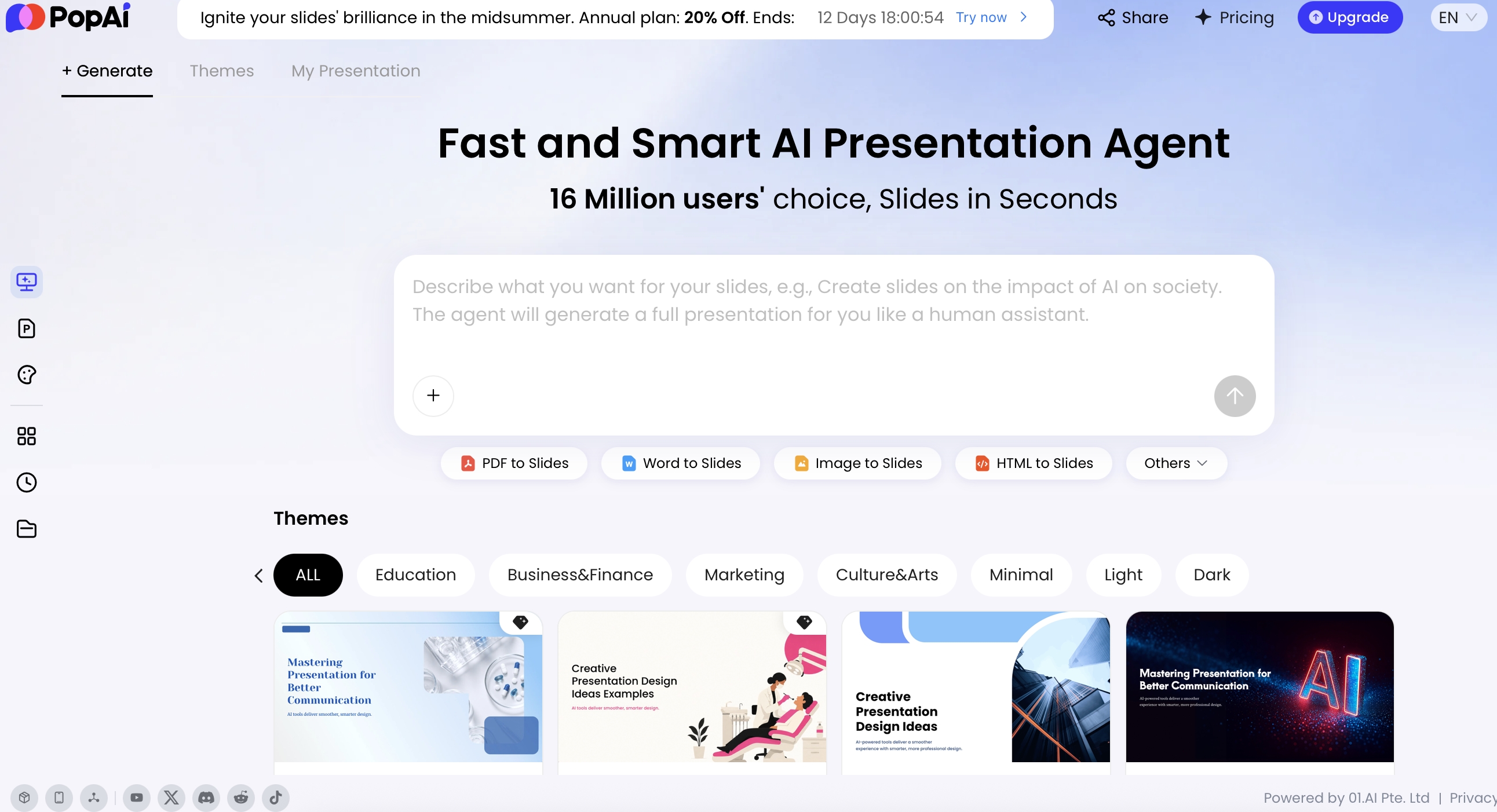
In practice, AI presentation workflows are useful when they cover the full path from input to delivery. In PopAi, a People team can start from a prompt, upload existing materials such as PDF, DOCX, TXT, HTML, PPTX, images, audio, video, or connect Google Drive, then let the system organize content before generating slides. That visible planning step matters for HR because you can inspect whether the deck is framing sensitive issues fairly before design polish begins.
The most useful HR template is not the prettiest one. It is the one that helps a manager, employee, or executive understand what changed, why it matters, and what action comes next.
A practical example: a generic slide titled “Performance Review Process” usually produces a bland process overview. An HR-specific AI template asks for separate slides on employee preparation, manager preparation, calibration rules, feedback examples, timeline, escalation path, and FAQ. That structure reduces the risk of managers interpreting the process differently across teams.
Research from AIHR has highlighted a persistent planning gap: many HR leaders report that strategic workforce planning is not fully integrated into business planning. That gap shows up in presentations. HR decks often describe programs but do not connect them to retention risk, productivity, leadership capacity, operating model changes, or cost trade-offs. AI templates can help by forcing the right business questions early: What outcome is the deck meant to influence? Which workforce signal proves the need? What decision is requested?
Best HR Presentation Templates for AI by Use Case
Use the template type that matches the HR job, not the nicest-looking theme. The best structure for an employee benefits explainer is different from the best structure for a CFO workforce planning deck.
| HR use case | Best template type | AI should help with | Key slides to include |
|---|---|---|---|
| New hire onboarding | Welcome and 30-60-90 day plan | Sequencing policies, role expectations, team norms, and resources | Welcome, company story, role context, tools, first week agenda, 30-60-90 plan, contacts |
| Performance review cycle | Manager enablement and employee guide | Simplifying process steps, calibration language, and fair feedback examples | Timeline, rating philosophy, conversation model, examples, manager checklist, FAQs |
| Benefits open enrollment | Benefits explainer deck | Turning complex policy text into plain-language decision points | What changed, plan options, eligibility, cost scenarios, deadlines, support channels |
| Employee engagement readout | People analytics report | Summarizing survey themes, eNPS, participation, segments, and action plans | Executive summary, key metrics, driver analysis, strengths, risks, actions, owners |
| HR strategy | Executive strategy and roadmap | Connecting talent priorities to business goals and resource asks | Business context, workforce insights, 3-5 pillars, roadmap, KPIs, risks, decisions |
| DEI or culture initiative | Change communication deck | Balancing purpose, evidence, behavior expectations, and psychological safety | Why now, current state, employee stories, commitments, programs, measurement, next steps |
Quick picks: which HR template to use first
- Best for employee clarity: Benefits open enrollment template, 8-12 slides, employee audience, plain-language tone.
- Best for manager consistency: Performance review enablement template, 12-16 slides, manager audience, examples-heavy format.
- Best for executive decisions: HR strategy roadmap template, 8-10 slides, leadership audience, claim-based slide titles.
- Best for data storytelling: Engagement or workforce analytics template, 7-12 slides, executive or HRBP audience, chart and action-plan format.
- Best for culture change: DEI or culture communication template, 8-10 slides, employee and manager audience, behavior-focused narrative.
- Best for recruiting teams: Hiring funnel and talent market update template, 6-9 slides, recruiting and business leader audience, conversion and bottleneck view.
Template cards with prompts and review notes
| Template | Best for | Recommended prompt | Review owner | Common mistake |
|---|---|---|---|---|
| Onboarding 30-60-90 | New hires, role transfers, remote onboarding | “Create a 12-slide onboarding deck for [role/team]. Include first-week agenda, tools, team norms, 30-60-90 milestones, manager check-ins, and support contacts.” | HRBP + hiring manager | Listing policies before explaining what success looks like. |
| Performance review manager guide | Manager enablement before review cycles | “Create a manager training deck for the annual review cycle. Include timeline, rating guidance, calibration do’s and don’ts, feedback examples, conversation model, and FAQ.” | People Ops + Legal/ER if language is sensitive | Using absolute language such as “always” or “never” in rating guidance. |
| Benefits open enrollment | Employee decision support | “Turn this benefits summary into a plain-language open enrollment deck. Lead with what changed, then plan options, eligibility, examples, deadlines, and where to get help.” | Benefits lead + broker/vendor + Legal if required | Explaining plan mechanics before employees understand the decision they must make. |
| Engagement survey readout | Executive or manager action planning | “Create a survey readout deck using participation, eNPS, top drivers, segment themes, risks, and action owners. Avoid causal claims unless supported by evidence.” | People Analytics + HRBP + Comms | Over-segmenting results until small groups become identifiable. |
| Workforce planning roadmap | Leadership headcount and capability decisions | “Create an executive workforce planning deck for [business unit]. Include growth assumptions, capability gaps, hiring plan, build/buy/borrow options, cost implications, and decisions needed.” | HRBP + Finance + business leader | Showing headcount asks without linking them to revenue, risk, or capacity. |
Notice that each template combines narrative and operational detail. A benefits deck needs deadlines and support channels; a strategy deck needs a decision request; an engagement readout needs both data and action ownership. Generic templates often miss these distinctions, which is why HR-specific prompts and reusable structures matter.
Onboarding, Training, and Culture Slide Structures
Onboarding, training, and culture decks should not use the same slide rhythm. Onboarding reduces uncertainty, training builds capability, and culture communication asks people to change or reinforce behavior.
New hire onboarding template: build confidence before policy detail
A strong onboarding deck answers three questions in order: Where am I? What should I do next? How will I know I am succeeding? Save dense policy content for appendices, links, or follow-up sessions.
Example: 12-slide new hire onboarding template
- Welcome message and orientation objective: Set a human tone and explain what the session will help the new hire do.
- Company mission, customer promise, and operating principles: Connect the role to the company’s work, not just internal process.
- Team structure and who to contact for what: Reduce early confusion and prevent every question going to the manager.
- First-week agenda and setup checklist: Convert onboarding from a vague welcome into an actionable plan.
- Core tools, access, and communication channels: Clarify where work happens and how people communicate.
- How decisions are made and documented: Explain norms that are usually learned too late.
- Role expectations for the first 30 days: Define learning, relationship-building, and first deliverables.
- 60-day collaboration and learning milestones: Show how the role expands after setup.
- 90-day success indicators: Make expectations measurable without making them punitive.
- Key policies in plain language: Cover essentials without turning the deck into a handbook.
- Benefits, wellbeing, and support resources: Point employees to the right owner for personal questions.
- Manager check-in schedule and next steps: Close with accountability and support.
Manager onboarding template: explain how to lead here
Managers need a separate onboarding deck because their risk profile is different. Include decision rights, performance expectations, employee relations escalation, compensation process basics, hiring approvals, meeting norms, and “what good management looks like here.” For remote managers, add slides on documentation standards, asynchronous communication, time-zone etiquette, and inclusive meeting practices.
Training module template: teach, practice, apply
For training decks, use a different rhythm: learning objective, concept, example, practice, reflection, application, and follow-up. A harassment prevention refresher, for example, should not be a list of rules. It should include scenario slides, “what would you do?” checks, escalation guidance, and a final resource slide. When using AI, ask for facilitator notes and knowledge-check questions, then have HR and Legal review the scenarios for jurisdictional accuracy.
Culture communication template: move from values to observable behavior
Culture decks often fail because they repeat values without showing what those values look like in meetings, decisions, feedback, and conflict. A better template includes: why this matters now, what employees said, leadership commitments, behavior examples, manager talking points, employee stories, measurement plan, and next-step channels. Avoid making culture slides sound like a campaign unless leaders are prepared to model the behaviors publicly.
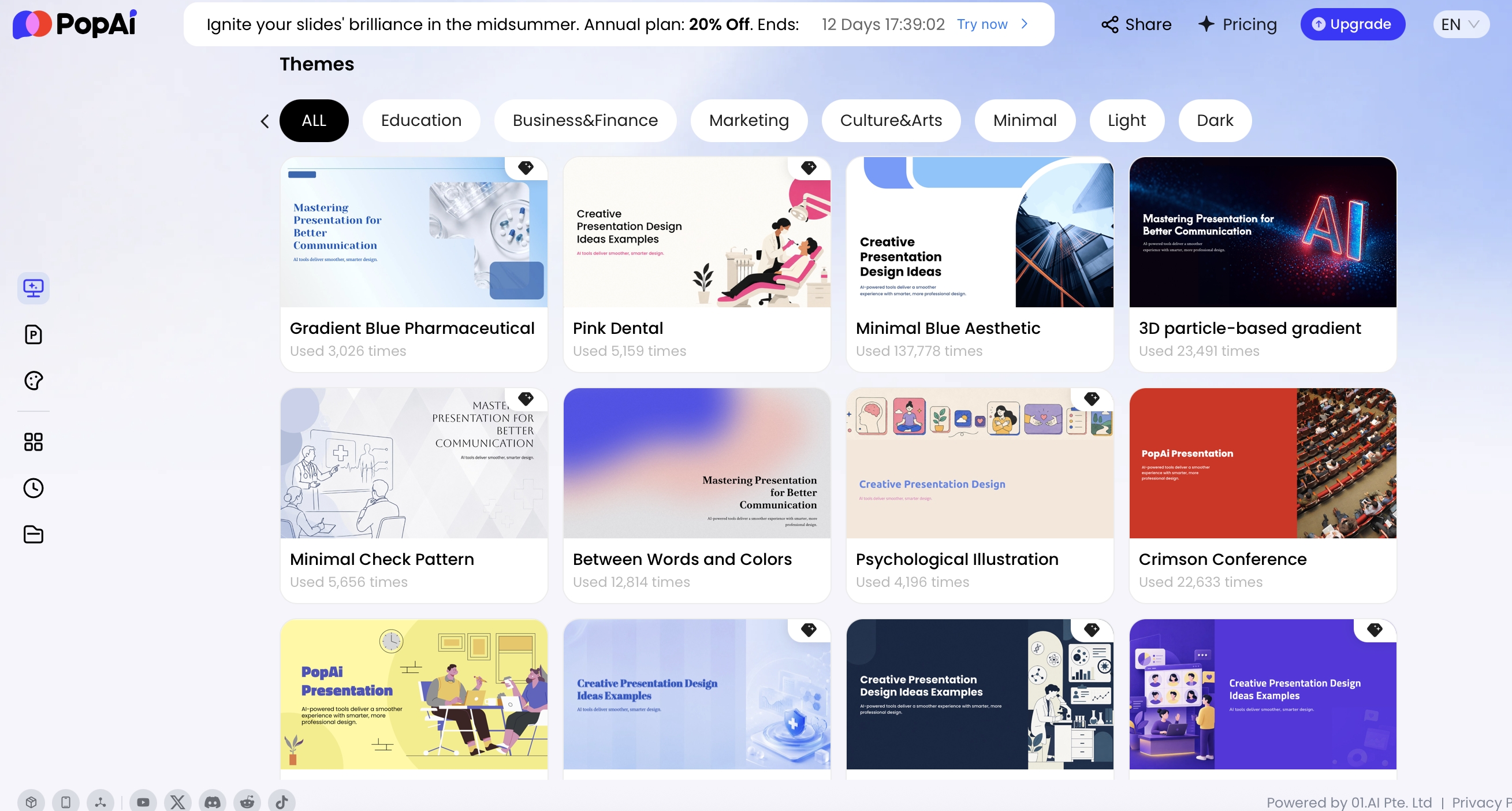
The template library matters for consistency. HR presentations often travel across managers, regions, and departments; a visually inconsistent deck can make official guidance feel improvised. A practical governance workflow is to keep one master PPTX template owned by People Ops or Internal Comms, create approved variants for employee, manager, and executive decks, and archive outdated versions after every policy or brand update.
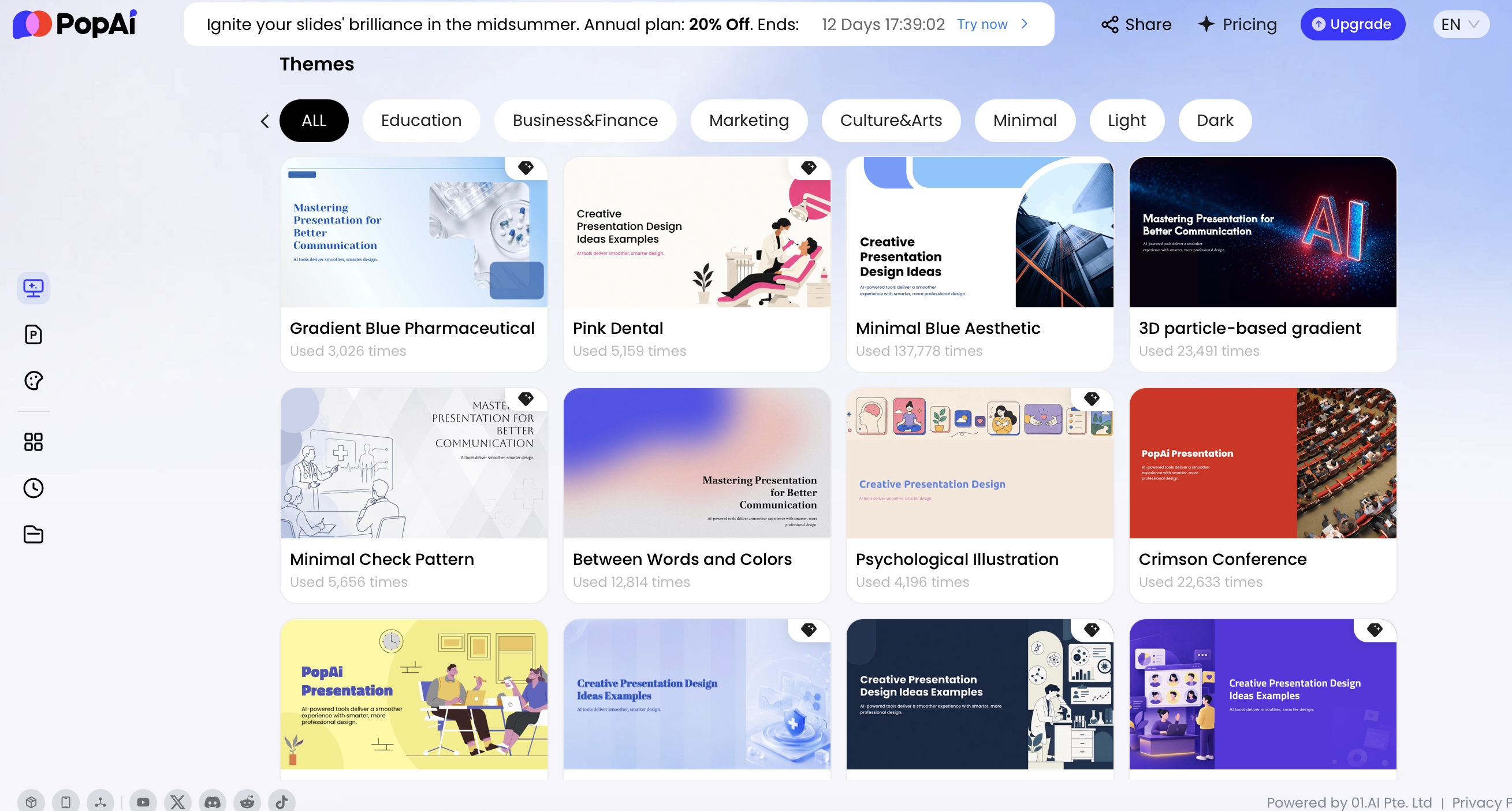
For HR teams, template upload is most valuable when the deck will be reused by many presenters: onboarding, manager training, benefits briefings, policy rollouts, and employee listening updates. Lock down fonts, color contrast, slide title hierarchy, footer language, and accessibility basics. Leave enough editable space for regional examples, team-specific contacts, and localized compliance notes.
For employee-facing decks, consistency is a trust signal. If the slide format changes every month, people may wonder whether the process behind it changes too.
People Analytics and HR Data Visualization Templates
People analytics slides need a different template category because HR data can be misread easily. A chart of turnover, engagement, hiring velocity, or training completion can influence headcount decisions, manager accountability, and employee confidence.
Recommended people analytics deck structure
- Executive summary: Three to five takeaways, written as claims rather than chart labels.
- Data scope and definitions: Reporting period, population, exclusions, metric formulas, and caveats.
- Key workforce trends: Turnover, hiring, internal mobility, engagement, absenteeism, or capability signals.
- Segment analysis: Business unit, location, tenure, role family, or manager level, only where sample size is safe.
- Driver analysis: Themes, correlations, or qualitative signals that explain what may be happening.
- Risks and recommendations: What leaders should do, stop, fund, or investigate.
- Owners and timeline: Action owner, milestone, success metric, and review date.
A practical HR analytics deck usually includes an executive summary, metric definitions, trend view, segment comparison, drivers, risk areas, recommended actions, and owners. Use charts for patterns, not decoration. For example, a recruiting funnel might use a horizontal bar chart for stage conversion, a line chart for time-to-fill trends, and a table for bottlenecks by department. An engagement report might use an eNPS trend, heatmap-style category summary, and a short “employee voice” slide with anonymized themes.
Chart choices by HR metric
- Turnover trend: Line chart with voluntary and involuntary categories separated; avoid pie charts for time trends.
- Hiring funnel: Horizontal bar chart for conversion by stage; add a bottleneck table for recruiter or department follow-up.
- Engagement drivers: Ranked bar chart or heatmap-style table; include participation rate and response count.
- Internal mobility: Stacked bar or flow-style summary; separate promotions from lateral moves.
- Training completion: Progress bar or grouped column chart; distinguish attendance from demonstrated proficiency.
- Compensation ranges: Use ranges and compa-ratio distributions carefully; require Compensation and Legal review before sharing broadly.
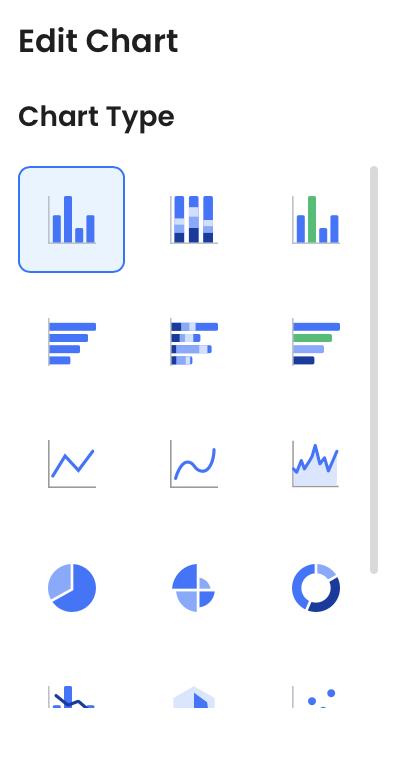
PopAi supports multiple chart types, including column, horizontal bar, line, area, pie, donut, dual-axis, radar, scatter, and bubble charts. Teams can edit the underlying data table, upload or download Excel files, adjust colors, axes, legends, units, prefixes, suffixes, reference lines, min/max values, and selected data point labels. That control is useful when an HR analytics owner needs to correct a metric, suppress a small segment, or reframe a chart before an executive readout.
Case example: An engagement survey readout for a 450-person business unit should not simply rank departments from highest to lowest. A better template starts with participation and response count, then shows top enterprise themes, then only cuts by department where group size is large enough to protect anonymity. In a manager version, replace department rankings with “discussion prompts” and “actions managers can take in the next 30 days.”
Data interpretation should be conservative. If voluntary turnover rose after a reorganization, the slide should avoid implying causation without evidence. Instead, use language such as “turnover increased during the same period as the reorganization; exit interviews and manager span-of-control data suggest three areas for follow-up.” AI can help summarize, but HR owns the interpretation and the ethical review.
If a people analytics slide cannot distinguish correlation, timing, and causation, it is not ready for an executive audience.
As a working rule, suppress or aggregate small groups before uploading or presenting data. Many organizations use minimum cell-size thresholds such as 5, 10, or higher depending on jurisdiction, topic sensitivity, and internal policy. Engagement comments, disability status, health-related information, employee relations details, and individual performance data should be handled with stricter controls and often should not be uploaded to an AI tool at all.
Source-Backed Guidelines for HR and People Team Templates
HR decks should avoid broad claims about engagement, culture, retention, or AI adoption unless the source and audience context are clear.
People-team templates often cover onboarding, engagement, culture, people analytics, workforce planning, and AI transformation. These topics can become sensitive quickly because they affect employees, managers, and policy decisions. Use external research as context, not as proof that a specific company outcome will happen.
| Template slide | Safer evidence to include | Claim to avoid | Human owner |
|---|---|---|---|
| Onboarding scorecard | Completion rate, manager check-in data, training completion, qualitative feedback, first-90-day risks. | “This onboarding flow will improve retention.” | HR operations or people analytics. |
| Culture and engagement | Survey results, response rate, themes, comments policy, and change plan. | “High engagement automatically means strong culture.” | HRBP, communications, and legal where needed. |
| AI in HR workflow | Use cases, risk level, tool permissions, employee notice, and review workflow. | “AI can decide performance, promotion, or termination outcomes.” | HR leadership, compliance, and data privacy. |
| People analytics | Definition, cohort, time period, source system, and caveats. | “Correlation proves why people leave.” | People analytics lead. |
HR Strategy and Executive-Ready AI Templates
Executive HR decks should be decision-first, not program-first. Senior leaders rarely need a full explanation of HR activity; they need the business implication, the trade-off, and the decision.
Recommended executive HR strategy flow
- Business context: Growth plan, market pressure, operating model shift, cost constraint, acquisition, or productivity target.
- Workforce insight: Capability gaps, retention risks, hiring velocity, leadership pipeline, engagement signals, or critical role dependency.
- HR vision: The future state of talent, culture, and organizational effectiveness.
- Strategic pillars: Keep this to 3-5 priorities, such as leadership, skills, workforce planning, culture, and people analytics.
- Roadmap: A 1-3 year horizon with near-term milestones, owners, and dependencies.
- Investment and risk: Budget, systems, change capacity, compliance concerns, and mitigations.
- Decision request: What leadership must approve, fund, stop, sequence, or reinforce.
Mini workflow: HR memo to executive deck
Case study workflow: Start with a six-page HR planning memo containing attrition trends, hiring demand, leadership bench concerns, and a proposed manager capability program. The prompt can be: “Convert this HR planning memo into an 8-slide executive presentation. Use claim-based titles. Include business context, workforce risks, three strategic priorities, roadmap, investment ask, risk table, and decisions needed. Keep employee data aggregated and add a caveat slide for assumptions.”
What the AI usually gets right: It can group scattered notes into themes, turn long paragraphs into slide sections, and create a first-pass roadmap. What HR must revise: sharpen the decision request, verify every metric, remove unsupported causal language, add Finance-approved cost assumptions, and make sure sensitive populations are not exposed through segmentation. The final deck should feel like a business recommendation, not a catalog of HR programs.
This is where AI can be especially useful. You can paste a strategy memo, upload an HR planning document, or provide a prompt that names the audience and decision needed. PopAi’s generation process first organizes content into a plan, then produces a deck that can be revised. In a tested HTML-to-slides workflow, a report containing an executive summary, key metrics, risk register, and recommended actions was organized into a six-slide presentation, including a risk table with severity, owner, and mitigation fields. That type of transformation is directly relevant to HR strategy reporting.
Executive slide title examples
- Weak: “Retention Analysis” → Stronger: “Retention risk is concentrated in two critical engineering roles.”
- Weak: “Learning and Development Plan” → Stronger: “Manager capability is the highest-leverage investment for 2027 productivity.”
- Weak: “Hiring Update” → Stronger: “Hiring velocity is no longer sufficient to support the Q3 launch plan.”
- Weak: “Employee Engagement Results” → Stronger: “Low confidence in career growth is the clearest retention warning signal.”
For executive slides, choose concise titles that make claims, not labels. The template should also include a decision slide near the end: “Approve,” “Fund,” “Defer,” “Stop,” or “Escalate.” Without that slide, an HR strategy presentation can sound informative but fail to move the business.
How to Choose Free, Paid, and Enterprise HR Templates
Free HR templates are useful for simple employee updates, small-team training, and one-off announcements. Paid or AI-enabled templates become more valuable when your deck must combine source documents, recurring brand standards, leadership-ready storytelling, and charts. Enterprise teams should look beyond aesthetics and evaluate governance, editing control, collaboration, export, and data handling.
| Template workflow | Best for | Pros | Risks | Review requirements |
|---|---|---|---|---|
| Free static templates | Low-risk announcements, team meetings, simple training refreshers | Fast, inexpensive, easy to customize manually | Inconsistent quality, little guidance on HR structure, limited data support | HR owner review; Comms review if employee-wide |
| Paid template libraries | Recurring HR communications with stronger design needs | Better visuals, more layouts, reusable structure | Still requires manual writing and chart work; may not fit HR governance | HR + brand owner; policy owner for official guidance |
| AI-assisted presentation tools | Decks starting from memos, policies, survey notes, spreadsheets, or long documents | Speeds outlining, summarization, slide drafting, and design adaptation | May overstate claims, misread data, or produce language that needs legal/context review | HR owner + data/policy reviewer; Legal for sensitive topics |
| Enterprise governed workflows | Global HR, regulated industries, compensation, DEI, workforce planning, executive reporting | Brand control, permissions, versioning, security review, standardized templates | More setup effort; slower approval process; requires governance discipline | HR, Legal, Security, Comms, Finance, regional HR as needed |
Use this decision rule: free templates are fine when the message is low-risk and low-reuse; AI-assisted template workflows are better when the work repeats, needs personalization, or starts from messy source material. A small company may only need onboarding and benefits templates. A fast-growing company often needs recruiting, manager enablement, performance, workforce planning, and culture decks. A larger enterprise should prioritize brand templates, analytics visualization, policy consistency, permission controls, and review workflows.
Selection checklist for HR teams
- Generation quality: Does the tool create a logical HR story, or only decorative slides?
- Input flexibility: Can it use prompts, existing PPTX, PDFs, docs, images, HTML, spreadsheets, or long text?
- Brand control: Can you apply official templates or upload your own PPTX?
- Data visualization: Can charts be edited after generation, including labels, axes, source data, and color contrast?
- Export: Can you export to PPTX or PDF for stakeholders who prefer standard formats?
- Privacy workflow: Can your team remove employee identifiers, suppress small groups, and review generated language before sharing?
- Governance: Does your organization approve the vendor’s data retention, model training, access control, and security policies?
- Accessibility: Can slides support readable fonts, sufficient contrast, alt text, non-color indicators, and clear reading order?
- Learning curve: Can non-designers produce acceptable drafts without waiting on a design queue?
PopAi fits best when an HR team wants one workflow for drafting from prompts or source materials, organizing an outline, applying a theme or uploaded PPTX template, editing text and layout, then exporting PPTX/PDF or sharing a link. It is less appropriate for unapproved uploads of highly confidential compensation planning, employee relations files, individual performance records, legal disputes, or reduction-in-force planning. For those use cases, work from sanitized summaries or keep the content inside approved internal systems.

Sensitive HR Content, AI Review, and Common Mistakes
AI can accelerate HR communication, but People teams should classify risk before generating slides. The more a deck touches employee identity, pay, performance, health, legal exposure, or organizational change, the more controlled the workflow should be.
Risk levels for AI-generated HR presentations
- Low risk: Office updates, event reminders, volunteer programs, general culture recaps. Review by HR or Comms owner.
- Medium risk: Onboarding, training, benefits explainers, policy refreshers, manager enablement. Review by policy owner and regional HR where applicable.
- High risk: Performance review guidance, compensation communication, DEI analytics, engagement segmentation, workforce planning. Review by HR leadership, Legal, Finance, DEI, or People Analytics depending on topic.
- Restricted: Employee relations matters, individual performance records, health information, legal disputes, reduction-in-force planning, identifiable survey comments. Do not upload raw content to unapproved AI tools; use sanitized summaries only if allowed.
One common mistake is using AI to make HR content sound more confident than the evidence supports. Another is over-segmenting analytics slides so a small group becomes identifiable. A third is letting the tool draft sensitive manager guidance without checking for legal, cultural, or regional nuance. AI-generated content should be treated as a draft, not an authority.
Review workflow before sharing
- Sanitize inputs: Remove PII, employee IDs, exact compensation details, raw comments, medical information, and employee relations facts unless approved.
- Generate the first draft: Ask the AI for structure, plain-language explanations, visuals, and speaker notes, not final authority.
- Verify facts: Check dates, policy wording, eligibility rules, metric definitions, and source data.
- Review tone and bias: Remove language that stereotypes, blames, overpromises, or creates unintended legal exposure.
- Check privacy thresholds: Aggregate small groups, remove identifiable comments, and avoid sensitive demographic cuts when counts are low.
- Confirm accessibility: Use readable text, high contrast, labeled charts, alt text, and non-color indicators.
- Approve and version: Record who approved the deck, what source data was used, and when the template should be refreshed.
Asynchronous sharing needs extra caution
Remote and hybrid teams add another layer. A deck may be consumed asynchronously as a PDF, shared link, or recorded walkthrough. That means the slides must stand alone without a presenter explaining every caveat. Use summary slides, clear action owners, plain-language policy interpretation, and a final Q&A or support channel slide. If you are creating asynchronous enablement, ask the AI to include “speaker notes style explanations” or a slide-by-slide narration outline, then edit for accuracy.
The practical conclusion: choose the HR template by the job to be done. Use onboarding templates for consistency, benefits templates for employee decisions, manager enablement templates for fair execution, analytics templates for evidence-based action, and executive strategy templates for resource or priority decisions. The best HR presentation templates for AI combine structure, speed, brand control, visual clarity, and responsible human review, so People teams can communicate faster without making the work feel generic, careless, or disconnected from business outcomes.
FAQ: HR Presentation Templates for AI
What is an HR presentation template for AI tools?
It is a reusable slide structure designed for HR workflows and enhanced by AI generation, editing, charting, and export features. Instead of starting with blank slides, teams use a template prompt, outline, brand theme, or uploaded PPTX to produce a first draft faster.
Which HR decks benefit most from AI presentation templates?
Onboarding, performance review enablement, benefits explainers, training modules, culture updates, recruiting reports, employee survey readouts, and HR strategy decks benefit most because they repeat often but still require audience-specific context and fresh data.
Can AI-generated HR presentations be edited and exported?
Yes. In PopAi, generated decks can be edited with natural language, advanced editing tools, theme changes, layout adjustments, charts, icons, and writing assistance. They can be exported to PPTX or PDF, and PPTX files can be opened in Microsoft PowerPoint with editable text objects.
How should HR teams handle sensitive employee data in AI slides?
Use aggregated metrics, remove personally identifiable information, avoid uploading confidential salary or performance details unless your organization has approved the workflow, and require a human review for bias, tone, policy accuracy, and privacy risk before sharing.
Create your presentation with one click now
Turn HR notes, policy documents, analytics summaries, or onboarding outlines into editable slides faster with an AI workflow built for presentation delivery.
Start creating with PopAi