Best DEI Presentation Templates for AI Tools
Published on August 25, 2026
If you lead HR, learning and development, employee communications, people analytics, or DEI reporting, the hard part is rarely finding slide layouts—it is finding DEI presentation templates for AI tools that can handle nuance, employee data, accessibility, and executive scrutiny. A generic “diversity” deck can look polished while still using vague commitments, unclear metrics, or visuals that unintentionally flatten identity into stock imagery.
This guide focuses on usable AI-compatible template structures, not just decorative slide designs. You will find template options for executive updates, training workshops, onboarding, ERG reporting, recruiting equity reviews, accessibility audits, and AI ethics briefings, plus a workflow for turning source documents into review-ready slides with PopAi AI Presentation.
Quick takeaway: Score a DEI template before using it with AI. A strong template should include: editable charts, source notes for every metric, accessibility-friendly layouts, space for methodology footnotes, reviewer checkpoints, speaker notes for sensitive slides, and PPTX/PDF export. If a template cannot show data source, time period, sample size, and decision owner, it is not ready for executive DEI reporting.
What Makes DEI Presentation Templates for AI Tools Effective?
An AI-ready DEI template gives the model enough structure to draft quickly while giving humans enough control to verify sensitive claims before the deck reaches employees or leadership.
Traditional slide templates usually focus on surface-level design: icons, color palettes, title layouts, and placeholder charts. AI-ready DEI templates need stronger content architecture. They should define the audience, tone, data sources, claims the AI must not invent, required evidence, reviewer roles, and export requirements.
AI-ready DEI template evaluation checklist
- Purpose clarity: Is the deck for training, strategy, onboarding, executive reporting, listening-session synthesis, or employee communication?
- Audience fit: Does the template distinguish between leadership decision slides, manager enablement slides, facilitator slides, and employee-facing handouts?
- Inclusive visuals: Are photos, icons, and illustrations representative without turning identity into decoration? Avoid “one person from every group” stock-photo mosaics unless they serve a real message.
- Accessibility: Does the design support readable fonts, strong contrast, alt text, clear reading order, captioning notes, and color-blind friendly charts?
- Data transparency: Does the template separate verified metrics from goals, assumptions, qualitative feedback, and open questions?
- Privacy controls: Does it provide room for suppression notes such as “groups with n<10 not shown” or “results aggregated to protect confidentiality”?
- Human review: Does it include checkpoints for HR, legal, people analytics, accessibility, communications, and employee advisory groups where appropriate?
- Export quality: Can the final deck be shared as PDF and opened in PowerPoint with editable text, charts, notes, and slide masters?
AI can accelerate the first draft of a DEI deck, but it should not be treated as the final authority on identity, culture, employee experience, or organizational accountability.
Examples of weak vs. defensible AI-generated wording
- Weak slide title: “Women are falling behind in promotions.” Better: “Promotion rates differ by level; eligibility and manager nomination data require review.”
- Weak claim: “Our culture is inclusive.” Better: “72% of survey respondents agreed they can speak up without negative consequences; response rate was 68%.”
- Weak visual brief: “Add diverse people icons.” Better: “Use simple role-based illustrations; avoid assigning identity labels to characters unless relevant to the content.”
- Weak objective: “Improve belonging.” Better: “Increase belonging survey favorability by 5 points in two business units by Q4, with manager action plans reviewed quarterly.”
Editorial note: The strongest DEI templates are not the ones with the most inspirational quotes. In practice, better decks reserve space for source notes, decision logs, reviewer comments, and “what we do not know yet.” That structure prevents AI from turning incomplete workforce data into overconfident storytelling.
Best DEI Presentation Templates for AI Tools by Use Case
For a broader view of available tools, compare the latest AI presentation makers before choosing the workflow that best fits your team.
Choose the template by the decision, behavior, or conversation the deck must support. A training deck needs scenarios and facilitator notes; an executive deck needs trends, risks, resourcing, and accountable decisions.
If your team is still selecting software, compare AI presentation makers by DEI-specific criteria: file-to-slides support, editable charts, brand templates, privacy controls, speaker notes, reviewer workflows, alt text support, and export reliability.
| Template | Best for | Recommended structure | Review risk |
|---|---|---|---|
| Executive DEI Update | CHRO, CEO, executive committee, board prep | 8–10 slides: current state, KPI dashboard, progress, risks, resourcing, decisions | High: data interpretation, legal exposure, overclaiming progress |
| Inclusion Training Workshop | Managers, new leaders, team sessions | 12–18 slides: objectives, concepts, scenarios, discussion, practice, commitments | Medium: stereotyping, facilitator inconsistency, inaccessible activities |
| Employee Onboarding DEI Deck | New hires and interns | 6–8 slides: values, behaviors, ERGs, accessibility, reporting channels, resources | Medium: policy accuracy, tone, local law differences |
| ERG Annual Report | ERG leads, sponsors, HR, employees | 10–14 slides: mission, membership, programs, impact, needs, next-year plan | Medium: member privacy, volunteer labor recognition, budget claims |
| Recruiting Equity Review | Talent acquisition, hiring managers, HRBPs | 8–12 slides: funnel, sourcing, interview process, candidate experience, actions | High: demographic data use, causation claims, small sample sizes |
| Accessibility Audit Briefing | Product, workplace, IT, L&D, communications | 8–10 slides: audit scope, barriers, severity, remediation, owners, timeline | High: compliance gaps, incomplete testing, unclear ownership |
| AI Ethics and Inclusion Briefing | AI governance teams, HR tech buyers, managers | 10–12 slides: use cases, bias risks, data governance, human oversight, review gates | High: bias minimization, privacy, vendor-risk assumptions |
Copy-ready template profiles and prompts
- Executive DEI Update: Use when leaders need to approve funding, remove blockers, or align on priorities. Required inputs: workforce snapshot, hiring funnel, promotion/retention data, survey themes, roadmap status. Prompt: “Create an 8-slide executive DEI update using only the uploaded sources. Flag missing data instead of inventing metrics. Include source notes, sample size where available, and decision slides for budget, ownership, and next-quarter priorities. Avoid causal claims unless supported by the source material.” Do not use when: data has not been validated by people analytics.
- Inclusion Training Workshop: Use for manager enablement or team learning. Required inputs: learning objectives, company policy, relevant scenarios, facilitator guidance. Prompt: “Create a 45-minute inclusion workshop deck with facilitator notes, two realistic workplace scenarios, reflection questions, and one practice activity. Use plain language, avoid shame-based framing, and include guidance for handling disagreement respectfully.” Do not use when: facilitators have not been briefed on escalation or support resources.
- Employee Onboarding DEI Deck: Use for new hire orientation. Required inputs: values, code of conduct, reporting channels, ERG information, accessibility resources. Prompt: “Create a 7-slide onboarding deck explaining our inclusion expectations, employee resources, ERGs, accessibility support, and reporting channels. Keep the tone welcoming and practical. Do not summarize policies beyond the supplied text.” Do not use when: legal or policy language is outdated.
- ERG Annual Report: Use to show impact and secure support. Required inputs: ERG mission, events, attendance, qualitative feedback, sponsor goals, budget needs. Prompt: “Create a 12-slide ERG annual report that highlights member impact without exposing individual stories. Include achievements, participation trends, business partnership examples, lessons learned, budget needs, and next-year priorities.” Do not use when: member identities or sensitive stories are not consented for sharing.
- Accessibility Audit Briefing: Use when presenting workplace, product, or learning-accessibility findings. Required inputs: audit scope, standards used, issue severity, examples, remediation owners. Prompt: “Create a 9-slide accessibility audit briefing. Group findings by severity and user impact. Include remediation owners, timeline, and testing method. Add alt text suggestions and avoid using screenshots as the only evidence.” Do not use when: accessibility testing was informal or incomplete and the deck may imply compliance.
For any DEI workflow, evaluate the AI tool less by how “creative” the deck looks and more by how well it preserves editability, source grounding, reviewer comments, chart data, and speaker notes. DEI decks often pass through HR, legal, executives, managers, communications, and facilitators before delivery, so locked or flattened slides create real review friction.
A Complete DEI Deck Outline You Can Generate with AI
A strong DEI deck tells a clear story: where the organization is, why it matters, what the data shows, what will change, and how progress will be governed.
Use this core outline when prompting an AI presentation tool or adapting an existing template:
- Title and intent: Name the DEI initiative, audience, date, and decision needed.
- Executive summary: Three key messages: current state, priority gaps, and next action.
- Why DEI matters here: Connect inclusion to employee experience, trust, innovation, retention, customer impact, or community obligations.
- Baseline workforce snapshot: Representation by level, function, geography, or other lawful and relevant categories.
- Employee experience insights: Inclusion survey themes, listening sessions, focus group findings, and psychological safety indicators.
- Equity analysis: Hiring funnel, promotion velocity, retention, pay equity indicators, accessibility accommodations, and manager consistency.
- Initiative roadmap: Programs, owners, timelines, dependencies, and expected outcomes.
- KPI dashboard: Leading indicators, lagging indicators, review cadence, and data limitations.
- Risks and safeguards: Privacy, interpretation risk, budget constraints, change fatigue, and stakeholder communication.
- Decision slide: What leaders must approve, fund, stop, start, or communicate next.
Outline variations by audience
- 8-slide executive version: Summary, baseline, 3 KPI slides, risks, roadmap, decision request. Omit long definitions and workshop activities.
- 12-slide training version: Objectives, norms, concepts, 3 scenarios, group activity, reflection, resources, manager follow-up. Omit sensitive workforce dashboards unless needed.
- 6-slide onboarding version: Values, expected behaviors, resources, ERGs, accessibility support, reporting channels. Keep policy details in handouts or links.
- 15-slide annual DEI report: Narrative arc, data methodology, workforce trends, experience metrics, initiative outcomes, ERG impact, commitments, governance. Include appendix slides for methodology.
- 10-slide AI ethics and inclusion briefing: AI use cases, affected employees, bias risks, data controls, accessibility, review gates, escalation, approval decisions.
The best DEI slide is often not the most emotional slide; it is the one that makes accountability visible without reducing people to data points.
Data example: A defensible KPI slide note might read, “Data source: FY2025 engagement survey, n=842, response rate 68%. Groups with n<10 suppressed. Promotion rate calculated as promotions divided by promotion-eligible employees during FY2025. Results are directional and should be interpreted with HRBP and people analytics review.” This kind of footnote is usually more valuable than another decorative icon.
How to Build DEI Presentation Templates for AI Tools in PopAi
PopAi can support the delivery chain for DEI decks: input source material, organize the content, generate slides, refine the narrative, edit visuals, and export a file that reviewers can mark up.
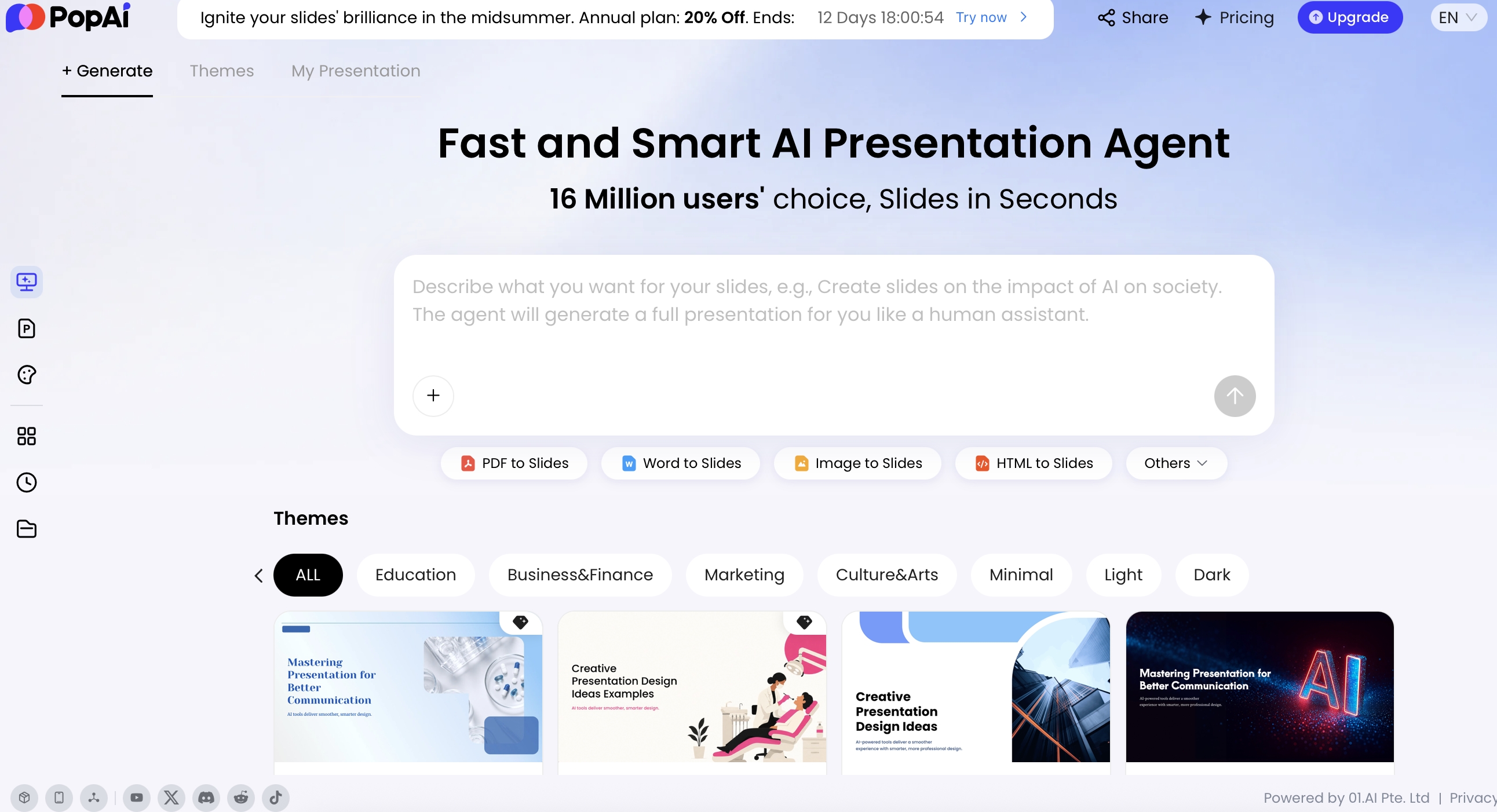
Start with a focused prompt or upload existing material. PopAi supports many inputs, including PDF, DOCX, TXT, MD, XML, HTML, PPTX, images, audio, video, and YouTube URLs. For a DEI update, you might upload an anonymized policy brief, employee listening summary, training outline, public ESG report, or HTML dashboard export. Before generation, PopAi shows a planning step—such as a draft, outline, thought process, or content plan—so you can review structure before slides are created.
Step 1: Prepare source material safely
- Remove names, employee IDs, direct quotes that identify individuals, and small-team references unless explicit consent exists.
- Aggregate demographic data according to your company’s privacy rules; many organizations suppress groups below a minimum n-size such as 5 or 10, but thresholds vary.
- Separate “approved source material” from “working notes” so the AI is not asked to summarize unverified assumptions.
- Add a one-page methodology note covering data source, date range, sample size, definitions, and limitations.
Step 2: Generate the outline before generating slides
Ask for an outline first, then review it with the data owner or DEI lead. This catches problems early, such as a section that implies causation from correlation, a chart that would reveal a small group, or a recommendation that exceeds the evidence.
Step 3: Use source-grounded prompts
Executive update prompt: “Create a 10-slide DEI executive update for a global technology company using only the uploaded source material. Audience: senior leadership. Tone: direct, evidence-based, respectful. Include current-state summary, hiring funnel, retention risks, inclusion survey themes, roadmap, KPI dashboard, risk register, and leadership decisions needed. Flag missing data instead of inventing metrics. Suppress or mark any small-group data. Avoid stereotypes, unsupported causal claims, and stock diversity language. Add speaker notes for sensitive slides.”
- Training prompt modifier: “Include facilitator notes, timing, discussion norms, and debrief questions. Do not ask participants to disclose personal identity experiences.”
- ERG report prompt modifier: “Highlight impact without exposing member identities or private stories. Use consented examples only.”
- KPI dashboard prompt modifier: “Show source, sample size, time period, denominator, and calculation definition for every metric.”
- Accessibility audit prompt modifier: “Group findings by severity, affected user journey, remediation owner, and target date. Do not imply compliance unless the source says compliance was verified.”
Step 4: Edit, export, and quality-check
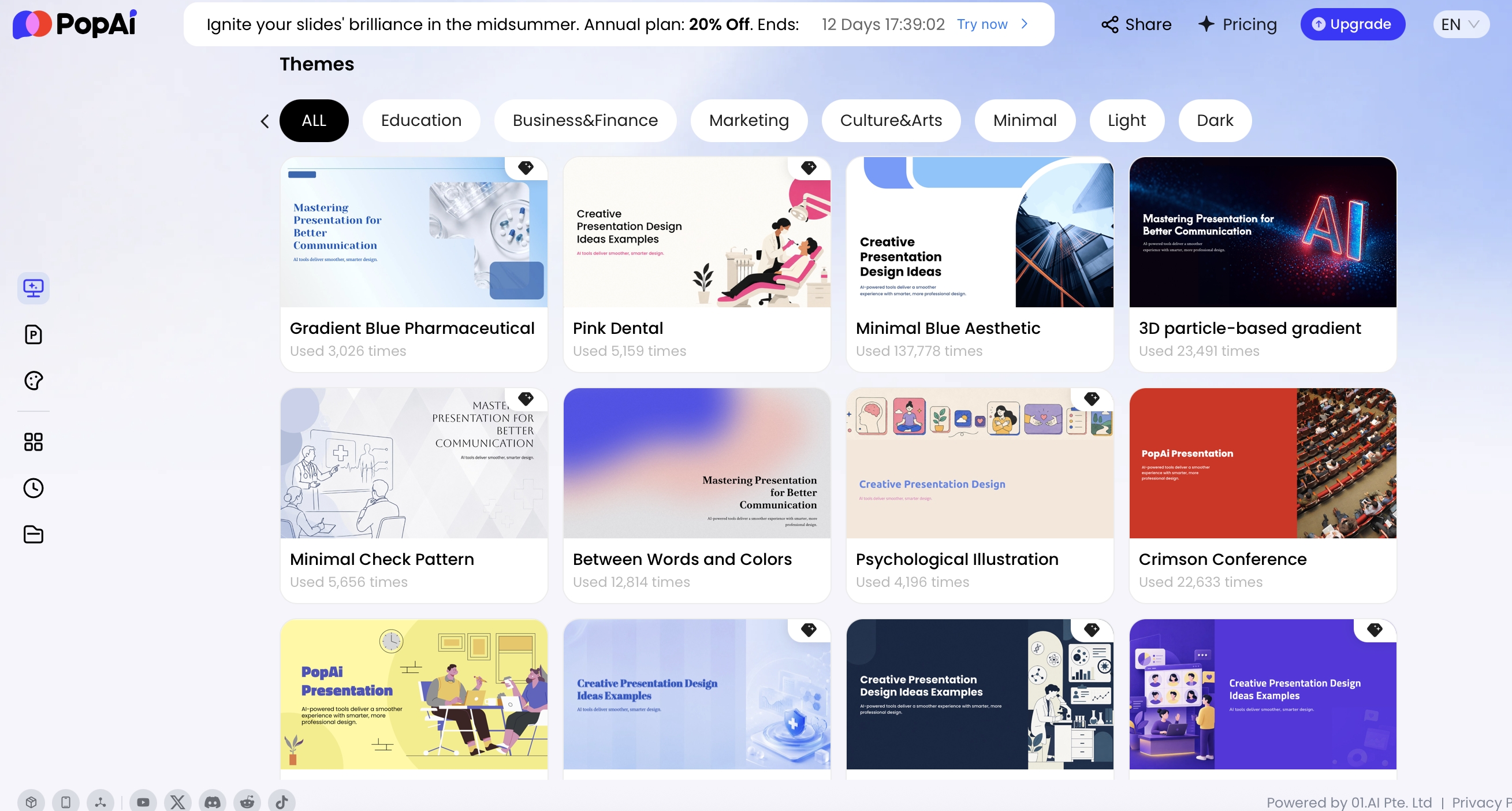
After generation, use natural language revisions to tighten the story. For example, ask: “Shorten this for executives and keep only the three most decision-relevant points,” or “Rewrite this slide to distinguish observed data from possible explanations.” PopAi’s editing workflow can present rewritten and original versions so you can choose what best fits your audience. You can also adjust themes, layouts, icons, logic frames, cards, and slide structure. If your organization has a specific brand look, the AI PowerPoint workflow can use official templates, personal templates, or an uploaded PPTX template as a starting point.
Hands-on workflow example: In a realistic executive-update test using an anonymized survey summary, a hiring-funnel table, and a one-page DEI roadmap, the AI handled slide sequencing and summary headlines well. The human edits were still essential: one draft headline implied a retention problem was caused by manager behavior even though the source only showed a correlation; two charts needed sample-size notes; and the speaker notes needed softer language for a slide on employee trust. The biggest time saving was outline creation, not final approval.
When the deck is ready for review, export it as PPTX or PDF. PPTX files can be opened in Microsoft PowerPoint, and editable text objects are important for HR, legal, or leadership edits. Avoid assuming any AI export is perfectly lossless; plan one final QA pass in PowerPoint before presenting.
PPTX export QA checklist
- Check font substitution, especially if your brand font is not installed on reviewer devices.
- Confirm chart labels, legends, and data tables remain editable.
- Review reading order with PowerPoint’s Accessibility Checker.
- Verify alt text, speaker notes, slide numbers, and appendix references survived export.
- Remove unnecessary animations that may distract from sensitive topics.
- Check contrast, data labels, footnotes, and methodology notes in both PPTX and PDF.
Design DEI KPI Slides with Transparent Data Visualization
DEI data slides need to be legible, defensible, and careful. The goal is not to display every available metric, but to show the indicators that reveal whether systems are improving and where decisions are needed.
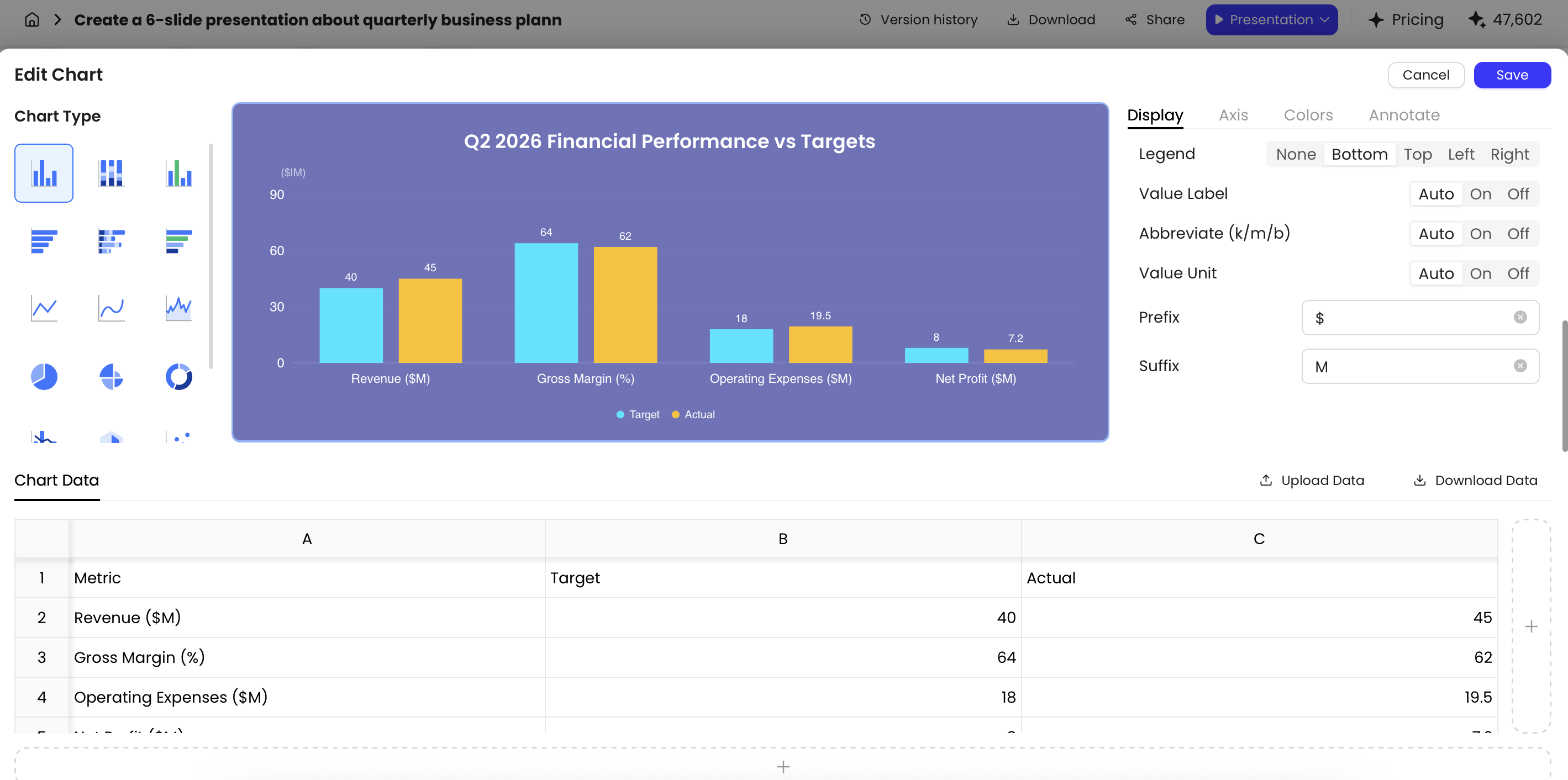
PopAi’s chart editing tools support multiple chart types, including bar charts, horizontal bar charts, line charts, area charts, pie charts, doughnut charts, dual-axis charts, radar charts, scatter plots, and bubble charts. You can edit the underlying data table, upload or download Excel files, adjust colors, axes, legends, units, prefixes, suffixes, reference lines, and selected data point labels. For DEI decks, those controls help prevent misleading visuals.
Recommended chart choices and watch-outs
- Hiring funnel: Use horizontal bars or a funnel-style sequence. Label each stage clearly and avoid implying bias at a specific stage without further analysis.
- Retention by group over time: Use line charts with consistent intervals. Distinguish voluntary, involuntary, regretted, and internal-mobility exits if the source data allows it.
- Inclusion survey scores: Use grouped bars for themes such as belonging, voice, manager support, and fairness. Always show response rate and suppress very small groups.
- Promotion rates: Use bar charts with a clear denominator. Define whether the rate is based on all employees, eligible employees, or employees in review cycles.
- Pay equity indicators: Clarify whether numbers are adjusted or unadjusted and whether the analysis controls for level, role, geography, tenure, or other lawful factors.
- Representation snapshots: Use stacked bars sparingly and avoid ranking demographic groups as if identity categories are performance categories.
Chart types to avoid or use cautiously
- Pie charts: Usually weak for comparing multiple groups or time periods; use bars instead.
- Dual-axis charts: Can imply relationships that are not proven; use only when the relationship is intentional and clearly explained.
- Radar charts: Visually dramatic but hard to interpret; avoid for employee-facing equity reporting.
- Percent-only charts: Risky when denominators are small; add counts or suppress results when privacy is a concern.
Case example: A slide showing “+20% improvement” in belonging for a small regional office may sound impressive, but if the change is from 5 favorable responses to 6, the chart overstates certainty and may expose privacy risk. A safer slide might say, “Qualitative feedback suggests improvement in team communication; quantitative trend not shown because sample size is below reporting threshold.”
Data caution: Small-sample privacy is not a design detail. Establish reporting thresholds before building the deck, aggregate only when it does not erase important identity context, and consult legal, privacy, or people analytics teams before presenting demographic cuts. When numbers are unsafe to show, use approved qualitative themes, action commitments, and methodology notes instead of forcing a chart.
DEI Template Evidence and Risk Safeguards
DEI decks need more cautious sourcing than ordinary template pages because the topic can involve identity, policy, law, employee trust, and public accountability.
Use AI to structure the deck, summarize approved source material, and improve readability. Do not use AI to invent representation targets, infer identities, diagnose culture, or promise business outcomes. Every DEI slide should make clear whether the information is internal, external, survey-based, self-reported, audited, or illustrative.
| DEI slide type | Evidence to require | Safe wording | Do not write |
|---|---|---|---|
| Representation overview | Approved HRIS or annual-report data, definitions, geography, time period, and suppression rules for small groups. | “This slide summarizes reported representation data for the stated period.” | “This proves the organization is inclusive.” |
| Inclusion survey | Survey method, response rate, theme coding, privacy rules, and comparison caveats. | “Survey responses suggest themes for further discussion.” | “Employees feel included because the score increased.” |
| Policy or training update | Approved policy owner, jurisdiction, launch date, audience, and review status. | “This section explains approved program components.” | “This training will eliminate bias.” |
| Business impact slide | Clearly sourced external research and internal caveats. | “External studies may show associations; they do not prove this company’s result.” | “Diversity guarantees better financial performance.” |
| Accessibility and inclusion design | Captioning, contrast, screen-reader considerations, alt text, and accessible file distribution. | “This deck is designed to reduce access barriers.” | “This deck is fully inclusive for everyone.” |
Before publishing an AI-generated DEI deck, have HR, legal, communications, and the accountable business owner review any slide that includes employee data, protected characteristics, representation goals, policy language, or public claims.
Accessibility Rules for DEI Presentation Templates for AI Tools
A DEI presentation that is difficult to read, hear, navigate, or understand undermines its own message. Accessibility should be built into the template before AI starts generating slides.
- Use readable type: Keep body text large enough for conference rooms and remote screens. As a practical rule, use 24 pt or larger for body text and avoid dense paragraphs.
- Check contrast: Follow WCAG contrast guidance where possible: at least 4.5:1 for normal text and 3:1 for large text. Do not rely on color alone to communicate status.
- Make charts color-blind friendly: Pair color with labels, patterns, or direct annotations. Avoid red/green-only status indicators.
- Add alt text: Describe meaningful images, charts, and icons for screen reader users. Decorative elements can be marked decorative when the export workflow supports it.
- Preserve reading order: Make sure slide objects follow a logical sequence when exported or edited. Test with PowerPoint Accessibility Checker.
- Caption media: Provide captions or transcripts for embedded video or audio, especially in training decks.
- Avoid text embedded in images: Screen readers may not capture it, and localization or policy review becomes harder.
- Include speaker notes: Notes help presenters handle sensitive language consistently and can support captioning, transcript, or facilitator workflows.
- Avoid symbolic overload: Flags, hands, faces, and cultural imagery can be meaningful, but overuse may feel performative or exclusionary.
When using AI, add measurable accessibility instructions directly into your prompt: “Use plain language, no more than 35 words per slide, high-contrast layouts, direct chart labels instead of legends where possible, and speaker notes. Avoid decorative text embedded in images. Include alt text suggestions for every meaningful visual and chart.” AI can draft closer to an accessible standard, but a human still needs to validate the final PPTX and PDF.
Tip: For training sessions, create two versions of the deck: a facilitator deck with notes, timing, discussion cues, and escalation guidance; and a participant version with cleaner slides, accessible handout language, resources, and no private facilitator-only notes.
Risk Review Checklist Before Presenting an AI-Generated DEI Deck
Because DEI content touches identity, culture, fairness, legal risk, and employee trust, every AI-generated deck needs a human review process. Treat the AI draft as a starting point, not a substitute for subject-matter judgment.
Review these areas before delivery
- Accuracy: Are all statistics, policy references, and program claims verified against internal sources?
- Privacy: Could any chart, anecdote, quote, or demographic cut identify an individual or a very small employee group?
- Language sensitivity: Does the deck avoid outdated terms, stereotypes, deficit framing, and assumptions about lived experience?
- Legal and compliance fit: Does the deck align with company policy and local employment laws?
- Representation: Do visuals show people with dignity and avoid “diversity stock photo” clichés?
- Accountability: Are owners, timelines, and measures clear, or does the deck rely on broad values statements?
- Audience readiness: Does the presenter have notes for difficult questions, pushback, or emotional moments?
Reviewer workflow for sensitive DEI decks
| Reviewer role | What they review | Common issues found |
|---|---|---|
| People analytics or data owner | Definitions, denominators, sample sizes, suppression rules, methodology notes | Incorrect rates, missing response rate, small-group disclosure risk |
| DEI lead or HRBP | Framing, priorities, action plans, manager implications | Overly generic recommendations, unclear ownership, weak follow-through |
| Legal or compliance | Policy language, local law fit, demographic data handling, pay equity wording | Unsupported claims, jurisdiction conflicts, risky public statements |
| Accessibility reviewer | Contrast, reading order, alt text, captions, PDF accessibility, facilitator materials | Low contrast, missing alt text, inaccessible charts, dense slides |
| ERG or employee advisory group | Tone, lived-experience sensitivity, visual choices, employee-facing implications | Tokenistic imagery, missing context, language that feels extractive |
| Communications lead | Audience fit, executive messaging, Q&A preparation, release timing | Unclear narrative, defensiveness, lack of presenter guidance |
The advantage of AI in DEI presentation work is not that it replaces expertise. Its value is giving teams a structured draft, outline, chart layout, or speaker-note baseline that experts can challenge, improve, localize, and approve. Speed is useful only when the review process is strong enough to catch weak assumptions.
The most reliable workflow is: prepare anonymized source material, generate an outline only, review the outline, create the slide draft, validate every claim against source data, revise language and visuals, check accessibility, export to PPTX/PDF, run stakeholder sign-off, and archive the source notes and version history. If a metric, image, or phrase cannot survive that process, it should not be in the deck.
FAQ
What should a DEI presentation template include?
A strong DEI presentation template should include a clear purpose, audience context, baseline data, employee experience insights, initiative roadmap, accountability model, KPI dashboard, risks, and next steps.
Can AI tools create a DEI deck from existing reports?
Yes. AI presentation tools can often turn prompts, documents, meeting notes, HTML reports, or existing PowerPoint files into slide drafts. Human review is still essential for sensitive language, privacy, data accuracy, and cultural context.
How do I avoid bias in AI-generated DEI slides?
Use diverse source material, avoid demographic stereotypes, verify claims with internal data, review imagery for representation and tokenism, check accessibility, and ask stakeholders from affected groups to review the deck before presenting.
Which DEI metrics work best in presentation templates?
Useful DEI metrics include workforce representation, hiring funnel conversion, promotion rates, retention, pay equity indicators, inclusion survey scores, training completion, accommodation response times, and leadership accountability milestones.
Create your presentation with one click now
Turn DEI reports, training notes, or executive updates into structured slides, then refine the story, charts, and export format for real stakeholder review.
Start with PopAi AI Presentation