AI Real Estate Presentation: Templates, Examples & Prompts

For agents and real estate teams, an AI real estate presentation can shorten the time between collecting property materials and meeting a client. The hard part is not filling slides: it is choosing the right story for a buyer, seller, or investor while checking prices, photos, and claims that AI cannot verify for you. This guide gives you reusable structures, three complete prompts, and a review process that keeps the finished deck useful and credible.
Start Your AI Real Estate Presentation With the Audience
A buyer tour, listing pitch, and investment proposal should not use the same slide order.
For buyers, lead with how the home fits their stated priorities: layout, condition, location, and viewing logistics. For sellers, lead with the agent’s pricing method and marketing plan; the home itself is already familiar to them. Investors need assumptions, operating costs, risks, and a decision request before decorative lifestyle imagery. Name the audience and desired decision in your prompt so the outline has a purpose.
- Buyer property tour: cover, verified essentials, photos and floor plan, location, relevant comparisons, disclosures or questions, viewing next step.
- Seller listing appointment: seller goals, market context, comparable sales, pricing range and rationale, launch plan, agent proof, timeline and next step.
- Investment review: thesis, property and location, acquisition assumptions, income and expenses, scenarios, risks, diligence requests and decision.
“Put the client’s next decision at the center of the deck; let every slide earn its place by helping them make it.”
As a starting point, plan roughly 7–10 slides for a focused buyer meeting, 8–12 for a listing appointment, and 10–14 for an investor discussion. These are working ranges, not rules. Move detailed comps and calculations into an appendix when they interrupt the conversation.
Choose an AI Real Estate Presentation Template and Build the Outline
Use a template for consistency, then customize the information hierarchy for the particular property.
Before generating, gather an approved photo set, property fact sheet, intended audience, brand rules, and any permitted market sources. In PopAi AI Presentation, you can begin with a topic or prompt or supply existing materials such as PDF, DOCX, text, HTML, images, or PPTX. Its content-planning stage lets you inspect the structure before committing to a deck. If your brokerage has an established look, PopAi’s AI PowerPoint workflow also offers official templates, personal templates, and an option to upload a PPTX template.

- Prepare: remove client-private details you do not need; separate verified facts from estimates and draft copy.
- Specify: state audience, slide count, goal, tone, must-have sections, and which facts must carry a source note.
- Inspect: check the generated outline for missing objections, misplaced claims, and duplicated slides.
- Edit: replace placeholder images with approved originals, apply brokerage branding, and simplify crowded layouts.
- Deliver: review the exported PPTX or PDF, or share a link through the available sharing controls.
When evaluating AI presentation makers, distinguish a tool that generates a narrative from a static template that only supplies a layout. Neither replaces an agent’s responsibility to check local facts.
Worked Example: One Property, Three Different Decks
The same source packet should produce different stories when the audience changes.
Consider a fictional three-bedroom home at 18 Harbor Lane. For this illustration only, its draft packet lists 1,850 square feet, a proposed asking price of $625,000, six approved photos, a floor plan, and three possible comparable sales. No address, price, measurement, or comp in this example represents a real listing. The agent must still confirm all facts against current records before a client sees them.
| Audience | Illustrative slide sequence | Human-owned slide or decision |
|---|---|---|
| Buyer | Fit summary → verified facts → photo tour → floor plan → area context → questions → showing | Confirm availability, measurements, photo accuracy, and material disclosures. |
| Seller | Seller goals → market snapshot → comp methodology → proposed range → launch plan → timeline | Select valid comps and approve the actual pricing recommendation. |
| Investor | Investment thesis → asset → acquisition → operating model → sensitivity → risks → diligence | Source expenses, validate rent assumptions, and review financing terms. |
Turn a generic slide into a decision slide
Before: “Excellent location with strong investment potential.” After: “Location review: show the property on a map, list the buyer-approved commute destinations, and leave rental demand unclaimed until a dated source is supplied.” The second version identifies what evidence is needed rather than disguising an assumption as a fact.
Similarly, do not let a generated chart turn three candidate comps into a definitive market trend. Comparable properties may differ in condition, size, concessions, and sale date. Show those differences next to the prices, or omit the chart until the agent has selected defensible comparisons.
Three Copy-Ready AI Real Estate Presentation Prompts
Replace bracketed fields with approved material; instruct the AI not to invent missing facts.
1. Buyer property presentation
2. Seller listing appointment
3. Investor property proposal
These prompts deliberately ask for an outline first. Revise its order and evidence requirements before generating designed pages; an attractive template cannot repair an unsupported claim.
Verify Market Data, Comparables, and Returns
Treat generated figures as presentation drafts, not as new sources of truth.
For a CMA, record where each sale came from, its closing date, original and final list prices if relevant, closed price, property characteristics, and any known concessions. Check whether a listing is active, pending, or closed before calling it a sale. A small set of recent nearby transactions may be more relevant than a larger but poorly matched sample; the right selection depends on property type and local market conditions.
For an investor slide, make the arithmetic inspectable: annual gross potential rent minus vacancy allowance and operating expenses yields an estimated net operating income before debt service; financing must be modeled separately. Record the source and date for taxes, insurance, rents, and fees, and distinguish actual invoices from assumptions. Show at least one downside case so a projected return is not mistaken for a promise.
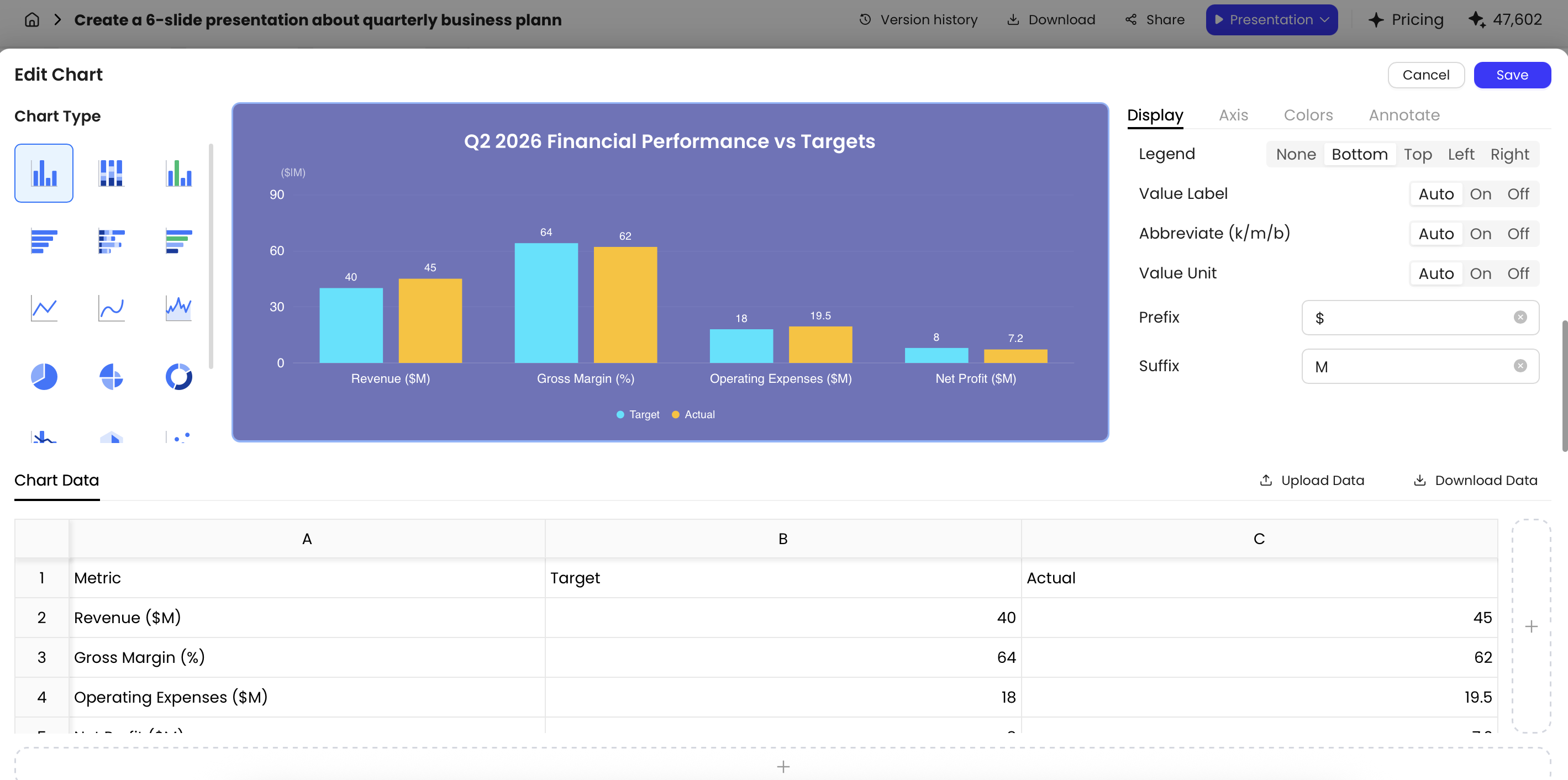
PopAi’s chart editor supports multiple chart types and an editable data table, with Excel upload and download for chart data. That helps present checked comps or scenarios, but the source spreadsheet and slide labels still need a human review. If you start with CSV data, first convert or organize it into a supported document or chart workflow rather than assuming direct CSV upload.
Data check: For every quantitative slide, verify the value, unit, date, geography, calculation, source permission, and on-slide source label. Recheck figures after changing a chart’s data table or uploading a replacement spreadsheet.
Choose the Right Tool and Review Before Sharing
Match the tool to the work, then perform a separate compliance and delivery check.
| Approach | Best when | Check before choosing |
|---|---|---|
| AI deck generator | You need a first outline and designed slides from a prompt or source files. | Supported inputs, editing controls, current plan limits, and PPTX/PDF export. |
| Static slide template | Your wording and evidence are ready; only visual structure is missing. | License, slide variety, branding flexibility, and PowerPoint compatibility. |
| PowerPoint plugin or template workflow | Your team must keep working inside an established PPTX process. | Installation rules, editable elements, and how exported layouts behave. |
Prices, free allowances, and export permissions can change; verify them on each provider’s current plan page rather than relying on a comparison screenshot. PopAi supports PPTX and PDF export; exported PPTX files open in Microsoft PowerPoint and their text objects can be edited. Still inspect fonts, images, chart labels, and spacing in the file you will actually present.
Preflight checklist
- Replace AI-generated property details with verified facts; check photo captions against the actual home.
- Follow applicable fair-housing rules: describe property features, not who supposedly belongs in a neighborhood.
- Check local MLS rules and brokerage policy for virtually staged or otherwise altered images; label them where required and retain originals.
- Remove unnecessary buyer, seller, tenant, and financing details before uploading or sharing materials.
- Confirm logo usage, required brokerage disclosures, contact information, sources, dates, and final export appearance.
“A polished slide is ready to share only when the person presenting it can explain where its facts came from.”
Frequently Asked Questions
How many slides should a real estate presentation have?
Start with about 7–10 slides for a buyer tour, 8–12 for a listing appointment, or 10–14 for an investment discussion. Cut or expand according to the meeting, and keep supporting data available separately.
Can AI generate a complete, editable PowerPoint from my property materials?
PopAi can create slides from a prompt or supported files and export PPTX files that open in PowerPoint with editable text objects. Review layouts and verify every property claim after export; do not assume all source formatting will be preserved.
Where should CMA and investment figures come from?
Use authorized MLS or brokerage records, public records where appropriate, and documented lender, tax, insurance, or management estimates. Record source dates and assumptions, and check calculations against the underlying records.
Can I include AI-staged property images?
Check local MLS rules and brokerage policy first. Label altered images clearly, retain the unaltered originals, and never use staging to conceal a defect or imply that fixtures or finishes exist when they do not.
Create your presentation with one click now
Bring your approved property materials and a clear audience goal. Generate a first draft, then make it yours.
Create a real estate presentation