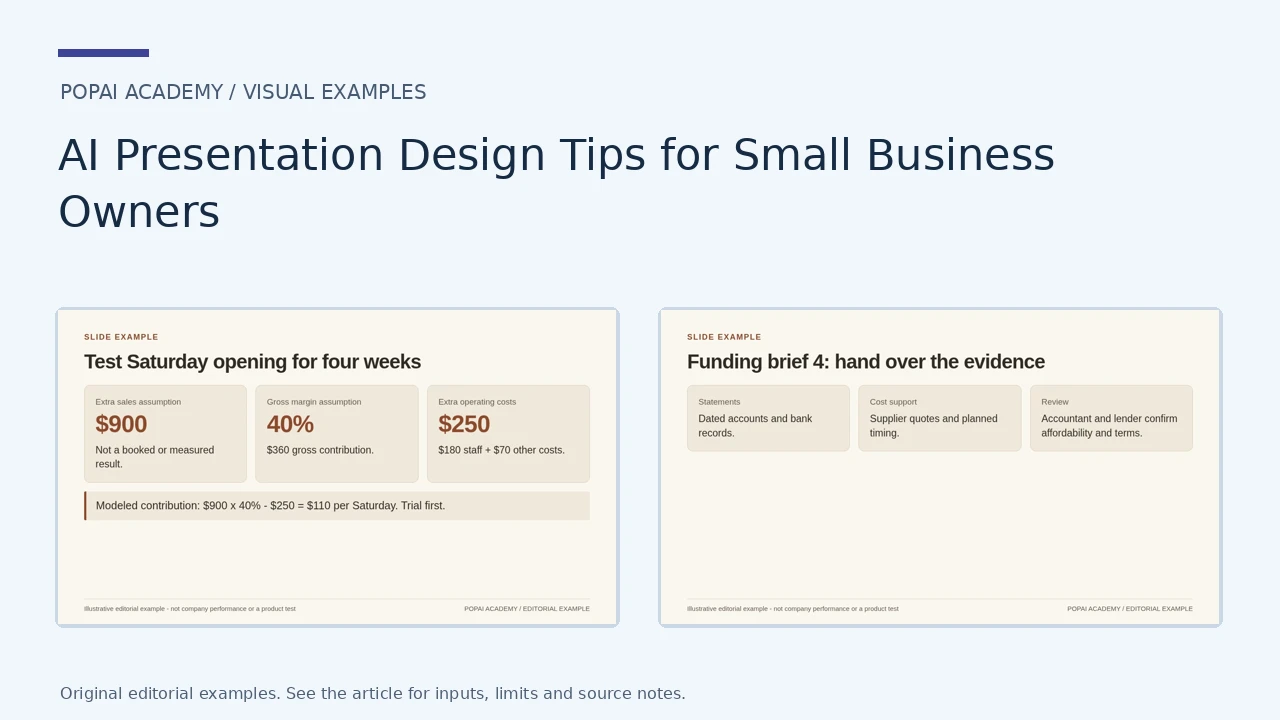
Small-business slides usually need to support a concrete decision: test opening hours, explain a quote or show a funding need. The examples below use simple layouts and openly fictional figures. Start with the numbers and the next action; choose a visual style only after those are clear.
Small-Business Examples: Decision, Quote and Funding Brief
The gallery includes one opening-hours decision, a three-page quote and a four-page funding brief. All business figures are illustrative. The quote is not an actual offer; the funding brief is not loan advice or an approval.
Open full-size examples and editable HTML layoutsOne-page operating decision
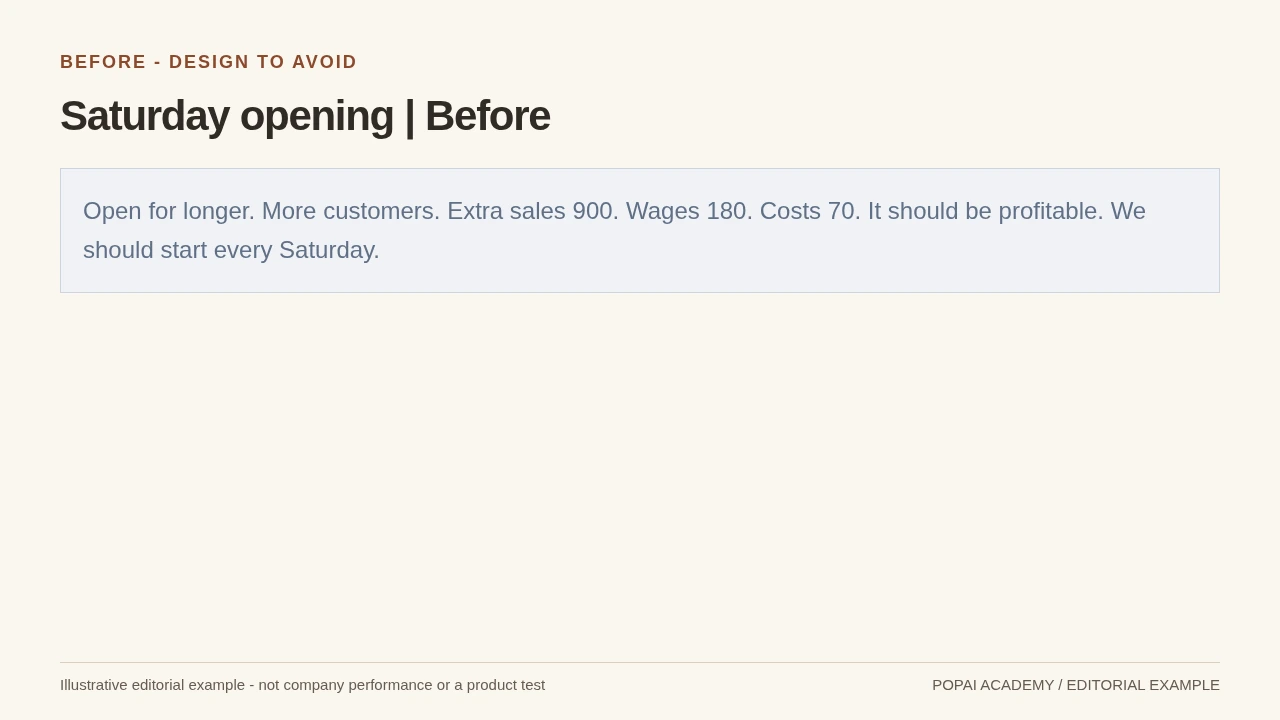
Before: a sales claim without a contribution margin or a bounded trial.
Read or copy the slide content
Open for longer. More customers. Extra sales 900. Wages 180. Costs 70. It should be profitable. We should start every Saturday.
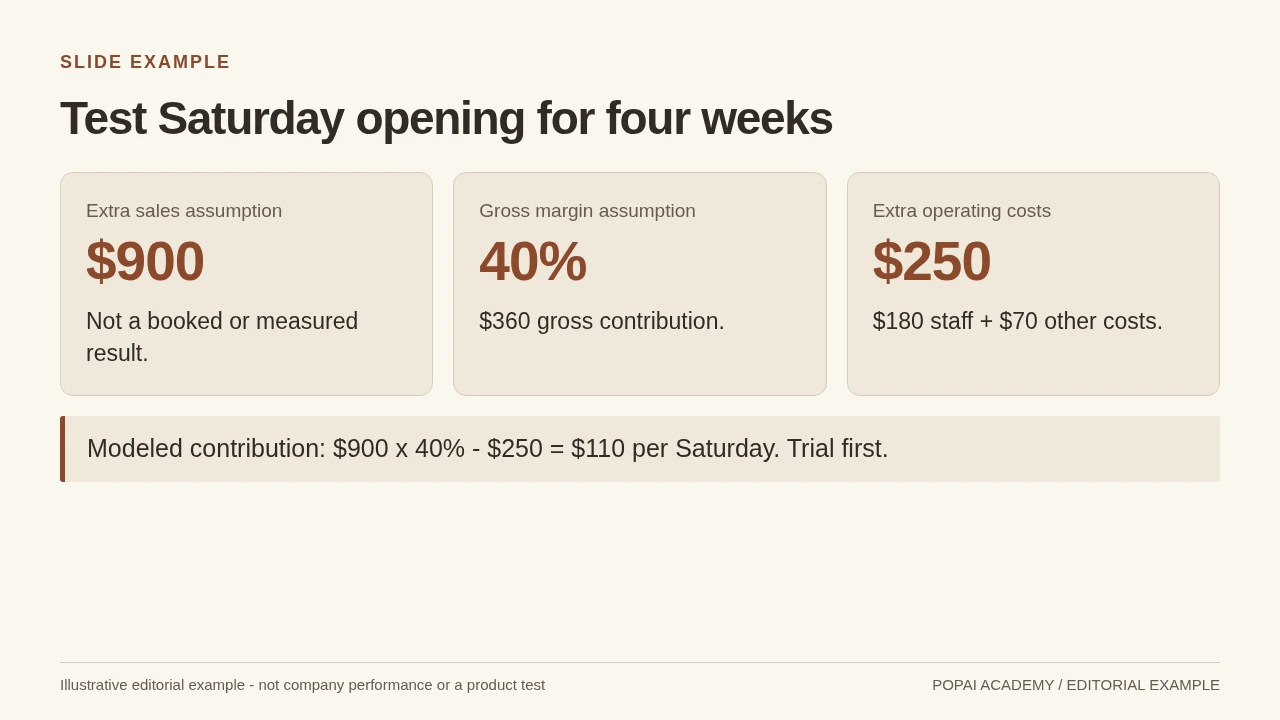
One-page decision brief; a fictional planning calculation rather than a profitability guarantee.
Read or copy the slide content
Extra sales assumption
$900
Not a booked or measured result.
Gross margin assumption
40%
$360 gross contribution.
Extra operating costs
$250
$180 staff + $70 other costs.
Modeled contribution: $900 x 40% - $250 = $110 per Saturday. Trial first.
Prompt for One-page operating decision
Create a slide with the purpose "Test Saturday opening for four weeks". Use these approved source fields or replace the illustrative inputs before use: Extra sales assumption $900 Not a booked or measured result. Gross margin assumption 40% $360 gross contribution. Extra operating costs $250 $180 staff + $70 other costs. Modeled contribution: $900 x 40% - $250 = $110 per Saturday. Trial first.. Preserve labels, units, source notes and any uncertainty. Do not add results, claims, customers or capabilities. Suggest a readable layout and keep the output editable in the chosen tool.
Three-page customer quote
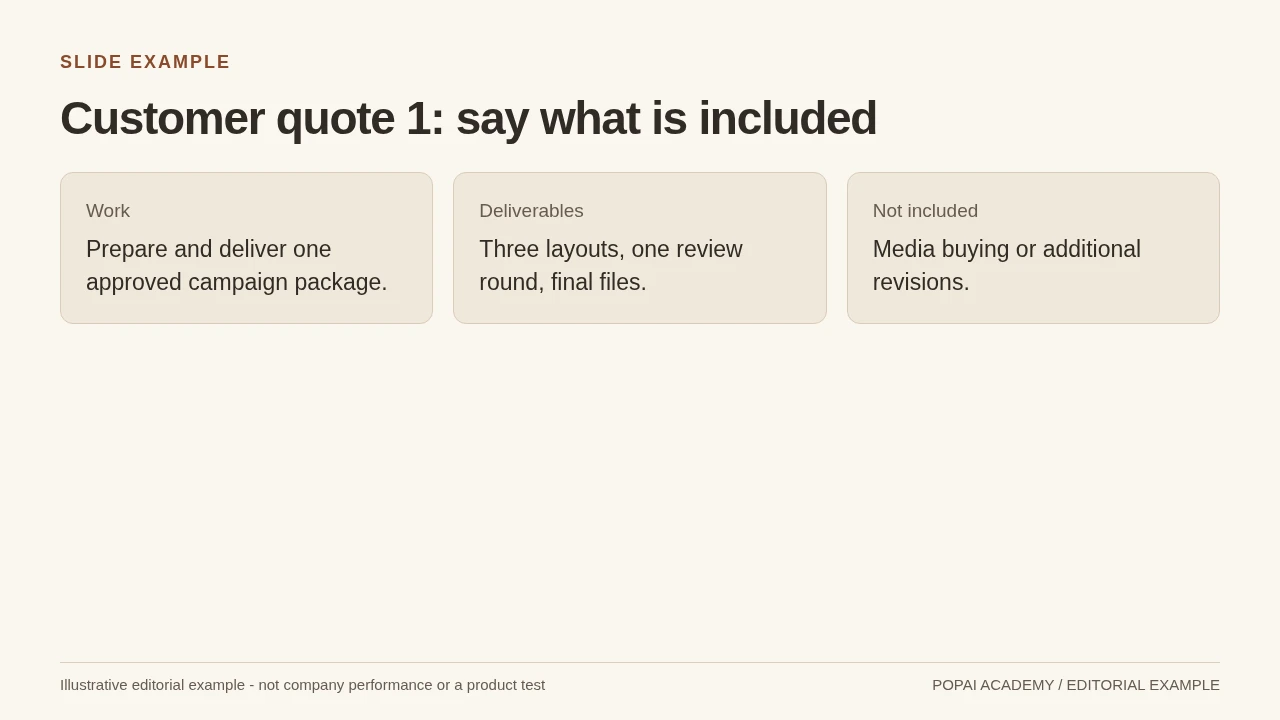
Quote page 1: structured example scope, not an actual commercial quotation.
Read or copy the slide content
Work
Prepare and deliver one approved campaign package.
Deliverables
Three layouts, one review round, final files.
Not included
Media buying or additional revisions.
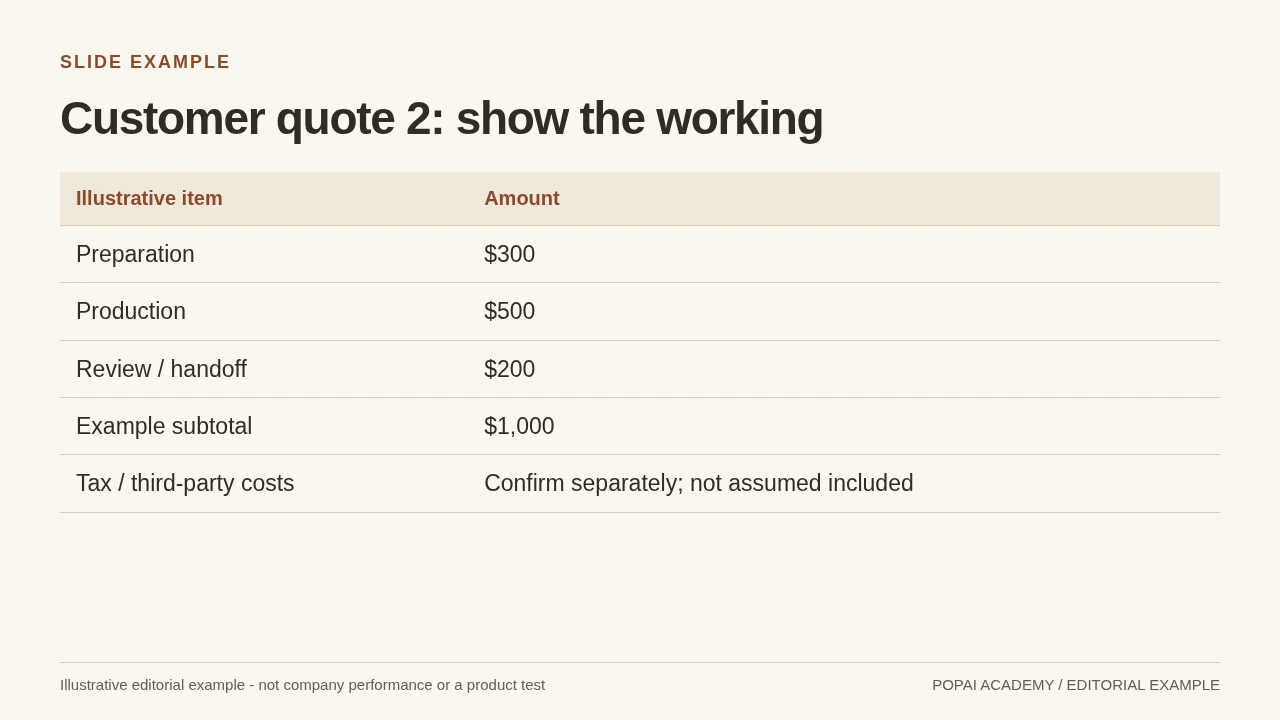
Quote page 2: arithmetic is visible, with tax and external costs unresolved.
Read or copy the slide content
Illustrative item
Amount
Preparation
$300
Production
$500
Review / handoff
$200
Example subtotal
$1,000
Tax / third-party costs
Confirm separately; not assumed included
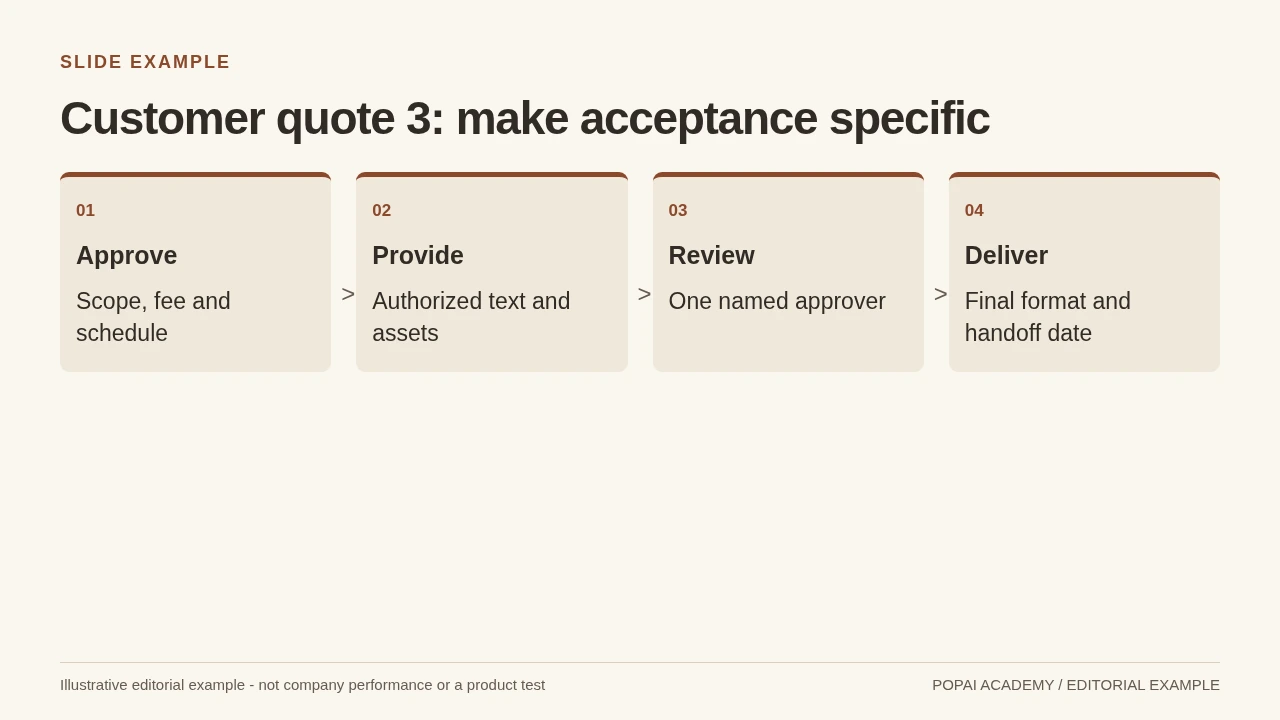
Quote page 3: responsibility and acceptance, not another page of sales copy.
Read or copy the slide content
01
Approve
Scope, fee and schedule
02
Provide
Authorized text and assets
03
Review
One named approver
04
Deliver
Final format and handoff date
Prompt for Three-page customer quote
Create a slide with the purpose "Customer quote 3: make acceptance specific". Use these approved source fields or replace the illustrative inputs before use: 01 Approve Scope, fee and schedule 02 Provide Authorized text and assets 03 Review One named approver 04 Deliver Final format and handoff date. Preserve labels, units, source notes and any uncertainty. Do not add results, claims, customers or capabilities. Suggest a readable layout and keep the output editable in the chosen tool.
Four-page funding brief
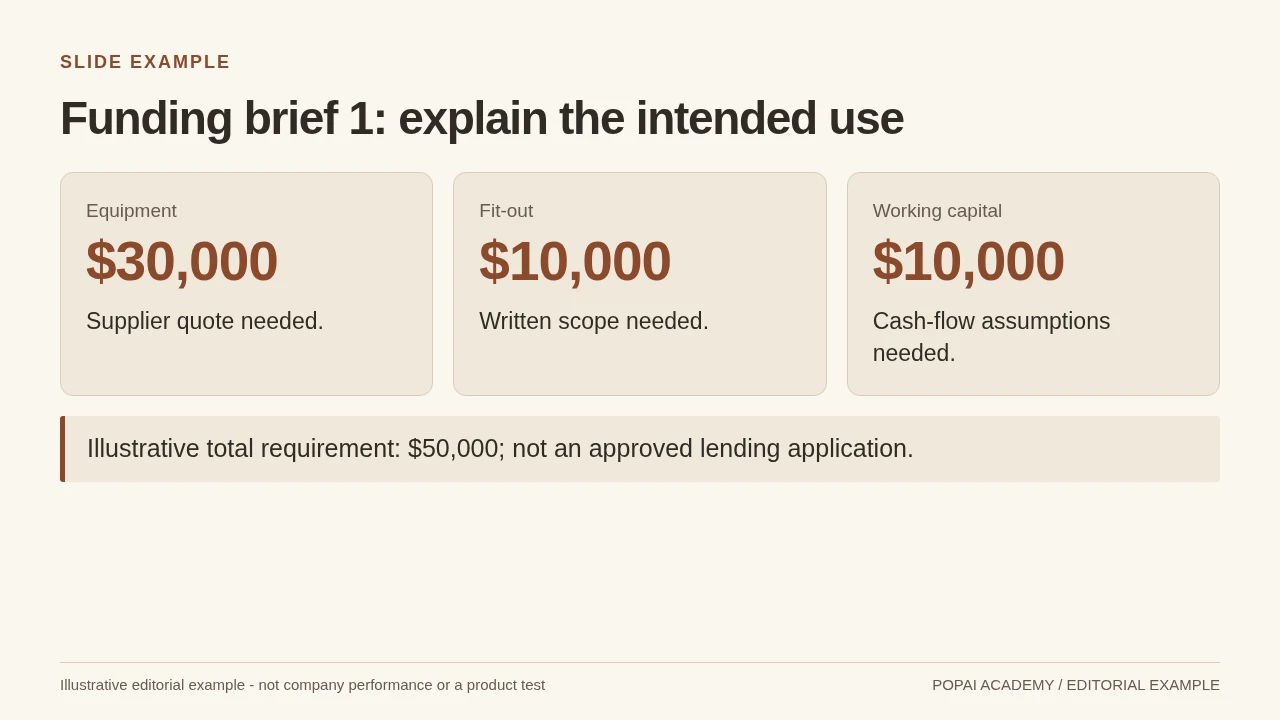
Bank brief page 1: uses of funds, not guaranteed loan eligibility.
Read or copy the slide content
Equipment
$30,000
Supplier quote needed.
Fit-out
$10,000
Written scope needed.
Working capital
$10,000
Cash-flow assumptions needed.
Illustrative total requirement: $50,000; not an approved lending application.
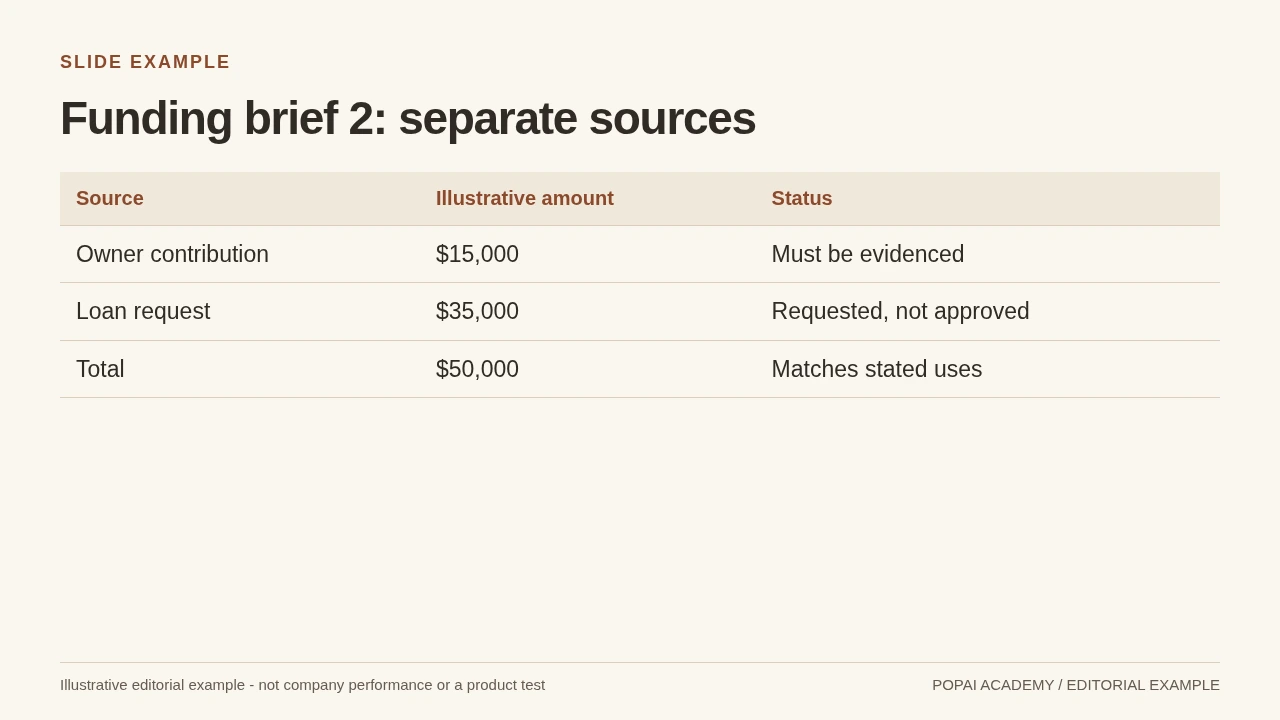
Bank brief page 2: sources balance uses without implying a funding commitment.
Read or copy the slide content
Source
Illustrative amount
Status
Owner contribution
$15,000
Must be evidenced
Loan request
$35,000
Requested, not approved
Total
$50,000
Matches stated uses
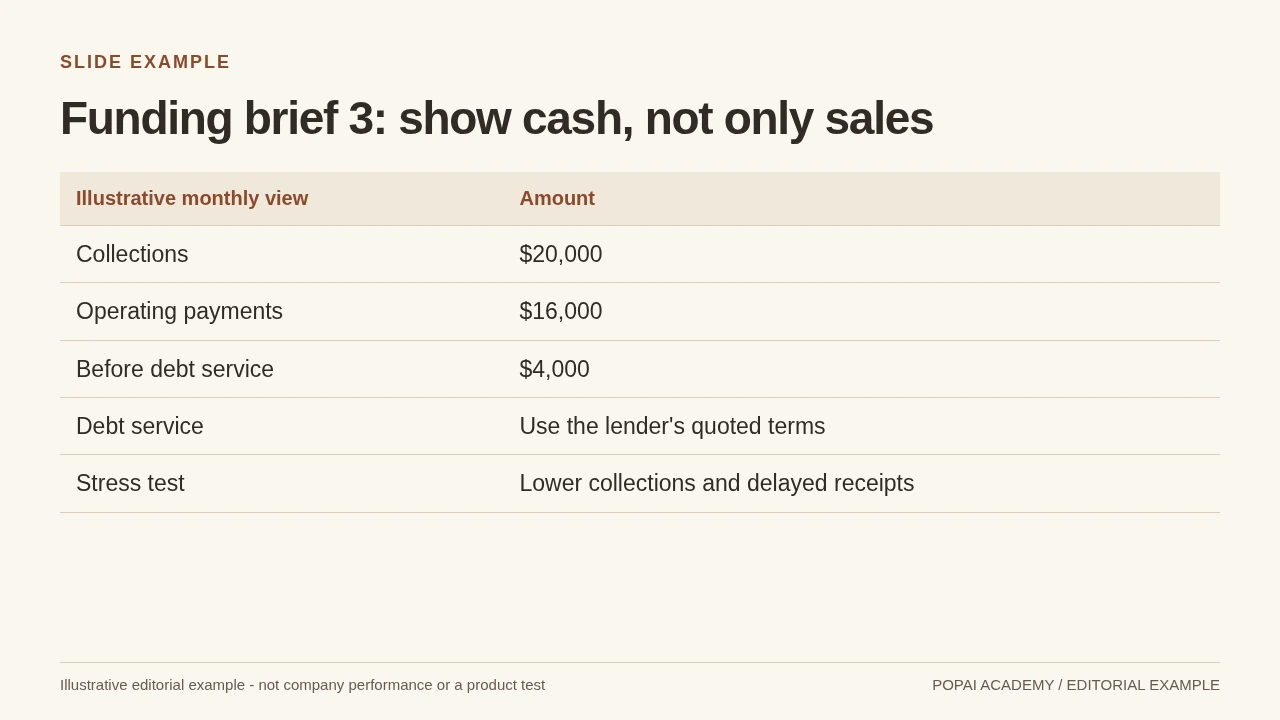
Bank brief page 3: no invented interest rate or repayment approval.
Read or copy the slide content
Illustrative monthly view
Amount
Collections
$20,000
Operating payments
$16,000
Before debt service
$4,000
Debt service
Use the lender's quoted terms
Stress test
Lower collections and delayed receipts
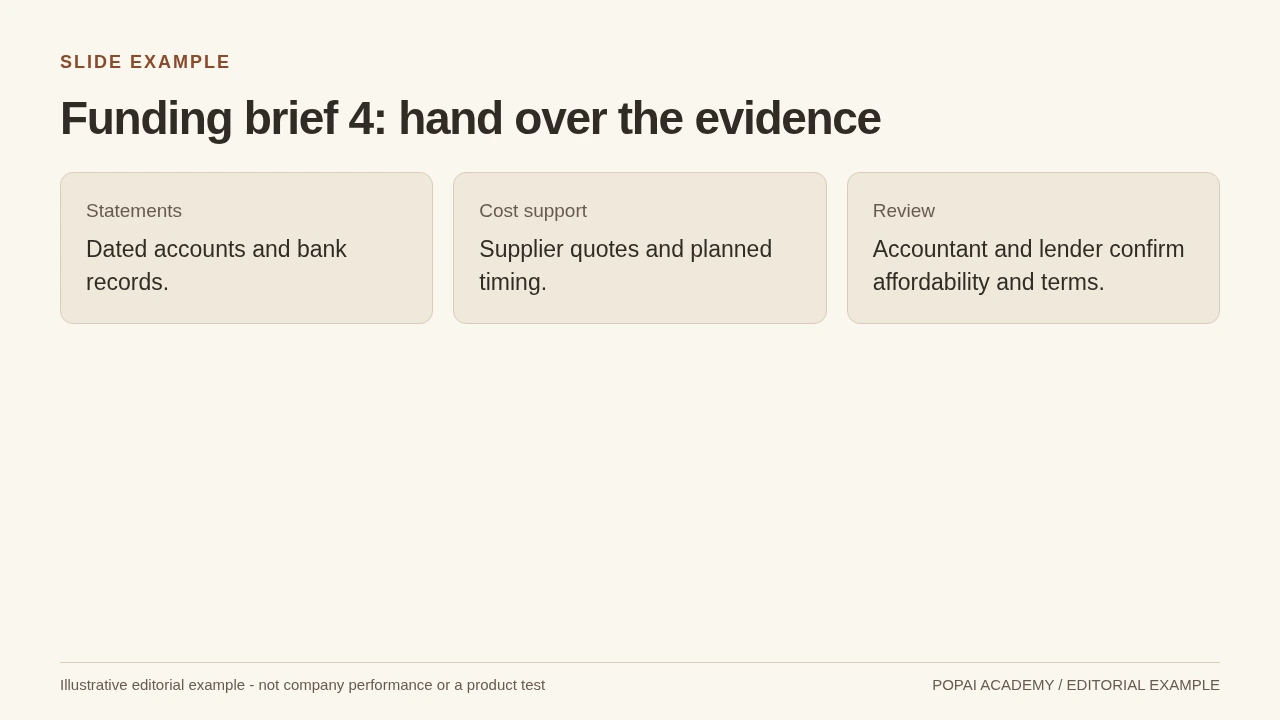
Bank brief page 4: sources and questions stay visible.
Read or copy the slide content
Statements
Dated accounts and bank records.
Cost support
Supplier quotes and planned timing.
Review
Accountant and lender confirm affordability and terms.
Prompt for Four-page funding brief
Create a slide with the purpose "Funding brief 4: hand over the evidence". Use these approved source fields or replace the illustrative inputs before use: Statements Dated accounts and bank records. Cost support Supplier quotes and planned timing. Review Accountant and lender confirm affordability and terms.. Preserve labels, units, source notes and any uncertainty. Do not add results, claims, customers or capabilities. Suggest a readable layout and keep the output editable in the chosen tool.
Prepare a Useful Brief for an AI Presentation
For a broader view of available tools, compare the latest AI presentation makers before choosing the workflow that best fits your team.
Give the tool a bounded task, trusted inputs, and clear instructions for uncertainty. Gather the current offer, verified figures, approved brand assets, and the sections the audience needs. Share relevant extracts rather than a folder of unrelated background documents. If sources conflict, resolve the discrepancy yourself or tell the tool to flag both versions; do not ask it to choose which one is correct.
Start with a prompt you can assess
Worked fictional example: “Create a six-slide catering proposal for an office manager comparing bakery options for an 80-person breakfast. The goal is to book a tasting. Cover the event need, menu choices, delivery and setup, relevant past-event proof, itemized price, and next step. Use our navy and cream colors and a warm, practical tone. Use the attached menu and price sheet only. Mark any missing capacity or delivery detail ‘NEEDS REVIEW’; do not invent testimonials or customer counts.” This tells the tool what to include and gives the owner specific points to check.
Suppose the draft says, “Trusted by hundreds of local companies,” but the supplied material contains no customer count. Replace it with a supported statement such as, “We provide breakfast catering for office events,” if that is accurate—or remove the claim. For a fictional example with an approved price sheet listing $18 per person, state the price and identify the sheet as the source; do not add an unverified discount or imply that delivery is included.
Before uploading files, remove personal details and confidential information the deck does not need. Check your organization’s rules and the tool’s current data-use and retention terms; do not assume that an uploaded file is private simply because the deck is for internal use. To compare capabilities and workflows, review the latest AI presentation makers and confirm current features and plan limits directly with each provider.
Different AI presentation makers handle source files, editing, collaboration, and export differently. Test a short, non-sensitive sample before building a full deck, and check whether the resulting text and charts can be edited in the software your team uses.
Design Clear Slides with a Repeatable System
A consistent visual system makes a small-business deck feel deliberate and helps the audience find the point quickly. Choose a theme for its readability and flexibility, not just its thumbnail. Then check whether it supports your logo, longer business names, charts, and the file format you plan to share.
Set a readable hierarchy
- Give every slide one job. Use a takeaway headline such as “Catering includes delivery for orders over $300,” rather than a label such as “Delivery.”
- Keep the hierarchy obvious. As a starting point for a 16:9 deck, try headlines around 28–36 pt and body text around 18–24 pt. Footnotes may need to be smaller, but should remain readable in the room and in the exported file. Check at presentation size rather than relying on the editor’s zoomed-in view.
- Use space instead of shrinking text. If a slide is crowded, split it or move supporting detail to speaker notes or an accompanying handout. Avoid turning a proposal into a page of fine print.
- Limit competing styles. Two complementary typefaces and a restrained palette are usually easier to maintain than a new font or color on every slide.
- Check contrast and accessibility. Use strong contrast between text and background, do not rely on color alone to distinguish chart categories, and add descriptive labels. Review the deck in grayscale or on a small screen to catch distinctions that disappear.
Choose visuals that explain the point
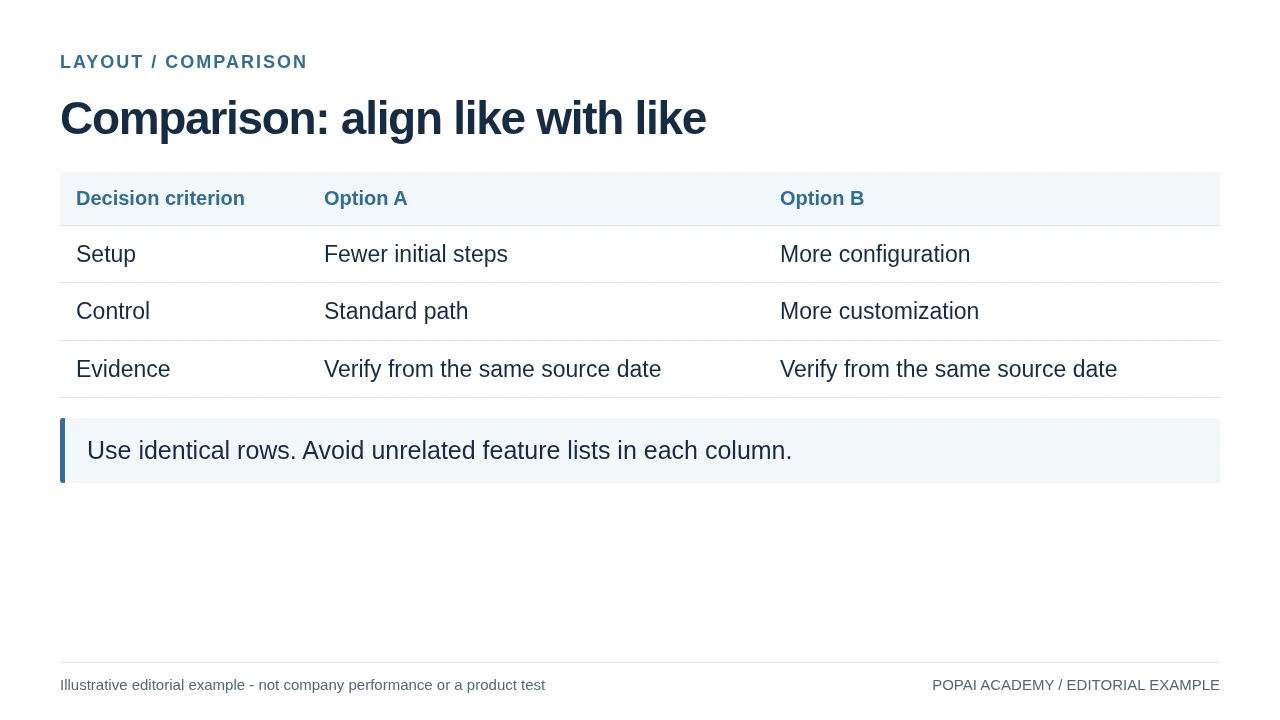
- Use a process diagram for steps, a comparison for options, and a chart for change over time.
- For every chart, label the metric, units, time period, and relevant categories. “Revenue” alone is not enough; “Monthly revenue, Jan–Jun 2026 ($)” gives the viewer context.
- Use photos that support the claim or show the real product. Check that image rights and customer permissions cover the intended use; a decorative stock photo is not evidence of your service quality.
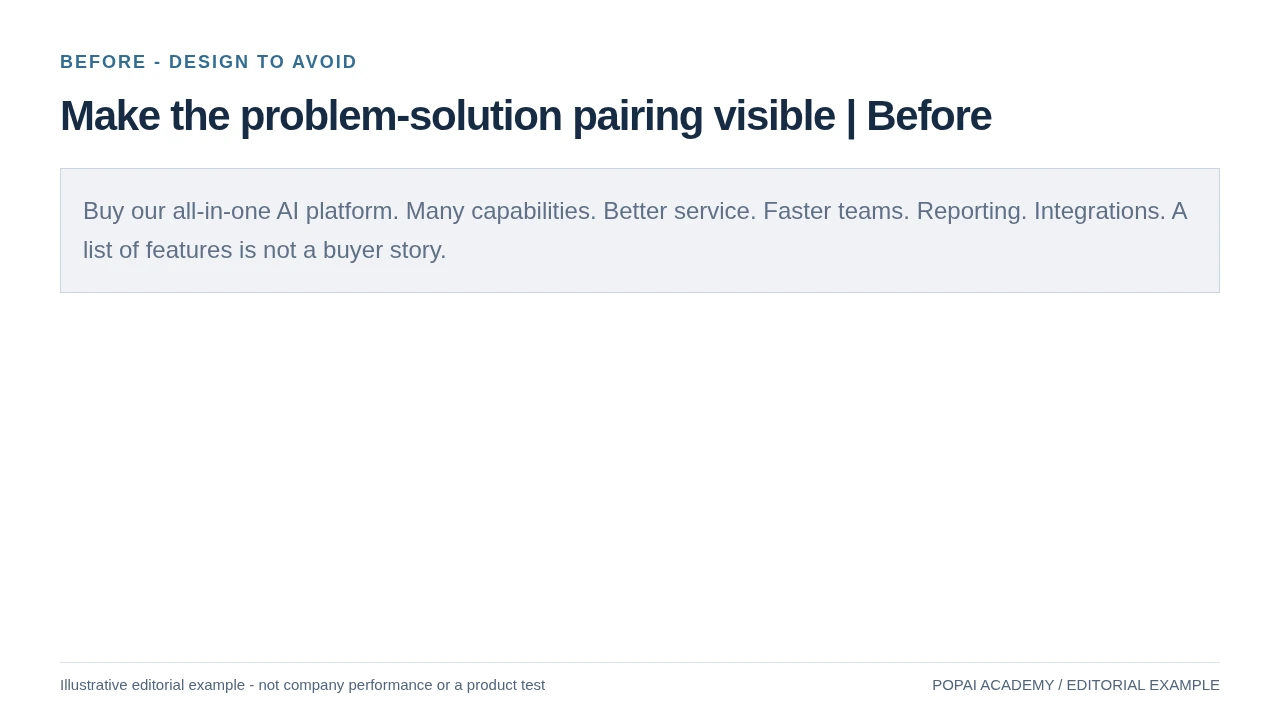
Before and after: a draft slide titled “Our Services” with six paragraphs and a decorative food photo makes the reader hunt for the offer. A clearer version is titled “Breakfast catering for 20–80 guests,” shows three menu packages side by side, and puts delivery limits in a readable note. The headline sets the scope; the comparison supports a choice; the note preserves a practical detail without crowding the slide.
In a tool such as PopAi AI Presentation, you can use a prompt or source material to start a draft, then review the proposed organization and edit the text, theme, and charts. Whatever tool you use, treat generated chart values and labels as draft content: compare them with your source data and confirm the reporting period before presenting. A room presentation may need larger type and less detail than a PDF sent for later reference.
A Practical Small-Business Presentation Workflow
Move from a real business question to a checked file in stages. For a recurring monthly update, review the story before polishing the slides; it is cheaper to fix a weak outline than to redesign a finished deck.
- Define the audience and decision. Write one sentence: “At the end, the team should decide whether to extend Saturday hours.” This keeps the deck from becoming a general business update.
- Prepare the source pack. Use the approved sales report, the relevant date range, and any agreed definitions. Remove customer names unless they are necessary and authorized. If two reports use different date ranges, resolve that before generation.
- Ask for an outline first. Check that it moves from the question to evidence, options, and a decision. For the Saturday-hours example, an outline that starts with company history and ends with an unconnected sales chart needs reordering.
- Generate and revise the draft. Replace vague claims such as “sales are improving” with a sourced statement: “Saturday sales rose from $2,400 in April to $2,760 in June,” if those values match the report. Add the units and date range to the chart, and distinguish correlation from proof of cause.
- Fact-check, then format for delivery. Trace figures and material claims to their sources, check branding and readability, and test the exported file on the device or software you will use.
Illustrative case, not a time-savings benchmark: imagine a shop’s monthly report shows Saturday sales of $2,400 in April and $2,760 in June. The AI might write, “Our promotion drove a 15% increase.” The arithmetic increase is 15%, but the report alone does not establish that the promotion caused it. A more defensible slide says, “Saturday sales increased 15% from April to June; the report does not isolate the effect of the promotion.” That distinction protects the owner from presenting a plausible explanation as proven fact.
Reserve review time based on the risk and complexity of the deck, rather than assuming AI will make the whole task faster. A short internal update with clean data may need a light edit; a customer proposal, funding deck, or report with many figures needs a deliberate source check and review by the person responsible for those claims.
Use the editor you can reliably revise. Keep a short check: approved logo and colors, readable type, aligned units, no cropped evidence and a final exported-file review. Do not spend more time comparing tools than resolving the customer quote or business decision.
Run a Final Quality-Control Check
Separate a quick visual scan from substantive approval. A polished deck can still contain unsupported claims, incorrect totals, or an unauthorized customer example. Use the right reviewer for the content: the owner or finance lead for financial figures, the account owner for customer claims, and an appropriate compliance or legal reviewer for regulated or sensitive material.
Before presenting, ask: “Can I trace every important claim and figure to a source I trust, and can I explain what that source does—and does not—prove?”
- Substantive review: reconcile figures with the original report; confirm units, date ranges, and definitions; and remove claims the evidence does not support.
- Narrative review: make sure the opening frames the issue, the middle provides evidence or options, and the ending names a decision or next action.
- Rights and privacy review: confirm image permissions and customer consent, and remove confidential details that are not essential.
- Cosmetic and delivery review: check title consistency, contrast, chart labels, logo placement, and the final exported file on the target device.