AI HR Presentation: Onboarding and Hiring Dashboard Examples
Updated October 15, 2026 | Original editable examples and source notes
An AI HR presentation should preserve the policy version and the data definition, not just make people information look tidy. This tutorial has two concrete deliverables: a new-starter orientation with an employee FAQ, and a hiring dashboard with cohort definitions and privacy controls. It is not a generic HR software ranking or an onboarding-policy generator.
1. Build onboarding slides around the approved policy
Prepare the current policy, effective date, employee group, jurisdiction and policy owner before asking for a summary. A slide about leave or benefits must not remove an exception or silently apply a headquarters policy to another location. Keep an employee question unresolved when the authorized source does not answer it.
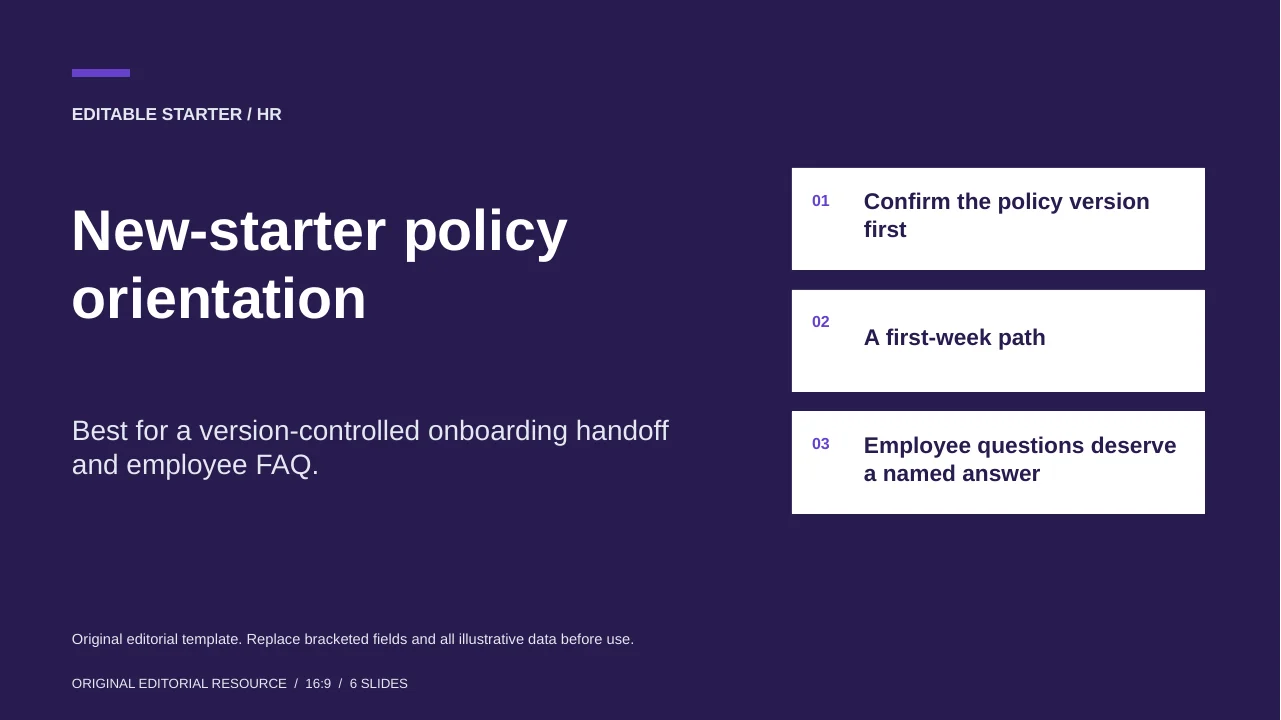
New-starter policy orientation
Best for a version-controlled onboarding handoff and employee FAQ.
This six-page template includes a policy register, first-week path, employee FAQ, version-control reminder and release roles. Bracketed fields are intentional authoring prompts, not existing company rules.
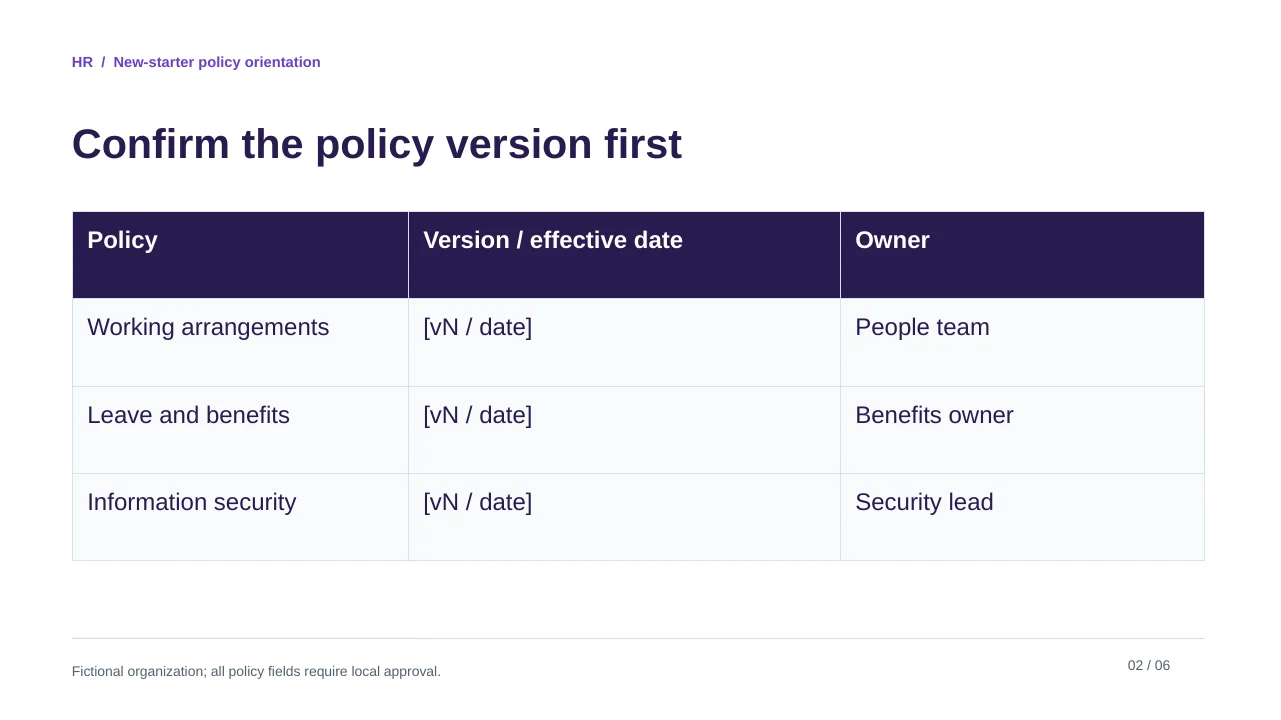
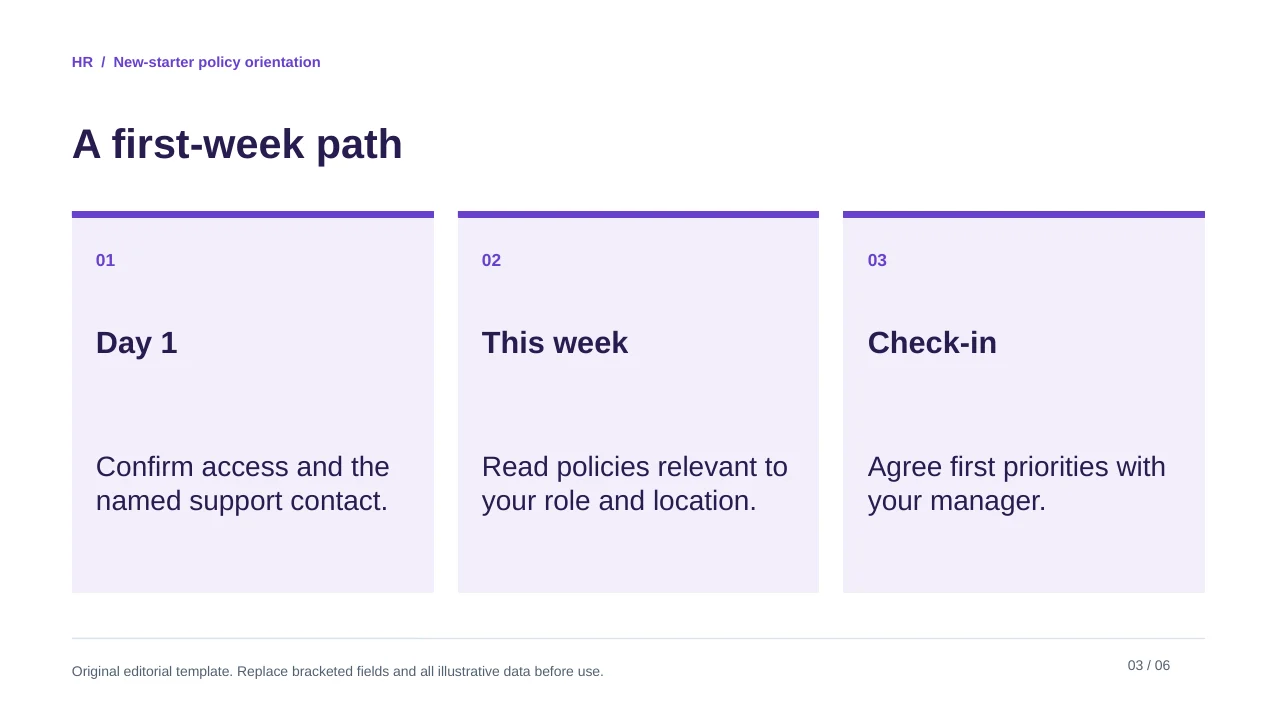
Original editorial template. Replace bracketed fields and all illustrative data before use.
See the complete slide sequence
- New-starter policy orientation
- Confirm the policy version first
- A first-week path
- Employee questions deserve a named answer
- An FAQ is not a policy change
- Before sharing
Create six onboarding slides from the supplied approved policy pack. Preserve each policy version, effective date, employee group and jurisdiction. Include a first-week path and an employee FAQ with the source for each answer. Mark unresolved or conflicting policy wording for the policy owner. Do not invent benefits, legal entitlements, local contacts or manager commitments.
2. Use a closed cohort for the hiring dashboard
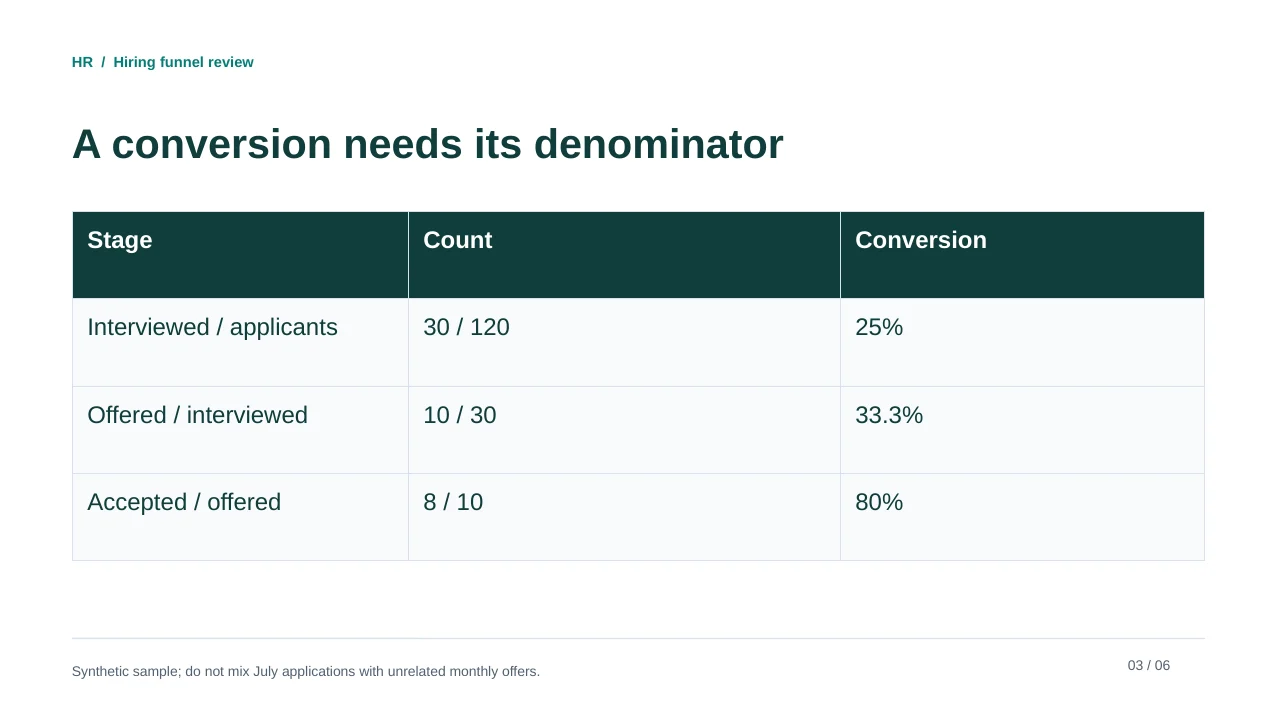
The worked dataset is synthetic: 120 applications in a July 2026 cohort, with 30 interviewed, 10 receiving offers and 8 accepting, observed at an August 31 cut-off. That yields 25% interviewed/applicants, 33.3% offered/interviewed and 80% accepted/offered. A monthly event count from unrelated applicants is not the same cohort conversion.
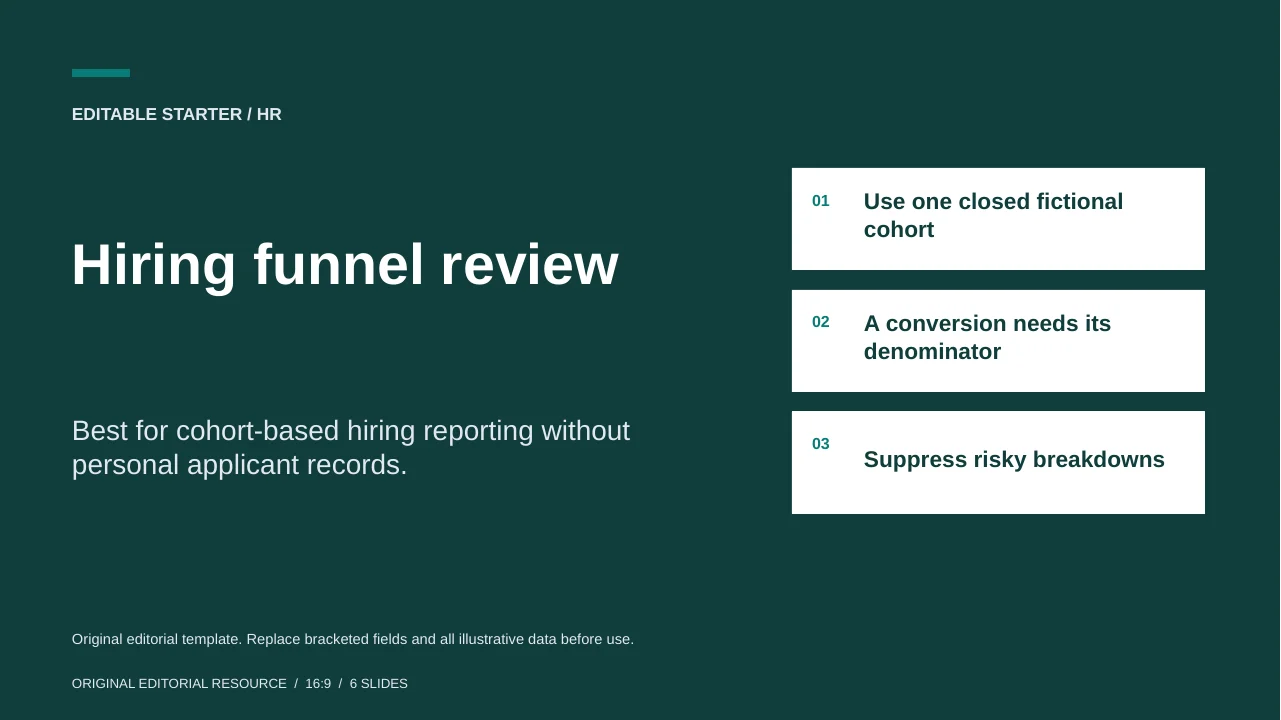
Hiring funnel review
Best for cohort-based hiring reporting without personal applicant records.
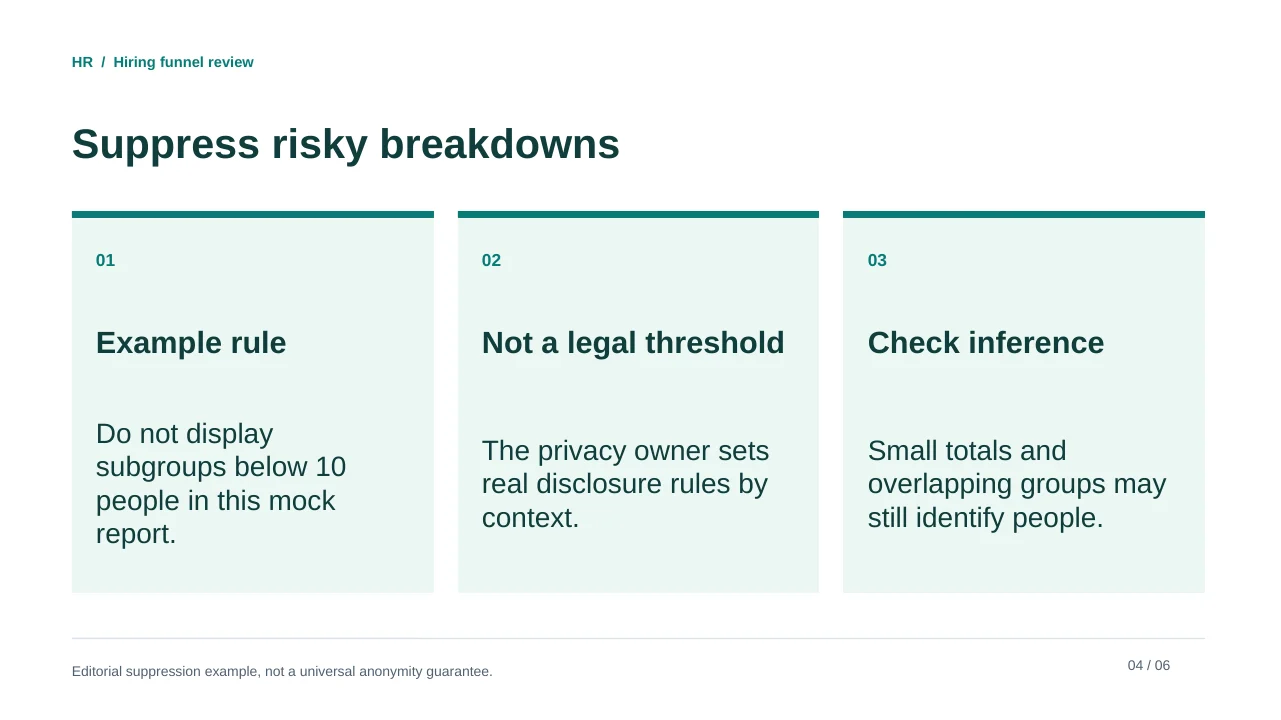
The preview makes the period and denominator visible. It also includes an example small-group suppression rule, explicitly distinguished from any legal threshold.
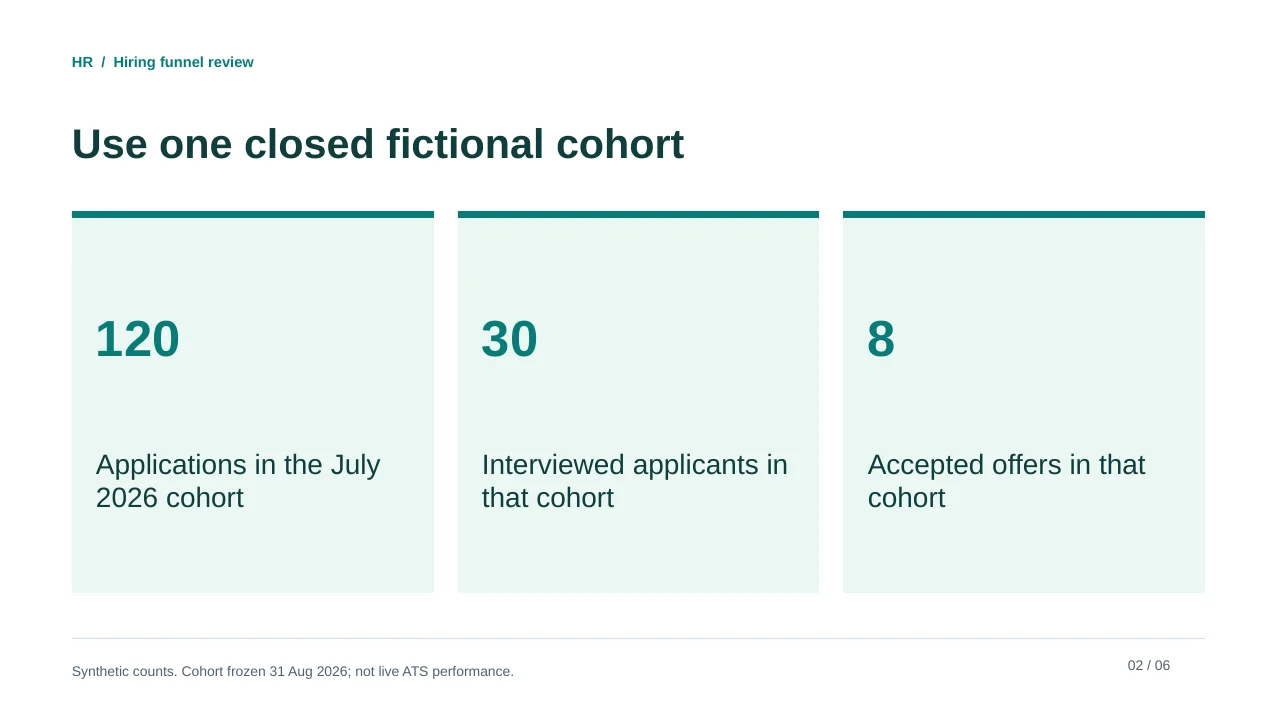
Original editorial template. Replace bracketed fields and all illustrative data before use.
See the complete slide sequence
- Hiring funnel review
- Use one closed fictional cohort
- A conversion needs its denominator
- Suppress risky breakdowns
- Limit what enters the deck
- Review a process, not an individual
SYNTHETIC JULY 2026 APPLICATION COHORT, status frozen 31 Aug 2026. Applications=120; interviewed=30; offers=10; accepted offers=8. No demographic or individual records supplied. Example publishing threshold: suppress subgroups n<10; this is a mock policy, not a legal standard. No time-to-hire data supplied.
Create a six-slide hiring review from the synthetic cohort above. Define each conversion as numerator divided by the correct prior stage. Preserve cohort dates and the status cut-off. Do not invent time-to-hire, performance, demographics or causal explanations. Keep the n<10 suppression rule labeled as a mock reporting policy, not a legal minimum. Report aggregated process information only.
3. Separate an editorial control from a legal obligation
A choice to suppress groups smaller than ten in the example is a fictional publishing rule. It is not a universal anonymity guarantee: a person may still be identifiable from overlapping tables or context. Your privacy owner should decide what can be shared for the actual audience and jurisdiction.
For a UK context, the ICO's data-protection principles provide a primary reference for limiting and protecting personal data. For a U.S. context, the EEOC small-business resources explain federal anti-discrimination responsibilities and their applicability. These are different legal systems; neither source establishes that an AI presentation tool is compliant or that a dashboard can evaluate individuals fairly.
| Release item | Check | Owner |
|---|---|---|
| Policy slides | Version, location, group, exceptions and contact route | HR policy owner |
| Hiring metrics | Cohort, denominator, cut-off and inclusion rules | Recruiting data owner |
| Sensitive information | No CVs, personal notes or identifiable small groups | Privacy owner |
| Interpretation | No unsupported demographic or applicant-quality claims | HR / legal reviewer |
4. Edit the presentation without changing the rule
Use the source pack to draft an outline, then review one slide at a time. PopAi's public presentation workflow describes source-based drafting, editing and export; it does not make the template an employment-policy authority. Check the exported file for missing exception text, lost source notes and broken line wraps before sharing it with employees.
Sources and example provenance
The files and preview layouts on this page were created for this editorial resource. External references support the specific guidance linked in the text; they do not endorse the templates. Source links checked on October 15, 2026.
Frequently Asked Questions
Does the onboarding file contain legal policy wording?
No. It is an editorial structure with policy-version and FAQ fields. Replace them with approved wording for the relevant workforce and jurisdiction.
Is suppressing groups below ten legally sufficient?
No. Ten is a fictional example rule. Re-identification risk and applicable requirements must be assessed by the responsible privacy owner.
How are the hiring conversion rates calculated?
Use the closed cohort: 30/120 interviewed, 10/30 offered and 8/10 accepted. Do not mix unrelated calendar-period counts.
Can AI evaluate candidates from this dashboard?
That is not the purpose of this resource. It is an aggregated process-reporting example, not a candidate scoring or selection system.
Create your presentation with one click now
Turn an approved brief or source document into an editable starting point, then review every detail before sharing.
Create your presentation