Choose PowerPoint with Copilot when native PowerPoint editing and your Microsoft review environment are central. Consider PopAi when a separate source-to-deck editor fits how you prepare the material and you can verify its exported file.
Published by PopAi. Recommendations below are editorial judgments about workflow fit, based on public product documentation and the supplied PopAi reference screenshots. They are not independent test rankings or measured speed/quality results.
The feature snapshot below was checked on October 30, 2026. A published feature or menu is not proof of perfect file conversion. Where public account entitlements are unclear, the table says so.
This is the named-product comparison. The broader AI presentation maker vs PowerPoint guide explains the manual, standalone-AI and Copilot categories; this page focuses on documented product behavior and account conditions.
The product-level differences
| Dimension | PopAi | PowerPoint with Copilot |
|---|---|---|
| Authoring environment | PopAi browser editor | PowerPoint with a supported Copilot setup |
| Start from sources | Supported documents or prompt; outline review | Prompt or supported referenced files; availability depends on the setup |
| Template and design control | Themes and the evidenced PowerPoint-template workflow | Native PowerPoint design/editing plus the supported Copilot and organizational-template workflow |
| PowerPoint delivery | Export PPTX, then inspect the downloaded file | Work and save in the native PowerPoint environment |
| Account requirement | Sign-in for full generation; export access depends on account | Eligible licensing, application availability and organizational settings |
| Price evidence | Public fee/credit table not verified here | US$32/user/month paid yearly for the cited Business Premium with Copilot bundle; not a standalone or lowest-plan quote |
The Microsoft creation documentation was updated in October 2026. It describes creating a presentation using Copilot in PowerPoint with a prompt or referenced material, subject to the supported account and application environment. Microsoft: create a presentation with Copilot; Microsoft: Copilot in PowerPoint FAQ; Microsoft Copilot business plans.
A useful case: a reviewed Word report becomes a board deck
The source is already approved, but the slide narrative still needs decisions, risks and evidence. In PopAi, the route begins with supported source input and an outline in a separate editor. With Copilot, the route stays in PowerPoint. The practical choice is not whether either can produce attractive slides; it is which route preserves the required review process with fewer avoidable handoffs.
Keep the original report available during review. Ask the editor to distinguish sourced results from recommendations and to retain the dates and units. A native environment can simplify the file handoff, but it does not make an AI summary automatically faithful to the report.
Inspect the evidence behind editable PowerPoint claims
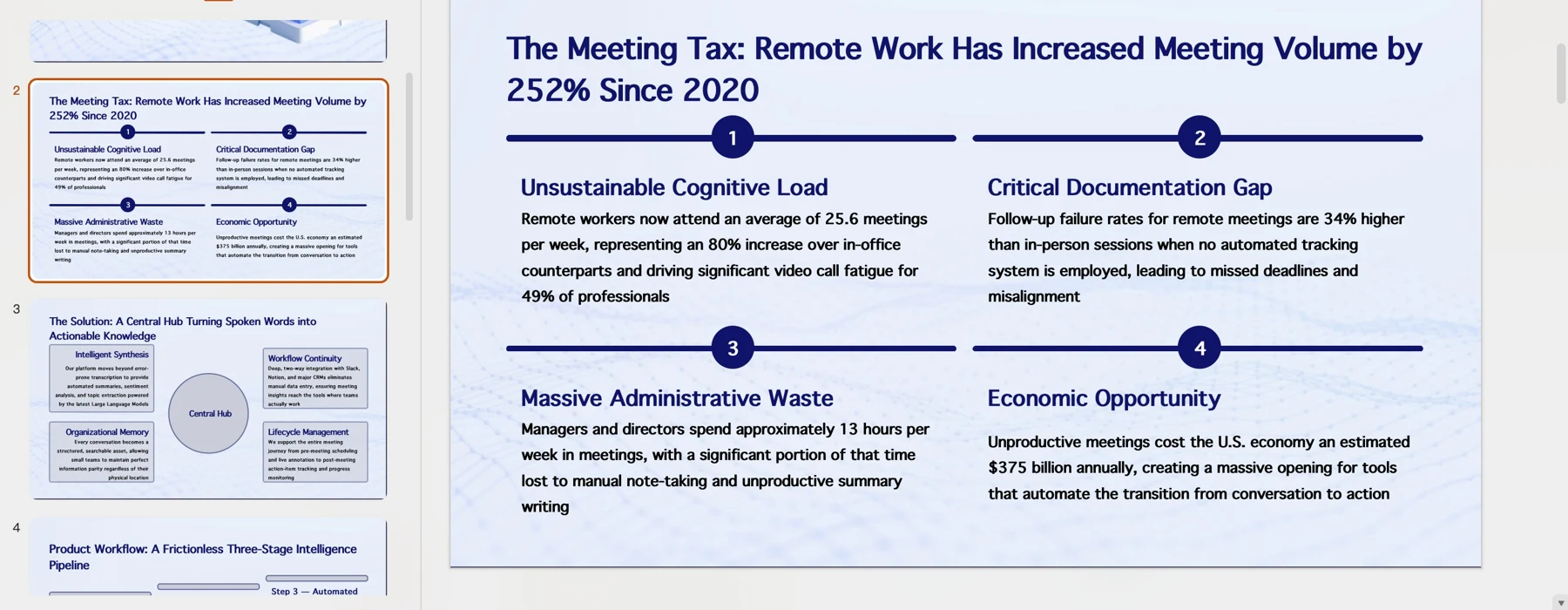
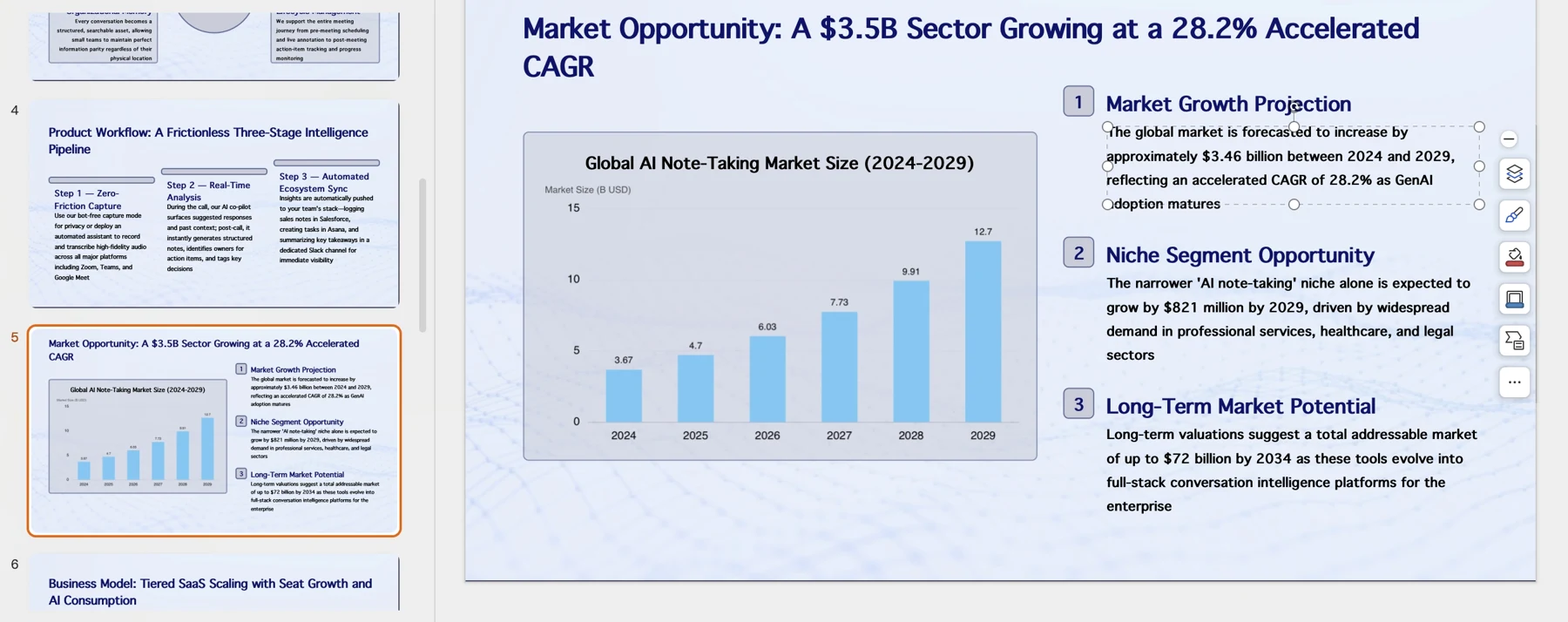
For PowerPoint with Copilot, inspect Microsoft's official creation walkthrough. For PopAi, use the actual downloadable PPTX in your intended PowerPoint version. A file extension alone does not establish which objects remain editable. This comparison does not report a same-brief object-retention test.
When each workflow is the stronger starting point
| Your situation | Editorial starting point | Reason |
|---|---|---|
| A controlled company master and a required PPTX | PowerPoint with Copilot, when licensed | Keep creation and final edits in the native environment |
| A mixed source pack and no agreed narrative | Evaluate PopAi against the supported Copilot source route | Compare outline faithfulness and editing effort on your own material |
| You already have an approved PowerPoint deck | Edit the existing PowerPoint file | Regenerating the deck may introduce avoidable review work |
| A browser view is the final deliverable | A browser-oriented route may be sufficient | Do not add a conversion solely to create a file nobody needs |
Before committing to either product
- Check the exact account/license, supported source and final file format.
- Use the same evidence and mandatory slide structure, not two unrelated prompts.
- Inspect native objects in the actual PowerPoint file.
- Record any missing facts, layout repairs and approval work before making a cost claim.
Use the same approved source material and the actual delivery format for this check. Record repairs, omitted evidence and review friction separately. No timing or conversion result is claimed here.
Official sources and verification scope
Public product information checked on . Plan pages can vary by country and billing term. This article does not report a controlled hands-on comparison or guarantee conversion fidelity.
- PopAi tools and access FAQ
- PopAi pricing
- Microsoft: create a presentation with Copilot
- Microsoft: Copilot in PowerPoint FAQ
- Microsoft Copilot business plans
- Microsoft: save a presentation file
Additional supplied PopAi interface references
These historical screenshots illustrate the corresponding PopAi steps only. They are not competitor screenshots or proof of a live conversion, current plan entitlement or measured result.