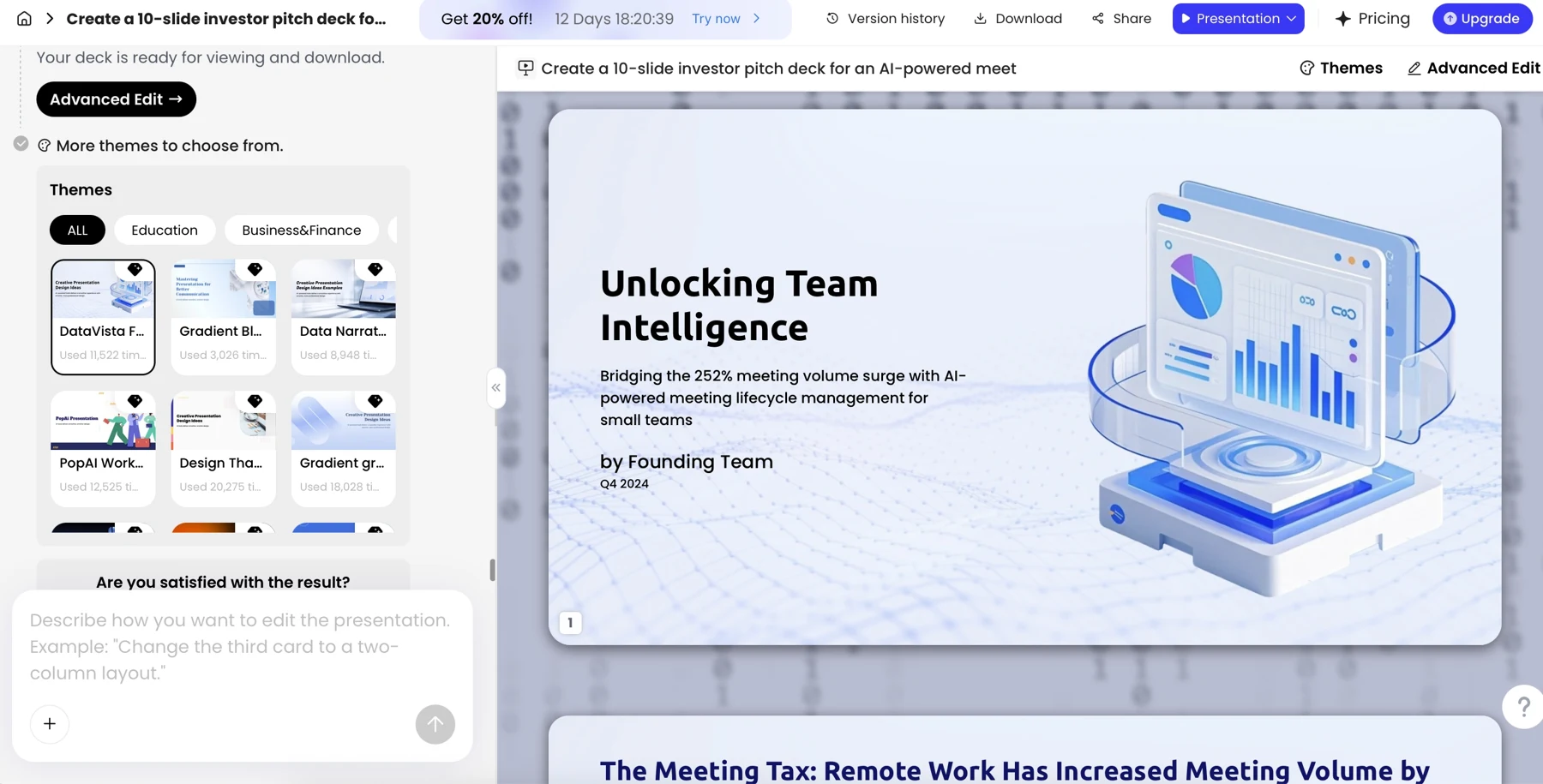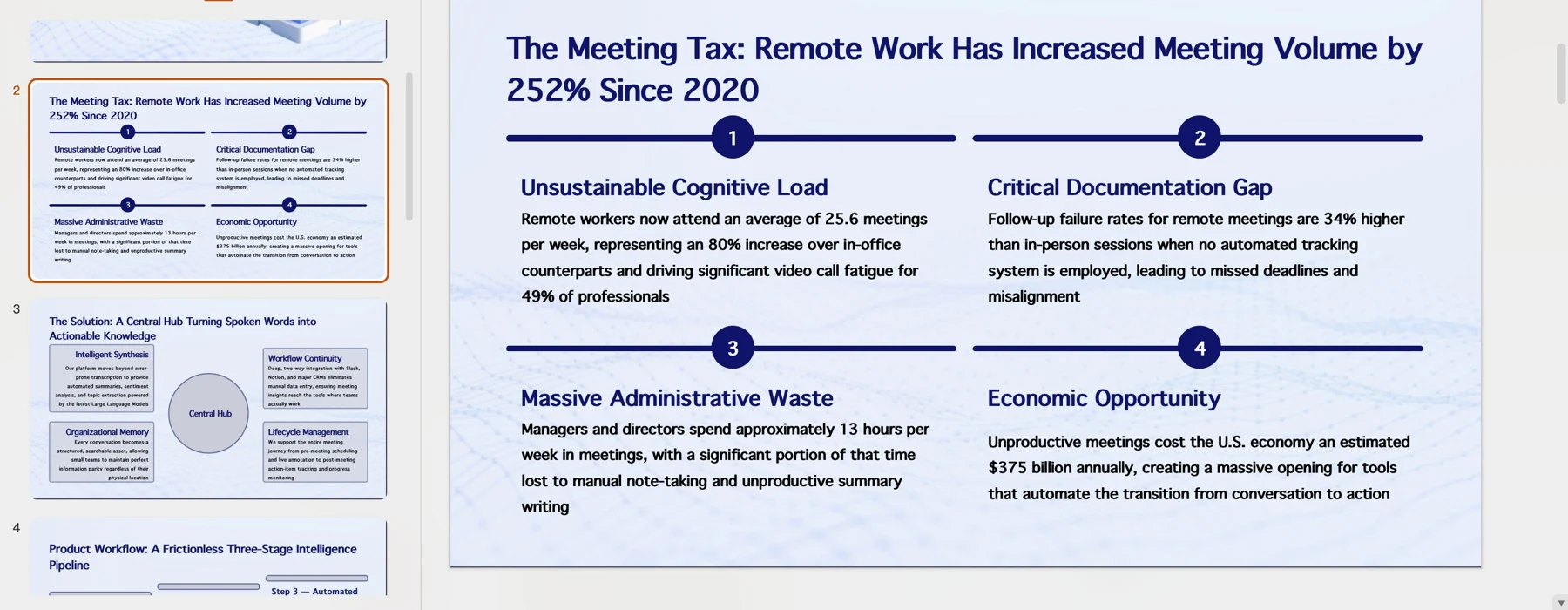
The best AI presentation software depends on where you need to finish the work. Start with Google Slides plus Gemini or a native add-on when Slides is mandatory; consider PowerPoint with Copilot or Plus AI when PowerPoint is the authoring environment. Compare PopAi, Gamma and other browser tools when your starting point is a source pack and your workflow can accommodate a separate editor.
Published by PopAi. Recommendations below are editorial judgments about workflow fit, based on public product documentation and the supplied PopAi reference screenshots. They are not independent test rankings or measured speed/quality results.
The 12 products below use the same comparison fields. A listed feature means it is described in the linked official source, not that we completed a same-brief export trial. An unknown is identified rather than turned into an unsupported yes or no. Prices were checked on October 30, 2026; different currencies and billing commitments are not normalized into a cheapest-tool ranking.
12-tool feature comparison
| Tool | Generation environment | Source input | PowerPoint delivery | Google Slides relationship | Collaboration / handoff |
|---|---|---|---|---|---|
| PopAi Official source | Browser deck draft | Prompts, PDF, Word, images, HTML / public pages | PPTX/PDF; inspect object editability | PPTX import route; not a verified native destination | Share links; simultaneous co-editing not established here |
| Gamma Official source | Browser presentation / cards | Prompt; PDF and PPTX imports listed | PPTX/PDF/PNG export advertised; inspect output | Google Slides export is advertised; not native Slides authoring | Advanced sharing/analytics on higher plans; review seat rules |
| Canva Official source | AI draft inside a visual design suite | Prompt; importing a file is a separate workflow to verify | PPTX available; converted appearance can differ | PPTX handoff; not native Slides authoring | Collaborative design; brand controls vary by plan |
| Beautiful.ai Official source | AI generation with Smart Slide layouts | Prompt; extra context from files or links | PowerPoint import/export listed | No native Slides authoring established | Team plan lists live collaboration and version controls |
| Pitch Official source | AI creation in a team workspace | Prompt and workspace content; verify required file types | Paid PowerPoint export; see Plus access note | No native Slides authoring established | Shared editing, roles, guests and plan-based history |
| PowerPoint with Copilot Official source | AI generation inside PowerPoint | Prompt and supported referenced files; account dependent | Native PowerPoint editing and saving | PPTX handoff to Slides | Microsoft sharing/review environment; organization settings apply |
| Google Slides with Gemini Official source | Native editable multi-slide generation | Prompt; Drive sources and a reference deck style | Native Slides; PowerPoint download is a conversion | Yes, on eligible plans; desktop / English availability | Native Slides sharing, comments and review |
| Slidebean Official source | AI pitch-deck software | Company story and pitch content; document types not verified | Static and Editable PowerPoint modes; charts/tables flatten | No native Slides authoring established | Share-view tracking; verify author-seat permissions |
| Prezi Official source | AI presentation on a spatial canvas | Prompt; PPTX, PDF and DOCX paths documented | PPTX since February 2026; frame-based slide output | No native Slides authoring established | Team collaboration depends on the subscribed plan |
| Visme Official source | AI presentation in a browser design suite | Prompt; document or URL context | PPTX listed on Business, not Starter | No native Slides authoring established | Team/enterprise review and control options differ |
| SlidesAI Official source | AI creation for slide applications | Topic/notes; Pro lists PDF and Word | PowerPoint workflow offered; inspect the target file | A Google Slides workflow is offered | Use host review features; add-on subscription is separate |
| Plus AI Official source | AI inside Google Slides and PowerPoint | Prompt; PDF/DOCX/TXT uploads on Pro | Native PowerPoint workflow | Native Google Slides workflow | Host sharing and review; branding on higher tiers |
Free access, credits and paid plan examples
| Tool | Free access or trial | Published paid example | Important limit |
|---|---|---|---|
| PopAi Pricing source | Input can begin before sign-in; full generation asks for an account | Public fee/credit table not verified in the accessible pricing page | Do not assume a free PPTX entitlement |
| Gamma Pricing source | Free: up to 10 slides/prompt; 400 initial credits in the official pricing listing | Plus: US$9/seat/month on annual billing; US$108/year | Plus lists 1,000 monthly credits; credits are not decks |
| Canva Pricing source | Free: up to 20 shared Standard/Premium AI uses in the US listing | Pro: US$144/year for one person (US$12 monthly equivalent) | Allowance is shared across AI tools, not 20 presentations per tool |
| Beautiful.ai Pricing source | 14-day trial; no permanent free plan listed | Pro: US$14.50/month, billed annually | Listed unlimited AI generation; review trial/payment terms |
| Pitch Pricing source | Free: 100 starter AI credits, not replenished | Plus: EUR10/month, paid yearly; single-member workspace | 500 monthly credits listed; Plus card/help lists PPTX export |
| PowerPoint with Copilot Pricing source | A free web editor is not proof of full Copilot entitlement | Verified business bundle example: Business Premium with Copilot, US$32/user/month, paid yearly | Not a standalone PowerPoint price or claimed lowest available Copilot plan |
| Google Slides with Gemini Pricing source | Basic Slides is distinct from eligible AI plans | Business Standard example: US$14/user/month with annual commitment | An eligible-plan example, not an additional Slides-only fee; usage/eligibility apply |
| Slidebean Pricing source | Do not equate account creation with a free download | Starter software: US$7/month, billed yearly | Accelerate: US$99/month billed monthly; advisory service scope differs |
| Prezi Pricing source | Basic: free, credit-capped; do not assume private sharing | Standard: US$7/month on annual billing; Plus US$19 | Prezi lists 500 credits on Standard and unlimited AI on Plus+ |
| Visme Pricing source | Basic: free; numeric AI quota not verified here | Starter: US$12.25/person/month, US$147/year | PPTX needs Business: US$24.75/person/month, US$297/year |
| SlidesAI Pricing source | Basic: 200 AI credits/month; 2,500-character input | Pro: US$10/user/month, US$120/year | Pro lists 30,000 credits/year, not per month; document input included |
| Plus AI Pricing source | 7-day trial with 1,000 credits | Basic: US$10/user/month annually; US$15 monthly | 1,500 credits/month; document uploads need Pro, US$20 annually / US$25 monthly |
Do not divide credits by a guessed cost per presentation. Some plans meter generation, images and editing differently. The Microsoft and Google rows are suite/eligibility examples, not like-for-like standalone slide-maker prices. PopAi's public price and credit figures could not be verified in the accessible page; that missing figure is not evidence that it is free or more expensive.
Shortlist by the work you actually do
Your team must stay in Google Slides
Begin with Gemini-enabled Slides, Plus AI or SlidesAI. Their relationship to the host is more direct than a separate deck followed by a PowerPoint import.
You must deliver a PowerPoint file
Begin with PowerPoint plus Copilot or Plus AI. Include a browser tool only after its actual exported objects meet your editing requirements.
Your starting point is a report or mixed source pack
PopAi, Gamma and Visme offer documented source-based routes. Compare which preserves the evidence and structure of your own material; do not assume equal extraction accuracy.
Team review and brand operations dominate
Pitch, Canva or a team-oriented tier of another product may fit. Compare author seats, guests, review history and governance, not only the cover design.
You want layout assistance
Beautiful.ai is a relevant candidate for its Smart Slide model. Choose it for the layout workflow rather than an unmeasured claim of better output.
You have a specialized pitch or presentation format
Slidebean centers on startup pitches; Prezi uses a spatial presentation environment. Separate that specialism from the format a recipient eventually needs.
Inspect official interfaces, not invented test screenshots
The following vendor pages contain interface examples or guided workflows. They are external official references, not screenshots from a shared benchmark:
- Google Slides: the presentation-generation panel and source/style controls
- PowerPoint: the Copilot creation workflow
- Canva Design School: the PowerPoint handoff walkthrough
- Pitch: creation, collaboration and delivery interface examples
No new logged-in competitor screenshots were captured for this review. The linked vendor walkthroughs are provided so the interface evidence can be inspected at its source. A future hands-on comparison should use the same brief, output target and account conditions.
Use the first trial to resolve a decision, not collect scores
Choose two candidates from the relevant workflow group and give each the same permissioned material. Decide in advance what counts as complete: a correct outline, accepted wording, the required editability, a working review link and an approved final file. Keep the source file and exported version so the reviewer can see where work was added or lost.
For a reusable scoring method, use How to Choose the Best AI Presentation Maker. This roundup is the product shortlist; that article is the evaluation framework. Neither should claim a test winner without the underlying observations.
Official sources and verification scope
Public product information checked on . Plan pages can vary by country and billing term. This article does not report a controlled hands-on comparison or guarantee conversion fidelity.
- PopAi tools and access FAQ
- PopAi pricing
- Gamma pricing
- Canva: AI presentation maker
- Canva pricing
- Canva: supported download types and conversion caveats
- Beautiful.ai pricing
- Pitch product and interface walkthrough
- Pitch pricing
- Pitch: paid plans and export access
- Microsoft: create a presentation with Copilot
- Microsoft Copilot business plans
- Google: generate presentations with Gemini
- Google Workspace: native presentation generation launch
- Google Workspace pricing
- Slidebean pricing and service scope
- Slidebean: download a presentation
- Prezi: product updates
- Prezi: create a presentation from PowerPoint with AI
- Prezi: its published plan and cost guide
- Visme: AI presentation maker
- Visme pricing
- SlidesAI pricing
- Plus AI pricing
Additional supplied PopAi interface references
These historical screenshots illustrate the corresponding PopAi steps only. They are not competitor screenshots or proof of a live conversion, current plan entitlement or measured result.