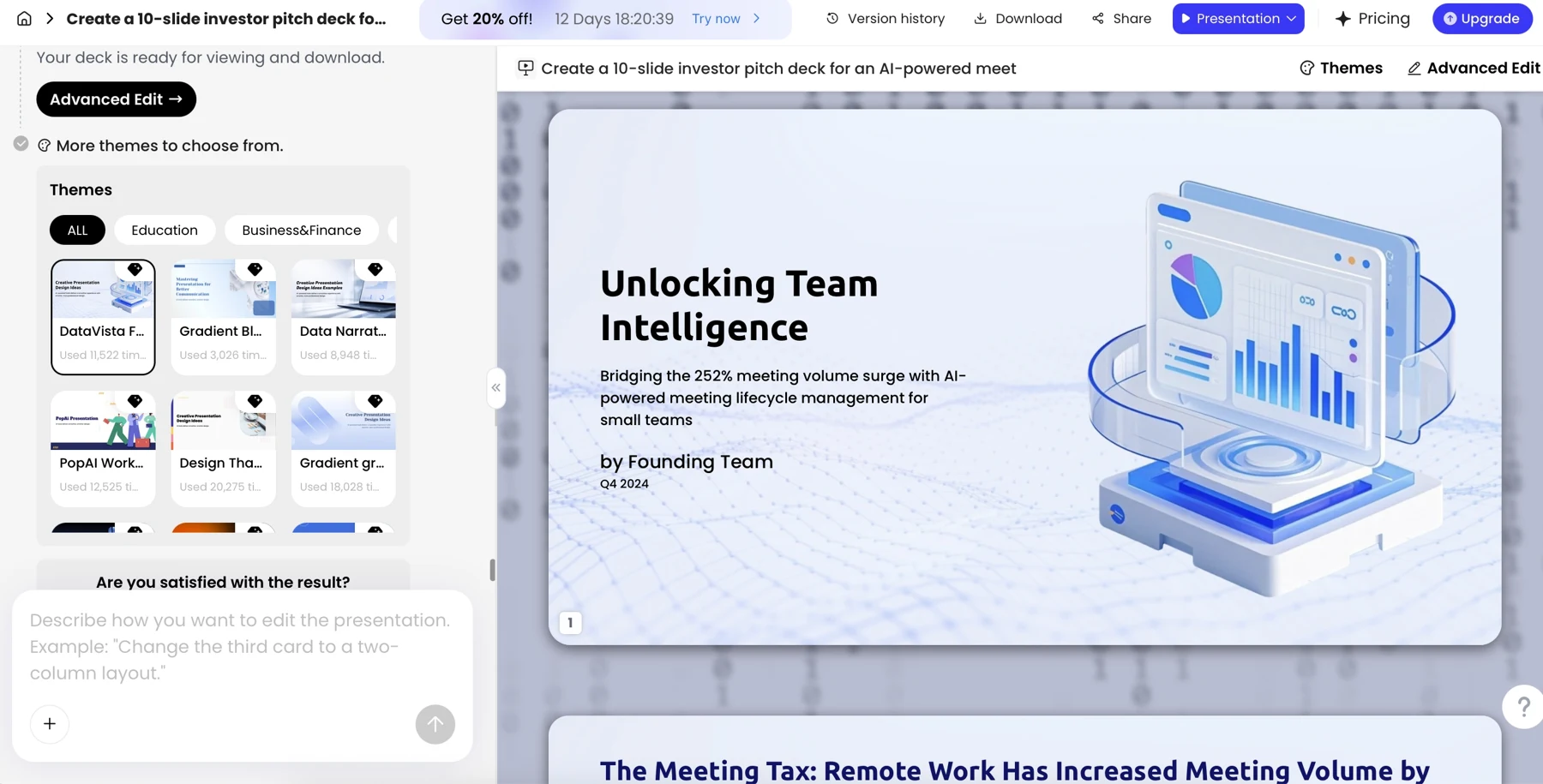
For a presentation that must be created and reviewed natively in Google Slides, Gemini-enabled Slides is a direct option. PopAi is an alternative source-to-deck environment with a PPTX handoff. Standard Slides without the relevant AI access is a third, separate workflow.
Published by PopAi. Recommendations below are editorial judgments about workflow fit, based on public product documentation and the supplied PopAi reference screenshots. They are not independent test rankings or measured speed/quality results.
The feature snapshot below was checked on October 30, 2026. A published feature or menu is not proof of perfect file conversion. Where public account entitlements are unclear, the table says so.
Compare three configurations, not two stereotypes
| Configuration | Generation and sources | Editing and review | Handoff |
|---|---|---|---|
| Standard Google Slides | Manual authoring, templates and existing slide content; do not assume full Gemini access | Native Slides objects, sharing and comments | Stay in Slides or download a presentation file |
| Google Slides with eligible Gemini access | Full multi-slide editable generation from prompts; Drive sources and a reference deck style | Native Slides generation and further editing | No initial PPTX import needed for the generated deck |
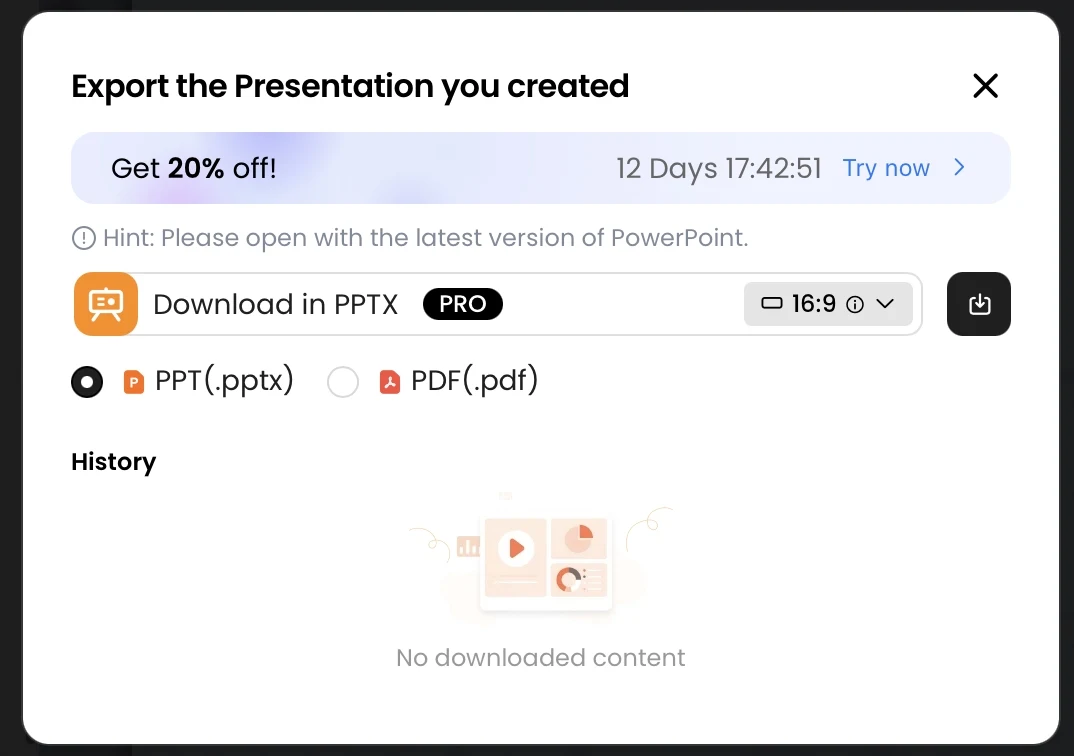
| PopAi | Generate a draft from supported source material in PopAi | Continue editing there; account-based export/sharing | Download PPTX and open/convert in Slides when required |
Google announced the native generation rollout beginning June 29, 2026. Current help describes desktop, English-only availability with eligible Google Workspace or Google AI access; the launch list includes Business Standard/Plus, Enterprise Standard/Plus and specified Google AI/education plans. Launch and eligibility details; current generation instructions.
What the Gemini workflow actually adds
In a new Slides presentation, the generation workflow can use a topic prompt, Drive reference material and an existing deck as a style reference. The user can review the plan before approving generation. This materially changes the comparison: Google Slides is not limited to placing AI-written text into slides manually.
A team whose evidence and approval history already live in Drive should consider that native route first. A team evaluating PopAi should instead ask whether its source preparation, outline and editing workflow offers a practical reason to work in a separate editor. Neither route removes the need to check what the sources actually support.
What PopAi contributes, and what remains a conversion
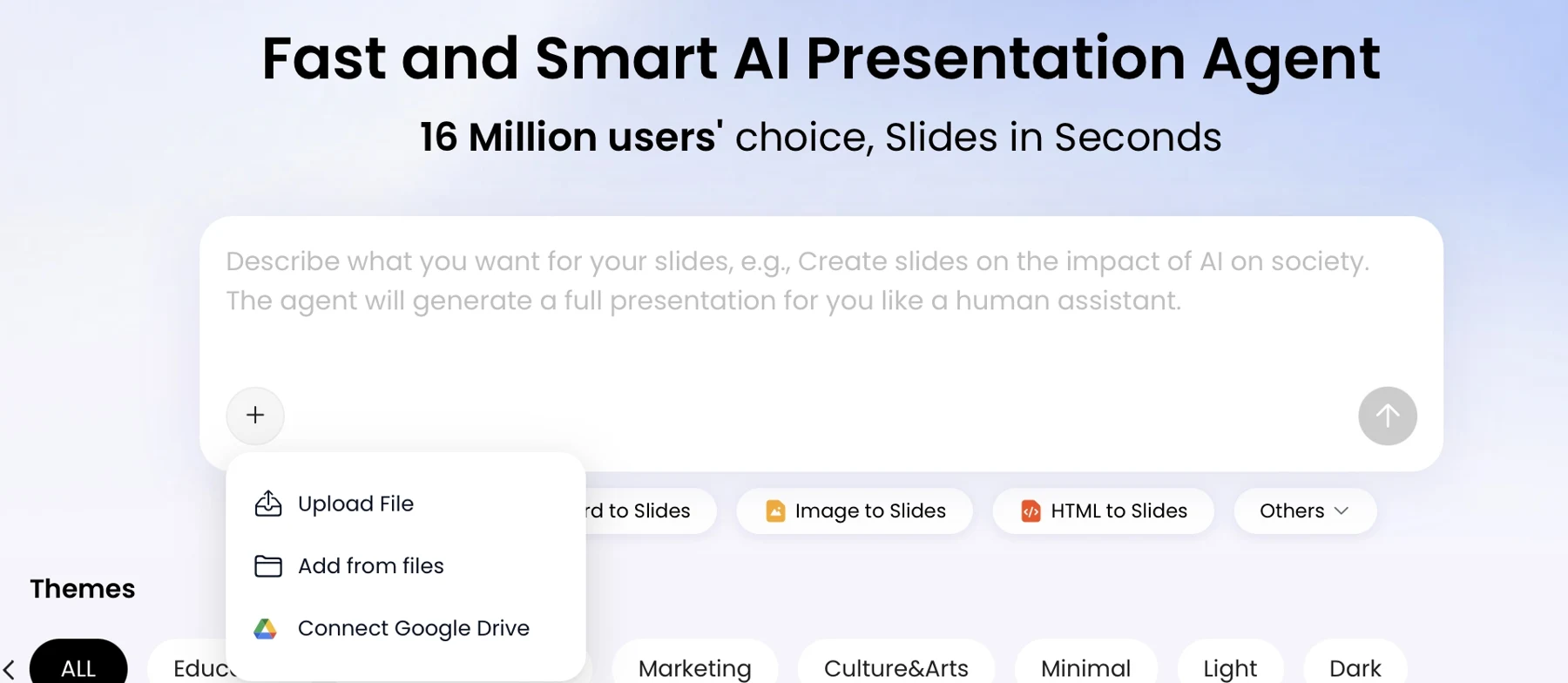
The supplied knowledge base documents source input, outline review, editing, PPTX/PDF export and sharing. Its PowerPoint examples support specific editing behavior, not a universal Google Slides conversion guarantee. Use the PPTX handoff guide when that is the route you choose.
Licensing and cost are different questions
| Question | Google Slides / Gemini | PopAi |
|---|---|---|
| Do I need the AI feature or only the slide editor? | Separate basic Slides access from eligible Gemini access | Full generation asks for sign-in |
| What paid example is verified? | Workspace Business Standard: US$14/user/month with annual commitment, an eligible-suite example | No reliable fee/credit table was visible in the accessible public pricing page |
| What should be checked in the actual account? | Feature availability, administrator controls, language and usage limits | Generation credits, export access, input limits and data authorization |
The Google figure is a suite price, not a Slides-only add-on and not a claim that it is the cheapest eligible route. Google Workspace pricing; PopAi access conditions.
Which should you choose?
Choose standard Slides
When the content already exists and the task is native editing or review rather than AI generation.
Choose Gemini-enabled Slides
When you have eligible access, your sources are in the Google environment and a native Slides result is important.
Consider PopAi
When you prefer a source-to-deck workflow in its editor and accept a checked PPTX migration when the recipient needs Slides.
Before committing to a Slides workflow
- Confirm which of the three configurations is available to your team.
- Use a representative source file and verify the generated claims against it.
- Test the actual collaboration and recipient access requirements.
- For a PopAi handoff, inspect the converted Slides copy rather than only the original PPTX.
Use the same approved source material and the actual delivery format for this check. Record repairs, omitted evidence and review friction separately. No timing or conversion result is claimed here.
Official sources and verification scope
Public product information checked on . Plan pages can vary by country and billing term. This article does not report a controlled hands-on comparison or guarantee conversion fidelity.
- Google: generate presentations with Gemini
- Google Workspace: native presentation generation launch
- Google Workspace pricing
- Google: work with PowerPoint in Google Slides
- PopAi tools and access FAQ
- PopAi pricing
Additional supplied PopAi interface references
These historical screenshots illustrate the corresponding PopAi steps only. They are not competitor screenshots or proof of a live conversion, current plan entitlement or measured result.