White Paper Presentation AI: Turn White Papers into Clear Decks
July 14, 2026
To turn a white paper into a presentation with AI, do not ask the tool to simply summarize every section. First define the audience and purpose, extract the core argument, choose a slide structure, generate an editable outline, then use AI to draft the deck for review. The best result is a professional presentation that preserves the thesis, evidence, and implications without copying the document slide by slide.
A white paper is built for reading; a deck is built for attention, sequence, and discussion. That means some content becomes slide headlines, some becomes visual evidence, and much of the technical detail belongs in speaker notes or a handout.
This guide gives you a practical document-to-deck workflow for executive briefings, client presentations, webinars, sales enablement, investor discussions, training, and research talks. It also shows where PopAi AI Presentation can help create the first draft while keeping human review in the loop.
When you are ready to turn the workflow into slides, PopAi AI Presentation can help transform rough notes, documents, or prompts into an editable deck structure.
Quick Answer: The Best Way to Turn a White Paper into a Presentation with AI
This section gives you the fast workflow before we go deeper into structure, prompting, design, and review.
The best white paper presentation ai workflow is simple: decide who the deck is for, extract the argument, convert that argument into a slide outline, generate a first draft with an AI presentation tool, then review every claim against the source. AI is strongest when it helps you move from a long document to a structured first draft; it should not replace your judgment about accuracy, nuance, or audience relevance.
- Define the audience and job of the deck: executive decision, client education, sales support, webinar, conference talk, training, or internal briefing.
- Extract the white paper’s thesis, key findings, supporting evidence, methodology or context, implications, and recommended action.
- Create a slide outline before designing anything, so the deck has a clear narrative rather than a document-like sequence.
- Use AI to generate an editable presentation draft with slide titles, concise body copy, suggested visuals, and speaker notes.
- Review and refine the deck for factual accuracy, evidence support, audience fit, visual clarity, and a strong final call to action.
For example, a 20-page market research white paper might become a 10-slide executive briefing. The opening slide states the decision context, the next two slides frame the market shift, three slides present the most important findings, two slides explain business implications, one slide recommends actions, and the final slide lists next steps. The methodology, definitions, segmentation notes, and secondary charts can move into speaker notes or an appendix.
A white paper deck should carry the argument of the document, not the weight of every paragraph.
Before using any AI tool, write one sentence that completes this phrase: “After this presentation, the audience should understand or do...” That sentence will improve your prompts, slide order, and editing decisions.
White Paper Extraction Matrix: From Dense Report to Clear Slides
The best white paper presentation does not summarize every paragraph. It extracts claims, proof, implications, and visuals, then turns them into a narrative the audience can follow.
| White paper section | Core claim to extract | Evidence to keep | Slide title example | Visual direction | Prompt example |
|---|---|---|---|---|---|
| Executive summary | The main argument or market shift. | One or two decisive facts, not every supporting paragraph. | “AI adoption is moving from pilots to operating workflows.” | Big-number slide or trend line. | “Extract the central claim and write one executive slide title with supporting evidence.” |
| Problem / context | Why the topic matters now. | Market data, regulatory change, customer pain, risk, or inefficiency. | “Manual reporting slows weekly decisions.” | Problem tree or workflow bottleneck. | “Create a problem slide using only the evidence below.” |
| Methodology | How the white paper reached its conclusions. | Sample, data source, assumptions, limitations. | “The findings are based on 240 survey responses and 18 interviews.” | Method card or simple process. | “Summarize methodology in one credibility slide; include limitations.” |
| Findings | The strongest 3-5 insights. | Charts, quotes, tables, cited evidence. | “Teams gain speed when AI starts from approved source documents.” | Insight cards or chart series. | “Turn these findings into three slides with one conclusion title each.” |
| Recommendations | What the audience should do. | Prioritized actions, trade-offs, owner, timing. | “Start with repeatable reporting before automating executive decks.” | Roadmap or priority matrix. | “Convert recommendations into a decision slide with owners and sequence.” |
| Appendix / citations | Details needed for trust but not live narration. | Full citations, definitions, technical detail, footnotes. | “Source notes and assumptions.” | Appendix table. | “List all claims that need citations or appendix backup.” |
Decide What Kind of White Paper Presentation You Actually Need
The same white paper can become several different decks, so define the scenario before choosing a template or generating slides.
Many weak AI-generated decks fail before the first prompt because the user asks for “a presentation” without specifying what kind. A white paper can support persuasion, teaching, reporting, demand generation, sales conversations, investment discussions, policy briefings, or internal alignment. Each use case requires a different level of detail and a different narrative shape.
- Executive briefing: audience is senior leaders; ideal focus is decision relevance, risks, implications, and recommended action; slide length is usually short and highly selective.
- Webinar deck: audience may include prospects, customers, partners, or practitioners; ideal focus is education plus narrative momentum; slide length is usually medium because the presenter needs pacing, examples, and transitions.
- Sales enablement deck: audience is sales teams or customer-facing staff; ideal focus is customer pain points, proof points, objection handling, and talk tracks; slide length is usually medium with strong speaker notes.
- Conference talk: audience may be peers, analysts, technical experts, or industry practitioners; ideal focus is a memorable thesis, evidence, and contribution to the discussion; slide length depends on session format but should avoid read-aloud paragraphs.
- Investor or partner presentation: audience is evaluating opportunity, credibility, risk, and fit; ideal focus is market context, differentiated insight, traction logic, and partnership relevance; slide length is usually short to medium with backup detail available.
- Internal training deck: audience is employees or cross-functional teams; ideal focus is concepts, process, examples, exercises, and application; slide length can be more detailed if the deck supports a workshop or self-paced learning.
Technical experts and executives need different versions even when they read the same source paper. A technical audience may care about methodology, definitions, sample limitations, assumptions, model behavior, or research design. Executives usually need the meaning of the evidence: what changed, why it matters, what decision is required, and what trade-offs are involved.
- Audience knowledge level: Are they new to the topic, familiar with it, or expert enough to challenge assumptions?
- Presentation goal: Are you informing, persuading, training, aligning, or asking for a decision?
- Time available: Is this a short briefing, a live webinar, a board-style discussion, or a workshop?
- Required evidence depth: Does the audience need the method and caveats on slides, or can those live in speaker notes?
- Action orientation: Does the deck need to persuade, teach, report, or help someone sell the idea later?
Do not start by browsing AI presentation templates. Templates influence emphasis. If you choose a bold sales template for a research-heavy policy briefing, the deck may look polished but feel shallow. If you choose a dense research template for an executive decision meeting, it may appear credible but become hard to follow. Choose the use case first, then the structure, then the design.
If the audience needs to approve a decision, lead with implications. If the audience needs to learn a concept, lead with structure. If the audience needs to trust a claim, lead with evidence.
Extract the White Paper’s Core Argument Before You Generate Slides
Preparing the content before using AI helps preserve the original argument and prevents over-compressed summaries.
AI can summarize a white paper quickly, but summaries often flatten the logic that makes the paper persuasive. Before generating slides, identify the argumentative spine: the thesis, the key findings that support it, the evidence behind those findings, the context that makes them credible, the implications for the audience, and the action you want people to take.
- Thesis: the central claim or point of view the white paper is making.
- Key findings: the small set of insights that the audience must remember.
- Supporting evidence: data, examples, expert analysis, frameworks, or comparisons that make the findings credible.
- Methodology or context: how the research, analysis, or argument was developed and what boundaries apply.
- Implications: what the findings mean for the audience’s priorities, risks, opportunities, or decisions.
- Recommended action: the next step the audience should consider after hearing the presentation.
A useful extraction pass is not the same as highlighting everything that seems important. White papers often contain repeated context, long literature reviews, secondary details, extended explanations, and appendix-level material. Those elements may be valuable, but most do not belong on main slides. Your job is to separate the presentation narrative from the document archive.
- Keep on slides: the thesis, audience-relevant problem, key findings, decisive evidence, visual frameworks, implications, recommendations, and next steps.
- Move to speaker notes: definitions, caveats, technical details, source explanations, methodology notes, and optional backup talking points.
- Move to a handout or appendix: dense tables, full research instruments, long literature reviews, extended calculations, secondary charts, and compliance-heavy reference material.
- Cut or de-emphasize: repeated background, generic market context, tangential findings, internal drafting notes, and evidence that does not support the chosen deck purpose.
- Read the executive summary and conclusion first to identify the stated thesis and recommended action.
- Scan headings and subheadings to map the paper’s logic, not just its topics.
- Mark the strongest three to five findings that directly support the thesis.
- For each finding, choose one evidence source that is understandable on a slide.
- Write one implication for the target audience under each finding.
- List technical details that should be available in notes but not visible on the main slide.
- Draft a one-sentence deck promise, such as “This briefing explains why mid-market buyers are changing vendor evaluation criteria and what our sales team should adjust.”
Realistic example workflow: a product marketing manager has a white paper about enterprise software adoption barriers. The original paper includes customer interview themes, category trends, implementation challenges, and a long section on change management. The customer-facing presentation does not need every interview theme. It needs a buyer-relevant story: why implementation risk slows adoption, what successful teams do differently, and how the product helps reduce friction.
- The manager extracts the thesis: adoption depends less on feature volume and more on implementation confidence.
- They select three findings: buyers worry about onboarding, internal alignment, and measurable outcomes.
- They turn each finding into a customer-facing slide with a clear title, such as “Implementation confidence is now part of the buying decision.”
- They move detailed interview methodology into speaker notes.
- They ask AI to draft a 12-slide customer education deck with a problem-solution-proof structure.
- They review the generated deck to make sure the product claims match approved messaging and the white paper’s evidence.
If you cannot state the white paper’s argument in three sentences, AI will probably create a topic summary instead of a persuasive deck.
Use AI to Create the First Slide Outline and Professional Presentation Draft
This workflow shows how to move from a completed document to an editable AI-generated deck without losing control of the message.
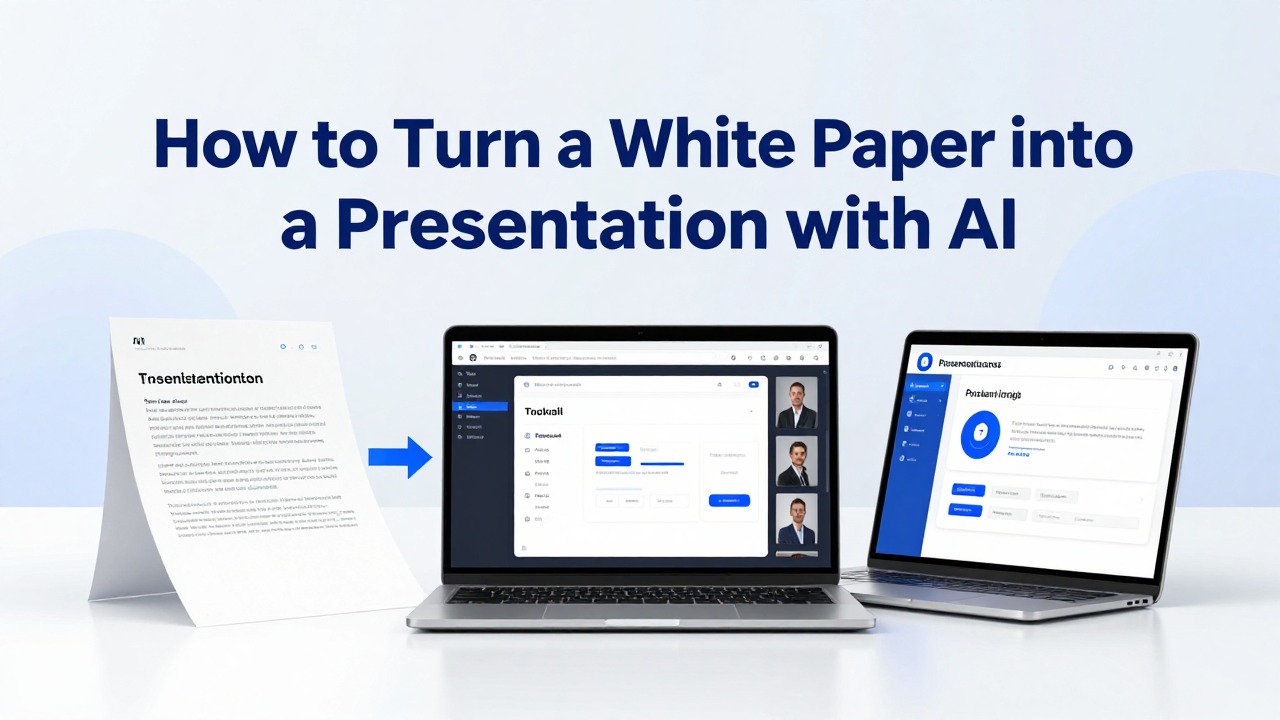
When you already have a white paper, notes, or rough ideas, PopAi AI Presentation is useful because the source material is document-based. Instead of starting from a blank slide, you can use the white paper as the input, specify the audience and deck type, and ask for a slide-by-slide outline before generating the full presentation draft.
- Upload or provide the white paper content, or paste the most relevant sections if you are working from selected excerpts.
- Specify the audience, such as non-technical executives, prospective customers, analysts, sales representatives, researchers, or internal stakeholders.
- Specify the deck type, such as executive briefing, webinar, sales enablement deck, investor update, training module, or conference talk.
- Ask for a slide outline first, including slide titles, one-sentence purpose statements, suggested visuals, and speaker note topics.
- Review the outline before generating slides; remove off-topic slides, restore missing evidence, and adjust the sequence.
- Generate the deck in PopAi AI Presentation and use the editable draft as a working version rather than a final deliverable.
- Refine slide titles so each one makes a point, not just names a topic.
- Add or edit speaker notes to preserve nuance, definitions, caveats, and technical context from the original paper.
- Check every claim, number, quote, and technical term against the white paper before presenting.
A strong prompt tells the AI what to optimize for. If the prompt only says “make a presentation from this white paper,” the output may be a generic summary. If the prompt includes audience, length, structure, evidence handling, and tone, the outline will be easier to review and more likely to preserve the source logic.
- Prompt for an executive briefing: “Turn this white paper into a 12-slide executive briefing for non-technical leaders. Preserve the main argument, highlight business implications, include only the strongest evidence on slides, and place methodology details in speaker notes.”
- Prompt for a webinar: “Create a webinar deck from this white paper with a problem-solution-proof structure. Include an opening hook, three teaching sections, evidence slides, transition notes, and a closing action slide.”
- Prompt for a sales enablement deck: “Convert this white paper into a sales enablement presentation for account executives. Focus on customer pain points, proof points, discovery questions, objection handling, and speaker notes for each slide.”
- Prompt for a research talk: “Create a conference presentation outline from this white paper. Emphasize research question, method context, key findings, limitations, implications, and discussion prompts.”
- Prompt for a training module: “Turn this white paper into a training deck for internal teams. Include learning objectives, concept slides, examples, short exercises, knowledge checks, and facilitator notes.”
You can also ask AI for different narrative structures. The right structure depends on the goal. A problem-solution deck works well for prospects who need to understand why a challenge matters. An insight-to-action deck works well for executives who need recommendations. A research summary works well for academic or technical audiences. A sales narrative works well for customer-facing teams. A training module works well when the audience needs to apply the white paper’s ideas.
- Problem-solution: best for demand generation, sales conversations, and customer education.
- Insight-to-action: best for leadership briefings, strategy updates, and internal decision meetings.
- Research summary: best for academic, analyst, medical, technical, or conference settings.
- Sales narrative: best for enablement, pitch refinement, and objection handling.
- Training module: best for onboarding, internal learning, workshops, and certification-style sessions.
A consultant preparing for a client briefing can upload a white paper on operating model redesign, ask PopAi AI Presentation for a short executive outline, review the sequence, then generate a draft deck with implication-led slide titles and speaker notes for the more technical details.
The caveat is important: AI can overgeneralize the white paper, soften important distinctions, or create claims that sound plausible but are not actually supported by the source. Keep source wording for sensitive claims, especially in regulated, technical, legal, financial, or medical contexts. If the paper uses careful language such as “may indicate,” “is associated with,” or “under these conditions,” do not let the presentation turn that into a stronger claim.
Treat the AI deck as a structured draft with design help, not as a final authority on the research.
Choose AI Presentation Templates That Fit the White Paper’s Message
Templates should reinforce the story, evidence, and audience expectation rather than make the deck look decorative.
AI presentation templates can save formatting effort, but they should not decide the story for you. A white paper presentation usually needs clarity, hierarchy, and credibility. The design should make the argument easier to follow: what problem is being addressed, what the evidence shows, what it means, and what the audience should do next.
- Audience formality: use a restrained, businesslike template for executives, investors, medical audiences, financial stakeholders, or policy discussions.
- Data density: choose layouts with room for charts, annotated visuals, and concise evidence when the argument depends on data.
- Brand fit: align colors, typography, and visual tone with your organization’s standards when the deck is external or executive-facing.
- Visual hierarchy: prefer templates that make slide titles, key findings, and evidence easy to scan.
- Chart needs: select layouts that support comparison, trend, process, framework, or evidence slides without crowding the page.
- Delivery mode: use more visual, lower-text slides for live presentations and more explanatory layouts for read-ahead decks.
For white paper content, the most useful slide types are predictable. You need slides that explain the situation, prove the claim, and move the audience toward action. PopAi’s design assistance can help reduce manual formatting work when turning an outline into a professional presentation draft, but you should still choose layouts based on the deck’s purpose.
- Executive summary slide: states the thesis, decision context, and major takeaway.
- Problem framing slide: defines the issue the white paper addresses and why it matters now.
- Key finding slide: presents one major insight with a concise explanation.
- Evidence slide: supports a finding with data, a quote excerpt, a chart, a comparison, or a summarized example.
- Framework slide: turns the white paper’s model or logic into a memorable structure.
- Comparison slide: contrasts current state versus future state, option A versus option B, or common assumption versus evidence.
- Recommendation slide: turns findings into practical actions.
- Next steps slide: clarifies decisions, follow-up work, discussion questions, or implementation path.
Dense paragraphs rarely work on slides. Convert them into visual logic. A paragraph explaining a research process can become four process steps. A section comparing market segments can become grouped bullets. A long explanation of a trend can become a timeline. A dense argument can become a claim-evidence-implication pattern. A complicated caveat can become a speaker note attached to a clean slide.
- Turn a paragraph into grouped bullets when it contains several related ideas.
- Turn a sequence into process steps when the paper explains how something happens.
- Turn historical or market change content into a timeline when order matters.
- Turn a conceptual model into a diagram or framework when relationships matter.
- Turn a key warning into a callout box when the audience must not miss it.
- Turn detailed caveats into speaker notes when they are important but would slow the live presentation.
Before accepting a template, ask: “Would this design still work if the audience challenged the evidence?” If not, it may be too decorative for a white paper-based presentation.
Adapt One White Paper into Multiple AI Presentation Use Cases
These realistic workflows show how different professionals can reuse the same document-to-deck process for their own field.
The value of AI is not only that it can produce one deck. It can help reframe the same white paper for different audiences without manually rebuilding every version. The examples below are realistic workflows, not customer stories or claimed results. They show how a practitioner might use PopAi AI Presentation or another AI presentation tool to produce a clearer first draft, a more audience-specific outline, or a deck ready for expert review.
Scenario 1: B2B marketing thought leadership. Context: a marketing manager has a white paper on category trends and wants a webinar deck for prospects. Persona: demand generation or product marketing lead. Pain point: the paper is credible but too dense for a live audience. AI intervention: use the document as source material and request a webinar structure with an opening problem, teaching sections, proof points, and a closing offer or discussion prompt.
- Upload the white paper or paste the executive summary, findings, and conclusion.
- Prompt the AI to create a medium-length webinar outline for prospects who understand the problem but may not know the solution landscape.
- Ask for slide titles that state insights, such as “Budget scrutiny is changing how buyers evaluate platforms.”
- Generate the deck and move secondary research details into speaker notes.
- Review the deck for balance so it educates before it sells.
- Expected output: a webinar deck with a clearer narrative arc and presentation-ready talking points.
- What readers can reuse: the problem-solution-proof structure, insight-led titles, and separation of teaching content from product claims.
Scenario 2: Sales enablement. Context: a sales manager wants representatives to use research from a white paper in discovery calls and follow-up meetings. Persona: sales enablement manager, revenue leader, or product marketer. Pain point: sales reps need the argument, but they do not have time to study the full paper. AI intervention: convert the white paper into an enablement deck with customer pain points, evidence-backed conversation starters, discovery questions, objection responses, and concise speaker notes.
- Extract the buyer problems and proof points from the paper.
- Prompt AI to create a sales enablement deck, not a customer-facing research summary.
- Ask for one slide per major customer pain point and one speaker note section with suggested talk tracks.
- Add approved messaging and remove unsupported claims.
- Create a short version for live calls and a more detailed read-ahead version for internal training.
- Expected output: a practical enablement deck that helps sales teams apply the white paper in conversations.
- What readers can reuse: the distinction between external proof slides and internal coaching notes.
Scenario 3: Academic research or conference presentation. Context: a researcher has a long paper or policy white paper and needs a conference talk. Persona: academic researcher, policy analyst, graduate researcher, or research communications specialist. Pain point: the full methodology and literature review are important, but a live audience needs a clear research question, contribution, findings, and implications. AI intervention: ask for a research-summary structure that keeps limitations visible and preserves the original wording of sensitive claims.
- Provide the abstract, introduction, methodology summary, findings, discussion, and conclusion.
- Prompt AI to create a research talk outline with sections for research question, context, method, findings, limitations, and implications.
- Ask AI to suggest which details belong on slides and which belong in notes.
- Generate the draft deck, then manually verify terminology, methods, and citations against the paper.
- Revise slide titles to make the contribution clear to the audience.
- Expected output: a deck ready for expert review rather than a simplified popular summary.
- What readers can reuse: the method-findings-limitations-implications sequence and the practice of keeping caveats visible.
Scenario 4: Financial analysis. Context: an analyst has a white paper on market risk, operating trends, or investment outlook and must brief internal stakeholders. Persona: financial analyst, strategy analyst, corporate development professional, or portfolio team member. Pain point: the paper includes assumptions, figures, and scenario logic that cannot be oversimplified. AI intervention: ask for an insight-to-action briefing that separates observations, assumptions, risks, and recommended monitoring points.
- Extract the thesis, assumptions, key indicators, risk factors, and implications.
- Prompt AI to draft a short executive briefing with careful language and no unsupported forecasts.
- Ask for speaker notes that preserve assumptions and caveats.
- Check all numbers, labels, dates, and definitions against the original document.
- Add a final slide for decisions, open questions, or monitoring actions.
- Expected output: an internal briefing that is easier to discuss while still anchored in the source paper.
- What readers can reuse: the separation of finding, assumption, risk, and action.
Scenario 5: Healthcare or medical research. Context: a medical affairs team, researcher, or healthcare strategist has a white paper on care pathways, patient engagement, clinical operations, or health technology. Persona: medical researcher, healthcare marketer, clinical operations lead, or medical education specialist. Pain point: terminology, evidence boundaries, and compliance review matter. AI intervention: use AI to organize the deck, but require expert review for clinical claims, study interpretation, labeling, and regulatory-sensitive language.
- Identify the audience: clinicians, administrators, researchers, patient education teams, or internal leadership.
- Prompt AI to create a deck that distinguishes evidence, interpretation, and operational implications.
- Ask AI to place definitions, study limitations, and technical notes in speaker notes or backup slides.
- Review every clinical or medical claim with a qualified subject-matter expert.
- Remove promotional or causal language that the white paper does not support.
- Expected output: a structured draft that speeds organization but still requires expert validation.
- What readers can reuse: the evidence-interpretation-implication framing for sensitive research.
Scenario 6: Consulting client presentation. Context: a consultant has developed a white paper-style analysis on supply chain resilience, digital transformation, customer experience, or operating model change. Persona: management consultant, independent advisor, or strategy lead. Pain point: the client does not need the whole paper; they need a persuasive briefing that connects findings to decisions. AI intervention: use PopAi AI Presentation to turn the document into an executive deck with a situation-complication-recommendation flow.
- Provide the white paper and specify the client audience, decision context, and desired action.
- Ask for an outline that begins with the business issue, then presents evidence, implications, options, and recommended next steps.
- Generate the draft deck and review whether the recommendation is supported by the analysis.
- Convert dense diagnostic sections into frameworks or grouped findings.
- Add client-specific language only if it is accurate and approved for the engagement.
- Expected output: a client-ready draft structure that can be refined by the consultant.
- What readers can reuse: the situation-complication-recommendation flow and the use of backup notes for analytical depth.
Scenario 7: HR training and internal learning. Context: an HR or learning team has a white paper on leadership behavior, compliance themes, workplace culture, or change management. Persona: HR business partner, learning designer, training manager, or internal communications lead. Pain point: the white paper explains the concept, but learners need application. AI intervention: ask for a training module with objectives, short teaching slides, scenario examples, discussion prompts, and knowledge checks.
- Extract the main concepts and behaviors from the white paper.
- Prompt AI to convert the content into a training deck for a defined learner group.
- Ask for exercises or reflection prompts that help learners apply the ideas.
- Generate the deck and edit examples so they match your organization’s context.
- Review policy-related language with the appropriate internal owner.
- Expected output: a training-oriented deck that is more usable than a document summary.
- What readers can reuse: the move from insight to practice, including exercises and facilitator notes.
If your source material is already a document, PopAi may be especially useful for the first conversion step: upload or provide the white paper, define the use case, request an outline, generate an editable deck, then validate the content before sharing it with the audience.
Review, Edit, and Avoid the Most Common AI White Paper Presentation Mistakes
The final edit is where you protect accuracy, restore nuance, and make the deck feel specific rather than generic.
An AI-generated deck is not ready just because it looks complete. The review stage is where you compare the deck to the original white paper, test whether the story fits the audience, and remove generic language. This is especially important when the deck will be used with clients, executives, investors, clinicians, regulators, technical experts, or sales teams.
- Factual accuracy: check every number, date, quote, claim, and technical term against the white paper.
- Claim support: confirm that each major slide takeaway is backed by evidence in the source.
- Slide sequence: make sure the order builds a clear argument instead of following the document mechanically.
- Audience fit: remove details that do not serve the audience’s decision, learning goal, or discussion need.
- Data labels: verify chart titles, axis labels, units, sources, time periods, and definitions.
- Visual clarity: replace dense paragraphs with concise headlines, grouped bullets, diagrams, timelines, or callouts.
- Speaker notes: move nuance, definitions, caveats, citations, and backup explanations into notes where appropriate.
- Brand consistency: align tone, terminology, colors, and formatting with organizational standards.
- Call to action: end with a clear next step, decision request, discussion prompt, or implementation path.
The most common mistake is copying too much text. White paper paragraphs often contain context, explanation, caveat, and evidence in one block. A slide should usually carry one main point. If a slide has a paragraph that needs to be read, rewrite it as a headline plus short support points, then place the detailed explanation in speaker notes.
- Copying too much text from the white paper instead of translating it into presentation logic.
- Losing the original argument and producing a list of disconnected topic slides.
- Skipping evidence and turning researched claims into unsupported assertions.
- Using vague AI language such as “important,” “innovative,” “significant,” or “robust” without explaining why.
- Choosing a decorative template that distracts from the argument or makes data hard to read.
- Ignoring the audience’s knowledge level, decision role, and reason for attending.
- Failing to check technical terms, regulated language, methodology notes, or numerical labels.
Refine slide titles aggressively. Topic titles such as “Market Trends,” “Methodology,” or “Findings” do not tell the audience what to think about. Point titles do. Replace “Market Trends” with “Budget scrutiny is changing how buyers compare vendors.” Replace “Methodology” with “The analysis combines customer interviews with transaction data.” Replace “Findings” with “Three adoption barriers appear before product evaluation begins.”
- Read each slide title by itself and ask whether it states a point.
- If the title is only a label, rewrite it as a claim, finding, implication, or action.
- Check that the body of the slide supports the title directly.
- Move any secondary explanation into speaker notes.
- Make sure consecutive titles form a logical story when read in order.
For sensitive fields, expert review is not optional. Medical, financial, legal, scientific, technical, and compliance-related decks require careful validation. AI may change the strength of a claim, omit a limitation, simplify a definition, or produce language that sounds authoritative without being supported by the white paper. Keep cautious language where the source uses cautious language.
Use PopAi AI Presentation or another AI presentation tool to create the first draft, then validate the deck against the original white paper before presenting, publishing, or sending it to stakeholders.
The best AI-assisted white paper deck is not the one with the most slides; it is the one where every slide earns its place.
FAQ
Can AI turn a full white paper into a presentation automatically?
Yes, AI can create a useful first draft or slide outline from a full white paper, especially when you provide the document and specify the audience, deck type, and desired structure. However, you still need to review accuracy, evidence, audience fit, technical terms, and final messaging before using the deck professionally.
How many slides should a white paper presentation have?
There is no fixed number. A short executive briefing may need only a selective set of slides, while a webinar, training deck, or technical research talk may require more detail. Base the slide count on presentation length, audience knowledge, complexity, delivery mode, and whether the deck is live-presented or sent as a read-ahead.
What is the best structure for a white paper presentation?
The best structure depends on the use case. Use problem-solution-proof for marketing or sales, executive briefing for leadership decisions, research summary for academic or technical audiences, insight-to-action for strategy discussions, and training format when the audience needs to apply the white paper’s ideas.
How do I keep an AI-generated white paper presentation from being too text-heavy?
Rewrite paragraphs as point-making slide titles, grouped bullets, process steps, diagrams, timelines, callouts, or evidence slides. Move definitions, caveats, citations, and detailed explanations into speaker notes or backup slides. Each main slide should carry one clear idea.
Can I use PopAi AI Presentation for a professional presentation based on a white paper?
Yes. PopAi AI Presentation can help turn documents, notes, prompts, and rough ideas into an editable deck structure. It can support summarization, slide organization, AI writing, and design assistance, making it useful for a first draft. You should still verify all claims, data, and technical details against the original white paper.
Create your presentation with one click now
Turn your white paper into an editable, audience-ready deck draft with PopAi AI Presentation.
Try PopAi AI Presentation