How to Turn a Podcast Transcript into a Presentation with AI

A podcast transcript is not the same as a video transcript. There may be no screen frames to reference, so the deck must rely on speaker attribution, chapter timestamps, quotes, themes, episode arcs, and summary slides. The revised workflow should center on who said what, why it matters, and whether the quote can be reused.
Speaker-Tagged Transcript Sample
[00:02:14] Host: What changed after you moved reporting into weekly slides?
[00:02:21] Guest: The biggest shift was decision speed. People stopped reading long updates and started reacting to the same three metrics.
[00:03:05] Host: So the deck became the operating rhythm?
[00:03:10] Guest: Exactly. The slide was not the work; it was the trigger for the decision.
| Transcript element | Slide use | Review requirement |
|---|---|---|
| Speaker label | Quote attribution or discussion summary. | Confirm names, roles, and spelling. |
| Timestamp | Chapter marker or source note. | Keep original audio reference. |
| Direct quote | Pull quote slide. | Get permission for public use and avoid misleading edits. |
| Theme | Insight slide or recap structure. | Check that the theme reflects the whole episode, not one sentence. |
Episode Recap vs Season Summary
| Deck type | Best source | Slide structure | Risk |
|---|---|---|---|
| Episode recap | One transcript with chapter timestamps. | Hook, guest background, 3-5 insights, quotes, action takeaways. | Over-summarizing nuance from a long conversation. |
| Sales enablement deck | Segments where customers or experts explain pain points. | Pain point, quote, implication, objection response. | Using a quote as endorsement without approval. |
| Training deck | Educational segments and definitions. | Concept, example, discussion question, recap. | Turning informal speech into overconfident instruction. |
| Season summary | Multiple transcripts, themes, guests, repeated objections. | Season thesis, recurring themes, best quotes, audience questions, future topics. | Losing speaker attribution across episodes. |
Quote Permission and Attribution
Podcast quotes can make slides credible, but they must be handled carefully. Do not change the meaning of a quote by removing context. Do not attribute a paraphrase as a direct quote. Do not use guest quotes in sales or public marketing decks without checking consent, contract terms, and publisher rules.
- Use quotation marks only for exact wording from the transcript.
- Add timestamp notes for important quotes.
- Use paraphrase labels such as "Guest's point" when wording is compressed.
- Confirm speaker names and roles from episode notes.
- Use private internal decks differently from public promotional decks.
Podcast-Specific Prompt
This keeps the page distinct from video transcript workflows. Video decks map timestamps to frames; podcast decks map timestamps to speakers, quotes, themes, and episodes.
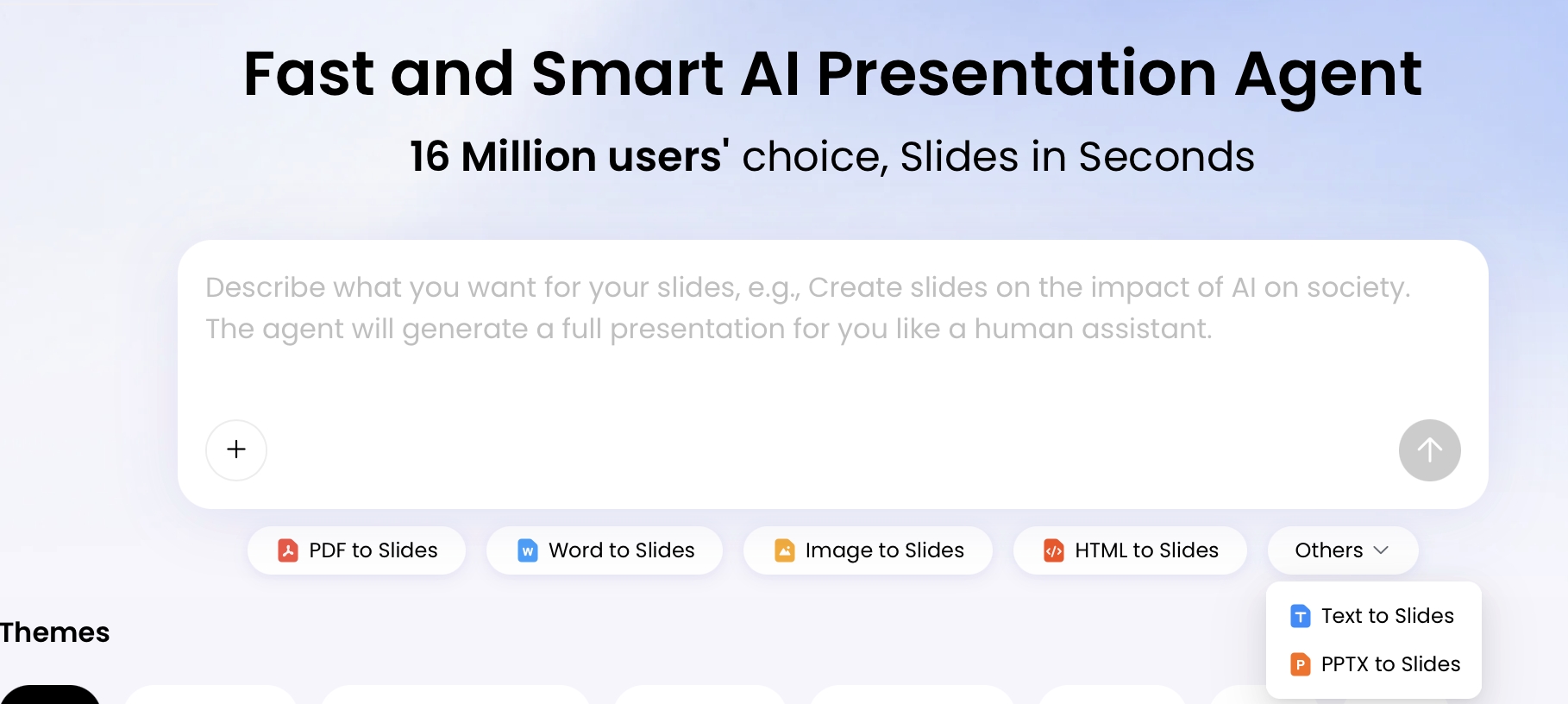
If you produce podcasts, webinars, interviews, or training content, the problem is rarely a lack of material. It is that a 45- to 60-minute conversation can become 8,000–13,000 words of transcript, and most of that text is not slide-ready. A podcast transcript to presentation workflow helps you turn the episode into a webinar recap, internal briefing, course lesson, LinkedIn carousel, sales enablement deck, or client presentation without rebuilding the story from scratch.
This guide focuses on users who already have a transcript from tools such as Descript, Riverside, Otter, Rev, Zoom, YouTube, or a podcast production workflow. You will learn how to clean the transcript just enough, prompt AI for an outline, choose the moments that deserve slides, edit the visual structure, and review the deck for quote accuracy, permissions, and export quality.
Best use case: Use this workflow for public podcast episodes, guest interviews, founder conversations, expert Q&As, or recorded webinars where you need a structured deck faster than building slides manually. It also works for customer conversations and paid community calls, but only after privacy, consent, and reuse permissions are checked.
Not ideal for: poorly transcribed audio with no speaker separation, highly technical episodes that require diagrams or formulas, regulated legal/medical/financial advice, or confidential customer material that your organization has not approved for AI processing.
Why a Podcast Transcript to Presentation Workflow Works
A podcast transcript already contains the raw ingredients of a deck; AI helps expose the structure faster.
Why transcripts contain slide structure
A strong episode usually has a premise, recurring questions, objections, examples, stories, expert claims, and a conclusion. In a transcript, those elements are buried inside conversational language: false starts, host prompts, digressions, and repeated explanations. AI can help detect patterns such as “problem → example → lesson,” “myth → correction,” or “customer pain → solution → result,” then convert them into sections, slide titles, takeaways, and visual prompts.
Practical benchmark: In a small workflow test using a 52-minute founder interview transcript of about 11,800 words, the first AI outline produced 16 suggested slides in under five minutes. The useful output was not the final wording; it was the grouping of themes. Manual review still took about 35 minutes because two guest quotes needed timestamp checks, one statistic was too vague to keep, and three slides needed to be merged to avoid repetition.
Why slide generation is different from summarization
A generic summary compresses the episode into paragraphs. A presentation workflow asks more concrete questions: What should the audience remember? Which idea deserves its own slide? Where should a quote card, framework, timeline, checklist, or comparison table appear? What should be cut because it is interesting but not useful for this audience?
Think of the transcript as research material, not as slide copy. The AI’s job is to extract the presentation logic; your job is to verify the meaning and sharpen the story.
The content-repurposing value is strongest when one transcript can support several outputs: a 10-slide community recap, a 15-slide training deck, a 5-slide executive summary, or a visual carousel. For weekly shows, the workflow becomes less about “making one deck” and more about building a repeatable editorial system for extracting ideas, quotes, and frameworks from every episode.
A realistic time-saving expectation is 30–50% on first-draft structure, not 100% automation. AI can reduce the time spent reading, grouping, and rewriting, but you still need a person who understands the episode, the audience, and the risk of misquoting a speaker.
How to Choose What Becomes a Slide
Slide-worthy moments are the parts of the transcript that change what the audience understands, believes, or does next.
When reviewing an AI-generated outline, classify transcript content into six practical buckets. This prevents the common mistake of turning every paragraph into another summary slide.
- Claims: Strong opinions or thesis statements that can become section-opening slides.
- Evidence: Data, research, customer examples, or experience-based proof.
- Stories: Before-and-after moments, failures, founder anecdotes, classroom cases, or client scenarios.
- Quotes: Memorable lines that sound better as a quote card than as a bullet list.
- Frameworks: Step-by-step models, decision trees, checklists, or maturity stages.
- Actions: Recommendations, next steps, implementation advice, or questions for reflection.
| Transcript moment | Slide bucket | Best slide format | Keep or cut? |
|---|---|---|---|
| Guest says, “The clip is not the asset; the lesson is the asset.” | Quote / claim | Quote card plus two-column comparison | Keep if it represents the episode’s thesis. |
| Host repeats the same setup question in three ways. | Context | Speaker notes only | Cut from slides; use only if needed for narration. |
| Guest describes a failed product launch and what changed afterward. | Story | Problem → turning point → lesson | Keep; stories often anchor the audience emotionally. |
| Guest mentions “most teams” without data or example. | Opinion | Claim slide only if qualified | Keep as opinion, not as fact. |
| Customer explains why they chose one vendor over another. | Evidence / decision criteria | Checklist or comparison table | Keep after permission review. |
As a rule of thumb, one dense transcript page may shrink into one or two slides, while a vivid three-minute story may deserve two slides: one for setup and one for the lesson. AI is good at compression, but it may overvalue repeated themes and undervalue a short, powerful anecdote. Human judgment matters most when choosing the spine of the deck.
AI is good at finding repeated language. Editors are better at spotting the one short story that makes the whole presentation memorable.
Adjust the slide architecture by podcast format
- Expert interview: Lead with the guest’s thesis, then build through frameworks, examples, objections, and takeaways.
- Customer interview: Use before state, trigger event, decision criteria, implementation, results, and approved proof quotes.
- Solo educational episode: Use learning objectives, definitions, worked examples, practice prompts, and recap questions.
- Panel discussion: Show agreement, disagreement, tradeoffs, and where each speaker’s perspective differs.
- News commentary: Separate what happened, why it matters, who is affected, and what action the audience should consider.
Before-and-After Example: Transcript to Slide Copy
The central skill is turning spoken material into slide decisions, not preserving every sentence.
Here is a simplified sample showing how to move from raw conversation to slide-ready content. The final slide does not keep every phrase; it keeps the decision-useful insight, the source quote, and the layout direction.
Raw transcript fragment
Host [18:42]: A lot of teams say they want thought leadership, but they only repurpose the obvious clips. What are they missing?

Guest [18:50]: The mistake is treating the episode like a content pile instead of a point of view. If the guest tells a story about a failed launch, that can become a teaching slide. If they name a pattern across customers, that can become a framework. The clip is not the asset; the lesson is the asset.
AI-structured summary
Theme: Repurposing should extract lessons, not just clips.
Quote: “The clip is not the asset; the lesson is the asset.”
Slide opportunity: Show the difference between surface repurposing and insight-led repurposing.
Visual: Two-column comparison.
Final slide copy
Slide title: Stop Repurposing Clips. Start Repurposing Lessons.

Message: A podcast becomes more valuable when you extract reusable thinking, not just short-form moments.

Bullets:
- Story moments can become teaching slides
- Repeated customer patterns can become frameworks
- Strong guest language can become quote cards
- The lesson is the asset; the clip is only the container

Visual: Two-column layout: “Clip-first” vs. “Lesson-first”
Source: Guest [18:50]
Two more mini transformations
Transcript moment:
Guest [27:12]: “Our best customers were not looking for more features. They were looking for a safer rollout.”

Better slide type:
Customer proof slide

Slide copy:
Title: Adoption Risk Beat Feature Count
Message: Buyers cared less about feature volume and more about reducing rollout risk.
Bullets:
- Security review was the first blocker
- Training effort shaped the buying decision
- The winning message focused on implementation confidence
Visual: Buyer decision criteria checklist
Review note: Confirm this customer example is approved for external use.
Transcript moment:
Host [34:08]: So if someone wants to apply this tomorrow, what are the three steps?

Better slide type:
Framework/checklist slide

Slide copy:
Title: A 3-Step Episode Repurposing Workflow
1. Mark the lesson, not just the clip
2. Attach proof: quote, story, data, or example
3. Choose the format: slide, carousel, sales note, or training prompt
Visual: Horizontal process diagram
Review note: If the guest did not explicitly call it a “3-step framework,” label it as “Suggested workflow from the conversation.”
The final slide copy is better because it is shorter, visually structured, and honest about attribution. If a bullet needs context to avoid distortion, move the context into speaker notes or split the idea into a second slide.
Accuracy, Copyright, and Review Checklist
AI-generated podcast slides are drafts; review them as published communication, not as private notes.
Accuracy problems usually appear in four places: speaker attribution, over-compressed nuance, invented specificity, and missing permissions. The risk is higher when a deck will be used in public marketing, customer proof, investor communication, or paid training.
Accuracy review
- Verify quote ownership: Confirm that a quote attributed to a guest was not said by the host or paraphrased from both speakers.
- Check timestamps: If a slide cites a timestamp, reopen the transcript or audio around that moment.
- Validate facts and numbers: AI may smooth out uncertain claims. Keep only numbers you can source.
- Separate fact from opinion: Label guest interpretation as interpretation unless the transcript includes evidence.
- Protect nuance: Do not turn “this worked in our case” into “this always works.”
Copyright and permissions
This is not legal advice, but it is a practical review standard: public availability does not automatically mean unrestricted reuse. A public podcast episode may be safe to summarize internally, but using guest quotes in ads, sales decks, paid courses, or event materials can require additional permission depending on contracts, release forms, platform terms, and local law.
- Public podcast recap: Attribute the show, episode, speaker, and date when using quotes externally.
- Guest quote in marketing: Get explicit approval if the quote implies endorsement, customer proof, or commercial promotion.
- Paid community recording: Check member terms before turning discussion content into slides.
- Customer interview: Confirm whether company names, metrics, logos, screenshots, and quotes are approved for public or internal use.
- Third-party clips or research: Cite original sources and avoid importing copyrighted material into a deck without rights.
Privacy and confidential transcripts
Before uploading transcripts from internal meetings, sales calls, research interviews, or customer conversations, check your organization’s AI policy and the vendor’s data handling terms. If you are unsure whether uploaded content is stored, used for model training, or accessible to reviewers, treat the transcript as sensitive and anonymize it first.
- Remove emails, phone numbers, addresses, account IDs, and personal identifiers.
- Anonymize customer and company names unless approved.
- Replace confidential metrics with ranges or placeholders.
- Avoid uploading regulated health, financial, student, legal, or employment data unless your organization has approved that use case.
- Keep a record of consent if the deck will be shared beyond the original audience.
Privacy tip: For sensitive interviews, create an anonymized working transcript first: “Customer A,” “Product B,” “Region C,” and “Revenue range.” Generate the deck from that version, then reinsert approved names or figures only after review.
Export QA
- Open the exported file: Do not assume the downloaded deck looks the same as the browser preview.
- Check editability: Confirm whether titles, bullets, shapes, charts, and icons can be edited in PowerPoint or your preferred tool.
- Inspect fonts and spacing: Brand fonts may substitute after export.
- Test speaker notes: If notes are important, verify whether they export as expected.
- Check accessibility: Use readable text size, high contrast, descriptive slide titles, and alt text for important visuals.
In a desktop export check using a 14-slide podcast recap deck, PopAi download options included PPTX and PDF. The PPTX opened in Microsoft PowerPoint, and standard text boxes remained editable in the sample file. As with any AI-generated deck, review complex layouts, icons, charts, images, animations, and font substitutions manually before sending the file to a client, instructor, or executive reviewer.
Make It Repeatable for a Podcast Season
The biggest commercial value comes from making the workflow repeatable across many episodes.
Create a standard prompt and slide architecture for each show type. Interview podcasts might use “guest thesis, origin story, framework, examples, objections, takeaways.” News digests might use “headline, context, signal, implication, action.” Customer interviews might use “before state, trigger event, decision criteria, implementation, results, proof quotes.” This consistency makes the output easier to review and easier for audiences to recognize.
Season-level operating workflow
- Transcribe the episode: Export TXT, DOCX, or PDF from your transcription tool.
- Name the file consistently: Use a format such as
ShowName_Ep042_GuestName_2026-08-03_transcript_clean.txt. - Clean the transcript: Add speaker labels, topic breaks, quote markers, and a short audience/purpose note.
- Run the standard prompt: Keep prompt versions in a shared document, such as
PodcastDeckPrompt_v3. - Review the AI outline: Fix missing context, repeated themes, weak slide order, and incorrect attribution before generation.
- Generate the deck: Apply your preferred slide architecture and brand template.
- QA quotes and facts: Check timestamps, claims, customer names, and reuse permissions.
- Export and inspect: Download PPTX or PDF, then open the file and check editability, spacing, and fonts.
- Log reusable assets: Track strong quotes, frameworks, objections, and customer language in a spreadsheet or slide library.
- Assign reviewers: Use the producer for context, host for meaning, subject expert for accuracy, and legal/customer owner for sensitive use cases.
Build a slide library from the season
You can build a season-level deck by asking AI to compare transcripts across episodes. Look for repeated pain points, recurring expert advice, contrasting opinions, and the strongest quotes by theme. For marketing teams, this becomes a thought leadership report. For education teams, it becomes a study guide. For sales teams, it becomes a library of objection-handling slides and customer language.
| Library tag | What to save | Who uses it |
|---|---|---|
| Proof quote | Approved customer or guest quote with timestamp and permission status. | Marketing, sales, customer success. |
| Framework | Repeatable model, checklist, or decision tree from an expert episode. | Training, webinars, enablement. |
| Objection | Common concern plus guest response or customer wording. | Sales enablement and support teams. |
| Season theme | Pattern that appears across three or more episodes. | Thought leadership reports and executive briefings. |
A practical rhythm is weekly: publish the episode, clean the transcript, generate and review the outline, create the deck, QA quotes and permissions, export or share, then log reusable slides. After a full season, the team is no longer starting from blank slides; it has a searchable base of tested messages, examples, and approved source material.
FAQ: Podcast Transcript to Presentation
How do I turn a podcast transcript into a PowerPoint with AI?
Clean the transcript, label speakers, mark topic breaks and important quotes, then upload or paste it into an AI presentation tool. Review the generated outline before creating slides, edit the deck, and export it as PPTX or PDF if the tool supports those formats.
Can AI preserve host and guest speaker attribution?
AI can preserve speaker attribution when the transcript includes clear labels such as Host, Guest, or individual names. You should still verify quote ownership and any paraphrased claims before publishing or presenting.
What should I include in the transcript before generating slides?
Include speaker labels, timestamps, episode title, audience, desired slide count, topic breaks, quote notes, stories, examples, terminology, and the final use case such as webinar, training, recap, or sales enablement.
Are AI-generated podcast slides accurate enough for business or education?
They can be a strong first draft, but they are not a final authority. For business or education, check speaker attribution, facts, numbers, citations, names, timestamps, copyright permissions, and whether the deck reflects the original conversation fairly.
Create your presentation with one click now
Turn your podcast transcript, notes, or source files into a structured presentation draft, then refine the outline, visuals, and export format for your audience.
Start creating with PopAi