Brand consistency in an AI presentation comes from a small set of explicit rules: approved assets, reusable layouts, stable chart and image styles, and a named reviewer. It is not a promise of higher revenue. The practical benefits are fewer avoidable corrections, clearer ownership, and more predictable handoffs.
The example settings below are an illustrative brand system. They are not universal rules or a claim that every AI tool has native Brand Kit or slide-master support. Apply them through the controls actually available in your editor, or in the exported PowerPoint file.
Build an AI-ready brand system
| Layer | Concrete setup | Illustrative example |
|---|---|---|
| Brand Kit | Store approved logos, colors, font choices, and asset-use notes where the chosen tool supports them. | Primary #243B53; accent #3267E3; approved logo variants; one heading and one body font. |
| Template | Prepare approved cover, agenda, section, content, chart, and closing layouts. | One title position and one source-note position across ordinary content slides. |
| Master / theme | In a supporting presentation editor, control recurring placeholders and theme settings centrally. | Use a shared title placeholder rather than manually aligning every title. |
| Chart style | Specify series order, number formats, label rules, gridlines, and source notes. | Revenue in USD thousands; actuals and forecast explicitly labelled; same series color on every chart. |
| Image style | Choose a consistent treatment and define what is not allowed. | Documentary screenshots with readable UI; no fake customer portraits or distorted logos. |
| Review gate | Assign a brand owner and a content owner before release. | Brand owner checks visual rules; analyst checks data; presenter checks exported delivery copy. |
Keep this system short enough to use. A logo folder without usage rules leaves the AI and later editors to guess. Conversely, a dense brand manual can be reduced to an approved presentation-specific brief without changing its underlying requirements.
Configure the brief before generation
Create the presentation using the attached approved template and brand brief where supported. Keep the existing logo proportions and placement. Use the approved typography and palette; do not introduce new brand colors or invent icons resembling our logo. Use the same chart series order and source-note style throughout. Where a requested control is unavailable, flag it for manual editing instead of claiming the deck is fully on-brand.
For PopAi, use the documented outline, style-selection, and editing workflow as a drafting stage. This guide does not verify enterprise asset enforcement, locked masters, or automatic brand approval in PopAi. Check those capabilities separately rather than implying that generic brand-governance methods are built-in features.
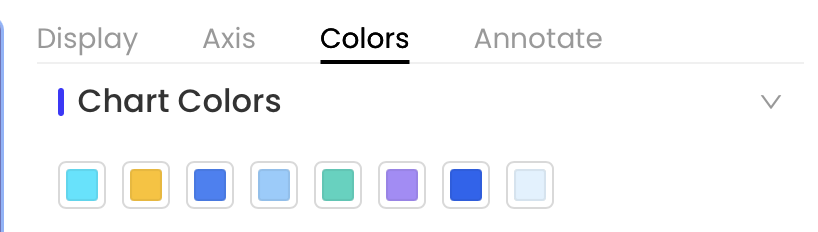
Control chart and image styles in the actual deck
Illustrative repair: three slides show the same channels in different colors. Assign one channel order, apply the corresponding colors to all three charts, and keep the legend wording unchanged. Do not change a value or omit a category just to fit a preferred layout.
| Problem | Correction | Reviewer check |
|---|---|---|
| Accent color means positive on one slide and risk on another | Define status semantics; add words or symbols rather than color alone. | The audience can understand the status without identifying a color. |
| One chart uses dollars and another thousands of dollars | Standardize or visibly label units. | The numeric comparison remains correct after reformatting. |
| An AI image alters a product or brand mark | Use an approved asset; do not repair the identity by guessing. | Logo proportions, product details, and permissions are correct. |
| Screenshots have inconsistent crops | Crop around the instructional point while preserving necessary labels and context. | No control or caveat needed to understand the step is missing. |
Check readable contrast using W3C's digital-text contrast guidance as one baseline, then test the delivery environment. Brand colors do not excuse unreadable chart labels.

Run a focused review gate
- Content owner: verify claims, source dates, numbers, names, and required caveats.
- Brand owner: check approved logo, fonts, layout roles, palette, chart semantics, and image treatment.
- Presenter: open the actual export and inspect reflow, missing fonts, chart editability, and media.
- Release owner: retain one approved copy, source assets, and a note of any accepted exceptions.
A useful exception is specific: "The financial appendix uses a denser table to preserve required values; the audience receives a readable PDF." An unhelpful exception is "AI generated it that way." Capture the reason and reviewer rather than accepting inconsistent formatting by default.
A worked example: repair a mixed-brand quarterly review
Illustrative situation: a team has combined an AI-generated market section, three analyst charts, and an older customer-case deck. The content is potentially useful, but the result has three title positions, inconsistent units, a stretched logo, and an image that looks like a customer photograph without an approval record. The goal is a consistent and reviewable deck, not a measured business-outcome claim.
Pass 1: establish layout roles before changing individual objects
Group the slides as cover, agenda, section divider, claim-and-evidence, comparison, and close. Choose one approved layout for each role. Apply the role to each slide before manually adjusting font sizes or spacing. A reusable content layout should provide a clear title region, evidence area, and source-note position; it should not force a chart and a dense policy table into the same visual treatment.
When the authoring tool supports a theme or master, set repeated styles there. When it does not, apply the approved template and check the exported file in a supporting editor. Never imply that a browser style picker automatically creates a locked PowerPoint master or enforces a company-wide policy.
Pass 2: repair recurring charts as a set
Take one representative chart and agree its rules with the analyst: consistent unit, number format, series order, period labels, actual-versus-forecast distinction, and visible source. Apply the same rules to related charts. Reconcile the figures again afterward, especially when changing axis units or percentage formatting. This is a formatting operation, not permission to recalculate the business result.
Pass 3: resolve the assets that cannot be fixed by styling
Replace the stretched logo with the original approved asset. Check whether the customer-style photograph is licensed and authorized for the intended implication. If it is stock, label it as illustrative or replace it with an authorized asset rather than calling it a customer. Do not generate a similar logo or a synthetic employee portrait as a shortcut to an approval record.
Pass 4: inspect the version the audience will receive
Open the export and compare the cover, a dense chart, the customer case, and the final request with the editor. Check the whole deck too; representative slides are useful for finding recurring defects but are not a substitute for reviewing the remaining pages. Record accepted exceptions, then release a dated copy. Keep a small set of approved layouts for the next cycle so the team does not repeat the same repairs.
Keep a small, maintainable brand handoff package
| File or record | Contents | Maintenance rule |
|---|---|---|
| Presentation brand brief | Approved font choices, palette, logo placement, chart semantics, and tone. | Name an owner and current revision. |
| Layout library | Only the slide roles the team actually uses, with realistic content length. | Retire layouts that routinely require manual workarounds. |
| Asset register | Source, permission, permitted audience, and any expiration or review condition. | Check again when the distribution or purpose changes. |
| Export checklist | Known font replacements, chart limitations, and media requirements. | Update after testing the real delivery format. |
| Exception log | Slide, varied rule, reason, approver, and release. | Do not turn an old exception into a permanent default without review. |
Operational success can be assessed with your own records: repeated corrections, unapproved asset substitutions, or the number of releases requiring a replacement file. Define the measure before using it, and do not claim a revenue effect or a quantified efficiency improvement unless a suitable analysis supports that claim.
Avoid common brand-governance mistakes
Do not treat a styled template as proof that the content is correct. Do not put every slide through a pixel-level review when a reusable layout can prevent the issue. Do not assume export fidelity: test the fonts, symbols, and chart colors in the recipient's software.
Use version control and approved releases to keep reviewers on the same deck, and image selection and permission checks when adding new visuals. Those controls make brand work repeatable without inventing a financial uplift claim.