Government Presentation AI: Build Clear Public Sector Decks
July 14, 2026

AI can help public sector teams create presentations faster, but it should be used as a drafting and structuring assistant, not as an authority on policy, law, data, or approval decisions. The strongest use case for government presentation AI is turning approved reports, notes, and program updates into a clear first draft that humans can verify, revise, and finalize.
For government briefings, public meetings, grant proposals, internal reports, and training decks, AI is most useful when you give it a defined audience, a clear decision point, safe source material, and instructions for tone. It can outline the deck, rewrite dense policy language, suggest slide flow, and reduce formatting friction.
The workflow below shows how to prepare source material, generate a structured draft with tools such as PopAi AI Presentation, review every slide for accuracy and sensitivity, and adapt the result into a professional presentation that fits public sector expectations.
When you are ready to turn the workflow into slides, PopAi AI Presentation can help transform rough notes, documents, or prompts into an editable deck structure.
What Government Presentation AI Can and Cannot Do
This section sets realistic expectations for using AI in government briefings, public meetings, policy updates, and internal communication.
The core question for many public sector professionals is simple: AI can make slides, but is it actually useful for government briefings, public meetings, and policy communication? The answer is yes, if the work is framed correctly. AI can reduce drafting friction, help create a starting structure, and turn dense source material into a more readable deck. It cannot replace policy expertise, legal interpretation, data validation, accessibility review, or official approval.
Government presentations are different from sales decks or general business updates. They usually need to be factual, neutral, accessible, traceable to approved sources, and appropriate for the audience. A deck for elected officials may need a concise decision frame. A public meeting deck may need plain language and extra context. A technical internal briefing may need definitions, assumptions, and implementation constraints.
- Useful AI tasks: outline a deck, summarize approved documents, rewrite long bullet points, suggest section titles, convert meeting notes into slide topics, and create an editable first draft.
- High-risk AI tasks: verifying policy facts, interpreting legal duties, deciding what information is safe to share, writing final recommendations without review, or creating unsupported claims.
- Best-fit materials: public reports, cleared talking points, approved program summaries, non-sensitive meeting notes, published policy language, and already-reviewed data excerpts.
- Materials to handle with caution: confidential planning documents, personal data, procurement information, legal analysis, draft decisions, internal deliberations, and classified or restricted material.
- Required human checks: accuracy, neutrality, confidentiality, accessibility, tone, source alignment, decision clarity, and approval status.
A practical way to think about AI is to separate drafting from authorization. AI can help you draft. Your organization decides what is authorized. That distinction matters because government communication often affects public trust, funding decisions, community expectations, compliance obligations, and internal accountability.
Treat every AI-generated slide as a draft that needs source checking, policy review, and audience judgment before it becomes a government communication.
This does not make AI less useful. It makes the workflow more disciplined. If you begin with safe source material and a clear review process, AI can help you move from a blank page to a structured, editable deck while leaving final judgment with the people responsible for the message.
Public Sector Review Workflow for AI-Generated Presentations
Government and public-sector decks need accuracy, accessibility, record control, and approval discipline. Treat AI output as a draft that must move through the right review path.
| Step | Reviewer | What they check | Output |
|---|---|---|---|
| 1. Source preparation | Program owner / SME | Only approved facts, public data, policy language, and non-sensitive material are used. | Clean source packet. |
| 2. AI draft | Comms or analyst | The deck is structured, plain-language, and audience-appropriate. | First presentation draft. |
| 3. SME review | Subject-matter expert | Accuracy, definitions, program details, eligibility rules, dates, and numbers. | Corrected content. |
| 4. Legal / policy review | Counsel or policy owner | Regulatory claims, disclaimers, procurement language, privacy, public-record obligations. | Approved legal/policy wording. |
| 5. Accessibility review | Accessibility or design owner | Reading order, contrast, alt text, font size, table simplicity, captioning needs. | Accessible deck version. |
| 6. Leadership approval | Department or agency lead | Message alignment, risk, public sensitivity, final decision. | Release-ready presentation. |
| 7. Records handling | Records / admin owner | Version, retention, distribution, meeting record, source files. | Archived final package. |
Do not use AI to invent policy interpretation, eligibility promises, legal commitments, procurement terms, or public-health/safety guidance. Use it to clarify approved material and prepare a reviewable draft.
Choose the Right Public Sector Presentation Type Before You Generate Slides
A government presentation works better when the deck type, audience, decision, tone, and source materials are defined before AI generates slides.
Many weak AI-generated decks fail because the prompt asks for a presentation without explaining what kind of presentation it is. A five-minute executive briefing, a 30-minute public meeting deck, and a staff training deck require different structures. If you use the same AI presentation template for every scenario, the output may look polished but miss the purpose.
- Executive briefing: audience is senior leadership, elected officials, or directors; decision needed may be approval, prioritization, or direction; tone should be concise, neutral, and evidence-based; source materials often include approved program notes, dashboards, evaluation summaries, risk registers, and recommendation memos.
- Public meeting deck: audience is residents, community partners, advisory boards, or local stakeholders; action needed may be awareness, feedback, or participation; tone should be plain-language, respectful, and non-technical; source materials often include public program descriptions, meeting notices, timelines, maps, FAQs, and community input summaries.
- Grant or funding proposal presentation: audience is funders, oversight bodies, partner organizations, or internal review panels; decision needed may be support, funding alignment, or approval to proceed; tone should be formal, clear, and impact-oriented without exaggeration; source materials often include proposal notes, needs assessments, work plans, eligibility criteria, and budget narratives.
- Budget update: audience is finance leaders, department heads, councils, boards, or internal program managers; decision needed may be resource allocation, variance explanation, or planning direction; tone should be precise and transparent; source materials often include approved budget summaries, expenditure categories, forecast notes, and program constraints.
- Program status report: audience is leadership, oversight teams, partners, or project boards; decision needed may be course correction, risk acceptance, or continued implementation; tone should be factual and practical; source materials often include milestones, issue logs, outcome measures, implementation notes, and status memos.
- Training deck: audience is employees, contractors, volunteers, or partner staff; action needed is learning, compliance, or behavior change; tone should be instructional and scenario-based; source materials often include policies, SOPs, onboarding guides, checklists, and approved learning objectives.
- Emergency preparedness update: audience may be leadership, field teams, partner agencies, or community members; action needed may be readiness, coordination, or public awareness; tone should be calm, direct, and action-oriented; source materials often include approved preparedness plans, response roles, contact protocols, public guidance, and situation updates cleared for distribution.
- Internal policy rollout: audience is staff, managers, or implementation teams; action needed may be adoption, compliance, or process change; tone should be clear, practical, and consistent with official policy; source materials often include policy memos, implementation timelines, FAQs, workflow diagrams, and training notes.
The audience determines the language. A government presentation for public residents should explain acronyms, avoid internal shorthand, and make the practical meaning clear. An internal technical briefing can include more operational detail, but it still needs a clear structure and decision point.
Before generating slides, tell the AI the audience, meeting length, policy context, source material type, level of detail, desired decision, tone, and any words or claims to avoid.
A strong prompt might say: Create a 12-slide public meeting presentation for residents about a community program update. Use plain language, define acronyms, avoid promotional claims, include an agenda, current status, timeline, how residents can provide feedback, and next steps. Base the deck only on the approved notes provided.
For a senior leadership briefing, the same material might become a different prompt: Create an 8-slide executive briefing on the same program. Focus on decision points, risks, resource needs, implementation timeline, and options for leadership direction. Keep the tone neutral and evidence-based.
A Practical Workflow for Creating a Government Presentation with AI
Use this step-by-step workflow to move from raw material to an AI-assisted deck that is reviewed, customized, and ready for internal approval.
The safest public sector AI workflow starts before you open the presentation tool. Define the communication task, choose safe source material, and decide who must review the result. AI is most helpful after you have narrowed the purpose and before you spend hours formatting slides manually.
- Define the audience, purpose, required decision, time limit, and approval requirements. Write one sentence that says what the audience should understand or decide after the presentation.
- Gather safe source materials. Use public reports, approved policy notes, meeting summaries, non-sensitive program updates, cleared data, published FAQs, or already-approved talking points.
- Ask the AI to generate an outline before creating the full deck. Review the outline for missing context, wrong emphasis, unsupported sections, and an appropriate level of detail.
- Use PopAi AI Presentation when you need to turn a prompt, document, or rough notes into a structured editable deck. This is especially useful when the blank slide problem is slowing the work.
- Review every slide for factual accuracy, unsupported claims, confidentiality, accessibility, and tone. Compare statements against the approved source material rather than assuming the AI summary is correct.
- Customize the deck with agency-approved terminology, branding rules where applicable, plain-language explanations, source notes, speaker notes, and any required document control information.
- Route the deck through the appropriate internal review. Depending on the topic, this may include a subject matter expert, supervisor, communications team, legal reviewer, accessibility lead, or leadership approver.
The outline-first step is important. If the AI misunderstands the purpose, it is easier to fix a 10-line outline than a 20-slide deck. Ask for section headings, suggested slide titles, intended audience takeaway, and any assumptions the AI is making. Then remove, reorder, or rewrite sections before generating the slide draft.
Create a 10-slide program update for senior leadership from the approved notes below. Audience: department executives. Purpose: provide status, highlight risks, and request direction on next steps. Tone: neutral, concise, public-sector appropriate. Include an agenda, current status, key milestones, implementation risks, decision needed, and next steps. Do not add facts not found in the notes. Flag any unclear areas as questions for human review.
After PopAi or another AI presentation tool creates the first draft, do not jump straight to design polish. Start with substance. Check whether the deck answers the decision question, whether every slide has a clear point, and whether sensitive or unapproved information has been excluded. Only then refine the template, visuals, and speaker notes.
- Substance review: Are the key facts correct, sourced, and within the approved scope?
- Audience review: Is the language appropriate for senior leaders, staff, residents, partners, or trainees?
- Risk review: Does the deck accidentally include confidential, personal, legal, procurement-sensitive, or politically loaded content?
- Accessibility review: Are fonts readable, contrast sufficient, charts clear, and acronyms defined?
- Decision review: Is the requested action visible and specific enough for the meeting?
This workflow keeps AI in the role where it performs best: organizing, summarizing, drafting, and formatting. The final government presentation still depends on human judgment, verified information, and the organization’s approval process.
Example Workflows for Common Government Presentation Scenarios
These realistic example workflows show how public sector teams can use AI across different presentation types without treating the output as a verified case study.
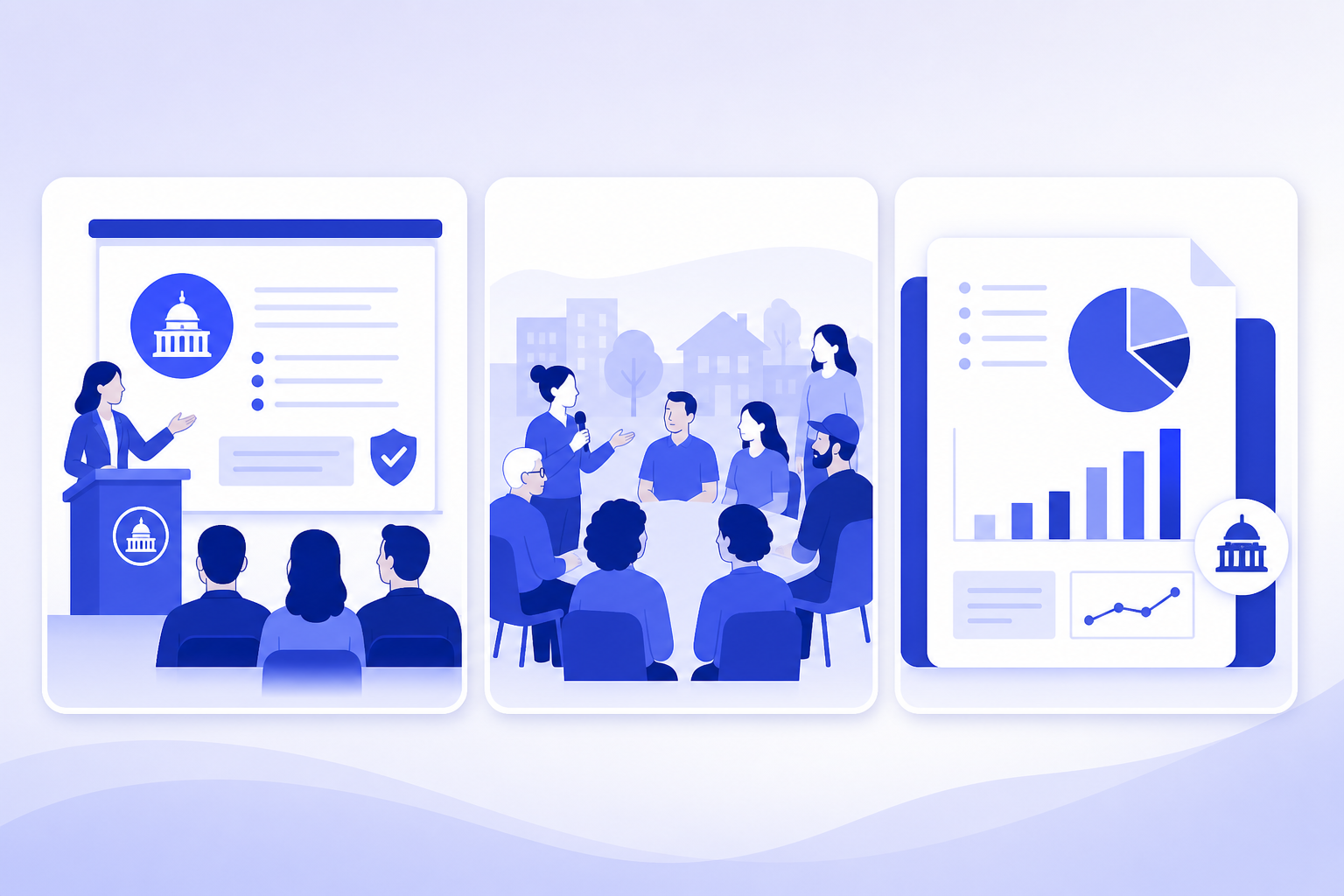
The following examples are realistic workflows, not verified case studies. They are designed to show transferable patterns: context, pain points, AI intervention, operation steps, expected output, and what you can reuse in your own public sector presentation process.
- Example 1, policy analyst executive briefing: A policy analyst has a long program evaluation report and needs a short briefing for senior leadership. The pain points are length, technical language, and the need to identify decision-relevant findings. The analyst uses PopAi AI Presentation to turn approved report excerpts and notes into an outline, then asks for a 10-slide deck with findings, implementation considerations, risks, options, and a decision slide. The expected output is an editable briefing structure, not a final policy recommendation. Reusable recommendation: ask AI to separate findings, implications, risks, and decisions so the deck does not become a report summary pasted onto slides.
- Example 2, communications officer public meeting deck: A communications officer is preparing a community program update for a public meeting. The pain points are plain-language rewriting, avoiding internal jargon, and giving residents enough context to participate. The officer prompts AI to create a resident-facing deck with an agenda, program purpose, what has changed, timeline, public feedback channels, and next steps. The officer then rewrites any vague or promotional wording, defines acronyms, and checks the deck against approved public messaging. The expected output is a clearer slide flow for a non-specialist audience. Reusable recommendation: ask the AI to write for people who are affected by the program, not for the staff who manage it.
- Example 3, grant or funding team stakeholder presentation: A grant team has proposal notes, a needs statement, planned activities, expected outcomes, and a budget narrative. The pain points are turning scattered notes into a persuasive but accurate structure and avoiding unsupported impact claims. The team uses AI to create a presentation outline with problem statement, target population or service need, proposed activities, implementation timeline, partner roles, expected outcomes, sustainability considerations, and budget narrative placeholders. The budget section is reviewed manually and does not include invented figures. The expected output is a professional stakeholder deck that organizes the proposal logic. Reusable recommendation: ask AI to create placeholders for figures and citations rather than generating numbers.
- Example 4, HR or training compliance deck: An HR or training team needs an internal onboarding or compliance presentation based on approved policies. The pain points are dense policy language, uneven slide structure, and low learner engagement. The team asks AI to create a training deck with learning objectives, policy overview, employee responsibilities, scenario-based practice slides, knowledge-check questions, and a final resources slide. Subject matter experts review the scenarios to ensure they reflect the actual policy. The expected output is a more teachable deck that still needs compliance review. Reusable recommendation: use AI to create scenarios and discussion prompts, then have policy owners confirm accuracy.
PopAi is most helpful in these scenarios when the user has a document, rough notes, or a clear prompt and needs an editable slide structure quickly. For example, a policy analyst can upload or paste approved content and ask for an outline before generating slides. A training team can begin with learning objectives and ask PopAi to organize the material into sections, activities, and review slides.
- Start each example workflow by naming the audience and decision or learning outcome.
- Provide only approved or safe material to the AI tool.
- Generate an outline first and check whether the structure matches the meeting purpose.
- Generate the deck and revise the slide titles so each one states a clear message.
- Add speaker notes for nuance, caveats, definitions, and context that should not crowd the slide.
- Send the deck through subject matter, communications, accessibility, and leadership review as required.
A useful AI-assisted government deck is not the one with the most slides; it is the one that helps the audience understand the issue, the evidence, the decision, and the next step.
Across all four workflows, the pattern is the same. AI helps with structure, summary, wording, and draft layout. Humans decide what is accurate, appropriate, compliant, and ready to present.
How to Make AI Presentation Templates Look Professional and Public-Sector Appropriate
AI presentation templates can be useful, but public sector teams need to adapt them for clarity, accessibility, neutrality, and formal review.
A professional presentation in the public sector does not need to look plain, but it should look credible. That usually means clear hierarchy, consistent terminology, accessible contrast, readable charts, restrained visuals, and slide titles that explain the point. Overly flashy, sales-style, or visually crowded templates can distract from the policy message and may feel inappropriate in formal settings.
- Audience fit: choose a template that matches the meeting setting, whether it is a leadership briefing, public forum, training session, or partner update.
- Slide density: avoid templates that encourage too many text boxes, tiny fonts, or decorative elements that compete with the message.
- Chart support: choose layouts that can show trends, comparisons, timelines, risks, or status updates clearly without forcing complex visuals.
- Title clarity: use slide titles that state the main point, such as Implementation risk requires leadership direction, instead of vague labels such as Update.
- Source note space: leave room for source references, data dates, definitions, or caveats when they are needed for transparency.
- Approval workflow compatibility: use a format that reviewers can edit, comment on, and align with agency or organization standards.
When adapting AI presentation templates, pay special attention to recurring public sector slide types. A title slide should identify the topic, meeting, date, and presenting office if appropriate. An agenda slide should make the structure predictable. A decision slide should state the requested action. A risk slide should distinguish issue, impact, likelihood if known, mitigation, and owner. A timeline slide should show major phases without crowding every internal task. A next-step slide should say who does what after the meeting.
Make the deck easier to review by using one main message per slide, defining acronyms on first use, adding source notes where needed, and keeping action requests visible.
Plain language also matters. AI may produce phrases that sound polished but do not say much, such as leveraging innovative solutions to optimize outcomes. Replace them with concrete language: The program will update intake forms, train frontline staff, and report monthly implementation issues. This makes the deck easier for reviewers and audiences to understand.
Follow your organization’s official brand, accessibility, and document control requirements when they apply. That may include approved colors, logos, disclaimers, classification markings, version numbers, accessibility standards, or file naming conventions. AI can suggest a layout, but it will not know every internal rule unless you provide safe, approved instructions.
- For executive briefings, emphasize decision slides, risks, options, and concise evidence.
- For public meetings, emphasize plain language, readable visuals, context, participation instructions, and next steps.
- For training, emphasize learning objectives, scenarios, knowledge checks, job aids, and resources.
- For budget updates, emphasize assumptions, categories, variance explanations, constraints, and source notes.
- For internal rollouts, emphasize what changes, who is affected, when it starts, support resources, and escalation paths.
Mistakes to Avoid When Using AI for Government Presentations
The main risks are not design mistakes; they are accuracy, confidentiality, tone, accessibility, and skipped review.
AI presentation tools are most risky when users treat the output as complete. A government deck may appear polished while containing unsupported summaries, vague recommendations, sensitive details, or language that is too persuasive for a neutral public sector context. The safest approach is to decide in advance what information can be used and who must review the result.
- Do not paste confidential, classified, personally identifiable, procurement-sensitive, legal, or unapproved internal material into an AI tool unless your organizational policy clearly allows it.
- Do not present AI-generated claims, summaries, or recommendations without checking them against approved sources.
- Do not let the AI make the presentation too persuasive, promotional, or politically loaded when the situation requires neutrality.
- Do not use generic AI presentation templates that ignore accessibility, public readability, agency standards, or formal review needs.
- Do not skip subject matter expert, legal, communications, accessibility, or leadership review when the topic requires approval.
- Do not overload slides with dense policy language. Move detail into speaker notes, appendices, handouts, or backup slides when appropriate.
- Do not allow AI to invent data, citations, community feedback, stakeholder positions, budget figures, timelines, or commitments.
Confidentiality deserves special attention. Public sector work may involve residents, employees, contractors, vendors, legal matters, security considerations, procurement decisions, or internal deliberations. If you are not sure whether material is safe to upload or paste, do not use it in an AI tool until you have checked the relevant policy or received appropriate guidance.
Before sharing the deck, confirm that facts are checked, sources are approved, sensitive information is removed, tone is neutral, visuals are readable, acronyms are defined, accessibility has been considered, and next steps are clear.
Tone is another common problem. AI may make a government presentation sound like a marketing pitch. Words such as transformative, groundbreaking, unmatched, or guaranteed can create the wrong impression if they are not supported by approved evidence. Replace promotional claims with observable facts, planned actions, constraints, and decision points.
- Read slide titles first. They should state accurate, neutral messages.
- Check every number, date, name, program detail, and commitment against the approved source.
- Remove any information that should not be public, shared with that audience, or included before approval.
- Rewrite vague AI phrasing into specific public sector language.
- Test whether a non-specialist could understand the main message without the presenter explaining every line.
- Confirm that the final version follows the required approval path.
The goal is not to avoid AI. The goal is to use it with the same discipline you would apply to any public communication. A strong review process turns AI from a risk into a practical drafting support.
When to Use PopAi AI Presentation in a Public Sector Workflow
PopAi AI Presentation is a good fit when public sector teams need to turn approved notes, documents, or rough ideas into a structured editable deck for review.
For teams exploring government presentation AI, the strongest use case is not replacing experts but accelerating the first structured draft. PopAi AI Presentation can help when you have approved notes, a public report, document excerpts, meeting summaries, or a rough idea that needs to become a slide deck. It is especially useful at the point where the team knows the subject but has not yet shaped it into a presentation.
- Use PopAi for first drafts when you need an editable structure rather than a blank slide file.
- Use it for outlines when you want to test the flow before creating the full deck.
- Use it for document-to-presentation work when approved reports or notes need to become presentation-ready slides.
- Use it for class, training, program update, stakeholder briefing, research, and internal communication decks.
- Use it to reduce manual formatting work while keeping human reviewers responsible for accuracy and approval.
A realistic PopAi workflow for a program status briefing might begin with cleared project notes. The program manager asks PopAi to generate an outline for a 10-slide update: agenda, purpose, current status, milestones completed, issues, risks, resource needs, decision requested, timeline, and next steps. After reviewing the outline, the manager generates the deck, rewrites the titles, adds source notes, and sends it to the project lead for factual review.
A second PopAi workflow for an internal training deck might begin with approved onboarding guidance. The trainer asks PopAi to create a 15-slide deck with learning objectives, policy overview, employee responsibilities, three scenario slides, knowledge checks, and a resources slide. The trainer then has the policy owner review the scenarios, removes any overbroad claims, and adapts the design to the organization’s approved training format.
- Prepare safe source material and remove anything confidential, personal, procurement-sensitive, legal, classified, or unapproved.
- Generate an outline first and check whether it matches the audience, purpose, time limit, and decision needed.
- Create the deck in PopAi AI Presentation from the approved prompt, notes, or document content.
- Review each slide for facts, tone, neutrality, accessibility, confidentiality, and unsupported statements.
- Customize the template with approved terminology, plain-language explanations, speaker notes, and brand requirements where applicable.
- Finalize the presentation through the required internal review and approval process.
PopAi can help public sector teams get to a structured draft faster; it should still be paired with human review for accuracy, confidentiality, accessibility, and official approval.
PopAi is not the only possible tool, and it should not be positioned as a substitute for public sector expertise. Its concrete fit is the drafting stage: moving from prompts, documents, notes, and rough ideas into organized slides that humans can edit. If your main bottleneck is structure, summarization, and formatting, it can be a practical addition to a disciplined government presentation workflow.
FAQ
Can AI create a complete government presentation from a report?
AI can create a structured first draft from suitable source material, especially if the report is approved for that use. You still need to verify facts, remove sensitive content, adjust the tone, add source notes where needed, and follow your internal review and approval process before presenting.
Is it safe to use AI for public sector presentations?
It depends on the tool, your organization’s policy, and the information you use. Do not upload confidential, classified, personally identifiable, procurement-sensitive, legal, or unapproved internal data unless your organization explicitly permits it and the tool meets your requirements.
What should a professional government presentation include?
It should include a clear purpose, audience context, key message, relevant evidence or source notes, plain-language explanations, accessible design, defined next steps or recommendations, and review status where applicable.
How do I make an AI-generated presentation sound less generic?
Add audience-specific context, approved terminology, local program details, decision points, constraints, risks, timelines, speaker notes, and source references. Remove vague AI-style language and replace it with concrete public sector wording.
Can AI presentation templates be used for public meetings?
Yes, if they are adapted for readability, accessibility, plain language, neutral tone, and public-facing context. Avoid flashy or sales-oriented designs, and make sure the deck follows your organization’s communication and accessibility requirements.
Create your presentation with one click now
Turn approved notes or documents into an editable public sector deck draft with PopAi AI Presentation.
Try PopAi AI Presentation