Create Nonprofit Board Presentations with AI
Published August 10, 2026
If you lead a nonprofit, prepare board packets, manage programs, support development, or serve as the board secretary, the pressure usually arrives a few days before packet distribution: the CFO has sent a variance report, the development director has updated the donor pipeline, the program team has a dashboard, and the executive director needs a 12-slide deck for a 90-minute meeting. Learning how to create nonprofit board presentations with AI helps you turn those inputs into a usable board draft without losing the judgment, governance context, and factual accuracy directors expect.
A board-ready deck is not just a polished presentation. It is a meeting tool that separates pre-read detail from live discussion, makes financial and program changes understandable, identifies risks, and states exactly where directors need to inform, discuss, approve, or vote.
The goal is not to let AI “invent” your board report. The goal is to use AI as a drafting, structuring, summarizing, and slide-generation partner while your leadership team owns the numbers, recommendations, risk language, confidentiality decisions, and formal board actions.
Why AI Works for Nonprofit Board Presentations
AI is most useful in board preparation when it handles assembly work and leaves governance judgment to people.
A strong nonprofit board presentation must compress complexity. Directors need to understand mission impact, financial health, fundraising momentum, strategic-plan progress, and governance decisions in a limited meeting window. AI can help with the repeatable work: extracting key points from long reports, grouping related updates, rewriting dense operational text into slide titles, and identifying where the deck needs a decision slide rather than another status update.
In a typical quarterly cycle, staff may spend several hours copying excerpts from a budget narrative, program dashboard, CRM report, and last quarter’s deck into a new slide file. AI changes the workflow from “create every slide manually” to “prepare approved inputs, generate an outline, review the argument, verify every claim, and format the board packet.” That shift is especially useful for small and mid-sized nonprofits where the same person may handle operations, grants, and board communications.
Field example: In an anonymized workforce-development nonprofit, the first AI outline turned a 19-page program report into 18 slides—too many for the board. After staff prompted for “12 core slides plus appendix, with each slide labeled information, discussion, or decision,” the live deck dropped to 11 slides and moved workshop attendance tables to the appendix. The useful AI output was not the first draft; it was the faster second draft after governance constraints were added.
Board members do not need every operational detail. They need a disciplined view of what changed, why it matters, what risks are emerging, and where governance input is required.
Where AI helps—and where it should not decide
| Manual board-prep task | AI-assisted task | Human review required |
|---|---|---|
| Reading long program reports | Extract outcomes, constraints, and recurring themes | Program lead confirms accuracy and removes unsupported causal claims |
| Building a financial update slide | Summarize revenue, expense, reserve, and variance notes | CFO/treasurer confirms figures, restricted-fund treatment, and forecast language |
| Turning risk notes into a board view | Create a risk table with severity, owner, mitigation, and board action | Executive team confirms risk wording, legal sensitivity, and escalation level |
| Drafting decision slides | Structure background, options, implications, recommendation, and motion | CEO, board chair, and counsel if needed approve the recommendation and motion language |
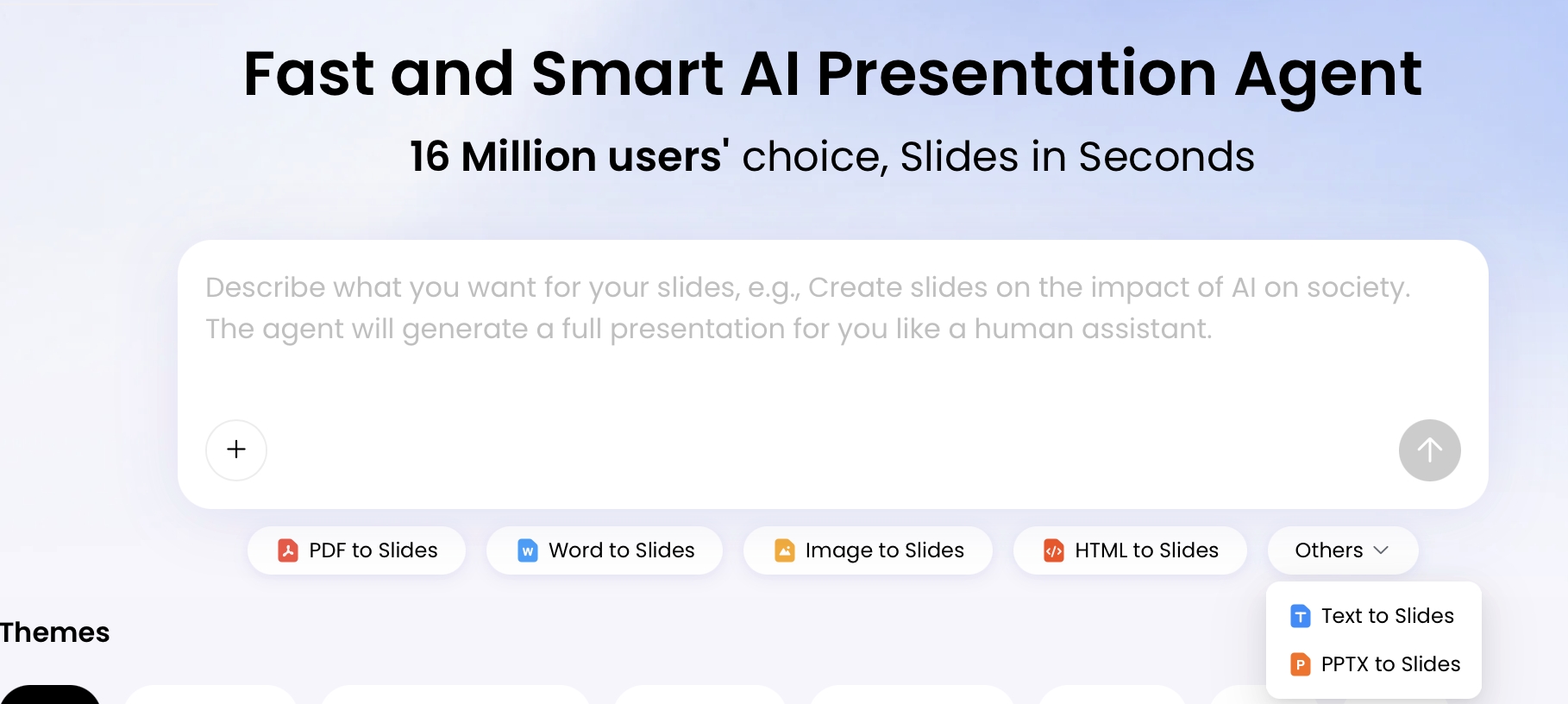
Use a dedicated workflow such as PopAi AI Presentation when you want to start from a topic or upload existing board materials, generate an editable presentation outline, and then refine the slides. In a governance setting, the tool is most useful after staff have already prepared redacted, approved inputs; it should not be connected directly to raw donor CRM exports, client records, or unreviewed finance files.
Tip: Start with the board’s decision needs, not the slide design. If a meeting has two votes and one major discussion, tell AI that before generating the deck so the structure follows the agenda instead of producing a generic impact presentation.
A Practical Board-Ready Deck Structure
For a broader view of available tools, compare the latest AI presentation makers before choosing the workflow that best fits your team.
A board deck should follow the meeting agenda and the sequence of decisions, not the order in which staff reports were written.
For many quarterly board meetings, 10 to 15 core slides is a practical range because it leaves room for discussion, committee reports, consent agenda items, and executive session if needed. Use appendices for committee-level detail, full dashboards, grant tables, and backup financials. Annual reports, campaign updates, and strategic planning decks may vary, but the underlying logic remains the same: context, performance, risk, and decision.
Recommended slide flow by governance purpose
- Executive summary: the three to five things directors must know before discussion begins.
- Decisions requested today: motions, approvals, or discussion outcomes needed by the end of the meeting.
- Mission and impact snapshot: beneficiaries served, outcomes achieved, program reach, and year-over-year movement.
- Financial overview: revenue versus budget, expenses versus budget, cash reserves, restricted funds, and forecast issues.
- Variance interpretation: why actuals differ from budget and whether the difference is timing, structural, or strategic.
- Program performance: progress against goals, capacity constraints, quality indicators, and evaluation findings.
- Fundraising progress: pipeline totals, donor retention, campaign progress, grant status, and board engagement needs.
- Strategic-plan update: goals on track, delayed, at risk, or requiring board support.
- Risk and compliance: operational, financial, legal, reputational, grant, and data risks with owners and mitigation steps.
- Decision slides: options, implications, management recommendation, and exact board action requested.
Sample 12-slide quarterly board deck
| Slide | Purpose | Primary source | Owner/reviewer | AI task |
|---|---|---|---|---|
| 1. Meeting focus and agenda | Orient directors to discussion priorities | Board agenda | Board chair / CEO | Condense agenda into meeting outcomes |
| 2. Executive summary | Show what changed since the last meeting | CEO memo | CEO | Extract 3–5 board-level messages |
| 3. Decisions requested today | Make votes and discussions explicit | Decision log | CEO / board chair | Draft decision labels and action language |
| 4. Financial dashboard | Summarize financial health | Finance summary | CFO / treasurer | Turn approved numbers into a concise slide |
| 5. Revenue and expense variance | Explain material changes from budget | Variance report | CFO | Separate timing issues from structural issues |
| 6. Program outcomes | Connect activity to mission results | Program dashboard | Program director | Convert metrics into outcome-focused titles |
| 7. Capacity and service constraints | Show operational pressure that affects strategy | Program notes / staffing data | COO / program lead | Summarize constraints without excess detail |
| 8. Fundraising pipeline | Report revenue confidence and board engagement needs | CRM summary | Development director | Aggregate pipeline by stage without donor names |
| 9. Strategic-plan status | Show progress against approved priorities | Strategic plan tracker | CEO | Group goals as on track, delayed, at risk |
| 10. Risk register | Focus oversight on top risks | Risk log | CEO / COO / CFO | Create risk, owner, mitigation, board action table |
| 11. Decision item | Support discussion and vote | Decision memo | CEO / board chair | Draft options, recommendation, and motion |
| 12. Next steps and follow-up | Clarify commitments after the meeting | Action log | Board secretary / CEO | Summarize owners, dates, and follow-up items |
For a monthly executive committee, shorten the presentation to financials, urgent risks, and decisions. For an annual board retreat, expand the strategy section and include scenario slides. For a fundraising or capital campaign board update, move campaign progress, board engagement, and the specific ask closer to the front—but keep donor names, ask amounts, and prospect strategy out of any AI input unless your organization has approved that use.
| Board Deck Type | Best Length | AI Should Emphasize | Human Review Must Confirm |
|---|---|---|---|
| Quarterly board report | 10–15 slides plus appendix | Executive summary, financial variance, program progress, risks | Budget figures, board motions, restricted-fund language |
| Annual impact report deck | 8–12 slides | Outcomes, beneficiary stories, year-over-year changes | Impact claims, photos, consent, attribution |
| Strategic plan update | 10–15 slides | Goal status, milestones, tradeoffs, resource needs | Recommendations, timelines, risk assumptions |
| Finance or audit committee deck | 6–10 slides plus financial appendix | Variance, reserves, restricted funds, audit issues, compliance | Accounting treatment, audit language, covenant or grant implications |
| Fundraising board update | 8–12 slides | Pipeline, campaign progress, board engagement actions | Donor confidentiality, ask amounts, pledge status |
Prepare the Right Data Before You Use AI
AI output improves when the input packet is summarized, approved, labeled, and safe to share.
Example-data note: any sample budget, donor, program, or impact figures in an AI-generated board deck should be treated as illustrative until replaced with verified organizational data. Do not let AI turn placeholders into apparent commitments, forecasts, or audited results.
Before uploading or pasting anything, create a board-safe data packet. This should include summarized metrics, approved narratives, and redacted details rather than raw confidential records. Treat the packet as the “source of truth” for the AI draft and keep a copy with version date, responsible owner, and source references.
Build a board-safe input packet
- CEO summary: one page with the main changes since the last meeting, decisions needed, and unresolved issues.
- Finance summary: revenue, expenses, variance, cash reserves, restricted funds, forecast, and CFO-approved explanations.
- Program dashboard: top outcomes, target versus actual, service constraints, and quality indicators.
- Fundraising summary: aggregated pipeline by stage, committed gifts, renewal risk, proposal status, and board engagement needs.
- Risk register: top risks only, with severity, owner, mitigation, and whether board action is needed.
- Decision log: items requiring discussion, consent, formal vote, or follow-up.
- Brand and accessibility guidance: logo, colors, terminology, reading level, chart style, and minimum font size.
Label metrics by board relevance
Data analysis note: Board decks often fail when they show activity instead of outcomes. “Held 42 workshops” is useful for operations, but “72% of participants completed the job-readiness pathway, up from 61% last year and above the 70% target” gives directors a clearer oversight signal. When preparing data for AI, label each metric as input, output, outcome, financial, risk, or decision so the model can separate operational detail from board-level insight.
| Input field | Example for AI packet |
|---|---|
| Metric | Youth program completion rate |
| Current quarter | 72% |
| Prior year | 61% |
| Target | 70% |
| Interpretation | Above target; program team attributes improvement to case-management changes approved in Q1 |
| Board relevance | Monitor staffing capacity if enrollment grows next quarter |
| Source and owner | Q2 program dashboard, approved by Program Director on July 8 |
| Confidentiality level | Internal summary; no client names or case notes included |
Add variance explanations before generating slides
Financial analysis note: A board presentation should not only show revenue and expenses. It should interpret variance. If program expenses are 12% under budget, the board needs to know whether that reflects efficiency, delayed hiring, reduced service delivery, grant timing, or an accounting lag. Provide AI with short CFO-approved explanations beside the numbers so the generated slide does not create a misleading story.
Case example: A human-services nonprofit showed “personnel expenses under budget” for two consecutive quarters. The first AI draft framed it as cost control. Finance corrected the source note: the variance came from unfilled case-manager roles, which also explained lower service volume. The revised board slide changed from “Expenses remain favorable” to “Personnel underspend reflects hiring delays and creates service-capacity risk.” That single title changed the board conversation from congratulations to risk mitigation.
Redact before upload
- Replace donor names with categories such as “major donor renewal segment,” “foundation proposal,” or “campaign prospect group.”
- Remove client names, case details, addresses, health information, immigration/legal facts, and any story without documented consent.
- Summarize HR, legal, merger, and real estate matters at the level already approved for board distribution.
- Mark restricted funds clearly so AI does not imply that restricted revenue can cover unrestricted operating gaps.
- Keep a source map showing where each number, claim, and recommendation came from.
If your data begins in a CSV, first convert it into a summarized table in DOCX, TXT, Markdown, HTML, or a visual report before using it in the presentation workflow. Avoid uploading raw exports from QuickBooks, Salesforce, Bloomerang, Raiser’s Edge, Apricot, case-management systems, or grant portals unless your organization has reviewed confidentiality, vendor terms, and data-retention settings.
Prompts to Create Nonprofit Board Presentations with AI
Prompt AI in stages: outline first, classify slide purpose, flag missing evidence, then draft slides.
Good prompts combine audience, source material, slide count, tone, required sections, and review criteria. For a nonprofit board, be explicit that the deck is for governance oversight—not marketing, not a donor pitch, and not an internal operations meeting. Also tell AI what not to do: do not infer causation, do not invent benchmarks, do not name donors or clients, and do not soften financial warnings without evidence.
Use a prompt sequence, not one giant prompt
- Generate the outline: ask for 10–15 core slides plus appendix, based only on approved sources.
- Classify each slide: label every slide as information, discussion, decision, consent, or appendix.
- Flag missing evidence: ask AI to list numbers, claims, or recommendations that need source confirmation.
- Rewrite slide titles: turn topic labels into board-level insights, such as “Hiring delays are reducing service capacity.”
- Create speaker notes: draft concise notes for the CEO, CFO, or program lead, with source references.
- Build the appendix list: move dense tables, committee reports, full dashboards, and backup financials out of the live deck.
- Create a verification checklist: assign each slide to a reviewer before board distribution.
Starter prompt for a quarterly board deck
Create a 12-slide nonprofit board presentation for a quarterly board meeting. Audience: board directors with finance, fundraising, and governance responsibilities. Tone: concise, transparent, strategic. Use only the uploaded board-safe data packet, program dashboard, finance summary, risk register, and decision log. Include executive summary, decisions requested today, financial overview, variance explanation, program impact, fundraising progress, strategic-plan status, risk register, and next steps. Label each slide as information, discussion, decision, consent, or appendix. Do not invent data, benchmarks, donor names, client details, or causal explanations. Flag missing information and list the source needed for each flagged item.
Prompt for a board decision slide
“Create one board decision slide about [decision]. Use this structure: background, why now, options considered, financial impact, mission impact, key risks, management recommendation, and exact board action requested. Keep it neutral, factual, and suitable for meeting minutes. Separate facts from management recommendation. Do not create legal or financial conclusions beyond the supplied source.”
Decision-slide example: For a proposed program expansion, the slide should not say only “Approve expansion.” A stronger board slide would include: Background: waitlist has grown 38% over two quarters; Options: maintain current capacity, pilot one additional cohort, or expand fully; Financial impact: pilot requires $85,000, with $50,000 restricted grant funding confirmed; Risks: hiring timeline and transportation costs; Recommendation: approve pilot cohort; Motion: “Resolved, that the board authorizes management to launch one additional program cohort in FY2026, contingent on securing the remaining $35,000 in unrestricted or board-designated funding.”
Prompt for finance variance explanation
“Summarize this financial variance for a nonprofit board. Separate timing issues from structural issues. Identify restricted versus unrestricted implications. Explain what is on track, what is off track, what management is doing next, and what board oversight question remains. Use plain English and avoid alarmist or overly reassuring language.”
Prompt for program impact
“Turn these program metrics into two slides: one outcome snapshot and one insight slide. Prioritize outcomes over activities. Include beneficiaries served, completion rates, target versus actual, cost per participant if available, and one operational constraint the board should understand. Do not claim the program caused an outcome unless the evaluation source supports that claim.”
Prompt variants for common nonprofit scenarios
| Scenario | Prompt addition | Review warning |
|---|---|---|
| Finance committee update | “Prioritize variance, liquidity, restricted funds, forecast risk, audit items, and management response.” | Confirm accounting treatment and avoid implying restricted funds are flexible. |
| Capital campaign update | “Show campaign progress by phase and board engagement actions without naming donors.” | Remove prospect strategy, ask amounts, and unannounced commitments unless approved. |
| Strategic plan retreat | “Create scenario slides with tradeoffs, resource needs, and questions for board discussion.” | Do not present scenarios as approved strategy. |
| Deficit budget decision | “Separate one-time deficit drivers from recurring structural gaps and state the board decision required.” | CFO and treasurer must approve language before distribution. |
| Grant-funded compliance update | “Summarize deliverables, reporting deadlines, restricted spending, and risks to compliance.” | Confirm grant terms and avoid overpromising future outcomes. |
| Executive session-safe summary | “Create a high-level summary that excludes names, legal advice, personnel details, and negotiation strategy.” | Board chair, CEO, and counsel should decide what belongs in executive session. |
If you are comparing tools before committing to a workflow, review this guide to AI presentation makers and evaluate whether each option supports your source formats, export needs, privacy workflow, and board-review process.
Edit, Verify, and Format the AI-Generated Board Deck
The AI draft is the beginning of board preparation, not the version you send to directors.
Review the outline before reviewing design
Once AI generates the deck, check the logic before changing colors or fonts. Does it lead with what directors need to know? Does it distinguish between information, discussion, consent, and vote? Are sensitive items routed to executive session or removed? Does the live deck stay focused while the appendix carries detail?
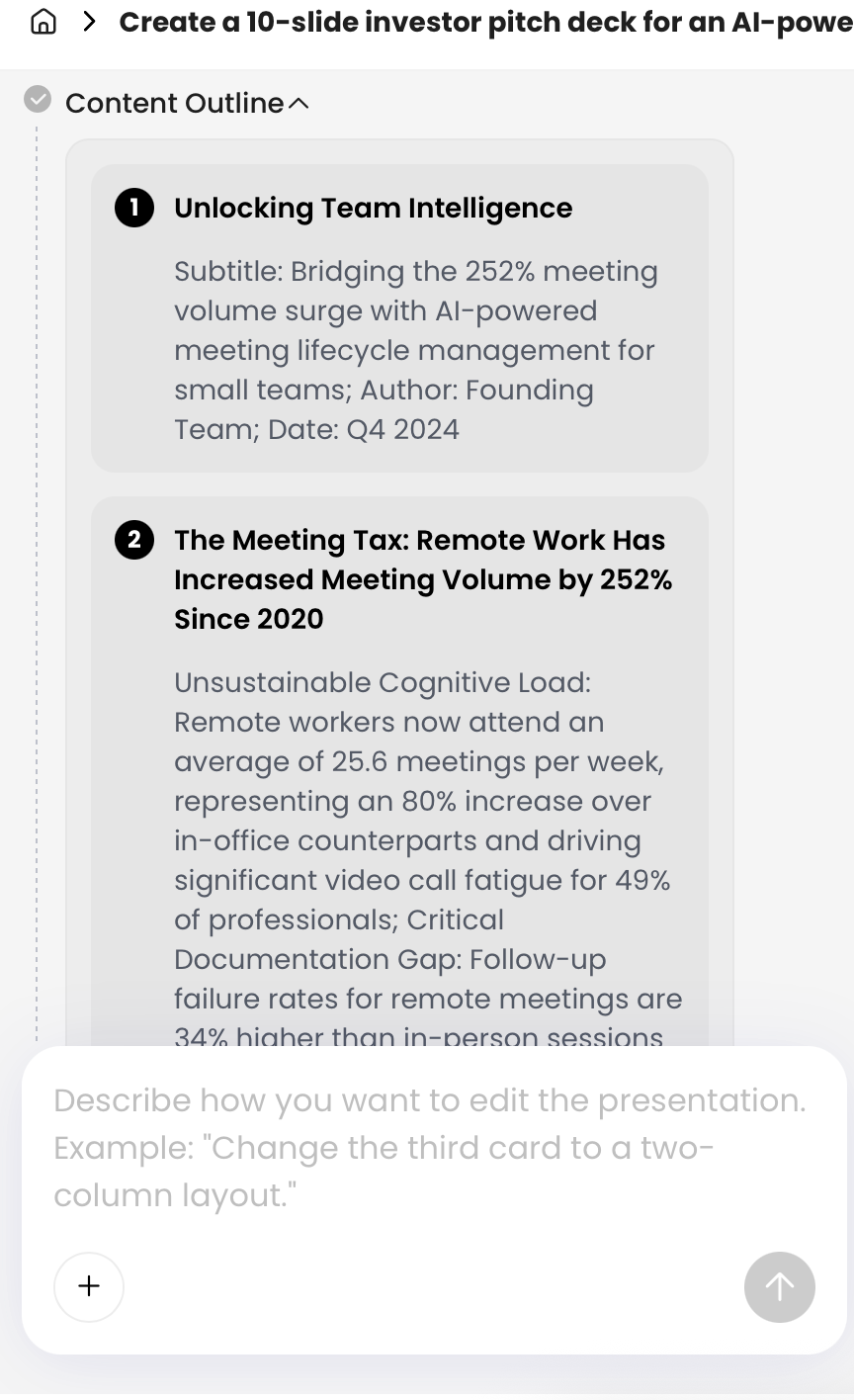
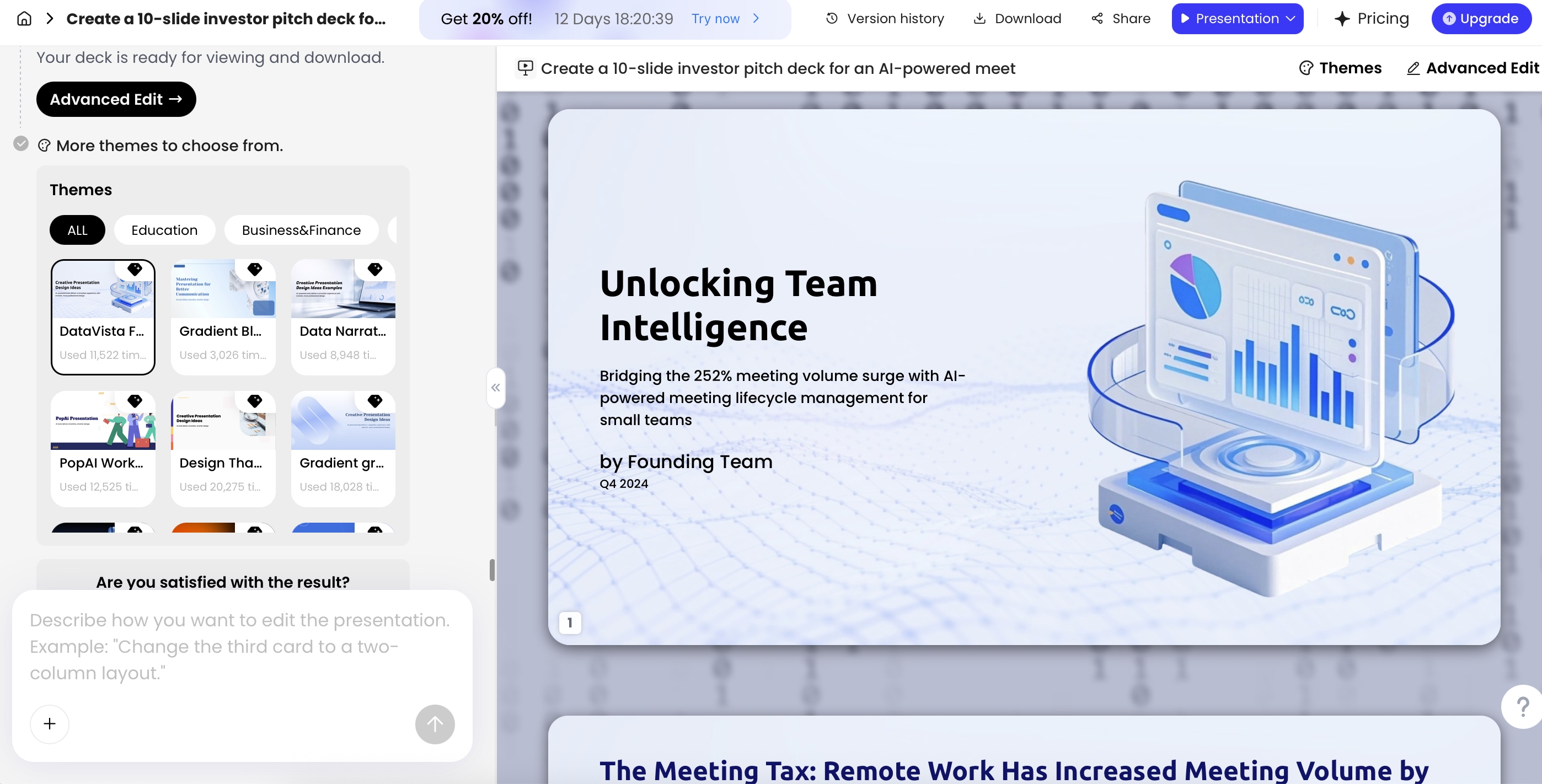
In PopAi, the generation flow can show content planning before slide creation, which is useful because outline errors are easier to fix before a full deck exists. In a test using a redacted nonprofit-style source packet, the tool grouped risk-register notes into a table with risk, severity, owner, and mitigation fields. That structure was helpful, but two risk descriptions needed human correction because the AI made the language sound more resolved than management’s notes supported.
Use board-deck editing rules
- Write insight-based slide titles: replace “Program Update” with “Completion rate exceeded target, but enrollment growth is straining staff capacity.”
- State the requested action: every decision slide should say whether the board is being asked to discuss, approve, authorize, accept, or vote.
- Explain financial variance: show budget versus actual, the reason for variance, and management’s next step.
- Put detail in the appendix: move full dashboards, committee reports, lengthy grant tables, and raw chart data out of the live deck.
- Preserve source traceability: add speaker-note references or internal footnotes so staff can trace every number and claim back to an approved source.
- Avoid AI polish that hides risk: do not let phrases such as “temporary challenge” replace a real liquidity, staffing, compliance, or service-delivery concern.
Verification workflow before sending to the board
| Review area | Responsible reviewer | What to check | Evidence source |
|---|---|---|---|
| Executive summary | CEO / executive director | Main messages, tone, recommendations, open issues | CEO memo, agenda, decision log |
| Financial slides | CFO / finance director / treasurer | Numbers, variance explanations, reserves, restricted-fund language | Approved financial package, budget, forecast |
| Program slides | Program director | Outcome claims, targets, service counts, constraints | Program dashboard, evaluation report |
| Fundraising slides | Development director | Pipeline totals, donor confidentiality, pledge status, board asks | Redacted CRM summary, campaign report |
| Risk and compliance | CEO / COO / counsel if needed | Risk severity, mitigation, legal sensitivity, grant compliance | Risk register, compliance calendar, counsel-approved notes |
| Governance framing | Board chair / committee chair | Decision sequence, motion wording, executive session items | Board agenda, bylaws, committee recommendations |
| Final packet | Board secretary / operations lead | Version date, appendix, file format, accessibility, distribution list | Final PDF/PPTX, board portal record |
Check export, accessibility, and packet readiness
- Numbers: reconcile every financial, fundraising, and program metric against the approved source.
- Claims: remove unsupported phrases such as “transformational,” “proven,” or “best-in-class” unless evidence is included.
- Confidentiality: redact donor names, client stories, HR issues, legal matters, and sensitive negotiations unless approved for board distribution.
- Governance language: state whether the slide is for information, discussion, consent, or vote.
- Speaker notes: include context the presenter needs, but avoid adding sensitive details that should not appear in the distributed packet.
- Accessibility: use readable fonts, high contrast, alt text for meaningful visuals, and clear chart labels.
- Export readiness: export to PPTX or PDF, then open the file in the tool your board actually uses.
PopAi supports PPTX and PDF export, and current testing shows exported PPTX files can open in Microsoft PowerPoint with editable text objects. Still, do a final formatting pass in PowerPoint, Google Slides, Keynote, or your board portal preview because no AI workflow should be treated as a guaranteed no-loss conversion.
Practical workflow: Generate a first draft, shorten dense slides, assign slide reviewers, verify source traceability, export to the board’s preferred format, and only then distribute the packet as a reviewed draft or final board material.
Privacy, Governance, and Board Trust
For nonprofit board materials, confidentiality and fiduciary responsibility matter more than speed.
Nonprofits handle sensitive information: donor intent, grant restrictions, client stories, personnel matters, legal issues, strategic partnerships, and sometimes health, youth, immigration, domestic violence, or housing data. Before using any AI tool, create a simple internal standard for what can be uploaded, who approves it, how output is reviewed, and whether AI-assisted drafts are retained in official records.
Use a data classification table
| Material type | Upload allowed? | Required redaction | Reviewer |
|---|---|---|---|
| Public annual report, published impact summary, approved program description | Usually yes | Confirm no outdated or unpublished claims | Communications / CEO |
| Internal budget summary and variance notes | Yes, if summarized and approved | Remove bank details, payroll detail, vendor-sensitive terms | CFO / treasurer |
| Donor pipeline or campaign report | Only after aggregation | Remove donor names, ask amounts, pledge restrictions, private notes | Development director |
| Client stories or program case notes | Only with documented consent and anonymization | Remove names, locations, dates, health/legal details, identifying facts | Program lead / privacy owner |
| HR, legal advice, investigation records, merger negotiations | No, unless counsel explicitly approves a sanitized summary | Do not upload underlying documents | CEO / counsel / board chair |
| Bank details, Social Security numbers, medical records, youth records, immigration files | No | Never upload | Not applicable |
Create a one-page AI governance SOP
- Purpose: AI may assist with drafting, summarizing, formatting, and versioning board materials.
- Approved tools: list tools staff may use and who administers access.
- Data classification: define public, internal, sensitive, and prohibited data.
- Redaction rules: specify how donor, client, HR, legal, financial, and grant information must be anonymized.
- Approval roles: name who approves finance, program, fundraising, risk, and decision content.
- Vendor questions: document whether uploaded content is used for model training, how long data is retained, where it is stored, and who can access it.
- Retention: decide whether AI drafts are deleted, stored as working papers, or included in official records.
- Incident response: define what staff should do if sensitive information is uploaded by mistake.
- Board disclosure: decide whether board materials should note that AI assisted with drafting while staff verified content.
AI should help prepare the board conversation; it should not become the official record, the source of truth, or the final authority on governance recommendations.
Assign final ownership
Ownership should be explicit. Finance verifies financial statements and variance notes. Development verifies donor and campaign information. Program leads verify impact and service data. The executive director or CEO approves recommendations. The board chair confirms whether decision slides are framed appropriately for governance discussion. Counsel should review legal, employment, merger, real estate, regulatory, or highly sensitive risk language before it appears in a distributed deck.
Adapt One AI Deck for Board, Donors, and Grants
Reuse the verified source material, but do not reuse the same governance message for every audience.
One advantage of an AI-assisted workflow is versioning. After you create the board deck, you can reuse the verified source material for donor, grant, or partner presentations—but the emphasis must change. A board deck is about oversight and decision-making. A donor deck is about urgency, credibility, outcomes, and a specific gift opportunity. A grant presentation is about alignment with funder priorities, measurable outcomes, budget rationale, compliance, and implementation capacity.
How to repurpose responsibly
- Board version: include risks, tradeoffs, financial variance, restricted funds, and decisions needed.
- Donor version: humanize the problem, show a theory of change, emphasize outcomes, and include a clear ask.
- Grant version: align with funder criteria, show evidence, budget logic, evaluation plan, deliverables, and sustainability.
- Partner version: highlight shared objectives, roles, timeline, and mutual value.
Before-and-after versioning example
Board slide: “Program expansion is delayed because two case-manager roles remain vacant and transportation costs are 18% above budget. Management recommends approving a smaller pilot expansion while pursuing restricted funding for transportation.”
Donor slide: “Additional transportation and staffing support will help us serve 80 more participants while maintaining completion quality. A gift of $35,000 closes the pilot funding gap.”
Grant slide: “The implementation plan includes two case-manager hires, transportation assistance, quarterly outcome tracking, and budget controls to maintain cost per participant within the proposed grant range.”
Do not simply remove confidential slides and call it a donor deck. Ask AI to change the audience, tone, and slide purpose. Then re-check the message. Remove internal risk owners, donor names, ask amounts, unapproved forecasts, personnel issues, and board-only strategy. Reconfirm permissions for stories, photos, quotes, and outcome claims before using them externally.
Common Mistakes When Using AI for Board Presentations
Most weak AI board decks fail in one of two ways: the AI invents confidence, or the deck forgets the board’s governance role.
AI-specific mistakes
- Asking for a generic “nonprofit board presentation”: without source material, AI usually produces polished but vague slides.
- Letting AI invent numbers or benchmarks: do not include sector ratios, peer comparisons, or “industry standards” unless you have source support and context.
- Accepting unsupported causal claims: “our mentoring program increased graduation rates” needs evidence; otherwise use careful language such as “participants reported” or “completion rates increased.”
- Uploading confidential records: raw donor exports, client case notes, personnel files, legal advice, and bank details should not be used as AI inputs.
- Losing source traceability: if staff cannot identify where a number came from, it should not appear in the board deck.
- Failing to check exported formatting: charts, tables, icons, and text boxes may shift when moved between tools.
Board-communication mistakes
- Too much narrative, not enough decision clarity: every board deck should identify what directors are being asked to do.
- No variance interpretation: showing budget versus actual without explaining timing, structural change, or management response leaves directors guessing.
- No pre-read version: a live presentation and a board packet are different artifacts. Create a concise meeting deck and a more detailed appendix.
- Overdesigned charts: board members need readable variance, trend, and risk views—not decorative complexity.
- No risk ownership: a risk slide should identify owner, mitigation, status, and whether board action is needed.
- Ignoring accessibility: small fonts, low-contrast colors, unlabeled charts, and image-only PDFs make governance harder.
AI gives your team a faster first draft, but leadership judgment turns that draft into reliable board communication. A board-ready AI-assisted deck should meet four tests before distribution: every material claim is traceable, every sensitive detail is handled intentionally, every decision slide states the requested action, and every director can understand what changed and why it matters.
FAQ: Nonprofit Board Presentations with AI
Can AI turn our annual report or old board deck into a new presentation?
Yes. A presentation AI can summarize annual reports, budgets, evaluation reports, Word documents, PDFs, and prior PPTX files into a new outline and slide draft. Your team should still verify every number, attribution, and recommendation before distribution.
How many slides should a nonprofit board presentation include?
Most quarterly nonprofit board presentations work best at 10 to 15 slides, with appendices for detail. A shorter pre-read can cover the executive summary, financial health, program impact, fundraising, risks, and decisions needed.
What information should we avoid uploading to an AI tool?
Avoid uploading unredacted donor records, client case notes, personnel matters, legal documents, bank details, confidential merger discussions, and any data restricted by policy or law. Use anonymized summaries where possible.
Can AI help create board decision slides?
Yes. AI is useful for structuring decision slides with background, options, risks, financial impact, management recommendation, and the exact vote requested. Leadership should own the final recommendation and governance wording.
Create your presentation with one click now
Turn reports, strategy notes, and impact data into a polished presentation draft you can refine, export, and share.
Start with PopAi AI Presentation