How to Create Crisis Communication Presentations with AI
If you lead communications, PR, operations, HR, cybersecurity response, or executive briefings, AI can help turn scattered crisis updates into a usable presentation fast. The risk is that speed can also amplify weak facts, legal exposure, or tone-deaf wording. Treat AI as a drafting and organizing layer, not as the source of truth.
Imagine a SaaS outage detected at 9:40 a.m. By 10:30, leadership wants a briefing; customer support needs approved language; managers are asking what employees can say publicly; legal is still reviewing cause and liability. This guide focuses on that practical gap: building an approval-ready crisis deck from raw incident material, while keeping confidential data, unverified claims, and sensitive decisions under human control.
You will learn how to create a facts pack, prompt AI safely, generate stakeholder-specific slides, review outputs, keep records, and run drills. The workflow applies to service outages, cyber incidents, product recalls, employee safety events, layoffs, public allegations, natural disasters, and regulatory issues.
Why Crisis Communication Presentations with AI Need Human Judgment
Use AI for structure and speed; keep accountability with people. Crisis communication depends on verified facts, legal judgment, operational reality, and empathy for affected audiences.
In a crisis, your presentation is more than a deck. It becomes the shared operating picture for executives, spokespeople, internal teams, customer support, legal, regulators, and sometimes the media. A polished slide with wrong facts can create a second crisis. A generic apology can look evasive. A beautiful timeline that omits what is still unknown can damage credibility.
Use AI as the response room’s organizer, not as the organization’s conscience.
Practice note: Crisis frameworks such as CDC Crisis and Emergency Risk Communication, FEMA emergency communication guidance, ISO 22361 crisis management guidance, and NIST SP 800-61 incident response guidance all emphasize rapid assessment, coordinated messaging, and disciplined updates. They do not require perfect certainty before communicating—but they do require clarity about what is confirmed, what is unknown, and who is responsible for the next action.
The safest framing is “AI-assisted, human-approved.” Let AI prepare the first structure, audience variants, and visual options. Then require review from the crisis lead, the fact owner, legal or compliance when needed, and the final spokesperson. This is especially important for incidents involving injuries, layoffs, cybersecurity, discrimination, product safety, public health, environmental harm, or regulatory exposure.
What AI should not decide in a crisis deck
- Admission of fault: never let AI imply liability, negligence, breach, or causation unless approved by legal and leadership.
- Compensation or remedies: refunds, credits, medical support, replacement products, or employee benefits need policy approval.
- Cause attribution: “human error,” “vendor failure,” “cyberattack,” or “safety violation” should remain under investigation until verified.
- Regulatory commitments: reporting timelines, disclosure obligations, recall language, and evidence preservation require compliance review.
- Medical, safety, or legal advice: use approved instructions from qualified internal or external experts.
- Disciplinary action: employee investigations, misconduct allegations, and HR decisions should not be drafted from incomplete facts.
Practical rule: AI can help you say approved facts clearly. It should not decide what your organization accepts responsibility for, what it promises, or what it discloses externally.
Build the Crisis Facts Pack Before You Generate Slides
A crisis deck is only as reliable as the evidence behind it. Before using any AI presentation workflow, build a short facts pack that separates verified facts, assumptions, open questions, and restricted material.
Start with a one-page incident brief. Include the date and time discovered, what happened, who is affected, what is known, what is unknown, immediate actions taken, owners, next decision points, and current risks. Add source links or filenames so reviewers can trace claims. If you have multiple updates, label each by time zone, version, and “last verified” timestamp.
Minimum facts pack for an AI-assisted crisis deck
- Incident summary: one factual paragraph with no blame language unless approved.
- Source of truth owner: the person or function responsible for updating the facts pack.
- Version control: version number, time zone, “last verified by,” and next scheduled update.
- Impact table: affected audiences, severity, geography, systems, products, services, or facilities.
- Stakeholder list: employees, customers, partners, regulators, media, investors, community groups, suppliers, and local authorities.
- Approved facts: what can be stated publicly, internally, or to specific stakeholder groups right now.
- Known unknowns: questions under investigation, missing data, unresolved scope, and decision deadlines.
- Restricted items: personal data, health information, security indicators, privileged legal analysis, internal investigation notes, and unverified allegations.
- Rumor log: misinformation, social posts, employee questions, media claims, and whether each has been corrected or escalated.
- Decision log: who approved what, when, for which audience, and through which channel.
Safe AI use: redaction and privilege controls
Before uploading source material to any AI tool, remove or mask information that should not leave controlled systems. In practice, that means replacing names with roles, trimming personal identifiers, summarizing privileged legal advice as “legal review pending,” and keeping forensic details from a cyber incident in the incident-response system rather than the presentation prompt.
- Redact: names, email addresses, phone numbers, customer IDs, patient data, personnel files, security credentials, IP addresses, vulnerability details, and investigation notes.
- Check vendor policy: understand data retention, model-training use, sharing permissions, access controls, and deletion options before uploading crisis documents.
- Preserve privilege: do not paste attorney-client legal advice into a general AI prompt. Keep privileged language in legal workspaces and add only approved conclusions to the deck.
- Limit access: use secure links, expiration settings, watermarked PDFs, or controlled PPTX distribution for sensitive crisis decks.
- Archive responsibly: prompts, drafts, AI outputs, comments, and final slides may become part of the incident record. Save what your retention policy requires and avoid casual side drafts.
Worked example: For a data-security incident, the facts pack should not include raw log excerpts, exploit details, customer names, or counsel’s legal assessment. The AI-ready version might say: “Unauthorized access to a limited customer-support database is under investigation. Scope, affected records, and notification obligations are pending confirmation by Security, Privacy, and Legal. Approved external statement: investigation underway; customers do not need to take action at this time unless contacted directly.”
Operational insight: Crisis teams often lose time because a presentation mixes three jobs: situation awareness, decision-making, and message distribution. Separate those layers. The executive deck should support decisions; the media deck should explain approved facts; the employee deck should tell people what to do next. AI can generate all three, but only after you define the audience, permissions, and review path.
Use PopAi to Turn Source Material into a Crisis Deck
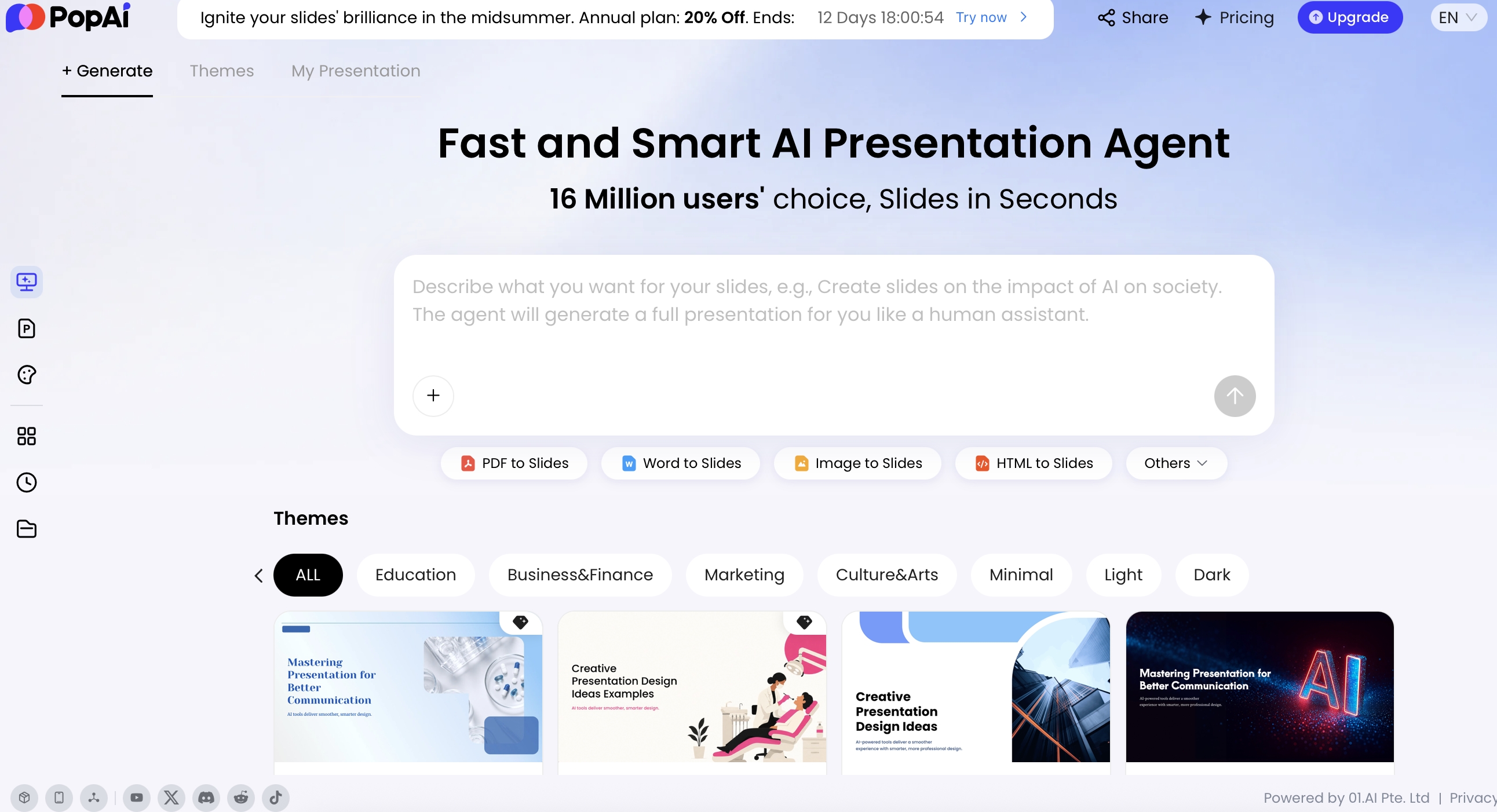
The best AI-to-slide workflow moves from controlled inputs to outline review to editable presentation. With PopAi AI Presentation, you can start from a prompt or bring in existing materials such as PDF, Word, HTML, text, PPTX, images, audio, video files, or a YouTube URL.
If your team is still choosing tooling, compare AI presentation makers against crisis-specific requirements: source ingestion, editable output, prompt control, export reliability, privacy settings, access control, and the ability to review an outline before slides are generated.
Input sources to prepare before generation
A useful workflow for crisis communication presentations with AI looks like this:
- Upload or paste sanitized source material: incident brief, approved statement, risk register, FAQ draft, call-center themes, leadership memo, or redacted status log.
- Prompt the audience and purpose: “Create a 10-slide internal crisis briefing for regional managers. Tone: calm, factual, action-oriented. Use only the supplied facts.”
- Review the AI’s content plan: check whether the outline separates confirmed facts, actions, owners, open questions, and unresolved risks.
- Generate slides: select a clean theme and avoid dramatic visuals, stock images of harm, or icons that trivialize the issue.
- Edit with natural language: ask the tool to shorten a slide, make the language more direct, remove speculation, or keep only the three most important actions.
- Use Advanced Edit: refine layout, theme, text, icons, charts, cards, and logic frames.
- Export or share: use PPTX or PDF when you need a controlled handoff, or share a restricted review link only when permissions are appropriate.
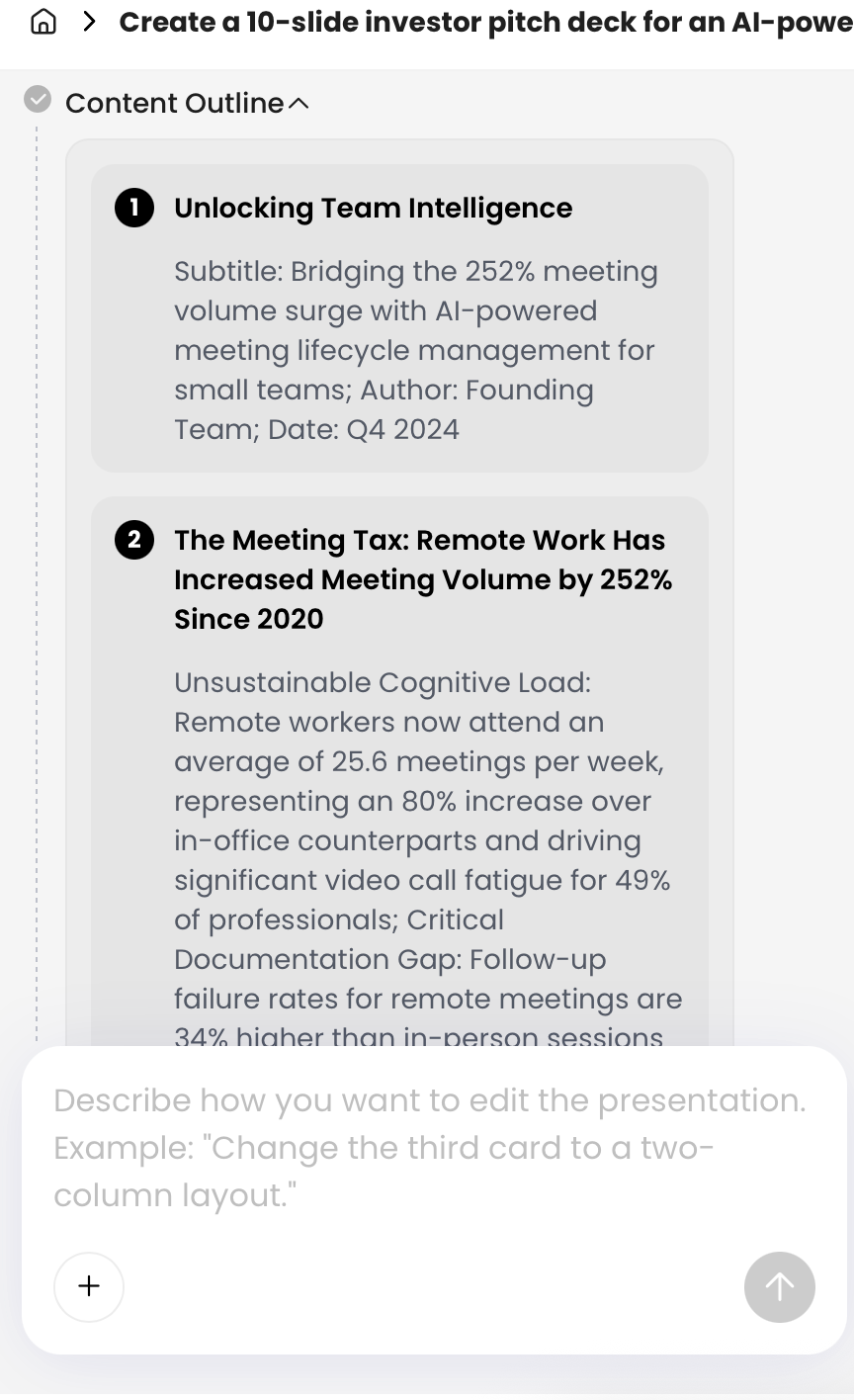
Outline review: the control point most teams skip
PopAi’s generation flow is useful for crisis teams because it shows the organizing step before a finished deck is produced. In a practical test using a sanitized outage brief, a draft customer FAQ, and a risk-register excerpt, the tool grouped the material into situation summary, impact, actions taken, stakeholder messages, and next-update slides. The useful part was the structure; the necessary human correction was tightening severity labels, removing an inferred root cause, and changing “resolved soon” to “next update at 1:00 p.m. ET.”
Product-use observation: In an HTML-to-slides test, the work was broken into content extraction, content planning, theme selection, and slide generation. In a risk-register test, source rows became a slide table with risk, severity, owner, and mitigation columns. That format is helpful for executive review, but reviewers still need to check whether severity ratings match the organization’s definitions and whether mitigation owners have accepted responsibility.
In a high-pressure briefing, the outline is the safety check. If the outline is wrong, the slides will confidently amplify the wrong story.
Limitations to check before you distribute
- Fact drift: compare every slide against the latest facts pack, not an older prompt or earlier draft.
- Speculative language: search for “likely,” “will,” “caused by,” “guarantee,” “safe,” “secure,” and “no impact.”
- Audience mismatch: confirm that employee instructions, customer promises, board risks, and regulator language are not mixed into the wrong deck.
- Formatting errors: manually check exported PPTX and PDF files, especially tables, charts, legal wording, footers, and confidentiality labels.
- Sharing controls: do not use open links for sensitive decks. Restrict access and archive the final version with the approval record.
A Slide-by-Slide Template for Crisis Communication Presentations with AI
Use a repeatable structure so every crisis deck answers the same core questions. The following template works for internal briefings, board updates, media-prep sessions, and regulator-facing summaries when adapted by audience.
Three slides that deserve extra control
- Situation summary: owner should be the incident lead or operations lead. Common mistake: turning assumptions into facts. Example wording: “Cause remains under investigation” instead of “The outage was caused by a vendor issue.”
- Message matrix: owner should be communications with legal, HR, safety, privacy, or compliance review as needed. Common mistake: approving a message for one audience and reusing it elsewhere without checking disclosure limits.
- Spokesperson Q&A: owner should be communications and the spokesperson. Common mistake: answering questions outside approved scope. Include “decline and escalate” language for legal, personnel, security, and regulator questions.
Sample message matrix fields
- Audience: customers using affected service.
- Likely concern: “Can I complete urgent work today?”
- Approved message: “The service is partially unavailable for some users. Our team has isolated the affected component and is working on restoration.”
- Proof point: incident detected at 9:40 a.m. ET; affected component isolated at 10:12 a.m. ET.
- Do not say: “Fully secure,” “no data impact,” “fixed soon,” or any unapproved cause.
- Channel and owner: status page and customer email; Customer Communications lead.
- Next update: 1:00 p.m. ET, even if there is no material change.
This structure beats a generic crisis plan because it is presentation-native. It gives each slide a decision role. Executives see what needs approval. Managers see what to say. Customer teams see the next action. Legal sees which claims need control. Media trainers see the questions that could expose gaps.
When prompting AI, specify the version you need. For example: “Create a board-level version with financial, operational, reputational, and regulatory risks,” or “Create a field manager version focused on employee instructions and customer escalation paths.” The same incident can require five decks, but the same facts must remain consistent across all of them.
Crisis Message Matrix for AI-Assisted Decks
Before generating audience-specific crisis slides, lock the approved message in a matrix. AI can help draft wording, but it must not replace the legal, PR, operations, or executive owner responsible for final judgment.
| Audience | Approved message | What not to say | Owner | Approval status |
|---|---|---|---|---|
| Employees | What is known, immediate safety or operational instructions, where updates will appear, and who can answer questions. | Do not speculate about blame, layoffs, compensation, or customer impact before approval. | HR + crisis lead | Approved / pending / expired |
| Customers or users | Impact summary, service status, workaround, next update time, and support channel. | Do not promise timelines, refunds, liability, or root cause unless confirmed. | Customer comms + legal | Approved / pending / expired |
| Media | Short holding statement, verified facts, spokesperson, and update cadence. | Do not use internal theories, privileged advice, or unreviewed technical details. | PR lead + legal | Approved / pending / expired |
| Regulators or public agencies | Required notification facts, timeline, affected scope, mitigation steps, and documentation contact. | Do not omit uncertainty or state assumptions as facts. | Legal / compliance | Approved / pending / expired |
| Board or executives | Verified facts, risk level, decision options, resources needed, and next approval point. | Do not hide open questions or overstate certainty to make the deck look complete. | Crisis owner + executive sponsor | Approved / pending / expired |
AI may draft, summarize, and organize crisis messages, but the final call must come from the accountable legal, PR, operations, or executive owner. A generated slide is not an approved statement.
Prompts and Examples for Audience-Specific Briefings
Good prompts tell AI the audience, permitted facts, prohibited claims, tone, and output format. In crisis communication, never ask only for “a crisis presentation.” Ask for a controlled deck with review checkpoints.
Prompt safety constraints to reuse
- Use only the supplied facts. Do not invent causes, numbers, timelines, quotes, owners, or commitments.
- Separate confirmed facts, assumptions, open questions, and items requiring review.
- If a fact is missing, mark it as unknown rather than filling the gap.
- Do not infer blame, liability, compensation, regulatory obligations, disciplinary action, or medical/safety advice.
- Flag claims that require legal, privacy, HR, safety, security, regulatory, or executive review.
- Include a final reviewer checklist and a list of statements that should not be used externally.
Copy-ready prompts
- Executive briefing: “Using only the facts below, create a 9-slide executive crisis briefing. Separate confirmed facts from assumptions. Include risk level, decision requests, stakeholder impact, next 24-hour timeline, and open questions. Tone: concise, factual, no speculation. Add a reviewer checklist.”
- Employee town hall: “Create a 7-slide employee update for managers to present today. Focus on what happened, what employees should do, what not to share externally, where to send questions, and when the next update will arrive. Do not include unapproved cause, blame, or disciplinary language.”
- Media prep: “Draft spokesperson talking points and a Q&A slide. Include three bridge statements, five likely hostile questions, approved responses based only on verified facts, and three questions that should be declined and escalated.”
- Customer update: “Create a customer-facing presentation explaining service impact, immediate remediation, support options, and expected restoration timeline. Avoid internal jargon and do not mention unapproved causes, guarantees, or compensation.”
- Regulator briefing: “Create a formal briefing deck that documents timeline, controls activated, evidence being preserved, affected scope, reporting obligations under review, and next compliance milestones. Flag every claim requiring legal or compliance approval.”
- Cyber incident: “Create a sanitized leadership deck from the following incident update. Do not include indicators of compromise, exploit details, customer identifiers, or attorney-client legal analysis. Use placeholders where sensitive information has been removed.”
- Product recall: “Create a product-safety briefing. Separate confirmed defect information, affected batches, customer actions, regulatory notifications under review, and prohibited wording. Include a slide for frontline teams explaining exactly what to say and what not to say.”
Before and after: making AI language more useful
Raw AI-style statement: “We regret any inconvenience caused and are working diligently to resolve the issue.”
Human-reviewed crisis wording: “We know customers are relying on this service today, and we understand the disruption is frustrating. Our technical team identified the issue at 9:40 a.m. ET, isolated the affected system, and will share the next update by 1:00 p.m. ET.”
Raw data-breach wording: “We take security seriously and have implemented strong measures to protect users.”
Human-reviewed data-breach wording: “We are investigating unauthorized access to a customer-support database. At this stage, we have not confirmed the full scope or notification requirements. We have engaged our security, privacy, and legal teams and will contact affected customers directly if action is required.”
Raw employee-safety wording: “An unfortunate workplace incident occurred, and we are reviewing the matter.”
Human-reviewed employee-safety wording: “An employee was injured at our Dallas facility at approximately 8:20 a.m. CT. Emergency services responded, and the area has been secured while our safety team investigates. Employees at the site should follow supervisor instructions and use the posted support line for questions.”
The improved versions are not longer for decoration; they are more trustworthy because they name the affected audience, add verified details, state what action is underway, preserve unknowns, and provide a next step. AI can help generate alternatives, but human reviewers should add the concrete details that prove attention and accountability.
Tone guidance: Emergency communication guidance, including CDC CERC principles, emphasizes speed, accuracy, credibility, empathy, and action. In urgent safety situations, use plain, authoritative instructions. In victim-centered or employee-impact crises, add empathy without overpromising or using performative language. Avoid emojis, jokes, dramatic imagery, and “brand voice” flourishes that make the organization look distracted from harm.
Visual Design, Approval Workflows, and Records
Crisis slides should reduce cognitive load and make decisions traceable. Avoid decorative complexity and use visuals that clarify responsibility, sequence, severity, and approvals.
Visuals that reduce confusion
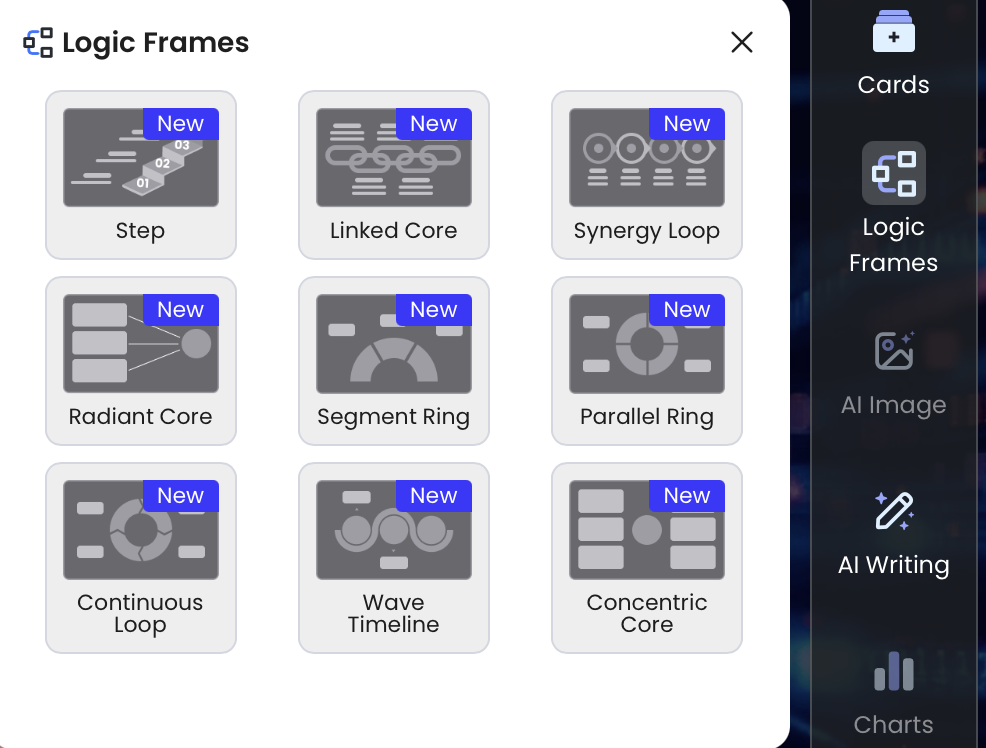
Recommended visuals include status-light dashboards, incident timelines, RACI-style responsibility matrices, stakeholder maps, geographic impact maps, message matrices, escalation trees, and action checklists. In PopAi’s Advanced Edit environment, tools such as Cards, Charts, Icons, AI Writing, and Logic Frames can help turn dense crisis information into structured slides that people can read quickly.
- Status lights: define red, yellow, and green thresholds on the slide; do not use color alone to communicate risk.
- Timelines: include source timestamps and time zones. Mark estimated times as estimates.
- Maps: avoid showing precise locations if they could identify affected individuals, facilities, or sensitive operations.
- Charts: label confidence level and data source. Do not chart partial data as if it is final.
- Imagery: avoid stock photos of injured people, disasters, hackers, crying employees, or symbolic flames unless there is a clear operational reason.
- Accessibility: use readable font sizes, alt text where supported, captions for town halls, and color-blind-safe indicators.
- Confidentiality: add classification, version number, owner, and “last verified” timestamp to every slide footer.
Approval workflow slide
Include a slide that shows who can approve internal updates, customer notices, media statements, executive talking points, regulator communications, and social posts. This slide prevents a common crisis failure: teams publishing different versions of the truth because the approval path is unclear.
- Draft owner: communications or incident lead.
- Fact verifier: operations, security, product, HR, safety, or site owner.
- Risk reviewer: legal, compliance, privacy, regulatory, finance, or employee relations lead.
- Final approver: executive sponsor, delegated crisis lead, or incident commander.
- Publisher: channel owner for email, website, status page, intranet, media statement, SMS, social, or town hall.
- Monitor: social listening, customer support, employee relations, media relations, or community affairs owner.
- Archive owner: person responsible for version history, evidence retention, and final records.
Review triggers before publication
- Legal review: blame, liability, settlements, contract commitments, litigation, investigations, or subpoenas.
- Privacy review: personal data, customer records, breach notification, health information, or employee identifiers.
- HR review: layoffs, misconduct, discrimination, workplace injury, employee death, or labor relations.
- Safety review: product hazards, public health, facility incidents, environmental releases, or instructions that affect physical safety.
- Regulatory review: recall language, filings, reporting deadlines, financial disclosures, or government notifications.
- Security review: cyber indicators, attack methods, vulnerability details, recovery claims, or evidence preservation.
Records matter: AI-generated crisis content needs documentation because regulators, lawyers, executives, insurers, auditors, or investigators may later ask who approved a message and what facts were available at the time. Save the sanitized prompt, source files used, generated outline, human edits, approval comments, final PDF or PPTX, distribution timestamp, and any corrections issued. This turns AI from an undocumented shortcut into a controlled drafting layer.
When exporting, use formats that fit the workflow. PopAi supports exporting to PPTX and PDF; in current testing, exported PPTX files could be opened in Microsoft PowerPoint with editable text objects. Still, crisis teams should check formatting and content manually before distribution, especially when legal wording, tables, charts, or confidentiality labels are involved.
Metrics and Drills: Keep the AI Crisis Deck Ready
A crisis presentation is not finished when the slides look good. It is finished when the team can use it under pressure, defend its facts, and improve it after the incident.
Metrics that actually show readiness
- Time to first briefing: minutes from incident detection to first internal leadership deck.
- Time to approved update: minutes from draft completion to stakeholder-ready message.
- Fact accuracy rate: number of slide claims corrected during review divided by total factual claims.
- Message inconsistency count: conflicts found across executive, employee, customer, media, and regulator versions.
- Unknowns visibility: whether open questions are clearly labeled instead of hidden or guessed.
- Misinformation response time: time from rumor detection to approved correction or escalation.
- Employee comprehension: pulse-check results after manager briefings or town halls.
- Q&A coverage: percentage of high-risk questions with approved answer, bridge, or escalation path.
- Accessibility completion: captions, readable charts, translated versions, and local-review signoff where needed.
45-minute tabletop drill
Run tabletop exercises before a real emergency. Give the team a realistic scenario, a packet of messy facts, and a deadline to produce an executive deck, employee update, and media Q&A.
- Minutes 0–5: assign roles: crisis lead, comms lead, fact owner, legal/privacy reviewer, channel owner, and archive owner.
- Minutes 5–15: build a sanitized facts pack from messy inputs and label confirmed, unknown, restricted, and rumor items.
- Minutes 15–25: generate an AI-assisted outline and reject or revise anything speculative.
- Minutes 25–35: create slides for leadership, employees, and media prep using the same approved facts.
- Minutes 35–42: run approval review and check for legal, privacy, HR, safety, regulatory, and security triggers.
- Minutes 42–45: export final drafts, log decisions, and identify what would be distributed first.
Post-drill scoring rubric
- 5 = Ready: facts traceable, unknowns visible, no invented claims, approval path clear, audience decks consistent.
- 4 = Usable with minor fixes: structure strong, but some language needs tightening or ownership needs clarification.
- 3 = Risky: AI output is useful, but reviewers caught speculation, unclear permissions, or inconsistent stakeholder messages.
- 2 = Not ready: sensitive data entered into the tool, unapproved promises included, or deck cannot be traced to sources.
- 1 = Failure mode: wrong facts, wrong audience, missing legal review, or final slides create additional reputational or safety risk.
Common drill findings: Teams often discover that AI creates confident timelines from incomplete logs, turns “under review” into “confirmed,” or writes customer language that sounds polished but lacks a next action. The fix is usually not a better theme; it is a tighter facts pack, safer prompts, clearer approval authority, and a shared message matrix.
For multilingual and culturally sensitive communication, use AI to create draft variants, but involve local reviewers. Emergency and disaster communication research consistently emphasizes trusted messengers, plain language, cultural relevance, and accessibility. For presentations, that means reviewing language level, examples, imagery, captions, translation accuracy, local legal constraints, and expectations around authority, apology, and responsibility.
The best crisis deck is not the one with the most slides. It is the one that helps the right people make the next safe, truthful decision.
Finally, update the deck after each incident or simulation. Replace assumptions with confirmed lessons, refine prompt templates, remove slides no one used, improve the approval matrix, and add examples from your own organization. AI can accelerate the next version, but your team’s evidence, judgment, and after-action learning are what make the playbook credible.
FAQ
How can AI help create a crisis communication presentation?
AI can summarize source material, organize a response storyline, draft audience-specific messages, suggest slide structures, and help convert documents into a presentation. Human review is still required for facts, empathy, legal approval, and final judgment.
What slides should be included in a crisis communication plan presentation?
A practical deck should include the incident summary, impact assessment, stakeholder map, message matrix, response timeline, approval workflow, channel plan, spokesperson talking points, anticipated Q&A, and follow-up metrics.
Can AI write crisis statements safely?
AI can create first drafts, alternatives, and summaries, but it should not publish crisis statements without review by communications leaders, legal counsel, subject-matter experts, and executives when appropriate.
When should AI not be used in crisis communication?
Avoid relying on AI alone for statements involving fatalities, injuries, apologies, ethical failures, employee harm, regulatory admissions, or communities with high cultural sensitivity. Use AI for organization and drafting, not moral judgment.
How do you keep AI-generated crisis messages empathetic?
Add verified specifics, remove generic sympathy, name the affected audience, explain what is known and unknown, state immediate actions, and have a human spokesperson refine the language before release.
Create your presentation with one click now
Turn your crisis brief, risk register, or stakeholder update into a structured, editable presentation built for fast review.
Start with PopAi