Retail Presentation AI: Create Sales and Strategy Decks
July 14, 2026
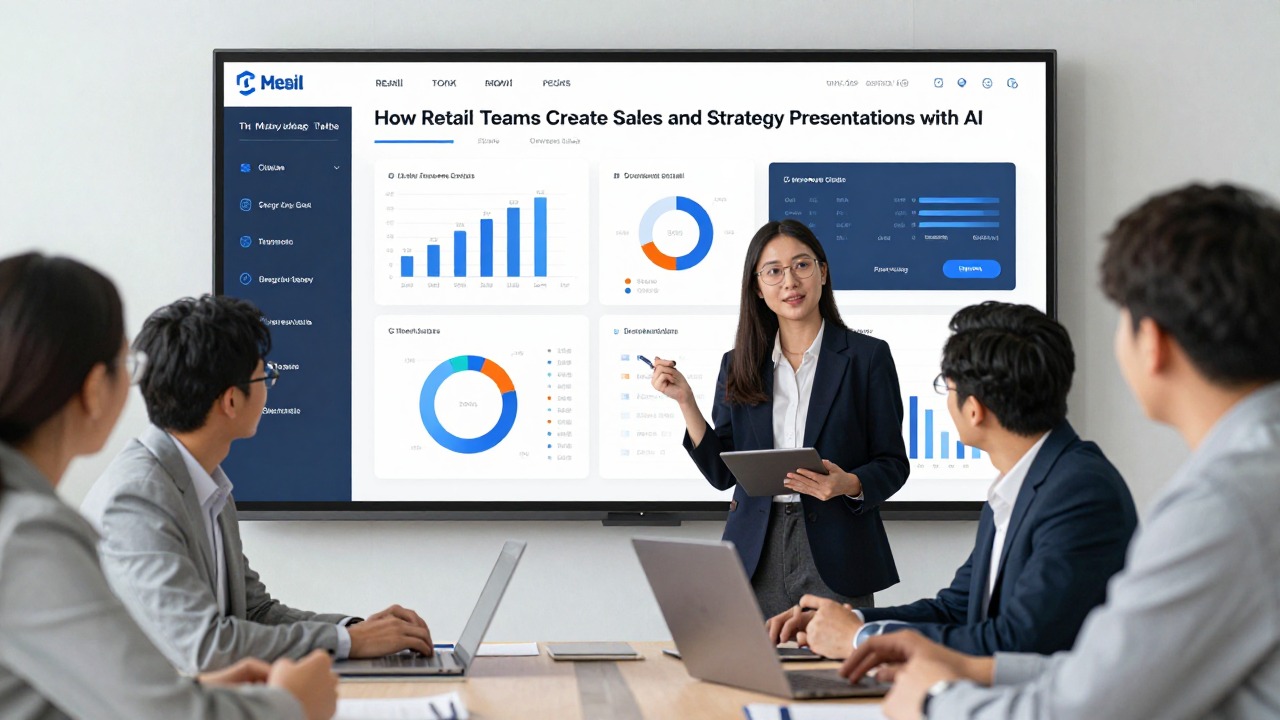
Retail teams usually have enough material for a strong presentation: POS summaries, sell-through notes, inventory updates, store feedback, campaign results, and product plans. The hard part is turning scattered inputs into a clear deck before the next sales review, buyer meeting, launch checkpoint, or leadership update.
AI can help create retail presentations faster by structuring the storyline, summarizing messy notes, drafting slide copy, and organizing recommendations. It should not replace category judgment, data validation, brand standards, or local market knowledge. The best workflow is to let AI build the first editable version, then have the retail team verify the numbers, sharpen the recommendation, and tailor the message to the audience.
This guide shows practical retail workflows for sales, merchandising, store operations, and strategy decks, including prompt examples, template selection criteria, review checklists, and realistic ways to use PopAi AI Presentation when you need to move from raw inputs to a professional presentation draft.
When you are ready to turn the workflow into slides, PopAi AI Presentation can help transform rough notes, documents, or prompts into an editable deck structure.
Where Retail Presentation AI Actually Helps
This section explains the retail scenarios where AI can reduce deck-building friction without replacing business judgment.
Retail teams often do not suffer from a lack of information. They suffer from too many inputs arriving in different formats: spreadsheets from sales operations, emails from store managers, notes from merchandising meetings, inventory comments from planning teams, and last-minute requests from leadership. A presentation has to turn that information into a sequence of decisions: what happened, why it happened, what risk or opportunity matters, and what the team should do next.
Retail presentation AI refers to tools that help convert prompts, documents, reports, meeting notes, and rough ideas into slide outlines, narratives, summaries, and editable decks. An AI PPT maker can help you get past the blank page, choose a structure, draft concise slide titles, and create a first pass at speaker notes. It is most useful when the team already has source material but needs a clearer storyline and faster formatting.
- Weekly sales update: summarize current performance, call out category changes, and identify short-term actions for store or channel teams.
- Quarterly business review: organize sales, margin, traffic, conversion, inventory, promotion, and customer insights into an executive-ready story.
- Store performance recap: compare locations or regions, highlight store-level exceptions, and connect operational issues to recommended action.
- Merchandising strategy: present assortment choices, space allocation, product hierarchy, inventory risks, and customer behavior themes.
- Product launch presentation: explain launch objectives, target customer, product story, channel plan, promotion calendar, and readiness tasks.
- Promotion review: summarize campaign setup, performance signals, markdown or margin implications, and learnings for the next event.
- Vendor or buyer presentation: turn product updates, category facts, and commercial recommendations into a persuasive external-facing deck.
- Regional operations update: align field teams on priorities, labor or service issues, stock availability, compliance gaps, and next steps.
- Executive strategy deck: structure a higher-level recommendation around growth opportunities, risks, investment choices, and trade-offs.
The key is to assign AI the right role. AI is good at structure, summarization, first-draft wording, pattern organization, and slide sequencing. It is not the final owner of commercial truth. It may summarize the wrong data point, overstate a trend, or make a recommendation that sounds polished but ignores stock constraints, supplier timing, store labor, pricing rules, or brand strategy.
Use AI to accelerate the first draft, not to outsource the retail decision.
For example, a category manager preparing a footwear performance update can ask AI to create a 10-slide structure covering sales by category, key stores, inventory risks, campaign impact, customer themes, and recommended actions. The AI can propose the deck flow and draft slide titles. The category manager still needs to check sell-through, confirm product names, decide whether the issue is demand, allocation, pricing, or execution, and make the final recommendation.
Before using AI, write one sentence that states the business decision the deck must support. If the decision is unclear, the deck will become a polished summary instead of a useful retail presentation.
Retail Review Example: KPIs to Slides
Retail presentations become useful when AI starts from real business inputs: sales, traffic, conversion, inventory, promotion results, and margin. Give the AI the numbers, then ask it to turn them into a decision story.
| Retail metric | Example input | Slide interpretation | Prompt to use |
|---|---|---|---|
| Sales | Revenue +8% WoW; units flat | Price or mix improved, but volume did not. | “Create one sales performance slide. Separate revenue growth from unit growth and flag what needs explanation.” |
| Store / site traffic | Footfall -5%; web sessions +14% | Demand may be shifting channels. | “Turn traffic changes into a channel comparison slide with one takeaway.” |
| Conversion rate | Online conversion 2.1% → 2.6% | Checkout or campaign quality improved. | “Explain conversion change without claiming causation unless evidence is provided.” |
| Average order value | AOV +11% after bundle promo | Bundles may be increasing basket size. | “Create a promo impact slide with AOV, conversion, and margin caveats.” |
| Inventory | Top SKU stockout rate 9% | Lost sales risk or forecasting issue. | “Build an inventory risk slide showing stockouts, slow movers, and replenishment actions.” |
| Campaign result | Email campaign ROAS 3.2x; paid social 1.1x | Budget should be reviewed by channel. | “Create a campaign performance slide with recommendation options, not a single unsupported conclusion.” |
| Margin | Gross margin -2.4 pts | Discounting or cost pressure may be offsetting sales. | “Create an executive slide that balances revenue growth against margin decline.” |
Retail Deck Structure
- Executive summary: what changed and why it matters.
- Sales and traffic: channel-level performance.
- Conversion and basket size: what improved or deteriorated.
- Inventory and availability: stockouts, slow movers, risk items.
- Campaign and promotion results: spend, lift, margin tradeoff.
- Recommended actions: pricing, replenishment, merchandising, media allocation.
A Practical Workflow: From Retail Inputs to an Editable Deck
This workflow shows how retail teams can move from sales data and notes to a polished presentation draft step by step.
A reliable AI presentation workflow starts before you open the tool. The quality of the deck depends on the clarity of the inputs. If you provide scattered data without context, AI may produce a deck that looks complete but does not answer the real retail question. If you provide a focused brief, the output is easier to review and refine.
- Gather inputs: collect POS summaries, sell-through notes, inventory updates, campaign briefs, store manager feedback, customer themes, product assortment notes, meeting minutes, and any leadership questions already raised.
- Define the audience and decision: specify whether the deck is for regional managers, buyers, executives, store leaders, marketing teams, vendors, or cross-functional partners.
- Create a focused prompt: tell the AI the deck type, time period, source material, required slide count, tone, audience, key metrics, and decision needed.
- Generate the outline: ask for a clear slide-by-slide structure before generating the full deck, so you can catch missing sections early.
- Review the storyline: check whether the deck moves from context to evidence to drivers to risks to recommendation.
- Add or verify data: insert approved sales numbers, category data, inventory positions, store labels, campaign dates, and product names.
- Refine visuals: choose chart types, simplify dashboards, add screenshots or product visuals, and ensure each visual supports the slide message.
- Prepare speaker notes: add context for trade-offs, assumptions, constraints, and questions that may come up during the meeting.
PopAi AI Presentation fits especially well in the early stages of this process. If a retail team has a sales summary, campaign recap, strategy note, or meeting transcript, PopAi can help turn that material into a structured deck draft. The team can then edit the deck, replace placeholder data, adjust wording, and apply internal brand standards before sharing.
Create a 10-slide retail sales review deck for regional managers. Use a practical, business-focused tone. Cover the latest monthly sales performance, top categories, underperforming stores, key drivers, inventory risks, promotion impact, customer themes, recommended actions, owners, and decisions needed. Include concise slide titles, suggested visuals, and speaker notes. Treat all numbers as placeholders unless provided.
That prompt gives the AI a job. It does not simply ask for a retail presentation. It defines the audience, the deck length, the period, the content areas, the tone, and the expected decision support. You can make it stronger by adding your own inputs: a list of categories, store regions, campaign names, customer segments, or known operational issues.
- Weak prompt: “Make a retail presentation about sales.”
- Better prompt: “Create an 8-slide weekly sales update for district store leaders. Focus on women’s apparel, home, and accessories performance for the last week. Include category winners and laggards, stock availability concerns, store execution themes, and three next actions for field teams.”
- Strong prompt with source context: “Using the attached sales summary and store manager notes, create a 12-slide quarterly business review for senior retail leadership. Highlight revenue and margin themes, category mix changes, inventory risks, promotion learnings, customer behavior themes, and recommendations for next quarter. Flag any missing data instead of guessing.”
A realistic PopAi workflow example would be a sales operations manager preparing a Monday regional update. The manager exports a clean sales summary, pastes store feedback into a short note, and writes a prompt describing the audience and decision. PopAi generates a first deck structure with slides such as performance snapshot, regional variance, category winners, category laggards, store exceptions, inventory watchouts, customer themes, and next actions. The manager then replaces placeholders with approved metrics, removes any unsupported claims, and adds region-specific commentary.
Another realistic PopAi workflow example is a merchandising lead preparing an assortment review. The lead uploads or summarizes assortment notes, product priorities, inventory concerns, and customer feedback. PopAi creates an editable draft with sections for assortment objective, customer need, current range issues, proposed changes, category space implications, inventory assumptions, risks, and decision needed. The lead then validates SKU-level details, checks the financial logic, and adjusts the recommendation for the buying committee.
Every AI-generated deck should be treated as a draft until the responsible retail owner verifies the numbers, product details, dates, assumptions, and recommendation.
Example Use Cases for Sales, Merchandising, and Store Strategy Decks
These realistic workflows show how AI can support common retail presentation scenarios from source material to expected output.
The following examples are sample use cases, not verified case studies. They are designed to show transferable workflows that retail managers, category teams, field leaders, marketers, and sales operations teams can adapt to their own materials.
Use case one: regional sales performance deck. The context is a monthly performance review for regional managers. The persona is a regional sales operations lead who has POS summaries, store ranking data, category notes, and feedback from district leaders. The pain point is that the raw report shows many metrics but does not clearly explain which stores need action, which categories are driving the result, or what leaders should do next.
- Prepare the inputs: summarize sales by region, store, and category; list known promotion activity; collect notes on stockouts, staffing constraints, weather disruptions, or local competitor activity.
- Ask AI for the structure: request a 10- to 12-slide performance review with a storyline from overall results to exceptions and next actions.
- Review the draft outline: confirm it includes performance snapshot, regional comparison, category winners and laggards, store-level exceptions, inventory risks, customer themes, action plan, and decision needed.
- Add verified visuals: insert approved charts for total sales, category mix, store ranking, inventory status, and promotion periods.
- Tailor recommendations: name the regions, store clusters, categories, owners, and follow-up dates.
The expected output is a deck that helps regional managers discuss what changed, where the exceptions are, why they may have occurred, and what action is required. The reader can reuse the structure for weekly or monthly retail performance meetings. AI helps with slide sequence and first-draft wording, while the sales operations lead owns the interpretation.
Use case two: merchandising assortment recommendation deck. The context is a planning meeting about next season’s product range. The persona is a merchandising lead or category manager. Source materials include prior season sales, sell-through commentary, customer feedback, inventory positions, supplier updates, product images, and notes from buyers or planners. The pain point is that the team has many product details but needs a clear recommendation on what to expand, reduce, test, or discontinue.
- Suggested slide: “Assortment objective” to define the customer need, commercial goal, and planning horizon.
- Suggested slide: “Current range performance” to separate high-performing products, slow movers, and items affected by availability issues.
- Suggested slide: “Customer themes” to summarize fit, style, price, size, color, channel, or use-case feedback.
- Suggested slide: “Proposed assortment changes” to show adds, exits, depth changes, and test items.
- Suggested slide: “Inventory and space implications” to clarify stock risk, display capacity, and store execution constraints.
- Suggested slide: “Decision needed” to state what the committee must approve.
The AI intervention is to convert planning notes into a recommendation-led deck rather than a product catalog. An AI presentation template can provide a structure for business context, evidence, recommendation, and decision. The merchandising team then adds category expertise: actual SKU names, approved product images, margin considerations, supplier constraints, store capacity, and brand priorities.
Create a merchandising assortment recommendation deck for a category review meeting. Audience: buying, planning, and retail leadership. Source material includes prior season sales notes, customer feedback themes, inventory concerns, and proposed product changes. Build a 12-slide deck with an executive summary, current range performance, customer insights, category winners and laggards, assortment gaps, proposed adds and exits, inventory risks, store execution considerations, and decisions needed. Use placeholders where exact SKU or financial details are missing.
Use case three: seasonal campaign or product launch deck. The context is a launch readiness meeting for a seasonal campaign, new collection, or product drop. The persona may be a retail marketer, product marketing manager, store operations partner, or launch lead. Source materials include the campaign brief, product positioning, creative notes, channel plan, store signage plan, inventory readiness update, training notes, and meeting minutes from cross-functional teams.
- Start with the customer and commercial objective: explain who the campaign targets and what behavior it is meant to support.
- Use AI to turn the campaign brief into a presentation outline: include product story, channel plan, store experience, launch calendar, promotion mechanics, readiness risks, and success review plan.
- Add operational detail: include store tasks, training requirements, visual merchandising instructions, inventory watchouts, and escalation paths.
- Adapt the template: apply brand guidelines, replace generic imagery with approved assets, and adjust the tone for internal teams or external partners.
- Finalize the decision slide: state what needs approval, alignment, or follow-up before launch.
The expected output is a launch deck that aligns marketing, merchandising, store operations, ecommerce, and leadership around the same plan. AI can summarize the campaign, organize dependencies, and draft speaker notes. Humans must ensure that the product story is on brand, launch dates are accurate, store instructions are feasible, and inventory claims are approved.
Across all three scenarios, the pattern is the same: context, action, result. The context defines the meeting and audience. The action uses AI to transform raw material into a deck structure. The result is an editable presentation that the retail team can verify, brand, and sharpen into a business recommendation.
AI presentation templates are most useful when they give your retail team a structure; they become risky when they hide the evidence behind decorative slides.
How to Choose the Right AI Presentation Templates for Retail
This section helps you select a template or deck structure based on the decision your retail presentation must support.
A professional presentation in retail is not only a polished-looking deck. It is a decision tool. The right template makes it easier for the audience to understand the issue, trust the evidence, compare options, and agree on the next action. The wrong template may look impressive but leave no room for SKU detail, category logic, assumptions, or ownership.
- Audience seniority: senior leaders usually need a sharper executive summary, fewer operational details, and clearer trade-offs; store teams may need more task-level instructions.
- Deck purpose: a sales update, launch plan, buyer pitch, merchandising proposal, and strategy review each require a different narrative.
- Data density: weekly performance reviews can support dashboard-style slides; launch decks may need more visuals, timelines, and message hierarchy.
- Decision required: if the audience must approve a plan, choose a recommendation-led structure; if they must understand performance, choose a diagnostic structure.
- Meeting length: a 15-minute meeting needs fewer slides and clearer headlines; a working session can include more detail and appendix-style evidence.
- Visual brand requirements: external decks and leadership decks usually need tighter brand consistency than rough internal working drafts.
- Internal or external use: vendor, buyer, or partner decks should be checked carefully for confidential information, commercial claims, and brand tone.
For leadership, use an executive summary structure. Start with the answer, not the background. A useful flow could be: headline recommendation, business context, key evidence, risks, options considered, decision needed, and implementation plan. This structure works for strategy decks, quarterly business reviews, investment requests, and commercial priority updates.
For weekly or monthly performance reviews, use a performance dashboard structure. Suggested slides include: total performance snapshot, category movement, channel or store comparison, exception list, inventory watchouts, promotion or campaign impact, operational constraints, and next actions. The aim is not to show every metric. The aim is to identify where attention is needed.
For product launches or seasonal campaigns, use a product story structure. The deck should explain the customer need, product idea, campaign message, channel plan, visual merchandising approach, launch calendar, store readiness, inventory position, and decision or alignment required. Visual hierarchy matters here because the audience needs to understand both the story and the execution plan.
For buyers, vendors, or cross-functional stakeholders, use a recommendation-led structure. Begin with the recommendation, support it with customer and category evidence, show financial or operational implications, clarify assumptions, and end with a specific decision. This structure prevents the deck from becoming a long collection of product slides.
Before choosing a template, ask: can this structure clearly show the decision, evidence, assumptions, risks, and owner for each action? If not, it may be too decorative for a serious retail meeting.
AI presentation templates should save time, but they should not make every deck look interchangeable. Retail teams should adapt layouts with approved brand colors, product imagery, store photos, campaign assets, category labels, regional terminology, and stakeholder-specific language. A deck for store managers should not read like a board presentation. A deck for executives should not include every store-level issue on the main slide path.
What Humans Must Check Before Sharing an AI-Generated Retail Presentation
This review checklist helps retail teams avoid accuracy, confidentiality, and credibility issues before presenting.
AI can make a deck sound confident even when the input is incomplete. This is especially risky in retail because a small error in time period, product label, region name, or inventory assumption can change the meaning of the recommendation. Treat AI-generated slides, charts, summaries, and action plans as drafts until the responsible business owner reviews them.
- Data accuracy: verify all numbers against the approved source, including sales, margin, sell-through, inventory, traffic, conversion, returns, and promotion results.
- Source alignment: make sure the deck does not mix time periods, channels, regions, or report versions without explanation.
- Product and category names: check SKU names, brand names, category labels, collection names, and product hierarchy.
- Dates and periods: confirm campaign dates, fiscal weeks, quarter labels, launch timelines, and comparison periods.
- Inventory assumptions: validate stock availability, allocation issues, replenishment timing, and any risk statements about shortages or excess inventory.
- Store or region labels: confirm store names, district names, region groupings, market definitions, and channel labels.
- Competitor mentions: remove or verify any competitor references that were not provided or approved.
- Confidential information: check whether vendor terms, margin details, unannounced launches, staffing issues, or internal forecasts should be removed or restricted.
- Business recommendations: confirm that the proposed actions are feasible, funded, operationally realistic, and owned by the right team.
- Brand and tone: adjust wording so it reflects your company’s style, customer language, and stakeholder expectations.
A common issue with AI-generated presentation copy is vague wording. Phrases such as “improve customer engagement,” “optimize inventory,” or “drive stronger performance” may sound acceptable but do not tell a retail audience what to do. Replace generic language with specific retail context.
- Instead of “optimize inventory,” write “reduce depth in slow-moving outerwear sizes and reallocate available stock to the top-performing urban stores.”
- Instead of “enhance campaign visibility,” write “move the seasonal display to the front entrance in stores with high weekend traffic and align signage with the paid social creative.”
- Instead of “address underperformance,” write “review staffing, stock availability, and visual compliance in the five stores below plan for two consecutive weeks.”
- Instead of “focus on key customers,” write “prioritize value-seeking parents buying back-to-school essentials in suburban stores and online bundles.”
Charts also need careful review. If AI suggests chart types, confirm they fit the data. A line chart may work for weekly trends. A bar chart may work for store comparisons. A heatmap may help with regional intensity if your presentation format supports it. Avoid visual complexity if the meeting is short or the audience needs a quick decision.
A retail presentation earns trust when every claim can be traced back to a source and every recommendation has an accountable owner.
Do one review for accuracy, one review for business logic, and one review for audience fit. Combining all three into a single quick pass makes it easier to miss problems.
Common Mistakes Retail Teams Make with AI PPT Makers
This section covers the most common ways AI-assisted retail decks become generic, inaccurate, or low-impact.
AI PPT makers are most helpful when the team gives them direction. They are least helpful when they are asked to guess the audience, business problem, data context, and desired decision. A deck can look polished and still fail because it does not answer the meeting’s core question.
- Starting with a vague prompt: “Make a retail presentation” gives AI too much room to produce a generic deck. Define the audience, objective, source materials, time period, categories, and decision needed.
- Letting AI create a pretty deck without a recommendation: a visually polished presentation is not enough if the audience leaves without knowing what to approve, change, test, or investigate.
- Overloading slides with unprioritized metrics: retail teams often have many measures, but a strong deck explains what changed, why it matters, and what action follows.
- Using generic templates without adaptation: AI presentation templates need retail-specific language, brand style, product context, and stakeholder expectations.
- Skipping the final review: numbers, assumptions, confidentiality, product details, and operational feasibility must be checked before the deck is shared.
Another mistake is asking AI to create the full deck before asking for the outline. In many retail scenarios, the outline is where the value is won or lost. If the slide sequence is wrong, the finished deck will require heavy rework. Ask for a slide-by-slide outline first, review the logic, then generate the deck.
- If the deck is for executives, start with the recommendation and decision needed.
- If the deck is for store teams, start with what changed and what they need to do.
- If the deck is for merchandising, separate customer evidence, category performance, assortment recommendation, and inventory constraints.
- If the deck is for a launch, clarify the product story, readiness tasks, dates, and owners.
- If the deck is for an external partner, review brand tone, confidentiality, and commercial claims carefully.
Teams also create weak outputs when they hide uncertainty. Retail decisions often involve incomplete information: early campaign reads, partial sell-through, limited store feedback, late product arrivals, or changing promotion calendars. Instead of allowing AI to smooth over uncertainty, instruct it to flag missing inputs and separate facts from assumptions.
Add this sentence to retail AI prompts: “Do not invent missing numbers or causes; flag gaps, list assumptions, and suggest questions the team should answer before presenting.”
Finally, avoid treating the AI-generated deck as the final communication. Retail presentations often need stakeholder calibration. A regional leader may want more store-level examples. A merchandising director may want clearer margin implications. A marketing lead may want stronger campaign narrative. A finance partner may want assumptions separated from confirmed results. Build review time into the process.
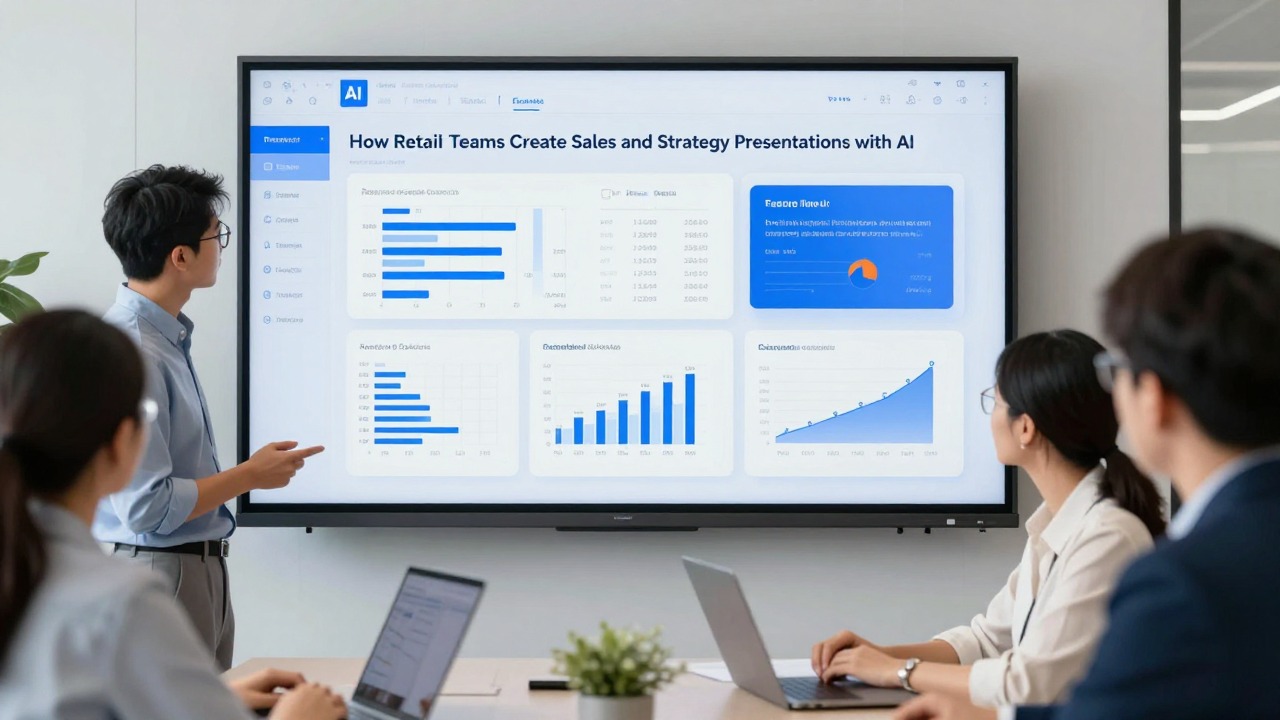
When to Use PopAi for Your Next Retail Presentation
This section explains when PopAi AI Presentation is a good fit and how to use it responsibly in retail workflows.
PopAi AI Presentation is a practical option when your team has notes, reports, documents, or rough ideas but needs a structured editable deck quickly. It can help retail teams move from a blank page to a first version of a deck for sales reviews, merchandising updates, product launches, marketing plans, training sessions, and strategy discussions.
- Document-to-presentation sales summaries: use a cleaned sales summary and store notes to create a structured performance review draft.
- Prompt-to-outline strategy decks: describe the strategic question, audience, and decision needed, then generate a slide-by-slide storyline.
- Merchandising update decks: turn assortment notes, product priorities, and inventory concerns into a recommendation-led presentation.
- Marketing or product launch presentations: transform campaign briefs, product positioning, and launch tasks into a deck for alignment meetings.
- Meeting-note recap decks: summarize cross-functional discussion notes into next steps, risks, owners, and decision slides.
PopAi is especially useful for getting past the blank page, organizing retail messages, drafting concise slide titles, and reducing manual formatting work. That makes it a good fit for teams that build recurring presentations and often need a structured first draft under deadline pressure.
A balanced workflow still matters. Use PopAi to create the first structured version, then apply retail expertise. Validate every number. Replace placeholder claims with approved data. Adjust recommendations based on business constraints. Add the correct category, channel, store, region, campaign, and product details. Apply brand standards before the deck becomes client-facing or leadership-ready.
- Prepare source materials: clean the sales summary, organize notes, remove unnecessary confidential details, and collect approved visuals.
- Define the deck objective: write the audience, meeting type, time period, and decision needed in plain language.
- Create a focused prompt: include slide count, tone, key topics, desired structure, and instructions not to invent missing data.
- Generate a draft with an AI PPT maker such as PopAi: start with an outline or editable deck structure.
- Review and tailor before presenting: verify data, sharpen the storyline, adapt the template, and finalize recommendations.
The best use of retail presentation AI is to create a stronger first draft so retail experts can spend more time on judgment, not formatting.
For your next retail presentation, prepare the inputs, define the decision, generate a draft in PopAi AI Presentation, then review it through the lens of accuracy, audience fit, and actionability.
FAQ
Can AI create a complete retail presentation from sales data?
AI can help summarize sales data, organize the storyline, draft slide titles, and create an editable presentation structure. The retail team still needs to verify the data, interpret business drivers, check product and store details, and finalize recommendations before sharing.
What should I include in a prompt for a retail sales presentation?
Include the audience, purpose, time period, source material, key metrics, required slide count, tone, and the decision or action the deck should support. Also tell the AI not to invent missing numbers or causes.
Are AI presentation templates useful for retail teams?
Yes. AI presentation templates are useful for structure and speed, especially for recurring sales reviews, merchandising updates, and launch decks. They should be adapted to the retail audience, brand style, data density, and meeting objective.
How do I keep an AI-generated retail presentation from sounding generic?
Add specific categories, regions, campaigns, customer segments, store examples, operational constraints, and action owners. Replace vague phrases with retail-specific language tied to the actual business situation.
Is PopAi AI Presentation suitable for retail strategy decks?
PopAi AI Presentation may be useful for turning rough strategy notes, documents, prompts, and meeting materials into an editable deck outline. The retail team should refine the strategic conclusions, validate assumptions, and align the deck with internal brand standards.
Create your presentation with one click now
Turn retail notes, reports, and ideas into an editable deck draft with PopAi, then refine it with your team’s business judgment.
Try PopAi AI Presentation