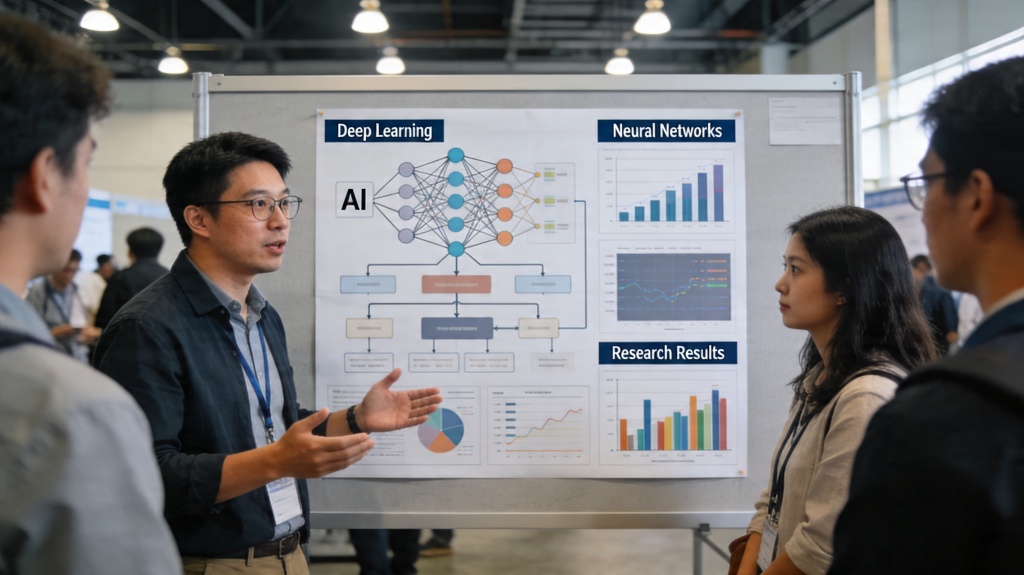
For many academics, the transition from finishing a grueling research phase to presenting at a major conference is fraught with anxiety. You have the data, the methodology, and the conclusions, but condensing months of labor into a 10-minute talk or a single 36x48-inch poster is a different skill set entirely. An AI research presentation workflow can alleviate these pain points, allowing researchers to focus on the science while intelligent tools handle the structural and visual heavy lifting.
The Evolution of the AI Research Presentation
Traditional academic presentations often suffer from "information overload." We’ve all seen the slides: walls of text, microscopic font sizes, and charts that require a magnifying glass. The shift toward AI-assisted design isn't just about making things look "pretty"; it’s about cognitive load management. By using an AI presentation maker, researchers can automatically generate layouts that prioritize hierarchy and readability.
In the past, a researcher might spend 20 hours in PowerPoint manually aligning text boxes. Today, AI tools can parse a research abstract and suggest a logical flow—Introduction, Methodology, Results, Discussion, and Conclusion—instantly. This evolution ensures that the core message isn't lost in a sea of poorly formatted bullet points.
Transforming Raw Data into Conference Slides
One of the biggest hurdles in a conference talk is the "Summary Trap." You know too much, and you want to share it all. AI helps by acting as a first-pass editor. You can feed your full-length paper into an AI tool and ask it to "extract five key takeaways for a multi-disciplinary audience." This creates a foundation for your AI research presentation that is inherently concise.
Furthermore, AI can suggest visual metaphors for abstract concepts. If your research is about "neural network efficiency," the AI might suggest a specific diagram style that illustrates flow and bottlenecking, rather than just listing numbers. This transformation from raw data to visual narrative is where AI truly shines in a professional setting.
Pro Tip: When using AI to summarize your paper, ask it to generate "speaker notes" as well. This provides a script that complements your slides rather than repeating them verbatim. Start building yours at PopAi Presentation Maker.
Designing High-Impact Academic Poster Talks
Poster sessions are the "speed dating" of the academic world. You have roughly 30 to 60 seconds to catch someone's eye as they walk past. An AI research presentation for a poster session requires a different strategy: a focal point. AI can help identify which of your figures is the most "visually arresting" and suggest a layout that draws the eye toward it.
Modern posters also benefit from AI-generated QR codes that link to interactive data or the full PDF. AI layout tools can ensure that the "Results" section remains the largest and most accessible part of the poster, preventing the common mistake of giving the "Literature Review" too much real estate.
Optimizing Visuals for Technical Clarity
Consistency is the hallmark of a professional researcher. Using AI, you can maintain a unified color palette and font scheme across 30+ slides instantly. This is crucial for technical clarity; if your "Control Group" is blue on Slide 3, it must be blue on Slide 25. AI design systems enforce these rules automatically.
Moreover, AI can assist in "cleaning" figures. If you have a complex plot from R or Python, AI-integrated design tools can help you recreate it with higher contrast and larger labels, making it readable from the back of a large lecture hall. Clarity is the ultimate goal of any AI research presentation.
Common Pitfalls in AI-Generated Research Content
While AI is a powerful ally, it is not a replacement for the researcher's critical eye. One common pitfall is over-automation. Never allow an AI to generate "conclusions" for you; the nuance of scientific discovery requires human interpretation. Always verify that the AI hasn't oversimplified a complex relationship in your data to make a "cleaner" slide.
Another pitfall is "Design Clutter." Just because an AI can generate a 3D futuristic background doesn't mean it should. In the world of research, "Simple is Significant." Use AI to remove distractions, not to add them. Your data should always be the hero of the deck.
The Future of Academic Communication
We are moving toward a future where AI research presentations are interactive. Imagine a conference talk where the audience can scan a code and manipulate a 3D model on their own devices as you speak. AI is the engine that will drive this personalized academic experience. By mastering these tools now, you position yourself at the forefront of scholarly communication, ensuring your hard-won data gets the attention and understanding it deserves.
Frequently Asked Questions
Can I use AI to generate the data for my research presentation?
No. AI should be used for structuring, designing, and summarizing your existing research. Generating data with AI (hallucination) is academic misconduct. Always use your own peer-reviewed or verified data to maintain integrity.
How do I handle citations in an AI-generated slide deck?
You should treat AI-generated slides as a canvas. Ensure every claim or data point has a proper citation in the standard format (e.g., APA, IEEE) either on the slide or in a final references slide. AI tools often leave space for these, but you must manually verify them.
Is it ethical to use AI for academic conference posters?
Yes, as long as the AI is used as a design and formatting assistant. Many institutions and conferences encourage using modern tools to improve the clarity of scientific communication, provided the intellectual content and conclusions are your own.
Create your presentation with one click now
Turn your complex research papers into stunning conference slides in seconds. Let AI handle the design while you focus on the science.
Try PopAi Presentation Maker