How AI-Generated Presentations Support SEO Content Workflows
If you manage content marketing, product education, webinars, or sales enablement, you probably have useful material scattered across decks, PDFs, webinar notes, sales calls, and internal reports. The SEO opportunity is not “make more slides.” It is turning one well-structured presentation into an article, embedded explainer, video script, carousel, downloadable PDF, FAQ block, and internal-link cluster without rebuilding the story from scratch.
This guide focuses on the practical workflow: choosing a search intent, generating a deck outline, mapping slides to keywords, turning slide notes into crawlable copy, optimizing the hosting page and PDF, adding expert evidence, and measuring whether the deck-based page performs better than a text-only asset.
Use AI-generated decks as structured drafts, not publish-ready SEO assets. The ranking value comes from the human layer: source selection, fact-checking, examples, transcripts, internal links, and a page that search engines can actually read.
How AI-Generated Presentations Support SEO Workflows
AI-generated presentations help SEO when they force a messy topic into a clear sequence: audience, problem, subtopics, evidence, visuals, summary, and next action. That sequence maps naturally to search content. A strong 6-slide deck can become a blog outline, a landing page section structure, a webinar recap, a YouTube chapter list, a social carousel, and a set of internal links.
Google states that it handles “billions of searches every day,” and its public guidance on AI-generated content emphasizes helpfulness and quality rather than the production method. In practice, that means a presentation workflow is useful only if it helps you answer specific questions more clearly, not if it simply produces more AI text. Long-tail searches such as “customer onboarding KPI dashboard,” “risk register presentation example,” or “executive sales enablement deck template” often need structured examples, tables, visuals, and implementation steps.
Do not treat engagement claims loosely. Time on page, scroll depth, deck interactions, and video plays are not guaranteed ranking factors. They are diagnostic signals for editors. If users watch the embedded walkthrough, download the PDF, or click related templates, the page is probably matching intent better than a flat article. If they bounce after the first screen, the deck may be decorative rather than useful.
Worked example: A deck on “customer onboarding metrics” can be split into intent-based assets: a hub article for “customer onboarding metrics,” a template page for “onboarding KPI dashboard,” a checklist for “new customer onboarding process,” a comparison article for “activation rate vs time to value,” and a FAQ section answering “what is a good onboarding completion rate?” The deck supplies the narrative; the SEO work is deciding which ideas deserve their own page and which should remain supporting sections.
Turn AI-Generated Presentations into Content Clusters
The best SEO use of an AI-generated presentation is usually a hub-and-spoke cluster. The deck becomes the planning artifact: each slide answers a search question, each section targets a different intent, and each derived page links back to the main hub instead of competing with it.
Build the cluster before you design the slides
- Start with search intent: List informational, template, comparison, troubleshooting, and buying-intent queries around one topic.
- Generate a deck outline: Ask the AI to organize the story by audience, pain point, evidence, workflow, example, objection, and next step.
- Map slides to pages: Decide which slides become H2 sections and which deserve standalone supporting articles.
- Add rich assets: Reuse diagrams, screenshots, charts, tables, and checklists from the deck, but make sure the meaning also appears in text.
- Publish and connect: Link the hub, spokes, templates, glossary entries, product pages, and sales resources with descriptive anchors.
Example slide-to-cluster map
| Deck slide | Search intent | SEO asset | Internal link role |
|---|---|---|---|
| Why onboarding metrics matter | Informational | Hub page H2 section | Links to glossary and benchmark notes |
| Activation rate | Definition / benchmark | Supporting article | Links back to hub and KPI template |
| Time to value | Problem-solving | How-to article | Links to onboarding checklist |
| Churn warning signs | Troubleshooting | FAQ and checklist | Links to customer health score guide |
| Dashboard template | Template / conversion | Download page | Captures leads and links to product demo |
When comparing workflows and tools, evaluate how different AI presentation makers handle source material, outline review, editable text, export options, collaboration, and shareability. For SEO teams, the best tool is not the one that creates the prettiest first draft. It is the one that lets editors inspect the structure, preserve source context, correct claims, and repurpose the output without recreating every asset manually.
Prompt template: “Create a 7-slide presentation for B2B SaaS marketing managers on [primary keyword]. Target informational and template-search intent. Include secondary topics: [keyword 1], [keyword 2], [keyword 3]. Use only the source material provided. Do not invent statistics. Flag missing evidence. For each slide, include a suggested H2 heading, FAQ question, internal-link target, and one visual idea that can also be explained in text.”
A Workflow from Source Content to SEO Assets
Content teams rarely start from nothing. They already have webinar notes, product briefs, PDFs, meeting transcripts, old decks, blog drafts, HTML reports, support docs, or training manuals. A useful AI presentation workflow turns those materials into a narrative before design begins, so editors can fix weak logic before it becomes a polished but shallow deck.
In our workflow review, PopAi AI Presentation was most useful when source material already had structure: an executive summary, metrics, risks, recommendations, or a clear how-to sequence. Starting from a vague prompt produced a usable outline, but starting from a source file produced more specific slide titles, better entity coverage, and fewer generic “benefits of X” sections.
Source formats matter because each one suggests a different SEO output:
- PDF or DOCX: Turn reports, white papers, and product briefs into hub articles, downloadable decks, and executive summaries.
- HTML or Markdown: Convert existing pages into presentation outlines, then identify gaps, missing FAQs, or weak section order.
- PPTX: Refresh old webinars or sales decks into updated landing pages and recap posts.
- Audio, video, or YouTube URLs: Turn spoken content into slide chapters, transcripts, quote blocks, and webinar recap pages.
- Images or screenshots: Build product education slides, but add written explanations so the final page remains accessible and crawlable.
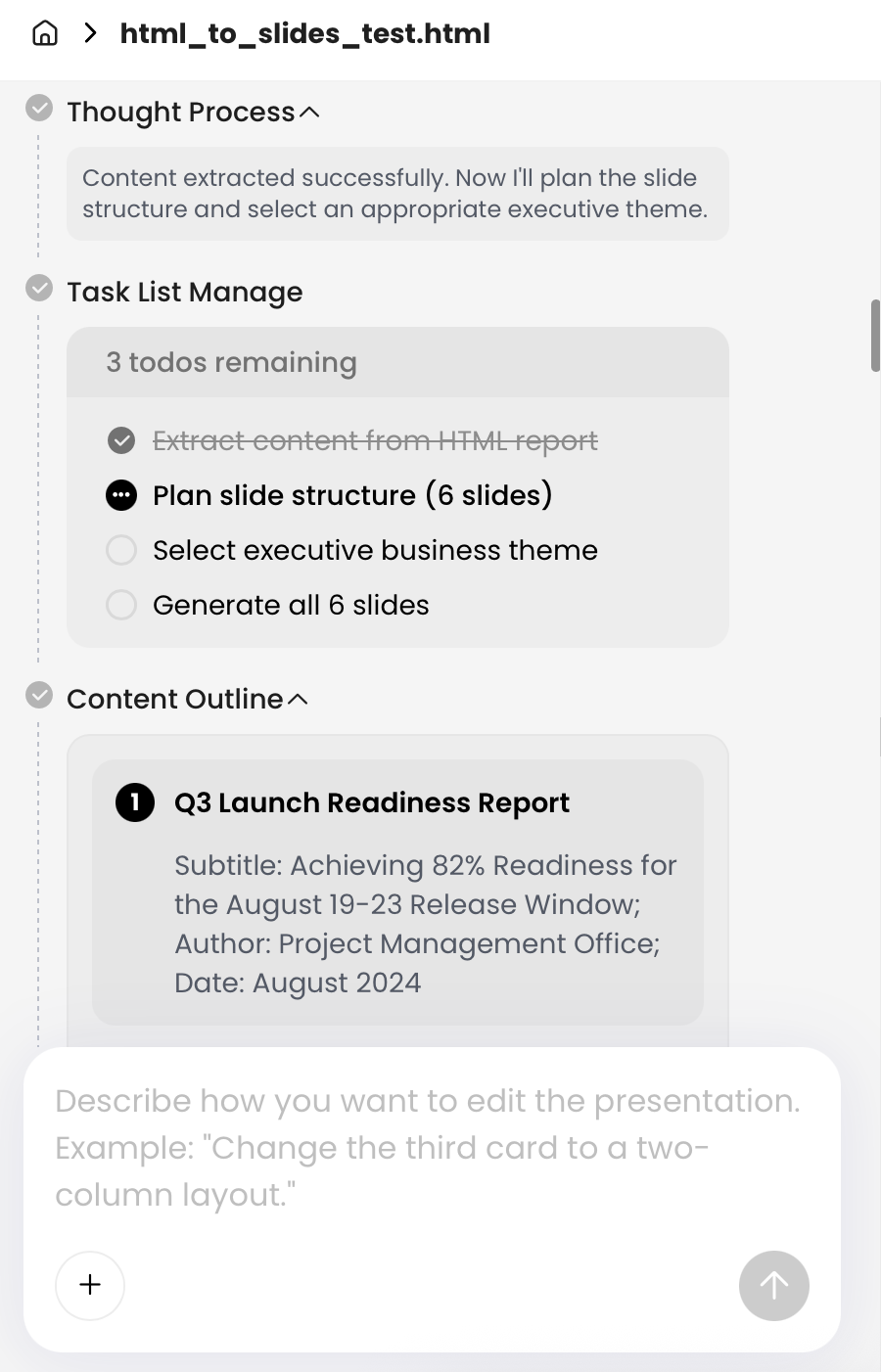
Mini workflow example: We tested an HTML-to-slides workflow using an HTML report with a title, executive summary, key metrics, risk register, and recommended actions. The generated six-page presentation separated the report into: context, metric summary, risk overview, mitigation plan, ownership table, and next actions. That structure was stronger than the original report for SEO because the risk register became reusable as a blog table, slide visual, downloadable checklist, and FAQ source.
Editorial finding: The AI handled organization well but still needed human review. The risk slide used clear severity labels, but an editor had to verify whether each risk had a real owner, replace vague mitigation language with operational actions, and add a methodology note explaining where the metrics came from. Without that review, the deck would have looked credible while still being too thin for a trustworthy SEO page.
Repurpose one deck into five SEO assets
- Blog article: Use slide titles as H2s, then expand each slide with definitions, examples, caveats, screenshots, and source citations. Do not simply paste speaker notes; edit them into complete sections.
- Embedded landing page: Place a short summary above the deck, embed the slides, then add an expanded transcript, key takeaways, FAQ, author/methodology notes, and related links below.
- YouTube or webinar script: Convert each slide into a 60–90 second narration segment. Add a keyword-aware title, description, chapters, source links, and a transcript on the hosting page.
- LinkedIn carousel: Export simplified slides with one point per frame. Link back to the article in the post copy, not on every slide, and use the carousel to preview the strongest insight.
- Downloadable PDF: Offer the deck for sales or lead capture, but keep the core explanation indexable in HTML so the PDF is not the only place search engines can understand the topic.
Avoid cannibalization when repurposing
If the article, transcript, PDF, and carousel all repeat the same text, you create overlap without adding value. Give each asset a role: the article should be the canonical educational resource, the transcript should support accessibility and indexability, the PDF should be a portable version, and the carousel should drive awareness. If the PDF is nearly identical to the HTML page and starts competing in search results, consider linking prominently from the PDF to the canonical page or limiting indexation depending on your SEO policy.
Optimize Presentation Files for Search
Presentation SEO has four layers: the hosting page, the embedded deck, the downloadable file, and the distribution path. Search engines cannot reward what they cannot understand, and users will not share assets that are slow, inaccessible, or visually impressive but unsupported by text.
Optimize the hosting page
Start with the page, not the file. Use a descriptive title tag and H1, add a 150–300 word introduction that explains who the deck is for, place the embed after the promise is clear, and publish expanded notes or a transcript below it. If the deck is loaded through an iframe or third-party embed, do not assume all slide text will be treated as primary page content. Put the important explanation in HTML.
A minimum viable deck landing page needs five things: a clear summary, the embedded deck, crawlable notes, proof or methodology, and internal links to the next useful resource.
Optimize the PDF and PPTX
Use a descriptive file name such as b2b-customer-onboarding-benchmark-presentation.pdf, not final-v7-new.pdf. Keep important text as selectable text rather than flattening every slide into an image. Add a human-readable title slide, clear chart labels, alt text where supported, and PDF metadata such as title, subject, author, and keywords. Compress the file before publishing so downloads do not feel slow on mobile.
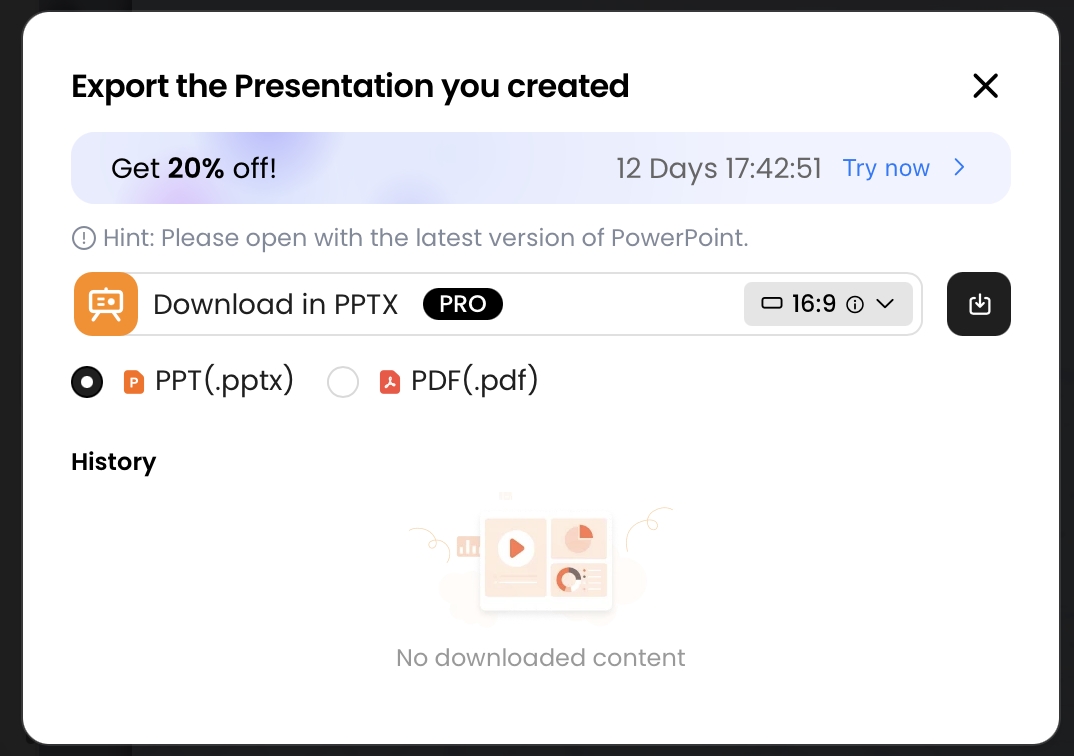
When exporting from PopAi, users can choose PPTX or PDF. PPTX is mainly valuable for editing, localization, sales enablement, and compliance review. PDF is better for stable sharing and downloads. Neither format replaces the need for an HTML page with crawlable context. Build a review step into the workflow because fonts, spacing, and chart rendering can shift across tools and devices.
Presentation SEO checklist
- File optimization: Use descriptive file names, selectable text, PDF metadata, compressed images, and clear chart labels.
- Page optimization: Add a strong title, summary, deck embed, transcript or expanded notes, FAQ, and related internal links.
- Technical SEO: Test page speed, avoid heavy embeds above critical content, include important pages in your XML sitemap, and decide whether PDFs should be indexed or treated as supporting downloads.
- Accessibility: Check color contrast, reading order, alt text, captions for video, keyboard access, and whether charts are explained in text.
- Structured data: Use Article, FAQPage, VideoObject, or HowTo schema only when the page genuinely matches that format.
- Trust signals: Include author expertise, citations, methodology notes, original examples, update dates, and limitations.
- Analytics: Track deck views, slide interactions where possible, PDF downloads, CTA clicks, and assisted conversions.
Use Presentation Assets to Support Evidence and Expertise Signals
Google’s Search Central guidance on AI-generated content is clear on the main principle: helpful, reliable, people-first content matters more than whether AI was used in production. For presentation SEO, that means AI can help structure and visualize, but people must add experience, evidence, and accountability.
Add evidence the model could not responsibly invent
For expert-driven content, add information that comes from real work: customer research, classroom observations, product screenshots, benchmark notes, implementation constraints, workflow failures, and first-hand commentary. If your deck explains a B2B onboarding framework, include the exact metrics you recommend tracking and why. If it compares tools, disclose the testing criteria. If it summarizes a webinar, name the speaker and add a transcript excerpt.
Case-study detail: In the HTML report test, the most useful E-E-A-T additions were not design changes. They were a short methodology note, a clarification that the risk severity labels came from the source report rather than an external benchmark, and a revised “recommended actions” slide that separated owner, deadline, and mitigation. Those edits made the final article easier to trust and easier to convert into an operational checklist.
Review AI-generated claims and visuals
Data and analysis need careful handling. Broad statistics about AI adoption or content volume may provide context, but they rarely help the reader act. Every number in a presentation should answer three questions: where did it come from, what does it measure, and what decision should the reader make because of it? If you cannot answer those questions, remove the number or label it clearly as an estimate, example, or internal observation.
- Charts: Replace placeholder numbers with verified data and add source notes.
- Comparisons: State the criteria, test conditions, and limitations.
- Screenshots: Use current product screens and blur confidential information.
- Recommendations: Explain when the advice does not apply, especially for regulated, enterprise, or high-risk use cases.
Use editing tools for quality control, not just polish
Product editing features are most valuable when tied to editorial decisions. Natural-language rewriting can shorten an executive summary, but an editor still decides which nuance to keep. Chart editing can replace AI-generated placeholder data with verified values. Layout changes can make a complex process easier to scan, but they should not override brand, accessibility, or legal requirements.
In one natural-language editing test, a user asked the system to shorten a page for an executive audience while preserving three points. The interface provided rewritten and original versions for review. The practical lesson: keep the original visible until a subject-matter expert confirms that the shorter version has not removed caveats, definitions, or required disclaimers.
Measure Presentation SEO Performance
To prove that AI-generated presentations are improving content SEO, measure the whole asset system: organic discovery, engagement, downloads, lead capture, assisted sales use, and social distribution. A deck-based article may not win by ranking for one high-volume keyword. It may win by capturing many specific searches and moving qualified readers to a template, webinar, or demo.
Set up measurement before publishing
- Record the baseline: Note existing rankings, clicks, impressions, backlinks, and conversions for similar pages before launch.
- Track the page in Google Search Console: Review queries for the hub page and supporting articles separately.
- Configure GA4 events: Track deck embed views, slide interactions where technically available, video plays, PDF downloads, CTA clicks, and form submissions.
- Use UTMs: Tag LinkedIn carousel, newsletter, partner, and sales email links so distribution does not disappear into “direct” traffic.
- Review at 30, 60, and 90 days: Look for query expansion first, then engagement quality, then conversions.
Core metrics to watch
| Metric | Tool | Why it matters | Action if weak |
|---|---|---|---|
| Organic impressions and clicks | Google Search Console | Shows whether the page is discoverable | Improve title, meta description, intro, and internal links |
| Query expansion | Google Search Console | Reveals new long-tail opportunities from slide topics | Create supporting articles or FAQs for strong query patterns |
| Deck engagement | GA4 / embed analytics | Shows whether users interact with the visual asset | Move the deck, improve summary, or reduce embed weight |
| PDF downloads | GA4 events | Measures lead-magnet or sales-enablement value | Improve CTA placement and clarify what the download contains |
| Conversions | GA4 / CRM | Connects SEO traffic to newsletter signups, demos, or templates | Test CTA copy, form friction, and next-step relevance |
Measurement example: If a deck page earns impressions for “risk register presentation example” but few clicks, the issue may be SERP packaging: title tag, meta description, and opening promise. If clicks are healthy but PDF downloads are low, the page may need a preview of the downloadable deck, a clearer CTA, or a shorter form. If the transcript drives unexpected queries such as “risk register owner responsibilities,” create a focused supporting article and link it back to the hub.
For B2B teams, the commercial value may come from a cluster of mid- and long-tail searches: “sales onboarding deck template,” “executive KPI slide structure,” “AI webinar recap workflow,” or “customer health dashboard presentation.” AI-generated presentations help produce enough structured assets to test these opportunities, but the measurement plan decides which ones deserve further investment.
Common Mistakes with AI Presentation SEO
The biggest mistake is publishing AI output without editorial transformation. A deck alone is not a strategy. An embedded deck without surrounding text gives search engines limited context. A transcript without editing can feel rambling. A visually impressive chart with unverifiable data can damage trust.
Content quality mistakes
- Keyword stuffing: Use the primary topic naturally, but do not force the same phrase into every slide, heading, caption, and FAQ.
- Thin slide-to-page expansion: Do not turn every slide into a standalone article unless it has a distinct search intent and enough evidence to stand alone.
- Unsupported claims: Verify statistics, cite sources, and distinguish internal findings from public benchmarks.
- Generic visuals: Remove diagrams that look attractive but add no explanation, process detail, or decision support.
Technical SEO mistakes
- Image-only text: Keep important content accessible as HTML text or selectable file text, not only in flattened slide images.
- No transcript: If the deck is embedded, publish expanded notes so search engines and screen readers have meaningful context.
- Heavy embeds: Large slide embeds, videos, and images can hurt page speed. Compress assets and test the page on mobile.
- PDF cannibalization: If a downloadable PDF competes with the main HTML page, clarify canonical strategy and link from the PDF back to the page.
Legal, privacy, and trust mistakes
- Confidential source uploads: Review customer data, internal reports, contracts, and regulated information before uploading them into any AI workflow.
- Copyright risks: Check generated or sourced imagery, screenshots, logos, and third-party charts before commercial publication.
- Brand inconsistency: Use approved templates, colors, terminology, disclaimers, and tone guidelines across the article, deck, PDF, and social assets.
- Accessibility gaps: Check color contrast, alt text, reading order, captions, and whether charts are described in text.
Distribution and measurement mistakes
- No internal links: A deck page with no links into or out of the content cluster is harder for users and crawlers to contextualize.
- No promotion plan: Publish the deck, then distribute it through email, social, sales follow-up, webinar recaps, and partner channels.
- No event tracking: If you do not track downloads, embed interactions, and CTA clicks, you cannot tell whether the deck improves performance.
A strong workflow combines AI speed with human accountability. Use AI to structure, summarize, visualize, and repurpose. Use people to validate, prioritize, add experience, protect privacy, and decide what deserves to be published. That combination is what turns AI-generated presentations into a commercially useful SEO workflow rather than another content shortcut.
Deck-to-SEO Asset Map
A presentation should not become a pile of duplicate pages. Map each slide asset to a specific search intent before publishing.
| Slide asset | SEO use | Quality check |
|---|---|---|
| Executive summary slide | Intro section for an article or landing page. | Rewrite for search intent; do not paste generic slide bullets as-is. |
| Process or framework slide | How-to section, FAQ, or infographic support. | Add step detail, examples, and source context that the slide cannot hold. |
| Data or chart slide | Evidence section or image with supporting text. | Include source, date range, methodology, and explanation of what the chart proves. |
| Case example slide | Mini workflow example or use-case section. | Remove confidential details and avoid invented outcomes. |
| Deck PDF | Downloadable lead magnet or resource. | Use a descriptive filename, title, metadata, and crawlable companion text. |
The SEO value comes from useful, crawlable context around the deck, not from publishing the same AI-generated text across multiple URLs.
SEO Claim Boundary for AI Presentation Assets
A deck does not rank simply because it was generated by AI. SEO value comes from the crawlable and useful assets you create from it.
| Presentation asset | Derivative SEO asset | What to measure | What not to claim without data |
|---|---|---|---|
| Slide outline | Crawlable HTML article, headings, FAQ, summary blocks. | Indexing, impressions, clicks, engagement, assisted conversions. | That the deck itself improved rankings. |
| Charts and diagrams | Descriptive images with filenames, alt text, captions, and context. | Image indexing, page speed, image clicks, snippet visibility. | That AI visuals automatically create authority. |
| Speaker notes | Video script, webinar recap, transcript, newsletter, LinkedIn summary. | Organic landing-page performance and content reuse efficiency. | That republishing AI text alone builds expertise. |
| Deck sections | Internal-link cluster around one topic and related Academy pages. | Internal click paths, crawl depth, topical coverage, rankings by page. | That more pages equals better SEO. |
Use Google Search Console, analytics, and crawl checks to separate production efficiency from organic search impact. If you do not have before/after indexing, impression, ranking, or click data, call the example a workflow, not a case study.
SEO Sources to Use for This Topic
These source links support the factual and standards-based parts of the article. Product features and legal requirements can change, so review the latest official pages before publishing or relying on the deck.
FAQ: AI-Generated Presentations and SEO
Do AI-generated presentations help SEO or hurt it?
They can help when the deck is transformed into useful, original, well-edited content. Search engines evaluate quality, relevance, helpfulness, and E-E-A-T signals rather than rewarding or penalizing content simply because AI assisted the workflow.
Should I embed the deck, publish a transcript, or both?
Use both when possible. The embed improves engagement and visual explanation, while the transcript gives search engines crawlable text, headings, entities, and long-tail keyword coverage.
How do I make a presentation file itself more SEO friendly?
Use a descriptive filename, a keyword-aligned title slide, real text instead of image-only text, compressed assets, alt text for exported images where supported, and a PDF version with indexable copy.
Can PopAi turn existing SEO content into slides?
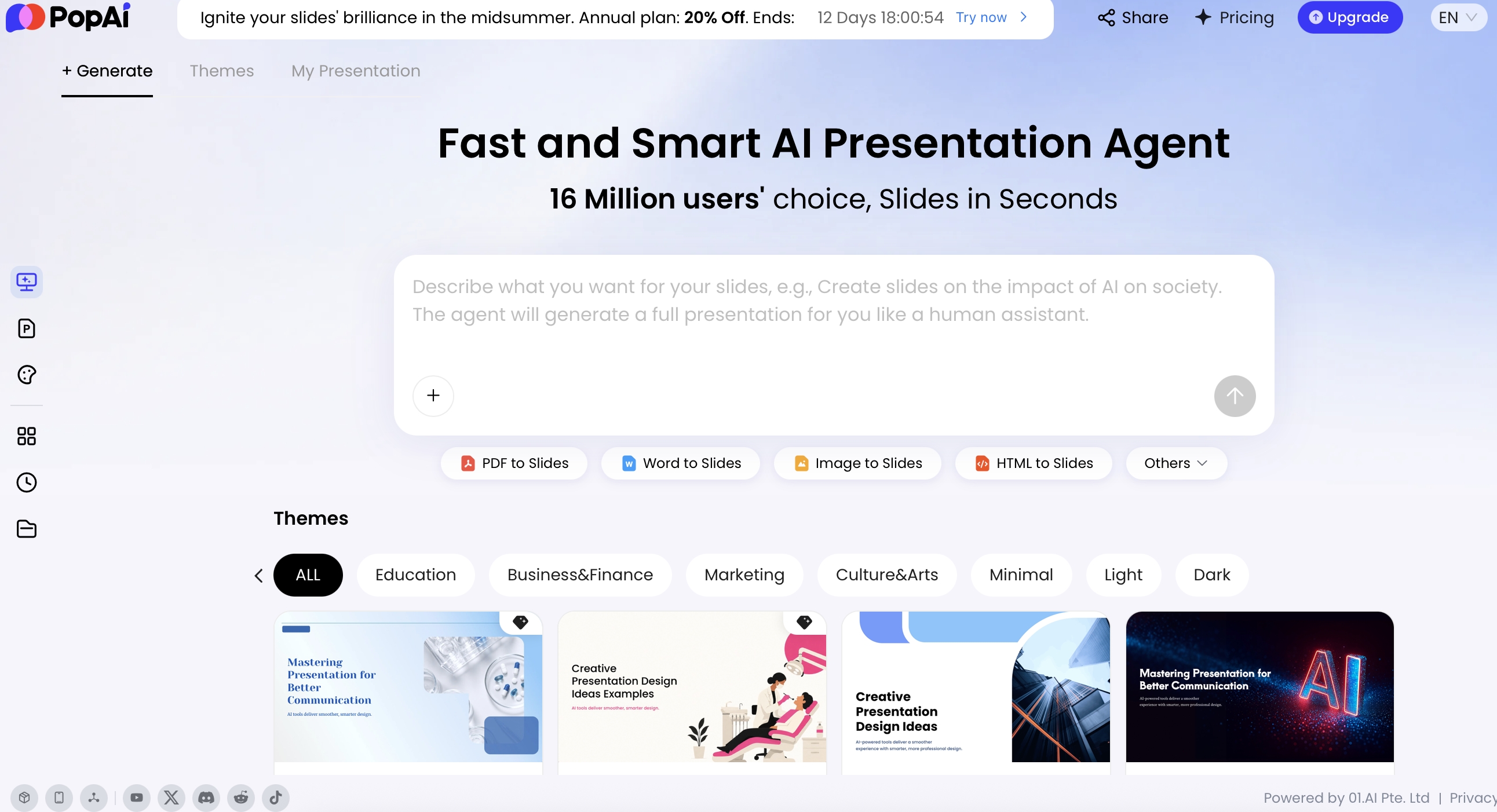
Yes. PopAi supports creating slides from prompts and multiple source formats, including PDF, DOCX, TXT, Markdown, XML, HTML, PPTX, images, audio, video, and YouTube URLs, then exporting to PPTX or PDF.
Create a presentation draft faster
Turn source documents, ideas, reports, and outlines into editable presentations you can repurpose for blogs, webinars, PDFs, and organic search campaigns.
Start creating with PopAi