Transform Any Idea into an AI PowerPoint with PopAi
July 14, 2026
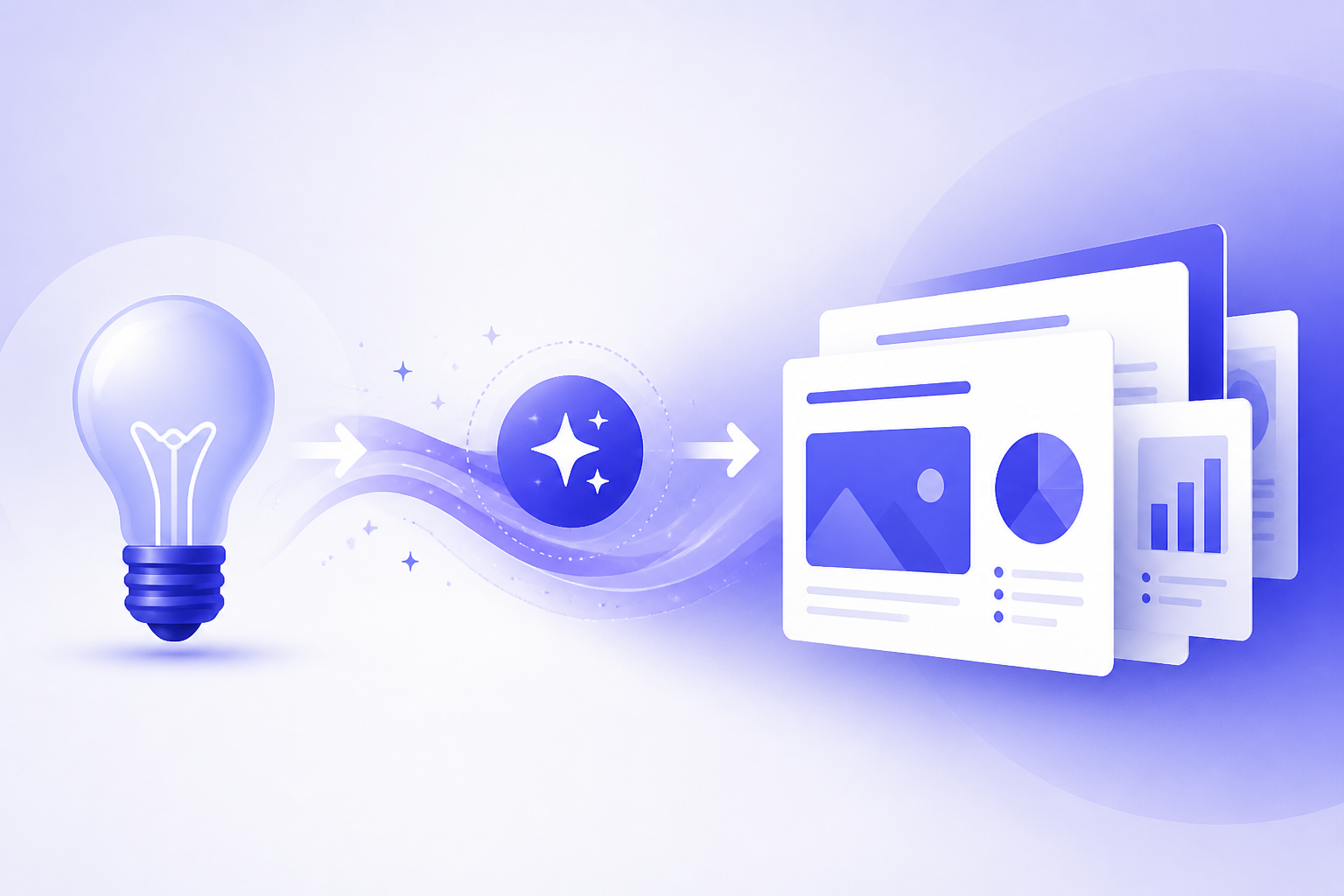
To turn a rough idea into a PowerPoint-style presentation with PopAi, start by clarifying the goal, audience, slide count, tone, and must-cover points. Then enter a prompt, paste structured notes, or use source material such as a meeting summary, article, research document, product outline, or business plan. PopAi can help create a structured first draft that you can edit into a polished deck.
The most reliable workflow is simple: prepare the input, generate an outline, create the deck, review the slide logic, verify facts, improve weak slides, and adjust the design for readability. PopAi is useful because it reduces the blank-page problem and gives you an editable starting point, but it does not replace your judgment.
This guide shows practical PopAi workflows, copy-ready prompts, quality checks, and common mistakes to avoid so your AI-generated presentation is not just fast, but clear, accurate, and suitable for a real class, pitch, sales, marketing, or business use case.
When you are ready to turn the workflow into slides, PopAi AI Presentation can help transform rough notes, documents, or prompts into an editable deck structure.
Quick Answer: How to Turn an Idea into an AI PPT with PopAi
This section gives you the complete idea-to-deck workflow before we break down each step in detail.
The fastest way to create an AI PPT from idea inputs is to give PopAi a clear direction instead of asking it to guess. Your input can be as short as a one-sentence idea, but the result usually improves when you add the audience, purpose, slide count, tone, and key points.
- Clarify the goal: decide whether the deck should teach, persuade, summarize, sell, report progress, or support a decision.
- Choose the input: use a short prompt for brainstorming, structured notes for a planned deck, or a document when you need to summarize existing material.
- Generate a first draft: ask PopAi to create a slide outline and presentation content based on your input.
- Review the structure: check whether the opening, middle, and closing match the audience’s needs.
- Edit the slides: rewrite unclear titles, remove repeated ideas, verify facts, add examples, and adjust tone.
- Finalize the design: improve readability, simplify visuals, align formatting, and prepare speaker notes before presenting.
Common starting inputs include a product concept, a class assignment topic, a research paper summary, a meeting recap, a marketing campaign brief, a sales conversation outline, an article, or a business plan outline. PopAi AI Presentation is designed for this early creation stage because it can help turn rough material into an organized, editable presentation draft.
Treat the generated deck as a structured first draft. Before presenting, verify facts, adjust the tone, add your own judgment, and tailor the message to the people in the room.
The best AI presentation workflow is not prompt, generate, present. It is prompt, generate, inspect, refine, and then present with confidence.
PopAi AI PowerPoint Practical Workflow: Input, Draft, Edit, Export
To avoid a purely promotional page, show the actual workflow: what users put in, what PopAi should generate, what they still edit, and how they prepare the deck for sharing.
| Step | What the user does | What PopAi helps create | Manual edit before publishing |
|---|---|---|---|
| 1. Start with input | Type a prompt or upload approved source material such as notes, PDF, Word document, PPTX, or web content. | A structured draft deck with slide sequence and initial content. | Remove sensitive information and confirm the source is allowed. |
| 2. Generate outline | Choose audience, goal, slide count, and tone. | A presentation outline with sections, slide titles, and key points. | Check whether the narrative matches the real goal. |
| 3. Build slides | Apply a template or visual direction. | Editable slides with design structure and content blocks. | Fix brand fit, hierarchy, chart choices, and slide density. |
| 4. Improve content | Ask for shorter bullets, stronger titles, or speaker notes. | Sharper slide copy and presenter guidance. | Verify facts, numbers, citations, and examples. |
| 5. Export / share | Use the available export or sharing path in the current workspace. | A deck ready for final review. | Open the final file and inspect formatting before sending. |
Before / After Prompt Examples
| Scenario | Weak input | Better input |
|---|---|---|
| Startup pitch | “Make a pitch deck for my startup.” | “Create a 10-slide seed pitch deck for a B2B SaaS product that helps ecommerce teams reduce refund tickets. Audience: seed investors. Include problem, market, product, traction, GTM, business model, team, ask. Do not invent metrics.” |
| Class presentation | “Make slides about climate change.” | “Create an 8-slide class presentation for high school students explaining how urban heat islands work. Use simple language, include one diagram suggestion, one discussion question, and a short quiz.” |
| Weekly report | “Turn this report into slides.” | “Turn the pasted KPI report into a 6-slide executive update. Show what changed, why it matters, risks, and next actions. Mark any metric that needs source verification.” |
Product positioning source to recheck before publication: PopAi AI Presentation. Last checked: July 14, 2026.
What to Prepare Before You Generate Your AI PowerPoint
Better input helps PopAi produce a deck that is closer to your real presentation goal on the first draft.
The biggest difference between a generic AI deck and a useful one is preparation. If your prompt says only, “make a marketing deck,” PopAi has to infer the audience, product, objective, campaign channel, tone, and level of detail. If your prompt says, “Create an 8-slide marketing campaign proposal for a campus meal-kit subscription aimed at busy university students, with a practical tone and placeholders for budget and results,” the tool has a much clearer job.
- Topic: the subject of the deck in one clear sentence.
- Audience: who will view it, such as classmates, investors, executives, prospects, teachers, or internal stakeholders.
- Goal: what the presentation should accomplish, such as inform, persuade, train, summarize, or request approval.
- Length: desired slide count or presentation time.
- Tone: formal, simple, persuasive, educational, executive, conversational, analytical, or investor-ready.
- Key points: the ideas, arguments, sections, or findings that must appear.
- Source material: notes, research summaries, meeting notes, articles, product documents, or reports.
- Preferred style: concise executive slides, visual lesson deck, pitch format, research summary, sales story, or step-by-step training.
A vague input usually produces a deck that looks plausible but lacks direction. A useful input gives the AI a role, a task, and boundaries. This matters because most presentations fail at the structure stage, not only the design stage. If the deck is built around the wrong audience or goal, nice-looking slides will not solve the problem.
- Student report: prepare the assignment question, topic, class level, required concepts, source notes, and whether the deck should explain, compare, or argue.
- Startup pitch: prepare the problem, target customer, solution, market context, product status, business model, go-to-market idea, team summary, and funding or partnership ask if relevant.
- Sales presentation: prepare the buyer persona, customer pain points, product fit, objections, proof-point placeholders, desired next step, and any claims that require verification.
- Teacher lesson: prepare the learning objective, student age or level, lesson duration, required vocabulary, examples, activities, and discussion questions.
- Product update: prepare the audience, release summary, customer impact, roadmap context, known limitations, next actions, and what decisions the audience needs to make.
You should also include constraints. Tell PopAi if the deck must be exactly 6 slides, if the audience has no background knowledge, if the deck should avoid technical jargon, if it must include a comparison section, or if it should be persuasive rather than educational. Constraints narrow the output and reduce the amount of rewriting.
Handle confidential, proprietary, personal, academic, or sensitive information according to your school or organization’s policy. If you are unsure whether you can upload or paste a document, remove sensitive details or ask the relevant owner first.
PopAi Tutorial: Generate a Presentation from a Prompt, Notes, or Document
This tutorial shows three practical ways to move from rough material to an editable presentation draft in PopAi.
The exact interface may change over time, so check PopAi’s current product page and in-app options for the latest creation paths and export details. The general workflow is consistent: open PopAi AI Presentation, choose the relevant way to start, provide your idea or source material, review the generated structure, and create an editable deck that you can refine.
- Open PopAi AI Presentation and choose the presentation creation path that matches your starting material.
- Enter a short idea prompt, paste structured notes, or provide a document depending on what you already have.
- Add instructions for audience, goal, tone, length, required sections, and output expectations.
- Review the proposed outline or generated slide structure before committing to detailed edits.
- Create the deck and inspect each slide for flow, accuracy, audience relevance, and visual clarity.
- Revise slide titles, bullet points, examples, visuals, and speaker notes before using the presentation.
A short idea prompt works best when you need help brainstorming. For example, a founder might type a simple concept such as, “AI scheduling assistant for freelance consultants,” then ask PopAi to turn it into a 10-slide pitch outline. This is useful when the goal is to discover a structure: problem, audience, current pain, solution, product workflow, benefits, market context, go-to-market plan, risks, and next steps.
Pasting structured notes works best when you already know the content but not the slide organization. For example, a sales professional might paste notes from discovery calls, product benefits, objections, competitor context, and desired next action. PopAi can then help reshape that material into a buyer-focused narrative rather than a loose list of talking points.
A document-to-presentation workflow is useful when you need to summarize or repurpose existing material. A student could use a paper summary to create a class presentation. A product manager could use release notes to create an internal update. A marketer could use a campaign brief to create a stakeholder proposal. In each case, the document supplies source context that a one-line prompt cannot provide.
- Use a short prompt when you have only an idea and need a deck structure.
- Use structured notes when you already have the core points and need slide organization.
- Use a document when you need to summarize existing material into presentation-ready sections.
- Use extra instructions when the deck must follow a specific format, such as pitch, lesson, report, proposal, or sales story.
A practical PopAi prompt template is: “Create a [slide count]-slide presentation about [topic] for [audience]. The goal is to [inform, persuade, train, summarize, sell, or request approval]. Use a [tone] tone. Must cover [point 1], [point 2], [point 3], and [point 4]. Include clear slide titles, concise bullet points, suggested visuals, and speaker note cues. Use placeholders where facts, data, or proof points need to be verified.”
A teacher preparing a 20-minute lesson can paste a chapter summary into PopAi and ask for a 12-slide lesson deck with objectives, key definitions, examples, a quick check question every three slides, and a closing discussion prompt. The result should still be checked for age appropriateness and curriculum fit.
A founder with only a rough startup idea can ask PopAi for a pitch draft that avoids fabricated numbers, uses placeholders for market size and traction, and focuses on problem, customer, solution, product flow, business model, go-to-market, risks, and next steps.
Prompt Examples for Business, Class, Research, Marketing, and Sales Decks
Use these copy-ready prompts as starting points, then replace placeholders with your own verified details.
A good PopAi prompt gives context, structure, and boundaries. It should not ask the AI to invent data, customer quotes, financial results, academic evidence, or performance metrics. When you need numbers, claims, or proof, ask for placeholders and fill them with verified information later.
- Startup pitch prompt: Create a 10-slide startup pitch deck for [startup idea] aimed at [investors, accelerator judges, partners, or internal stakeholders]. The goal is to explain the opportunity and request [meeting, feedback, pilot, investment consideration, or partnership]. Include slides for problem, target customer, solution, market context, product workflow, business model, go-to-market plan, team, risks or assumptions, and next steps. Do not invent traction, market size, revenue, or customer data. Use placeholders where verified evidence is needed.
- Student class presentation prompt: Create an 8-slide educational presentation about [topic] for [class level]. The goal is to explain the topic clearly in [presentation length] minutes. Include a hook, key definitions, three core concepts, one real-world example, a short comparison or timeline if relevant, two discussion questions, and a closing summary. Use simple language and mark any evidence or citation areas as placeholders.
- Research presentation prompt: Turn the following research summary into a 12-slide presentation for [academic or professional audience]. Organize it into background, research question, method overview, key findings, interpretation, limitations, implications, and discussion questions. Keep text concise, suggest charts or visuals where useful, and do not add claims that are not supported by the provided source material.
- Marketing campaign prompt: Create a 9-slide campaign proposal for [product or service] targeting [audience]. The goal is to persuade [stakeholders] to approve the campaign direction. Include audience insight, campaign objective, messaging angle, creative concept, channel plan, content examples, timeline, measurement placeholders, and decision needed. Do not fabricate budget, reach, conversion, or performance results.
- Sales deck prompt: Create a 7-slide sales presentation for [buyer persona or company type] considering [product or service]. Focus on customer pain points, business impact, product fit, use case walkthrough, objection handling, proof-point placeholders, and a clear call to action. Use consultative language and avoid exaggerated claims.
- Business update prompt: Create a 6-slide internal update for [team or leadership group] about [project, product release, or initiative]. Include status, progress since last update, key decisions, blockers, risks, next milestones, and support needed. Use an executive tone and keep each slide focused on one message.
Notice that each prompt defines the audience and outcome. That is the difference between a slide deck that merely describes a topic and a slide deck that helps someone think, decide, or act. A pitch deck needs tension and momentum. A class deck needs clarity and learning sequence. A sales deck needs buyer relevance. A research deck needs accuracy and restraint.
If your first PopAi output feels too generic, do not start over immediately. Give a revision instruction. For example: “Make the slide titles more specific and outcome-oriented,” “Reduce the text by 40 percent,” “Add speaker note cues for each slide,” “Make this suitable for non-technical executives,” or “Restructure the deck around the buyer’s problem rather than product features.”
Ask PopAi for placeholders instead of invented proof. Replace those placeholders with verified facts, citations, examples, customer evidence, or internal data before presenting.
How to Review and Improve the AI-Generated Deck
The review stage turns a fast AI draft into a credible presentation that works for a real audience.
After PopAi generates a deck, resist the temptation to focus only on colors and layout. Review the story first. A presentation should have a clear beginning, logical progression, and useful ending. If the audience cannot understand why each slide exists, the design will not rescue the message.
- Opening: Does the first slide or first few slides explain why the audience should care?
- Flow: Do the slides move in a logical order, or do they jump between unrelated ideas?
- Message: Does each slide make one main point instead of listing several competing ideas?
- Audience fit: Does the deck match the audience’s knowledge level, priorities, and decision-making needs?
- Accuracy: Are facts, definitions, names, dates, claims, and numbers verified?
- Conciseness: Can any bullet points be shortened or moved to speaker notes?
- Visuals: Do suggested visuals clarify the idea, or are they decorative and generic?
- Closing: Does the final slide summarize the takeaway and make the next action clear?
Weak AI-generated slides often have recognizable patterns. They may repeat the same idea in different words, use vague claims such as “improves efficiency” without explaining how, introduce unsupported numbers, or provide topic-label headings like “Benefits” instead of message-based headings like “Automating follow-ups reduces missed opportunities.”
One of the highest-impact edits is rewriting slide titles. A topic title names the subject. A message title tells the audience what to understand. Change “Market Opportunity” to “Busy freelancers need simpler client scheduling.” Change “Research Findings” to “Three barriers explain why adoption remains low.” Change “Product Benefits” to “The workflow removes two manual handoff steps.”
- Read the deck in slide sorter view or outline form to check the story without being distracted by design.
- Delete slides that do not advance the argument, lesson, or decision.
- Merge slides that repeat the same point.
- Rewrite every slide title as a takeaway sentence when appropriate.
- Shorten bullet points to essential phrases and move explanations into speaker notes.
- Replace generic claims with verified evidence, concrete examples, or clearly marked assumptions.
- Add audience-specific details, such as industry context, class vocabulary, buyer pain points, or leadership priorities.
- Check the final slide for a clear action: approve, discuss, buy, learn, compare, decide, or remember.
Design review comes after message review. Look for overcrowded slides, inconsistent heading lengths, low-contrast text, visuals that do not match the content, and too many bullet levels. If a slide needs a long paragraph to make sense, the idea probably belongs in speaker notes or should be split into two slides.
PopAi can accelerate drafting and organization, but the presenter remains responsible for strategy, accuracy, ethics, and final judgment.
Best Use Cases and Limits of Creating an AI PPT from an Idea
PopAi is most useful when you need a faster starting point, but some presentations still require deeper expert review.
PopAi is a practical choice when you value speed, structure, and a smoother path from blank page to editable deck. It is especially useful when the presentation format is familiar: a class report, lesson deck, pitch draft, internal update, sales outline, product overview, meeting summary, or marketing concept.
- Class presentations: useful for turning a topic or paper summary into a clear educational sequence.
- Teacher lesson decks: useful for drafting objectives, examples, activities, and review questions.
- Early pitch drafts: useful for exploring structure before financials, traction, or market data are finalized.
- Training decks: useful for turning procedures, checklists, or internal guidance into teachable slides.
- Content repurposing: useful for converting articles, reports, and notes into presentation sections.
- Sales outlines: useful for organizing pain points, solution fit, objections, and next steps.
- Marketing concepts: useful for shaping audience, message, channel, and measurement placeholders.
- Meeting summaries: useful for creating recap decks with decisions, action items, and risks.
The workflow is less suitable as a hands-off solution when the deck carries high stakes or specialized risk. Investor presentations with financial claims, legal or medical topics, academic submissions, sensitive company strategy, and data-heavy executive reports all need careful review by someone qualified to judge the content.
- Speed: AI generation is usually faster than starting from a blank PowerPoint file, especially for the first outline.
- Structure support: PopAi can help organize scattered ideas into sections and slide sequences.
- Design assistance: AI-generated slides can provide a presentable starting layout, though users should still adjust readability and brand fit.
- Editing control: manual PowerPoint creation gives total control from the first slide, while AI workflows give a draft that must be reviewed and refined.
- Human review: manual decks require human effort throughout; AI-generated decks reduce early drafting time but still need human judgment before use.
A useful way to decide is to ask what you need most. If you need a blank-page breakthrough, a structured outline, quick repurposing of notes, or a first version to discuss with teammates, PopAi fits well. If you need final legal wording, audited financial claims, or publication-grade academic interpretation, use PopAi only as a drafting aid and bring in expert review.
AI is strongest at helping you start and restructure; humans are strongest at deciding what is true, persuasive, appropriate, and worth saying.
Common Mistakes to Avoid When Using PopAi for Presentations
Avoiding a few predictable mistakes will make your PopAi deck clearer, more accurate, and easier to present.
Most weak AI-generated presentations come from weak instructions or skipped review. The tool can create a useful draft, but it cannot know your audience politics, grading rubric, sales context, internal strategy, or personal speaking style unless you provide direction and make edits.
- Mistake: using a one-line prompt for a specific presentation. Corrective action: add audience, goal, tone, slide count, required sections, and constraints.
- Mistake: accepting every AI-generated claim. Corrective action: verify facts, remove unsupported numbers, and mark uncertain claims as assumptions until confirmed.
- Mistake: overloading slides with text. Corrective action: keep one main message per slide, shorten bullets, and move explanation into speaker notes.
- Mistake: ignoring audience knowledge level. Corrective action: tell PopAi whether the audience is beginner, expert, executive, technical, non-technical, buyer, investor, or student.
- Mistake: treating the generated deck as final. Corrective action: use it as a strong first draft, then review logic, accuracy, tone, and design.
- Mistake: keeping generic slide titles. Corrective action: rewrite titles into key takeaways that tell the audience what to understand.
- Mistake: asking for proof without providing sources. Corrective action: request placeholders for case studies, citations, financials, customer quotes, or performance results.
- Mistake: forcing every detail onto slides. Corrective action: separate slide content from speaking content and use notes for context.
If the first draft feels off, diagnose the problem before regenerating. If the structure is wrong, ask PopAi for a new outline with the correct audience and goal. If the content is too shallow, provide notes or a source document. If the tone is wrong, specify the role and context, such as “write for a skeptical CFO” or “explain to first-year university students.”
- Check whether your prompt gave enough context.
- Identify whether the weakness is structure, content depth, tone, or design.
- Revise the prompt or ask for a targeted improvement instead of changing everything at once.
- Review the updated deck against your audience goal.
- Finalize the presentation only after you have verified facts and rehearsed the message.
For the best result, give PopAi a clear brief, generate the draft, inspect the outline, edit the message, verify claims, simplify slides, add speaker notes, and then rehearse as if you built the deck manually.
Used this way, PopAi AI Presentation can help you transform ideas into AI PowerPoint-style drafts without giving up control. The value is not that the first version is perfect. The value is that you get a usable structure quickly, then spend your time improving the argument, examples, and delivery instead of staring at an empty slide.
FAQ
Can PopAi turn a simple idea into a PowerPoint presentation?
Yes. PopAi can help turn a prompt or rough idea into a structured presentation draft, especially when you provide the topic, audience, goal, tone, and desired slide count. A one-line idea can work for brainstorming, but a more detailed prompt usually creates a more useful deck.
What should I include in a PopAi prompt for better presentation results?
Include the topic, target audience, purpose, tone, key points, source material, slide count, and any required sections or constraints. You can also ask for concise slide titles, speaker note cues, suggested visuals, and placeholders for facts that must be verified.
Can I create an AI PPT from a document instead of typing a prompt?
Yes. PopAi’s positioning includes document-to-presentation workflows, which are useful when you want to summarize or repurpose existing material into slides. Documents work especially well for research summaries, reports, meeting notes, product updates, and lesson content.
Do I still need to edit a presentation made with AI?
Yes. Review every AI-generated deck for accuracy, logic, audience fit, tone, design consistency, and unsupported claims. AI can accelerate drafting, but you are responsible for the final message and presentation quality.
What types of presentations work well with an AI PPT from idea workflow?
Good fits include student reports, lesson decks, pitch drafts, sales presentations, marketing plans, product updates, research summaries, training decks, meeting recaps, and internal business presentations. High-stakes legal, medical, financial, or academic work needs extra expert review.
Create your presentation with one click now
Turn your prompt, notes, or document into an editable presentation draft with PopAi and refine it for your audience.
Try PopAi AI Presentation