Best Workshop Facilitation Presentation Templates for AI Tools
If you facilitate training, retrospectives, strategy sessions, or client discovery workshops, the hard part is not decorating slides; it is designing a room where people know what to do, when to contribute, and what decision must be made before they leave.
The best workshop facilitation presentation templates for AI tools combine a slide deck, a facilitator guide, and an output-capture system. A weak AI deck might give you ten attractive slides about “customer onboarding.” A usable workshop deck gives you a 90-minute agenda, breakout instructions, a prioritization grid, a decision log, and a follow-up slide your sponsor can send after the session.
This guide focuses on seven high-value template types you can generate or adapt with AI: discovery, design thinking, agile retrospective, training, strategy alignment, change impact, and data storytelling. For each, look for the practical details that matter in live facilitation: duration, group size, activity flow, output format, and the risks AI will not automatically solve.
Why workshop templates for AI presentations need a facilitation lens
A workshop deck fails when it looks polished but does not help the facilitator run the room.
A standard presentation template organizes information for an audience. A facilitation presentation template organizes behavior: it tells participants when to listen, when to think silently, when to discuss, when to vote, and where the output will be captured. That difference matters even more when AI generates the first draft, because AI often defaults to explanation-heavy slides unless you ask for activity design.
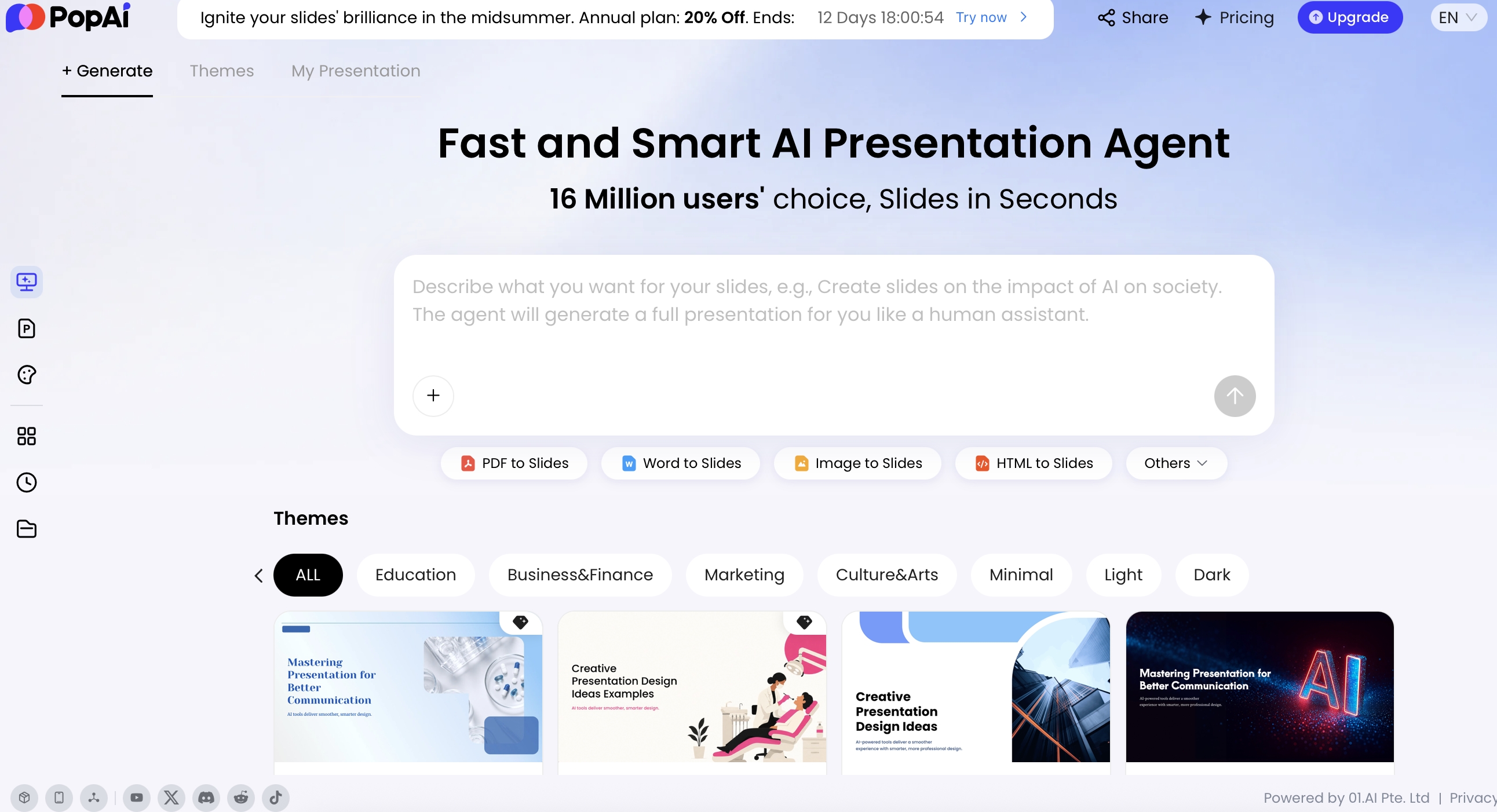
AI changes the production cycle, but it does not remove the need for facilitation design. The strongest workflow starts with a precise prompt or source file, asks AI to organize the logic, then generates slides that can be edited for timing, accessibility, brand tone, and the emotional arc of the session. In PopAi AI Presentation, for example, you can begin with a topic prompt or upload existing materials such as PDF, Word, images, HTML, text, PPTX, audio, video, or a YouTube URL, then refine the generated deck before exporting or sharing.
Good AI workshop slides should not only answer “What do we present?” They should answer “What do participants do next, for how long, and what output should we capture?”
In practice, workshop preparation usually spans several tools: a document or transcript for source material, an AI generator for the deck draft, a whiteboard for collaboration, a polling tool for quick prioritization, and notes or recordings for follow-up. The template is the operating system that keeps those tools from becoming noise. It defines which slide hands off to which activity, what the facilitator says, and what artifact should exist at the end.
A common failure mode is the “beautiful activity slide” with no operating instructions. For example, an AI-generated slide may say “Discuss customer pain points” but omit the breakout group size, time box, capture format, voting method, and decision rule. In a live hybrid session, that omission creates five minutes of confusion, uneven participation, and weak outputs. A facilitation-first template prevents that by building instructions into the deck itself.
What the best workshop templates for AI presentations include
For a broader view of available tools, compare the latest AI presentation makers before choosing the workflow that best fits your team.
The best workshop templates are modular enough for AI to generate quickly and explicit enough for another facilitator to run without guessing.
Core facilitation structure
- Objective slide: State the outcome, not the theme. Strong: “By 12:00, we will agree on three priority onboarding improvements and owners.” Weak: “Improve onboarding experience.”
- Audience and roles slide: Clarify who is deciding, who is advising, who is observing, and who owns follow-up.
- Agenda and time boxes: Include start, context, activity, discussion, break, synthesis, decision, and close blocks with realistic durations.
- Working agreements: Participation norms, remote etiquette, confidentiality, decision rules, and how disagreement will be handled.
Activity and participation slides
- Context slides: Provide only the background needed before participants can contribute intelligently. Avoid turning the workshop into a status update.
- Activity instruction slides: Include step-by-step tasks, group size, tools, timing, and expected output. A good slide can survive if the facilitator loses their place.
- Capture slides: Use tables, prioritization grids, journey maps, assumption maps, risk heatmaps, or decision logs instead of blank “discussion” slides.
- Hybrid participation cues: Tell remote participants exactly where to type, vote, raise hands, or join breakout rooms.
Follow-up and accountability slides
- Decision log: Capture decision, rationale, owner, date, and open dependencies.
- Action tracker: Record owners, due dates, confidence level, and first next step.
- Unresolved questions: Separate true blockers from topics that can be handled asynchronously.
- Recap slide: Summarize outcomes in language suitable for sponsors who did not attend.
Tip: Before generating slides, write a prompt that specifies audience, session length, group size, must-cover topics, activity types, expected outputs, and whether the session is in-person, remote, or hybrid.
In an editorial test using a 90-minute requirements workshop prompt, the first AI-generated outline saved roughly 45 minutes of blank-page drafting, but the timing needed human correction. The draft allocated 20 minutes to context-setting and only 10 minutes to prioritization; a facilitator would usually reverse that ratio. The lesson: use AI to create the skeleton, then audit the deck against the live-room experience.
Workshop Run-of-Show Template for AI-Generated Facilitation Decks
A workshop deck needs timing, activity instructions, and decision rules—not only pretty section dividers.
| Workshop moment | Slide template | Facilitator instruction | Participant output |
|---|---|---|---|
| Pre-work | Context and objective slide. | Explain what participants should read, bring, or decide. | Shared starting point. |
| Opening | Goals, agenda, roles, working agreements. | Set expectations for participation, time boxes, and decision authority. | Psychological safety and clarity. |
| Diverge | Silent ideation or individual reflection slide. | Give quiet thinking time before group discussion. | Independent inputs. |
| Share and cluster | Affinity map or theme board. | Group similar ideas without judging too early. | Themed observations. |
| Converge | Dot vote, impact-effort matrix, or decision grid. | Define scoring criteria before voting. | Prioritized options. |
| Close | Action owner slide. | Confirm owner, deadline, dependency, and next meeting. | Accountable next steps. |
7 best workshop facilitation presentation templates for AI tools
Choose workshop templates by facilitation purpose first and visual style second.
The seven templates below are not just slide themes; they are repeatable workshop structures you can generate in an AI tool, customize for your brand, and reuse across similar sessions.
| Template type | Best for | Typical duration | Core activity | Main output | Risk to watch |
|---|---|---|---|---|---|
| Discovery and requirements | Consulting, product, customer success | 90 minutes to half day | Pain-point mapping and prioritization | Prioritized requirement list | Loud stakeholders overriding users |
| Design thinking or sprint | UX, innovation, service design | Half day to 5 days | Ideation, voting, prototyping | Testable concept or prototype plan | AI narrowing ideas too early |
| Agile retrospective | Scrum and delivery teams | 45 to 90 minutes | Silent feedback, clustering, action planning | 1–3 improvement actions | Low psychological safety |
| Training and capability-building | L&D, HR, enablement, education | 60 minutes to full day | Practice and knowledge checks | Demonstrated skill transfer | Too much content, not enough practice |
| Strategy alignment | Leadership and cross-functional teams | 2 hours to 2 days | Trade-off and decision discussion | Agreed strategic choices | Consensus language without real commitment |
| Change impact | Transformation and implementation teams | 90 minutes to half day | Impact and readiness mapping | Impact register and comms needs | Sensitive employee data handled casually |
| Data storytelling | Analytics, operations, executive reporting | 60 to 120 minutes | Insight critique and action framing | Decision narrative and action plan | Confusing observation with insight |
1. Discovery and requirements workshop deck
Use this when the team has messy inputs, competing stakeholder needs, or an unclear product or service scope.
- Recommended structure: Purpose, stakeholder map, current-state journey, pain-point capture, requirement categories, MoSCoW or RICE prioritization, decision log, action tracker.
- Best group size: 8–18 participants; larger groups need breakout rooms and a stronger voting method.
- Sample 2-hour flow: 10 minutes framing, 15 minutes current-state review, 25 minutes pain-point mapping, 25 minutes requirement clustering, 20 minutes prioritization, 15 minutes decisions and owners, 10 minutes close.
- Prompt starter: “Create a 2-hour discovery workshop deck for [audience]. Include stakeholder goals, current-state pain points, a requirements capture table, MoSCoW prioritization, decision log, and facilitator notes for handling conflicting priorities.”
- Watch for: AI may invent requirements if source material is thin. Mark assumptions clearly and validate them in the room.
2. Design thinking or design sprint deck
Use this when the goal is to move from problem framing to possible solutions without jumping straight to the loudest idea.
- Recommended structure: User context, problem statement, “How Might We” prompts, empathy map, Crazy 8s or idea sketching, dot voting, concept storyboard, prototype plan, test assumptions.
- Best group size: 6–12 for a fast design-thinking session; a full sprint needs a smaller core team with decision-maker availability.
- Template variation: For a 90-minute session, keep it to problem framing, ideation, voting, and next experiment. For a five-day sprint, separate understand, sketch, decide, prototype, and test into daily decks.
- Prompt starter: “Generate a design thinking workshop deck for [target user] facing [problem]. Include empathy mapping, How Might We questions, Crazy 8s instructions, dot voting, storyboard slide, and prototype test plan.”
- Watch for: AI is useful for reframing prompts, but do not let it over-polish early ideas. Messy participant language often contains the real insight.
3. Agile retrospective deck
Use this when a team needs to inspect recent work honestly and leave with a small number of behavior-changing actions.
- Recommended structure: Safety check, sprint evidence, retro format, silent brainstorming, theme clustering, vote, root-cause discussion, action commitments, owner review.
- Useful formats: Start/Stop/Continue, 4Ls, Sailboat, Mad/Sad/Glad, or Timeline Retro. Choose the format based on team maturity and emotional temperature.
- Best group size: 5–10. For larger programs, run team-level retros first and synthesize themes later.
- Prompt starter: “Create a 60-minute agile retrospective deck using the Sailboat format for a hybrid product team. Include anonymous feedback instructions, clustering, dot voting, root-cause prompts, and an action-item table with owner and due date.”
- Watch for: AI can neutralize blame in recap wording, but it can also flatten emotional nuance. Keep raw feedback visible to the facilitator, even if the summary is cleaned up.
4. Training and capability-building deck
Use this when the workshop must change what people can do, not just what they know.
- Recommended structure: Learning objectives, relevance hook, concept explanation, worked example, guided practice, scenario exercise, knowledge check, reflection, transfer-to-work plan.
- Adult learning pattern: Explain briefly, demonstrate, let participants practice, give feedback, then connect the skill to real work.
- Best group size: 10–30 for practice-based sessions; larger cohorts need breakout facilitators or asynchronous practice.
- Prompt starter: “Build a 75-minute training workshop deck on [skill]. Include measurable learning objectives, a realistic workplace scenario, one worked example, two practice activities, a five-question knowledge check, accessibility notes, and facilitator prompts.”
- Watch for: AI often creates too many quiz questions and too little practice. Keep at least 40% of the session for participant application.
5. Strategy alignment deck
Use this when leaders need to make trade-offs, not simply agree with a polished strategy narrative.
- Recommended structure: External context, internal diagnosis, strategic options, trade-off matrix, scenario comparison, risk assessment, decision criteria, commitment slide.
- Decision tools: Use “even over” statements, weighted criteria, pre-mortem risks, or confidence voting to expose real differences.
- Best group size: 6–15 decision-makers or senior stakeholders. More than that usually requires pre-work and facilitated breakouts.
- Prompt starter: “Create a half-day strategy alignment workshop deck for [leadership group]. Include market context, internal diagnosis, three strategic options, a trade-off matrix, scenario discussion, risk heatmap, decision checkpoints, and commitment slide.”
- Watch for: Dominant voices can turn the deck into theater. Add silent voting, written pre-reads, and explicit decision rights.
6. Change impact workshop deck
Use this when a new system, process, policy, or operating model will change how people work.
- Recommended structure: Change overview, stakeholder groups, process changes, behavior shifts, readiness scale, resistance mapping, risk heatmap, communication needs, owner map.
- Capture format: Use an impact matrix with columns for stakeholder group, change, severity, readiness, support needed, owner, and next action.
- Best group size: 10–25 with representation from affected teams. Separate executive alignment from employee impact discovery if trust is low.
- Prompt starter: “Generate a 2-hour change impact workshop deck for [initiative]. Include stakeholder mapping, process-change analysis, behavior impact matrix, readiness scale, resistance themes, communication planning, and risk mitigation table.”
- Watch for: AI summaries can make resistance sound irrational. Preserve the operational reasons people may resist: workload, incentives, unclear ownership, or previous failed changes.
7. Data storytelling workshop deck
Use this when teams need to turn metrics into decisions instead of presenting charts as decoration.
- Recommended structure: Decision question, metric definitions, data quality notes, trend review, anomaly prompts, insight-versus-observation activity, root-cause hypotheses, decision options, action tracker.
- Useful activity: Ask participants to label each chart as “observation,” “interpretation,” or “decision implication.” This exposes where the story is unsupported.
- Best group size: 6–20. Include data owners and decision-makers, not only analysts.
- Prompt starter: “Create a 90-minute data storytelling workshop deck from [report/topic]. Include metric definitions, chart critique activity, data quality checks, root-cause prompts, insight-to-action framing, and executive recap slide.”
- Watch for: AI may overstate causality. Use language such as “suggests,” “correlates with,” and “requires validation” where evidence is incomplete.
How to create workshop templates for AI presentations in PopAi
A practical AI workflow should remove repetitive drafting without taking control away from the facilitator.
Start from a workshop brief
- Write the session goal. Example prompt: “Create a 90-minute hybrid requirements workshop for 14 product, sales, and support stakeholders. Include an agenda, working agreements, three breakout activities, prioritization, and an action-item recap.”
- Specify the operating conditions. Add participant count, seniority, in-person or hybrid setup, available tools, decision rights, and desired output.
- Ask for facilitator notes. Include timing cues, transition language, likely objections, and what to do if an activity runs long.
Start from source material
- Add the files participants already use. Upload a brief, old deck, discovery notes, transcript, PDF, DOCX, HTML report, or PPTX. PopAi supports local upload, drag-and-drop, existing files, and Google Drive connection.
- Tell AI what to ignore. For example: “Use the customer quotes and pain points, but do not include pricing information or named accounts.”
- Request a slide sequence before finalizing. Review the outline for agenda logic, missing activities, and unrealistic time boxes before generating the finished deck.
Choose, upload, and adapt the template
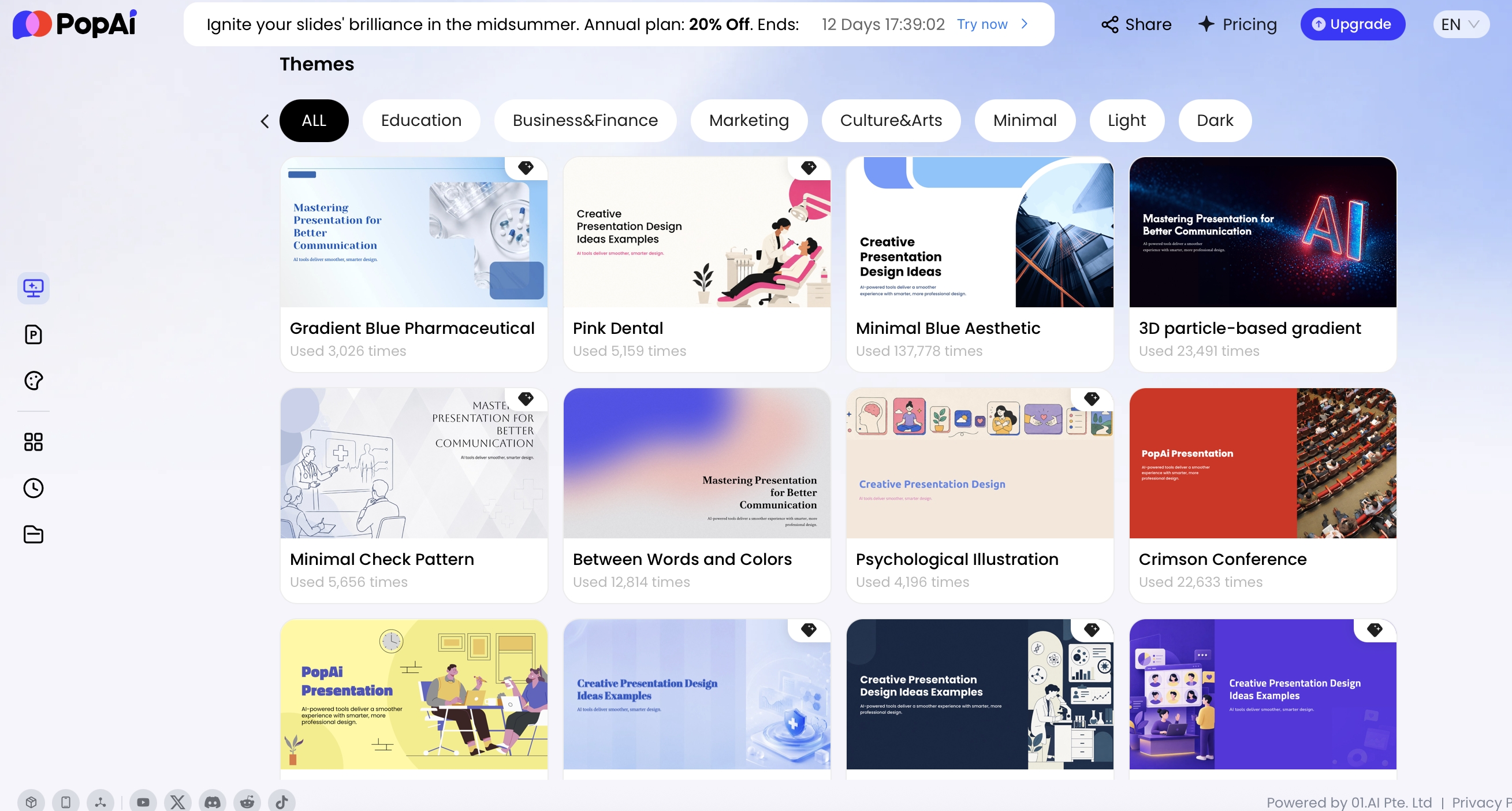
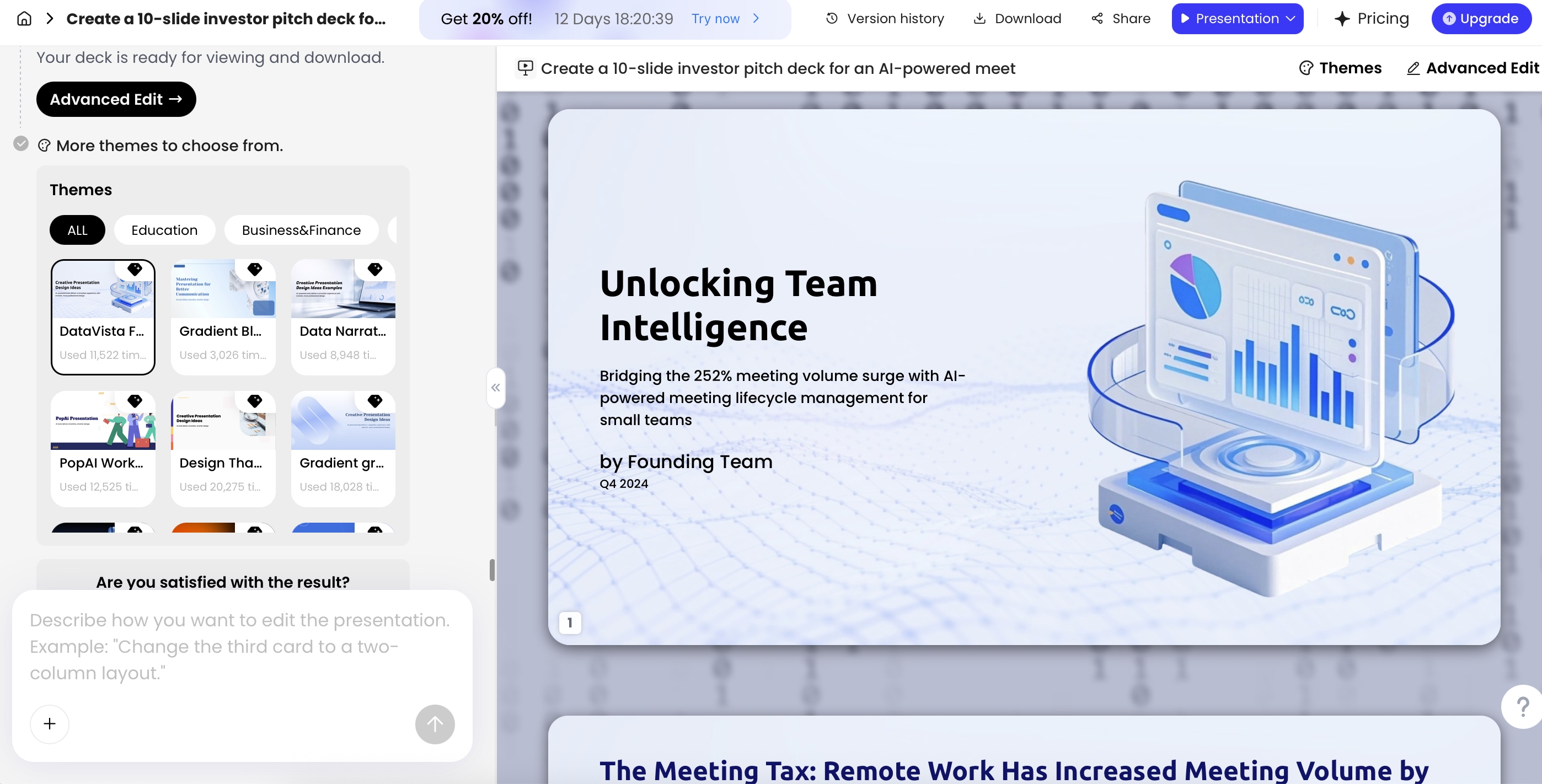
- Use a visual template after the structure is right. A branded theme cannot rescue a weak facilitation flow.
- Upload a PPTX template when consistency matters. This is useful for consulting teams, L&D departments, and recurring executive workshops.
- Edit activity slides manually. Check wording, participant instructions, table headers, voting scales, and accessibility details such as contrast and font size.
- Export or share. Prepare the deck as PPTX or PDF, copy a share link, or distribute through channels such as Mail, WhatsApp, Facebook, LinkedIn, X, or Reddit.
Case study: in a small editorial workflow test, an HTML project report with an executive summary, key metrics, and a risk register was converted into a six-slide follow-up presentation. The strongest AI output was the risk slide: it preserved risk, severity, owner, and mitigation columns in a format that could be reviewed by stakeholders. The weakest output was the recommendation slide, which sounded more confident than the source data justified. The practical fix was to add a “decision needed” line and mark two recommendations as assumptions requiring sponsor confirmation.
For live workshop preparation, the same pattern applies. AI can turn raw notes into a first-pass agenda, but the facilitator should still inspect whether the session has enough silence for thinking, enough time for disagreement, and a concrete close. In most real workshops, the deck is only finished after one dry run against the clock.
Use AI for the first 70% of structure and production, then spend your human attention on the last 30%: judgment, room dynamics, phrasing, risk, and trust.
Quality checks before you facilitate with an AI-generated deck
Check the deck against the live experience, not only the visual design.
| Quality check | What to inspect | Fix before delivery |
|---|---|---|
| Agenda logic | Does each activity build toward the stated outcome? | Remove “nice to have” sections and add decision checkpoints. |
| Timing realism | Are breakouts, voting, discussion, and recap durations believable? | Add buffers, shorten context slides, and time a dry run. |
| Activity clarity | Can participants understand the task without verbal rescue? | Rewrite activity slides with steps, roles, tools, time box, and output example. |
| Hybrid participation | Do remote participants know where to contribute and how voting works? | Add tool links, chat instructions, breakout rules, and backup options. |
| Fact accuracy | Are data points, policies, product details, and claims verified? | Cross-check source material and mark assumptions visibly. |
| Accessibility | Are fonts readable, contrast adequate, and activities neurodiversity-friendly? | Increase font size, reduce dense text, add captions or alternatives, and avoid color-only meaning. |
| Action capture | Is there a place to record owners, deadlines, and unresolved questions? | Add a decision log and action-item slide before the close. |
Red flags include slides titled “Discussion” with no question, activities with no capture format, voting without decision criteria, speaker notes that repeat the slide text, and AI-generated examples that stereotype customers, employees, or regions. If the deck cannot tell you what artifact will exist after each activity, it is not ready to facilitate.
Template quality also depends on output format. Some teams need editable PPTX for enterprise review, others need share links for asynchronous preparation, while collaborative workshops may also require a whiteboard or polling layer. When comparing AI presentation makers, evaluate not just design quality but whether the tool supports your facilitation lifecycle: preparation, generation, live delivery, editing, export, and follow-up.
Governance, privacy, and participant trust
Workshop AI use becomes risky when participants do not know what is being captured or where sensitive material is going.
Use three levels of protection. First, minimize: upload only what the deck needs, and remove names, account details, confidential financials, or sensitive HR content when possible. Second, disclose: if you use AI transcription, summarization, or recording during the session, tell participants before the activity begins. Third, validate: confirm your organization’s privacy, retention, and vendor policies before using AI notetakers in confidential meetings.
| Data sensitivity | Examples | Recommended handling |
|---|---|---|
| Low risk | Public training topics, generic examples, non-confidential agendas | AI drafting is usually appropriate with normal review. |
| Medium risk | Internal process notes, anonymized customer themes, project risks | Remove identifiers, limit access, and check retention settings. |
| High risk | Employee feedback, client strategy, regulated data, financial forecasts | Use approved tools only, get permission, avoid live recording unless explicitly authorized. |
- For client workshops: anonymize source notes and avoid uploading proprietary strategy unless approved in the engagement terms.
- For employee workshops: separate psychological safety from productivity; do not surprise participants with recording or AI summarization.
- For regulated teams: check data residency, audit logs, encryption, access controls, deletion rights, and whether uploaded content can be used for model training.
- For AI-generated visuals: confirm that images, icons, charts, and claims are appropriate for your usage context and licensing expectations.
Before using AI in a sensitive workshop, ask practical vendor questions: Where is data stored? Who can access generated decks? Can files be deleted? Is there enterprise SSO? Are admin controls available? What is the retention period? Does the vendor document security practices such as SOC 2 or ISO 27001 if your organization requires them?
AI should support participant trust, not undermine it. A clear slide explaining how notes will be captured, how outputs will be used, and who will receive the follow-up deck can prevent confusion and improve candor.
Free vs paid path: choosing the right workshop template stack
Free tools can help you draft a workshop, but paid or team workflows usually become worthwhile when you need reusable templates, clean export, brand control, collaboration, or governance.
| Path | Typical stack | Best fit | Trade-off | Template priority |
|---|---|---|---|---|
| Free path | AI chatbot, basic slide software, manual notes | Solo facilitator testing a new workshop format | More copy-paste work, weaker design consistency, limited privacy controls | Clear agenda, activity slides, and follow-up summary. |
| Low-cost path | AI presentation generator plus editable PPTX/PDF export | Coaches, consultants, and small internal teams | Still requires manual review of timing, tone, and facilitation notes | Reusable workshop outlines, decision logs, and action trackers. |
| Team path | AI deck generation, shared template library, polling or whiteboard tool | Small team workshops and recurring stakeholder sessions | Needs agreement on naming, version control, and who owns the final deck | Hybrid instructions, discussion capture, and action ownership. |
| Enterprise path | Approved AI tools, brand templates, review workflows, admin controls | L&D, HR, transformation, consulting delivery, regulated teams | Slower setup, but lower governance risk and better consistency | Learning objectives, practice exercises, accessibility, privacy, and auditability. |
For most teams, the best starting point is not a massive stack. Start with one AI presentation tool, one collaboration surface if needed, and a reliable note-capture method. Test the workflow in a low-risk internal session, collect feedback, and improve your reusable workshop template before using it with senior stakeholders or clients.
FAQ: workshop templates for AI presentations
What makes a workshop template different from a normal presentation template?
A workshop template is built for facilitation, not passive viewing. It needs timing, activity instructions, participant prompts, breakout guidance, discussion capture, and action-item slides in addition to standard content pages.
Can AI create a complete workshop facilitation deck from a prompt?
Yes. AI tools can generate a first draft with agenda, activities, instructions, and wrap-up slides. A facilitator should still review timing, audience fit, facts, privacy requirements, and whether the activities support the workshop objective.
Which workshop templates work best for hybrid sessions?
Hybrid sessions need visible time boxes, simple activity rules, remote participation prompts, decision checkpoints, and recap slides. Avoid templates that depend only on in-room whiteboarding.
How do I avoid generic AI-generated workshop slides?
Give the AI a specific audience, business context, desired outputs, constraints, timing, activity types, and source examples. Then edit for sharper questions, realistic activity durations, and brand-specific language.
Should I use AI notetakers for confidential workshops?
Only when they match your organization’s privacy policy and participants have been informed. For sensitive sessions, use anonymized notes, remove client identifiers, and confirm data retention rules before the workshop.
Create your presentation with one click now
Turn workshop goals, source files, and rough notes into an editable AI presentation deck you can refine, export, and share.
Start with PopAi AI Presentation