Best Sales Enablement Presentation Templates for AI Tools
If you sell, market, or train teams on AI products, the difficult work is not making polished slides. It is helping a rep explain a complex workflow to a buying committee that may include a VP of Customer Experience, IT security, legal, finance, procurement, and the future users who will live with the tool every day.
Consider a rep selling an AI support copilot after discovery. The champion likes the promise of faster ticket resolution, but the deal stalls because security asks where prompts are stored, the CFO questions adoption assumptions, and frontline managers worry about hallucinated answers reaching customers. A generic product deck will not survive that conversation. The best sales enablement presentation templates for AI tools give reps modular, approved slide paths for those decisions: trust, value, workflow fit, implementation, and risk control.
This guide focuses on practical template structures for AI SaaS, copilots, chatbots, analytics platforms, automation products, agent platforms, and AI security tools. You will find slide outlines, persona adaptations, governance guidance, prompt examples, and a workflow for generating buyer-ready decks with PopAi AI Presentation while keeping claims, brand, and compliance under control.
Fast takeaway: Build templates around buying decisions, not product features. “Can we trust this AI with customer data?” needs a security review mini-deck. “Will users adopt it?” needs a workflow and change-management deck. “Does the ROI justify a pilot?” needs a CFO business-case deck. “How do we compare with Vendor X?” needs an internal battle card, not a customer-facing attack slide.
What Makes Sales Enablement Presentation Templates for AI Tools Different?
AI sales templates need to explain capability, boundaries, evidence, and control—not just features.
A traditional enablement deck often covers messaging, personas, pricing, case studies, and competitive positioning. An AI sales enablement presentation template must do all of that while also explaining a system that may learn, classify, generate, automate, recommend, or act on behalf of a user. That changes the slide architecture.
AI buyers ask questions that are both strategic and technical: “Where does the data go?” “How accurate is it under our conditions?” “Can humans approve outputs?” “Will this integrate with our CRM, knowledge base, data warehouse, or ticketing system?” “How do we prevent hallucinations, prompt injection, or unauthorized actions?” Your template should answer these before the sales rep is forced into a defensive explanation.
A strong AI sales deck does not simply say “we use AI.” It proves that the AI is useful, governable, measurable, and safe enough for the buyer’s workflow.
Data perspective: The pressure to make enablement content easier to find is well documented. Salesforce’s State of Sales research has repeatedly shown that reps spend a minority of their week actively selling, with large amounts of time lost to admin, preparation, and tool switching. Gartner has also reported that B2B buying groups are spending more time in self-directed research than with suppliers. For AI sales decks, the takeaway is practical: if a rep must assemble security, ROI, proof, and workflow slides from six locations, the “template” is not doing its job.
The most useful AI template library is modular. Reps can pull a security slide for the CIO, a value-realization slide for the CFO, a workflow slide for operations, and a usability slide for end users. Instead of one bloated 40-slide deck, the enablement team maintains approved modules that can be assembled by sales stage, persona, vertical, and objection.
A good AI slide library usually includes these modules:
- Capability slide: What the AI does, using verbs the buyer understands: detects, drafts, routes, recommends, summarizes, prioritizes, or executes.
- Boundary slide: What the AI does not do, including situations requiring human review.
- Data slide: Data sources, storage, retention, model-training policy, and customer-data handling.
- Control slide: Human-in-the-loop approvals, admin settings, permissions, audit logs, and escalation paths.
- Evaluation slide: Accuracy, quality, or performance testing method, including sample size and test conditions.
- Proof slide: Customer case study, benchmark, pilot outcome, or third-party validation with source and date.
The Core Sales Enablement Template for AI: Slide-by-Slide Structure
Start with a master deck that protects message consistency but can be shortened for executives, expanded for security, or reframed for end users.
For a broader view of available creation workflows, compare the latest AI presentation makers before choosing the system your enablement team will standardize on.
10-slide master template for an AI sales conversation
- Title and buyer context: Account name, buyer persona, current initiative, and meeting objective. Avoid opening with product jargon; anchor the deck in the buyer’s operating problem.
- Why now: Market shift, cost pressure, compliance risk, service expectation, or competitive urgency. Show why delaying the AI initiative has a business cost.
- Current workflow pain: Manual steps, cycle time, error rates, rework, tool switching, missed revenue moments, or support backlog. Use the buyer’s language from discovery.
- AI use-case map: What the AI observes, predicts, generates, recommends, automates, and escalates. This slide should make the model’s role concrete without overexplaining the technology.
- Before-and-after workflow: A visual comparison of today’s process versus the AI-enabled process, including where humans approve outputs or handle exceptions.
- Value proposition and ROI logic: Time saved, quality improved, risk reduced, revenue increased, or cost avoided. Include assumptions, not just a final ROI number.
- Proof and credibility: Case study, benchmark, testimonial, pilot result, analyst note, or internal evaluation. Label any benchmark clearly so reps do not imply it is a guaranteed customer result.
- Data, security, and governance: Data flow, what is stored, what trains the model, retention period, tenant isolation, RBAC, SSO/SAML, encryption, audit logs, subprocessors, and human review points.
- Implementation roadmap: Pilot scope, timeline, stakeholders, dependencies, integrations, training, adoption plan, and success metrics.
- Commercial next step: Pricing frame, mutual action plan, decision process, procurement path, and specific call to action.
What to remove by meeting type
- First executive meeting: Keep slides 1–7 and 10. Move architecture details to an appendix unless the buyer asks.
- Security review: Lead with slides 4, 5, and 8. Add architecture, data residency, model-training policy, and incident-response slides.
- CFO business case: Lead with slides 2, 3, 6, 7, and 9. Include payback sensitivity and implementation cost assumptions.
- End-user workshop: Lead with slides 3, 4, and 5. Add day-in-the-life examples, training plan, and exception handling.
- Pilot proposal: Lead with slides 6, 8, 9, and 10. Include entry criteria, exit criteria, and owner responsibilities.
When generating this deck from a prompt or brief, specify the audience, AI product category, sales stage, buyer objections, approved proof points, slide count, source files, and claim restrictions. A strong prompt should also tell the AI what not to invent: customer logos, compliance certifications, ROI percentages, competitive claims, pricing, or case-study metrics that are not present in the source material.
Prompt starter: “Create a 12-slide customer-facing sales deck for an AI customer support copilot selling to a VP of Customer Experience after discovery. Use only the attached product brief, approved case study, security FAQ, and discovery notes. Include before/after workflow, ROI assumptions, human approval points, data-handling slide, 60-day pilot plan, and objection-handling appendix. Do not invent customer names, certifications, benchmarks, or savings percentages. If evidence is missing, add a speaker note that says ‘proof required.’ Tone: executive, practical, evidence-based.”
Best Sales Enablement Presentation Templates for AI Tools by Use Case
Choose the template based on the deal moment: create interest, convert interest into a plan, defend against competitors, resolve risk, prove value, or launch a pilot.
The fastest way to prioritize your library is to map recurring deal blockers to specific template types:
- Early discovery follow-up: Use the AI product pitch deck. Avoid deep architecture unless the buyer is technical.
- Champion needs internal alignment: Use the proposal or pilot roadmap deck. Avoid vague “next steps.”
- Competitor appears in the deal: Use the internal battle card deck. Avoid unsupported public claims.
- Security or legal slows the deal: Use the security review mini-deck. Avoid one-slide “we are secure” summaries.
- Finance challenges value: Use the ROI/business-case deck. Avoid ROI numbers without assumptions.
- Reps struggle with AI objections: Use the objection-handling training deck. Avoid memorized scripts with no discovery questions.
1. AI product pitch deck template: best for first executive interest
Audience: Economic buyer, business leader, champion, or partner. Sales stage: Discovery follow-up or first executive meeting. Recommended length: 8–12 slides.
- Required slides: buyer context, why now, current workflow pain, AI use-case map, before/after workflow, business value, proof, next step.
- Optional slides: light security overview, implementation snapshot, pricing frame, vertical use case.
- Success metric: next meeting booked with technical, finance, or executive stakeholders.
- Common mistake: opening with “our model architecture” before proving the buyer problem is worth solving.
- Example slide title: “Where AI Removes Three Manual Handoffs in Your Support Escalation Process.”
2. AI sales proposal template: best for turning interest into a buying plan
Audience: Champion, economic buyer, procurement, RevOps, implementation owner. Sales stage: solution validation, business case, or procurement preparation. Recommended length: 10–15 slides.
- Required slides: executive summary, agreed pain, recommended solution, scope, integrations, data requirements, rollout timeline, roles, pricing logic, success metrics, mutual action plan.
- AI-specific additions: data access assumptions, human approval workflow, model evaluation method, failure-mode handling, training and adoption plan.
- Success metric: buyer agrees to pilot, procurement review, or mutual action plan date.
- Common mistake: presenting pricing before clarifying pilot scope and success criteria.
- Example slide title: “Proposed 60-Day Pilot: Scope, Owners, Metrics, and Go/No-Go Criteria.”
3. AI competitive battle card deck: best for internal rep readiness
Audience: Account executives, SDRs, sales engineers, partner sellers. Sales stage: any deal where a competitor is known or likely. Recommended length: 6–10 internal slides.
- Required slides: competitor positioning, where we win, where they may win, qualification red flags, discovery questions, proof assets, legal-approved language.
- Battle-card modules: “when to bring it up,” “when not to attack,” “safe claim,” “proof required,” “reframe statement,” and “landmine question.”
- Success metric: reps use consistent, accurate positioning in call reviews and deal notes.
- Common mistake: encouraging reps to make claims that legal, product, or security teams would not approve.
- Example slide title: “Reframe: From Model Size to Workflow Control and Time-to-Value.”
4. AI objection-handling template: best for coaching difficult conversations
Audience: Sales reps, sales engineers, customer success, and managers. Sales stage: discovery, validation, security review, or late-stage negotiation. Recommended length: 8–12 internal slides.
- Required slides: objection, buyer concern behind the objection, recommended response, proof to cite, discovery question, escalation path.
- AI-specific objections: hallucinations, data privacy, accuracy, model training, explainability, compliance, adoption, integration, and job displacement.
- Success metric: fewer stalled deals after security, finance, or user-adoption questions appear.
- Common mistake: answering “Is it accurate?” with a percentage but no testing context, sample size, or workflow boundary.
- Example slide title: “Objection: ‘What Happens When the AI Is Wrong?’”
5. AI customer case study template: best for proof without hype
Audience: Champion, executive sponsor, finance, and skeptical functional leaders. Sales stage: validation, business case, renewal, or expansion. Recommended length: 5–8 slides.
- Required slides: customer context, old workflow, why AI was considered, implementation path, measurable outcome, lessons learned, what the buyer can replicate.
- AI-specific additions: data sources used, human oversight model, adoption curve, exception handling, and limits of the result.
- Success metric: buyer accepts that the outcome is relevant enough to justify a pilot or stakeholder expansion.
- Common mistake: showing a headline metric without explaining baseline, time period, or deployment conditions.
- Example slide title: “Before AI: 14 Manual Review Steps; After Pilot: 6 Steps with Manager Approval Gates.”
6. AI security review mini-deck: best for IT, legal, and compliance
Audience: CIO, CISO, security architect, legal, compliance, procurement. Sales stage: technical validation or procurement. Recommended length: 6–9 slides.
- Required slides: architecture overview, data flow, model-training policy, access controls, encryption, audit logging, compliance posture, subprocessors, incident response.
- Success metric: security team identifies specific follow-up questions instead of blocking the deal due to vague risk answers.
- Common mistake: using generic “enterprise-grade security” language without diagrams or policy detail.
- Example slide title: “Customer Data Flow: From User Prompt to Logged Output and Retention Policy.”
7. AI pilot roadmap template: best for reducing perceived implementation risk
Audience: Champion, operations owner, IT, executive sponsor, customer success. Sales stage: proposal, pilot design, or mutual action planning. Recommended length: 5–7 slides.
- Required slides: pilot objective, entry criteria, week-by-week plan, owner responsibilities, success metrics, risks and mitigations, go/no-go decision.
- Success metric: buyer agrees to a time-bound pilot with named owners and measurable exit criteria.
- Common mistake: calling it a pilot while leaving data access, integrations, user training, and measurement undefined.
- Example slide title: “Pilot Exit Criteria: Adoption, Accuracy, Escalation Rate, and Business Impact.”
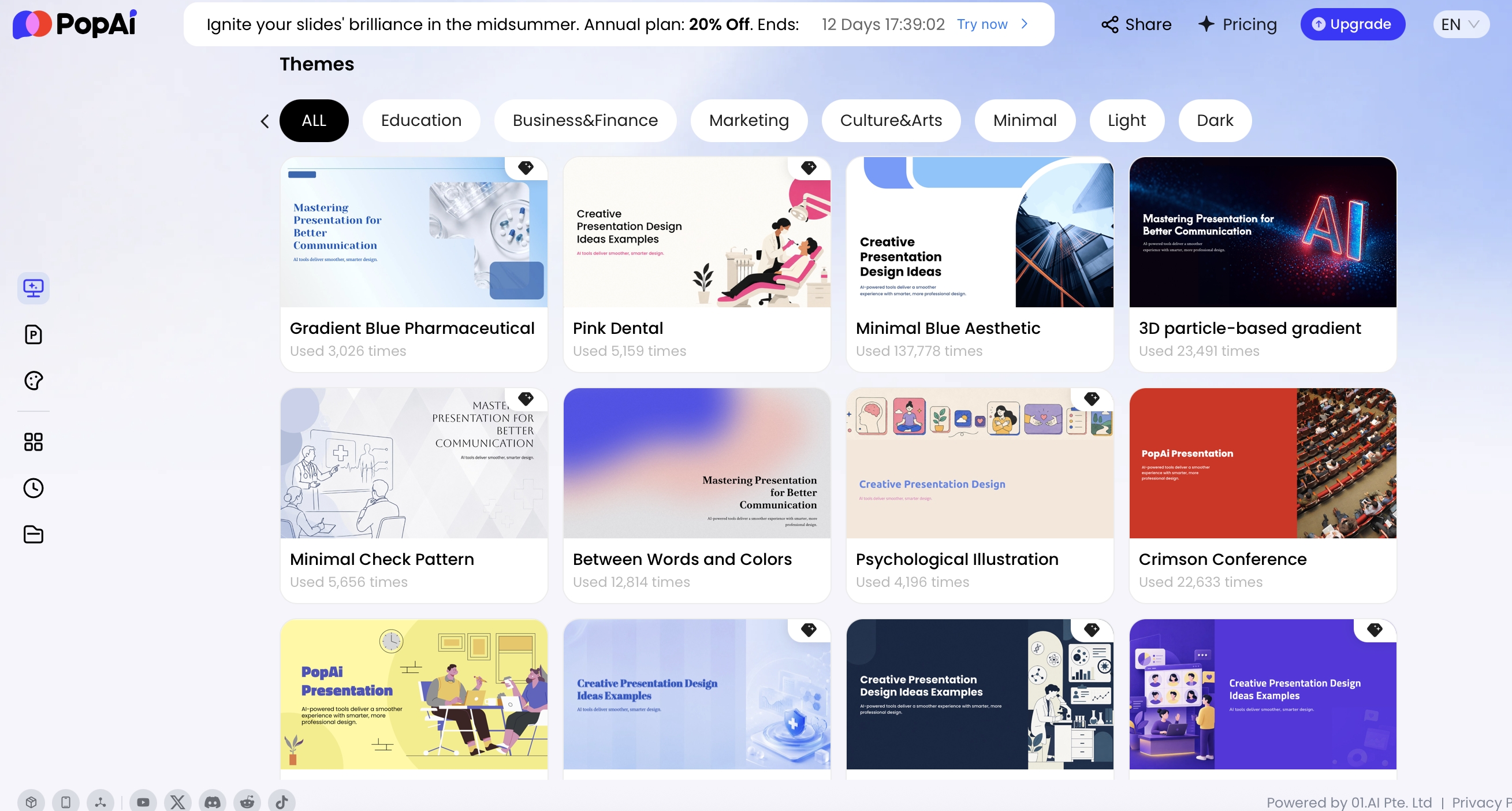
Template control matters because AI-generated slides can drift if every rep starts from a blank page. In a workable enablement process, product marketing owns the approved master PPTX, legal and security approve locked claim slides, and reps customize only the account context, pain points, stakeholder names, and next steps. PopAi’s workflow can support official templates, personal templates, and uploaded PPTX templates, which is most useful when the team starts from a brand-ready sales deck rather than asking AI to invent structure, claims, and design at the same time.
Field example: In a 30–50 rep B2B SaaS team, the highest-use AI enablement asset is often not the full pitch deck. It is the small set of objection and security modules reps can drop into follow-up emails or champion decks. Teams that track slide usage frequently find that “data flow,” “pilot roadmap,” and “ROI assumptions” slides get reused more than feature slides because they help buyers move internal stakeholders, not just understand the product.
Adapt Sales Enablement Templates for AI by Buyer Persona
Persona versions should change the first proof, first risk, and first next step—not merely the logo or title slide.
AI products usually involve a buying committee. The CRO may want revenue lift, the CFO wants payback logic, IT wants architecture clarity, legal wants risk control, procurement wants contract and vendor-risk details, and end users want less friction. A single deck that tries to satisfy everyone often satisfies no one.
Persona-to-slide emphasis matrix
- CEO or CRO: Lead with market urgency, revenue impact, competitive advantage, time-to-value, and expansion potential. Remove deep configuration details unless they affect strategic risk. Best CTA: executive alignment or pilot sponsorship.
- RevOps or Sales Ops: Lead with CRM integration, workflow fit, data quality, reporting, field adoption, routing logic, and governance. Proof required: process map, integration list, reporting examples, and adoption plan.
- IT and security: Lead with architecture, authentication, permissions, data flow, retention, model-training exclusions, SSO/SAML, auditability, encryption, subprocessors, and incident response. Best CTA: technical review or security questionnaire completion.
- CFO or procurement: Lead with total cost, pilot investment, ROI assumptions, risk-adjusted payback, implementation labor, usage-based pricing exposure, renewal terms, and contract flexibility. Remove broad vision slides. Best CTA: business-case validation.
- Legal and compliance: Lead with data processing, regulatory exposure, approved claims, retention, audit trail, consent, and escalation process. Proof required: policies, certifications, DPAs, and language approved by counsel.
- Data science or AI governance: Lead with evaluation methodology, model behavior boundaries, monitoring, drift handling, confidence thresholds, explainability, and failure modes. Best CTA: technical validation workshop.
- End users and managers: Lead with day-in-the-life workflows, ease of use, training needs, time saved, exception handling, and what remains under human control. Best CTA: workflow review or pilot user nomination.
Practical analysis: Persona risk is not the same as persona interest. A CFO may like automation but challenge false-positive costs, human review time, implementation labor, and adoption assumptions. A security leader may like reduced manual work but challenge data residency, tenant isolation, prompt injection risk, and audit logging. A manager may like faster output but worry that users will not trust or consistently review AI recommendations. Your template should surface the risk that persona is paid to manage.
Personalization is not changing the logo on the cover. It is changing which risk, proof, metric, and next step the buyer sees first.
In a practical AI-assisted workflow, teams generate the master deck once, duplicate it by persona, and revise the opening, proof, appendix, and CTA while keeping approved claims intact. For example, the CFO version might move ROI sensitivity to slide three and remove model architecture, while the IT version moves data flow and access controls to the front and puts business outcomes later.
Sales Process-Backed Sales Enablement Deck Structure
Sales enablement templates should map to the buyer journey and the team’s sales process, not only to product features.
| Sales process moment | Enablement deck slide | What to include | AI review risk |
|---|---|---|---|
| Customer research and persona building. | Ideal customer profile and pain map. | Industry, trigger event, pains, objections, buying committee, proof needed. | Do not invent persona motivations without CRM, interviews, or sales input. |
| Discovery and qualification. | Question bank and discovery flow. | Problem questions, impact questions, qualification criteria, disqualification signals. | Do not make the script sound manipulative or over-automated. |
| Solution education. | Use-case narrative and demo map. | Customer problem, before state, workflow, product moment, after state. | Check that claims match the actual product. |
| Objection handling. | Objection library. | Common objection, likely concern, approved response, proof asset, escalation owner. | Do not promise legal, security, pricing, or roadmap items without approval. |
| Closing and expansion. | Business case and next-step slide. | Decision criteria, pilot scope, timeline, stakeholder map, mutual action plan. | Make sure commitments are backed by the account team. |
Industry-Specific AI Sales Enablement Templates
Industry templates should change the workflow example, compliance proof, risk language, and claims discipline—not just the stock photography.
Templates by regulated or vertical market
- Healthcare: Include HIPAA/PHI handling, clinical or administrative workflow boundaries, auditability, patient-data access, human review, and escalation. Avoid claims that imply clinical decision-making unless cleared and supported.
- Financial services: Include SOC 2, data retention, FINRA/SEC recordkeeping considerations where relevant, model risk management, audit trails, role-based access, and supervisory review. Avoid implying the AI makes regulated advice decisions without oversight.
- Manufacturing: Include OT/IT integration, downtime risk, quality control, maintenance workflows, plant-level adoption, data latency, and exception handling. Proof should connect to throughput, defect reduction, or maintenance cost, not vague productivity.
- Retail and ecommerce: Include customer-data use, personalization boundaries, inventory or support workflows, seasonality, consent, and brand voice controls. Proof should show conversion, containment, basket size, or service efficiency by channel.
- Education: Include FERPA considerations, accessibility, student-data privacy, learning outcomes, instructor oversight, and content moderation. Avoid unsupported claims about achievement gains.
- Legal and professional services: Include confidentiality, privilege concerns, citation reliability, source traceability, review workflows, and document retention. Proof should emphasize reduced review time with attorney or expert oversight.
- B2B SaaS: Include CRM/product-data integration, customer success workflows, expansion signals, support deflection, admin controls, and multi-tenant security. Proof should distinguish internal productivity from customer-facing impact.
Templates by AI product category
- AI chatbot or support copilot: Include containment rate, escalation workflow, knowledge-source quality, tone controls, agent handoff, fallback behavior, and QA review.
- AI analytics platform: Include data ingestion, model assumptions, dashboard examples, anomaly detection, forecast confidence, data lineage, and governance.
- AI automation tool: Include trigger logic, approval gates, exception handling, audit trails, rollback process, and measurable hours saved.
- AI security product: Include detection methodology, false-positive handling, integration architecture, incident workflow, analyst review, and compliance reporting.
- AI agent platform: Include task boundaries, human-in-the-loop controls, permissions, monitoring, rollback, escalation design, and action logs.
For regulated industries, never bury compliance. Put data handling and human oversight before pricing or implementation. This prevents late-stage surprises and helps champions forward a credible deck to security, legal, and procurement instead of rewriting your claims in their own words.
A useful industry template also contains an internal “claims discipline” slide. It should define three categories: what reps may say freely, what requires proof or a source link, and what must be routed to legal, security, product, or a subject matter expert. This small slide can prevent overpromising when AI capabilities, model providers, and policies change quickly.
How to Generate and Edit Sales Enablement Templates for AI Tools
The safest AI deck workflow generates structure quickly but slows down at the moments where unsupported claims, fake proof, or security errors can enter the deck.
A practical AI-assisted enablement workflow
- Start from approved source materials: Use the latest product brief, security FAQ, case study, pricing notes, discovery notes, competitive guidance, and brand PPTX. Remove outdated screenshots and expired metrics before prompting.
- Generate an outline first: Ask for slide titles, purpose, buyer question answered, required proof, and internal-only versus customer-facing status before creating slides.
- Review the outline against your sales method: Check whether the deck supports MEDDICC, Challenger, SPICED, Sandler, mutual action planning, or your internal qualification process.
- Generate the first draft: Use the approved template and source files. Require speaker notes for talk tracks, not just slide text.
- Check claims against proof: Verify ROI metrics, customer names, compliance certifications, competitive statements, and security language. If the source does not prove the claim, cut it or mark it for SME review.
- Create persona variants: Reorder and shorten the deck for CFO, IT/security, end user, or executive audiences while preserving locked slides.
- Review with owners: Product marketing checks message, legal checks regulated language, security checks technical accuracy, sales leadership checks usability, and solutions engineering checks implementation reality.
- Test with two or three reps: Use real opportunities. Ask what they skipped, what buyers forwarded internally, and what still required custom explanation.
- Publish with version control: Label by product, segment, persona, stage, owner, and review date. Archive the previous version rather than letting both circulate.
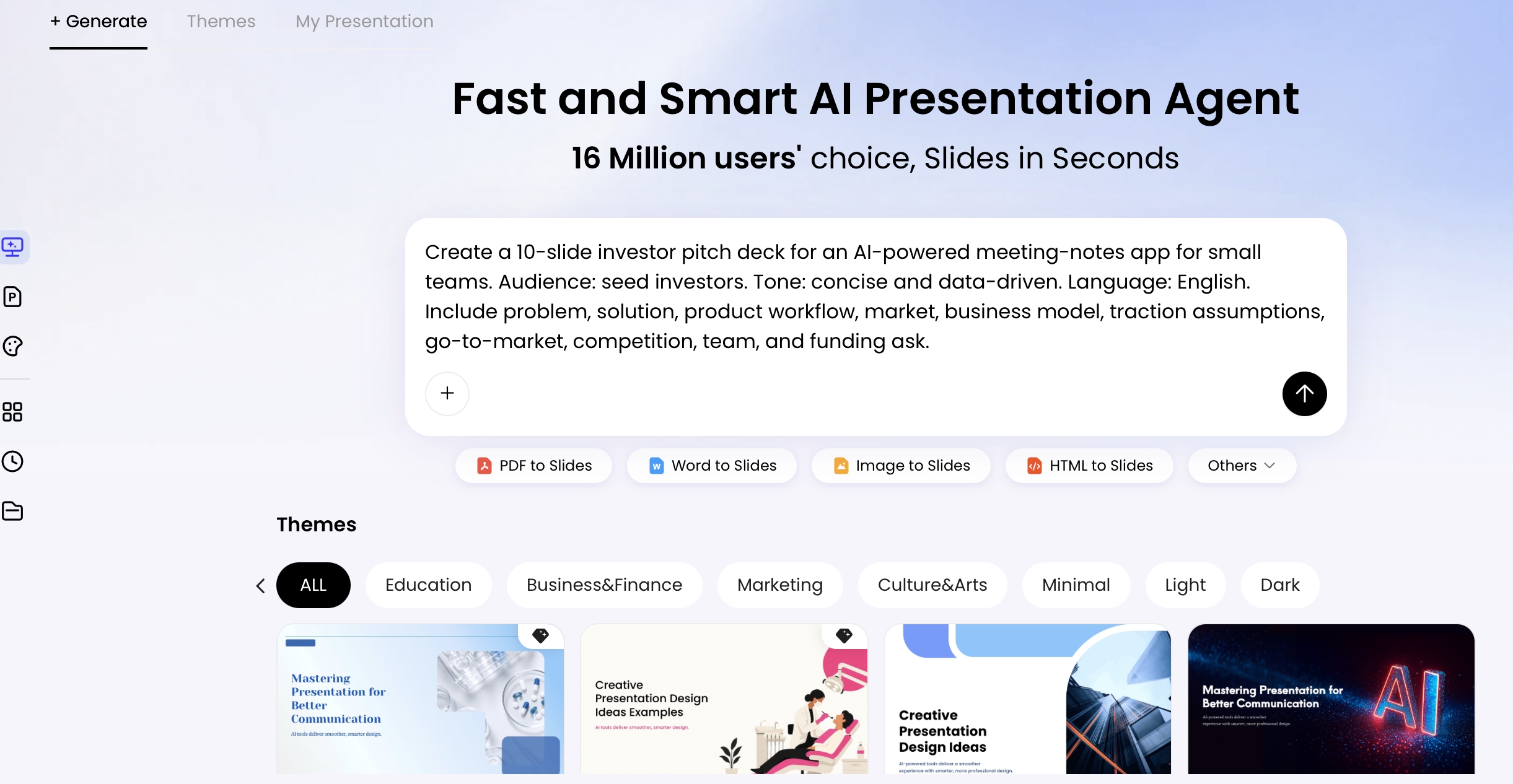
PopAi can fit this workflow as a drafting and editing layer: upload approved materials, request an outline, apply a theme or uploaded PPTX template, generate the deck, revise text with natural language, adjust layouts and visuals, then export to PPTX/PDF or share a review link. The important operating rule is that AI creates the draft; the enablement team owns the truth standard.
Efficiency analysis: A manual proposal workflow often involves copying discovery notes into a brief, searching for proof slides, rewriting product messaging, asking design for formatting, waiting on legal for claims, and rebuilding charts in PowerPoint. An AI-assisted workflow can compress the first draft from several hours to a shorter prompt-and-review cycle, but it does not remove mandatory checks. The measurable gain should be tracked as preparation time saved, number of review cycles reduced, and percentage of slides accepted without rewriting—not just “deck generated.”

The pilot roadmap is one of the highest-leverage slides for AI tools because it reduces perceived risk. A useful 60-day version usually looks like this:
- Weeks 1–2: Access and security review: confirm data sources, user groups, permissions, legal documents, and success metric definitions.
- Weeks 3–4: Configuration and integration: connect systems, configure workflows, define approval gates, test outputs, and document exception paths.
- Weeks 5–6: User training and workflow testing: train pilot users, monitor adoption, collect qualitative feedback, and tune prompts, knowledge sources, or routing logic.
- Weeks 7–8: Measurement and decision review: compare baseline versus pilot results, review risks, confirm operational readiness, and decide expand, revise, or stop.
Include entry criteria and exit criteria. Entry criteria might be “security questionnaire completed, sample dataset approved, pilot users named, baseline metrics available.” Exit criteria might be “70% weekly active pilot users, response quality above agreed threshold, escalation path working, target hours saved validated, no unresolved security blockers.”
Governance and Measurement for AI Sales Enablement Templates
Governance turns AI-generated decks from one-off drafts into a trusted sales asset library.
Operating model for template ownership
- Owner: Product marketing or revenue enablement owns the master deck, messaging, and packaging.
- Reviewers: Legal reviews regulated claims, security reviews architecture and data slides, sales engineering reviews technical feasibility, and sales leadership reviews field usability.
- Review cadence: Monthly for fast-changing AI products; quarterly for stable modules; immediate review after pricing changes, model-provider changes, compliance updates, product releases, or competitor launches.
- Approval levels: rep-editable, manager-approved, legal-approved, security-approved, and locked.
- Repository structure: master deck, persona modules, vertical modules, proof library, objection library, security appendix, competitive library, and archived versions.
Governance checklist
- Single source of truth: Keep approved messaging, proof points, pricing language, architecture notes, and compliance language in one maintained library.
- Version control: Label templates by product version, market segment, persona, sales stage, owner, and last review date.
- Human approval: Require review for regulated claims, competitive statements, ROI calculators, AI accuracy claims, customer logos, and custom legal language.
- Brand guardrails: Use approved templates, colors, typography, icons, diagram styles, and chart rules.
- Asset expiration: Set expiration dates for case studies, benchmarks, competitive claims, pricing slides, and security statements.
- Rep customization rules: Allow account context, discovery notes, and next steps; lock compliance, pricing logic, security claims, and customer-proof language unless reviewed.
- Feedback loop: Ask reps which slides create meetings, unblock objections, get forwarded by champions, or confuse buyers.
Measure the template library like a revenue asset, not a design project. Track usage, slide inclusion in winning opportunities, preparation time saved, buyer engagement, stage progression, win rate, sales cycle length, and expansion influence. Then segment the data by rep tenure, deal size, sales stage, persona, industry, and lead source so you do not mistake correlation for causation. Strong reps may use templates more often; complex deals may require more slides; late-stage decks may look more “effective” simply because weaker deals already dropped out.
Do not assume more slides mean better enablement. In many AI deals, the winning move is a shorter buyer-specific deck supported by optional deep-dive modules. The master library can be comprehensive; the customer-facing version should be focused.
Common Pitfalls When Building AI Sales Enablement Decks
Most AI deck problems come from overclaiming, hiding implementation effort, or failing to show how the AI is controlled in the buyer’s real workflow.
- Overusing buzzwords: “Agentic,” “autonomous,” and “next-generation” do not replace concrete workflow value.
- Claiming autonomy without controls: If humans approve outputs, say so. If the AI can act without approval, show permissions, monitoring, rollback, and audit logs.
- Hiding implementation work: Buyers need to know what data, integrations, training, change management, and approvals are required.
- Skipping security until late stage: AI deals often stall when IT receives vague answers too late.
- Showing ROI without assumptions: ROI slides should reveal inputs, baselines, time period, adoption assumptions, and sensitivity ranges.
- Overstating accuracy: Accuracy claims need testing conditions, sample size, dataset type, and workflow boundaries.
- Ignoring failure modes: Include exception handling, escalation paths, fallback workflows, and owner responsibilities.
- Using fake or AI-generated proof: Never allow invented customer logos, fabricated quotes, or unsupported metrics into a sales deck.
- Using generic architecture diagrams: Security buyers will notice when the diagram does not match the actual product.
- Letting reps customize regulated claims: Lock compliance, security, pricing, and competitive slides unless reviewed.
- Creating a deck no rep can use: Templates should include speaker notes, talk tracks, modular slide guidance, and “when to use this slide” notes.
The best sales enablement presentation templates for AI tools are not static slide files. They are reusable selling systems: structured prompts, approved templates, proof libraries, persona variants, and review practices that help reps create better buyer conversations in less time.
Frequently Asked Questions
What is a sales enablement presentation template for AI tools?
It is a reusable slide structure that helps sales, enablement, and product marketing teams explain an AI product consistently. It usually includes buyer pain, AI use cases, workflow before and after, proof, security, implementation, objection handling, and next steps.
How is a sales enablement deck different from a sales pitch deck?
A pitch deck is usually customer-facing and persuasive. A sales enablement deck may be internal, training-oriented, and more detailed, with talk tracks, battle cards, demo notes, objection responses, and links to proof assets.
Which slides matter most when selling an AI product?
The most important slides are the AI use-case map, workflow before and after, model accuracy or quality controls, data and security architecture, ROI assumptions, implementation plan, customer proof, and mutual action plan.
How do I keep AI-generated sales decks on brand and compliant?
Start from approved messaging, use branded templates, maintain a source-of-truth content library, include legal and security review for regulated claims, and require human approval before sending complex pricing, compliance, or ROI slides.
Create your presentation with one click now
Turn sales notes, product briefs, case studies, and buyer context into a polished AI sales enablement deck faster.
Start with PopAi