Best AI Presentation Makers for Nonprofits in 2026: Compared
Published October 12, 2026
Editorially revised October 13, 2026
Canva is our first shortlist choice for eligible nonprofits that need a broad design toolkit; Google Workspace or Microsoft 365 may be the better value when the team can use a nonprofit program it already qualifies for. Choose Gamma for web-first storytelling, Plus AI for native PowerPoint or Google Slides assistance, and PopAi for turning approved reports into a deck draft.
A nonprofit discount and an AI feature entitlement are not the same thing. Some programs provide core productivity tools at no charge while particular AI-in-slide features require separate access. Compare the usable workflow and eligibility, not just a headline price.
Nonprofit offers and entry costs: what the official pages say
| Option | Published offer checked October 13, 2026 | Best fit | Important distinction |
|---|---|---|---|
| Canva for Nonprofits | Eligible organizations can receive Canva Pro features for a team of up to 50 at no charge | Campaign, volunteer, donor, and event design | Eligibility and approval are required; it is not a universal free plan for every mission-led group |
| Google Workspace for Nonprofits | A $0-per-user nonprofit edition is listed, plus discounted upgrades | Teams already using shared Docs, Slides, Drive, and Meet | The free edition does not by itself prove every Gemini-in-Slides entitlement |
| Microsoft 365 Business Basic grant | Listed as free for up to 300 eligible nonprofit users | Teams using Microsoft web and mobile productivity apps | Business Basic is not the same as desktop PowerPoint or full Copilot-in-PowerPoint access |
| Gamma | A free plan is listed; its starter AI credits are not a recurring unlimited allowance | Browser-first impact stories and read-aheads | Check credit, branding, and sharing limits before public distribution |
| Plus AI | A seven-day trial is listed; a card is required and billing follows unless canceled | PowerPoint or Google Slides users who want AI within the editor | No nonprofit-specific offer was established from the cited general pricing page |
| PopAi | Use the account's current pricing and checkout for available entitlements | Approved source reports that need a structured draft | A nonprofit grant, special discount, or universally free export was not established here |
Program and pricing sources: Canva for Nonprofits, Google Workspace for Nonprofits, Microsoft nonprofit offers, Gamma pricing and plan features, Plus AI pricing and plan features. Treat these as checked public offers, not a quote or an endorsement of an account's eligibility.
Canva: best for a broad nonprofit communications workload
Canva is the strongest starting recommendation when one small team needs presentations, fundraising visuals, event collateral, and social assets. Its nonprofit program is especially relevant when the organization qualifies and needs multiple collaborators rather than one isolated slide maker.
The trade-off is that a large design library can encourage unnecessary variation. Choose one approved brand treatment for a donor deck, keep consented photography separate from illustrative imagery, and make sure the final PDF is readable on an ordinary phone. Do not treat an attractive template as evidence of an impact claim.
Google or Microsoft: best when the nonprofit already works there
Google's nonprofit program is worth prioritizing when the team already edits shared Slides and documents. Microsoft's offer is worth prioritizing when your file and meeting workflow centers on Microsoft tools. In either case, use the approved organizational account and verify the exact AI feature you intend to use; a free productivity grant is not automatically a free AI deck-generation license.
For a board pack that needs comments, permissions, or a controlled master, the organization's existing system may matter more than adding another generator. Evaluate those controls in the actual tenant. Do not describe a service as compliant merely because it is widely used by charities.
Gamma: best for web-first impact narratives
Gamma fits a narrative that supporters will mainly read through a browser link. Shortlist it for a program update or an impact story where web presentation is part of the communication design. Check whether the recipient can open the link with the intended permissions and whether the selected plan supports the branding you need.
Keep a reviewed PDF alternative for readers with unreliable connections, email-only workflows, or printing needs. Do not assume the browser version and exported file have identical page breaks or media behavior. Test both before a public campaign.
Plus AI: best for native slide editing
Plus AI is a practical shortlist choice when staff or volunteer reviewers already maintain PowerPoint or Google Slides decks. The benefit is AI assistance near the existing editing workflow, rather than a new destination for the presentation master.
Price the functions you need, not the lowest advertised tier. For example, document ingestion and branding requirements may change the applicable plan. Set a cancellation reminder for a trial if you are not ready to purchase, and do not infer a nonprofit concession that has not been confirmed in writing.
PopAi: best for report-to-deck drafting
PopAi is useful when a program or annual report already contains the story but needs a presentation structure. Supply approved excerpts, definitions, and the audience's questions. Retain the distinction between activities, outputs, and outcomes; AI should not turn service counts into a claim that a social outcome has been proved.
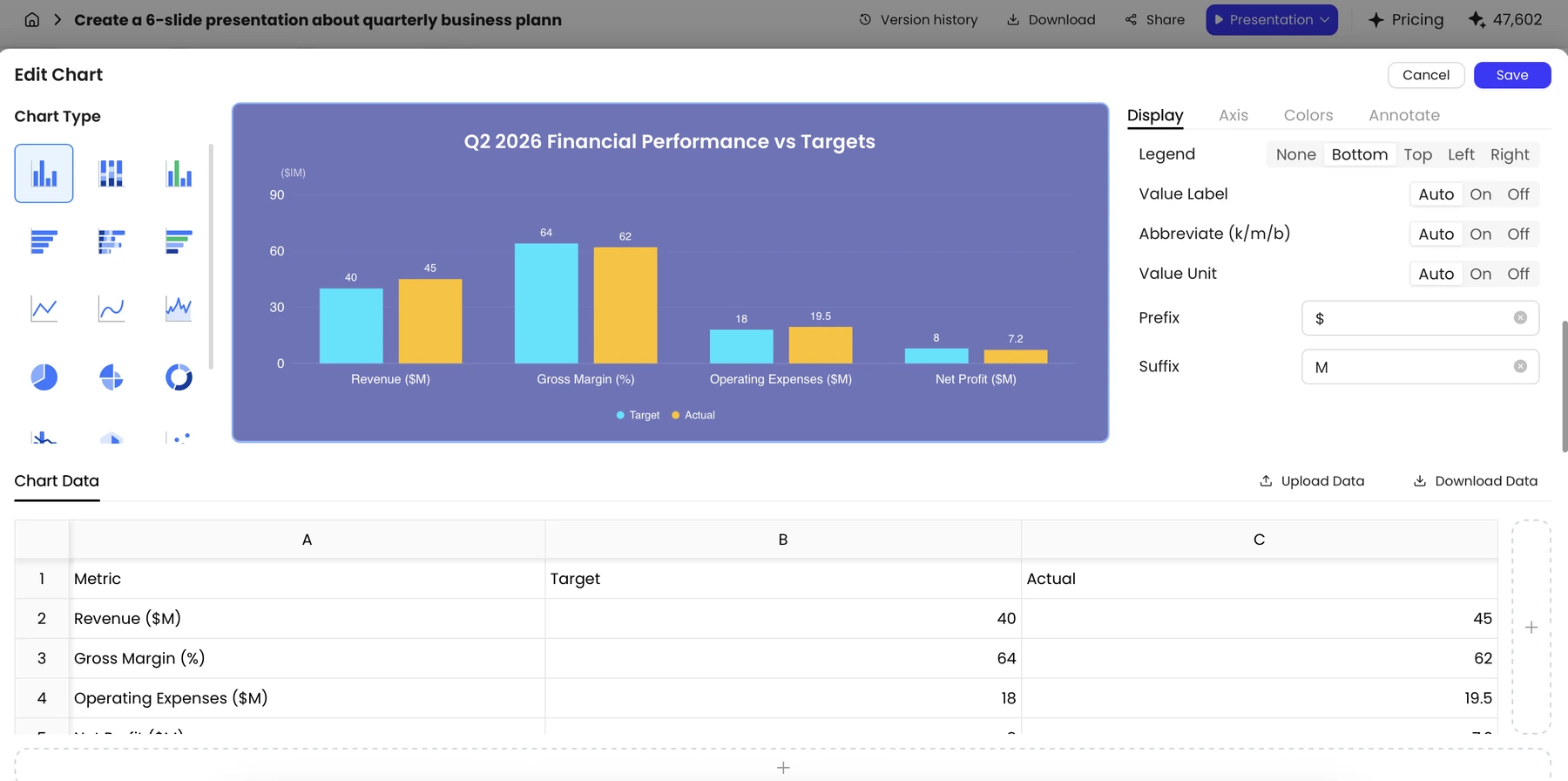
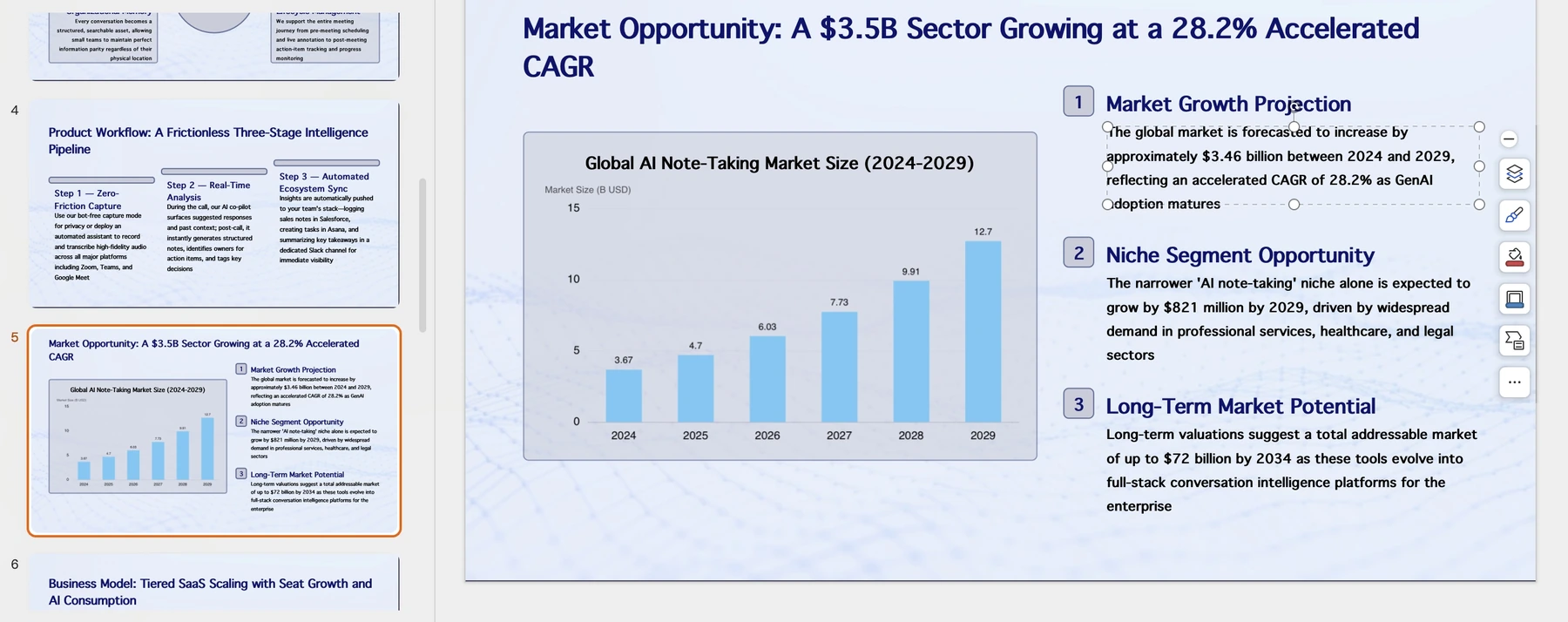
The chart editor can help present a checked table, and the export workflow can produce a reviewable file. The underlying program data must still have an owner. Do not use unverified values from a sample screenshot as fundraising evidence.
A decision table for common nonprofit needs
| Need | Recommended shortlist | Check before choosing |
|---|---|---|
| One team needs decks plus campaign graphics | Canva | Nonprofit approval, team size, brand assets, and image consent |
| Board pack reviewed in an existing office suite | Google or Microsoft; Plus AI if separately approved | AI licensing, reviewers, permissions, and final file format |
| Web-first program story | Gamma | Guest access, branding, media behavior, and a PDF alternative |
| Long report needs a first presentation draft | PopAi | Approved sources, data definitions, export entitlement, and correction workflow |
| Confidential beneficiary or donor material | Only an approved organizational environment | Minimization, access restrictions, retention terms, and permission to process the data |
For low-bandwidth and accessibility needs, use concise text, meaningful image descriptions, readable labels, and a compact alternative document. Use W3C contrast guidance as one design reference, not a complete accessibility certification. Keep consent and disclosure decisions with the responsible people, particularly when a story concerns beneficiaries or identifiable donors.
How these recommendations were made
These are editorial picks by workflow, based on the linked official product information and the supplied PopAi product screenshots. They are not results from a controlled cross-tool test. PopAi publishes this guide; no timing scores, paid-plan trials, or universal winner are claimed.
Sources and evidence
Product documentation checked October 13, 2026. Features, plans, and interfaces may change.
- Canva for Nonprofits
- Google Workspace for Nonprofits
- Microsoft nonprofit offers
- Gamma pricing and plan features
- Plus AI product documentation
- Plus AI pricing and plan features
- PopAi AI Presentation
- W3C: understanding contrast minimum
Frequently asked questions
Which AI presentation tool should a nonprofit try first?
Start with Canva if you qualify and need a broad design toolkit. Check Google or Microsoft nonprofit programs first when those are already your working environment. Gamma, Plus AI, and PopAi fit narrower presentation workflows.
Does a free nonprofit office plan include every AI slide feature?
No. Program eligibility, core productivity access, and AI-in-slide entitlements are separate questions. Confirm the exact feature and license.
Does PopAi offer a verified nonprofit discount in this comparison?
A nonprofit-specific discount was not established from the evidence used here. Check the current account pricing or obtain confirmation from the provider.
Can I use a fictional impact number to illustrate the deck?
Only as a clearly labeled internal example. Replace it with verified program data before using the deck for fundraising, reporting, or public claims.