
How to Add Citations to AI-Generated Presentations
Published October 12, 2026
Editorially revised October 13, 2026
To add citations to an AI-generated presentation, connect each important claim to a checked source, place a readable source label on the relevant slide, and keep a complete references page. Generating a plausible bibliography is not the same as verifying that a paper exists or supports the sentence beside it.
This is a source-to-slides and manual citation-review workflow. The supplied PopAi evidence supports creating and editing a presentation from source material, but does not establish automatic scholarly retrieval, verified slide-level citations, or a guaranteed DOI-preserving export. If automatic citations are a purchase requirement, ask the vendor to demonstrate those exact functions on your own source pack.
Step 1. Build a source register before drafting
Start with the documents and official pages you actually read. Assign each source a short ID and record its title, author or organization, date, URL or DOI, relevant page or section, and the claim it supports. Keep direct quotations distinct from paraphrases. A list of links without claim-level mapping is difficult to audit once the deck has been shortened.
| Source field | What to record | Why it matters |
|---|---|---|
| Identity | Author or organization, title, publication year | Prevents mixing similarly named papers or later editions |
| Location | DOI or stable URL, plus page, figure, or section | Lets the reviewer find the exact supporting material |
| Claim supported | The specific statement allowed by the source | Stops a general report being cited for an unsupported number |
| Scope | Population, method, geography, time period, limitations | Keeps a narrow finding from becoming a universal claim |
| Status | Verified, needs checking, or rejected | Keeps unfinished evidence out of the release copy |
For scholarly references, Crossref: retrieve metadata can help you check publication metadata and DOI records. A matching record confirms identifying information, not that the full paper supports your interpretation. Open the original work and read the relevant passage before treating the claim as verified.
Step 2. Give AI approved evidence, not a request to invent references
Create an eight-slide presentation using only the source register and excerpts below. After each factual claim, retain its source ID. Do not invent authors, paper titles, dates, page numbers, URLs, or DOIs. Keep quotations exact and visibly marked. If a claim has no supporting source, put it in a separate review list rather than in the presentation. Suggest short slide labels and a complete references section. Sources: [verified register and permitted excerpts].
Review the plan before polishing the layout. If one slide combines claims from several sources, keep those sources separate in your working copy. Do not let a broad slide title make an association sound causal or convert a local result into a worldwide conclusion.
Step 3. Map claims to citations on the actual slides
Here is a small editorial example for a presentation about making readable, responsibly sourced slides. It uses actual official pages instead of fictional academic references. The example is a formatting and reasoning demonstration, not a generated product result.
| Slide claim | Checked source | Possible on-slide label | Scope to preserve |
|---|---|---|---|
| Use 4.5:1 as a reference target for normal-sized text contrast | W3C: understanding contrast minimum | W3C, Understanding SC 1.4.3 | A WCAG web criterion used as a design reference; not a claim of complete PPT accessibility |
| Copyrightability of AI output requires attention to human authorship | U.S. Copyright Office: Copyright and Artificial Intelligence | U.S. Copyright Office, Copyright and AI | U.S. copyright analysis; not a blanket global licensing rule |
| A DOI record helps identify a publication | Crossref: retrieve metadata | Crossref, Retrieve metadata | Identity checking does not independently validate a study's conclusion |
Place the short label beside the claim, below the chart, or in a readable footer. Use a full reference on the final slide or in an appendix. If a figure has been adapted, say so, retain its source, and separately verify that the adaptation is permitted. A source label does not replace permission where permission is needed.
A real generated bibliography can still be unusable
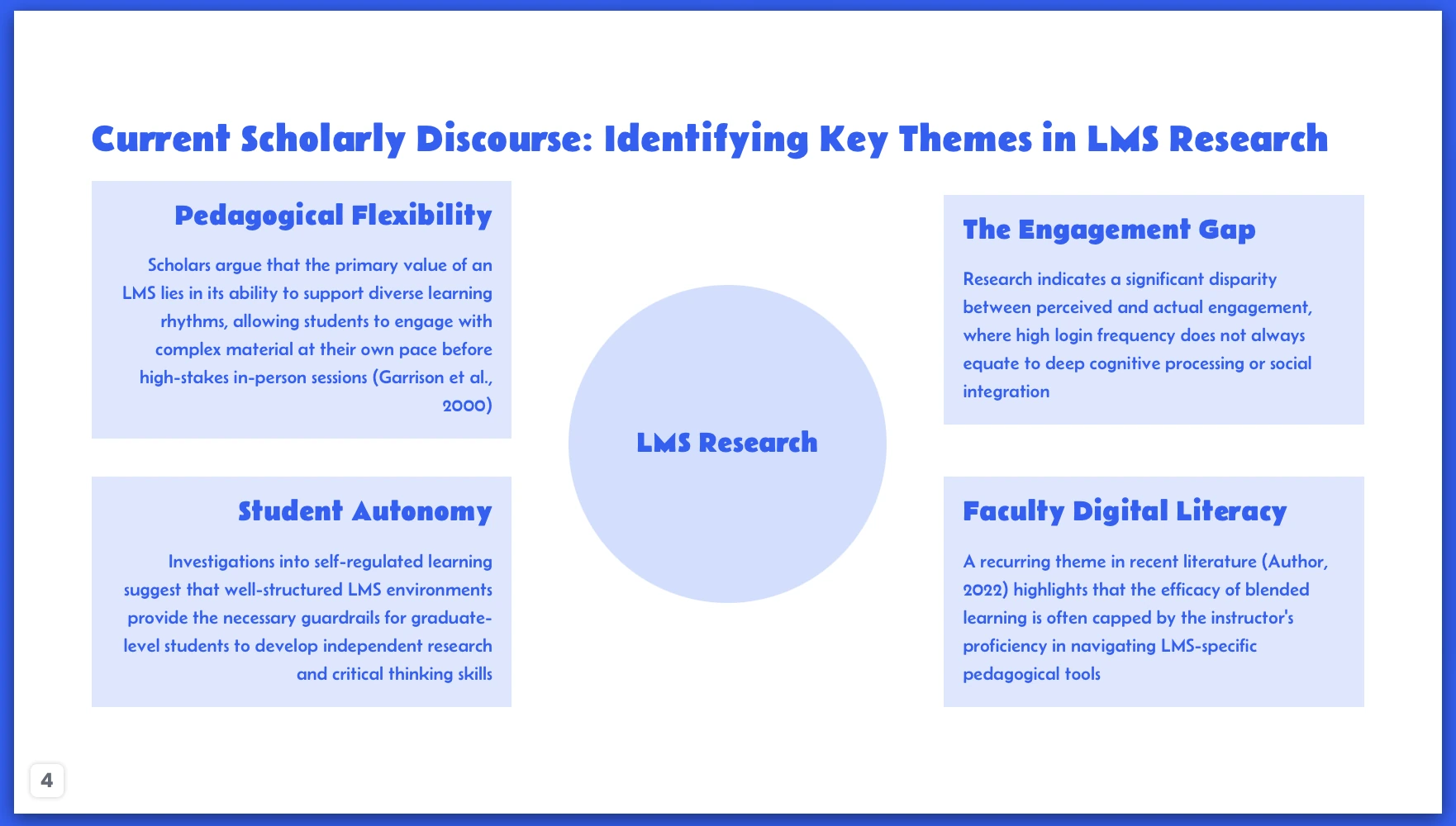
The literature-review sample shows themes grouped into a clear page, but that visual organization does not establish the accuracy of its author-year references. Verify each citation independently, including whether the cited work actually concerns the stated topic.
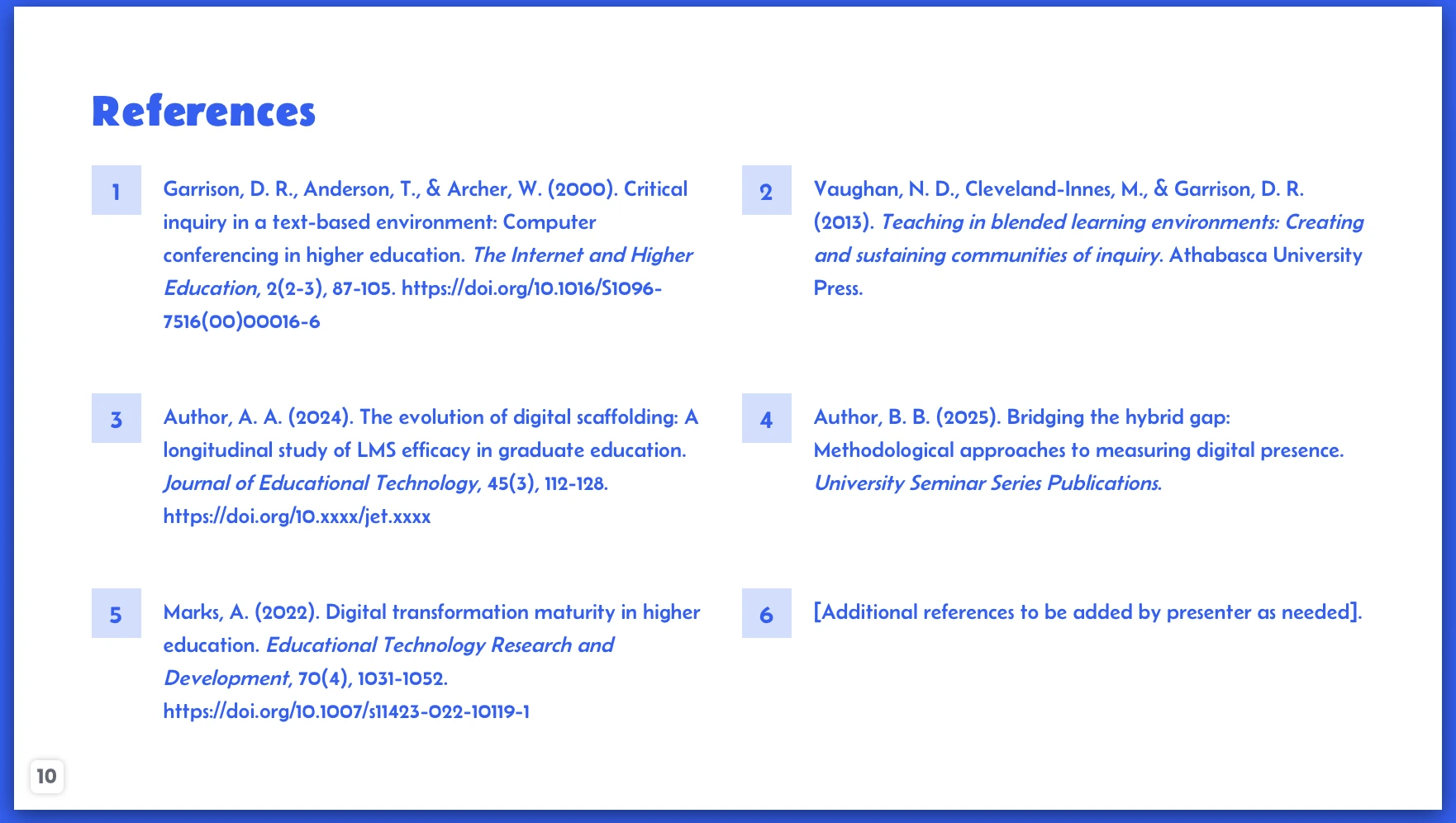
The references sample contains conspicuous placeholder-style entries. Treat it as a failure case: the page looks like a bibliography, but it is not release-ready. Delete placeholders rather than asking AI to make them sound more realistic. Replace each retained reference with information checked against its original publication or official record.
Step 4. Edit the deck without breaking the evidence chain
- After shortening a slide, confirm that the surviving sentence still says what the source says.
- After replacing a chart or illustration, update its source label and any adaptation note.
- After reordering slides, keep the source IDs attached to the right claim; do not rely only on slide numbers in a separate notes file.
- After deleting a section, remove references that are no longer cited, unless your required citation style says otherwise.
- Check all direct quotations for exact wording, attribution, and any omissions or emphasis.
Use the citation style required by the assignment, publication, or client. A short organization-year label can work for a live business presentation, while an academic defense may need a specific author-date or numbered style. Consistency is useful, but it should not come at the expense of a source being identifiable and readable.
Step 5. Inspect citations in the exported PPTX and PDF
Open the actual handoff file. Check that source labels are still legible, reference text is not clipped, and hyperlinks point to the intended work. Do not hide all evidence in presenter notes: a PDF, a screenshot, or a shared slide may not carry those notes to the audience.
For a dense references appendix, use more than one slide rather than reducing the text until it cannot be read. Retain a separate source register for reviewers. If the evidence is confidential, decide what may be shown publicly and use approved wording; do not upload restricted documents to an unapproved service merely to automate citations.
Sources and evidence
Product documentation checked October 13, 2026. Features, plans, and interfaces may change. The generated academic figures are supplied knowledge-base samples IMG-68 and IMG-70, deliberately presented as verification warnings rather than as validated references.
- Crossref: retrieve metadata
- W3C: understanding contrast minimum
- U.S. Copyright Office: Copyright and Artificial Intelligence
- PopAi AI Presentation
Frequently asked questions
Does a generated references slide mean the citations are verified?
No. Check that each source exists, the identifying details are correct, and the original material supports the relevant claim.
Can PopAi automatically verify scholarly citations?
That capability is not established by the supplied evidence. This guide uses approved source material, slide editing, and manual citation review.
Should every slide have a citation?
Cite facts, quotations, data, and third-party material that require attribution. A title or transition slide may not need a citation. Follow the relevant institutional or publication rules.
Is a DOI enough to support a claim?
A DOI helps identify a work. You still need to read the original source and verify its scope and findings.
Will citations automatically survive every export?
Do not assume so. Inspect source labels, reference pages, and hyperlinks in the actual exported file.
Create a presentation draft with PopAi
Turn a prompt, report, or research file into a structured presentation, then refine the evidence and design before you share it.
Explore PopAi AI Presentation