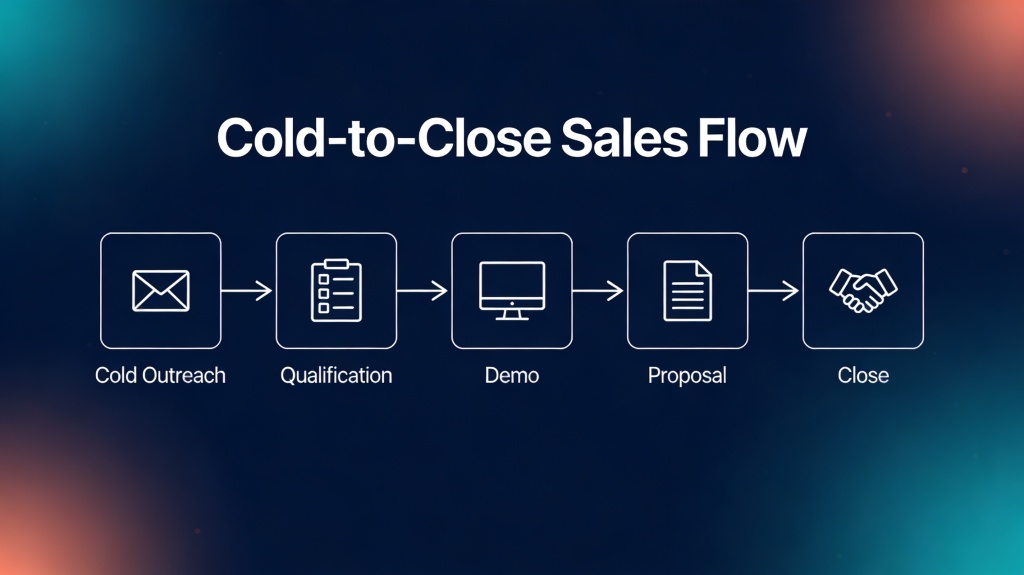
AI Sales Presentation: Templates, Examples & Prompts
Published October 14, 2026

Sales representatives, account executives, founders, and RevOps teams often need a persuasive deck before they have enough time to design one. AI can accelerate the first draft, but it cannot qualify the opportunity, approve a claim, or decide what a buying committee needs to see.
This guide provides four usable slide frameworks, a completed prompting method, customer-personalization rules, and a pre-send approval workflow. It covers first meetings, demos, proposals, and renewals rather than treating every sales deck as the same document. With PopAi AI Presentation, you can start from a prompt or source material, but the seller still owns the evidence, commercial logic, and final recommendation.
- Templates: slide-by-slide structures with the buyer question, evidence, and visual to use on each slide.
- Examples: illustrative language for turning product features into customer outcomes.
- Prompts: a reusable base prompt plus instructions for preparing the source pack.
- Review workflow: a practical fact, hypothesis, and approval check before a deck reaches the buyer.
What an AI Sales Presentation Should Accomplish
A sales deck is not a product encyclopedia. Its job is to help a particular buyer understand a business problem, believe that the problem is worth solving, and agree to a reasonable next action.
Use the sequence below as a menu, not a mandatory six-part script. A first meeting may stop after the problem and discovery questions; a proposal may need pricing, implementation, and risk detail.
- Customer context: summarize the buyer’s goals, operating environment, and confirmed challenge. Label unconfirmed research as a question, not a fact.
- Business impact: connect the problem to cost, risk, missed revenue, time, or customer experience. State the calculation and assumptions behind any estimate.
- Recommended approach: explain the solution in terms of the customer’s desired outcome, not a list of product modules.
- Proof: add an approved case study, benchmark, workflow example, pilot result, or customer quote that is relevant to this buyer.
- Execution: clarify implementation steps, owners, timeline, dependencies, and what the customer must provide.
- Commercial decision: include pricing, ROI assumptions, approval requirements, and a specific next step only when the deal is ready for that discussion.
Every slide should answer one buyer question: “Why does this matter to us, and what should we do next?”
For a one-hour meeting, treat 20–30 minutes of prepared material as an editorial starting point rather than a universal rule. A technical validation session may need more demonstration; an executive conversation may need fewer slides and more discussion. Whatever the ratio, leave room to test assumptions and handle objections.
Illustrative planning example: a 30-minute first meeting might use five slides—context, problem hypothesis, consequence, relevant outcome, and discovery questions—then reserve at least half the meeting for qualification. A 60-minute procurement review could use 10–12 slides because security, implementation, pricing, and legal dependencies must be discussed.
Sales Presentation Templates by Sales Stage
Use the template that matches the buyer’s decision, not the template that matches your product menu. Each outline below identifies the job of the slide and the evidence needed to support it.
For a broader view of available tools, compare the latest AI presentation makers after defining your required inputs, output format, collaboration model, and privacy expectations.
Prospecting or first meeting: earn the right to discover
- Why this conversation: connect a relevant industry or business change to the buyer’s role. Use a cited public source or frame it as a question.
- Working hypothesis: state the possible operational problem without claiming it is confirmed.
- Business consequence: show where the issue could affect cost, speed, risk, or growth. Avoid invented customer metrics.
- Relevant outcome: show one customer outcome or workflow, not the entire product.
- Discovery questions: ask how the buyer handles the process today, who owns it, and what would make change worthwhile.
- Next step: propose a qualification action, such as a process review with an operations owner.
Example: replace “Our platform automates reporting” with “If regional teams spend several days consolidating spreadsheets each month, would a shared reporting workflow be worth evaluating?” The second version invites correction instead of presenting an unverified pain point as fact.
Discovery and product demo: connect workflow to stated needs
- What we heard: summarize confirmed goals, constraints, and the buyer’s own terminology.
- Current-state workflow: show the steps, handoffs, and failure points that the buyer validated.
- Future-state workflow: show what changes for the user, manager, and system owner.
- Three capability demonstrations: map each capability to a stated requirement and show the relevant screen or process.
- Open questions: identify integrations, data ownership, security requirements, or adoption risks still needing validation.
- Decision path: agree on the next test, stakeholder, and date.
Do not use a “likely pain point” as though it were discovery evidence. If the buyer has not confirmed it, put the statement in speaker notes or turn it into a question on the slide.
Proposal and procurement: make approval easier
- Executive summary: state the agreed problem, recommended solution, expected outcome, and decision requested.
- Requirements map: match each priority requirement to a proposed response, owner, and evidence.
- Scope and workflow: define what is included, excluded, integrated, or dependent on customer work.
- Implementation plan: show phases, milestones, responsibilities, training, and acceptance criteria.
- Risk and assurance: address security, compliance, data handling, support, and known limitations with approved language.
- Commercial case: show price, assumptions, payment structure, and any ROI calculation transparently.
- Decision plan: list approvers, required documents, target date, and the next owner-owned action.
Illustrative case: if a proposed rollout affects 120 users across three regions, the implementation slide should show the regional sequence, training owner, data migration dependency, and acceptance measure. “Fast implementation” is not enough; the buyer needs to see what fast means and what could delay it.
Expansion, renewal, or QBR: turn performance into a decision
- Agreed objectives: restate the outcomes and baseline approved at the beginning of the period.
- Results: show adoption, usage, service, or business metrics with dates, definitions, and source notes.
- What changed: explain drivers behind improvement, stagnation, or decline rather than displaying a dashboard without interpretation.
- Unresolved gaps: identify process, product, adoption, or stakeholder issues that limit value.
- Next-quarter plan: assign initiatives, owners, measures, and review dates.
- Expansion hypothesis: propose a measured next use case and the evidence required before recommending it.
A QBR should not claim that increased usage caused a business result unless the relationship has been established. Show the observed metric, explain the evidence available, and label the causal explanation as a hypothesis when it still needs customer confirmation.
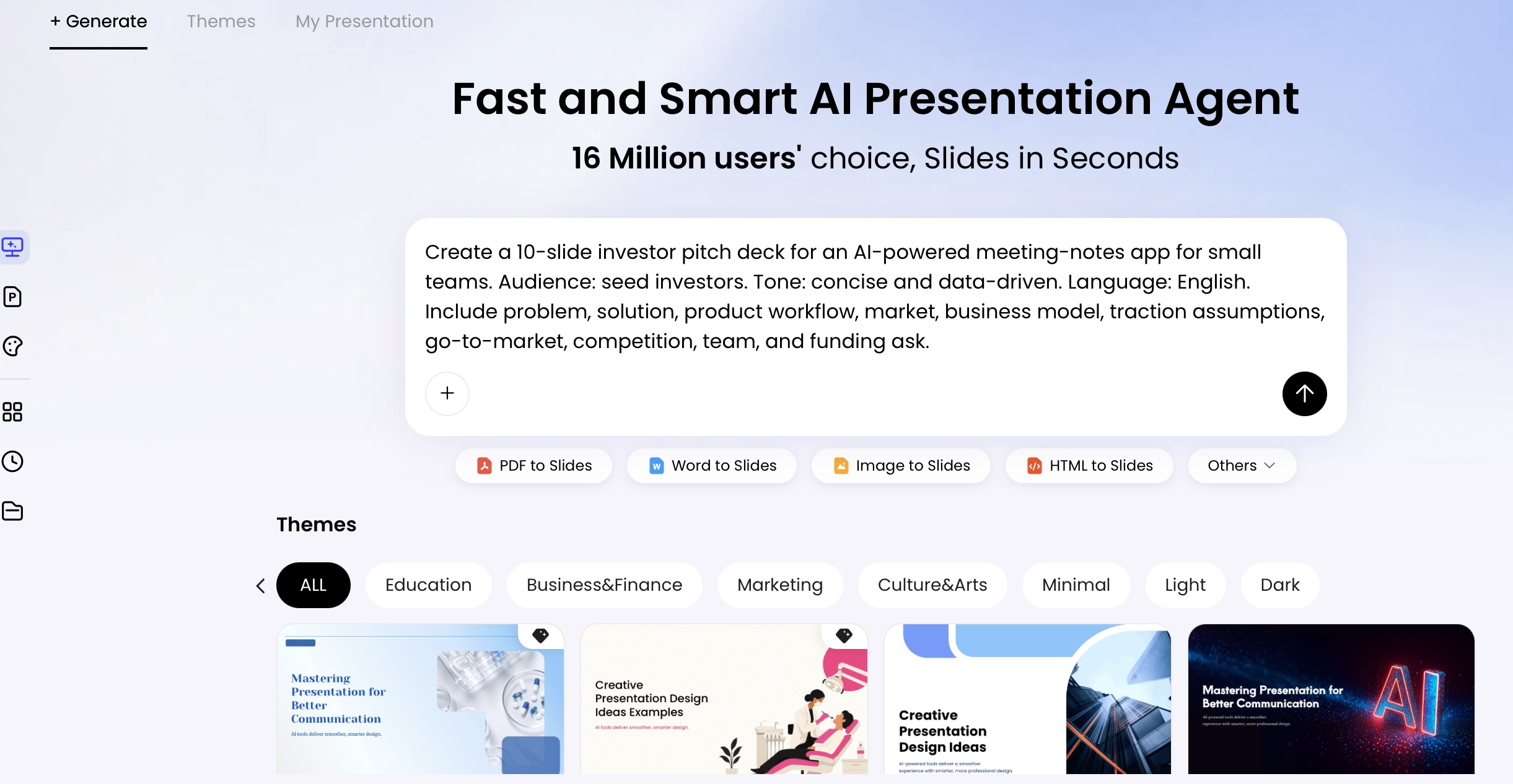
A Reusable AI Sales Presentation Prompt
Good prompts provide context, constraints, and a definition of success. Before prompting, assemble an approved source pack: discovery notes, customer-approved quotes, current pricing, product documentation, relevant case studies, and the required brand or legal language.
Prompt: Create a [NUMBER]-slide [SALES STAGE] presentation for [BUYER ROLE] at a [COMPANY TYPE] in [INDUSTRY]. The buyer’s confirmed goal is [BUSINESS GOAL]. Confirmed problems are [VERIFIED PAIN POINTS]; unconfirmed research hypotheses are [HYPOTHESES TO TEST]. Use only the attached [DOCUMENTS OR DATA SOURCES] as evidence. For each slide, provide the headline, buyer question answered, key message, evidence and source, recommended visual, and speaker note. Structure the deck as [SLIDE SECTIONS]. Use a [TONE] tone and [BRAND COLORS, FONT, AND VISUAL STYLE]. Mark missing evidence as “[DATA NEEDED]”; do not invent statistics, customer names, testimonials, pricing, ROI, or product capabilities. End with [DESIRED NEXT STEP].
Example prompt inputs for a first meeting
- Stage: first meeting with a director of operations
- Goal: determine whether reporting consolidation is worth a technical discovery session
- Confirmed information: three regional teams use separate monthly spreadsheets
- Hypothesis: leadership may lack a consistent view before monthly reviews
- Evidence: discovery notes and one approved customer story; no internal time-saved estimate
- CTA: agree on a 45-minute workflow review with the reporting owner
Ask for an outline before asking for designed slides. The most useful intermediate format is a table with slide number, headline, buyer question, evidence, visual type, speaker note, and source. If a row contains “[DATA NEEDED],” either obtain the evidence from its owner or remove the claim; do not allow a polished layout to conceal an unresolved gap.
How to Personalize a Deck Without Overclaiming
Personalization is more than adding a company logo. It means changing the argument so that the buyer recognizes its own priorities and can explain the business case internally.
Use a three-level evidence check for every customer-specific statement:
- Fact: directly supported by an approved source, such as a customer statement, public filing, signed requirement, or measured account data. It may appear as a statement with a source.
- Hypothesis: a plausible interpretation that has not been confirmed. Present it as a question or discovery topic, not as a customer problem.
- Assumption: an input used for planning or ROI modeling. Label the value, owner, date, and sensitivity; keep it internal or obtain approval before external use.
For example, “the company announced a regional expansion” is a source-backed fact; “the expansion is causing reporting delays” is a hypothesis; “the expansion will add 20% to reporting workload” is an assumption unless the customer or a reliable model supports it.
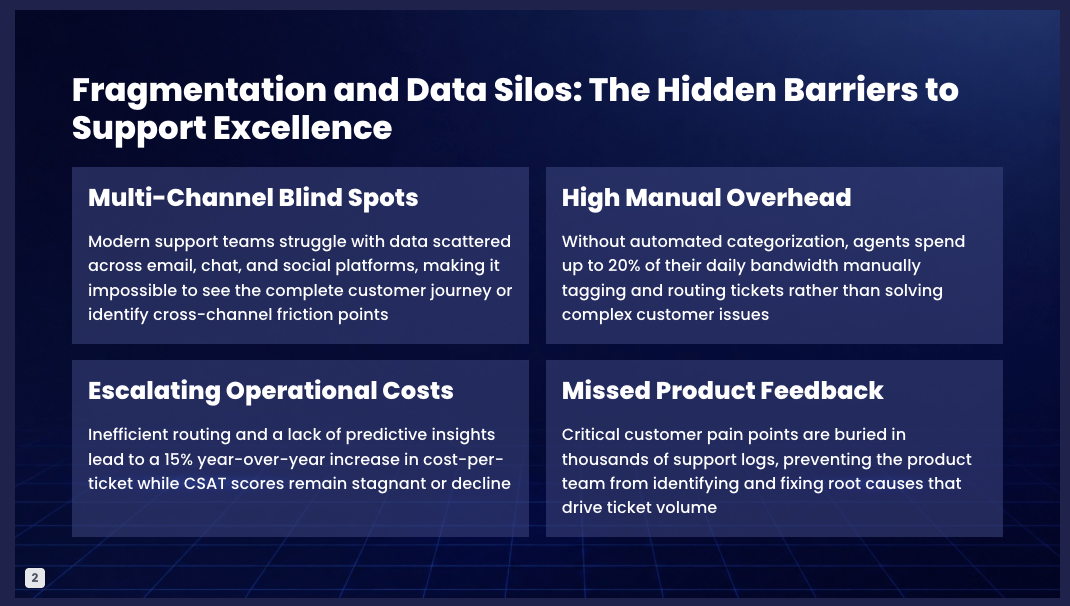
Then map each proposed capability to a customer outcome. “Automated reporting” is a feature; “give regional leaders one consistent view without weekly manual consolidation” is a value statement. Ask the AI to use the customer’s terminology, but prohibit it from fabricating internal metrics or implying an endorsement that does not exist.
Personalization should make the buyer feel understood, not observed. Use only relevant, appropriate, and approved information.
Keep confidential CRM notes, personal data, security responses, and non-public pricing out of a tool unless your organization has approved that use and understands its current retention and access controls. For tool selection, compare AI presentation makers on file inputs, editable output, brand controls, collaboration, chart editing, and privacy expectations—not only on the attractiveness of the first draft.
A Practical PopAi Workflow for Sales Teams
Use the platform as a drafting and editing workspace, not as an approval system. Exact file support, editing options, export formats, and limits can change by product version or plan, so confirm current capabilities in the relevant documentation before standardizing the process.
1. Prepare an approved source pack
Remove duplicated drafts, stale pricing, unsupported claims, and confidential material that is not approved for the workflow. Keep a short source index showing the document name, owner, date, and permitted use.
2. Generate the plan before the slides
Start with a prompt or supported source material, then inspect the generated content plan or outline before choosing a theme. Check whether the proposed sequence matches the buyer’s stage and whether every important claim has a source.
3. Choose a format that suits the meeting
Select the theme, aspect ratio, and layout for the delivery context. A live demo, an executive send-ahead, and a procurement appendix have different density and speaker-note requirements.
4. Edit for meaning, not just appearance
Use available editing, layout, chart, and theme controls to shorten headlines, remove unsupported slides, and connect capabilities to outcomes. A visually consistent deck can still contain a wrong calculation or an irrelevant recommendation.
5. Validate, approve, and deliver
Before exporting or sharing, have the account owner check customer relevance and commercial accuracy, the sales engineer check technical claims, and product marketing or legal review approved messaging where required. Export or share only the version that passed those checks.
For chart-based work, review the underlying table rather than changing labels manually. Check the source, units, dates, filters, calculation logic, axis scale, and whether the chart implies causation. If the source table cannot be inspected or reproduced, use a simpler visual or label the result as directional.
Illustrative workflow test: an HTML report with an executive summary, five key metrics, and a four-row risk register could be turned into a six-slide draft: context, metrics, findings, risk register, recommended actions, and next steps. The useful output is the initial information architecture; the seller must still reconcile every metric with the source report, replace generic recommendations, and remove any claim the report does not support.
Sales Deck Review and Common Pitfalls
A polished deck can still fail if it is difficult to trust, discuss, or act on. Run the checks in sequence and assign an owner to each one before sending it to a buyer:
- Account executive: confirm the buyer, stage, decision, terminology, CTA, and customer-specific claims.
- Sales engineer or subject-matter owner: check integrations, implementation details, security language, product limits, and technical diagrams.
- Product marketing: verify positioning, approved comparisons, case-study wording, current packaging, and competitive claims where applicable.
- Finance, legal, or compliance: review pricing, ROI assumptions, regulated claims, privacy language, customer references, and contractual commitments when required.
- Final sender: open the exported file, test links, inspect notes, confirm the version date, and remove internal comments or hidden slides.
Three failure patterns to diagnose
- False precision: a percentage or customer result appears without a traceable source. Replace it with a sourced figure, a range with assumptions, or a discovery question.
- Feature dumping: the slide lists capabilities without a customer decision attached. Group features under a stated requirement and show the operational change.
- Oversized narrative: every source paragraph becomes a slide. Move supporting detail to an appendix and keep only the evidence needed for the current decision.
Use a simple evidence log rather than an arbitrary pass score. Record the slide number, claim, source, reviewer, status, and action. A claim marked “unverified” should be removed, converted into a question, or held for internal planning; it should not remain because the slide looks finished.
AI Sales Presentation FAQ
How do I create an AI sales presentation?
Define the buyer, sales stage, business outcome, evidence, slide count, and brand requirements. Provide those details in a presentation prompt, review the outline before slide generation, verify every claim, and export only an approved editable deck or PDF.
What slides should an AI sales presentation include?
The answer depends on the stage. A first meeting may need only context, a problem hypothesis, business consequence, relevant outcome, and discovery questions. A proposal may also need requirements mapping, implementation, security, pricing, ROI assumptions, and a decision plan.
What customer information should not be uploaded?
Do not upload personal data, confidential CRM notes, non-public pricing, security questionnaires, contractual material, or customer documents unless your organization has approved the tool, account, and handling method. Redact unnecessary information and confirm current retention and access policies.
How should I review an AI-generated ROI calculation?
Check every input, formula, time period, unit, baseline, and sensitivity. Identify who supplied each assumption and whether the customer approved it. If the calculation cannot be reproduced from the source data, label it directional or remove it from the external deck.
Are AI-generated sales charts reliable?
Charts are only as reliable as their source data. Check the underlying table, units, dates, calculation logic, axis scale, and source attribution before presenting the result to a buyer. A clean visual is not evidence that the analysis is correct.
Create your presentation with one click now
Turn your sales brief, customer materials, or product documentation into a structured first draft, then refine the narrative and evidence for the meeting that matters.
Create a sales presentation