AI Nonprofit Presentation: From Report to a 6-Slide Deck
Updated October 15, 2026 | Original editable examples and source notes
Turn a validated report into a six-slide nonprofit board update without changing what the figures mean. This walkthrough starts from a fictional reporting pack, keeps source boundaries visible and finishes with an explicit board decision. The nonprofit template gallery separately provides donor, grant and board files; this page owns the report-to-deck process.
1. Assemble the source pack
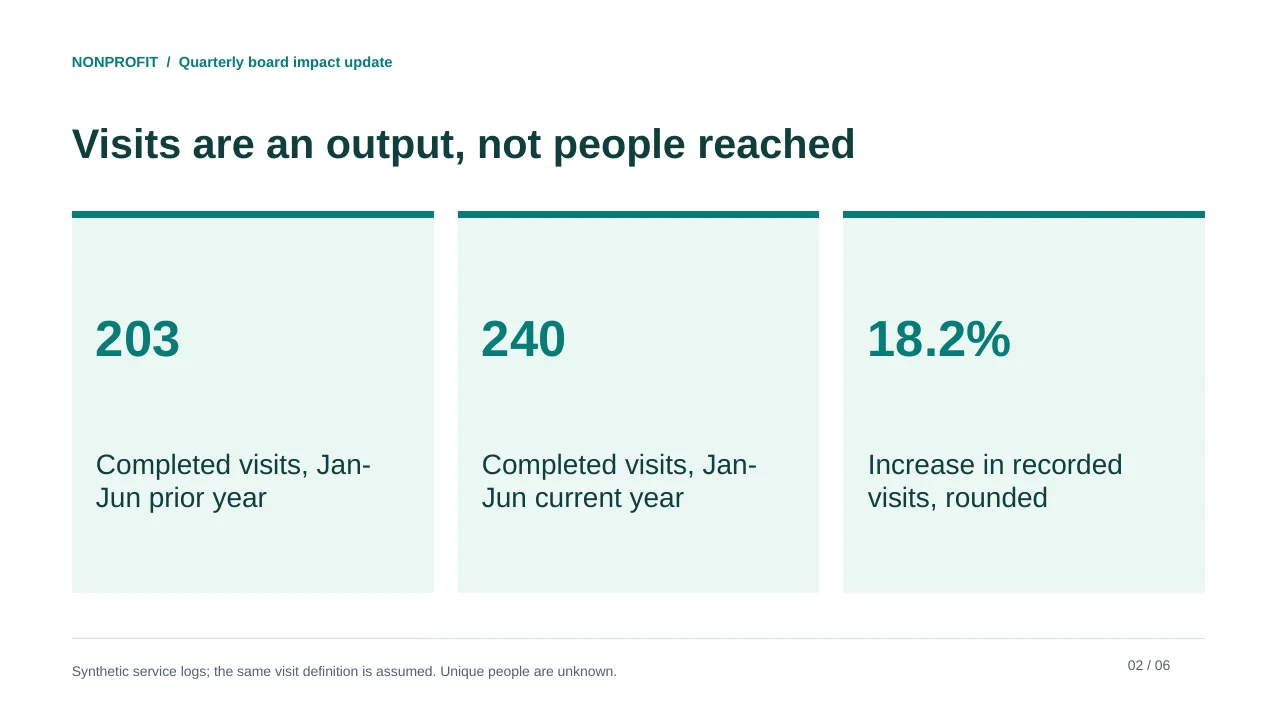
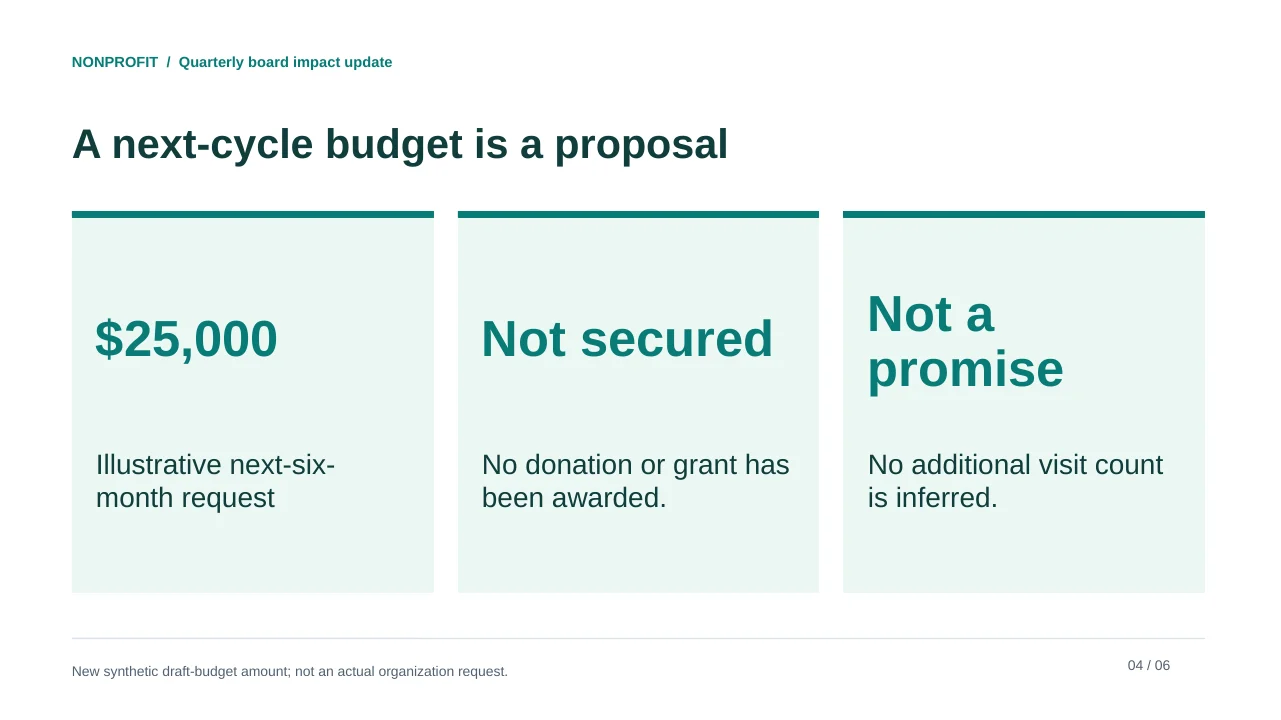
The original article's service example records 203 completed visits in January-June of the prior year and 240 in the same period of the current year. It does not supply unique people, patient outcomes or evidence explaining the increase. For the example below, a separate synthetic budget note proposes USD 25,000 for the next six months; it is neither approved nor secured.
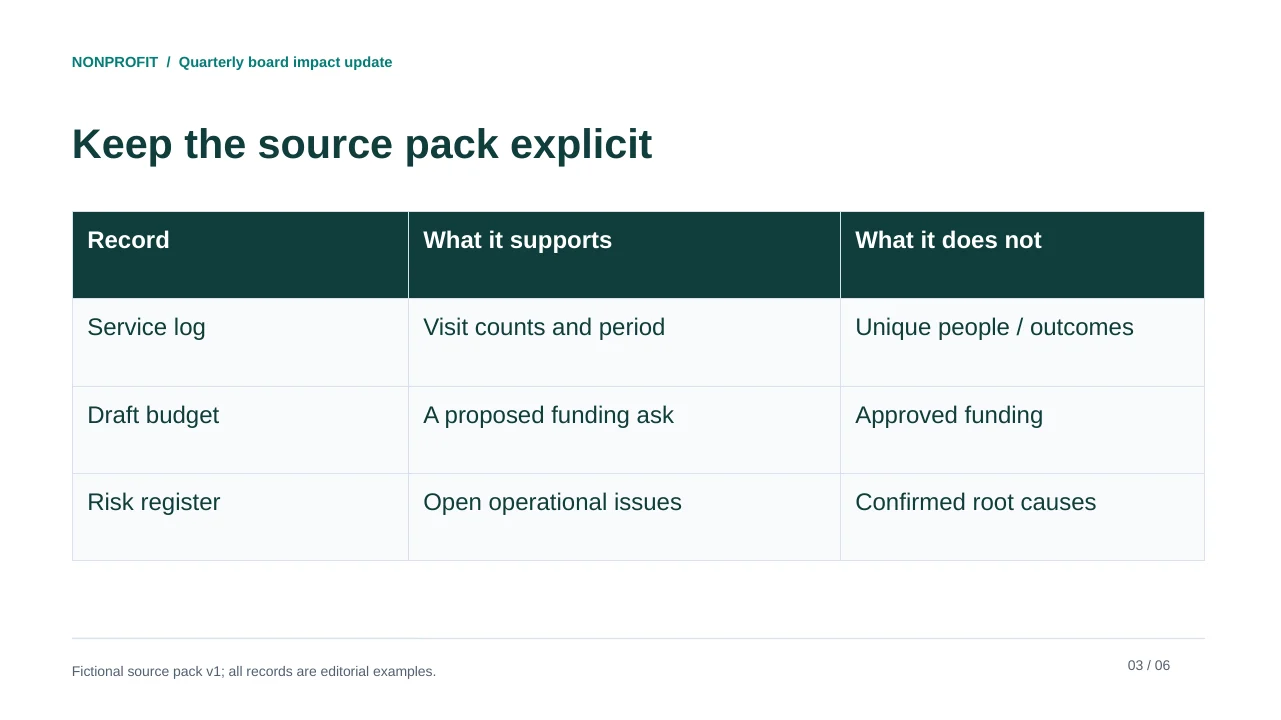
| Source | Permitted claim | Do not infer |
|---|---|---|
| Service log | 203 to 240 completed visits; same six-month period | 240 families reached, full-year totals or improved health. |
| Definition sheet | Comparable visit counting assumed in the example | The assumption is verified for a real organization. |
| Draft budget | A proposed USD 25,000 request | A donation, approved budget or guaranteed service volume. |
| Review log | Named roles must check the pack | People have actually signed off. |
FICTIONAL source pack v1. Service log: completed visits Jan-Jun current year 240; same period previous year 203; same counting definition is assumed for this example. Unique people and clinical outcomes are not supplied. Draft next-six-month funding request USD25000 is proposed, not approved or secured. No itemized spending, outcomes, participant stories or attribution evidence is supplied.
2. Inspect all six output pages
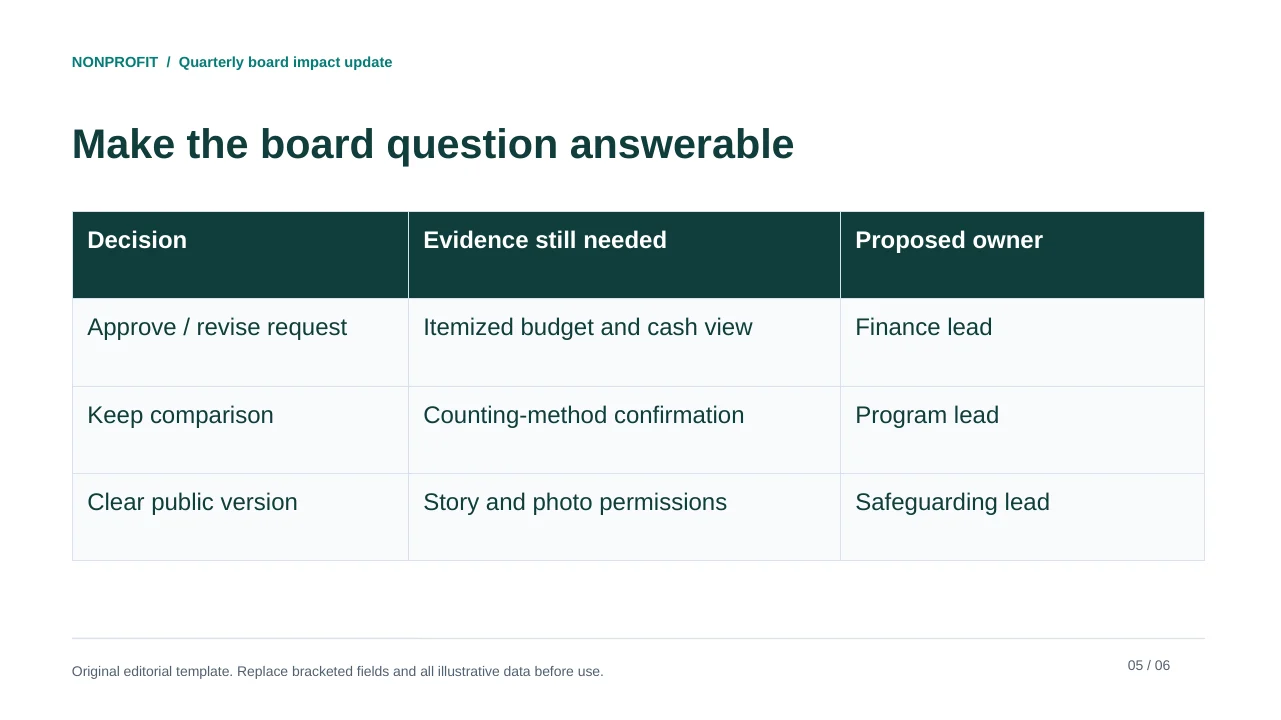
The relative increase is (240 - 203) / 203 = 18.2%, rounded. The safer headline retains counts and the period. A visit is not a person; an output is not an outcome. The decision slide asks for the evidence and approval still needed rather than pretending those checks have already happened.
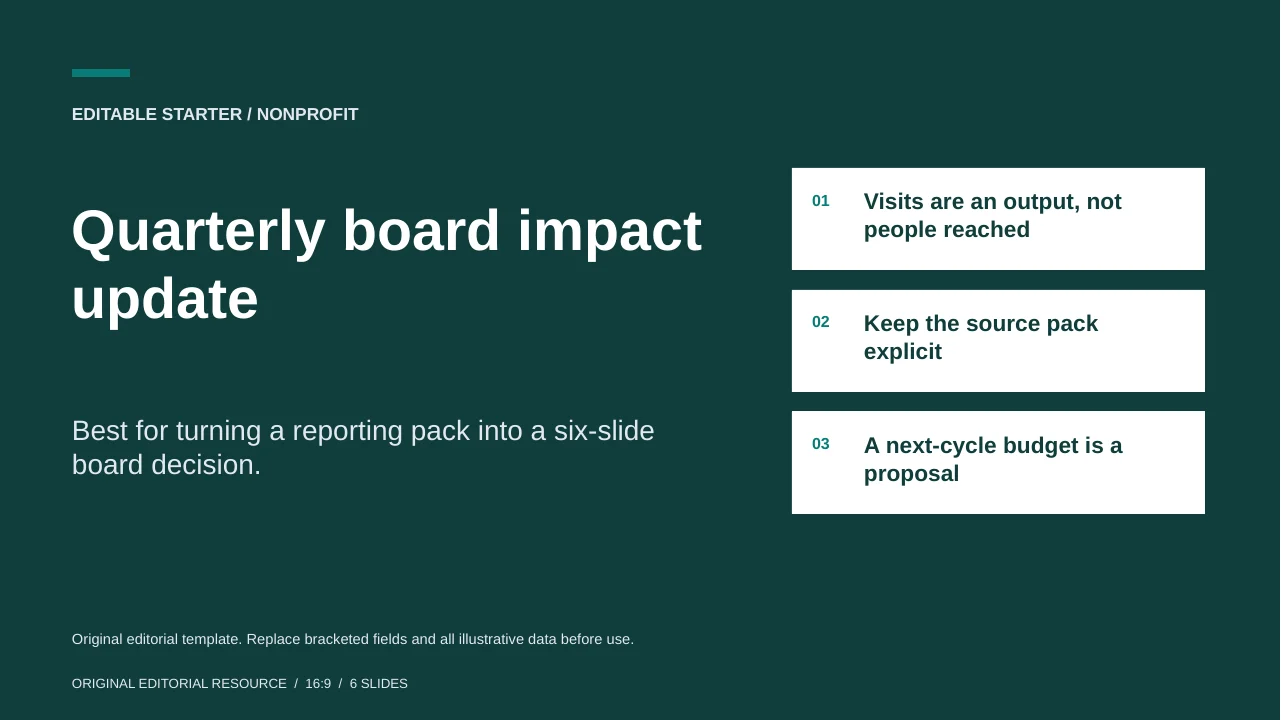
Quarterly board impact update
Best for turning a reporting pack into a six-slide board decision.
All six views are rendered from the accompanying original PPTX. The file is a worked editorial example, not a documented generation run or an actual nonprofit report.
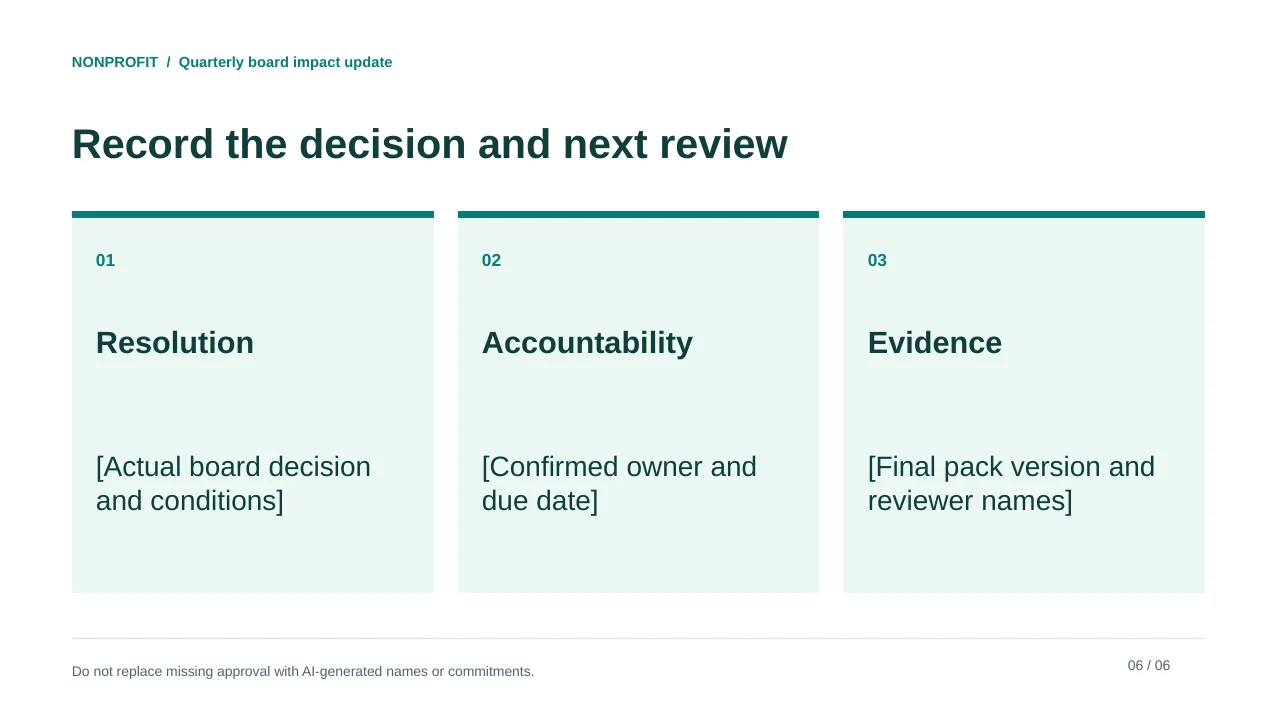
Original editorial template. Replace bracketed fields and all illustrative data before use.
See the complete slide sequence
- Quarterly board impact update
- Visits are an output, not people reached
- Keep the source pack explicit
- A next-cycle budget is a proposal
- Make the board question answerable
- Record the decision and next review
3. Prompt for compression, not invention
Turn the supplied fictional pack into a six-slide board update: cover; service activity; source boundaries; proposed budget; decisions and evidence still needed; resolution record. Preserve visits, January-June periods and the prior-year comparison. Label all figures synthetic. Do not substitute families or outcomes for visits. Keep USD25000 labeled proposed, not approved or secured. Do not invent a donor story, local need statistic, cause of growth, detailed budget or approval. Give each claim its source and review owner.
Compare the generated outline with the report before polishing it. Reject a sentence such as "240 families served this year" because it changes both the unit and possibly the period. Reject "our intervention improved health" when only visit counts exist. Ask for a narrower correction rather than regenerating the entire story.
4. Review the evidence, money and public version
| Reviewer | Task | Record |
|---|---|---|
| Program lead | Visit definition, coverage and comparison | Source location and any method change. |
| Finance lead | Funding request and cost basis | Approved budget version or pending status. |
| Safeguarding / communications | Participant privacy, image and quotation permissions | Permitted audience and channels. |
| Deck owner | Decision, unresolved issues and final file | Release date, owners and follow-up. |
Use source notes close to the evidence. Readability should survive export: keep the metric unit in words, distinguish proposed and approved amounts and avoid color-only status signals. W3C's contrast guidance is a useful web-accessibility reference; a good-looking slide is not a full accessibility audit.
For another audience, return to the donor or grant template rather than merely replacing "board" with "donor" in the prompt. Funding asks, grant eligibility and internal governance are different tasks.
Sources and example provenance
The files and preview layouts on this page were created for this editorial resource. External references support the specific guidance linked in the text; they do not endorse the templates. Source links checked on October 15, 2026.
Frequently Asked Questions
Is the nonprofit example based on an actual organization?
No. Visit counts and the proposed budget are explicitly fictional. No donation, outcome or board approval is asserted.
What is the difference between this page and the template gallery?
This page follows a reporting pack through drafting and review. The gallery helps choose among donor ask, grant briefing and board impact files.
Why not say 240 people reached?
The source measures completed visits, not unique people. Changing the unit would make the claim unsupported.
Can I replace the board deck with a fundraising version?
Use the donor template and an approved funding case. Do not imply that the internal report establishes a public need, donor permission or guaranteed impact.
Create your presentation with one click now
Turn an approved brief or source document into a presentation draft, then refine the details before sharing it with your audience.
Create your presentation