AI Finance Presentation: An 8-Slide Example and Prompts
Updated October 15, 2026 | Original editable examples and source notes
An AI finance presentation should turn an approved reporting pack into a clear decision, not create the financial analysis from scratch. This tutorial takes one fictional monthly close through a source summary, an eight-slide output example, a prompt and a release check. It is for corporate finance and FP&A reporting, not personal investing advice.
Already have an approved narrative and need a layout? Use the finance template gallery. That page compares monthly review, budget request and forecast files; this page explains how to populate and verify them.
1. Prepare a source pack with one definition of each number
Use a dated, approved source rather than uploading several inconsistent workbooks and asking AI which one to trust. Record the reporting period, currency, scale, metric definitions, baseline and workbook version. A budget and an earlier forecast are different comparisons. Keep both only when the audience needs them and the labels are explicit.
| Source field | Fictional April example | Drafting instruction |
|---|---|---|
| Revenue | USD 1.14M actual; USD 1.20M budget | Use actual minus budget. |
| Gross margin | 32% actual; 34% budget | Gross profit divided by revenue. |
| Driver analysis | Not supplied | Do not invent price, volume or freight effects. |
| Decision | Authorize a reconciled driver review | Do not change the forecast without approval. |
The SEC financial-statement guide is a useful independent reference for distinguishing statements and measures. It does not verify this fictional workbook or replace your organization's accounting policies.
2. Follow the complete eight-slide example
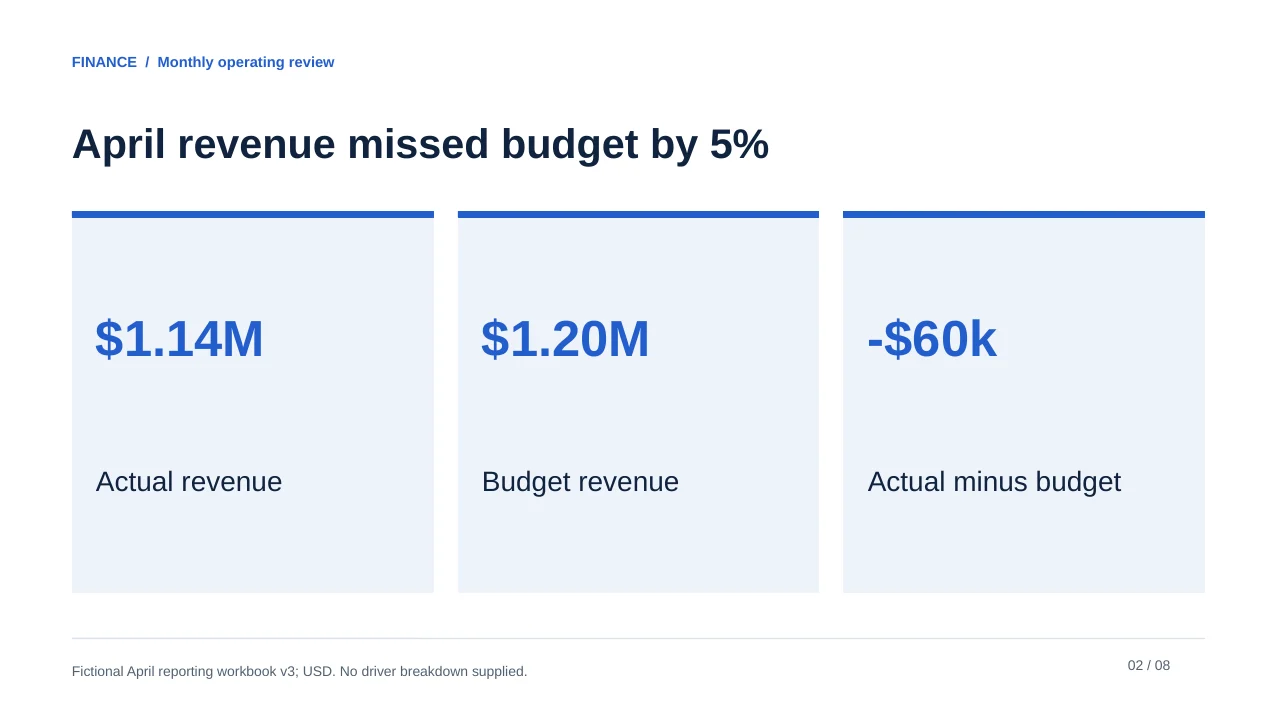
The source figures are preserved from the original article. Revenue variance is -USD 60,000, or -5% against budget. Gross margin is down 2 percentage points, not 2%. Implied gross profit is USD 364,800 actual versus USD 408,000 budget, a difference of -USD 43,200. These are calculations on synthetic data, not audited results.
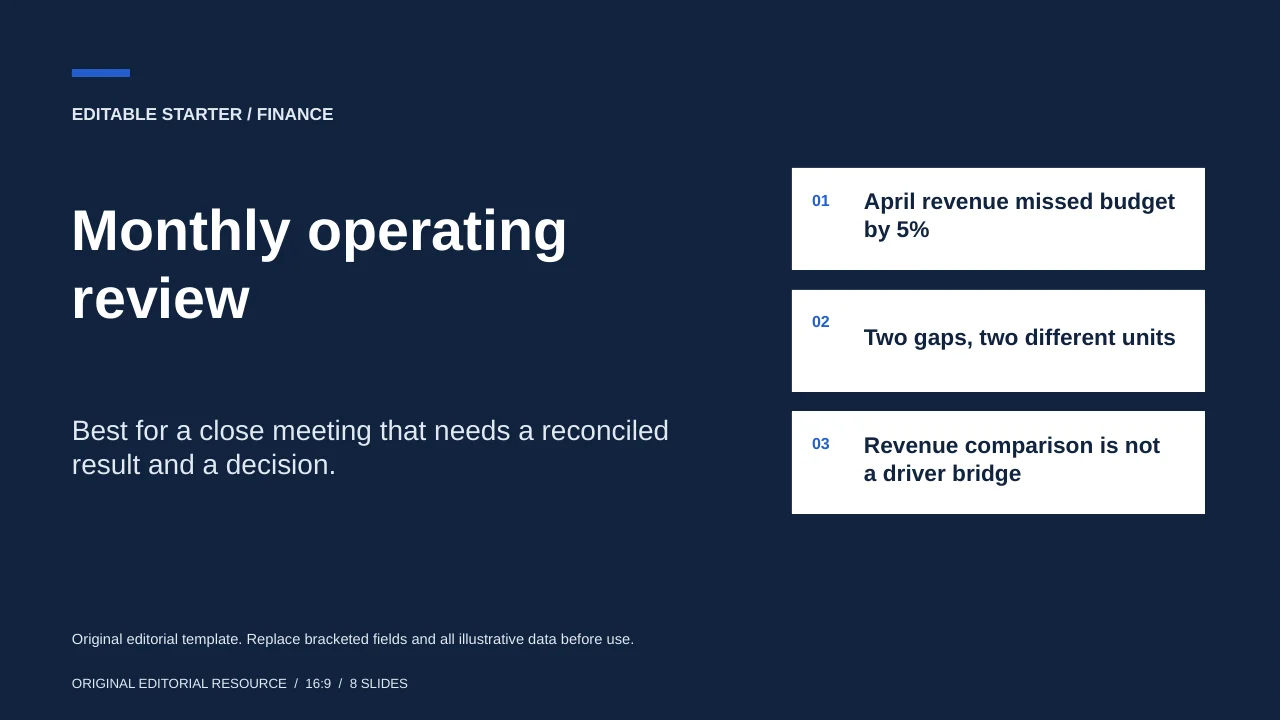
Monthly operating review
Best for a close meeting that needs a reconciled result and a decision.
The deck makes the supported result visible, then leaves the causal explanation open. All eight pages below are rendered from the downloadable editable file, not generated product screenshots.
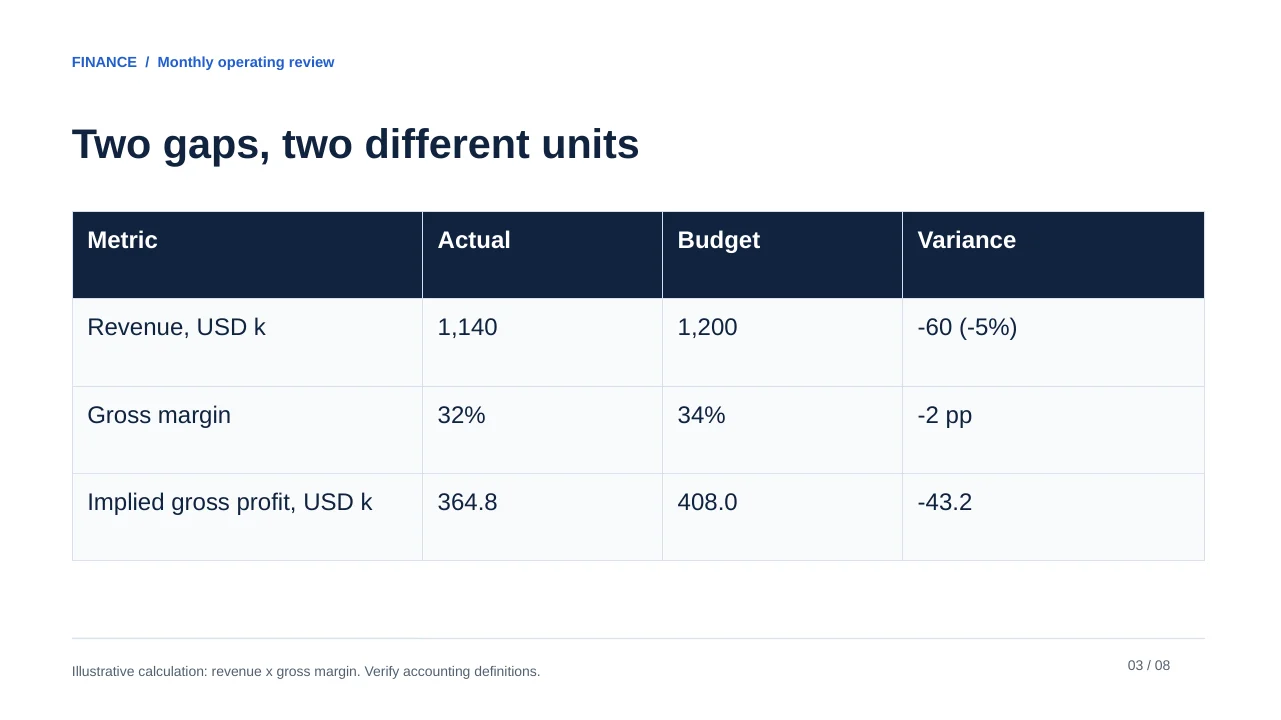
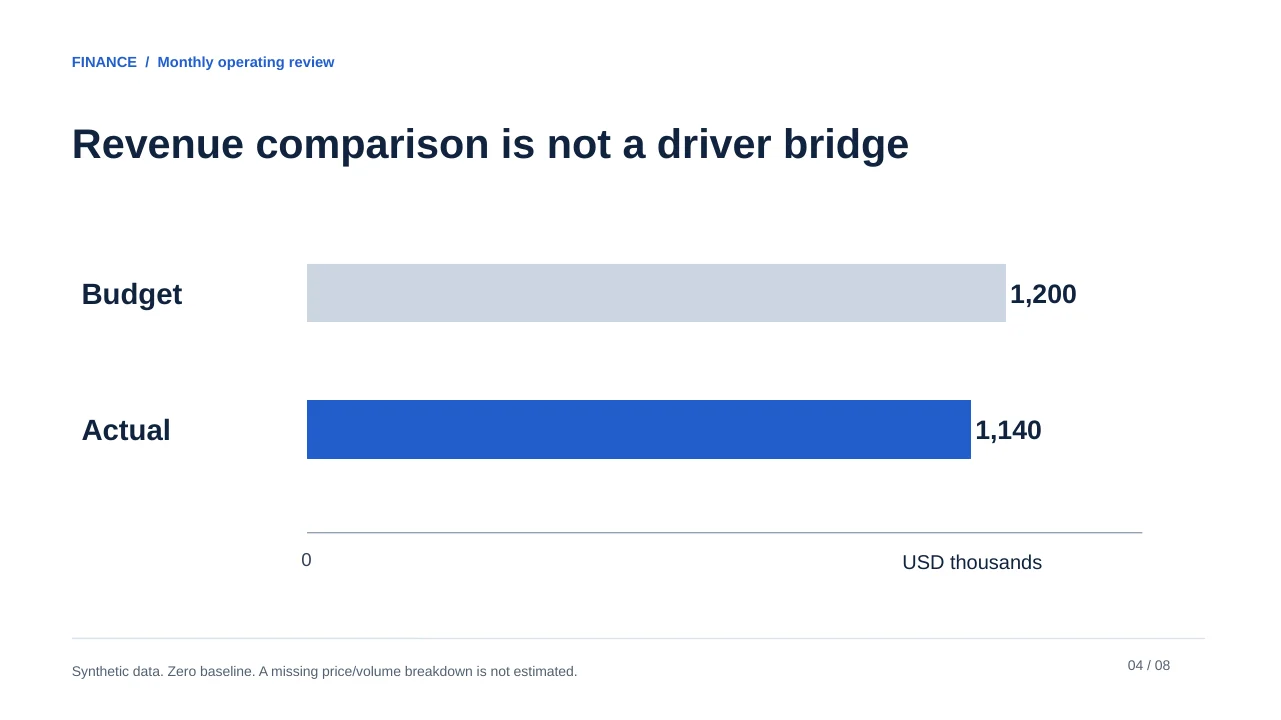
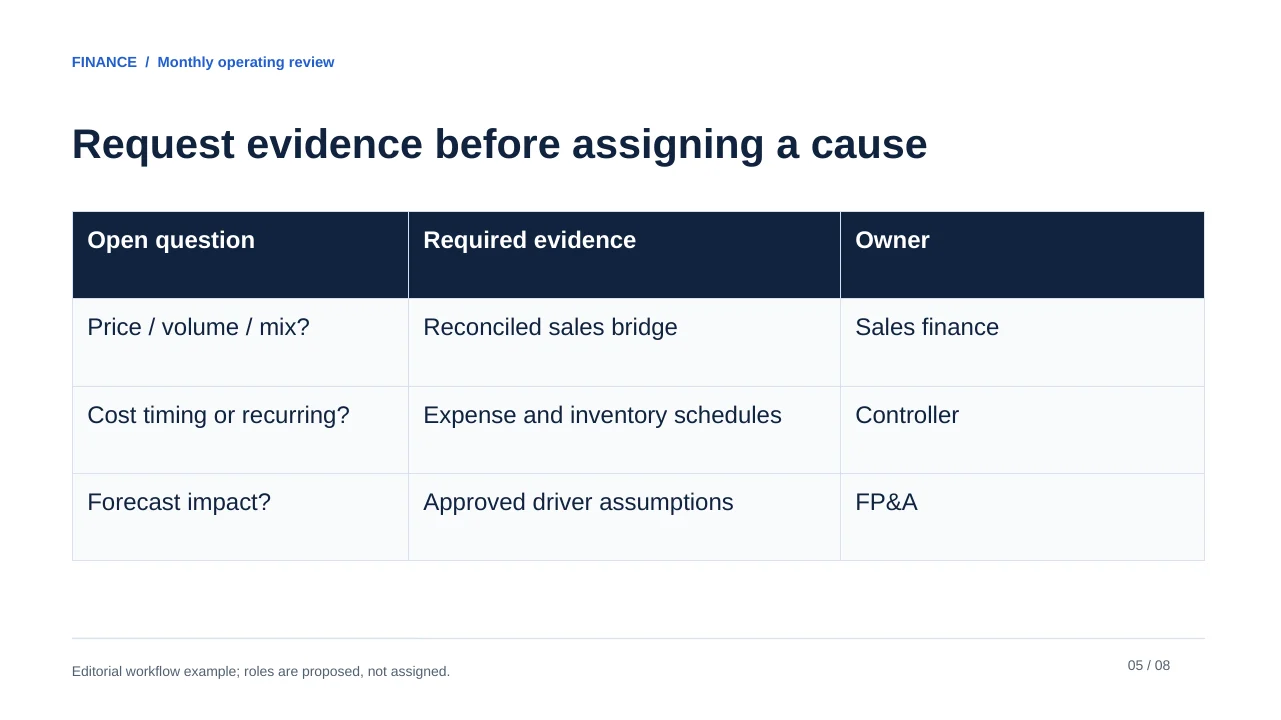
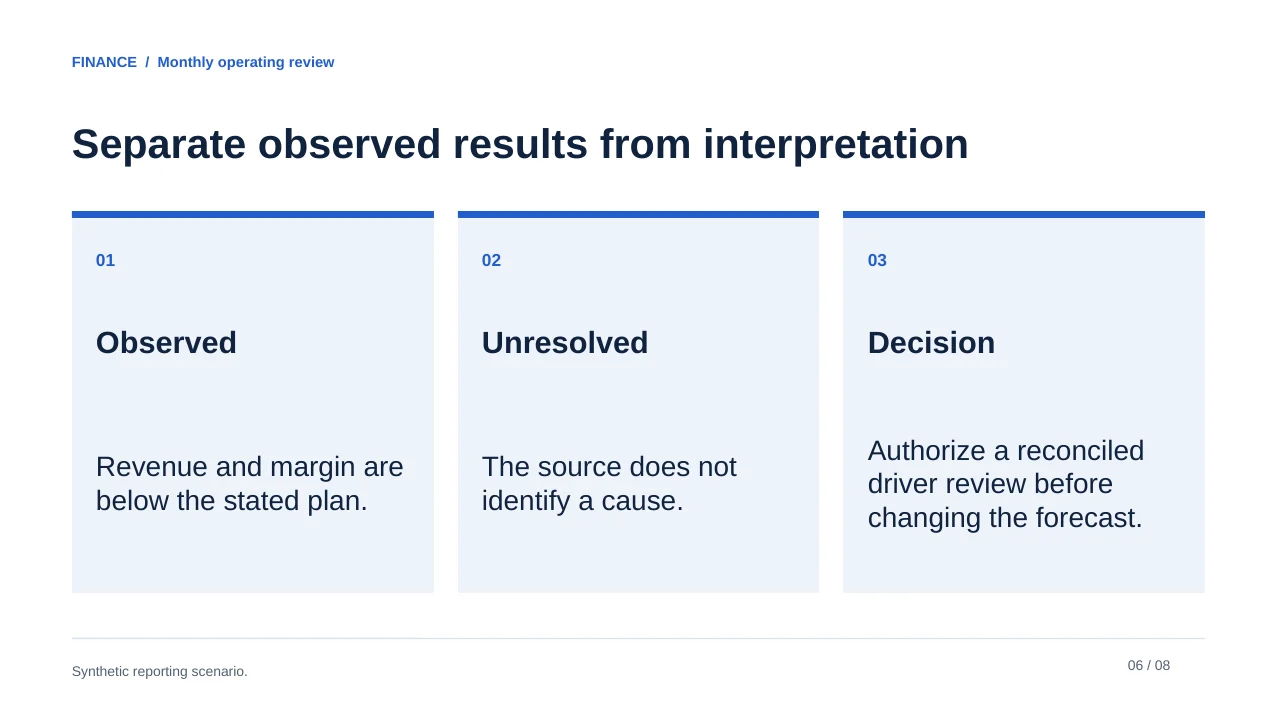
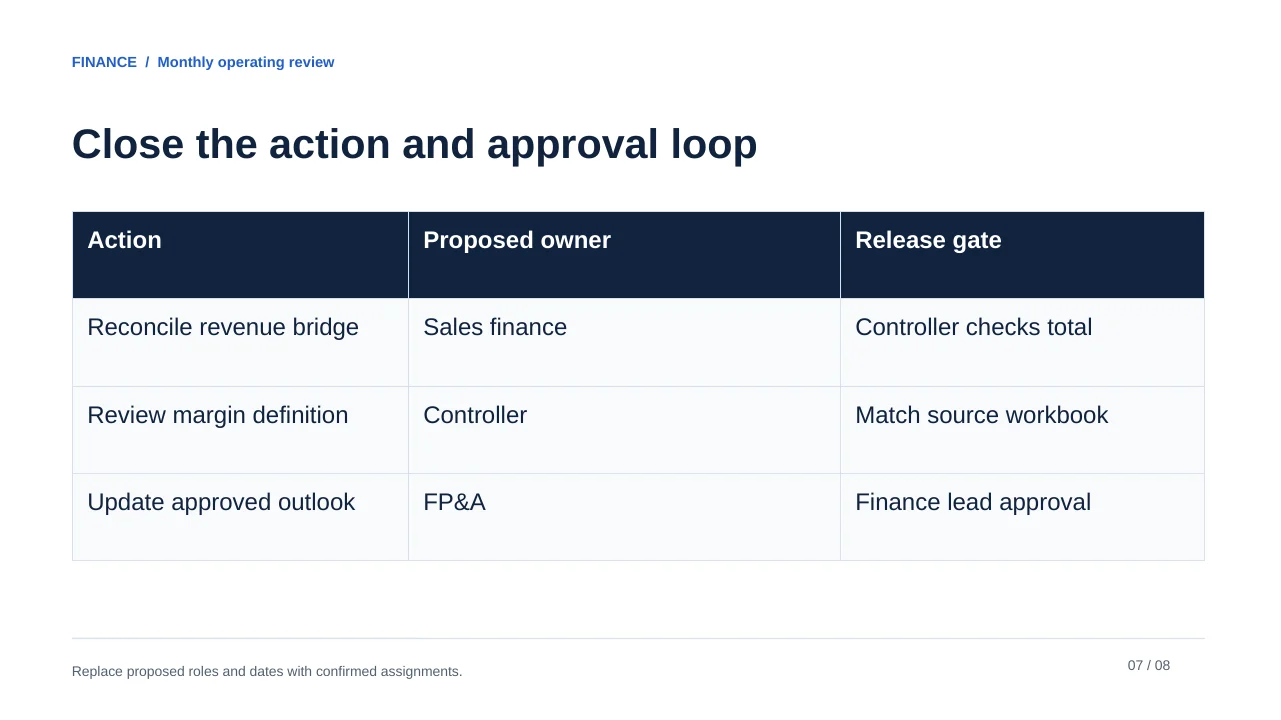
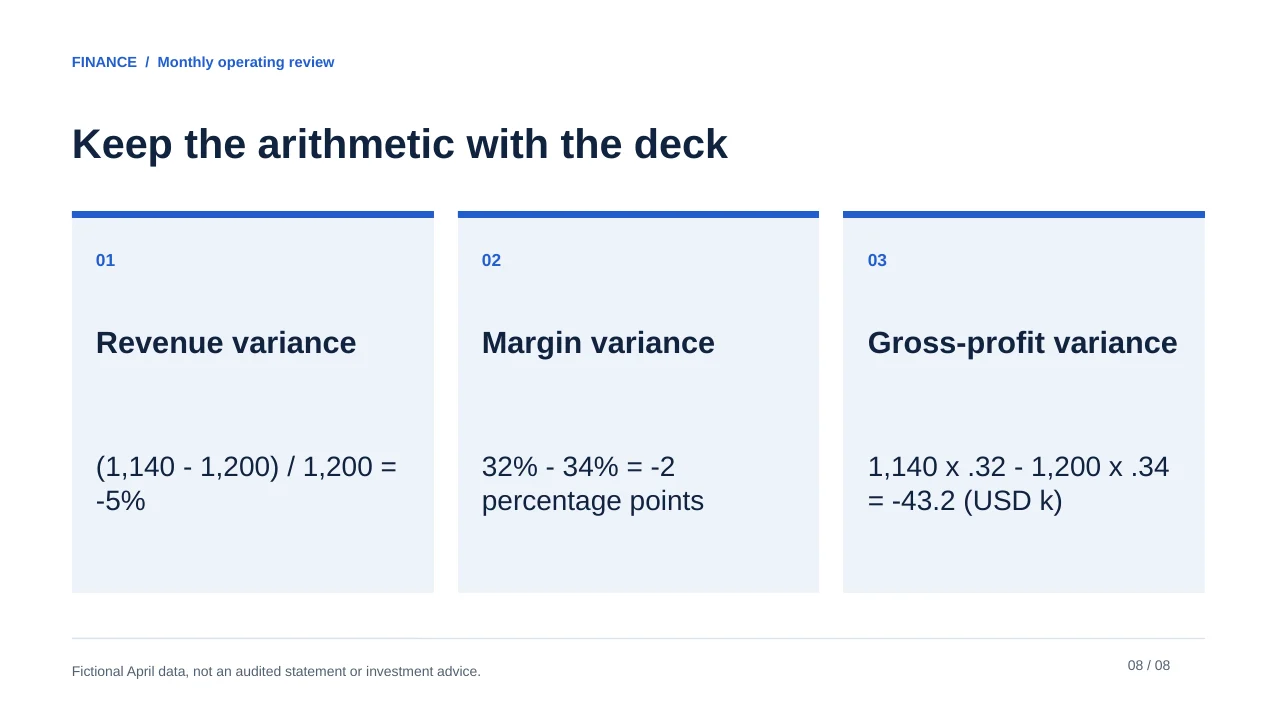
Original editorial template. Replace bracketed fields and all illustrative data before use.
See the complete slide sequence
- Monthly operating review
- April revenue missed budget by 5%
- Two gaps, two different units
- Revenue comparison is not a driver bridge
- Request evidence before assigning a cause
- Separate observed results from interpretation
- Close the action and approval loop
- Keep the arithmetic with the deck
3. Prompt for a source-mapped draft
FICTIONAL APRIL CLOSE, version 3. Currency USD. Revenue actual 1140000; budget 1200000. Gross margin actual .32; budget .34. Gross margin = gross profit / revenue. No product, price, volume, mix, or cost-driver breakdown is supplied. Audience: department heads. Decision: authorize a driver review; do not revise the outlook without approved assumptions.
Create an eight-slide April operating review for department heads using only the source summary above. Include: cover; executive result; metric reconciliation; budget/actual comparison; unanswered driver questions; interpretation boundary; actions and approval; calculation appendix. Preserve USD and the stated scale. Calculate revenue variance as actual minus budget and percentage variance as variance divided by budget. Show margin movement in percentage points. Give each material claim its source, formula and review flag. No price/volume breakdown is supplied: do not fabricate a waterfall bridge or a cause. Do not invent names, approval dates or a new forecast.
In PopAi's documented workflow, a prompt or supported source file can lead to an outline, an editable draft and PPTX/PDF output. The example here was authored for this article; reproducing the prompt in your account will not necessarily reproduce its layout. Review the outline before choosing a style.
4. Check the result, then the chart
| Review | Accept | Reject |
|---|---|---|
| Arithmetic | Variance uses the stated budget denominator. | Switching denominator or currency mid-deck. |
| Causality | The driver remains unconfirmed. | A fabricated explanation for the shortfall. |
| Visual | Budget and actual bars share a zero baseline. | An invented bridge that does not reconcile. |
| Release | Finance owner checks the source version and decision. | A polished deck treated as approved analysis. |

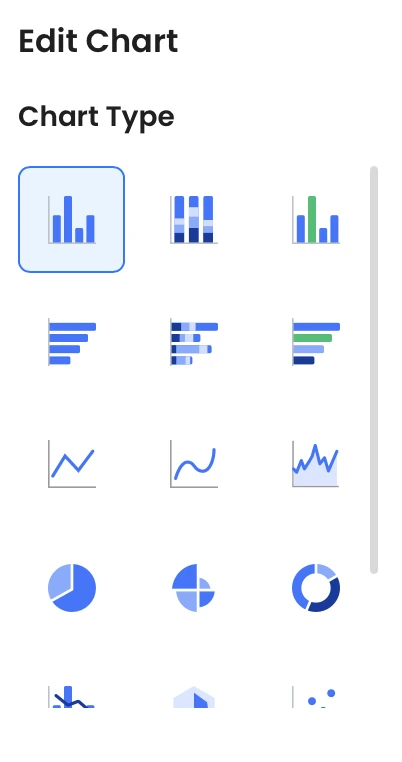
These interface controls are separate from the financial check. After editing or exporting, compare displayed values, axis labels, actual/budget tags and source notes with the approved pack. Upload confidential figures only through an organization-approved service and account; keep the prompt, source version, review record and final deck together.
Sources and example provenance
The files and preview layouts on this page were created for this editorial resource. External references support the specific guidance linked in the text; they do not endorse the templates. Source links checked on October 15, 2026.
Frequently Asked Questions
Is the eight-slide example a real company report?
No. It uses explicitly fictional April figures and original editorial layouts. It is not a PopAi product test or an audited report.
Where are the reusable finance templates?
The companion finance gallery offers separate monthly review, budget request and forecast PPTX files. This tutorial focuses on source preparation and verification.
Should AI create a variance waterfall when drivers are missing?
No. Show the supported budget/actual comparison and request a reconciled driver breakdown. Do not assign causes or amounts without evidence.
Are the files editable?
They contain native text, shapes and tables. The files were structurally checked and rendered with LibreOffice; your PowerPoint, Keynote or PopAi workflow still needs an application-specific check.