AI Presentation Copyright & Ownership: Practical Legal Checklist
Published on September 10, 2026
If you create sales decks, classroom materials, investor pitches, internal reports, or public webinar slides with AI, the first legal question is not simply “Who owns this deck?” It is more specific: which parts were authored by a human, which parts came from a platform or third party, which rights were licensed, and what promises are you making when you send the file to a client, employer, school, or paying customer?
Short answer: you may be allowed to use an AI-assisted presentation commercially under a tool’s terms, but that does not automatically mean every slide is copyrightable, exclusively owned by you, or cleared for redistribution. A legally safer deck usually has four things: documented human authorship, cleared third-party assets, verified data and claims, and a saved record of prompts, sources, licenses, approvals, and final exports.
This guide is written for creators, educators, marketers, consultants, and business teams that use AI to plan, draft, design, or revise presentations. It focuses mainly on U.S. copyright principles, with practical notes for global teams where rules differ. Copyright is only one layer: presentation files can also raise contract, employment, privacy, trademark, right-of-publicity, advertising, securities, education, and confidentiality issues.
Use this quick risk screen before you publish or deliver an AI-assisted deck:
- Authorship: Did a human write, select, arrange, edit, analyze, or design enough of the deck to support a claim of human authorship?
- Assets: Are all images, icons, templates, fonts, screenshots, logos, audio, video, and datasets licensed or otherwise defensible?
- Inputs: Did you upload confidential, personal, licensed, or client-owned material to an AI system that is approved for that use?
- Use case: Is the deck internal, client-facing, public, paid, regulated, or redistributed as a product?
- Contracts: Do employment policies, client agreements, school rules, or platform terms change ownership, disclosure, or warranty obligations?
This article is educational, not legal advice. It is primarily U.S.-oriented unless noted. Copyright, contract, employment, privacy, advertising, education, and AI-disclosure rules vary by jurisdiction and can change quickly. For high-value commercial launches, regulated industries, public-company communications, paid redistribution, or disputed rights, involve qualified counsel before publishing or registering a work.
What Copyright Can Cover in an AI-Generated Presentation
A presentation is usually a rights stack, not a single copyright object.
Copyright can protect original human expression fixed in a tangible medium: written slide copy, original diagrams, visual arrangement, speaker notes, custom charts, and the selection and arrangement of materials in a deck. It does not protect facts, ideas, methods, generic layouts, common business frameworks, raw data, or material that lacks human authorship.
Under U.S. copyright law, copyright owners may control reproduction, distribution, adaptation, public display, and public performance. For works created by individual human authors, the common U.S. term is the author’s life plus 70 years. But generative AI complicates the threshold question: who is the human author, and what human expression did that person actually contribute?
The U.S. Copyright Office’s March 2023 registration guidance for works containing AI-generated material states that applicants should disclose AI-generated content and disclaim non-human authorship when appropriate. The Office has taken the position that material generated solely by AI is not copyrightable as such, while human-authored selection, coordination, arrangement, editing, and modifications may be protectable if sufficiently creative. The federal court decision in Thaler v. Perlmutter also rejected copyright registration for a work claimed to be authored by an AI system alone.
Practical registration example: if you create a 30-slide market analysis deck using AI-generated background images but you write the narrative, choose the data, design the chart logic, and arrange the slides, a U.S. registration strategy may focus on the human-authored text, charts, selection, and arrangement while excluding or disclaiming unmodified AI-generated images. If you submit a one-prompt deck with no meaningful human edits, the copyright claim is much weaker.
Prompting alone is usually weak evidence
A prompt can be an important project record, but a basic instruction such as “make a pitch deck for a climate startup” is usually weak evidence of authorship in the final output. Stronger evidence comes from human selection, rewriting, rearrangement, custom analysis, chart interpretation, layout direction, and decisions about what to include or exclude.
| Authorship record | Example | Why it matters |
|---|---|---|
| Weak | “Create a 12-slide pitch deck about remote work trends.” User exports the result unchanged. | Little evidence of human expression beyond a general instruction. |
| Moderate | User provides audience, outline, three cited sources, brand tone, and rewrites the title and conclusion. | Shows human direction, but protectability may still depend on the originality of edits and arrangement. |
| Strong | User writes original analysis, selects data, builds charts, rewrites slide copy, removes generic AI visuals, designs hierarchy, and saves draft comparisons. | Creates a clearer record of human-authored expression and editorial control. |
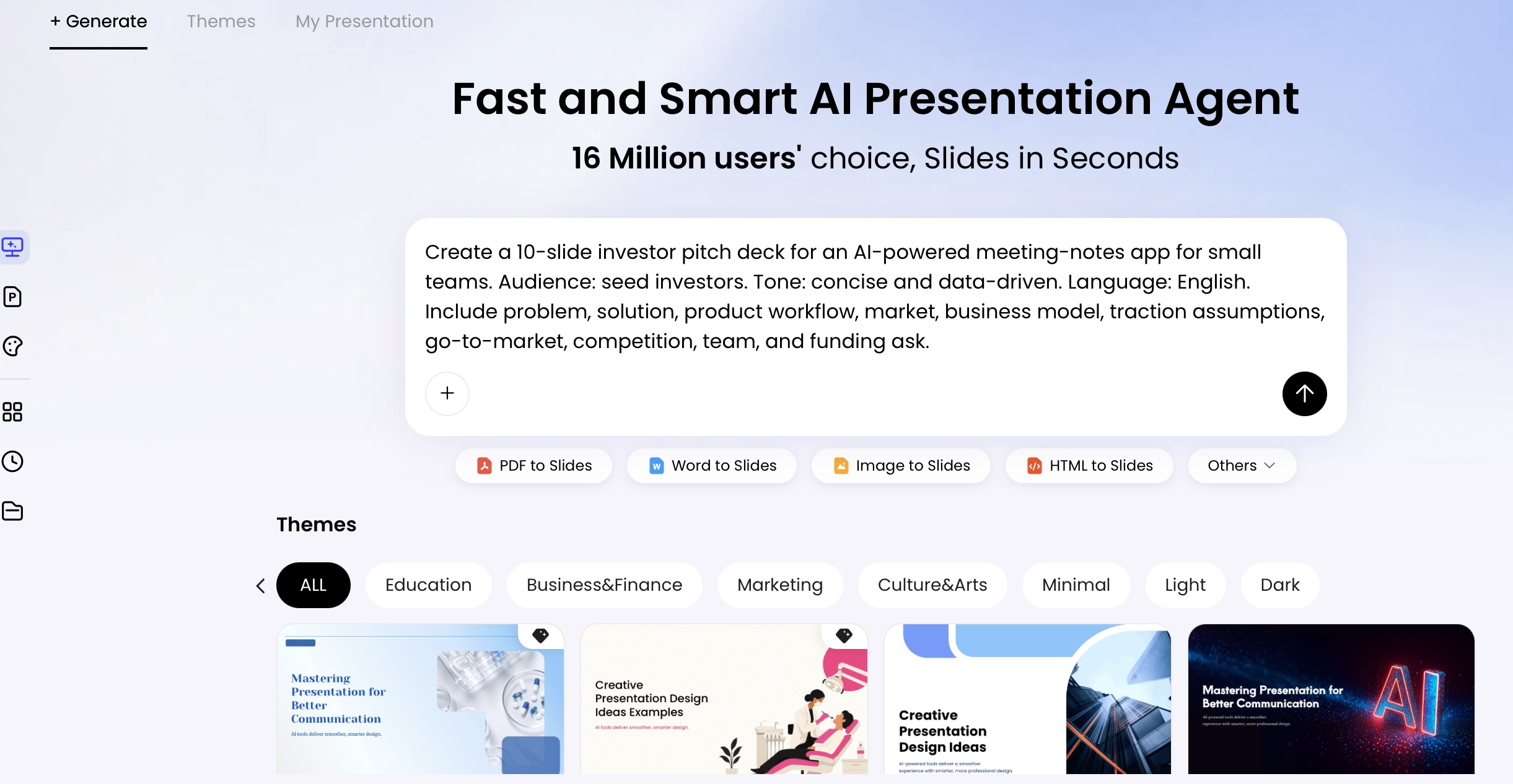
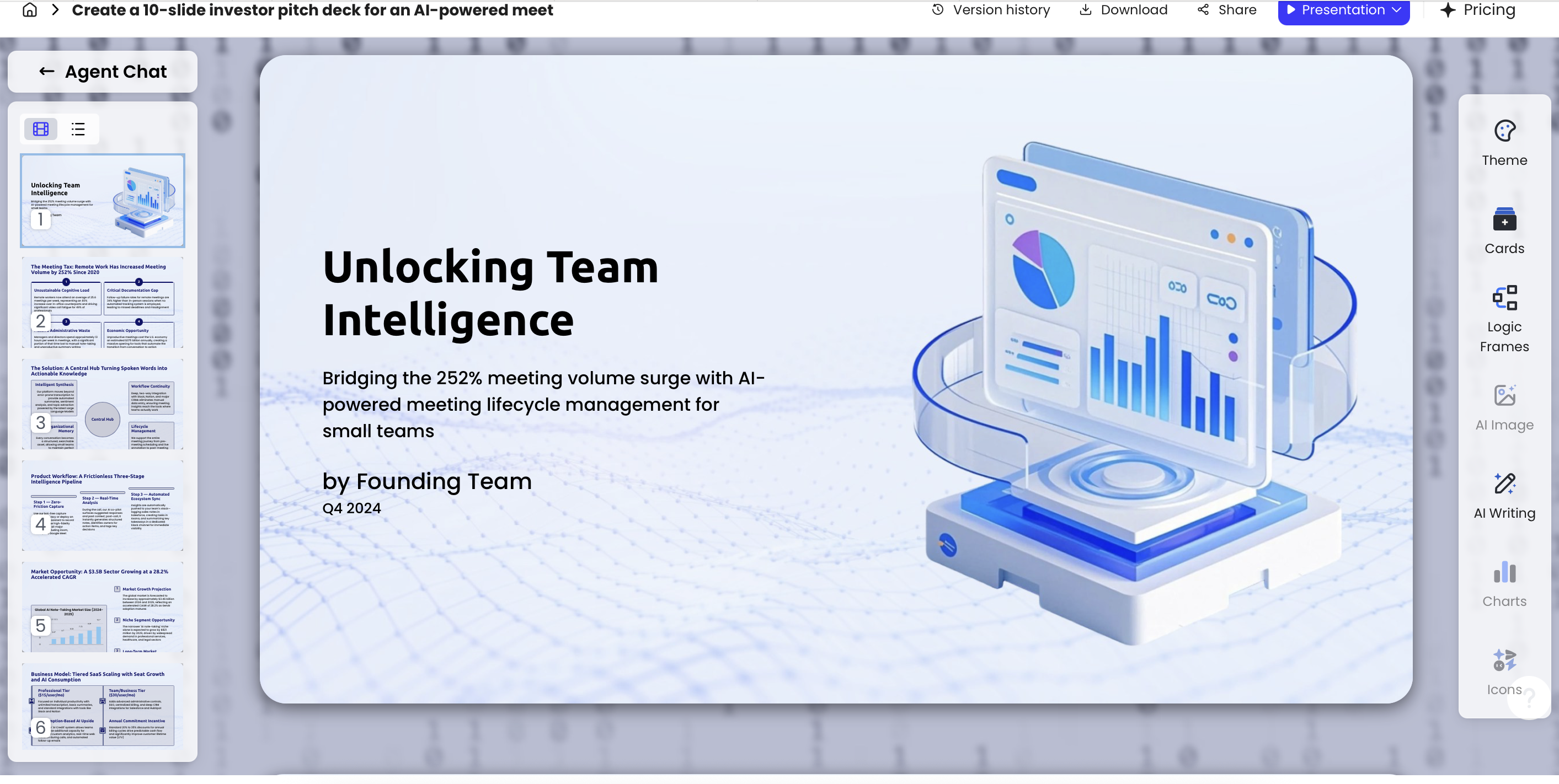
Practical rule: keep a creation record outside the deck: prompt log, source list, draft exports, asset register, approval notes, and final PDF/PPTX. In PopAi AI Presentation, for example, teams can move from prompt or file upload to outline, theme selection, editing, and export; screenshots or exported drafts from those stages can support a review trail, but they do not replace legal clearance.
Who Owns an AI Presentation: User, Company, Platform, or Nobody?
Ownership depends on the creator relationship, platform terms, and the rights status of each slide component.
Do not confuse file possession with copyright ownership. Having a PPTX on your desktop means you control that copy of the file; it does not prove that you own every image, template, font, chart, logo, dataset, or AI-generated element inside it. Platform terms may grant output-use rights, but they usually do not immunize you from third-party infringement claims caused by your inputs, prompts, or asset choices.
Common ownership scenarios
| Scenario | Likely ownership issue | What to confirm |
|---|---|---|
| Employee creates an internal sales deck with AI | Employer may own work created within the scope of employment or under IP policy. | Company AI policy, approved tools, confidential-input rules, brand approval, retention requirements. |
| Freelancer creates an investor pitch for a client | Rights may remain with freelancer unless assigned; AI-generated portions may not be ownable in the same way. | Written assignment, work-for-hire language where valid, third-party licenses, AI disclosure, warranties. |
| Agency uses client documents to generate campaign slides | Client may own source materials; agency may own reusable templates unless contract says otherwise. | Confidentiality, model-training restrictions, deliverables definition, reusable background IP, approval chain. |
| Teacher sells AI-assisted course slides | Paid redistribution raises template, image, font, and institution-policy issues. | School policy, commercial-use licenses, student data removal, AI-use disclosure, accessibility duties. |
| Student submits AI-assisted presentation | Academic integrity and citation rules may matter more than copyright ownership. | Course policy, disclosure requirements, permitted AI assistance, source citations. |
AI tools also differ. Some products emphasize presentation design, others transform documents into slides, and others embed AI inside broader office software. When comparing AI presentation makers, evaluate not only output quality but also terms, data handling, export rights, template licensing, and whether business or enterprise plans include indemnity, audit logs, admin controls, or training opt-out options.
“The deck” is not always owned as one unit. Human-written strategy notes, AI-generated visuals, licensed stock assets, brand logos, embedded video, fonts, and chart data may each have a different rights holder and a different license limit.
Read the platform terms before relying on commercial use
Many AI platforms let users use outputs commercially, but that permission may be conditioned on plan type, prohibited uses, content policies, third-party rights, or geographic restrictions. Free versions may offer fewer assurances than business or enterprise plans. Some enterprise tools provide copyright commitments or indemnification for eligible claims, while standard consumer plans often exclude outputs generated from infringing prompts, user-uploaded materials, or third-party assets. Save or screenshot the terms in effect at the time of creation for important projects.
Platform terms review checklist
- Output rights: Does the platform assign, license, or merely permit use of generated outputs?
- Commercial use: Is commercial use allowed on your plan, and are paid templates, courses, ads, or client deliverables treated differently?
- Input use: Can the vendor use prompts, uploads, or outputs to train models or improve services?
- Data retention: Can admins delete files, set retention periods, restrict sharing, or access audit logs?
- Third-party assets: Are built-in templates, icons, photos, fonts, or generated images covered by a documented license?
- Indemnity: Is there a copyright commitment, and what exclusions apply for modified outputs, high-risk uses, user prompts, or external assets?
- Prohibited uses: Are medical, financial, legal, political, biometric, synthetic media, or regulated claims restricted?
- Changes to terms: Which terms apply to already-created outputs if the vendor updates its policy later?
The Slide Asset Chain: What to Clear Before Publishing
The safest review treats every visible and hidden deck element as an asset with a source, license, and use case.
Start with text. If AI drafts slide copy, verify factual claims, quotes, citations, competitor statements, testimonials, and any regulated claims. Then review images and illustrations for possible similarity to recognizable copyrighted characters, artworks, advertising campaigns, trade dress, or celebrity likenesses. A prompt such as “make it look like Pixar,” “in the style of Banksy,” or “use a Taylor Swift-like presenter” should be treated as a red flag, not a shortcut.
Charts require a separate check. The visual design may be AI-assisted, but the underlying data may come from proprietary reports, paid databases, customer analytics, surveys, or third-party tables. Public sources still need accurate citation. Customer screenshots may reveal private information. Logos may require brand permission or a documented nominative-use rationale. Fonts and templates may have embedding or redistribution limits. Background music, stock video, voice cloning, avatars, and embedded YouTube clips add sync, performance, platform-terms, and likeness layers.
Case study: public webinar deck. In a an illustrative B2B webinar deck review, the highest-risk items were not the AI-written section headers. They were a screenshot with customer names in a sidebar, two market-size charts copied from a paid research PDF, a background image resembling a well-known software ad campaign, and speaker notes containing unreleased pricing assumptions. The remediation was straightforward: redact the screenshot, replace the charts with cited public data, swap the image, clean the notes, and archive the approval email before export.
Asset-by-asset clearance checklist
| Asset type | What to check | Evidence to save | Escalate if... |
|---|---|---|---|
| AI text | Facts, quotes, legal/medical/financial claims, defamatory statements, invented citations. | Source URLs, source PDFs, fact-check notes, approval comments. | The deck includes regulated, comparative, investment, health, or legal claims. |
| AI images | Similarity to protected characters, artworks, trade dress, brand campaigns, celebrities, or private persons. | Prompt, generated image, replacement rationale, approval note. | The image resembles a real person, famous style, character, product packaging, or competitor ad. |
| Templates and icons | Commercial use, redistribution, sublicensing, attribution, modification rights. | License page, invoice, plan terms, asset ID. | The deck will be sold, sublicensed, uploaded to a marketplace, or distributed to partners. |
| Fonts | Desktop use, embedding, PDF export, web use, client redistribution. | Font license, vendor receipt, approved brand-font list. | You embed fonts in PPTX/PDF or deliver editable files to a client. |
| Logos and screenshots | Brand guidelines, permission, nominative use, confidentiality, personal data in UI. | Permission email, brand guideline link, redaction checklist. | Logo use implies endorsement or screenshot includes customer/user data. |
| Charts and data | Data license, source date, transformations, units, axes, methodology, confidentiality. | Dataset, formula notes, citation, transformation log. | Data comes from paid research, client systems, personal data, or investor materials. |
| Audio/video/avatar | Sync rights, performance rights, platform terms, voice/likeness consent, synthetic-media disclosure. | License agreement, release form, consent record, disclosure language. | You use a recognizable voice, face, song, film clip, webinar recording, or streaming-platform content. |
| Speaker notes and metadata | Confidential prompts, hidden comments, personal data, internal strategy, unresolved legal notes. | Clean export, final review signoff, metadata-cleaning confirmation. | The deck leaves the company, goes to investors, or is filed with a customer/procurement portal. |
Data point for risk planning: under 17 U.S.C. § 504, U.S. statutory damages for willful copyright infringement can reach up to $150,000 per work. That number depends on U.S. registration, timing, willfulness, litigation posture, and other facts; 17 U.S.C. § 412 also affects statutory damages and attorneys’ fees for many U.S. works. Outside the U.S., remedies differ, but injunctions, takedowns, delayed launches, client disputes, and rework costs are common business risks even when damages are uncertain.
AI-Generated Presentations Copyright Risk by Use Case
Risk rises when a deck is public, paid, redistributed, regulated, data-heavy, or backed by contractual warranties.
Use risk levels as triage, not legal conclusions. A small internal planning deck can become high risk if it contains customer health data, unreleased financials, or licensed market research. A public keynote with only original speaker notes can be lower risk than a private client deck packed with third-party logos and screenshots.
| Presentation scenario | Typical risk level | What to review first | Escalate if... |
|---|---|---|---|
| Internal brainstorm or meeting draft | Low to medium | Confidential inputs, privacy, sensitive business data, factual accuracy. | Uploaded files contain trade secrets, personal data, unreleased financials, or customer records. |
| Classroom presentation | Low to medium | School AI policy, citations, image licenses, academic integrity disclosure. | Slides will be sold, posted publicly, graded under an AI policy, or include student information. |
| Client sales proposal | Medium | Customer logos, competitive claims, contract ownership, template permissions. | The contract requires originality warranties, indemnity, or disclosure of AI-assisted work. |
| Investor pitch deck | Medium to high | Financial projections, third-party market data, confidentiality, securities-related statements. | The deck includes fundraising claims, forward-looking statements, or paid analyst data. |
| Public conference or webinar | High | Public display rights, likeness rights, music/video, citations, AI disclosure. | The event is recorded, sponsored, syndicated, or includes synthetic voice/avatar content. |
| Paid template, course, or downloadable deck | High | Redistribution rights, commercial licenses, ownership warranties, copyright registration strategy. | Buyers receive editable files, resale rights, worksheets, stock assets, or bundled media. |
Jurisdiction notes for global teams
Jurisdiction matters. The United States currently emphasizes human authorship, so AI-only material may be excluded from copyright registration. EU copyright analysis generally turns on the author’s “own intellectual creation,” while the EU AI Act adds transparency obligations for certain AI systems and synthetic or manipulated content. The United Kingdom’s Copyright, Designs and Patents Act 1988 includes a specific computer-generated works provision in section 9(3), identifying the author as the person by whom the arrangements necessary for creation are undertaken, though the application to modern generative AI remains debated. Ireland, New Zealand, Hong Kong, and India have related computer-generated works concepts. Moral rights, database rights, fair dealing, employment ownership, and disclosure rules can also diverge by country.
Risk also changes when a slide deck becomes part of a larger product. A one-time internal update is usually lower stakes than a repeatable sales enablement deck distributed to global partners. A webinar replay adds public performance and platform terms. A paid course may require broad redistribution rights for every embedded element, including fonts, template elements, workbook screenshots, and background music.
Disclosure example: “This presentation was prepared with AI assistance for outline generation and visual drafting. Final selection, editing, data review, and publication approval were completed by the presenter.” Consider disclosure when a client contract, school policy, publisher rule, procurement requirement, regulated-communications policy, synthetic-media law, or internal AI-use policy requires it. Place it on a title slide, appendix, speaker notes, delivery memo, or metadata record depending on audience and confidentiality needs.
A Practical SOP for Creating Legally Safer AI Presentations
A usable SOP assigns owners, creates evidence, and sets stop/go gates before a deck leaves the team.
- Define the use case. Presenter or project owner labels the deck as internal, client-facing, public, paid, regulated, or confidential.
- Choose approved tools. Operations, IT, or procurement confirms that the AI platform and plan support the intended use, data sensitivity, and export needs.
- Prepare safe inputs. Content owner removes trade secrets, personal data, unreleased financials, private customer information, and third-party material that cannot be uploaded.
- Document prompts and sources. Creator saves the prompt, uploaded files, source URLs, data licenses, date accessed, and version number in a project folder.
- Generate an outline first. Presenter reviews structure before polished slides are created so humans control argument, sequence, and emphasis.
- Edit substantially. Subject-matter expert rewrites claims, rearranges sections, selects visuals, adjusts layout, adds original analysis, and removes unsupported assertions.
- Clear assets. Designer or producer checks images, charts, logos, fonts, templates, screenshots, video, audio, and speaker notes against the asset register.
- Add citations and disclosures. Editor adds slide footnotes, a sources slide, appendix citations, or speaker-note references depending on audience expectations.
- Run legal, brand, or data review. Escalate high-risk decks involving paid distribution, advertising, regulated claims, customer data, celebrity likenesses, or investor communications.
- Archive the record. Project owner stores final PPTX/PDF, prompts, approvals, licenses, source files, version history, and disclosure language for the retention period set by policy.
Stop/go checklist before export
- All third-party assets have a license, permission, public-domain basis, or documented fair-use/fair-dealing analysis.
- All statistics, quotes, customer claims, and competitor comparisons have been fact-checked.
- Confidential information, personal data, hidden slides, comments, unresolved notes, and sensitive metadata have been removed.
- AI use disclosure has been added where required by contract, school policy, platform rule, law, or internal policy.
- Fonts and template elements are permitted for the export format and distribution audience.
- Charts show accurate labels, units, scales, source dates, and transformations.
- Final approver, approval date, intended use, and version number are recorded.
Tool-specific workflows should support the SOP rather than replace it. In PopAi, teams can generate slides from a prompt, turn existing documents into presentations, or use template-oriented AI PowerPoint workflows. The legal relevance of those inputs is different: a PDF may contain licensed analyst research, an audio file may contain personal data or voice rights, a YouTube URL may raise platform-terms issues, an image may contain logos or likenesses, and an existing PPTX may contain fonts or stock assets that are not sublicensable.
PopAi also shows content planning stages before generation, such as thought process, draft or outline, content plan, and theme selection depending on the entry point. That matters because outline review gives humans an opportunity to shape the work before design polish makes risky content look final. Teams should still check PopAi’s current terms, data-handling settings, asset licenses, and plan-specific controls before using outputs commercially or uploading sensitive materials.
How PopAi Supports a Reviewable AI Presentation Workflow
PopAi can help structure a reviewable creation process, but it does not clear copyright, verify licenses, or provide legal advice.
A useful workflow begins with a prompt that identifies audience, tone, language, page count, required sections, source limitations, and intended use. If the source is a report, PopAi can convert common document formats into slides, but the user still needs to decide whether the uploaded source is confidential, licensed for that use, or appropriate for AI processing.
Case study: HTML-to-slides test. In a hypothetical workflow, an HTML report containing a title, executive summary, five key metrics, a risk register, and recommended actions. PopAi organized it into a six-page presentation and converted the risk register into a slide table with severity, owner, and mitigation fields. The output was useful as a first draft, but manual review was still required to add source citations, verify the metric definitions, simplify one overstated recommendation, and mark two risks as confidential before export. The creation record for that test included the input HTML file, prompt, generated outline, edited draft, final PDF, and a short review note listing the changes.
After generation, human review is still essential. PopAi supports natural-language revision, Advanced Edit, theme switching, layout adjustment, AI Writing, cards, logic frames, charts, and icons. For chart-heavy decks, the compliance value is not the number of chart types available; it is the ability to inspect data tables, labels, units, legends, reference lines, and highlighted points before publication. Misleading axes, missing source dates, rounded percentages, and unlabeled forecasts create more business risk than an imperfect color palette.
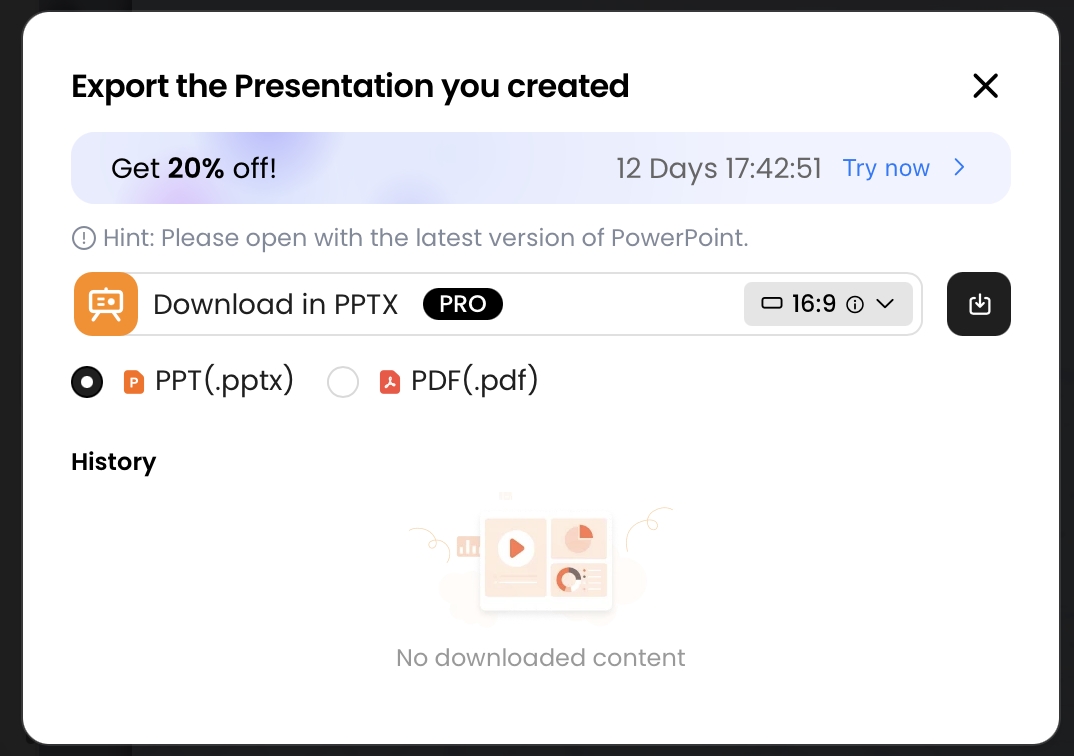
Export should be treated as a gate, not just a file-format choice. PopAi supports exporting to PPTX and PDF; editable PPTX files are useful for human review but can also carry speaker notes, comments, embedded fonts, hidden slides, and metadata. Before exporting, teams should confirm that citations, licenses, confidential information, AI disclosure, accessibility, and final approval are complete. After export, store the approved PDF or PPTX with the prompt record, source documents, license files, and approval note.
No AI presentation tool can tell you that every asset is cleared for every country, channel, and contract. The tool can help create the deck; the team must still clear rights, verify claims, protect data, and decide what can be published.
Contract Clauses and AI Use Policies for Teams
Teams that use AI presentations repeatedly need written rules for people, vendors, data, and deliverables.
A useful AI presentation policy should define approved tools, prohibited inputs, review thresholds, disclosure rules, and who can approve public release. It should also explain what happens when a deck includes customer data, unreleased product information, personal data, medical or financial claims, third-party brand assets, synthetic voices, or AI-generated likenesses.
Internal employee AI-use policy
- List approved AI tools and plan types for internal, client, public, and regulated work.
- Ban uploading trade secrets, personal data, unreleased financials, customer records, or licensed reports unless approved.
- Require prompt/source logs for client-facing, public, paid, or regulated decks.
- Define who approves AI disclosure, brand use, chart claims, and publication.
- Set retention periods for prompts, drafts, source files, licenses, and final exports.
Freelancer, agency, and client delivery terms
For contractors and agencies, contracts should specify whether AI tools may be used, who owns prompts and outputs, whether model-training use is restricted, who clears third-party materials, and who is responsible if a client receives a takedown notice or infringement claim. Client agreements should also address whether the client is responsible for source materials it provides, such as logos, screenshots, market reports, or customer data.
Sample contract concepts to discuss with counsel
- Deliverables definition: specify whether final PPTX/PDF files, prompts, outlines, drafts, reusable templates, source files, and design systems are included.
- Ownership assignment: contractor assigns rights in human-authored deliverables and confirms authority to assign them; AI-generated portions may need separate treatment.
- AI disclosure: contractor identifies AI-generated or AI-assisted portions and describes the tools used if required by policy or contract.
- Tool restrictions: contractor may use only approved AI systems and must not upload confidential client information to unapproved services.
- Training restrictions: prohibit use of client materials for model training or service improvement unless expressly approved.
- Third-party materials: contractor provides license records for stock assets, fonts, templates, data, screenshots, video, audio, and media.
- Warranties and exclusions: define what originality, non-infringement, and clearance promises cover, and exclude materials supplied by the client where appropriate.
- Indemnity: allocate responsibility for claims caused by unauthorized materials, policy violations, unapproved AI tools, or misuse after delivery.
- Removal and replacement: require prompt replacement of challenged assets and cooperation with takedown or dispute response.
- Records retention: prompts, drafts, approvals, and asset licenses must be retained for a defined period and made available if a claim arises.
A policy works when it matches the way decks are actually produced. For high-volume marketing, sales enablement, and education teams, a one-page pre-export checklist plus a deeper escalation path usually performs better than a long policy nobody reads. A shared rights-management folder or asset register should record source, license, territory, duration, usage limits, approver, and renewal date for each reusable slide element.
Final takeaway: before publishing an AI-generated or AI-assisted presentation, answer five questions: What did humans author? What assets came from somewhere else? What does the platform allow? What does the contract or policy require? What evidence will you have six months later if a client, school, platform, or rights holder asks?
Key Legal References and Further Reading
- U.S. Copyright Office: Copyright Registration Guidance for Works Containing AI-Generated Material.
- U.S. Copyright Office AI Initiative and reports, including reports on digital replicas, copyrightability, and generative AI training.
- 17 U.S.C. § 102 on copyright subject matter and fixation.
- 17 U.S.C. § 504 on U.S. copyright damages and profits.
- 17 U.S.C. § 412 on registration timing, statutory damages, and attorneys’ fees.
- Thaler v. Perlmutter, U.S. District Court for the District of Columbia, addressing AI-only authorship claims.
- UK Copyright, Designs and Patents Act 1988, section 9, including the computer-generated works provision.
- EU AI Act resources for transparency and AI governance developments relevant to synthetic content and organizational AI use.
AI Presentation Legal Review Matrix
Use this matrix before publishing or selling an AI-generated deck. It turns legal uncertainty into a reviewable asset-by-asset workflow.
| Review item | What to check | Safer action |
|---|---|---|
| Source material | Whether the prompt, uploaded file, image, chart, logo, transcript, or screenshot was created by your team, licensed, or supplied by a client. | Keep a source log and remove anything that cannot be traced to an approved source. |
| Generated slide text | Whether the slide makes claims, quotes, legal statements, financial promises, or medical/technical advice. | Mark unsupported claims for review and add source notes before external use. |
| Images and icons | Whether visuals are AI-generated, stock, brand assets, screenshots, or third-party media. | Record license terms, attribution requirements, and usage restrictions before export. |
| Client and company assets | Whether the deck contains confidential strategy, customer names, logos, internal dashboards, or proprietary templates. | Get the asset owner’s approval before sharing outside the intended audience. |
| Tool terms | Whether the AI platform allows commercial use, team use, resale, training exclusion, and content deletion. | Save the relevant platform terms or vendor approval note with the final deck. |
| Final responsibility | Who signs off on copyright, privacy, factual accuracy, and commercial distribution. | Assign a named reviewer instead of treating AI output as self-approved. |
This page is guidance for content operations, not legal advice. For high-value, regulated, or public-facing decks, route the final file through counsel or the responsible compliance owner.
Legal Scope and Example Labeling
This article should not read like legal advice across every jurisdiction or like a lab test without evidence.
| Risky wording | Safer editorial treatment | Reason |
|---|---|---|
| “AI-generated decks are copyrightable / not copyrightable.” | Say that copyright treatment depends on human authorship, jurisdiction, source materials, and the final use case. | Current guidance is nuanced and legal outcomes are fact-specific. |
| “We tested…” without test records. | Use “illustrative example” or add a test date, input file, method, screenshots, and output notes. | Readers should not mistake a hypothetical workflow for verified product testing. |
| Broad U.S., EU, and U.K. conclusions in one paragraph. | Keep the article focused on operational review and route legal questions to counsel. | Cross-border copyright, contract, trademark, privacy, and employment issues differ by jurisdiction. |
Editorial rule: if the article has no saved test evidence, describe the scenario as hypothetical or illustrative.
Official Copyright Sources to Check
These source links support the factual and standards-based parts of the article. Product features and legal requirements can change, so review the latest official pages before publishing or relying on the deck.
FAQ: AI-Generated Presentations Copyright and Legal Use
Can AI-generated presentations be copyrighted?
In many jurisdictions, including the current U.S. approach, fully AI-generated content without human authorship is unlikely to receive copyright protection. Human-created text, selection, arrangement, editing, and original design choices inside an AI-assisted presentation may be protectable.
Who owns an AI-generated presentation: the user, employer, or AI platform?
Ownership depends on platform terms, employment agreements, client contracts, and the level of human creative contribution. In a workplace, the employer may own employee-created materials under work-for-hire or internal IP policies.
Is a prompt enough to claim authorship over AI slides?
A prompt alone is usually a weak basis for claiming authorship, especially under U.S. guidance. Substantial human editing, selection, arrangement, rewriting, data analysis, and visual direction provide a stronger record of creative contribution.
Can I use AI-generated slides commercially?
Often yes, but only after checking the AI tool terms, third-party asset licenses, brand permissions, privacy limits, and the risk that outputs resemble protected works. Public sales decks, paid courses, and advertising materials deserve stricter review.
Should I disclose that a presentation used AI?
Disclosure may be required by your employer, school, client contract, platform policy, or local transparency rules. Even when not legally required, a short slide note or speaker-note record can improve trust and auditability.
Create a presentation draft faster
Turn prompts, documents, reports, and outlines into editable slides while keeping a clear review process for sources, revisions, and export approval.
Create with PopAi