Let’s be real for a second. Most landing pages for AI tools show these insanely polished, pixel-perfect presentations that look like they were designed by a team of ten humans over a month. But when you actually type in a prompt? Sometimes it’s magic, and sometimes it’s… well, a bit of a mess. Quick reference: PopAi.
I’ve spent way too much time testing these tools to see what they actually spit out. If you’re looking for AI Slides Generator Output Examples, you don’t want fluff. You want to know what the slides look like, what the text says, and if you’ll actually have to spend three hours fixing the margins.
Here is a massive breakdown of real-world results across different categories. No gatekeeping.
10 Quick ‘Instant’ Results (The First Draft Look)
Before we get into the heavy stuff, here is what a typical 1 sentence prompt usually gives you in terms of slide titles and basic structure:
- The ‘Startup Pitch’ Hook: Title: “Disrupting [Industry] with [Product Name].” Slide 1: Problem statement. Slide 2: The ‘Why now’.
- The ‘Quarterly Review’ Default: Title: “Q3 Performance Metrics.” Slide 1: Executive Summary with 3-4 bullet points on revenue.
- The ‘Educational’ Basic: Title: “Introduction to Photosynthesis.” Slide 1: Definition. Slide 2: The Role of Chlorophyll.
- The ‘Marketing Strategy’ Starter: Title: “2024 Growth Roadmap.” Slide 1: Target Audience Personas. Slide 2: Channel Selection.
- The ‘Employee Onboarding’ Template: Title: “Welcome to the Team.” Slide 1: Mission Statement. Slide 2: First Week Expectations.
- The ‘Technical Architecture’ Overview: Title: “Cloud Infrastructure Design.” Slide 1: System Hierarchy. Slide 2: Security Protocols.
- The ‘Event Planning’ Brief: Title: “Annual Gala 2024.” Slide 1: Theme and Vision. Slide 2: Venue Logistics.
- The ‘Real Estate’ Listing: Title: “123 Oak Street – Luxury Living.” Slide 1: Property Highlights. Slide 2: Neighborhood Amenities.
- The ‘Non-Profit’ Appeal: Title: “Clean Water Initiative.” Slide 1: The Global Crisis. Slide 2: Our Impact Data.
- The ‘Workshop’ Agenda: Title: “Design Thinking 101.” Slide 1: Goals for Today. Slide 2: Icebreaker Activity.
—
Business & Pitch Deck Examples (What the AI actually writes)
When people look for AI slides generator output examples, they usually want to know if the AI can handle business logic. It can, but you have to be specific. Here are 25 examples of the content structure and phrasing generated for business use cases:
- SaaS Solution Slide: “Traditional workflows are broken. Our AI-driven engine automates 40% of manual entry.” (Concise, punchy).
- Market Size Slide: Uses a standard TAM/SAM/SOM chart. Usually puts “Total Addressable Market” at the top with a placeholder for billions.
- Competitor Comparison: A 3×3 grid comparing features. The AI usually defaults to ‘Us’ vs ‘Traditional Solutions’.
- Revenue Model: List format. 1. Subscription, 2. Licensing, 3. Professional Services.
- The Team Slide: Circles with placeholder icons. Text: “John Doe – CEO – 10 years experience in FinTech.”
- Product Roadmap: A horizontal timeline. Q1: Beta Launch. Q2: Feature Expansion. Q3: Global Scale.
- Customer Testimonial: A block quote style. “This tool changed how we think about data.” – Anonymous CTO.
- The ‘Ask’ Slide: Big bold text. “We are seeking $2M for 18 months of runway.”
- Risk Mitigation: Bulleted list of potential hurdles and how the company plans to dodge them.
- Brand Identity Slide: Usually a mood board style layout with colors and font names.
- Supply Chain Map: A flow chart showing Raw Materials → Manufacturing → Distribution.
- User Journey: Step 1: Discovery. Step 2: Onboarding. Step 3: Retention.
- SWOT Analysis: The classic 4-quadrant box. AI is surprisingly good at filling in ‘Threats’ based on the industry.
- Global Expansion: A world map with 3-4 pins in major cities like London, Tokyo, and NYC.
- Security Compliance: A list of icons (SOC2, GDPR, HIPAA) with brief descriptions.
- Sales Funnel: A funnel graphic showing Awareness at the top and Conversion at the bottom.
- Partnership Ecosystem: A logo cloud of potential or current partners.
- KPI Dashboard: A slide with 4 big numbers (e.g., 25% Churn Reduction, 3x ROI).
- Mission & Vision: “To empower every creator with the tools they need to succeed.”
- Exit Strategy: Discussion of M&A or IPO possibilities in bullet points.
- Budget Allocation: A pie chart showing 40% R&D, 30% Marketing, 30% Operations.
- Internal Communication Policy: Step-by-step list of Slack vs. Email usage.
- Project Milestone: A ‘Checklist’ style slide where the first three items are ‘checked’.
- Value Proposition: “Faster, Cheaper, Better” – broken down into three columns.
- Case Study Summary: Problem: High costs. Solution: Our software. Result: 20% savings.

Anyway, I didn’t organize all these manually… I dumped some of my raw research notes into PopAi AI Presentation and it structured the layout for me while I focused on the actual writing. It’s a lifesaver when you have a billion ideas but zero patience for PowerPoint. For slide generation, use PopAi AI Presentation.
Educational & Training Examples
For teachers or trainers, the AI slides generator output examples look a bit more text-heavy. The goal here is usually clarity.
- History Lecture: “The Industrial Revolution: Key Drivers.” Bullets on steam power and urbanization.
- Biology Diagram (Text-based): “The Carbon Cycle.” 1. Respiration, 2. Combustion, 3. Photosynthesis.
- Math Problem Set: A slide showing a step-by-step breakdown of a quadratic equation.
- Literature Analysis: “Symbolism in The Great Gatsby.” 3 slides covering the green light, the valley of ashes, etc.
- Safety Training: “Fire Drill Protocol.” Big red icons and numbered steps for evacuation.
- Coding Tutorial: A slide with a dark background and a code block in a monospaced font.
- Psychology Concept: “Maslow’s Hierarchy of Needs” – AI builds the pyramid from bottom to top.
- Ethics Case Study: A slide posing a ‘What would you do?’ scenario with three possible choices.
- Language Learning: Vocabulary slide with the word, the translation, and an example sentence.
- Music Theory: A slide explaining the Circle of Fifths with a circular graphic.
- Geography Quiz: A map with countries numbered and a key on the side.
- Chemistry Table: A simplified version of the Periodic Table focusing on Noble Gases.
- Physics Formula: Large text showing E=mc² and explaining each variable underneath.
- Soft Skills Training: “Active Listening.” 5 tips: Eye contact, Nodding, No interruptions, etc.
- Time Management: The Eisenhower Matrix (Urgent vs Important) in a 4-square grid.
The ‘Creative’ & Miscellaneous Category
Sometimes you’re not pitching a billion-dollar idea. Sometimes you’re just planning a wedding or a D&D session.
- Wedding Mood Board: Slides with color palettes (Sage Green, Dusty Rose) and floral arrangement ideas.
- Travel Itinerary: Day 1: Arrival & Hotel. Day 2: Museum Tour. Day 3: Beach Day.
- Recipe Card: A slide with ingredients on the left and instructions on the right.
- Dungeon Master’s Guide: Slide 1: The Setting. Slide 2: Key NPCs. Slide 3: Potential Encounters.
- Fitness Plan: Weekly split (Monday: Legs, Tuesday: Push, etc.) in a table format.
- Book Club Discussion: 5 questions about the ending of the latest thriller.
- Personal Finance Budget: A breakdown of Needs (50%), Wants (30%), and Savings (20%).
- Garden Planting Guide: Which vegetables to plant in Spring vs. Autumn.
- House Remodeling Plan: Slide 1: Kitchen renovation goals. Slide 2: Contractor quotes.
- Photography Portfolio: A grid of 4-6 image placeholders with captions for ‘Lighting’ and ‘Gear’.
—
Let’s talk about the ‘AI Look’
If you’ve seen enough AI slides generator output examples, you start to notice a pattern. Let’s be honest: AI loves certain things. It loves the number three (three pillars, three steps, three benefits). It loves icons that look like thin-line vectors. And it *really* loves the word “empower.”
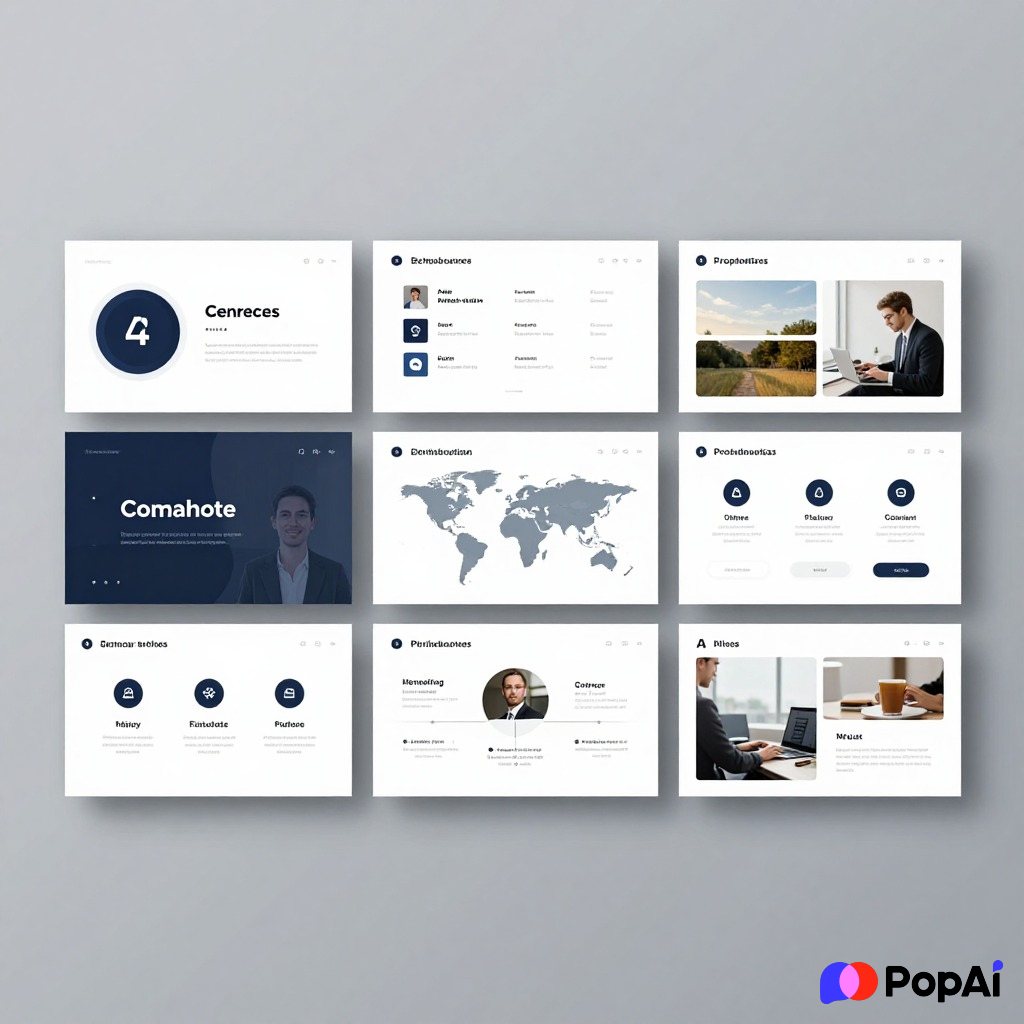
But the real value isn’t in the AI being a genius; it’s in the AI removing the “blank page” anxiety.
When I used PopAi AI Image to generate some custom backgrounds for a deck, it felt way more personal than those generic corporate blue swooshes you see everywhere. The output is a foundation. You take the 70% the AI gives you, and you add the 30% that makes it human.
Why some AI outputs fail (and how to fix them)
I’ve seen some pretty bad outputs too. Usually, it happens because the prompt was too vague.
Bad Output Example:
- Prompt: “Make a slide about marketing.”
- Result: A slide with a giant picture of a megaphone and the word “Marketing” in 72pt font. Zero context. Boring.
Good Output Example:
- Prompt: “Create a 5-slide deck for a boutique coffee shop’s marketing strategy, focusing on local SEO and Instagram community building.”
- Result: A specific breakdown of hashtag strategies, Google Business Profile optimization, and local influencer outreach ideas.
How to improve your results:
- Define the Persona: Tell the AI, “You are a Senior Project Manager.” This changes the tone from ‘generic’ to ‘authoritative’.
- Specify the Length: Ask for exactly 7 slides. If you don’t, it might give you 4 or 14.
- Provide ‘Seed’ Data: Paste in a few sentences of your own notes. The AI will mirror your vocabulary instead of using those annoying buzzwords like “transformative” or “seamless.”
Final Thoughts
At the end of the day, looking at AI Slides Generator Output Examples proves one thing: the technology is a tool, not a replacement for your brain. It saves you the 2 hours you would have spent faffing about with font sizes and alignment.
Whether you need a pitch deck for a VC or a lesson plan for 9th graders, the output is only as good as the intent you put behind it. I guess we’re all just trying to get home a little earlier, right? If an AI can take the slide-making burden off your plate, why wouldn’t you let it?
Just remember to check the spelling of your own name. I’ve seen AI get that wrong once, and man, was that an awkward meeting.