PopAi vs Canva AI: Which Presentation Tool Wins?
June 23, 2026
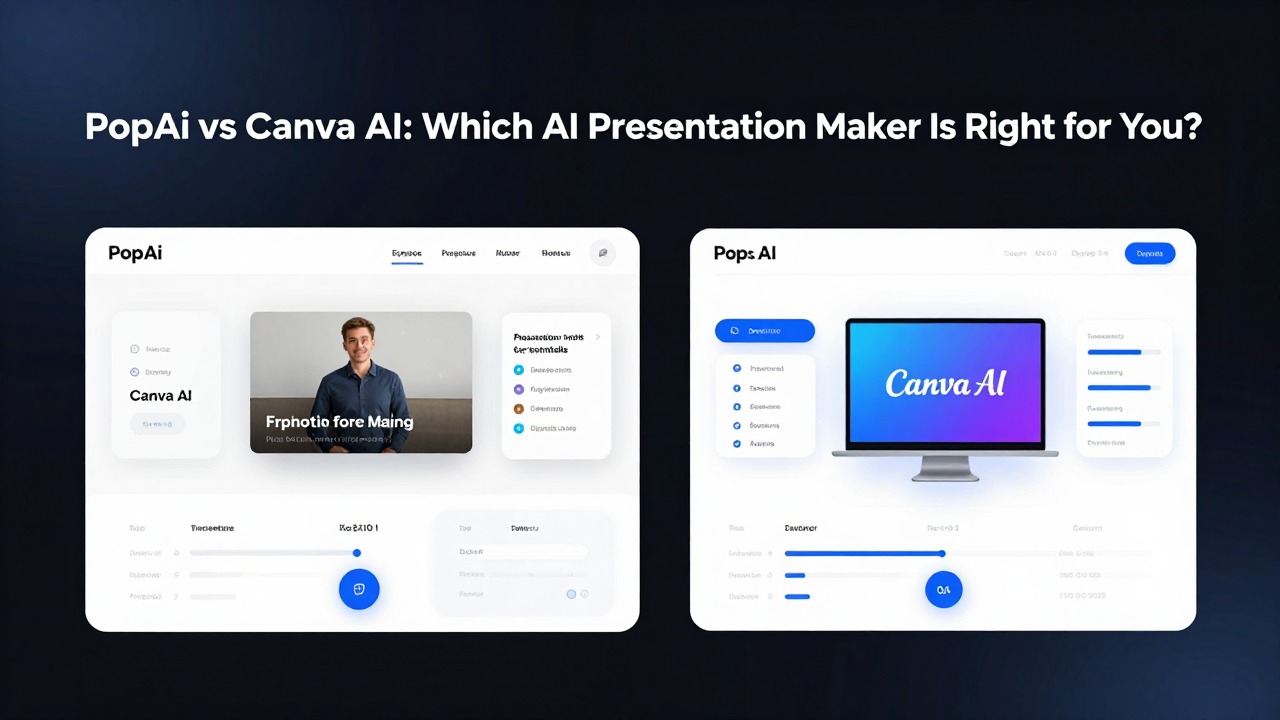
If you need a presentation fast, the practical difference is simple: PopAi is better suited for turning prompts, documents, research notes, meeting notes, and rough ideas into a structured deck draft, while Canva AI is stronger when your content is mostly ready and you want visual customization inside a design workspace.
This popai vs canva ai comparison is not about declaring one universal winner. The better tool depends on your starting point. If your task is document summarization, pitch structure, a class report, a product explainer, or a time-sensitive business update, PopAi is often the faster starting point. If your task is brand styling, template selection, visual polish, and manual design control, Canva AI may fit better.
A fair canva ai vs popai decision should also include human review. Neither tool removes the need to check facts, adapt tone for the audience, refine visuals, and rehearse the story. The best ai presentation tool is the one that reduces the hardest part of your workflow without creating extra cleanup work.
When you are ready to turn the workflow into slides, PopAi AI Presentation can help transform rough notes, documents, or prompts into an editable deck structure.
PopAi vs Canva AI: Quick Decision Guide
Use this section to choose the tool that fits your immediate presentation task before comparing every feature.
Choose PopAi when your main challenge is getting from raw material to a coherent presentation. That raw material might be a report, a class reading, a founder's rough pitch idea, a product requirements document, customer interview notes, or a collection of meeting bullets. PopAi AI Presentation is designed around the content-to-deck problem: organize the message, create a slide flow, summarize what matters, and give you an editable draft instead of a blank canvas.
Choose Canva AI when your main challenge is presentation design inside a visual editing environment. Canva is widely known as a design platform, so its AI presentation workflow is often most attractive when you want to work with templates, adjust layouts, add brand assets, replace visuals, and fine-tune the appearance of slides. It can help with creation, but many users will value it most after the message is already reasonably clear.
- Choose PopAi for document summaries, research decks, class reports, business reports, product explainers, strategy updates, pitch outlines, and time-sensitive first drafts.
- Choose Canva AI when slide content is already prepared and your biggest need is polished visual design, template customization, brand-friendly editing, or social-style visual production.
- Use both when you want PopAi to build the structure and content draft, then want a design-focused workspace for extra brand styling or visual polish.
- Review both tools manually before presenting: check facts, slide order, audience relevance, terminology, visual accuracy, and speaker readiness.
- Verify current features, free access, export options, and plan limits on each tool's official product pages because AI product capabilities and pricing can change.
If you are staring at messy source material, start with PopAi. If you are staring at finished copy and want to make it look more polished, Canva AI may be the more comfortable workspace.
What Each Tool Is Built to Do Best
PopAi and Canva AI overlap, but they are built around different starting points and user priorities.
PopAi AI Presentation is positioned for people who need to move quickly from prompts, documents, notes, and rough ideas into structured decks. The value is especially clear when the user does not yet have a clean outline. Instead of starting with slide decoration, PopAi helps with the thinking layer: what the deck should cover, how the sections should flow, what each slide should say, and how source material can be condensed into presentation-ready content.
Canva AI sits within a broader design platform. That matters because presentation making is only one part of the Canva environment. Users who already work in Canva may appreciate having AI-assisted creation and editing near templates, visual elements, images, brand kits where available, and drag-and-drop design controls. For visually driven decks, that ecosystem can feel familiar and flexible.
- Blank prompt: PopAi is often easier when the prompt needs to become a structured presentation story, such as a pitch deck, lesson deck, or briefing deck.
- Uploaded or pasted document: PopAi is better suited when the job is to summarize and convert source material into slides, subject to the current document options available in the product.
- Rough outline: PopAi works well when you have headings or notes but need slide logic, titles, and supporting points.
- Existing text: Both tools can be useful, but PopAi is stronger when the text needs restructuring and Canva AI is stronger when the text mainly needs visual treatment.
- Template-driven design: Canva AI is more convenient when the user wants to start from a visual design direction and manually customize the deck.
- Visual editing canvas: Canva AI is usually the better fit for users who expect to spend meaningful time adjusting layout, imagery, colors, and brand elements.
Consider a student preparing a presentation from research notes. The hardest part is usually not choosing a background color; it is deciding what belongs on each slide and what should be left out. PopAi fits that workflow because it can help turn notes into a clearer class presentation structure. The student still needs to verify citations, simplify dense points, and rehearse, but the first usable deck shape appears faster.
Now consider a teacher preparing lesson slides for a familiar topic. If the teacher already has the lesson sequence and wants a visually engaging classroom deck, Canva AI may be attractive because of its design environment. If the teacher has a long article, curriculum note, or lesson objective list and needs a slide sequence with explanations and speaking points, PopAi may be the better first step.
The same distinction applies to business users. A founder with only a rough product idea may benefit from PopAi because the pitch needs structure: problem, audience, solution, proof, market, model, roadmap, and ask. A marketer with approved campaign copy and brand assets may prefer Canva AI for template-led polishing. A product manager turning release notes into stakeholder slides will usually care more about structure and summarization first, then design second.
Check each tool's official website or app for the current AI presentation entry point, upload options, export formats, and plan availability before building a repeatable workflow around it.
Feature-by-Feature Comparison: Content, Design, Images, Notes, and Editing
The best comparison is not a feature checklist; it is how much each feature reduces real presentation work.
For content generation, PopAi has the clearer advantage when the input is messy or content-heavy. A strong AI presentation workflow should create slide titles, section breaks, concise bullet points, and a logical narrative. PopAi is useful when you need to turn a report into an executive update, convert research into a class deck, or transform a product idea into a pitch outline. The output should still be edited, but the structural lift is the point.
Canva AI can help users generate presentation material where its current AI options support that workflow, but Canva's biggest practical strength remains the surrounding design environment. If you already know the message and want a visual deck that matches a style, campaign, or brand direction, Canva gives you more room to manually adjust the appearance. That control is valuable, but it can also mean more design decisions.
- Best for content-heavy decks: PopAi, because it is better suited for summarizing, organizing, and turning raw material into a slide-by-slide draft.
- Best for visual design control: Canva AI, especially for users who want to browse templates, adjust layouts, and work inside a visual editor.
- Best for quick first drafts: PopAi, particularly when speed means getting a usable structure rather than perfect visual polish.
- Best for template-led polishing: Canva AI, especially when content is approved and the remaining work is visual consistency.
Automated design layout matters because most non-designers waste time moving boxes, resizing text, and trying to make slides look consistent. PopAi's value is that it can move users from idea or document to an editable presentation draft without requiring them to design each slide from scratch. Canva AI's value is that it places AI help within a design canvas where users can refine the look more deeply. In both cases, final visual polishing remains important.
Image matching and visual support should be judged carefully. A useful AI deck should pair slides with relevant visuals, not just decorative images. For example, a slide about customer onboarding should not receive a generic office photo if a simple process diagram would communicate better. Before choosing either tool for image-heavy work, verify the current official capabilities for image suggestions, image generation, stock media, upload handling, and rights or licensing conditions.
Speaker notes are underrated. Students need talking points so they do not read directly from slides. Teachers need explanation prompts and transitions. Sales users need objection-handling cues and discovery questions. Executives need concise narrative support. If speaker notes are central to your workflow, check current support in each tool before committing. PopAi is a strong fit when the same source material needs to become both slides and presenter guidance, but users should verify the current notes workflow in the product.
Workflow smoothness comes down to the number of decisions required before you see a usable deck. PopAi usually asks you to focus on the source and the goal: what the presentation is about, who it is for, and what content should be included. Canva AI may ask you to make more visual choices earlier, which can be useful for design-led users but slower for people who are still shaping the message.
A presentation tool is not faster because it creates more slides; it is faster when it reduces the decisions that normally block you.
Output quality should be judged on structure, clarity, relevance to source material, visual consistency, editability, and audience fit. Do not judge only by the prettiest first screen. A deck with attractive templates but weak logic still needs heavy rewriting. A deck with a strong structure but plain visuals may be much easier to polish. For many work and study situations, structure is the more expensive problem to fix late.
Hands-On Workflow: Creating the Same Deck in PopAi and Canva AI
A realistic workflow test shows where each tool saves time and where manual editing still matters.
Imagine you need a 10-slide product launch presentation for an internal meeting. The source material includes a product launch brief, target users, three key features, early customer feedback, competitor notes, a launch timeline, and a short list of risks. The audience is a cross-functional team that includes product, marketing, sales, and support. The goal is not a flashy keynote; it is a clear launch alignment deck.
- In PopAi, start by entering a prompt or uploading or pasting the product launch brief, depending on the current options available.
- Specify the audience, goal, desired slide count, tone, and sections you expect, such as problem, target user, product value, feature overview, launch plan, risks, and next steps.
- Generate an outline or deck draft, then review whether the slide order tells a logical story for the internal audience.
- Refine slide titles so they state messages rather than labels, such as changing 'Features' to 'Three features reduce onboarding friction'.
- Adjust bullets that are too broad, remove repeated points, and make sure the deck reflects the actual source material.
- Review visuals and replace anything that feels generic or mismatched with diagrams, screenshots, or simple icons where appropriate.
- Add or refine speaker notes if supported in the current workflow, especially for slides that need context or decision points.
- Export or continue editing once the structure, message, and presenter flow are reliable.
This is a natural PopAi workflow example because the source material is mixed and somewhat messy. The user needs summarization, hierarchy, and a deck structure. PopAi's advantage appears before design polish: it helps convert the brief into a presentation-shaped draft. For a product manager preparing a weekly stakeholder update, this can save the most painful part of the work: deciding what to include and how to sequence it.
- In Canva AI, start from the current presentation or AI-assisted design entry point available in Canva.
- Enter a prompt describing the product launch deck or bring prepared copy into the design workspace.
- Choose or adjust a visual style that fits the company tone, such as clean, minimal, energetic, or product-focused.
- Review the generated content and layout if available, then select templates or page designs that suit the message.
- Replace visuals with product screenshots, brand-approved images, charts, or icons.
- Polish typography, spacing, colors, and brand elements, especially if the deck will be shared with customers or executives.
- Prepare presenter notes or separate talking points if the current workflow does not handle them the way you need.
- Export or present from the workspace after checking formatting and consistency.
This Canva AI workflow makes sense when the launch team already has approved messaging and wants the deck to look polished. The editing experience may feel more visual and flexible. The tradeoff is that if the source brief is long, unstructured, or full of competing details, you may spend more time deciding what the deck should say before design work becomes useful.
- What to observe: Does the tool understand the source or does it produce generic slide text?
- What to observe: Does the slide order move from context to insight to action?
- What to observe: Are important details preserved without overcrowding slides?
- What to observe: Do visuals support the message or merely decorate the page?
- What to observe: Does editing feel like one smooth workflow or a series of disconnected fixes?
- What to time: time to first usable draft.
- What to time: time to fix structure.
- What to time: time to improve visuals.
- What to time: time to prepare presenter notes.
- What to time: time to final export.
A second realistic PopAi workflow is a student research presentation. Suppose a student has six pages of notes about renewable energy storage, including definitions, battery types, advantages, limitations, and two case examples. In PopAi, the student can use the notes as source material, request an 8-slide class presentation for a beginner audience, and ask for a clear explanation flow. The first draft might include an introduction, why storage matters, technology categories, benefits, challenges, examples, future outlook, and discussion questions. The student then verifies facts, adds citations, simplifies technical terms, and practices with speaker notes.
Do not rely on someone else's timing as proof. Test both tools with one of your real decks and record where the minutes actually go: structure, rewriting, design, notes, or export.
Which AI Presentation Maker Fits Your Use Case?
Different users need different kinds of speed, so the better tool depends on the work behind the slides.
Students usually need help turning notes into a clear class presentation without losing the argument. A strong student deck needs a simple thesis, logical sections, definitions, examples, and speaking points. PopAi is the stronger recommendation for research summaries, class reports, and group projects where the content is still being organized. Canva AI can be useful later if the project requires a more visual poster-style or design-heavy presentation.
Teachers need repeatable teaching materials that explain concepts clearly. If the teacher starts with curriculum notes, a lesson objective, a reading, or a concept outline, PopAi can help create a slide sequence and supporting explanations. If the teacher already has the lesson text and wants classroom-friendly visuals, Canva AI may help with template selection and design polish. The best workflow may be PopAi for structure, then design refinement where needed.
Business professionals often work from documents: strategy memos, quarterly updates, meeting notes, research summaries, operating plans, and executive briefs. This is where PopAi fits especially well. The deck has to communicate decisions, not just look attractive. A manager can turn a written update into slides, review the narrative, tighten the recommendations, and prepare for discussion. Canva AI may be preferable for external-facing decks that need more brand styling after the content is approved.
Marketers and sales teams have a split need. For campaign recaps, product explainers, competitive summaries, and sales narrative drafts, PopAi is useful because the message needs to be shaped quickly. For customer-facing polish, visual consistency, campaign styling, and brand asset use, Canva AI can be attractive. Sales users should also pay attention to speaker notes and talk tracks, because a good sales deck is performed, not merely displayed.
Tech workers and product teams often present dense internal information: product requirements, release notes, roadmap updates, sprint reviews, incident summaries, architecture explanations, and stakeholder briefings. PopAi is often the better starting point because these decks depend on summarization and hierarchy. A product manager does not need twenty beautiful slides if the roadmap logic is unclear. They need a concise structure that explains what changed, why it matters, what risks remain, and what decisions are needed.
- For students: choose PopAi for research-to-deck structure; use Canva AI if visual customization is a major grading factor.
- For teachers: choose PopAi for lesson sequencing and explanation flow; use Canva AI for classroom-friendly design polish.
- For business teams: choose PopAi for reports, updates, pitches, and executive summaries; use Canva AI for branded final materials.
- For marketers: choose PopAi for campaign logic and messaging drafts; use Canva AI for template-led visual consistency.
- For sales teams: choose PopAi for pitch flow and talk tracks; use Canva AI when a customer-facing deck needs visual polish.
- For product and tech teams: choose PopAi for complex source material, roadmap narratives, and stakeholder updates.
- For time-sensitive users: choose the tool that produces the fastest useful first draft, which usually means PopAi when the content is not yet structured.
When the deadline is close, the winning tool is the one that gets you to a defensible draft fastest, not the one with the most design options.
Common Mistakes When Choosing Between PopAi and Canva AI
Most poor tool choices come from misunderstanding the real bottleneck in the presentation process.
The first mistake is choosing only by visual polish. A beautiful deck can still fail if the argument is unclear, the slide order is confusing, or the content does not answer the audience's question. If your source material is messy, choose the tool that helps organize it first. For that problem, PopAi is usually the better starting point.
The second mistake is expecting AI to produce a final, audience-ready presentation without human judgment. AI can accelerate drafting, summarizing, layout, and ideation, but it does not know your exact classroom expectations, company politics, customer objections, or executive preferences. You still need to fact-check, adjust tone, remove weak claims, and rehearse.
The third mistake is using a vague prompt and blaming the tool for generic output. A prompt such as 'make a pitch deck about my app' gives too little direction. The tool has to guess the audience, business model, tone, slide count, and goal. Better prompts define the context and constraints.
- Weak prompt: 'Make a pitch deck for a productivity app.'
- Stronger prompt: 'Create a 10-slide seed-stage pitch deck for a productivity app that helps remote product teams summarize meeting notes into action items. Audience: early-stage investors. Tone: concise and credible. Include problem, target users, solution, market context, product workflow, traction placeholders, business model, go-to-market plan, roadmap, and funding ask.'
- Weak prompt: 'Make slides about climate change.'
- Stronger prompt: 'Create an 8-slide class presentation for high school students explaining how renewable energy storage supports solar and wind power. Use simple language, include one analogy per technical concept, and end with three discussion questions.'
- Weak prompt: 'Create a sales deck.'
- Stronger prompt: 'Create a 7-slide sales presentation for operations leaders at mid-sized logistics companies. Goal: explain how our dashboard reduces shipment delay visibility problems. Include pain points, current workflow gaps, proposed solution, implementation steps, proof placeholders, pricing discussion slide, and next-step call to action.'
The fourth mistake is ignoring document-based workflows. Many real presentations are not created from pure imagination. They come from reports, articles, meeting transcripts, research PDFs, proposal drafts, or product notes. If your recurring task is turning documents into decks, prioritize a tool that handles that workflow smoothly. PopAi is designed for this kind of content-to-presentation process, while Canva AI may be more compelling when the document has already been distilled into slide-ready copy.
The fifth mistake is not checking export, editing, collaboration, and current plan limitations before standardizing a workflow. A tool may create a good draft but still fail your process if you cannot export in the format your team needs, collaborate the way your class or company expects, or access a feature under your current plan. Check official product pages and test with a real file.
The sixth mistake is treating the phrase 'best AI presentation tool' as universal. The best tool for a design-led marketing deck may not be the best tool for a research-heavy class report. The best tool for an investor pitch outline may not be the best tool for a brand campaign recap. Match the tool to content complexity, design requirements, deadline pressure, and how much editing you are willing to do.
Include audience, goal, slide count, source material, tone, must-have sections, and any constraints. The clearer the brief, the less generic the first draft.
Final Recommendation: When to Choose PopAi, Canva AI, or Both
The clearest choice depends on whether your bottleneck is content structure or visual polish.
Choose PopAi AI Presentation if you need to create a structured deck quickly from prompts, documents, notes, reports, or rough ideas. This is the stronger overall recommendation for users whose hardest work is organizing material into a clear presentation. Students, teachers, business professionals, product managers, and time-sensitive creators often benefit from starting with PopAi because it focuses on the transition from source material to deck logic.
Choose Canva AI if you already have the content prepared and expect to spend more time on visual style, templates, brand assets, and design polish. It is especially appealing for users who already work in Canva and want to keep presentation editing close to their existing visual content workflow. Canva AI can be the more comfortable choice when the message is stable and the remaining work is how the deck looks.
Use both when the final deck needs strong content and heavy visual refinement. A practical combined workflow is to use PopAi to create the deck structure, summarize source documents, draft slide titles, and shape the narrative. Then, if the presentation is customer-facing, brand-sensitive, or campaign-driven, use a design-focused tool for additional visual polish. This avoids forcing one tool to solve every problem.
- Input type: Are you starting from a document, notes, rough idea, finished copy, or brand template?
- Deadline: Do you need a usable first draft quickly, or do you have time for manual design work?
- Design control: Do you need deep template customization, brand assets, and visual styling?
- Source complexity: Does the tool need to summarize dense material accurately and organize it into a logical flow?
- Speaker notes: Do you need talking points, teaching notes, sales cues, or rehearsal support?
- Collaboration: Will classmates, colleagues, or clients need to review and edit the deck?
- Export requirements: Can the tool provide the format and workflow your school, company, or client expects?
Your best choice may change as both products evolve. AI presentation features, access methods, upload options, and plan details can change, so test each tool with one real deck before committing your class, team, or recurring business process to it. Use the same source material, the same slide count, and the same audience brief. Then compare the editing effort honestly.
If your biggest problem is turning raw material into a usable presentation fast, PopAi is likely the better starting point.
For most content-heavy and deadline-driven presentation work, PopAi wins the starting workflow. Canva AI remains a strong option for design-led users, especially when the content is already settled. The smartest choice is not based on brand familiarity alone; it is based on where your presentation work actually gets stuck.
FAQ
Is PopAi better than Canva AI for making presentations?
PopAi is usually better when you need to turn prompts, documents, notes, or rough ideas into a structured presentation draft quickly. Canva AI may be better when your content is already prepared and your main priority is visual design, templates, and manual customization.
Is Canva AI better than PopAi for design-heavy slides?
Yes, Canva AI may be the better fit for design-heavy slides if you already work in Canva and want template customization, visual editing, and brand-oriented polish. PopAi is stronger when the harder task is organizing content and creating the deck structure.
Which tool is better for creating a presentation from a document?
PopAi is the stronger fit for document-to-deck and content-heavy workflows because it is designed to help turn source material into structured slides. Before relying on either tool, verify the current upload, document-processing, and export options on the official product pages.
Can I use PopAi and Canva AI together?
Yes. A practical workflow is to use PopAi to generate the structure, slide flow, summaries, and first draft, then use a design-focused tool for extra visual refinement if the final deck needs heavy branding or polished design.
Which is the best AI presentation tool for students?
For many students, PopAi is the better starting point because student presentations often begin with research notes, readings, or rough outlines that need to become a clear slide flow. Canva AI can be useful when the assignment requires more visual customization after the content is organized.
Create your presentation with one click now
Turn your notes, documents, or rough ideas into a structured deck draft faster with PopAi AI Presentation.
Try PopAi AI Presentation