Build Logistics Presentations with AI
July 14, 2026
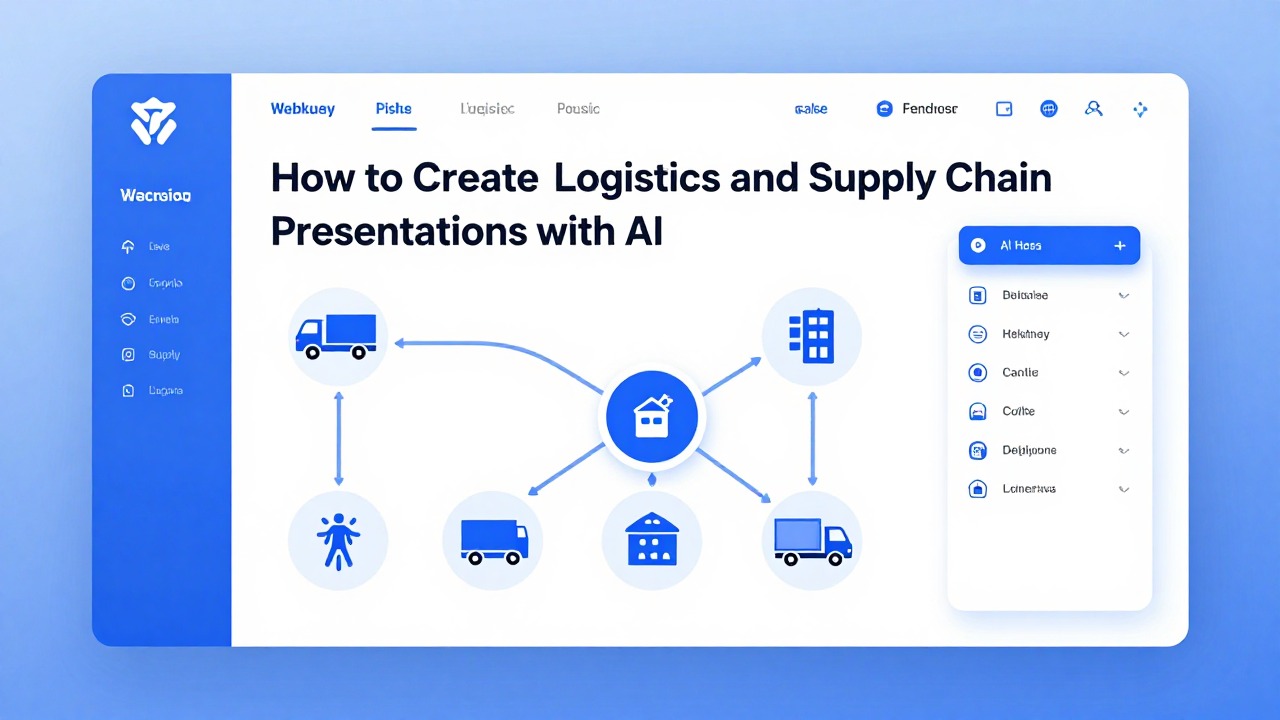
AI can make slides, but logistics and supply chain teams need more than attractive layouts. A useful logistics presentation must explain what is happening, why it matters, what decision is needed, and which operational details are verified. AI can help turn shipment updates, KPI summaries, warehouse notes, supplier reports, and meeting minutes into a structured first draft, but it should not be treated as the source of truth for costs, delivery ETAs, compliance obligations, supplier performance, or inventory numbers.
The best workflow is simple: define the audience and decision, prepare clean source material, prompt AI with the deck type and desired structure, generate an editable draft, then review every operational claim before presenting. Tools such as PopAi AI Presentation are especially useful when you need to move quickly from raw notes or documents into a slide outline with speaker-friendly flow.
This guide shows how to create logistics and supply chain decks for executives, clients, warehouse teams, suppliers, and procurement stakeholders. It includes prompt examples, review checklists, realistic workflows, and the parts of the presentation that still require expert judgment.
When you are ready to turn the workflow into slides, PopAi AI Presentation can help transform rough notes, documents, or prompts into an editable deck structure.
Quick Answer: How AI Helps Create a Logistics Presentation
AI can help with structure, drafting, summarization, and visual planning, but logistics professionals must validate the facts.
The core question for many operations teams is practical: AI can make slides, but can it handle logistics and supply chain content usefully? Yes, if you use it as a drafting and organization assistant rather than an operational decision engine. It can help you turn scattered updates into a clear storyline, summarize long documents, propose slide titles, simplify technical language, and suggest visuals such as timelines, process flows, KPI trends, route maps, and risk matrices.
A strong AI-assisted logistics presentation still starts with your expertise. You decide which numbers are current, which issues are material, which risks deserve escalation, and which recommendation is realistic. AI can draft language for delivery performance, bottlenecks, cost pressures, supplier issues, inventory risk, or route changes, but it should not invent freight rates, delivery commitments, inventory positions, customs requirements, safety procedures, or vendor claims.
- Executive supply chain update: summarize performance, risks, decisions needed, and business impact.
- Logistics performance review: explain delivery reliability, carrier performance, cost drivers, and corrective actions.
- Warehouse operations report: show throughput, labor constraints, inventory accuracy, safety concerns, and improvement priorities.
- Vendor or supplier briefing: discuss on-time delivery, quality issues, capacity constraints, escalation paths, and next steps.
- Procurement risk update: compare supply continuity risks, alternate sourcing options, contract concerns, and mitigation actions.
- Transportation optimization proposal: present route changes, mode shifts, lane analysis, trade-offs, and implementation plan.
- Client delivery status presentation: communicate milestones, shipment risks, recovery actions, and expectations in plain language.
Use AI to create the first draft, not the final truth. Verify freight costs, ETAs, supplier claims, inventory numbers, regulatory details, and customer commitments against approved systems or reports before presenting.
Logistics KPI Table and Supply Chain Deck Structure
Logistics presentations should translate operational KPIs into decisions. AI can organize the narrative, but routing, supplier risk, service-level interpretation, and cost trade-offs require human owners.
| KPI | What it measures | Slide question it answers | AI prompt |
|---|---|---|---|
| OTIF | On-time in-full delivery performance. | Are customers receiving complete orders when promised? | “Create an OTIF slide showing trend, variance from target, top causes, and recovery actions.” |
| Lead time | Time from order, purchase, or shipment start to completion. | Where is the process slowing down? | “Summarize lead-time movement by lane, supplier, or warehouse and flag anomalies.” |
| Inventory turns | How quickly inventory is sold or used. | Is inventory tied up or moving efficiently? | “Create an inventory efficiency slide with turns, slow movers, and risk notes.” |
| Fill rate | Percentage of demand fulfilled from available inventory. | Are stock levels supporting demand? | “Explain fill-rate gaps without assuming cause; list data needed for root cause.” |
| Delivery cost | Cost per order, shipment, mile, kg, or pallet. | Is service performance improving at an acceptable cost? | “Create a cost-to-serve slide comparing delivery cost and service level.” |
| Supplier performance | Supplier quality, timeliness, responsiveness, and risk. | Which suppliers need action or escalation? | “Build a supplier scorecard slide with performance, risk, owner, and next step.” |
Supply Chain Review Deck
- Executive summary: service, cost, and risk.
- Demand and volume overview.
- OTIF and lead-time performance.
- Inventory health and fill-rate gaps.
- Transportation and delivery cost.
- Supplier performance and disruption risks.
- Action plan with owner, date, and expected effect.
Choose the Right Logistics Presentation Type Before You Prompt AI
The deck type determines what AI should emphasize, what it should leave out, and how detailed the output should be.
Many logistics decks fail because they try to report, persuade, diagnose, and request approval in the same slide flow. Executives want the decision and business impact. Warehouse teams need operational causes, responsibilities, and daily actions. Clients want confidence, transparency, and next steps. Suppliers need evidence, expectations, and escalation paths. If you do not define the purpose before prompting AI, the generated deck often becomes a generic overview of supply chain management.
- Executive update: audience is senior leadership; goal is alignment or approval; focus on KPIs, material risks, financial impact, decision required, and recommended action.
- Client briefing: audience is a customer or account team; goal is to explain status and preserve confidence; focus on shipment milestones, risk areas, communication cadence, recovery actions, and ownership.
- Operations team review: audience is warehouse, transportation, planning, or fulfillment staff; goal is performance improvement; focus on bottlenecks, root causes, daily actions, process gaps, and accountable owners.
- Supplier performance discussion: audience is a vendor, procurement team, or category manager; goal is corrective action or commercial decision; focus on on-time delivery, quality concerns, capacity constraints, documentation gaps, and escalation timeline.
- Risk mitigation plan: audience is leadership, procurement, finance, or operations; goal is to choose a mitigation path; focus on risk severity, exposure, alternatives, trade-offs, triggers, and contingency owners.
- Cost-reduction proposal: audience is finance, operations leadership, or procurement; goal is approval to change lanes, modes, carriers, suppliers, or processes; focus on cost drivers, feasibility, service impact, implementation steps, and risks.
AI presentation templates are most useful after you define the deck type and audience. For example, a monthly leadership update might need eight to ten concise slides with message-led titles. A warehouse performance review may need more operational detail, including process diagrams and action owners. A client-facing delivery update may need fewer internal details and more careful wording around risk, uncertainty, and recovery plans.
Before asking AI to create slides, finish this sentence: After this presentation, the audience should decide, approve, understand, or do what?
- Name the audience and their level of operational detail.
- Choose one primary goal: report status, diagnose a problem, request approval, persuade, train, or align.
- List the decision or action needed at the end of the meeting.
- Decide which details are essential and which belong in the appendix or speaker notes.
- Only then ask AI to generate the outline or draft deck.
Prepare the Source Material AI Needs for a Professional Presentation
Better source material produces a more accurate, useful, and audience-ready AI presentation draft.
AI is strongest when you give it clear inputs. If you provide a vague instruction such as “make a supply chain presentation,” the output will likely be broad and generic. If you provide shipment status summaries, KPI definitions, recent meeting notes, carrier performance comments, and the decision you need, AI can create a much more useful structure.
- Shipment status summaries, including milestone dates, current exceptions, pending approvals, and unresolved risks.
- Inventory reports, including stock position, aging inventory, stockout risks, excess inventory, and cycle count concerns.
- Carrier performance notes, including service reliability, tender acceptance, claims, damage reports, and communication gaps.
- Warehouse bottleneck notes, including receiving delays, picking constraints, packing issues, labor coverage, dock congestion, and system exceptions.
- Supplier updates, including production status, quality concerns, capacity constraints, documentation gaps, and promised recovery actions.
- Route or lane information, including origin, destination, transport mode, lead time assumptions, service constraints, and known disruption points.
- Cost drivers, including fuel pressure, accessorial charges, spot market exposure, expedited freight, demurrage, detention, and packaging changes.
- Customer complaints or service feedback, summarized without exposing sensitive personal or contractual information.
- Risk registers, including probability, impact, triggers, mitigation owners, and escalation thresholds.
- Meeting notes, including unresolved decisions, action items, responsible teams, and due dates.
Clean the inputs before using AI. Remove sensitive details that your organization does not allow you to upload. Label the time period for every number. Define acronyms such as OTIF, ASN, POD, TMS, WMS, MRP, EDI, or FTL if your audience may not know them. Separate confirmed facts from assumptions, and identify the target audience so the tone and depth are appropriate.
- Audience: executives, clients, vendors, warehouse team, procurement, finance, or cross-functional project group.
- Objective: status update, decision request, performance review, risk briefing, proposal, or corrective action plan.
- Source documents: reports, notes, KPI exports, risk logs, shipment summaries, supplier updates, or project plans.
- Key numbers to verify: delivery rates, costs, lead times, inventory levels, order volumes, claims, and dates.
- Required decision: approve budget, select option, escalate supplier, change carrier, update process, or accept risk.
- Tone: executive concise, client reassuring, operational direct, supplier firm, or training-oriented.
- Slide count: for example, five slides for a quick status update or ten to twelve slides for a decision briefing.
- Deadline: same-day meeting, weekly review, monthly business review, board update, or client call.
Do not upload confidential supplier, customer, employee, shipment, contract, or pricing information unless your organization’s data policy allows it and the tool’s privacy and security terms meet your requirements.
If evidence is incomplete, do not let AI fill the gap with confident guesses. Use cautious wording such as “potential delay risk,” “possible cost pressure,” “unconfirmed supplier capacity constraint,” or “[insert verified on-time delivery rate].” This protects credibility and gives reviewers a clear place to add confirmed data.
A Practical PopAi Workflow: From Logistics Notes to Editable Slides
This realistic workflow shows how to use PopAi AI Presentation to turn prepared logistics material into an editable first-draft deck.
The workflow below is framed as a practical process, not a guaranteed performance claim. PopAi AI Presentation can help people turn prompts, documents, notes, and rough ideas into structured presentation decks faster. For logistics teams, that means you can move from a messy set of operational notes into an outline, draft slides, suggested visuals, and speaker-friendly flow without manually building every slide from scratch.
- Define the deck purpose. Be specific: “monthly supply chain performance update,” “client delivery risk briefing,” “warehouse productivity review,” or “supplier corrective action discussion.”
- Prepare the inputs. Paste or upload appropriate notes, report summaries, meeting minutes, KPI explanations, and decision context into PopAi AI Presentation where your organization’s data policy allows it.
- Ask for a slide outline. Include audience, tone, slide count, source material, and the decision required. This helps PopAi produce a deck structure instead of a generic logistics overview.
- Review the outline for operational logic. A strong flow usually moves from current state to problem, impact, root cause, options, recommendation, next steps, and ownership.
- Generate the deck draft. Edit slide titles so each one makes one clear point rather than simply naming the topic.
- Verify operational details manually. Check costs, deadlines, shipment status, vendor claims, inventory numbers, compliance issues, and risk ratings against trusted systems or approved reports.
- Refine visuals and speaker notes. Adjust charts, process flows, risk visuals, and explanation depth for the intended audience.
Reusable PopAi prompt: Create a 10-slide logistics presentation for an executive audience using the notes below. Focus on delivery performance, bottlenecks, cost pressures, risk areas, recommended actions, and decisions needed. Use concise slide titles and suggest visuals for each slide.
After PopAi creates the draft, treat the deck as a structured starting point. Read the slides in order and ask whether a busy stakeholder would understand the situation without extra background. If the answer is no, strengthen the slide titles, add one-sentence context, move technical detail into notes, and make the decision slide more direct.
- Weak title: “Warehouse Update.” Stronger title: “Dock congestion is delaying outbound loading during peak afternoon waves.”
- Weak title: “Supplier Performance.” Stronger title: “Two critical suppliers need corrective action plans before next month’s production ramp.”
- Weak title: “Route Optimization.” Stronger title: “Consolidating three regional lanes may reduce complexity but needs service-level review.”
- Weak title: “Inventory Risk.” Stronger title: “Slow-moving stock is tying up space needed for seasonal inbound volume.”
For a same-day executive update, paste a cleaned KPI summary and action log into PopAi, ask for an eight-slide decision briefing, then spend your review time validating numbers and sharpening the recommendation instead of formatting blank slides.
Example Workflows for Common Logistics and Supply Chain Decks
These realistic example workflows show how different logistics teams can adapt AI presentation creation to their audience and decision context.
The following are example workflows, not real customer case studies. They are designed to show how a logistics professional might use PopAi AI Presentation or a similar AI presentation workflow to turn operational material into a first draft, then apply human review before presenting.
Example 1: executive supply chain update. Context: A supply chain manager needs a ten-slide monthly performance deck for the COO and finance lead by the next morning. The source material includes a delivery KPI summary, a short carrier exception report, notes from a planning meeting, and a list of open decisions. The pain points are familiar: too many metrics, unclear business impact, and limited time to turn operational detail into an executive story.
- Action: The manager removes sensitive customer names, labels the reporting month, and highlights verified KPIs that must be included.
- Action: In PopAi AI Presentation, the manager asks for a ten-slide executive update with sections for current performance, exceptions, cost pressure, root causes, risks, recommendations, and decisions needed.
- Action: PopAi produces an outline and draft slides. The manager revises the flow so the first three slides answer what changed, why it matters, and what leadership must decide.
- Action: The manager manually checks every number against internal reports and replaces unverified claims with placeholders or cautious wording.
- Result: The final deck is not a data dump. It gives leadership a concise view of delivery performance, cost pressure, key bottlenecks, and the decision needed on recovery resources or service trade-offs.
Reusable recommendation: For executive decks, ask AI to reduce detail rather than expand it. Use message-led slide titles, include a decision slide near the end, and move lane-level details into speaker notes or an appendix if needed.
Example 2: warehouse operations performance review. Context: A warehouse operations lead needs a weekly review for supervisors and shift leads. The deck must cover throughput issues, staffing notes, inventory accuracy, picking delays, receiving congestion, and action owners. The deadline is short because the review happens at the start of the next operating week.
- Action: The lead prepares notes from the WMS summary, shift handoff comments, inventory adjustment logs, and supervisor observations.
- Action: The lead prompts PopAi to create a practical operations review deck for a warehouse team, using a direct tone and focusing on root causes and action ownership.
- Action: The AI draft groups the content into current performance, bottlenecks, process issues, labor constraints, inventory accuracy, corrective actions, and follow-up cadence.
- Action: The lead adds local context, confirms whether each issue is systemic or isolated, and assigns action owners only after checking with supervisors.
- Result: The final deck supports a focused review meeting. Instead of showing every warehouse metric, it highlights the few constraints that need immediate action and clarifies who owns each next step.
Reusable recommendation: For warehouse audiences, avoid polished but vague strategy language. Use plain wording, one issue per slide, process diagrams where helpful, and action items that can be discussed on the floor.
For a warehouse performance review, paste cleaned shift notes and a KPI summary into PopAi, request a seven-slide team review, then revise each slide so it separates current state, root cause, action owner, and due date.
Example 3: client-facing delivery status presentation. Context: An account manager and logistics coordinator need to brief a client on shipment milestones, potential delay risk, and recovery actions. The source material includes shipment status notes, carrier updates, milestone dates, internal escalation notes, and the agreed communication cadence. The challenge is tone: the deck must be transparent without creating unnecessary alarm or sharing internal details that do not belong in a client meeting.
- Action: The team removes internal-only comments, pricing details, and supplier negotiation notes before using AI.
- Action: They ask PopAi for a concise client-facing deck that covers current status, completed milestones, open risks, mitigation actions, communication plan, and client next steps.
- Action: The AI draft provides a structured flow and suggests visuals such as a milestone timeline, risk summary, and next-step slide.
- Action: The logistics coordinator verifies dates, shipment status, and carrier commitments. The account manager adjusts wording to match the client relationship and contractual communication norms.
- Result: The final presentation gives the client a clear view of progress, known risk, and recovery ownership while avoiding unverified promises.
Reusable recommendation: For client decks, do not use AI-generated certainty where the operation is uncertain. Replace “delivery will arrive Friday” with a verified statement such as “current carrier update indicates Friday arrival; next confirmation scheduled for Thursday morning” if that reflects approved information.
Example 4: supplier performance or procurement risk briefing. Context: A procurement manager needs a briefing for internal leadership before a supplier escalation call. The deck must cover on-time delivery concerns, quality issues, capacity constraints, documentation delays, alternate sourcing considerations, and decision points. The source material includes supplier scorecard notes, email summaries, inspection comments, and open purchase order risk notes.
- Action: The procurement manager separates verified performance data from anecdotal feedback and removes confidential commercial details that should not be uploaded.
- Action: The prompt asks AI to create a supplier risk briefing with sections for performance trend, operational impact, root causes, requested corrective actions, alternate sourcing considerations, and leadership decisions.
- Action: PopAi creates a first-draft deck structure and suggests a risk matrix, timeline of missed commitments, and decision slide.
- Action: The manager reviews supplier claims carefully, checks scorecard data, and works with quality and operations teams to confirm impact before presenting.
- Result: The final deck supports a disciplined escalation discussion. It avoids emotional language and focuses on evidence, risk, options, and decisions.
- For executives: compress operational detail into business impact and decision options.
- For warehouse teams: expand root causes, process steps, owners, and due dates.
- For clients: emphasize milestones, confirmed status, risk communication, and next steps.
- For suppliers: use evidence, expectations, corrective actions, and escalation timing.
- For procurement risk: clarify alternatives, trade-offs, lead times, and decision triggers.
How to Review and Improve AI-Generated Logistics Slides
The review stage turns an AI draft into a credible presentation that stakeholders can act on.
An AI-generated deck can look organized while still being operationally weak. The most important review question is not “Does this look professional?” It is “Would this help the audience make the right decision with accurate information?” Review the deck as a logistics professional first and as a slide editor second.
- Accuracy: Are shipment statuses, dates, costs, inventory quantities, risk ratings, supplier claims, and KPI definitions verified?
- Audience fit: Does the deck use the right level of detail for executives, clients, warehouse teams, suppliers, or finance?
- Decision clarity: Is it obvious what approval, action, or alignment is needed?
- Operational logic: Does the story move from current state to issue, impact, root cause, options, recommendation, and next steps?
- Slide simplicity: Does each slide focus on one main point rather than mixing several unrelated updates?
- Visual relevance: Does each visual clarify the message, or is it decorative?
- Next-step ownership: Are owners, due dates, escalation points, and follow-up actions clear?
Improve slide titles before you refine the design. Label-led titles describe the topic, while message-led titles state the point. For example, change “Transportation Costs” to “Fuel and carrier surcharges are increasing Q3 delivery cost pressure.” Change “Inventory Review” to “Excess slow-moving stock is reducing space for priority inbound shipments.” Change “Supplier Update” to “Supplier A needs a corrective action plan before the next production window.”
Simplify complex operational content by limiting each slide to one issue. Define acronyms on first use. Separate current state from recommendation. Use plain-language speaker notes to explain exceptions, trade-offs, and assumptions. If a slide requires three minutes of explanation before the audience understands the point, split it into two slides or move detail to an appendix.
- Route map: useful for lane changes, disruption points, regional delivery issues, or network redesign discussions.
- Timeline: useful for shipment milestones, escalation history, implementation plans, or recovery schedules.
- Process flow: useful for warehouse receiving, order fulfillment, returns, claims, or supplier handoff processes.
- KPI trend line: useful for delivery performance, inventory accuracy, throughput, claims, or cost movement over time.
- Risk matrix: useful for showing likelihood, impact, mitigation status, and escalation priority.
- Warehouse workflow diagram: useful for explaining bottlenecks across receiving, putaway, picking, packing, staging, and loading.
- Before-after process comparison: useful for route optimization, automation proposals, labor planning changes, or new supplier onboarding.
If a number is not confirmed, do not invent it. Use a placeholder such as “[insert verified on-time delivery rate]” or “[confirm expedited freight cost]” and complete the deck after validation.
The best final recommendation is balanced: use AI for structure, drafting, summarization, slide flow, and design assistance; use human review for operational judgment, data validation, compliance sensitivity, stakeholder context, and the final recommendation.
Mistakes to Avoid When Using AI for Logistics Presentations
Avoiding these mistakes will make AI-generated logistics slides more accurate, persuasive, and safe to share.
AI can accelerate presentation creation, but it can also make weak inputs look more polished than they deserve. In logistics and supply chain work, that is risky because stakeholders may act on the deck. A confident-looking slide with an unverified date, cost, or supplier claim can damage trust quickly.
- Mistake 1: asking AI for a generic logistics presentation without audience, objective, source material, or decision context. Fix it by defining the meeting purpose and required decision before generating slides.
- Mistake 2: accepting AI-generated operational details without checking them against internal systems or verified reports. Fix it by validating every number, date, ETA, shipment status, cost, and supplier statement.
- Mistake 3: overloading slides with too many KPIs, lane details, supplier notes, or process explanations. Fix it by using one message per slide and moving secondary details into notes or appendix slides.
- Mistake 4: using impressive design while leaving the recommendation unclear. Fix it by adding a clear decision slide with options, trade-offs, recommendation, and next steps.
- Mistake 5: exposing sensitive shipment, customer, contract, employee, or supplier information without approval. Fix it by following company policy, redacting confidential data, and checking tool security information.
- Mistake 6: using the same deck for executives, operations teams, and clients without adjusting depth, tone, and call to action. Fix it by creating audience-specific versions from the same verified source material.
Another common issue is letting AI make the story too smooth. Real logistics work often includes uncertainty, constraints, and trade-offs. A credible presentation should say where information is confirmed, where risk remains, and what action is needed next. That honesty is more persuasive than a polished narrative that hides operational complexity.
- Prepare clean source material and remove sensitive information where needed.
- Choose the audience and decision before selecting a template or generating slides.
- Use PopAi AI Presentation or a similar AI presentation workflow to create a first draft from notes, documents, or rough ideas.
- Review the outline for logic and audience fit before refining design.
- Validate facts manually, strengthen slide titles, and finalize the recommendation.
Start with one focused deck type, such as an executive supply chain update or client delivery status briefing. Give AI the audience, objective, source notes, slide count, and decision needed, then use your logistics judgment to verify and refine the draft.
FAQ
Can AI create a full logistics presentation from a report?
AI can often turn a well-structured report, meeting notes, or KPI summary into a slide draft. You still need to remove sensitive information, verify facts against approved systems, refine the recommendation, and adjust the deck for the audience.
What should I include in a logistics presentation?
A practical structure includes the objective, current performance, key issues, root causes, business impact, options, recommendation, action plan, owners, and next steps. For executive decks, emphasize decisions and impact. For operations decks, emphasize root causes and ownership.
How do I make an AI-generated supply chain deck look professional?
Use message-led slide titles, consistent formatting, simple visuals, verified numbers, and audience-specific detail. Replace generic titles such as “Cost Update” with clearer titles such as “Expedited freight is increasing service recovery costs this month.”
Is it safe to upload logistics data into an AI presentation tool?
Follow your company’s data policy before uploading any logistics data. Remove confidential customer, supplier, employee, contract, pricing, or shipment details when needed, and review the tool’s privacy and security information before using it with sensitive material.
Can PopAi AI Presentation turn logistics notes into slides?
Yes, PopAi AI Presentation can help turn prompts, notes, documents, and rough ideas into editable presentation drafts. It is useful for outlines, slide flow, summarization, and first-draft copy, while you remain responsible for validating operational details and final recommendations.
Create your presentation with one click now
Turn your logistics notes, reports, and KPI summaries into an editable first-draft deck with PopAi AI Presentation.
Try PopAi AI Presentation