How to Create City Council and Public Meeting Presentations with AI
A planning analyst may have 48 hours to turn a 74-page zoning staff report, three maps, a fiscal note, and late public comments into a 10-minute public hearing deck. AI can help, but only if the workflow preserves the source record, neutral language, accessibility, and final human sign-off.
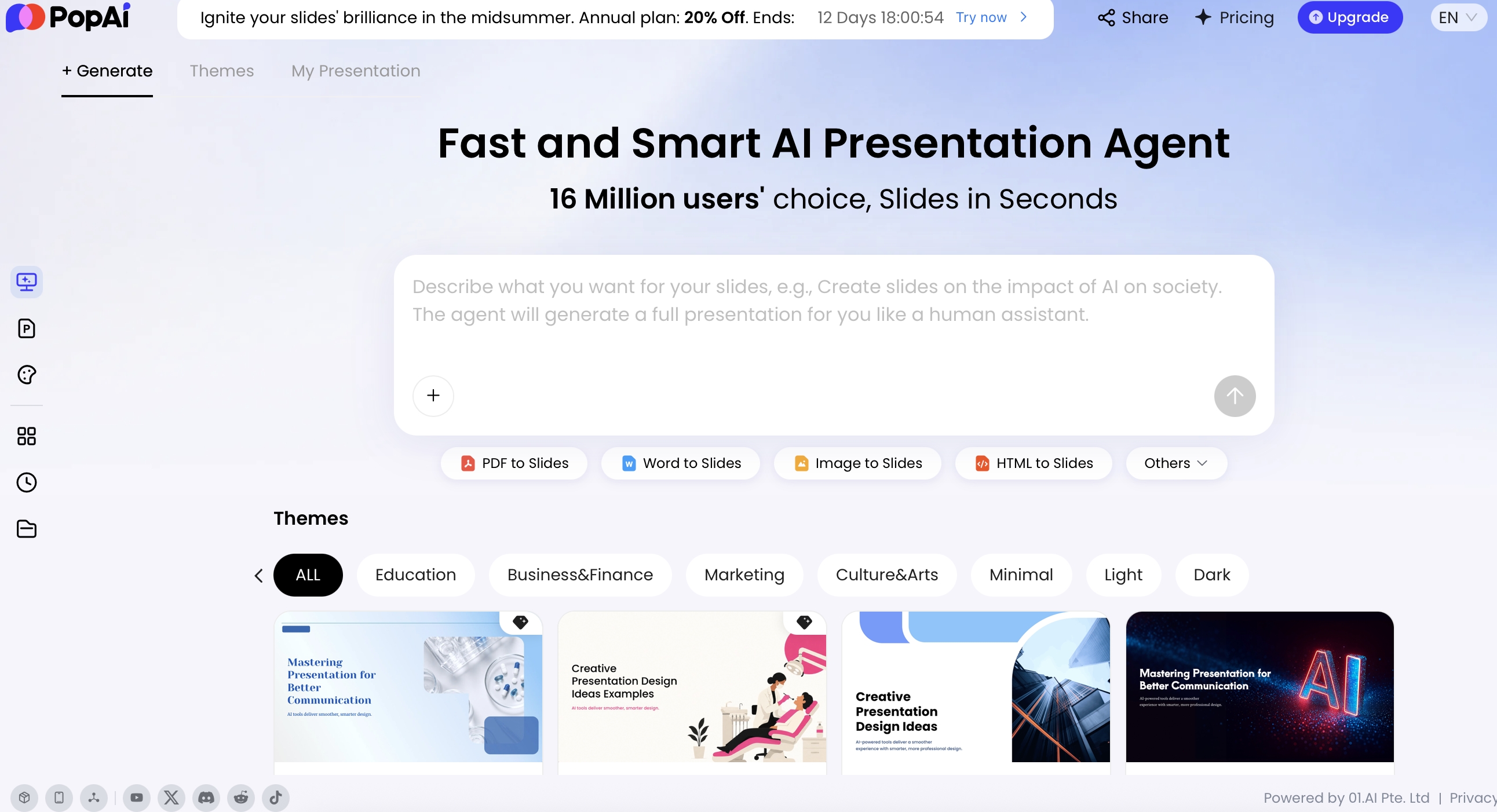
A council deck is not a marketing pitch. It may influence a vote, explain a bond measure, summarize a zoning change, or help residents understand a service reduction. The best AI workflow turns dense agenda packets into clear decision support: what is being considered, why it matters, what options exist, what the fiscal and community impacts are, and what action is requested. Tools such as PopAi AI Presentation can help convert prompts and meeting materials into editable slides, while staff keep control over facts, tone, records, and final approval.
Practical goal: use AI to create a first draft that is 70% structured, then use human review to make it 100% reliable for public use. In a real city workflow, that usually means department review, legal or clerk review, accessibility cleanup, presenter rehearsal, final export, and retention of the approved version.
Why city council presentations with AI need a different workflow
Public meeting decks are decision records, not just speaking aids.
Public meeting slides carry a higher standard than internal team decks because residents, reporters, elected officials, applicants, consultants, and future public records requesters may all rely on the same material. AI can summarize agenda packets, extract decision points, draft speaker-friendly explanations, and predict likely questions, but it can also omit nuance, overstate certainty, or blend staff analysis with applicant claims when source materials are incomplete.
A reliable city council presentation starts with a defined public purpose. Are you asking for adoption of an ordinance, direction on a policy option, approval of a contract, introduction of a capital project, or feedback at a public hearing? Each meeting type changes the deck structure:
- Public hearing: show notice, legal criteria, staff analysis, public input themes, and the action before the body. Avoid implying the decision is already made.
- Study session: frame options, tradeoffs, costs, and policy questions. Do not use final-vote language if no action is scheduled.
- Consent item: keep slides minimal unless the item is pulled. Prepare one backup slide with the contract amount, vendor, term, and reason for action.
- Budget workshop: separate fund balance, one-time revenue, ongoing costs, restricted funds, assumptions, and service impacts.
- Planning or zoning item: distinguish legal criteria, staff recommendation, applicant proposal, consultant studies, public comments, and conditions of approval.
- Capital project update: show phase, funding source, procurement status, schedule, detours, resident impacts, and next public touchpoint.
AI is most useful when it is treated as a drafting assistant, not as the public record, legal reviewer, policy analyst, or final spokesperson.
Competent AI use also means preserving neutrality. For controversial issues such as tax increases, housing density, policing, land use, or budget reductions, ask AI to remove advocacy language and separate facts from staff interpretation. A phrase like “necessary increase” can become “proposed increase”; “minimal impact” can become “estimated impact based on current assumptions.” That small language discipline is often what keeps a public meeting presentation credible.
For quasi-judicial or land-use hearings, be especially careful. Do not let AI merge public comment themes into staff findings, invent consistency conclusions, or summarize ex parte information that is not in the record. If AI output conflicts with the staff report, the staff report controls until the project manager, city attorney, or authorized reviewer corrects the source.
Collect the right inputs before building a city council presentation
For a broader view of available tools, compare the latest AI presentation makers before choosing the workflow that best fits your team.
AI performs best when the source packet is organized, current, and safe to use.
Before prompting, create a source folder for the agenda item, staff report, fiscal note, draft ordinance or resolution, maps, technical attachments, historical minutes, project timeline, approved communications language, and public comments submitted before the meeting. If your team is still choosing a tool, compare AI presentation makers against municipal requirements such as file support, export quality, data handling, admin controls, and whether the system can work from your existing agenda packet formats.
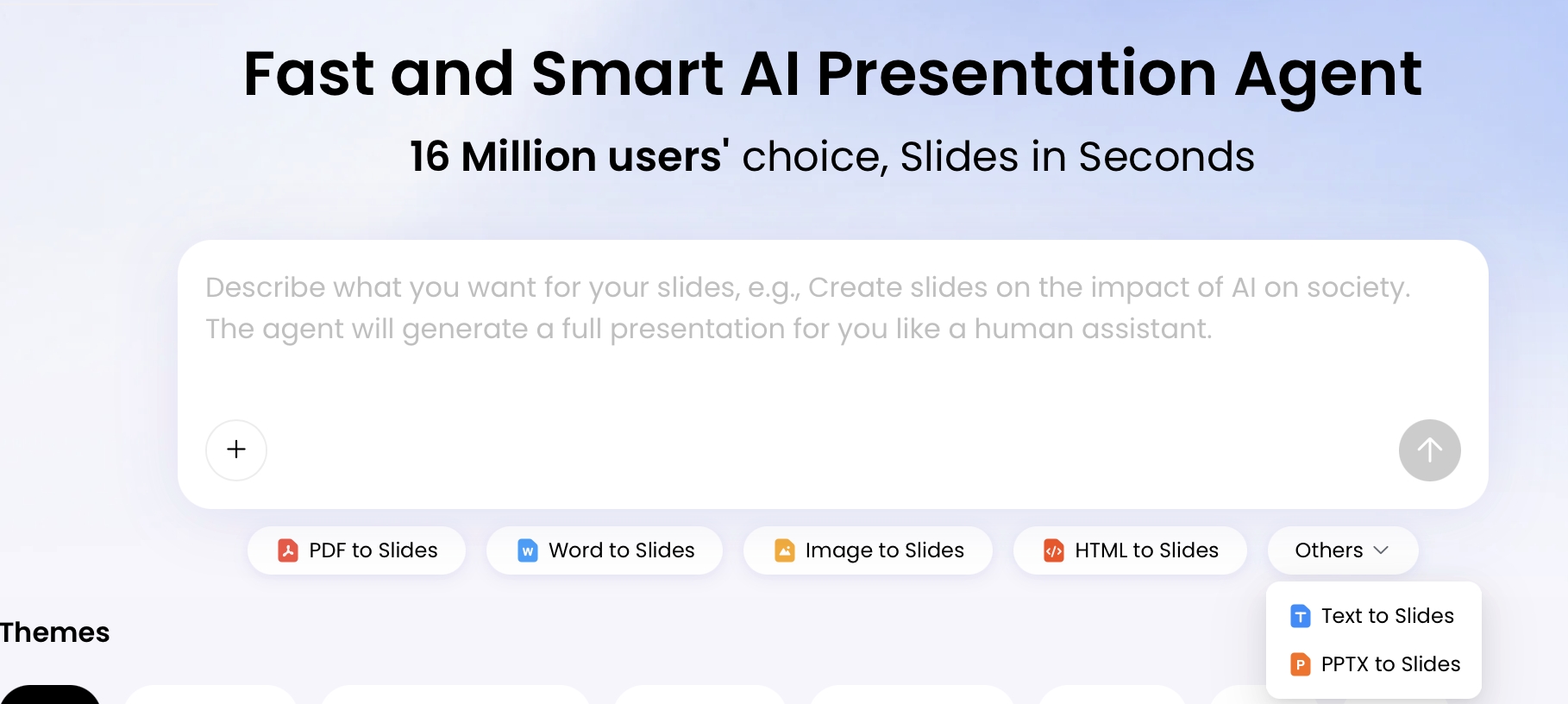
PopAi supports several practical entry points for this workflow, including PDF, Word, image, HTML, text, and PPTX materials, plus local upload, drag-and-drop, existing files, and Google Drive connection. That matters for municipal teams because agenda packets often combine staff reports, scanned exhibits, maps, draft language, and legacy presentation files. Still, staff should check scanned PDFs for OCR errors, extract large tables separately when needed, and avoid uploading password-protected, privileged, or redacted records unless the agency has approved that use.
Build a municipal source inventory
Use the inventory to decide what AI may use, what must be verified, and which document wins when numbers conflict.
- Agenda item: extract title, meeting date, department, presenter, item number, requested action, and packet page reference. Verify against the final posted agenda.
- Staff report: extract background, analysis, alternatives, constraints, recommendation, and attachments. Verify version date and department head approval.
- Fiscal note or budget material: extract total cost, fiscal year, fund source, budget authority, one-time versus ongoing impact, grant restrictions, match requirements, and whether appropriation is already approved.
- Public comments: extract themes, volume, representative concerns, and requested changes. Do not reproduce personal addresses, phone numbers, email addresses, or inflammatory wording unless required and approved.
- Maps, GIS, and exhibits: extract boundaries, affected parcels, project limits, route changes, legends, scale, north arrow, and source date. Verify that labels remain readable after export.
- Legal or procedural items: extract ordinance or resolution number, notice requirements, hearing requirements, vote threshold, effective date, appeal period, and required findings.
- Communications material: extract approved public-facing language, FAQ responses, website links, and contact information. Verify with the public information officer if the topic is sensitive.
A practical folder structure is: 01 authoritative sources, 02 supporting exhibits, 03 public comments, 04 draft or background only, and do not upload. Put privileged memos, closed-session notes, sensitive security details, personnel records, and unredacted PII in the last folder unless your agency has a specific approved AI process for them.
Do not upload sensitive records casually. Before using any AI tool with public agency materials, confirm vendor data retention, whether prompts or files are used for model training, encryption, access controls, audit logs, data residency, export capability, contract terms, and public records handling. Redact PII from public comments, remove privileged legal advice, and document who approved the upload process.
Step-by-step: create city council presentations with AI
Build the deck in approval gates: outline first, slides second, compliance last.
1. Define the requested action
Start with the motion or direction the body may give. If staff cannot state the requested action in one sentence, the deck will drift. Good first-slide wording sounds like: “Council is asked to approve a construction contract for Phase 2 sidewalk improvements and authorize a budget amendment from the transportation fund.”
2. Generate the outline before the deck
Ask AI for a slide plan before creating designed slides. Review the outline for missing legal criteria, fiscal assumptions, public comment handling, and order of information. This is where staff should catch the most serious errors because changing an outline is easier than repairing a polished but inaccurate deck.
3. Draft the slides from approved sources
Use AI Presentation or file-to-slides from the relevant packet, report, or draft deck. The generation flow organizes content before creating the presentation, which helps staff see how the material is being interpreted. At this stage, ask the tool to include source references in speaker notes or bracketed placeholders such as “[staff report p. 4]” so reviewers can trace claims quickly.
4. Review before design
Do not spend time on colors, icons, or animations until the substance is approved. Route the draft in this order when possible: project manager, fiscal reviewer, department head, city attorney or clerk when required, communications or accessibility reviewer, city manager or final approver.
5. Export, rehearse, and archive
Export to the format required by your agenda system or clerk submission process. Keep the final public version, the source list, and any required review record according to your retention schedule. If late public comments or council questions require changes, create a dated revision rather than overwriting the approved file.
Recommended city council presentation structure
Most routine council items work best as an 8- to 12-slide deck for a 5- to 10-minute staff presentation. Put detailed tables, engineering drawings, legal text, and extended Q&A in backup slides.
- Slide 1 — Item and requested action: “Approve contract award for Oak Street sidewalk improvements.”
- Slide 2 — Why this is before council: prior direction, legal requirement, grant deadline, budget cycle, or public hearing trigger.
- Slide 3 — Background: one timeline, not a full history.
- Slide 4 — Current issue or need: define the problem in resident-facing language.
- Slide 5 — Options: compare two to four choices with cost, timeline, and service impact.
- Slide 6 — Fiscal impact: total cost, fund source, budget status, and ongoing impact.
- Slide 7 — Community impact: affected areas, users, access, equity considerations, and disruption mitigation.
- Slide 8 — Public input: themes and process, not personal details.
- Slide 9 — Staff recommendation: recommendation plus evidence, not advocacy.
- Slide 10 — Next steps: implementation dates, future public touchpoints, and responsible department.
For a zoning public hearing, add a context map, site photos, entitlement history, noticing summary, required findings, conditions of approval, and appeal information. For a public works project, add phasing, detours, procurement status, utility coordination, resident notification plan, and construction risk mitigation. For a budget workshop, add baseline assumptions, fund balance, structural deficit or surplus, one-time actions, ongoing service effects, and unresolved policy questions.
For public meetings, the best slide title is often a sentence: “Option B reduces near-term cost but extends construction by six months.”
Visual standards for public meeting slides
Design for the person watching on a phone, in the back row, or through an archived livestream.
Public meeting slides must be readable in more places than most presenters expect: council chamber screens, government channel broadcasts, Zoom or Teams windows, archived video, printed agenda packets, and mobile phones. Use a 16:9 widescreen layout, high contrast, large type, and generous margins so livestream overlays, room displays, and projector cropping do not hide content. Many agencies use 24–32 pt body text as a practical minimum for chamber readability, but the safer rule is to test the deck in the actual room and livestream preview.
Accessibility should be handled as a production requirement, not a final cosmetic pass. The WCAG guidance is commonly used as a reference point for contrast, text alternatives, captions, and avoiding color-only meaning. Public agencies should also follow their own ADA, language access, and document accessibility policies when posting slides or PDFs online.
Turn dense material into public-friendly visuals
- Budget tables: replace a 20-row spreadsheet with “Total project cost: $4.2M; funding: $3.4M grant + $800K local match; ongoing impact: $60K/year maintenance.” Keep the full table in backup.
- Maps: label major streets, project boundaries, north arrow, legend, and affected parcels or districts. Remove tiny GIS labels that cannot be read on video.
- Timelines: show past decisions, current action, implementation milestones, and next public touchpoint. Use dates or quarters, not vague labels such as “soon.”
- Decision matrices: compare options by cost, timeline, legal risk, service impact, and public feedback. Use consistent scales and explain what each rating means.
- Before/after pages: use actual site photos or approved renderings for streetscape changes, facility upgrades, zoning scenarios, or process improvements. Label renderings as conceptual if they are not final design.
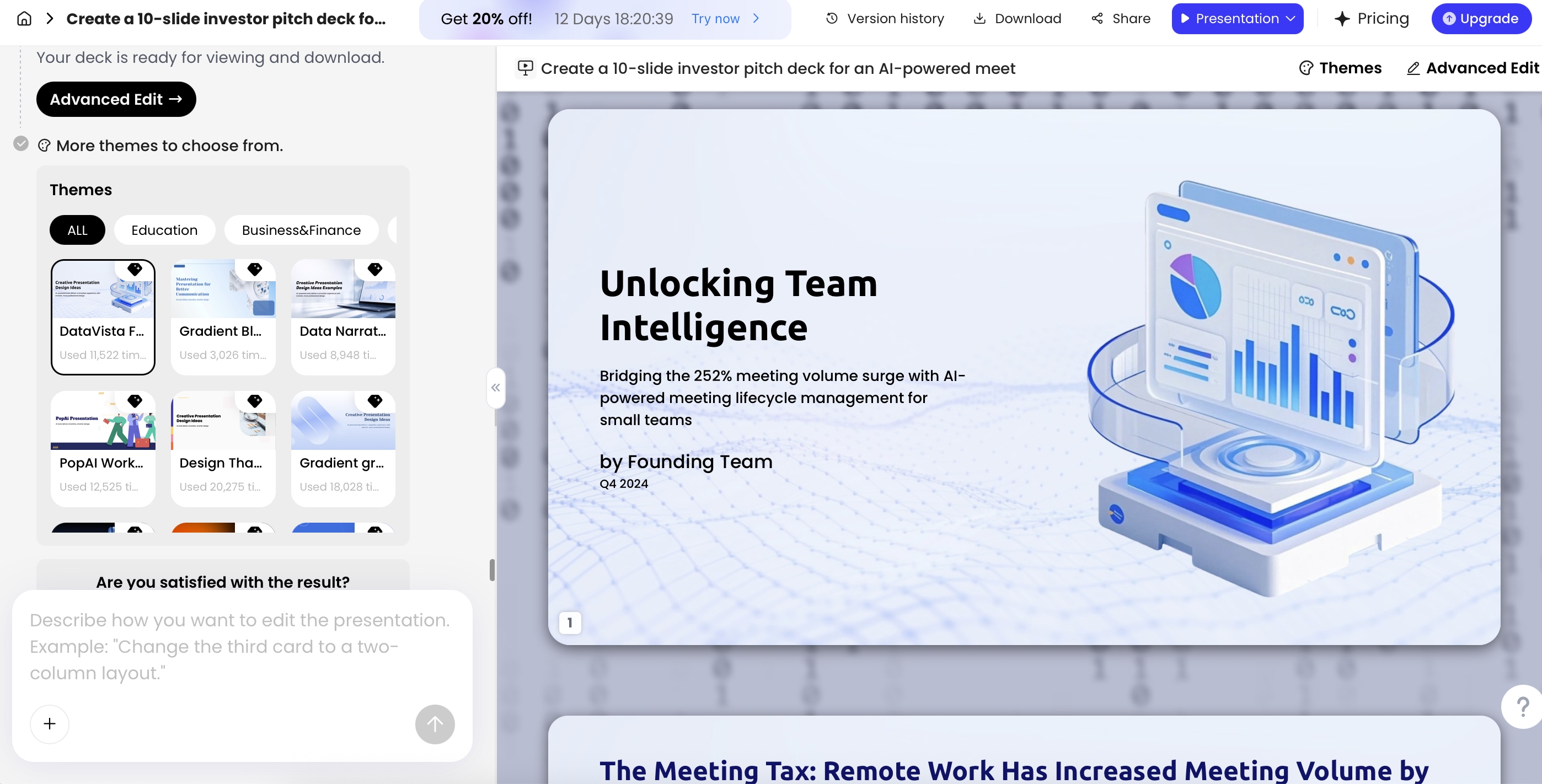
In PopAi, generated decks can be refined after the first draft. Advanced Edit includes tools such as Theme, Cards, Logic Frames, AI Image, AI Writing, Charts, and Icons. For municipal use, treat those tools as layout accelerators. Do not use AI-generated images to depict actual project conditions, public safety scenes, evidence, site conditions, or community members. Use official maps, actual site photos, approved seals, verified charts, and clearly labeled conceptual graphics.
Prompt library for public meeting slides
Good prompts make AI behave like a structured analyst rather than a generic copywriter. Give it a role, audience, sources, tone, output format, and constraints. Require “needs staff confirmation” flags whenever the record is incomplete.
Agenda packet to outline
Prompt: “You are helping a city staff presenter prepare a neutral public meeting deck. Using the attached agenda item and staff report, create a 10-slide outline. Include the requested action, background, options, fiscal impact, community impact, risks, recommendation, and likely council questions. Do not add facts not present in the source material. Mark any missing information as ‘needs staff confirmation.’”
Plain-language public explanation
Prompt: “Rewrite this staff report summary for residents at an eighth-grade reading level. Keep the tone neutral. Explain what is changing, who may be affected, what the city council is being asked to decide, and where residents can provide input. Preserve all legal terms that must appear exactly as written.”
Question prediction
Prompt: “Based on the agenda packet, list 12 questions councilmembers, residents, reporters, and affected businesses may ask. Group them by finance, equity, timeline, legal authority, service impact, and alternatives. For each question, draft a concise answer using only the source documents and cite the source page or attachment.”
Controversial item neutralizer
Prompt: “Review this presentation text for advocacy language, vague claims, or unsupported conclusions. Replace them with neutral wording suitable for a public hearing. Preserve legally required terminology and flag anything that needs attorney or department review.”
Budget item summary
Prompt: “Create one fiscal impact slide from the attached budget memo. Show total cost, fund source, whether funds are already appropriated, one-time versus ongoing impact, grant restrictions, local match, and assumptions that need finance confirmation. Do not round numbers unless the source does.”
Public comment theme summary
Prompt: “Summarize public comments into neutral themes for a council slide. Include the number of comments by theme if available. Do not include personal contact information, personal attacks, or unverified claims as facts. Separate resident concerns from staff responses.”
Accessibility and plain-language check
Prompt: “Review this slide text for accessibility and plain language. Flag acronyms, unexplained technical terms, color-only meaning, dense bullets, missing chart labels, and any slide that may be hard to read in a livestream. Suggest concise revisions without changing the facts.”
Source citation table
Prompt: “Create a verification table with four columns: slide number, claim, source document and page, and reviewer. Mark any claim that cannot be traced to the packet as ‘remove or confirm.’”
Municipal-safe editing prompts: use targeted instructions such as “remove advocacy language,” “flag unsupported numerical claims,” “create backup slides for likely finance questions,” “shorten to a seven-minute staff presentation,” and “do not alter ordinance language.” Avoid vague prompts like “make it more persuasive.”
Quality control, compliance, and public trust checks
Every AI-assisted deck needs a review trail before it reaches the clerk, agenda system, or public website.
Public meeting deck approval matrix
Use a review matrix before an AI-assisted public meeting deck is sent to the clerk, posted with the agenda, or presented in the room.
| Review area | What to check | Typical reviewer | Must be resolved before publication |
|---|---|---|---|
| Source materials | Agenda item, staff report, maps, minutes, attachments, and public comments match the final slide claims. | Department analyst or project owner | No unsupported facts or outdated attachments. |
| Fiscal impact | Budget numbers, funding source, grant conditions, and cost ranges match the official fiscal note. | Finance or budget office | No AI-generated estimates presented as adopted figures. |
| Legal and policy review | Requested action, ordinance language, procurement references, and statutory claims are accurate. | City attorney or legal reviewer | No legal interpretation created by AI without review. |
| Accessibility and language access | Readable type, contrast, alt text, captions, plain-language summaries, and translated materials where required. | ADA / communications / language access lead | No color-only meaning or unreadable chart labels. |
| Public Q&A readiness | Likely resident questions, trade-offs, impacts, and “what happens next” are addressed neutrally. | Presenter and department head | No promotional tone or selective omission of known concerns. |
| Final sign-off | Version number, meeting date, distribution list, and official publishing location are correct. | Department head, clerk, or manager’s office | One accountable owner approves the final file. |
AI can make public meeting preparation faster, but speed is not the only metric. The final presentation should be accurate, accessible, transparent, and appropriate for the public record. Create a checklist that every AI-assisted deck must pass before publication or presentation.
Time-savings benchmark: Instead of relying on vendor claims, measure your own baseline. Track staff hours from source packet to first draft, number of reviewer corrections, accessibility remediation time, and final approval time for three to five similar agenda items. Many teams find that AI saves the most time on outlines, first-draft speaker notes, and Q&A preparation—not on legal, fiscal, or accessibility review.
Meeting transcript use case: A three-hour meeting can produce a transcript long enough that residents struggle to find the item they care about. AI-assisted transcription, speaker identification, chaptering, and summaries can improve navigation, but staff should verify speaker names, timestamps, motions, vote counts, and quoted statements before posting or using them in future slides.
AI slide review checklist
- Facts: every date, dollar amount, acreage, vote count, ordinance number, project milestone, chart axis, and unit matches the source.
- Source traceability: major claims include packet page references, attachment names, or speaker-note citations for reviewer use.
- Names: elected officials, staff, applicants, consultants, neighborhoods, organizations, and funds are spelled correctly.
- Scope: no new promises, legal conclusions, findings, or policy commitments were introduced by AI.
- Legal and procedural accuracy: vote threshold, notice, hearing requirement, appeal period, effective date, and motion language are confirmed.
- Public comment neutrality: comments are summarized by theme without personal details, sarcasm, or staff rebuttal disguised as fact.
- Maps and visuals: legends, boundaries, north arrows, labels, data dates, and disclaimers remain visible after export.
- Sensitivity: PII, closed-session content, privileged legal advice, security-sensitive information, and personnel details are removed.
- Accessibility: slides use readable type, sufficient contrast, plain language, alt text where applicable, captions or transcripts for video, and translated materials where required.
- PDF readiness: posted PDFs are checked for tagging, reading order, searchable text, and file size limits if your agency requires accessible digital documents.
- Speaker notes: notes do not introduce claims absent from the slides or packet unless they are separately verified.
- Version control: the final deck shows the correct meeting date, item number, reviewer, and approval date.
- Disclosure: follow your agency’s policy on whether AI assistance should be disclosed in staff workflows or public materials.
Questions to ask before using AI on public meeting materials
- Are prompts, uploaded files, AI drafts, and chat history public records under local policy?
- Can staff upload public comments containing names, addresses, phone numbers, or email addresses?
- Does the tool contract prohibit training on agency data?
- Where are files stored, who can access them, and how long are they retained?
- Can the agency export or delete prompts, drafts, and outputs if required?
- Are closed-session, attorney-client, personnel, procurement, security, or law-enforcement records excluded?
- Are translations machine-generated, human-reviewed, or certified where required?
- Who has final authority to approve the presentation before publication?
Compliance varies by jurisdiction. Open meetings laws, record retention rules, ADA obligations, language access requirements, copyright rules for video and maps, and public records laws all affect how AI-generated material should be handled. In some states, minutes must be approved and posted within defined time windows; in others, recordings or closed-session materials have special retention rules. Treat those rules as local legal requirements, not optional presentation details.
If a claim cannot be traced to the packet, a verified source, or an approved staff correction, it should not appear in the public deck.
Delivery scenarios and success metrics for AI-assisted decks
The final deck has to work in the room, online, in the packet, and in the archive.
A deck that works in a staff preview may fail in a council chamber. Before final export, test the presentation in the actual delivery scenario. If the meeting is hybrid, check the livestream crop, screen share readability, and audio timing. If residents will download the packet, export a clean PDF. If the item is controversial, prepare backup slides for technical questions while keeping the main deck short.
PopAi supports export to PPTX and PDF, which is useful when a draft needs to move from AI generation to staff review, department edits, legal review, manager approval, and final delivery without locking the deck into a single static format. Public agencies should still publish through official channels such as the agenda management system, clerk posting process, city website, public meeting portal, government cable system, approved email list, or official social media workflow.
Delivery workflow before the meeting
- Clerk deadline: confirm when slides must be submitted for packet posting or chamber setup.
- Room test: check fonts, maps, colors, embedded video, remote clicker, podium monitor, and backup laptop.
- Livestream test: confirm that captions, shared screens, and lower-third overlays do not hide slide content.
- Timing: rehearse a 5-minute version for routine items, a 10-minute version for standard action items, and a 20-minute version only for workshops or complex hearings.
- Backup slides: place detailed fiscal tables, legal citations, engineering details, procurement scoring, and public comment counts after the main deck.
- Late changes: use a dated revision note if late public comments, corrected numbers, or attorney edits change the deck after initial approval.
- Archive: save the final presented version, not just the editable draft, according to retention policy.
Measure whether AI improved the meeting
- Preparation time: compare staff hours from source packet to first complete draft before and after AI use.
- Revision load: count factual corrections, legal corrections, accessibility fixes, and tone changes after department review.
- Resident understanding: track repeated clarification questions, post-meeting emails, public records requests, and website FAQ visits related to the item.
- Meeting quality: review whether council questions focused on policy choices rather than missing facts or confusing slides.
- Presentation timing: measure whether staff stayed within the allotted time without skipping essential context.
- Accessibility: track time needed to remediate PDFs, add alt text, caption video, translate summaries, or fix low-contrast slides.
- Trust: record corrections issued after publication, complaints about biased wording, and whether staff can show source support for disputed claims.
The strongest municipal AI programs do not chase novelty. They standardize a repeatable workflow: collect and label source materials, redact sensitive records, generate an outline, draft slides, verify facts, simplify visuals, check accessibility, route for approved review, rehearse in the delivery environment, publish through official channels, and archive the final version. Used this way, AI helps public servants explain complex decisions more clearly while keeping accountability where it belongs: with the people and institutions responsible for the meeting.
FAQ about city council presentations with AI
Can AI create a city council presentation from an agenda packet?
Yes, if the packet is complete and reviewed by staff. Upload or paste staff reports, budget summaries, draft resolutions, maps, and public comments, then ask AI to produce a decision-focused outline before generating slides.
What meeting materials should not be uploaded to an AI tool?
Do not upload personally identifiable information, privileged legal advice, closed-session records, confidential personnel matters, security-sensitive materials, or unpublished drafts unless your organization has approved the tool and governance process.
How do I prevent AI hallucinations in public meeting slides?
Require source citations, compare every number against the agenda packet, check names and vote counts, scan for sensitive information, and have a subject-matter expert approve the final deck before public release.
What format works best for public meeting slides?
Use a 16:9 widescreen format, large readable type, simple charts, high-contrast colors, clear map labels, and concise text that works on a chamber screen, livestream, printed packet, and mobile device.
Create your presentation with one click now
Turn agenda packets, reports, and meeting notes into an editable public meeting deck that your team can review, refine, export, and present.
Start with PopAi AI Presentation