Healthcare Presentation AI: Create Clear Medical Decks Safely
July 14, 2026
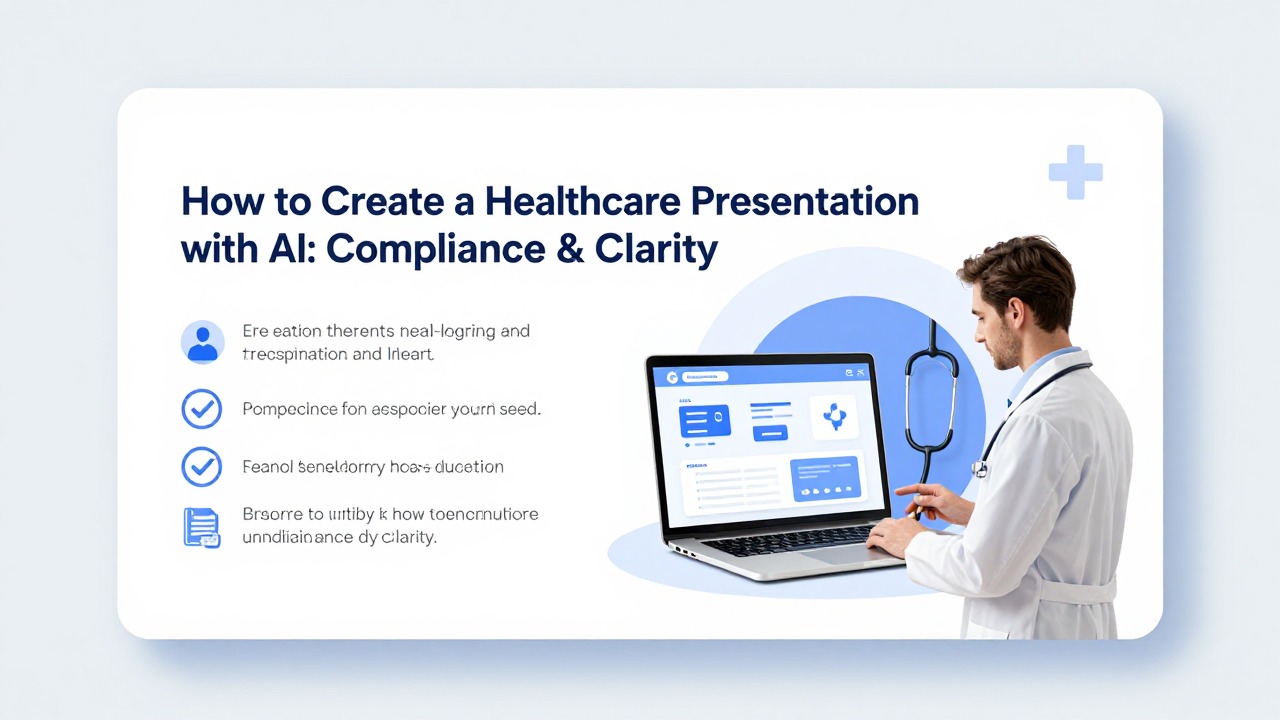
Yes, AI can help create healthcare presentations safely when you use it for structure, drafting, summarization, audience adaptation, and visual organization—not as a substitute for clinical judgment, legal review, or compliance approval. The safest workflow is to start with approved, anonymized source material, avoid entering identifiable patient information or confidential records, generate an editable first draft, and then route the deck through the right expert review.
Healthcare presentation AI is most useful when you need to turn dense notes, research summaries, policy documents, or training outlines into a professional presentation quickly. It can suggest slide titles, organize sections, simplify language for patients, create speaker notes, and reduce manual formatting work. The risk comes from treating AI output as final medical content or uploading information your organization has not approved for AI use.
This guide shows a compliance-conscious workflow for healthcare professionals, medical researchers, marketers, educators, and administrators. You will learn what to prepare, what not to upload, how to prompt for different audiences, how PopAi AI Presentation can fit into a document-to-deck workflow, and what to review before sharing any AI-generated medical presentation.
When you are ready to turn the workflow into slides, PopAi AI Presentation can help transform rough notes, documents, or prompts into an editable deck structure.
Can You Use Healthcare Presentation AI Safely?
This section explains where AI is useful in healthcare presentation work and where human oversight is non-negotiable.
The concern is valid: AI can make slides quickly, but healthcare content carries privacy, accuracy, regulatory, and reputation risks. A poorly reviewed slide deck can expose confidential information, simplify a clinical point incorrectly, imply a treatment recommendation that was not intended, or present internal data outside its approved context.
The practical answer is to use AI as a drafting assistant. It can help organize a clinical education deck, convert a policy document into training slides, summarize a research update, or adapt a patient education handout into plain-language slides. It should not decide what is clinically appropriate, invent evidence, diagnose, recommend treatment, approve claims, or determine whether a presentation is compliant.
- Use AI for structure: agenda, section order, slide titles, transitions, and story flow.
- Use AI for drafting: first-pass bullets, speaker notes, plain-language summaries, and audience-specific wording.
- Use AI for visual organization: flowchart ideas, process maps, timeline suggestions, comparison layouts, and hierarchy.
- Do not use AI as the final authority on clinical accuracy, compliance wording, legal risk, promotional claims, or patient-specific decisions.
- Follow your organization’s AI, privacy, security, records, and communications policies before entering any material into a tool.
Healthcare teams commonly use presentations for clinical education, patient education, research updates, hospital operations, compliance training, medical sales enablement, product education, payer or stakeholder briefings, quality improvement discussions, and public health awareness. Each use case has a different risk profile. A public awareness deck for community health may need plain-language accuracy and accessibility review. A research deck may need source alignment and limitations clearly stated. A sales enablement deck may require medical, legal, and regulatory review before use.
Do not enter protected health information, identifiable patient details, confidential records, sensitive unpublished data, internal incident reports, proprietary commercial strategy, or any material your organization has not approved for use with an AI presentation maker.
In healthcare, the safest AI presentation workflow treats the deck as a structured draft, not a finished clinical or compliance-approved document.
Healthcare Privacy and Clinical Review Checklist
Healthcare decks may touch protected health information, clinical claims, research evidence, safety protocols, and patient education. AI should help with structure and readability, not replace privacy review, clinical review, or professional judgment.
| Checklist item | What to verify | Why it matters |
|---|---|---|
| Patient privacy | Remove names, dates of birth, chart numbers, images, addresses, voice notes, or any combination of details that could identify a patient. | Avoid exposing PHI or other personally identifiable health information. |
| Clinical source | Attach the guideline, study, internal protocol, or approved patient education source behind each clinical claim. | AI can summarize, but it may also overgeneralize or invent details. |
| Date and version | Show the date of guideline, policy, or dataset used. | Medical recommendations and institutional protocols change. |
| Diagnosis and treatment | Do not let AI create final diagnosis, triage, treatment, dosage, or clinical decision guidance. | Those decisions require qualified professionals and local standards. |
| Audience level | Mark whether the deck is for clinicians, executives, patients, families, or operations staff. | The same topic needs different language and risk framing. |
| Regulatory / compliance review | Route external-facing or patient-facing slides through the correct compliance workflow. | Prevents unsupported claims and privacy issues. |
| Accessibility | Check contrast, font size, plain language, and image alt text for patient or public decks. | Healthcare communication must be understandable. |
| Final reviewer | Name the clinician, compliance owner, or subject-matter expert who approved the deck. | Keeps accountability with people, not the AI tool. |
Safe Prompt Template
“Create a healthcare presentation outline for [audience] using only the approved source notes below. Do not add diagnosis, treatment, dosage, or patient-specific advice. Flag any claim that needs clinician review. Use plain language and mark all source-dependent slides.”
Choose the Right Medical Presentation Workflow Before You Prompt
This section helps you define your audience, goal, input materials, and workflow before asking AI to create slides.
The most useful medical presentation starts before the prompt. If you ask an AI tool to create a deck without specifying audience, purpose, source boundaries, and review requirements, it may produce a generic presentation that sounds polished but misses the actual communication need.
- Clinicians: usually need concise evidence, workflow implications, diagnostic or treatment context, practice updates, and limitations.
- Patients or caregivers: need plain-language explanations, care steps, warning signs, expectations, and reassurance without minimizing risk.
- Executives or administrators: need operational impact, decision options, cost or resource implications if approved for use, risk framing, and action items.
- Researchers: need study objective, methods, findings, limitations, interpretation, and next research questions.
- Trainees or staff: need scenarios, decision points, correct procedures, errors to avoid, and assessment prompts.
- Sales or product teams: need approved messaging, use context, differentiation boundaries, objection handling, and compliance-safe language.
- Community groups: need accessible explanations, local action steps if approved, myth correction, and clear referral or resource guidance.
Your deck goal should also be explicit. Are you informing, training, persuading, summarizing evidence, explaining a process, preparing people for a change, or supporting a decision? A clinician training deck needs a different structure than a patient education deck. A research conference presentation needs methods and limitations. A compliance briefing needs policy changes, consequences, and required actions.
- Approved source documents: policies, guidelines, education materials, abstracts, manuscripts, SOPs, public health documents, or internal materials cleared for this workflow.
- Anonymized notes: remove names, dates of birth, medical record numbers, contact details, exact rare-case details, photos, addresses, and other identifiers.
- Target audience: define role, expertise level, prior knowledge, and likely questions.
- Desired tone: patient-friendly, clinical, academic, executive, instructional, neutral, or compliance-focused.
- Slide count: set a realistic range, such as 8 slides for a patient class or 12 slides for staff onboarding.
- Call to action: specify what the audience should understand, decide, practice, or do next.
- Required disclaimers: include organization-approved disclaimers, educational-use language, or limitations statements where applicable.
- Review owner: name the role responsible for final review, such as clinical lead, compliance officer, legal reviewer, medical affairs, or education manager.
There are two common workflows. A prompt-only workflow works when you have a simple topic and can describe the deck in a few sentences. For example, you might ask for an outline for a patient-friendly presentation on preparing for a screening appointment, using only general educational language. A document-to-presentation workflow is better when you already have approved PDFs, notes, reports, training outlines, or research summaries and need the AI to organize that material into a structured deck.
PopAi AI Presentation may be useful when you already have notes, PDFs, reports, or rough outlines and need to move from source material to an editable first draft with slide structure, titles, and speaker-note direction.
How to Create a Professional Healthcare Presentation with AI
This section gives a repeatable step-by-step workflow from source material to review-ready deck.
A professional presentation in healthcare should be clear, accurate, appropriately detailed, visually readable, and easy to review. The workflow below keeps AI in the right role: helping with organization and drafting while preserving human responsibility for privacy, evidence, and compliance.
- Define the purpose in one sentence, such as: educate patients on a care pathway, train nurses on a new intake process, summarize a study for a conference, or brief leadership on a policy change.
- Remove sensitive details before using AI. Replace patient names, exact dates, rare-event details, facility identifiers, or internal incident specifics with generalized descriptions.
- Gather approved source material, including public guidelines, approved education handouts, cleared policy documents, anonymized notes, research abstracts, or internally approved training content.
- Choose the audience level. Decide whether the deck should use plain language, clinical terminology, research terminology, operational language, or sales enablement language.
- Generate an outline first. Ask for sections, slide sequence, key message per slide, and recommended review notes before generating full slide content.
- Create slides from the approved outline. Keep each slide focused on one main idea and ask AI for concise bullets rather than dense paragraphs.
- Request slide titles, key messages, speaker notes, and suggested visuals separately so the slide surface stays clean and the nuance lives in presenter notes.
- Refine visuals for clarity. Prefer simple process maps, timelines, comparison bullets, decision trees, and annotated diagrams over decorative graphics.
- Verify every clinical or scientific statement against the approved source material. Remove unsupported claims, invented figures, and statements that sound stronger than the evidence.
- Route the deck for the required review. Depending on the use, this may include a clinical lead, compliance team, legal reviewer, medical affairs, privacy officer, or patient education reviewer.
A strong prompt tells the AI what to do, what not to do, what source boundaries to respect, and what output format you need. Instead of asking for a generic medical deck, ask for a specific deck type for a specific audience using approved or anonymized materials.
- Clinician training prompt pattern: Create a 10-slide clinician training deck from the anonymized notes below. Audience: outpatient nursing staff. Goal: explain the new triage documentation workflow. Use clinical but concise language. Include slide title, three key bullets, speaker notes, and a suggested visual for each slide. Do not add clinical recommendations beyond the notes.
- Patient education prompt pattern: Turn the approved patient education text below into an 8-slide plain-language deck for adults newly diagnosed with a chronic condition. Use an empathetic tone, avoid jargon, include what to ask the care team, and flag any statements that need medical review.
- Research update prompt pattern: Create a 12-slide research presentation outline from this abstract and approved summary. Audience: clinical researchers. Include objective, background, methods, key findings, limitations, interpretation, and discussion questions. Do not invent statistics or conclusions not present in the source.
- Executive briefing prompt pattern: Convert this approved policy summary into a 7-slide leadership briefing. Audience: hospital operations executives. Focus on what is changing, why it matters, operational impact, risk areas, implementation timeline, and decisions needed.
When using PopAi AI Presentation, a practical workflow is to paste an anonymized outline or upload an approved document, then ask for a structured deck with separate slide titles, key messages, speaker notes, and suggested visuals. The output should be treated as a first draft. You can then edit the sequence, adjust terminology, replace generic visuals with approved diagrams, and send the file for review.
For non-specialist audiences, explicitly request plain language, short sentences, and definitions of necessary terms. For clinical or research audiences, request precise terminology, source-aligned claims, and a limitations slide.
Example Healthcare AI Presentation Workflows by Use Case
This section shows realistic healthcare workflows you can adapt without treating them as verified customer stories.
The following examples are realistic workflows, not real customer stories. They show how different healthcare teams can use AI to move from approved source material to a review-ready deck while avoiding patient identifiers and unsupported claims.
Example workflow 1: patient education deck. Context: a clinical educator needs a patient-friendly chronic condition education deck for a small group class. Persona: nurse educator or patient education coordinator. Source materials: approved patient handouts, a care pathway document cleared for patient use, and a list of frequently asked questions with no patient identifiers.
- Prepare the source material by removing internal notes and keeping only approved patient-facing content.
- Ask PopAi AI Presentation to create an 8-slide deck with plain-language slide titles, one key idea per slide, speaker notes for the educator, and suggestions for simple visuals.
- Prompt for a warm but neutral tone, definitions of medical terms, and a final slide with questions patients may want to ask their care team.
- Review the draft for readability, clinical accuracy, accessibility, and any language that could sound like individual medical advice.
- Replace any generic icons or diagrams with approved patient education visuals before sharing.
Expected output: a patient-friendly deck with sections such as what the condition means, why monitoring matters, common symptoms, care pathway steps, daily management basics, when to contact the care team, visit preparation, and questions to ask. What you can reuse: the prompt structure, plain-language instruction, and review checklist for any patient education topic.
Example workflow 2: clinical staff training deck. Context: a department is onboarding nurses to a revised intake documentation process. Persona: clinical education manager or nurse trainer. Source materials: approved SOP, anonymized workflow notes, screenshots cleared for training use, and a list of common documentation errors.
- AI intervention: use an AI presentation maker to convert the SOP into a 12-slide onboarding deck with workflow steps, decision points, and short scenario prompts.
- Operation steps: generate the outline, create slide titles, ask for speaker notes, request a process-map suggestion, and add a knowledge-check slide after each major section.
- Expected output: a practical training deck covering why the process changed, the intake sequence, required fields, escalation points, common mistakes, scenario practice, and where to find help.
- Reusable recommendation: ask AI to separate policy content from trainer guidance so the slide is not overloaded and the facilitator still has enough context.
Example workflow 3: medical research update. Context: a researcher needs a conference-style summary of a study for a mixed audience of clinicians and scientific colleagues. Persona: medical researcher, resident, fellow, or research communications lead. Source materials: approved abstract, manuscript draft cleared for internal presentation, methods summary, and figures approved for presentation.
- Ask AI for a 12-slide outline with background, research question, objective, methods, participant or sample description if approved, findings, limitations, interpretation, and discussion.
- Request neutral language and a separate slide for limitations so the deck does not overstate the findings.
- Ask for speaker notes that explain technical terms but keep the slide bullets concise.
- Manually check all numbers, chart labels, confidence wording, endpoint names, and conclusions against the approved source.
- Add required acknowledgments, disclosures, and source attribution according to conference or institutional rules.
Expected output: a structured research narrative that helps the audience follow the why, how, what, and so what of the study. What you can reuse: the study objective-methods-findings-limitations template and the instruction to prevent AI from adding unsupported conclusions.
Example workflow 4: healthcare operations or compliance briefing. Context: an administrator must explain a policy update to managers before rollout. Persona: compliance trainer, operations director, quality lead, or department administrator. Source materials: approved policy summary, implementation timeline, training notes, and role-specific responsibilities.
- AI intervention: turn the policy document into a leadership briefing with an executive summary, change overview, role impact, risk areas, timeline, and required actions.
- Operation steps: ask for a 7-slide deck, request plain operational language, include a slide for manager questions, and ask AI to flag where official policy wording should be inserted exactly.
- Expected output: a decision-support deck that helps leaders understand what changed, who is affected, what needs to happen next, and which issues need escalation.
- Reusable recommendation: keep policy wording source-aligned and avoid paraphrasing legal or compliance-critical language unless the responsible reviewer approves it.
Example workflow 5: medical sales or product education deck. Context: a healthcare marketing or sales enablement team needs a product education deck for internal training. Persona: product marketer, sales training manager, medical affairs partner, or field enablement lead. Source materials: approved product messaging, cleared claims, intended use language, FAQs, objection-handling notes approved for training, and relevant disclaimers.
- AI intervention: create a professional presentation structure that separates product overview, use context, approved benefits, evidence boundaries, compliant talking points, and questions to escalate.
- Operation steps: provide only approved language, ask AI not to create new claims, request a slide for what not to say, and route the deck through medical, legal, and regulatory review if required.
- Expected output: an editable training deck that helps sales teams understand message boundaries rather than improvise unsupported claims.
- Reusable recommendation: use AI to organize approved content, not to create promotional claims or clinical superiority statements.
AI Presentation Templates and Slide Structures That Work for Medical Content
This section explains how to choose templates that improve clarity, hierarchy, and reviewability instead of just decoration.
AI presentation templates for healthcare should make complex information easier to understand and easier to review. Decorative templates can make a deck look polished, but they can also hide weak logic, create clutter, or make critical caveats hard to see. The best medical templates support hierarchy: what the audience must know, what supports it, what the limitations are, and what action comes next.
- Problem-background-recommendation: useful for executive briefings, quality improvement proposals, and stakeholder decision decks.
- Condition-symptoms-care pathway: useful for patient education and community health presentations.
- Study objective-methods-findings-limitations: useful for research updates, journal clubs, conference talks, and academic presentations.
- Policy-change-impact-action: useful for compliance training, operational updates, and administrative rollouts.
- Training scenario-decision-feedback: useful for clinical education, onboarding, simulations, and competency refreshers.
- Current state-gap-next step: useful for process improvement, service redesign, and strategic planning.
For visuals, aim for comprehension rather than decoration. A simple care pathway flowchart may help patients understand what happens next. A timeline may help staff understand rollout phases. A risk matrix may help executives compare operational priorities. A comparison slide may help clinicians distinguish two workflows. An annotated diagram may help trainees understand anatomy, device steps, or documentation fields when the diagram is approved and readable.
- Use simple flowcharts for care pathways, triage processes, referral routes, and implementation steps.
- Use process maps for operational workflows, documentation handoffs, and patient journey explanations.
- Use timelines for rollout plans, study milestones, training sequences, and follow-up schedules.
- Use risk matrices only when categories are defined and the interpretation is clear.
- Use comparison bullets when explaining options, eligibility criteria, old versus new workflows, or role responsibilities.
- Use plain-language summary slides after dense technical sections to help mixed audiences stay oriented.
Avoid crowded medical diagrams, tiny chart labels, decorative icons that imply certainty, and before-and-after visuals that suggest outcomes not supported by evidence. A slide can be visually attractive and still be misleading. In healthcare, visual design must not exaggerate causality, minimize risk, or imply patient-specific results.
Choose patient-friendly templates for education, clinician-facing templates for practice updates, executive-summary templates for decisions, research templates for scientific communication, and scenario-based templates for compliance or staff training.
Compliance, Accuracy, and Review Checks Before You Share the Deck
This section gives a practical pre-share checklist for sensitive healthcare decks created with AI.
The review step is where an AI-generated medical presentation becomes safe enough to consider sharing. Even when you use approved sources, AI may compress wording in a way that changes meaning, omit a limitation, create a stronger claim than intended, or add unsupported phrasing. Manual review is not optional.
- Privacy check: confirm the deck contains no patient names, faces, initials, medical record numbers, full dates of birth, contact information, exact rare-case details, facility identifiers that should not be shared, or other identifiers.
- Confidentiality check: remove internal data, incident details, commercial plans, unpublished sensitive research, financial information, and operational details not approved for the audience.
- Source alignment check: compare each medical, scientific, operational, or policy claim against the approved source material.
- Clinical claim check: look for unsupported treatment recommendations, dosage instructions, diagnostic statements, risk claims, or outcome promises.
- Currency check: confirm guidelines, policies, labels, pathways, and recommendations are current for the intended use.
- Disclaimer check: add required educational, non-diagnostic, institutional, promotional, or research limitation language where applicable.
- Bias and tone check: remove stigmatizing language, blame-oriented phrasing, assumptions about patient behavior, or culturally insensitive wording.
- Attribution check: add source references, acknowledgments, figure credits, disclosures, or policy links where your organization or venue requires them.
- Visual check: confirm charts, diagrams, icons, and images do not imply unsupported causality, certainty, individual results, or comparative superiority.
- Accessibility check: review font size, color contrast, alt-text planning if needed, reading level, and whether the deck can be understood without dense verbal explanation.
Different decks require different reviewers. A patient education deck may need a clinical reviewer, patient education specialist, health literacy reviewer, or accessibility reviewer. A research deck may need the principal investigator, statistician, coauthors, or conference compliance review. A sales or product deck may need medical, legal, and regulatory review. A policy training deck may need compliance, operations, and legal input.
When evidence is unavailable or not approved for public use, do not ask AI to fill the gap. Use qualitative wording such as emerging evidence suggests, current policy states, the approved pathway recommends, or this presentation does not address patient-specific care decisions. If you cannot support a statistic, remove it or replace it with a source-aligned statement.
For patient-facing slides, review not only accuracy but also empathy, readability, accessibility, plain-language definitions, and whether the deck clearly directs patients to their care team for individual medical advice.
Common Mistakes When Using an AI Presentation Maker for Healthcare
This section explains predictable errors that make AI-generated medical decks risky or ineffective and how to fix them.
Most problems with an AI-generated healthcare deck come from weak inputs, vague prompts, skipped review, or using one deck for audiences with different needs. The fixes are straightforward, but they must be built into the workflow before the deck is shared.
- Mistake: uploading sensitive patient information. Why it matters: identifiable information can create privacy and confidentiality risk. Fix: anonymize inputs, use approved source material, and follow your organization’s AI tool policy.
- Mistake: accepting AI claims without verification. Why it matters: AI may generate plausible wording that is not supported by your source. Fix: check every claim against approved material and remove unsupported statements.
- Mistake: using one generic deck for every audience. Why it matters: patients, clinicians, executives, and researchers need different levels of detail and different calls to action. Fix: prompt for a specific audience, expertise level, tone, and outcome.
- Mistake: overcrowding slides with clinical detail. Why it matters: dense slides are hard to read and can obscure the main message. Fix: split content into multiple slides, move nuance to speaker notes, and use one key message per slide.
- Mistake: using visuals that imply unsupported causality. Why it matters: arrows, before-and-after graphics, and icons can overstate the evidence. Fix: choose neutral visuals and add limitations where needed.
- Mistake: skipping compliance review. Why it matters: a polished deck can still contain privacy, legal, promotional, or policy risks. Fix: identify the correct review owner before drafting and route the final version before use.
- Mistake: letting AI paraphrase required policy or label language too freely. Why it matters: small wording changes can change meaning. Fix: paste exact approved language into the final slide where required and ask reviewers to confirm.
- Mistake: asking AI to make the deck more persuasive without boundaries. Why it matters: persuasion prompts can produce exaggerated claims. Fix: ask for clarity, evidence alignment, and audience relevance instead of stronger claims.
PopAi AI Presentation is a useful next step when you have approved notes, documents, or rough ideas and need a faster path to an editable professional presentation. For example, a clinical educator can use PopAi to turn an anonymized training outline into a 12-slide staff deck with speaker notes. A medical researcher can use PopAi to convert an approved abstract and summary into a conference-style presentation outline. In both workflows, the deck still needs expert review before it is presented.
Healthcare presentation AI works best when it removes blank-page and formatting friction while humans remain responsible for privacy, evidence, judgment, and approval.
Use AI to draft, structure, simplify, and format. Do not use it to approve clinical claims, handle confidential information casually, or replace the review process required for your medical presentation.
FAQ
Is it safe to use an AI presentation maker for healthcare presentations?
It can be safe for drafting and structuring if you use approved or anonymized material, avoid sensitive information, follow your organization’s policies, and require expert review before sharing. AI should help organize content, not make final clinical, legal, or compliance decisions.
Can I upload patient records to healthcare presentation AI?
You should not upload identifiable patient information, protected health information, confidential records, or sensitive internal data unless your organization has explicitly approved the tool and workflow for that purpose. When in doubt, anonymize, generalize, or do not upload.
What should I include in a medical presentation created with AI?
Start with the audience and goal, then include background, the key issue, evidence or process details, implications, action steps, and review notes. For research decks, include methods and limitations. For patient decks, include plain-language explanations and when to contact the care team.
How can AI make a healthcare presentation clearer for patients?
AI can help simplify wording, organize information into smaller sections, suggest plain-language slide titles, define medical terms, create speaker notes, and generate patient-friendly summaries. A qualified reviewer should still check the deck for accuracy, empathy, and readability.
What is the best way to review an AI-generated medical presentation?
Check privacy, factual accuracy, source alignment, clinical claims, outdated guidance, disclaimers, attribution, visual clarity, accessibility, and audience fit. Then route the deck to the appropriate clinical, compliance, legal, medical affairs, or education reviewer based on its purpose.
Create your presentation with one click now
Turn approved notes, documents, and rough ideas into a structured healthcare presentation draft with PopAi AI Presentation.
Try PopAi AI Presentation