
AI Class Presentation Generator for Students: Deck Template, Steps, and Examples
Published on April 23, 2026
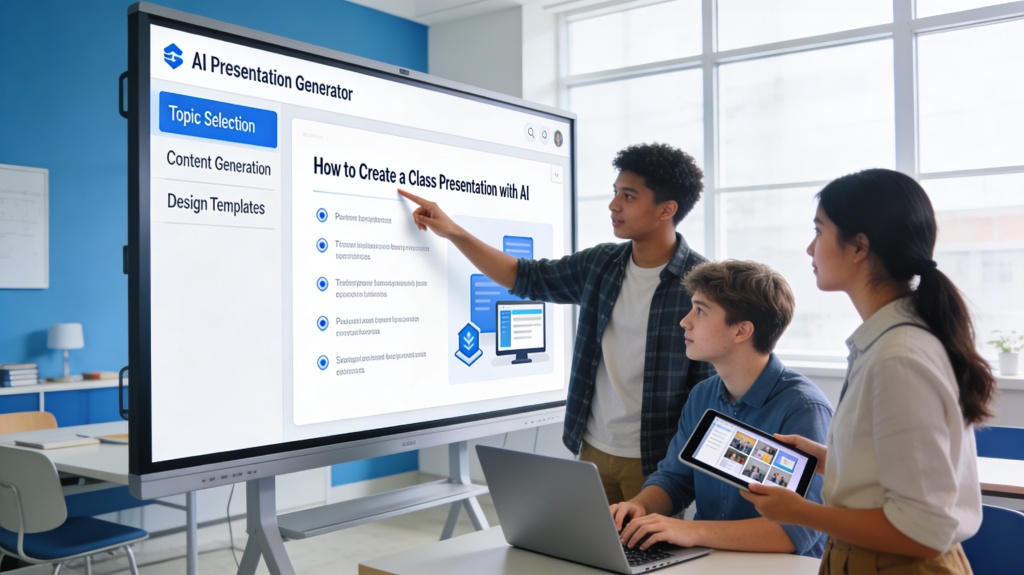
An AI class presentation generator is most useful when a student has a topic but needs a clear deck structure, slide-by-slide plan, and speaking flow. The goal is not to let AI replace your research or voice; the goal is to turn your rubric, notes, and sources into an organized presentation you can understand, edit, and confidently deliver.
This guide is written as a classroom template. It covers who should use the workflow, what the deck should include, what to put on each slide, the prompt to generate a first draft, and examples for real student scenarios.
AI Class Presentation Generator: Who It Helps and When to Use It
This workflow is designed for students who need to explain a topic clearly in front of a class. It works especially well when the assignment has a rubric, a time limit, and a requirement to use sources.
| Student Scenario | What AI Helps With | What You Must Add |
|---|---|---|
| High school history presentation | Timeline, section order, simple explanations, image suggestions. | Textbook evidence, teacher-required dates, your own conclusion. |
| College research seminar | Argument structure, literature summary, slide titles, speaker notes. | Peer-reviewed sources, citations, method details, limitations. |
| Group project presentation | Dividing slides by role, creating a consistent style, drafting transitions. | Team member contributions, practice timing, final source check. |
Recommended Class Presentation Template
Most student presentations work best as a 7 to 10 slide deck. That is enough to explain the topic and evidence without turning the presentation into a written essay.
| Slide | Purpose | What to Put on It |
|---|---|---|
| 1. Title and Question | Frame the presentation. | Topic, class name, your name, and one guiding question. |
| 2. Why It Matters | Give the audience a reason to care. | One short context paragraph, surprising fact, or real-world connection. |
| 3. Background | Explain key terms or timeline. | Definitions, dates, map, diagram, or simple process graphic. |
| 4-6. Main Points | Present your evidence. | One claim per slide, 2-3 bullets, one citation or visual support. |
| 7. Example or Case | Make the topic concrete. | A specific event, experiment, artwork, person, company, or dataset. |
| 8. Conclusion | Answer the guiding question. | Your takeaway, why it matters, and what the class should remember. |
| 9. Sources | Show academic integrity. | 3-5 reliable sources in the format your teacher requires. |

What Each Slide Should Include
Class slides should support what you say, not replace your speech. Keep text short and use speaker notes for the explanation you plan to deliver.
- Slide title: write the point of the slide, not just the category. Use "Plastic waste harms marine food chains" instead of "Problem."
- Body text: use 2-3 bullets or one short paragraph. Avoid copying full source paragraphs into the slide.
- Visual: add a chart, timeline, photo, diagram, map, or quote that helps the audience understand the point.
- Speaker notes: write what you will actually say, including transitions and source explanations.
- Citation: include a small source note if the slide uses a fact, quote, data point, or image from another source.
AI Generation Prompt for a Student Class Deck
Use this prompt after you know your topic, class level, time limit, and teacher requirements. Paste your rubric or assignment notes if you have them.
Create a [NUMBER]-slide class presentation for [GRADE/COLLEGE LEVEL] about [TOPIC]. The presentation must answer this guiding question: [QUESTION]. Audience: classmates and teacher. Time limit: [MINUTES]. Required sections from the rubric: [SECTIONS]. Use a clear student-friendly tone. For each slide, provide a title, 2-3 concise bullets, a suggested visual, speaker notes, and a citation placeholder where sources are needed. Include a final sources slide and mark any claims that need verification.
After the first draft, ask AI to revise for your actual voice: "Make this sound like a student presenting to classmates, not a corporate report." Then verify all facts with your class materials or trusted sources.
Student Examples and Scenarios
Example 1: Biology class presentation on microplastics
Topic: How microplastics affect marine ecosystems. Deck structure: title question, why it matters, what microplastics are, how they enter oceans, impact on food chains, one case study, what students can do, conclusion, sources. Human edit needed: add one recent scientific source and a local example from your region.
Example 2: History presentation on the Harlem Renaissance
Topic: Why the Harlem Renaissance changed American culture. Deck structure: guiding question, historical context, key artists, music and literature examples, social impact, one primary-source quote, conclusion, sources. Human edit needed: add quotes from assigned readings and explain them in your own words.
Academic Integrity Checklist
AI can help you work faster, but school presentations still need your understanding. Before submitting or presenting, check the following:
- Every fact, quote, and statistic is verified with a reliable source.
- The argument is written in your own words and matches what you understand.
- The deck follows the assignment rubric and time limit.
- AI use is disclosed if your teacher or school policy requires it.
- You practiced the presentation enough to explain each slide without reading everything word-for-word.
Fast Student Workflow: Topic to Class PPT in One Draft
If you need a class presentation quickly, start with a narrow topic, required length, and any teacher instructions. PopAi can turn those inputs into a first deck that you review for accuracy, citations, and classroom clarity.
- Paste the assignment: include subject, grade level, slide count, citation style, and deadline.
- Add your source notes: paste textbook notes, article excerpts, or your own outline.
- Choose a student-friendly template: title, agenda, background, three main points, example, conclusion, and references.
- Preview the generated deck: check each slide has one idea, readable text, and space for images.
For example, a biology student can paste notes about photosynthesis and ask for a 7-slide deck with one diagram slide, one vocabulary slide, and one summary slide.
How This Page Connects to the Core AI Presentation Tool
This student classroom guide helps you move from assignment notes to a presentation draft. If you only have a topic, audience, and assignment goal, the make a presentation with AI using only 3 inputs tutorial shows how to create a quick first draft before adding class sources and citations. For bilingual or international class projects, use the multi-language AI presentation generator workflow to localize slides and speaker notes. If you want the broader product workflow for generating and editing slide decks, go to the core AI presentation maker workflow.
Frequently Asked Questions
What is the best way to use an AI class presentation generator?
Use it to build an outline, slide structure, and first draft, then add your own research, citations, examples, and speaker notes before presenting.
Is it cheating to use AI for a class presentation?
It depends on your school's policy. In most cases, using AI for brainstorming, outlining, and design is acceptable if you verify facts, cite sources, and make the final argument your own.
What should each slide in a student presentation include?
Each slide should have one clear idea, a short title, limited bullet points, a relevant visual or source, and speaker notes that explain what you will say.
Create your class presentation draft faster
Use PopAi to turn your topic, rubric, notes, and sources into an editable student presentation draft.
Try PopAi for Free