Presentation Automation AI for Weekly Reports: Draft, Review, Publish
July 14, 2026

The fastest way to automate weekly report slides is not to ask AI for a finished deck from scattered notes. Start with a fixed weekly slide framework, prepare clean inputs, then use an AI presentation tool to draft titles, summaries, bullets, visuals, and speaker notes. After that, a human should verify metrics, context, priorities, and decisions before sharing the deck.
This workflow works especially well for recurring business reviews, marketing updates, sales pipeline reports, project status decks, class recaps, and research updates. AI can reduce blank-page work and formatting time, but it should not approve numbers, invent missing data, or make strategic recommendations without review.
Below is a practical system you can reuse every week: define the recurring structure, collect inputs, prompt the AI clearly, refine the slide narrative, and keep a review checklist so each report is consistent, accurate, and easy to edit.
When you are ready to turn the workflow into slides, PopAi AI Presentation can help transform rough notes, documents, or prompts into an editable deck structure.
What Presentation Automation AI Can Actually Do for Weekly Reports
This section defines the realistic role of AI in recurring weekly presentation reports and where human judgment still matters.
Presentation automation AI means using AI to help draft the structure, summarize source material, suggest slide wording, organize updates, and speed up layout decisions for a presentation. For weekly reports, the goal is usually not full hands-off automation. The goal is to move from scattered inputs to a useful editable deck draft faster.
A good weekly report deck has a predictable rhythm: what happened, what changed, what matters, what is blocked, and what needs a decision. AI can help assemble that rhythm from notes, documents, task updates, meeting transcripts, and metric summaries. It can also turn rough wording into executive-ready bullets or create speaker notes for a presenter who needs a short talk track.
- Turn meeting notes into slide bullets grouped by wins, blockers, risks, and next steps.
- Summarize weekly progress from project updates, client notes, research logs, or campaign recaps.
- Draft an executive summary that highlights the most important movement since last week.
- Group scattered updates by theme, owner, workstream, customer segment, or business objective.
- Suggest slide titles that make the message clear instead of using generic headings like Update or Overview.
- Create first-draft speaker notes for presenters who need to explain the slides in a meeting.
- Recommend simple visual treatments, such as a timeline, checklist, status summary, funnel view, or decision slide.
The main value is compression. Instead of spending an hour copying old slides, rewriting bullets, and deciding what belongs where, you can give AI the recurring structure and this week’s inputs. The tool can produce a draft that you review, trim, and correct.
- Do not blindly automate the interpretation of sensitive performance data.
- Do not ask AI to invent missing numbers, customer quotes, budget changes, or KPI explanations.
- Do not let AI decide final priorities when there are political, financial, legal, or customer-impacting considerations.
- Do not publish AI-generated strategic claims unless a responsible owner has reviewed the evidence.
- Do not assume a polished slide is accurate just because the writing sounds confident.
AI is best used as a drafting assistant for weekly reports, not as the person accountable for the facts.
For example, AI can summarize that three customer calls mentioned onboarding confusion, but a customer success lead should decide whether that means documentation is weak, training is incomplete, the product flow is unclear, or the sample is too small. AI can identify patterns in the material you provide; it should not replace the context owner.
Use AI to draft the report narrative. Use humans to approve numbers, business meaning, risk level, recommended decisions, and anything that will be sent to executives, clients, investors, parents, or students.
Weekly Report AI Workflow: Draft, Review, Publish
“Presentation automation” should not mean fully automatic publishing. A safer workflow is recurring data collection, AI-assisted drafting, human review, then scheduled distribution.
| Workflow step | Input | Owner | AI role | Human review before publishing |
|---|---|---|---|---|
| 1. Data source | Dashboard export, CSV, CRM report, campaign sheet, finance report, support queue. | Data owner | Summarize trends and detect slide-worthy changes. | Confirm the data is complete and from the correct period. |
| 2. Data cleanup | Removed duplicates, corrected labels, consistent dates, approved definitions. | Analyst / ops owner | Suggest structure and highlight missing values. | Fix metric definitions before the AI writes conclusions. |
| 3. Draft generation | Clean data plus prior report format. | Report owner | Create slide outline, titles, variance explanation, and action list. | Check that conclusions follow the numbers. |
| 4. Narrative review | Business context, known events, campaign notes, risks. | Team lead | Improve wording and executive summary. | Add causes AI cannot infer from data alone. |
| 5. Visual review | Charts, tables, screenshots, annotations. | Presenter / designer | Suggest chart titles and slide hierarchy. | Make sure visuals are readable and not misleading. |
| 6. Publish | Approved final deck, distribution list, meeting agenda. | Manager / comms owner | Generate speaker notes or summary email. | Final sign-off before sending or presenting. |
Weekly Report Deck Template
| Slide | What to include | What AI must not decide alone |
|---|---|---|
| Executive summary | 3 changes that matter, 1 risk, 1 next action. | Whether the business is “healthy” without leadership context. |
| KPI scoreboard | Current period, prior period, target, variance. | Metric definitions or data-source trust. |
| Trend analysis | Best/worst movement and likely drivers. | Causality without supporting evidence. |
| Deep dive | One important issue: channel, product, region, customer segment, or team. | Root cause without owner validation. |
| Action tracker | Owner, action, deadline, expected impact. | Commitments on behalf of other teams. |
| Appendix | Raw table, source link, definitions. | Removing caveats that reviewers need. |
Build a Reusable Weekly Report Slide Framework Before You Automate
A fixed slide structure makes AI output more predictable and makes week-to-week comparison easier for your audience.
The biggest mistake in weekly reporting is treating every deck like a new storytelling exercise. A recurring report needs consistency more than novelty. If the audience opens your deck every Friday, they should know where to find the summary, the numbers, the risks, the decisions, and the next actions.
- Title slide: report name, week ending date, team or project, and owner.
- Executive summary: three to five bullets on what changed, what matters, and what needs attention.
- Key metrics: verified KPI movement, status indicators, or qualitative progress if numbers are not available.
- Progress update: completed work, shipped items, published content, closed tasks, or major milestones.
- Risks or blockers: issues that may affect timeline, revenue, quality, learning outcomes, or stakeholder expectations.
- Next-week priorities: the work that will receive attention in the next reporting cycle.
- Decisions needed: approvals, trade-offs, escalations, resource requests, or questions for leadership.
This simple framework is flexible enough for most recurring reports. A sales leader might rename key metrics to Pipeline Movement and decisions needed to Support Needed. A teacher might replace risks with Learning Gaps and next-week priorities with Lesson Focus. The underlying pattern stays the same: summary, evidence, progress, issues, actions.
- Sales pipeline update: title, summary, pipeline changes, priority accounts, objections heard, forecast risks, support needed.
- Marketing campaign report: title, summary, campaign status, channel observations, content output, learnings, upcoming actions.
- Product sprint update: title, summary, completed work, sprint progress, defects or dependencies, next sprint focus, decisions needed.
- Customer success recap: title, summary, account health themes, escalations, renewal risks, customer feedback, follow-up actions.
- Class or research progress report: title, summary, learning progress, experiment or reading status, discussion points, blockers, next tasks.
Deciding what deserves a slide is also important. Weekly decks get bloated when every small task becomes a separate visual. Use slides for information that needs comparison, explanation, decision-making, or visibility. Keep background details, raw notes, long task lists, and source excerpts in an appendix or separate document.
- Give an item its own slide if it changes a decision, priority, risk level, budget, timeline, or stakeholder expectation.
- Keep an item in notes if it is routine, already resolved, too detailed for the audience, or useful only to the task owner.
- Move an item to the appendix if it supports the main point but would slow down the live meeting.
- Delete an item if it is outdated, duplicated, unverified, or not connected to the report purpose.
Keep slide headings consistent from week to week. If last week’s deck used Executive Summary, Key Metrics, Blockers, and Decisions Needed, use the same headings this week. That consistency helps the audience compare progress quickly. It also helps your AI prompt because the tool knows exactly what sections to produce.
Automate the repeatable shape of the deck, not the thinking behind the message. The structure should stay stable; the weekly content should change based on verified inputs.
How to Automate Weekly Report Slides from Notes, Documents, and Metrics
This workflow shows how to turn weekly inputs into an editable AI-generated deck without losing accuracy or control.
The most reliable way to automate weekly report slides is to treat the process like a controlled pipeline. Inputs go in, AI drafts the structure, humans review the meaning, and the final deck is edited for the audience. If the inputs are messy, the deck will be messy. If the prompt is vague, the output will sound generic.
- Collect clean weekly inputs such as meeting notes, KPI summaries, task updates, client feedback, research notes, campaign observations, sales call themes, or excerpts from a weekly document.
- Remove outdated, duplicate, sensitive, confidential, or irrelevant information before pasting or uploading it into an AI tool.
- Prompt the AI with the audience, purpose, tone, slide count, preferred recurring structure, required sections, and any constraints such as do not invent missing metrics.
- Ask for slide-level output with slide titles, concise bullets, suggested visuals, and speaker notes where useful.
- Review the draft for factual accuracy, missing context, weak transitions, overconfident claims, unclear ownership, and slide text that is too dense.
A clean input packet does not need to be beautiful. It only needs to be organized enough for the AI to understand what is source material and what is instruction. You can prepare one weekly input document with headings such as Metrics, Wins, Blockers, Customer Feedback, Important Dates, Decisions Needed, and Notes Not for Slides.
The cleaner the weekly input packet, the less time you spend correcting the deck.
Here is a reusable prompt you can adapt. Replace the placeholders with your real notes and verified metrics.
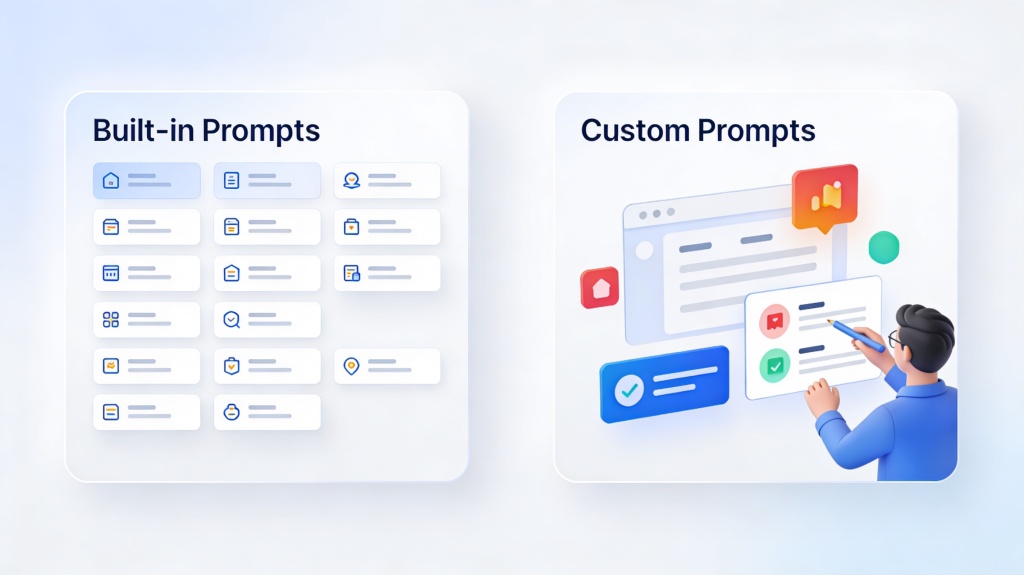
Create a weekly presentation report for a [team/project/class] audience. The purpose is to summarize this week’s progress, highlight important changes, show risks or blockers, and list decisions needed. Use this recurring structure: title slide, executive summary, key metrics or qualitative status, progress update, risks or blockers, next-week priorities, decisions needed. Use a concise professional tone. Create [number] slides. Do not invent missing numbers, names, dates, or performance explanations. If a point is an assumption, label it as an assumption. Include slide titles, three to five bullets per slide, suggested visuals, and brief speaker notes. Source notes: [paste cleaned weekly notes here].
PopAi AI Presentation can fit naturally into this workflow when you need to turn prompts, documents, notes, and rough ideas into a structured editable deck draft. Instead of starting with an empty presentation file, you can provide the weekly input packet and ask for a recurring report structure. The output gives you a starting point for review, trimming, and design refinement.
Workflow example one: a marketing manager has a weekly campaign notes document with content published, channel observations, client comments, and upcoming tasks. They clean the notes by removing internal side comments and unconfirmed numbers. In PopAi AI Presentation, they ask for an eight-slide weekly marketing report using the same structure as last week: summary, campaign status, channel observations, content output, learnings, next actions, and decision requests. PopAi helps produce the editable deck structure, including slide titles and draft bullets. The manager then verifies campaign details, shortens dense text, and adds the final approved visuals.
Workflow example two: a project manager has a status document containing completed tickets, delayed dependencies, meeting decisions, and owner updates. They paste the cleaned notes into PopAi AI Presentation with instructions to produce a leadership-facing update, not a task-level team standup. The draft deck separates completed work from risks, highlights decisions needed, and suggests a simple timeline slide. The project manager then checks dates, removes low-level tasks, confirms blocker owners, and adjusts the tone before sharing.
- Use one source packet per week so the AI does not mix old and current information.
- Label confirmed facts separately from open questions and assumptions.
- Tell the AI what not to include, such as raw task lists, confidential client details, or unresolved speculation.
- Ask for shorter bullets if the first draft reads like a document pasted onto slides.
- Save the final prompt and structure so next week’s deck starts from the same pattern.

Example Weekly Report Decks You Can Create with Recurring PPT AI
These role-based examples show what inputs to provide and what to verify before sharing each weekly deck.
Recurring PPT AI is most useful when the report has a stable purpose but changing weekly content. Below are practical deck patterns for common roles. Use them as starting points, then adjust the slide names and review criteria for your audience.
- Business leadership update: provide leadership meeting notes, verified KPI summaries, major wins, risk notes, budget or resource questions, and decisions needed. Ask AI to create slides for executive summary, performance highlights, risks, decisions needed, and next steps. Humans should verify numbers, strategic interpretation, priority level, confidentiality, and whether a decision truly belongs to leadership.
- Marketing weekly report: provide campaign notes, content shipped, channel observations, audience feedback, experiment notes, planned launches, and approved performance summaries. Ask AI to create slides for campaign status, content output, channel observations, learnings, upcoming actions, and blockers. Humans should verify performance language, attribution claims, client-sensitive details, brand terminology, and whether learnings are supported by evidence.
- Sales weekly report: provide pipeline movement summaries, account notes, common objections, priority deal updates, enablement requests, and forecast context from the sales owner. Ask AI to create slides for pipeline movement, account updates, objections heard, priority deals, risks, and support needed. Humans should verify deal stage accuracy, customer names, revenue figures, forecast confidence, and any commitment implied by the deck.
- Project management report: provide completed work, milestone status, timeline changes, dependency notes, blocker details, owner updates, and decisions required. Ask AI to create slides for completed work, timeline status, blockers, dependencies, next-week plan, and escalation points. Humans should verify dates, owners, dependency status, severity of blockers, and whether the next-week plan is realistic.
- Education or research report: provide weekly learning notes, assignment progress, experiment logs, reading summaries, discussion questions, and next tasks. Ask AI to create slides for learning progress, experiment status, reading summary, discussion points, challenges, and next tasks. Humans should verify academic accuracy, student privacy, citation requirements, research interpretation, and whether the summary oversimplifies complex findings.
A founder can also use this approach for an internal investor-style weekly update. The source packet might include customer conversations, product progress, hiring updates, cash-related notes, and questions for advisors. AI can draft a concise deck with progress, risks, asks, and next-week priorities. The founder still needs to verify sensitive financial context and avoid overstating traction.
Teachers can use the same structure for classroom reporting. A weekly recap deck might include topics covered, misconceptions noticed, examples of student questions, upcoming assignments, and discussion prompts. AI can convert lesson notes into a clean sequence, while the teacher checks tone, curriculum alignment, and student privacy.
- Identify the audience: executives, clients, students, team members, managers, investors, or stakeholders.
- Choose the recurring slide structure that fits the audience’s decision needs.
- Collect only the inputs that support that structure.
- Ask AI to draft the slides using the same section names every week.
- Review the deck against the audience’s likely questions before presenting.
If the weekly deck is mostly a repeatable update, AI can help. If the deck is a one-time crisis response, sensitive board discussion, or complex strategic argument, use AI only for limited drafting and rely more heavily on manual judgment.
How to Write Better Prompts for Automate Weekly Report Slides
Prompt quality determines whether AI gives you a generic deck or a useful recurring report draft.
Vague prompts produce vague decks. If you ask AI to make a weekly report from notes, it may create a polished but generic sequence that does not match your audience, your recurring format, or your actual decision needs. A stronger prompt tells the tool who the deck is for, what the audience needs to decide, which sections to use, and how to treat missing information.
- Role: tell the AI what perspective to use, such as project manager, sales lead, instructor, founder, or marketing manager.
- Audience: specify whether the deck is for executives, clients, internal teammates, students, parents, investors, or cross-functional partners.
- Purpose: state the outcome, such as summarize progress, request decisions, identify risks, or prepare for a weekly review meeting.
- Inputs: paste clean weekly notes, document excerpts, verified metric summaries, or task updates.
- Slide structure: provide the recurring slide headings you want every week.
- Tone: choose concise executive, client-ready, instructional, analytical, or internal team tone.
- Slide count: set a target so the output does not become too long.
- Must-include sections: specify metrics, blockers, decisions, owners, risks, next-week priorities, or discussion questions.
- Review constraints: tell the AI not to invent missing facts and to separate confirmed facts from assumptions.
Act as [role]. Create a weekly presentation report for [audience]. The goal is [purpose]. Use these inputs: [clean notes]. Follow this slide structure: [recurring sections]. Use a [tone] tone. Create [slide count] slides. Include [must-have items]. Do not invent missing data. Separate confirmed facts from assumptions. Keep each slide concise.
If you already have a deck format from last week, tell the AI to preserve the structure. You can say: Preserve last week’s report format and update the content using this week’s notes. Keep the same slide headings unless a section has no verified update. Do not carry over old claims unless they are present in the new source notes.
This instruction is important because recurring decks often contain old phrasing that should not be reused automatically. If last week’s report said a launch was at risk, this week’s report should not repeat that risk unless the current notes confirm it. AI can help maintain format, but you should make the source-of-truth rules explicit.
- For executive reports: ask for the top three changes, decision points, risks, and business implications; request concise wording and no task-level detail.
- For client-facing reports: ask for clear progress, next steps, open questions, and neutral wording; remove internal-only concerns before prompting.
- For internal team reports: ask for owners, blockers, dependencies, and action items; keep the tone direct and operational.
- For classroom reports: ask for learning objectives, progress, misconceptions, discussion prompts, and next tasks; avoid student-identifying information.
- For sales reports: ask for pipeline movement, objections, account themes, risks, and support needed; require verification of any deal value or stage before sharing.
When the output is too dense, do not manually delete text slide by slide. Ask AI to rewrite the deck with shorter slide text. A useful refinement is: Reduce each slide to one headline takeaway and three supporting bullets. Move background details into speaker notes. Keep decision slides explicit and action-oriented.
A good weekly report prompt gives AI boundaries, not just instructions.
Mistakes to Avoid When Using AI for Recurring Presentation Reports
Avoid these common errors to keep AI-generated weekly decks accurate, readable, and safe to share.
AI can make weekly reporting faster, but it can also make mistakes look polished. A clean layout and confident wording may hide weak assumptions, outdated context, or unverified claims. The best workflow includes a deliberate review step before the deck reaches the audience.
- Avoid uploading messy inputs without cleaning them first. Duplicate notes, unresolved comments, and old information can appear in the final slides.
- Avoid asking AI to invent numbers, explain trends without context, or fill in missing performance data.
- Avoid using the same generic prompt for every audience. Executives, clients, students, and internal teams need different levels of detail.
- Avoid accepting AI-generated recommendations without reviewing business constraints, customer context, classroom goals, or project realities.
- Avoid overloading slides with text just because AI can summarize a large amount of information.
- Avoid leaving confidential names, deal details, student information, or internal risk notes in source material that does not belong in the deck.
- Avoid reusing last week’s wording automatically when the current situation has changed.
One practical safeguard is to divide the review into two passes. The first pass is for accuracy: numbers, names, dates, owners, status labels, claims, and decisions. The second pass is for communication: slide flow, wording, visual clarity, audience fit, and whether the deck answers the expected questions.
- Verify every metric, date, name, account, project, experiment, or class reference.
- Confirm that the deck uses the latest source material, not old copied language.
- Check confidential information and remove anything the audience should not see.
- Simplify slide text so each slide has one main point.
- Align visuals with the message; do not use charts or icons that imply unsupported precision.
- Confirm action items, owners, and deadlines with the responsible people.
- Review recommendations and decisions with the person accountable for the outcome.
- Export or share the final deck only after the owner approves it.
If you cannot explain where a slide claim came from, do not present it as fact. Either verify it, label it as an assumption, or remove it.
Also watch for over-formatting. A weekly report is usually a decision-support document, not a design showcase. Consistent headings, readable bullets, and clear status indicators matter more than decorative layouts. AI can suggest visuals, but your final design should help the audience understand what changed and what to do next.

When to Use PopAi AI Presentation for Weekly Report Automation
PopAi is a good fit when you need a faster path from rough weekly inputs to an editable presentation draft.
PopAi AI Presentation is useful for teams and individuals who want to turn prompts, notes, documents, and rough ideas into a structured deck without starting from a blank slide. That makes it relevant for weekly reporting because the source material is often scattered: meeting notes in one place, metric summaries in another, task updates in a tracker, and decision requests in messages.
The strongest fit is not fully automatic publishing. The stronger fit is draft creation. You give PopAi the recurring report framework, the audience, and the cleaned weekly input packet. PopAi helps create the slide outline, organize the sections, and draft editable content. You then review the deck, verify the facts, and refine the message before presenting.
- Weekly team updates where the same sections repeat and the content changes every cycle.
- Document-based summaries where a long report, meeting recap, or research note needs to become a slide deck.
- Class or research recaps where notes need to become a structured learning or progress presentation.
- Sales and marketing report drafts where scattered updates need to be grouped into themes.
- Product, operations, or project status reports where blockers, decisions, and next steps need clearer visibility.
- Early-stage pitch or business update decks where rough ideas need a presentable starting structure.
A practical PopAi workflow for a sales lead might look like this: collect the weekly account updates, remove confidential side comments, label verified pipeline changes, and paste the cleaned notes into PopAi AI Presentation. Ask for a leadership-facing deck with slides for summary, pipeline movement, priority deals, objections heard, risks, and support needed. After the draft is created, the sales lead verifies account names, deal stages, forecast language, and any support request before sharing.
A practical PopAi workflow for a teacher or researcher might look like this: gather weekly reading notes, experiment progress, discussion questions, and upcoming tasks. Ask PopAi to create a concise progress deck with learning objectives, weekly progress, findings or observations, discussion points, challenges, and next steps. The teacher or researcher then checks academic accuracy, removes private information, and adjusts the content for the class or lab audience.
Use PopAi together with a fixed weekly report framework and a human review checklist. The tool can reduce blank-page work, but the report owner should still approve the message.
The balanced caveat is simple: verify all metrics, sensitive claims, and strategic recommendations before presenting. Presentation automation AI can help you create recurring weekly decks faster, but the final report should still reflect the judgment of the person responsible for the work.
The best weekly reporting workflow combines AI speed with human accountability.
FAQ
Can AI fully automate weekly presentation reports?
AI can automate drafting, summarizing, structuring, slide creation, and speaker-note preparation, but it should not fully replace human review. A person still needs to verify facts, metrics, context, priorities, recommendations, confidential information, and final approval.
What should I prepare before using AI to create recurring report slides?
Prepare clean weekly inputs, audience context, the report purpose, verified metrics, key decisions needed, recurring slide headings, tone preferences, and any information that should be excluded. Remove outdated, duplicate, sensitive, or irrelevant material before using an AI presentation tool.
How do I keep AI-generated weekly reports consistent?
Use the same recurring slide framework, prompt template, naming conventions, source-material format, and review checklist every week. Keep slide headings stable so the audience can compare progress easily, then update only the weekly content.
Can AI turn a document into a weekly presentation report?
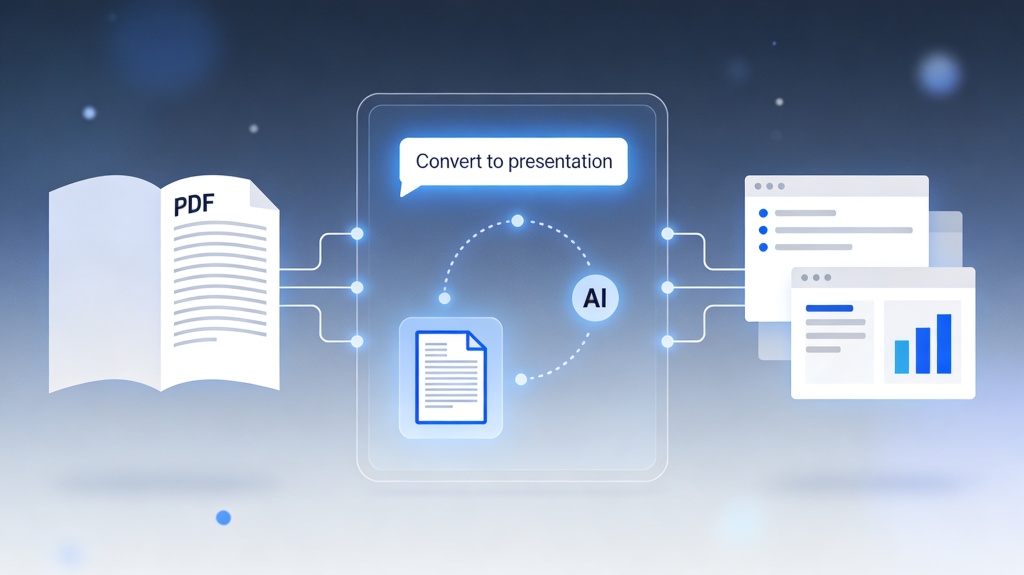
Yes. AI presentation tools can summarize a document into slide-ready sections, draft titles and bullets, and suggest a report flow. You should still remove irrelevant details, verify important facts, and edit the final narrative so it fits the audience.
What is the best prompt for automate weekly report slides?
Use this template: Create a weekly presentation report for [audience] to [goal]. Use these source notes: [notes]. Follow this structure: [slide sections]. Create [number] slides in a [tone] tone. Include key updates, risks, next steps, and decisions needed. Do not invent missing data; label assumptions separately.
Create your presentation with one click now
Turn weekly notes, documents, and updates into an editable report deck faster with PopAi AI Presentation.
Try PopAi AI Presentation