Nonprofit Fundraising Deck AI Workflow for Donor-Ready Slides
July 14, 2026
A strong nonprofit fundraising deck helps a supporter understand the need, trust your solution, and see exactly how their funding can help. AI can speed up the hard first step by turning annual reports, grant notes, program summaries, budgets, and rough ideas into a structured deck draft instead of forcing your team to start from a blank slide.
The best use of nonprofit fundraising deck AI is not to let a tool invent your story. It is to organize your real materials into a donor-ready flow, suggest clearer slide titles, summarize long documents, and create an editable presentation that staff can verify, humanize, and adapt for each audience.
This guide shows the slides to include, what to prepare before using AI, how to build the deck step by step, how to adapt it for individual donors, foundations, corporate sponsors, and board members, and which parts always need human review.
When you are ready to turn the workflow into slides, PopAi AI Presentation can help transform rough notes, documents, or prompts into an editable deck structure.
What a Winning Nonprofit Fundraising Deck Needs to Prove
Before choosing a tool or template, define what the deck must prove to move a supporter toward action.
A fundraising deck is not the same as a general organization overview. An awareness presentation may explain who you are, list programs, and show community presence. A fundraising deck has a sharper job: it must help a donor decide whether the problem is urgent, whether your organization is credible, whether the funding request is clear, and whether the next step is worth taking.
That difference matters because many nonprofit decks become internal summaries. They include staff history, program names, long timelines, and annual-report language, but they do not answer the donor’s practical questions: Why now? Why this organization? Why this amount? What changes if I say yes?
- Urgent need: the deck should show the problem in plain language and explain why it matters now.
- Credible program model: donors should understand what your organization actually does, for whom, and through what approach.
- Impact evidence: use verified numbers when available, and use honest qualitative evidence when exact metrics are not yet established.
- Capable team: show the experience, partnerships, governance, or community trust that make execution believable.
- Clear funding request: explain the gap, opportunity, campaign, or project that requires support.
- Specific next step: make it easy for the donor, grantmaker, sponsor, or board supporter to know what action is being requested.
AI can help organize these proof points, but it cannot know your real program truth unless you provide it. A tool may draft a polished sentence such as “we transform lives through innovative community solutions,” but that line does not prove much. A stronger deck says what you do in concrete terms: provide after-school tutoring, connect families to housing navigation, train peer mentors, operate a food distribution route, or support caregivers through respite services.
For sensitive nonprofit work, qualitative wording is often better than inflated certainty. If your team does not have verified outcome metrics, do not let AI create them. Use language such as “program staff observe,” “participants have reported,” “community partners describe,” or “early feedback suggests” only when those statements are true and documented internally.
After reviewing the deck, a supporter should be able to repeat the problem, the solution, the funding need, and the requested action in one minute.
AI can structure the argument, but the nonprofit must supply the facts, the ethics, the lived context, and the relationship strategy.
Nonprofit Fundraising Deck Template for Donor-Ready Slides
A fundraising deck must be emotionally clear and evidence-based. AI can help organize the story, but impact metrics, beneficiary statements, budget details, and funding asks must be truthful and traceable.
| Slide | Purpose | Content to include | Data / authenticity check |
|---|---|---|---|
| 1. Mission and opening story | Create emotional context. | Mission, community served, one approved story or scenario. | Get permission for real stories; anonymize when needed. |
| 2. Problem | Show why the work is urgent. | Need, gap, affected population, local context. | Use current data and cite the source. |
| 3. Beneficiaries | Make the audience understand who is helped. | Demographics, geography, eligibility, lived experience. | Avoid stereotypes or exploitative imagery. |
| 4. Program model | Explain what the nonprofit actually does. | Activities, partners, delivery model, timeline. | Confirm operational accuracy with program staff. |
| 5. Impact metrics | Prove progress. | Outputs, outcomes, cost per beneficiary, year-over-year change. | Tie every number to a source and date. |
| 6. Funding need | Show the gap. | Budget shortfall, program expansion, capacity need. | Finance team validates the amount. |
| 7. Use of funds | Make the ask concrete. | $25k funds X, $100k funds Y, $500k funds Z. | Avoid vague “support our mission” language. |
| 8. Credibility | Build trust. | Partners, governance, audited financials, testimonials, awards. | Use approved logos and quotes. |
| 9. Call to action | Ask clearly. | Donation amount, meeting request, pledge path, partnership next step. | Make the ask specific and actionable. |
The Essential Slide Structure for a Nonprofit Fundraising Deck
Use a donor-focused sequence that builds trust before asking for support.
A professional presentation does not need to be long to be persuasive. In many live donor meetings, the main deck should be concise enough to support conversation rather than replace it. Detailed budgets, evaluation methods, research background, staff bios, and program history can move into an appendix so the core story stays clear.
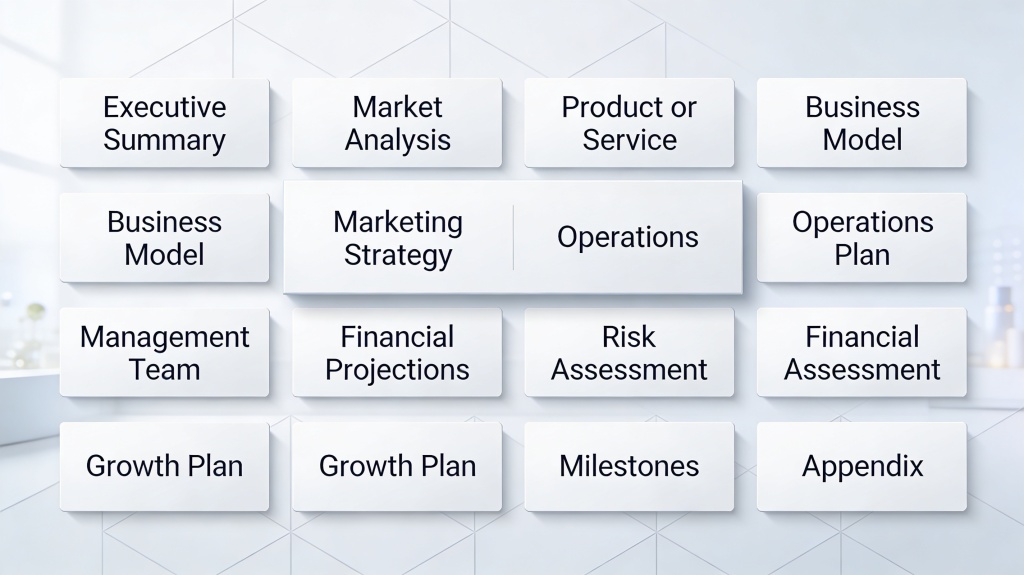
- Title slide: name the campaign, project, or funding opportunity clearly, not just the organization name.
- Mission snapshot: explain who you serve, what you do, and what change you work toward in simple language.
- Problem slide: define the need and why it is urgent for the community or population you serve.
- Community or beneficiary context: add local context, lived reality, barriers, or service gaps without reducing people to hardship.
- Solution or program model: show how your work addresses the problem through a clear set of activities or services.
- Proof of impact: include verified outcomes, qualitative feedback, case context, partner observations, or progress indicators.
- Funding gap or opportunity: explain what is not yet funded, what demand is increasing, or what opportunity could be acted on now.
- Use of funds: connect donor support to concrete activities, capacity, materials, staffing, services, or implementation needs.
- Team and partners: show why your organization can deliver through staff expertise, board support, community trust, or collaborations.
- Donor role: describe how the funder fits into the solution rather than treating support as a generic transaction.
- Call to action: state the requested next step, such as a gift conversation, proposal invitation, sponsorship package, site visit, or board introduction.
- Appendix: include backup details such as budget notes, methodology, program timeline, evaluation plan, partner list, or deeper organizational background.
Each slide should answer a donor question. The problem slide answers “Why does this matter?” The solution slide answers “What are you doing about it?” The impact slide answers “How do we know this is credible?” The use-of-funds slide answers “What will my support make possible?” This framing keeps the presentation from sounding like an internal report.
AI presentation templates are useful for this structure because they help create consistent slide hierarchy, section flow, layout balance, and visual polish. Templates can prevent every slide from becoming a wall of text. They can also help a small nonprofit create a professional-looking deck when no designer is available.
- Use one main message per slide.
- Turn internal headings into donor-focused claims, such as “A preventable service gap is leaving families without support” instead of “Community Need.”
- Reserve dense budget lines for the appendix and summarize the funding request in plain language in the main deck.
- Use visuals only when they clarify the story, not just to decorate the slide.
- Avoid imagery or stories that make beneficiaries look helpless, anonymous, or defined only by crisis.
If your work involves children, health, housing insecurity, violence, immigration status, or other sensitive issues, review every story, image, and detail for consent, dignity, privacy, and context before presenting.
How to Prepare Your Nonprofit Materials Before Using AI
Better inputs produce a more accurate AI draft and reduce the risk of generic or incorrect slides.
Most nonprofit teams already have the raw material for a strong fundraising deck. The problem is that it lives across annual reports, grant proposals, board packets, program updates, budget spreadsheets, staff notes, campaign one-pagers, and email threads. Before using an AI presentation tool, gather the materials that explain your mission, your program model, your evidence, and your ask.
- Mission statement and short organization description.
- Program descriptions written for external audiences.
- Recent annual report or impact update.
- Grant proposal excerpts that explain need, activities, outcomes, and evaluation.
- Board notes or strategy summaries that describe priorities and funding gaps.
- Budget summary or campaign funding need approved for external use.
- Donor one-pager, sponsorship brief, or case for support.
- Approved testimonials, quotes, or stories with documented permission.
- Recent campaign goals, event objectives, or meeting context.
- Brand guidance such as logo use, colors, tone, and terms your organization prefers or avoids.
Do not upload everything without filtering. AI is more useful when you provide a clean package: the audience, the objective, the key facts, the restricted claims, the desired tone, and the source material. If you feed it a long folder of unrelated content, it may overemphasize old programs, minor details, or internal language that does not belong in a donor deck.
- Create a short brief that says who the deck is for, such as a major donor, foundation officer, corporate sponsor, or board prospect.
- State the fundraising goal or meeting objective in plain language.
- Paste or upload only approved source materials that are relevant to the deck.
- Separate verified facts from draft messaging so your team can fact-check the AI output later.
- List claims the AI must not make, such as unverified outcomes, confidential donor details, private beneficiary information, or funding commitments not yet confirmed.
- Define the desired tone, such as warm and direct, evidence-led, community-centered, or board-level strategic.
- Specify the deck length and whether you want an appendix.
A strong input prompt might say: “Create a 12-slide fundraising deck outline for a small nonprofit seeking support from individual major donors. Use the attached program summary, budget overview, and approved story notes. The tone should be warm, specific, and respectful. Do not invent metrics, donor quotes, beneficiary names, partnerships, or outcomes. Place detailed budget notes in an appendix.”
Do not paste confidential donor data, private beneficiary details, medical information, case notes, or unapproved sensitive content into any AI tool unless your organization’s privacy policy and tool agreement allow it.
Treat AI inputs like materials you would hand to a temporary consultant: helpful, focused, and cleared for the purpose.
Step-by-Step Workflow: Build a Fundraising Deck with AI
This example workflow shows how to move from scattered nonprofit materials to an editable deck draft without surrendering accuracy or voice.
The following is an example workflow, not a guaranteed result or a verified case study. It is designed for a nonprofit team that has real source materials but limited time and design support. PopAi AI Presentation fits this workflow because it can help turn documents, notes, prompts, and rough ideas into a structured presentation draft that the team can edit.
- Define the donor audience and ask. Decide whether the deck is for a foundation program officer, individual donor, corporate sponsor, board member, or mixed committee. Write the request clearly: general operating support, a campaign gift, program expansion funding, sponsorship, matching gift, or introductions.
- Prepare a focused AI brief. Include nonprofit context, audience, meeting setting, desired deck length, tone, must-use facts, restricted claims, and source materials. For example, ask for a 10-slide deck for a 30-minute donor meeting with a two-slide appendix.
- Generate the deck outline first. Before creating full slides, ask the AI for slide titles, slide purpose, key message, and suggested evidence. This catches missing logic early. If the funding request appears before the need is clear, reorder it.
- Use PopAi AI Presentation to create the first draft. Upload or paste approved notes, annual report excerpts, program summaries, or grant narrative content, then generate a structured deck draft. Use the output as a starting point, not a final donor presentation.
- Revise slide titles into persuasive claims. Change vague headings like “Our Programs” to accurate, donor-focused claims such as “How We Help Families Move from Crisis to Stability” or “A Community-Based Model for Reducing Service Barriers.” Only use a claim if your program can support it.
- Replace generic AI wording. Remove phrases like “making a difference” or “empowering communities” unless you define what they mean. Add your organization’s actual services, language, community context, and approved examples.
- Add authentic visuals and evidence. Use approved program photos, simple diagrams, maps, partner logos, or charts only when they clarify the donor decision. Keep chart labels plain and readable.
- Review every factual element. Check claims, numbers, names, dates, partner references, permissions, budget details, donor-specific language, and legal or ethical sensitivities before sharing the deck.
- Create audience-specific versions. Save the base deck, then adapt the emphasis for individual donors, foundations, sponsors, or board members rather than sending the same version to everyone.
A realistic PopAi workflow for a development manager might look like this: the manager has a two-page campaign brief, a program director’s notes, and a recent board-approved budget summary. They use PopAi AI Presentation to generate an outline for a 12-slide donor meeting deck. After reviewing the outline, they ask for the full deck draft, then edit slide titles, remove unapproved claims, and add a staff-approved participant story. The value is not that AI “knows” the nonprofit; the value is that it accelerates structure, slide flow, and first-pass wording.
Another realistic PopAi workflow is for a program lead preparing for a foundation conversation. The lead uploads a grant narrative excerpt, evaluation notes, and a short program model description. PopAi helps convert the dense proposal language into presentation-ready slides: need, model, evaluation approach, funding request, and appendix. The team then rewrites the language to match the foundation’s priorities and verifies that all evaluation claims are accurate.
- Use AI for structure, summarization, wording options, and visual draft direction.
- Use staff judgment for program accuracy, community context, sensitive stories, and donor relationship strategy.
- Use financial review for budgets, restricted funding language, and use-of-funds claims.
- Use leadership review for public commitments, strategic positioning, and high-value donor asks.
Ask AI for an outline before slides. A beautiful deck with weak logic is harder to fix than a plain outline with the right fundraising argument.
Example Workflows for Different Fundraising Audiences
The same nonprofit story should be adapted for different funders because each audience evaluates value differently.
The scenarios below are realistic workflows, not stories about actual organizations or verified outcomes. They show how a base nonprofit presentation can be adapted using AI without pretending that every audience needs the same message.
Individual donor scenario: a small community nonprofit is preparing for a 25-minute meeting with a potential major donor who was introduced by a board member. The persona is a development manager with limited design support and a short deadline. The pain points are emotional clarity, avoiding too much program detail, and making the giving opportunity specific without sounding transactional.
- Feed PopAi AI Presentation a brief describing the donor meeting, the campaign goal, the approved story notes, and the desired tone: warm, direct, and respectful.
- Generate a first outline with emphasis on mission snapshot, community need, one human-centered story arc, program response, funding opportunity, and next step.
- Edit the AI-generated story language for dignity and accuracy, removing any invented details or overly dramatic phrasing.
- Create slides that make the donor’s role concrete, such as supporting a defined service area, expanding access, or helping close a specific campaign gap.
- End with a conversational next step, such as a follow-up gift discussion, site visit, or introduction to the executive director.
Expected deck output: a concise, relationship-oriented deck that supports conversation. The reusable recommendation is to lead with a human connection, but never at the expense of consent, dignity, or truth. The deck should help the donor feel invited into a credible solution, not pressured by a generic emotional appeal.
Foundation grant scenario: a program director is preparing slides for a meeting with a foundation program officer after submitting an inquiry. The persona needs to explain program fit, evidence, evaluation, and sustainability. The pain points are compressing proposal language, showing logic clearly, and avoiding unsupported impact claims.
- Upload approved grant proposal excerpts, program model notes, evaluation plan language, and budget summary.
- Ask the AI to produce an outline focused on need, alignment with foundation priorities, model, evidence, evaluation, sustainability, and funding request.
- Use AI to summarize dense paragraphs into slide bullets, then have program staff verify that no claim has been overstated.
- Add a simple program model diagram showing inputs, activities, short-term indicators, and intended outcomes.
- Place technical methodology, detailed budget notes, and full evaluation language in the appendix.
Expected deck output: an evidence-led deck that makes it easy for the program officer to understand fit and feasibility. The reusable recommendation is to make the logic model visible. Foundations often need to see not only why the issue matters, but how the proposed work will be implemented and assessed.
Corporate sponsor scenario: a communications lead is preparing a sponsorship deck for a local company interested in community engagement. The persona needs a professional presentation that balances mission integrity with sponsor visibility. The pain points are avoiding vague “brand exposure” promises, keeping the language brand-safe, and showing how employees or customers can participate.
- Provide the AI tool with event or campaign details, sponsorship levels if approved, audience profile, brand guidelines, and restrictions on logo or visibility claims.
- Ask for a deck structure that includes community need, partnership fit, sponsorship opportunity, visibility options, employee engagement ideas, and next steps.
- Rewrite AI-generated sponsor language to avoid overpromising reach, impressions, or public recognition unless those details are verified and approved.
- Add examples of appropriate sponsor involvement, such as volunteer days, matching gifts, event underwriting, resource drives, or educational sessions.
- Use clean layouts and concise bullets so the deck feels easy for corporate decision-makers to circulate internally.
Expected deck output: a partnership-focused deck that shows alignment without turning the mission into an advertising product. The reusable recommendation is to frame sponsorship as a values-aligned community partnership, with clear boundaries and approved benefits.
Board fundraising scenario: an executive director is preparing a deck for board members who need to help open doors during a campaign. The persona needs to clarify the strategic funding gap and define board roles. The pain points are making the ask specific, avoiding guilt-based messaging, and turning strategy into action.
- Give the AI a campaign summary, board-approved funding priorities, timeline, prospect categories, and requested board actions.
- Generate an outline focused on strategic gap, campaign timeline, donor segments, board member roles, talking points, and follow-up process.
- Edit the deck so it speaks to governance and relationship-building rather than presenting board members as generic donors.
- Add a slide with specific actions: identify prospects, make introductions, host small gatherings, accompany staff in meetings, or thank donors.
- Include an appendix with talking points, sample outreach language, and a list of materials available to board members.
Expected deck output: a practical mobilization deck that helps board members understand what to do next. The reusable recommendation is to remove ambiguity. Board members are more likely to help when the role is concrete and the support process is clear.
- Individual donors usually need emotional clarity, personal relevance, and a clear giving opportunity.
- Foundations usually need program fit, evidence, evaluation, and sustainability.
- Corporate sponsors usually need alignment, visibility boundaries, employee engagement options, and brand-safe language.
- Board members usually need strategic context, campaign timeline, warm introduction guidance, and specific roles.
Use one base deck as the foundation, but never reuse it unchanged for every audience.
How to Make an AI-Generated Nonprofit Presentation Feel Human and Credible
AI drafts become persuasive when you replace generic language with specific mission truth, ethical stories, and clear evidence.
Many AI-generated nonprofit slides sound polished but empty. Phrases like “driving impact,” “empowering change,” “transforming communities,” and “making a difference” are easy to generate because they are common. They are also forgettable unless the deck explains what the organization actually does.
- Replace “making a difference” with the specific service, such as “providing weekly legal navigation clinics for tenants facing eviction.”
- Replace “empowering youth” with the actual model, such as “pairing students with trained mentors and after-school academic support.”
- Replace “serving the community” with a clear audience and location when appropriate and approved.
- Replace “proven impact” with verified outcomes or careful qualitative language if exact figures are not available.
- Replace “urgent need” with a concrete barrier, gap, waitlist pressure, policy change, cost increase, or community challenge your team can document.
A strong nonprofit story arc usually follows a simple pattern: problem, human stakes, intervention, progress, funding need, donor action. The arc should not manipulate the audience or oversimplify people’s lives. It should help donors understand why the issue matters, how your organization responds, and what support makes possible.
Approved beneficiary stories can help, but they require care. Use permissioned stories, composite examples only if your organization allows and labels them appropriately, or staff-observed scenarios that do not expose private details. In many cases, a staff insight or partner observation can be more ethical than a personal story.
When exact data is limited, be transparent. You can still build credibility through program logic, community context, early feedback, partner observations, demand signals, participation trends, staff expertise, and evaluation plans. Do not let the absence of perfect metrics lead to invented numbers. Donors can accept honest early-stage evidence; they are less likely to accept inflated claims if discovered later.
- Read each AI-generated slide title and ask: is this a real claim we can support?
- Underline every number, date, quote, name, partner, and outcome for fact-checking.
- Replace broad adjectives with evidence or concrete detail.
- Add one approved example that shows the work in practice.
- Remove any line that sounds like any nonprofit could say it.
- Read the deck aloud and check whether it sounds like your organization’s real voice.
Design also affects credibility. A deck can be accurate and still feel hard to trust if slides are cluttered, text is tiny, charts are confusing, or contrast is low. Accessible design helps donors focus on the decision rather than decoding the slide.
- Use readable text sizes and avoid dense paragraphs.
- Maintain high contrast between text and background.
- Use plain-language headings that state the slide’s point.
- Limit each slide to one core message.
- Label charts clearly and explain what the viewer should notice.
- Avoid decorative icons that distract from the funding story.
- Use approved photos that respect dignity, consent, and context.
If a sentence could appear unchanged in any nonprofit’s deck, rewrite it with your actual community, program, evidence, or funding need.

Mistakes to Avoid When Using AI for a Nonprofit Fundraising Deck
AI can reduce drafting time, but it can also create trust risks when teams skip review or let generic claims stand.
The most serious mistake is allowing AI to invent or exaggerate. A fundraising deck depends on trust. Do not create impact numbers, donor quotes, beneficiary stories, partnerships, funding commitments, program outcomes, or evaluation results that are not verified. Even small embellishments can damage credibility.
- Do not invent metrics, testimonials, case stories, or partner endorsements.
- Do not make one deck serve donors, foundations, sponsors, volunteers, and board members at the same time.
- Do not paste annual-report paragraphs directly onto slides without turning them into donor decisions.
- Do not use emotional storytelling without consent, dignity, and context.
- Do not present an AI draft without staff review, program review, financial review, and leadership approval when needed.
- Do not assume a polished template means the message is strategically sound.
Another common mistake is keeping the deck too broad. A foundation officer, a corporate sponsor, and an individual donor may care about the same mission, but they evaluate the opportunity differently. If your deck tries to satisfy all of them at once, it often becomes vague. Use the AI-generated base deck as a starting point, then create audience-specific versions.
AI is best used for structure, summarization, wording options, and design drafts. It should not replace ethical judgment, financial accuracy, program expertise, or relationship-building. A tool can suggest a call-to-action slide, but your team must decide what ask is appropriate for that donor relationship.
- Program review: confirm that service descriptions, beneficiary context, and model explanations are accurate.
- Finance review: confirm budget totals, funding gaps, restrictions, and use-of-funds language.
- Development review: confirm donor-specific framing, ask level, relationship context, and follow-up plan.
- Communications review: confirm tone, brand voice, image permissions, and public claims.
- Leadership review: confirm strategic positioning, commitments, and sensitive content.
Use this nonprofit fundraising deck AI process to get from scattered materials to a structured draft faster, then rely on human review to protect accuracy, dignity, and donor trust.
FAQ
Can AI create a complete nonprofit fundraising deck from our annual report?
AI can summarize and structure annual report content into presentation-ready slides, especially if the report includes mission, programs, impact updates, and financial context. Your team should still refine the donor ask, remove irrelevant details, verify every fact, and adapt the message for the specific audience.
What should we put in a nonprofit fundraising deck if we do not have strong impact data yet?
Use transparent qualitative evidence instead of inventing metrics. Include the community need, program logic, early indicators, participant or partner feedback when approved, staff observations, demand signals, and your evaluation plan. Be clear about what is known, what is emerging, and what funding will help you learn or deliver.
How long should a nonprofit fundraising presentation be?
For live meetings, keep the main deck concise enough to support conversation and place detailed budgets, methodology, program history, evaluation plans, and supporting evidence in an appendix. The right length depends on the meeting format, audience, and complexity of the funding request.
Are AI presentation templates enough for a professional nonprofit presentation?
Templates can improve structure, layout consistency, and visual polish, but they are not enough by themselves. A strong nonprofit deck still needs authentic stories, accurate funding details, audience-specific framing, approved visuals, ethical review, and a clear call to action.
How can PopAi AI Presentation help a small nonprofit with limited design resources?
PopAi AI Presentation can help a small team move from notes, documents, or rough ideas to an editable deck structure faster. It is useful for creating a professional starting point from annual reports, grant excerpts, program summaries, or campaign notes while keeping staff in control of facts, tone, and donor messaging.
Create your presentation with one click now
Turn your nonprofit notes and reports into an editable donor-ready deck draft, then refine it with your real stories, facts, and ask.
Try PopAi AI Presentation