Legal Presentation AI for Lawyers and Legal Teams
July 14, 2026
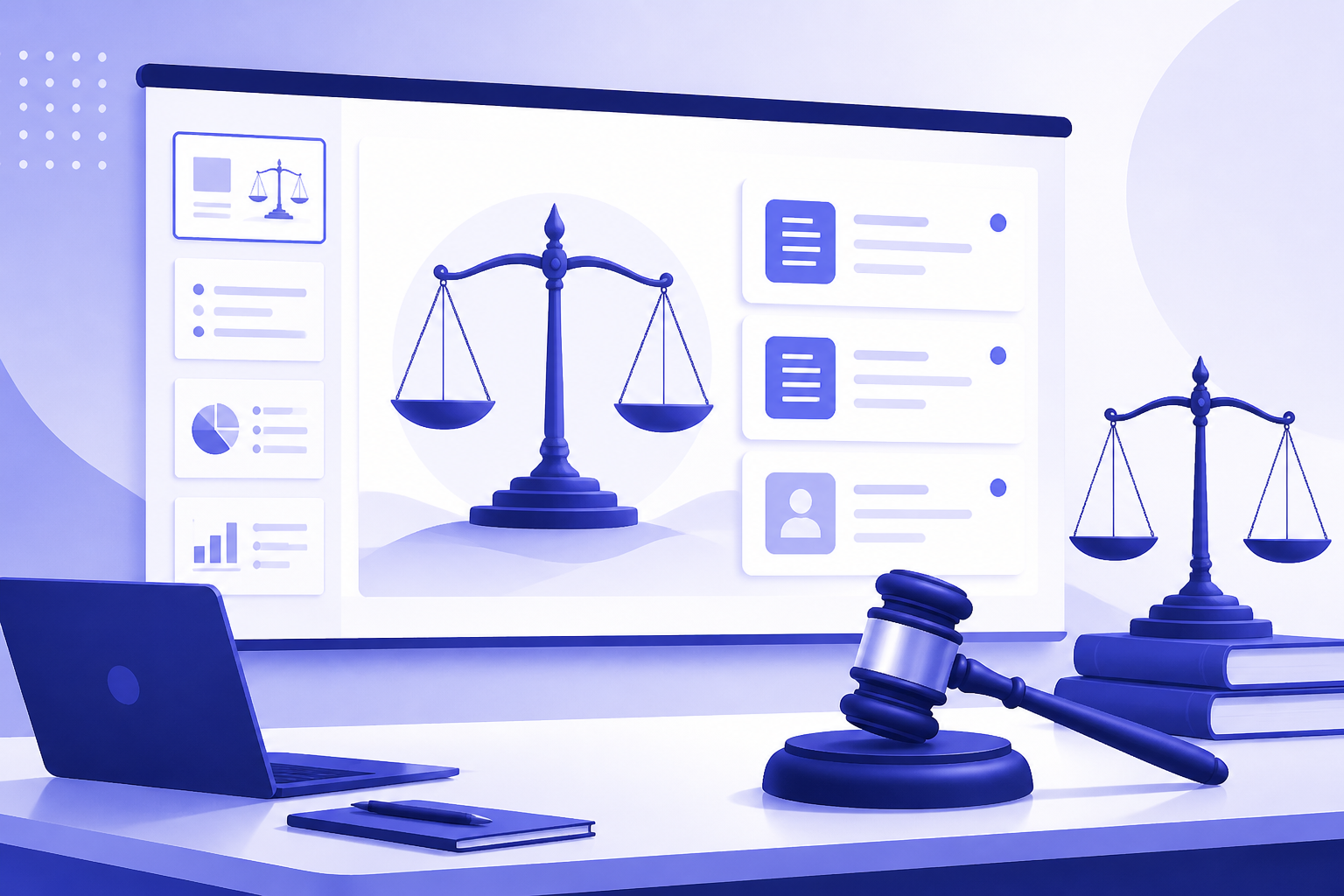
AI can help lawyers create presentations faster, but it should not be treated as a substitute for legal judgment. The safest role for legal presentation AI is to organize source material, draft slide outlines, simplify dense language, and reduce formatting work while lawyers control accuracy, privilege, confidentiality, strategy, and final wording.
Legal teams can use AI for client matter updates, internal case briefings, compliance training, CLE decks, policy rollouts, settlement discussion visuals, legal operations reports, and law firm pitch materials. The key is to start with the presentation purpose, redact sensitive inputs when needed, generate an outline first, and verify every legal statement against approved sources.
This guide gives lawyers, in-house counsel, paralegals, legal operations teams, and law firm marketers a supervised workflow for using an ai ppt maker responsibly, including realistic PopAi AI Presentation examples where source documents, notes, or approved copy can become an editable deck draft.
When you are ready to turn the workflow into slides, PopAi AI Presentation can help transform rough notes, documents, or prompts into an editable deck structure.
How Legal Presentation AI Helps—and Where Lawyers Still Need Control
This section defines the realistic role of AI in legal presentation work and the safeguards lawyers should keep in place.
The practical question for most legal professionals is not whether AI can make slides. It can. The harder question is whether those slides can responsibly support legal work. The answer depends on how the tool is used. Legal presentation AI is useful as a drafting, structuring, summarizing, and formatting assistant. It is not a legal authority, a confidentiality officer, or a substitute for the lawyer responsible for the matter.
In legal work, a slide deck is rarely just a visual aid. It may frame risk for executives, summarize a matter for a client, explain a policy to employees, support a settlement discussion, or introduce a law firm to a prospective client. That means a polished deck can still be dangerous if it misstates the law, removes nuance, exposes privileged information, or makes a recommendation stronger than the analysis supports.
- Client matter updates: summarize status, key developments, risks, decisions needed, and next steps in executive-friendly language.
- Internal case briefings: organize procedural posture, timelines, claims and defenses, evidence themes, open questions, and workstream responsibilities.
- Compliance training: convert policies into practical employee scenarios, discussion prompts, checklists, and plain-language guidance.
- CLE presentations: structure legal education material into learning objectives, doctrine overview, practical implications, examples, and takeaways.
- Legal operations reports: present matter volume, workflow changes, outside counsel guidelines, intake processes, or contract process updates without overloading the audience.
- Settlement discussion visuals: help organize non-argumentative timelines, issue summaries, risk categories, and option comparisons under attorney supervision.
- Policy rollout decks: explain what changed, who is affected, what actions are required, and where employees should go for help.
- Law firm pitch materials: shape approved practice descriptions, matter experience summaries, team bios, and client problem framing into a professional presentation.
The best use of AI is often at the blank-page stage. A lawyer or legal operations professional may have a research memo, a policy update, an issue tracker, or a page of rough notes. AI can turn that material into a first-draft slide sequence. From there, the legal team edits the argument, checks citations, adjusts tone, and decides what belongs on slides versus speaker notes or an appendix.
In legal presentations, AI should speed up structure and drafting, not make the legal call.
Lawyer review is not a formality. It is the control layer that makes AI usable in a legal setting. Review should cover legal accuracy, source consistency, confidentiality, privilege, jurisdictional context, citations, dates, procedural status, disclaimers, and strategic framing. If the deck will be shared outside the legal team, the review burden is higher.
Use AI to create a draft you can improve, not a deck you can send without review.
Legal AI Presentation Safety Review Checklist
Legal presentations are high-risk documents. AI can help organize public or approved material, but it must not receive confidential client facts, privileged work product, settlement strategy, protected records, or unapproved evidence unless your firm has approved the tool and workflow.
| Review area | Questions to answer before using AI | Human owner |
|---|---|---|
| Confidentiality | Does the input include client names, matter details, privileged communications, nonpublic evidence, or settlement strategy? If yes, remove or anonymize it unless the approved tool allows it. | Matter attorney / legal ops |
| Source control | Are every case citation, statute, regulation, exhibit reference, and timeline item traceable to approved source material? | Attorney / paralegal |
| Factual accuracy | Did AI invent dates, parties, procedural posture, quotations, or legal conclusions? | Attorney |
| Argument boundary | Does the slide make a legal argument that must be reviewed before external use? | Lead attorney |
| Audience fit | Is the deck for court, client education, internal training, board update, mediation, or CLE? Each needs a different tone. | Presenter |
| Privilege and work product | Could the deck waive privilege or expose internal strategy if shared? | Lead attorney |
| Visual evidence | Are charts, screenshots, exhibits, and images approved for use and accurately labeled? | Litigation support / attorney |
| Final sign-off | Has a qualified attorney reviewed the final deck rather than only the AI draft? | Responsible lawyer |
Do not frame AI as a substitute for legal research, legal judgment, or attorney review. The safer positioning is: AI can draft structure, simplify language, and organize approved material; legal professionals remain responsible for accuracy and use.
Choose the Right Legal Presentation Use Case Before You Generate Slides
Before using AI, define the audience, legal context, sensitivity level, and type of deck you are trying to create.
A legal presentation fails when it uses the wrong structure for the wrong audience. A board update is not a CLE deck. A policy training deck is not a litigation strategy briefing. A law firm pitch is not a legal memorandum with nicer typography. Before opening an ai ppt maker, decide what decision, understanding, or action the deck should support.
- Client briefing: focus on concise matter status, material developments, key risks, recommended next steps, upcoming deadlines, and client decisions required. Use plain language, but preserve legal nuance where risk turns on facts or jurisdiction.
- Litigation or dispute team briefing: focus on chronology, claims and defenses, procedural posture, evidence themes, open factual questions, settlement options, and work allocation. AI can help organize the briefing, but attorneys must control strategy, legal authorities, evidence interpretation, and privilege decisions.
- Compliance or employee training: focus on policy explanation, examples, do and do not scenarios, escalation paths, quiz prompts, and role-specific responsibilities. AI can help translate legal language into employee-friendly wording, but the legal team must confirm that the simplification does not change the obligation.
- Board or executive legal update: focus on business impact, risk level, options, tradeoffs, decision points, and recommended governance actions. Avoid long legal analysis on slides; use speaker notes or appendices for detail.
- Legal operations report: focus on process, workflow status, bottlenecks, intake patterns, technology adoption, budget categories, and next-quarter priorities. Avoid overclaiming results unless metrics are verified.
- Law firm business development deck: focus on the prospect's problem, relevant practice strengths, approved matter experience, team roles, and proposed approach. Do not invent credentials, client names, outcomes, rankings, testimonials, or metrics.
After choosing the use case, choose the AI method. A prompt-only deck is fastest when the source material is light, non-sensitive, and already approved. A document-to-presentation workflow is better when the team has a memo, policy, issue list, transcript summary, or research notes that need to be transformed into a slide narrative. AI presentation templates are useful when the deck type recurs and the structure is predictable.
- Use a prompt-only deck when the content is low sensitivity, the goal is brainstorming, and the lawyer will add most of the substance manually.
- Use a document-to-presentation workflow when you have source material that already contains the correct facts, dates, policy language, or approved marketing copy.
- Use ai presentation templates when the deck repeats regularly, such as monthly matter updates, CLE sessions, compliance refreshers, board reports, or pitch decks.
- Build a custom deck structure when the matter is complex, sensitive, jurisdiction-specific, strategic, or dependent on a careful argument sequence.
A useful decision test is to ask whether the presentation is primarily informational, persuasive, instructional, or strategic. Informational and instructional decks are often safer starting points for AI. Persuasive and strategic decks require more human shaping because the order of points, omissions, emphasis, and tone may affect legal and business outcomes.
If the deck could influence a legal strategy decision, settlement posture, regulatory response, or client commitment, generate only a draft structure and keep substantive judgment with the responsible attorney.
A Safe Workflow for Turning Legal Documents into a Professional Presentation
This workflow shows how legal teams can move from dense source material to a professional presentation while managing risk.
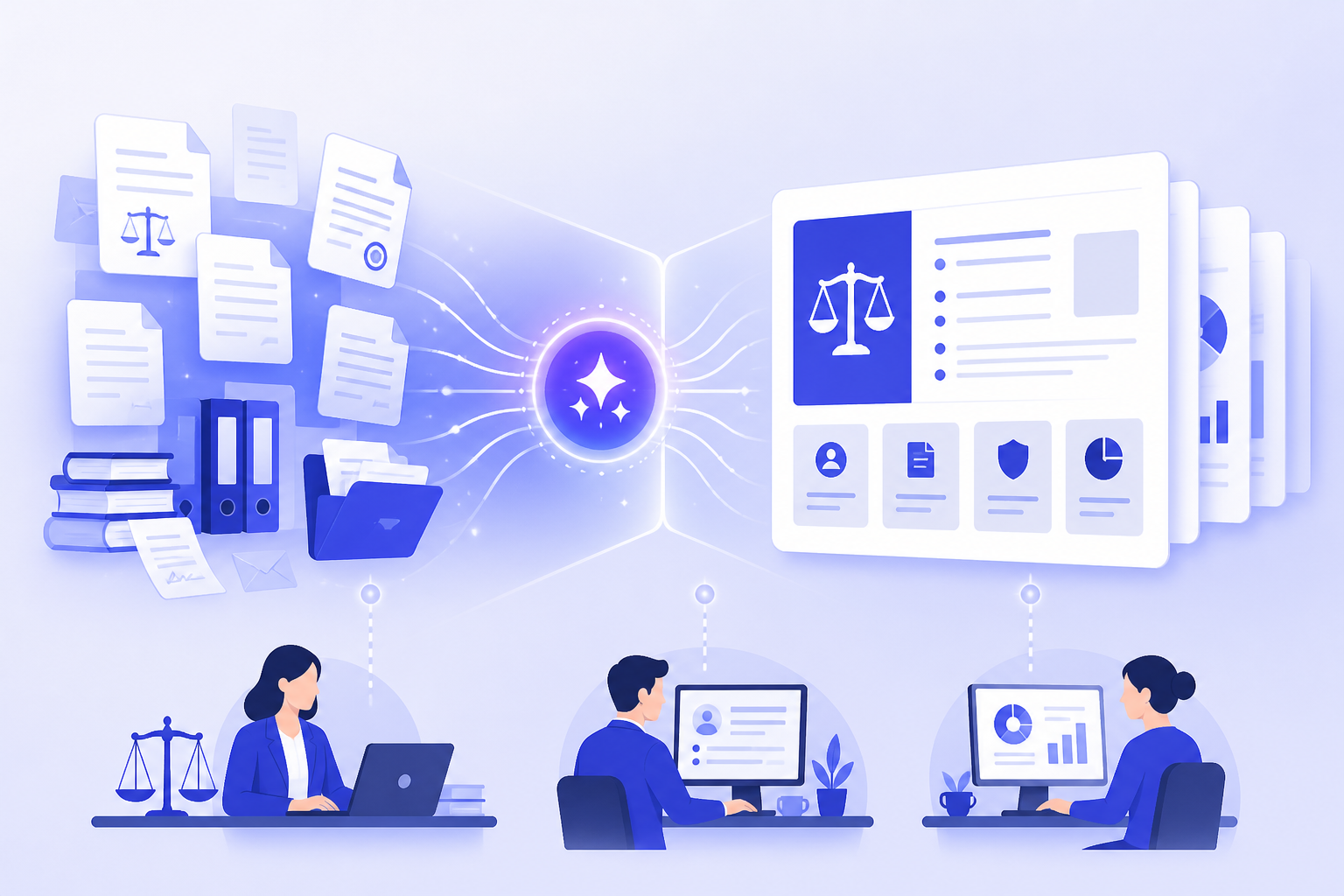
The following is a realistic workflow, not a verified case study. It is designed for lawyers and legal teams who already have source materials and want to turn them into a clearer deck without weakening accuracy or confidentiality safeguards. The same process can apply to a client update, compliance briefing, internal matter summary, CLE presentation, or policy rollout.
- Identify the audience, purpose, decision needed, and sensitivity level. Write a one-sentence deck objective, such as: 'Update the executive team on the new data retention policy and identify decisions needed before rollout.' Then classify the material as public, internal, confidential, privileged, personal, client-sensitive, or regulated.
- Prepare the source material before using AI. Remove or mask privileged communications, client names, personal data, confidential business terms, settlement positions, litigation strategy, sealed information, and any details your organization does not permit you to upload. When in doubt, use a summary or sanitized excerpt instead of original documents.
- Ask AI to create a slide outline first. Do not begin with a full deck. Request slide titles, purpose statements, audience assumptions, and a proposed narrative. This makes it easier to spot missing issues, risky framing, and incorrect emphasis before slides are generated.
- Use PopAi AI Presentation where appropriate to turn prompts, notes, or documents into an editable deck structure. For example, you might provide a redacted policy summary and ask for a manager training deck with sections for what changed, examples, escalation steps, and discussion questions.
- Revise the narrative so each slide answers one legal or business question. A slide titled 'Background' is weaker than 'Why the policy update is needed now.' A slide titled 'Risks' is weaker than 'Which risks increase if rollout is delayed?'
- Verify all legal statements, citations, dates, case references, obligations, deadlines, thresholds, definitions, and risk language against the source documents. If the AI output adds a statute, case, regulation, quote, or deadline that was not in your source material, treat it as unverified until checked.
- Finalize tone, disclaimers, visual hierarchy, speaker notes, and version control. Confirm who may receive the deck, whether it needs a privilege or confidentiality legend, which version is final, and whether speaker notes contain information that should not be shared.
The outline-first approach is especially useful for legal work because many errors are structural before they are textual. AI may put recommendations before background, combine legal rules with business options, or make a tentative assessment sound final. Reviewing the outline lets the lawyer correct the logic before spending time on design.
- Good source inputs: approved policy summaries, redacted legal memos, public regulations, non-sensitive training notes, approved pitch copy, sanitized timelines, and internal process descriptions cleared for AI use.
- Higher-risk source inputs: privileged attorney-client communications, unredacted pleadings containing personal information, confidential settlement positions, client-identifying matter summaries, internal investigation notes, trade secrets, and regulated personal data.
- Useful outline prompt: 'Create a 10-slide legal briefing outline for a non-lawyer executive audience. Use only the source material provided. Flag any missing facts instead of inventing them. Keep each slide focused on one question.'
- Useful revision prompt: 'Rewrite these slide titles as decision-oriented headings for a board audience, without adding new legal conclusions or facts.'
A safe legal AI workflow starts before generation: classify the material, redact the input, and decide who will review the output.
When using an ai ppt maker, the goal is not to hide legal complexity. It is to decide where complexity belongs. Main slides should carry the storyline, decision points, and key risks. Speaker notes can hold legal nuance. Appendices can carry source notes, definitions, chronology details, or policy excerpts when appropriate.
Example Workflows for Lawyers, In-House Teams, and Legal Operations
These realistic sample workflows show how different legal professionals can apply AI without treating it as a legal decision-maker.
The examples below are sample workflows, not verified client stories. They are designed to be transferable. Each one starts with a specific legal presentation need, identifies source materials, explains where AI helps, and shows what the legal team must review before sharing.
Example 1: an in-house counsel creates a board-ready compliance update. The context is a quarterly board meeting where the legal department needs to brief directors on a policy refresh and the status of related risk controls. The source materials include a redacted policy memo, a risk register summary, a rollout timeline, and a list of open decisions. The pain point is that the memo is accurate but too dense for a board deck.
- Sanitize the policy memo by removing personal data, privileged commentary, and internal debate that does not belong in a board deck.
- Prompt the AI to produce an outline with sections for purpose, what changed, risk areas, progress, open decisions, and next steps.
- Use PopAi AI Presentation to convert the redacted notes and outline into an editable first-draft deck.
- Review the draft slide by slide for accuracy, risk wording, board-level tone, and consistency with the approved policy language.
- Move detailed legal analysis into speaker notes or an appendix, leaving the main slides focused on decisions and governance implications.
The expected output is not a final legal opinion. It is a board-ready draft structure with concise headings, a logical sequence, and placeholders for verified risk ratings or decision items. What readers can reuse is the prompt structure: audience, source limits, slide sequence, decision points, and instruction not to invent missing facts.
Example 2: a litigation team creates an internal case strategy briefing. The context is a matter team meeting before a status conference or mediation planning session. The source materials include pleadings, a sanitized chronology, issue notes, and an evidence tracker. The pain point is that team members need a shared view of procedural posture, claims, defenses, evidence themes, and open questions.
- AI action: organize the materials into a draft briefing sequence, such as case snapshot, timeline, claims and defenses, key documents, witness issues, procedural posture, risk questions, and next workstreams.
- Attorney control: decide which facts are material, which evidence themes are supportable, which authorities apply, and which strategic options should be presented.
- High-caution area: do not ask AI to invent authorities, predict outcomes, create legal arguments, or fill gaps in evidence. If authority is needed, cite only verified research from approved legal research workflows.
- Reusable template logic: one slide for posture, one slide for each major issue, one slide for evidence gaps, one slide for upcoming deadlines, and one slide for assigned next steps.
This deck may remain internal and privileged. That changes the confidentiality analysis. The team should check whether the AI tool may be used for privileged material under firm or company policy. If not, use sanitized summaries rather than original documents. Even with a sanitized workflow, the responsible attorney should review the deck for privilege markers, factual accuracy, and strategic framing.
Example 3: an employment lawyer creates manager training slides from an updated workplace policy. The context is a rollout session for managers who need to apply a revised policy in common workplace scenarios. The source materials include the approved policy, HR FAQs, escalation instructions, and a list of recurring manager questions. The pain point is translating legal and HR language into practical training without misstating obligations.
- Start with approved policy text and remove any employee-specific examples or confidential HR matters.
- Ask for a training outline that includes learning objectives, what changed, manager responsibilities, scenario examples, escalation steps, and a short quiz.
- Use PopAi AI Presentation to generate a first-draft training deck from the notes and desired slide sequence.
- Ask the AI to rewrite dense policy language in plain English, but require that it preserve defined terms and escalation requirements.
- Have legal and HR review every scenario to ensure it does not create unintended promises, inconsistent standards, or jurisdiction-specific problems.
The expected output is an employee-friendly training deck with scenario slides such as 'A team member reports a concern after hours' or 'A manager receives a request for an accommodation.' The reusable element is the scenario pattern: fact pattern, manager question, correct response, escalation path, and key reminder.
Example 4: law firm marketing or partners create a client pitch deck. The context is a prospective client meeting where the firm wants to explain relevant capabilities and approach. The source materials include approved practice descriptions, partner bios, representative matter summaries cleared for use, and the prospect's publicly known business problem. The pain point is turning approved materials into a client-specific narrative without inventing credentials or results.
- AI action: reshape approved copy into a pitch sequence that begins with the client's problem, then presents the firm's relevant experience, proposed team, approach, and next steps.
- Review step: confirm that all matter descriptions are cleared for marketing use and do not reveal confidential client information.
- Strict prohibition: do not invent client names, case outcomes, settlement values, rankings, awards, testimonials, media mentions, or performance metrics.
- Reusable slide sequence: prospect context, legal/business challenge, relevant experience, team roles, proposed work plan, communication model, and next steps.
For any legal deck, specify the audience, source documents, sensitivity limits, desired slide count, tone, required sections, and instruction to flag missing information instead of filling gaps.
What a Strong AI-Generated Legal Presentation Should Include
A professional legal presentation needs issue clarity, audience fit, accurate framing, and defensible handling of source material.
An attractive slide design is not enough. A strong legal presentation must show the audience what matters, why it matters, what is known, what is uncertain, and what action is required. It should not bury the point in legal prose, but it also should not flatten legal nuance into a misleading recommendation.
- Title and purpose: identify the matter, topic, audience, date, and reason for the presentation.
- Executive summary: state the main takeaway, current status, and decision or action needed.
- Background: provide only the facts needed to understand the legal or business issue.
- Key issues: separate legal issues, factual issues, operational issues, and decision points.
- Analysis or options: explain choices, tradeoffs, constraints, and assumptions without overstating certainty.
- Risks: describe risk categories, likelihood language if approved, impact, mitigation steps, and unresolved questions.
- Recommendations or next steps: clarify who should do what by when, and what approval is required.
- Appendix or source notes: include definitions, legal citations, timeline detail, policy excerpts, or reference material when appropriate.
Audience fit determines how much law belongs on the slide. Executives usually need risk, options, and decisions. Clients may need status, implications, and recommended next steps. Employees need practical examples and escalation paths. Regulators may require precision and consistency with formal submissions. Students or CLE participants need learning structure, doctrine, and practice implications. Internal legal teams may need more detail on authority, evidence, assumptions, and open issues.
Slides should be concise because legal detail expands quickly. A common mistake is to paste memo paragraphs into a deck and shrink the font. AI can help compress language, but the lawyer must decide what can safely be simplified. Use slide titles for the main point, short bullets for support, speaker notes for nuance, and appendices for dense detail.
- Good executive slide title: 'Approval is needed to finalize the rollout timeline before Q3 training begins.'
- Weak executive slide title: 'Timeline Considerations.'
- Good training slide title: 'Managers should escalate accommodation requests before making exceptions.'
- Weak training slide title: 'Accommodation Policy.'
- Good litigation briefing title: 'The current record supports two evidence themes, but witness gaps remain.'
- Weak litigation briefing title: 'Evidence Issues.'
AI presentation templates are useful when the deck structure is repeatable. Recurring CLE decks, policy training sessions, monthly matter updates, board reports, and pitch decks can benefit from a consistent template because the audience expects familiar sections. Templates also help legal operations teams standardize reporting across matters or departments.
Templates become risky when the matter needs a custom argument structure. Complex disputes, sensitive investigations, nuanced statutory analysis, cross-border issues, or regulatory matters may not fit a standard sequence. In those situations, use AI to propose several possible outlines, then have the responsible lawyer choose the structure that reflects the legal theory and audience.
The best legal deck is not the one with the most information; it is the one that makes the right information usable for the right audience.
Mistakes Legal Teams Should Avoid When Using an AI PPT Maker
This section highlights common legal, ethical, confidentiality, and quality problems that can arise when AI-generated slides are not supervised.
The convenience of an ai ppt maker can create a false sense of safety. A polished deck may look ready before it is legally sound. The biggest risks are not design problems; they are source leakage, unsupported legal statements, invented facts, missing nuance, and skipped review.
- Do not upload privileged, confidential, personal, client-sensitive, sealed, regulated, or investigation-related material unless the tool, engagement terms, client instructions, and organizational policy allow it.
- Do not rely on AI for legal citations, case holdings, statutes, deadlines, procedural rules, limitation periods, regulatory thresholds, or jurisdiction-specific analysis without verification.
- Do not let AI turn a qualified assessment into an absolute recommendation. Words such as 'must,' 'will,' 'guarantees,' and 'no risk' can create problems if the source analysis is more nuanced.
- Do not use dramatic visuals, courtroom imagery, warning icons, or aggressive language if they could mislead the audience or weaken credibility.
- Do not invent case outcomes, client names, settlement values, testimonials, rankings, awards, press mentions, or performance metrics for pitch decks.
- Do not skip review by the responsible lawyer, subject matter expert, or authorized approver.
- Do not forget that speaker notes, comments, metadata, and hidden slides may contain sensitive information even if the visible slides look clean.
Confidentiality checks should happen twice: before input and before sharing. Before input, decide what the AI tool may receive. Before sharing, inspect what the tool produced. AI can sometimes restate sensitive context from an input in a slide title, note, or appendix. Legal teams should treat the output as a new document that needs its own review.
- Confidentiality: Have privileged, confidential, personal, or client-sensitive details been removed or approved for use?
- Accuracy: Does each legal statement match the source material and current legal analysis?
- Citations and authorities: Are statutes, cases, rules, deadlines, and defined terms verified through approved sources?
- Source consistency: Does the deck use the same facts, dates, names, issue labels, and risk categories as the underlying documents?
- Audience fit: Is the tone appropriate for executives, clients, employees, regulators, students, or the matter team?
- Disclaimers and legends: Are privilege, confidentiality, draft, training, or informational legends included when appropriate?
- Permissions: Are matter examples, client references, biographies, images, and templates approved for this use?
- Version control: Is the file name, date, owner, and distribution list clear?
Read AI-generated slides as if they were being forwarded beyond the intended audience. If a statement would be risky out of context, revise it before sending.
When to Use PopAi for Legal Presentation Drafting
PopAi AI Presentation fits best when legal teams need to turn approved prompts, notes, or documents into an editable deck draft quickly.
PopAi AI Presentation is useful when the legal team already has source material and needs help moving from blank page to organized slides. Its value is in drafting structure, summarizing inputs, generating speaker-friendly wording, and reducing manual formatting work. It should be used as part of a supervised legal workflow, not as an authority on the law.
- Good fit: summarizing a non-sensitive legal memo into a client briefing structure.
- Good fit: converting approved training notes into employee-facing slides with examples and discussion prompts.
- Good fit: organizing a policy update deck from redacted policy summaries, rollout steps, and FAQs.
- Good fit: drafting a law firm pitch outline from approved practice descriptions, bios, and matter summaries cleared for marketing use.
- Good fit: creating a first-draft legal operations report from sanitized process notes and status updates.
PopAi is lower fit, or requires high caution, when the input contains privileged matter facts, unredacted client documents, highly sensitive investigation material, confidential settlement positions, personal data, trade secrets, or content requiring strict legal authority verification. In those situations, legal teams should check internal policies, client requirements, and the tool's data handling terms before deciding what to upload.
- Prepare redacted inputs. Use approved summaries, sanitized notes, or non-sensitive source documents whenever possible.
- Generate the outline first. Ask PopAi to propose a slide sequence, audience level, and section headings before drafting the full deck.
- Create the deck. Convert the approved outline and inputs into an editable presentation draft.
- Review slide by slide. Check legal accuracy, missing assumptions, tone, confidentiality, and whether each slide answers one question.
- Verify sources. Confirm citations, dates, obligations, defined terms, case references, and factual claims against source documents.
- Refine visuals and speaker notes. Keep slides concise, place dense detail in notes or appendices, and add disclaimers or legends where appropriate.
A practical PopAi workflow for a compliance briefing might start with a redacted policy memo and a short prompt: 'Create a 12-slide compliance update for senior managers. Use only the provided policy summary. Include what changed, who is affected, key risks, manager actions, escalation path, and discussion questions. Flag missing information instead of inventing it.' PopAi can then produce the first deck structure, which legal and compliance teams revise before use.
A second PopAi workflow for law firm marketing might begin with approved partner bios, practice descriptions, and cleared representative matter summaries. The prompt could ask for a prospect-facing pitch deck that frames the client's likely business problem, introduces relevant capabilities, proposes a team structure, and ends with next steps. The review should confirm that no client names, outcomes, rankings, or testimonials were invented.
Use PopAi to accelerate the draft; use legal review to make the deck accurate, appropriate, and safe to share.
The final recommendation is simple: use legal presentation AI when you have a clear purpose, approved or redacted source material, and a review process. PopAi can help legal teams create a professional presentation faster, especially when converting documents and notes into an editable first draft. The lawyer still owns the judgment, the legal framing, and the decision to share.
FAQ
Can lawyers use AI to create legal presentations?
Yes. Lawyers can use AI to draft outlines, summarize approved source material, simplify dense language, and format presentations. They should still review the deck for confidentiality, privilege, legal accuracy, citations, jurisdictional nuance, tone, and strategic judgment before sharing.
Is it safe to upload legal documents to an AI presentation tool?
It depends on the document sensitivity, your organization’s policy, client requirements, the tool’s terms, and data handling practices. Avoid uploading privileged, confidential, personal, or client-sensitive material unless approved. Use redacted summaries or sanitized excerpts when possible.
What legal presentation types are best suited for AI?
Good-fit uses include compliance training, client updates, CLE decks, internal briefings, policy rollouts, legal operations reports, and pitch decks based on approved source content. AI is most useful when the goal is structure, summarization, plain-language drafting, and formatting.
Can AI create litigation strategy slides?
AI can help organize timelines, issue lists, procedural posture, evidence themes, and briefing structures. Attorneys must control litigation strategy, evidence interpretation, legal authorities, privilege decisions, and any conclusions about claims, defenses, or settlement options.
How should legal teams check AI-generated slides?
Review every slide for legal accuracy, source consistency, citations, dates, deadlines, jurisdictional nuance, privilege, confidentiality, tone, audience fit, disclaimers, permissions, and version control. Treat the AI deck as a draft, not a final deliverable.
Create your presentation with one click now
Turn approved notes, documents, or rough ideas into an editable legal presentation draft with PopAi.
Try PopAi AI Presentation