Canva vs Gamma for AI Presentations: Which to Choose?
July 14, 2026
Canva and Gamma both help you create presentations with AI, but they solve different problems. Canva is usually the better choice when you need visual design control, polished templates, brand styling, and slide-by-slide customization. Gamma is usually more useful when you want to type a prompt and quickly receive a structured, narrative-style presentation draft.
The practical decision is not simply which tool is more impressive in a demo. It is which tool fits your starting point, editing habits, delivery format, and final audience. A marketing team building a branded campaign deck may prefer Canva. A founder drafting an idea narrative quickly may prefer Gamma. A student, sales rep, or analyst starting from notes, PDFs, research, or scattered source material may want to consider PopAi before choosing either one.
This guide compares the workflows behind Canva, Gamma, and PopAi so you can choose based on how you actually build decks: from a prompt, from existing documents, from brand assets, from rough notes, or from a message that still needs structure.
When you are ready to turn the workflow into slides, PopAi AI Presentation can help transform rough notes, documents, or prompts into an editable deck structure.
Quick Verdict: Canva vs Gamma Presentations by Use Case
This section gives you a fast recommendation based on the kind of presentation you need to create.
For canva vs gamma presentations, the simplest distinction is this: Canva is design-first, while Gamma is narrative-first. Canva fits users who want to shape the look of each slide with templates, brand assets, visual elements, images, and manual layout control. Gamma fits users who want AI to generate a coherent presentation-like draft from a prompt and then refine the story.
Choose Canva when the finished deck must look carefully designed. This includes marketing decks, sales presentations, event proposals, classroom visuals, investor updates, and any presentation that needs to match an existing visual identity. Canva’s known strength is its design-product ecosystem: templates, drag-and-drop editing, visual assets, and flexible formatting for people who want control over the final appearance.
Choose Gamma when your biggest problem is getting from an idea to a structured draft quickly. Based on available product information, Gamma is well suited to prompt-first creation where you enter a topic, brief, or outline and receive a generated narrative you can continue shaping. It may be a good fit for quick explainers, internal briefings, startup concept overviews, client summaries, and class reports where speed and flow matter more than pixel-level slide design.
- Choose Canva if you need strong visual design control, branded slides, template variety, and manual slide polish.
- Choose Gamma if you want AI to create a structured presentation narrative from a prompt quickly.
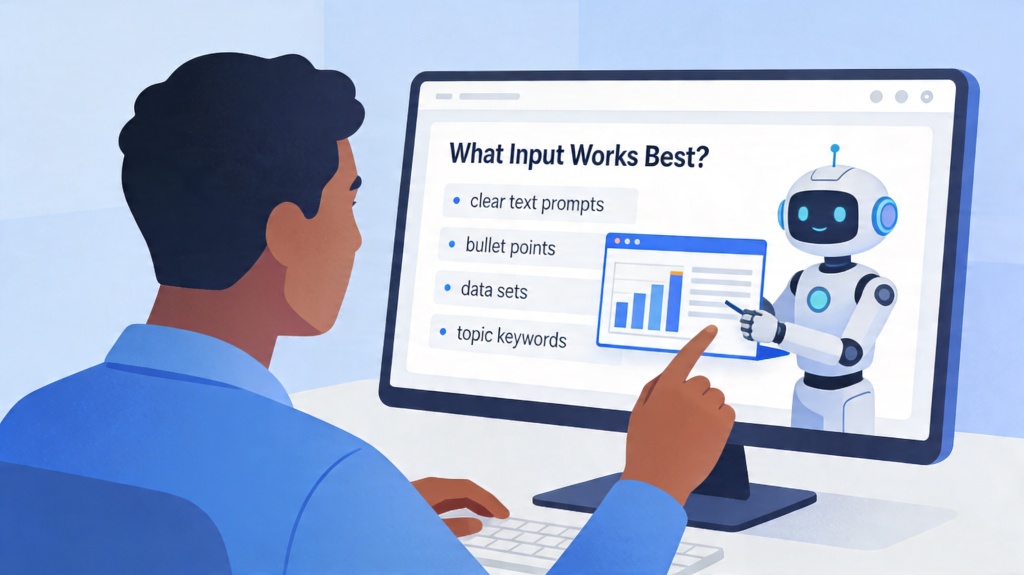
- Consider PopAi if your starting point is a document, notes, research material, a PDF, a rough idea, or scattered content that needs to become a deck outline.
- Shortlist more than one tool if your workflow has two phases: content organization first, visual refinement second.
- Check current official product pages before relying on any pricing, export, collaboration, or feature-limit assumptions.
PopAi enters the comparison when neither Canva nor Gamma is exactly the bottleneck. If you already have information but do not yet have a clean deck structure, PopAi AI Presentation can help turn prompts, documents, notes, or rough ideas into an editable presentation draft. That is especially useful before you decide how much design polish you need.
The best choice is not the tool that creates the prettiest first draft; it is the tool that gets you to a presentable final deck with the least rework.
Canva vs Gamma: Feature-by-Feature Comparison
Canva and Gamma can both help teams create AI-assisted presentations, but they are built around different workflows. Canva is broader visual-design software with presentation templates and brand assets; Gamma is more AI-native for turning prompts or documents into cards, decks, and web-style narratives.
| Decision factor | Canva | Gamma | Choose this when... |
|---|---|---|---|
| AI generation style | AI features sit inside a broader design platform, useful when the deck needs brand visuals, graphics, social assets, and template control. | AI-first generation creates a structured draft from prompts, outlines, or source material. | Choose Canva for design ecosystem; choose Gamma for fast AI-native narrative drafts. |
| Templates and visual assets | Large template and asset ecosystem; premium assets may require paid access. | Modern presentation themes and card layouts designed for quick narrative building. | Choose Canva if asset variety matters most. |
| Brand control | Strong for brand kits, reusable design assets, and cross-format brand work, depending on plan. | Useful for theme consistency, but the workflow is less like a full design suite. | Choose Canva for brand-heavy marketing decks. |
| Collaboration | Built for collaborative design and team asset management. | Good for collaborative AI documents/decks and web-style sharing. | Choose based on where your team already works. |
| Export | Canva supports presentation downloads; test PPTX editability and premium asset rules. | Gamma states that generated content can be exported as PowerPoint or PDF; test layout after export. | If final delivery is PowerPoint, export-test both. |
| Free / pricing limits | Canva Free exists; Pro/Business/Enterprise unlock additional assets, AI access, and brand/team features. | Gamma uses plan-based AI credits/features; verify current limits before production work. | Use the free tier for testing, not for assuming long-term production capacity. |
| Best-fit scenario | Social, marketing, brand, education, and design-rich presentations. | Startup narratives, idea-to-deck drafts, teaching explainers, and fast internal decks. | Pick the workflow that matches the final deliverable. |
Verification note
Last checked: July 14, 2026. Reconfirm on the official pages before publishing pricing claims: Canva pricing and Gamma pricing.
How Canva and Gamma Actually Create AI Presentations
This section explains the workflow difference behind the tools so you know what you are really choosing.
Canva’s likely workflow is design-first. You typically start from a template, an existing design, or an AI-assisted draft, then spend time improving the look: adjusting slide layouts, changing fonts and colors, adding icons, swapping images, resizing elements, applying brand styling, and making each slide feel intentional. The AI can help you begin, but the experience still rewards users who want to shape the final visual output.
Gamma’s likely workflow is prompt-first or narrative-first. You provide a topic, brief, or starting idea, and the tool generates a presentation-like page or deck structure. You then refine headings, sections, wording, sequence, and visuals. Instead of beginning with a slide canvas and building visually, you begin with an AI-generated structure and then adjust the narrative.
Because AI presentation tools change quickly, you should verify exact feature names, access paths, file formats, usage limits, and pricing on the official Canva and Gamma product pages before making a final decision. This article focuses on practical workflow differences rather than unsupported claims about rankings, exact output scores, or plan limits.
- Define your starting material: prompt, outline, document, research PDF, meeting notes, product brief, or brand template.
- Create the same small test deck in each shortlisted tool using the same topic or source material.
- Compare the first draft for structure, not just appearance.
- Edit three representative slides or sections and note how much friction you feel.
- Check export, sharing, presenting, and collaboration options before committing.
- Review the content manually for accuracy, tone, audience fit, and message quality.
The main comparison points are content generation, layout control, editing experience, visual polish, collaboration, export workflow, and team suitability. Canva tends to be easier to evaluate through the lens of visual control: can you make this deck match your brand, your classroom style, or your campaign look? Gamma tends to be easier to evaluate through the lens of narrative speed: can you generate a useful explanation, sequence, and structure from a short prompt?
Editing is where many AI presentation tools reveal their real fit. A first draft can look impressive, but the final work often involves rewriting claims, removing generic sections, adding examples, changing slide order, inserting charts, adjusting the visual hierarchy, and preparing speaker notes. If those edits feel natural in the tool, the tool is a fit. If they feel like fighting the software, the first draft may not matter.
AI-generated decks still need human review. Check facts, numbers, audience assumptions, tone, source material, and whether the presentation actually supports the decision or lesson you need to deliver.
Choose Canva If You Need Design Control and Brand-Ready Slides
This section explains when Canva is the stronger fit for users who care about polished visuals and manual customization.
Canva is a strong fit when the presentation is not just a container for information but a visual asset. If the deck needs to look polished, match a brand, use custom graphics, include attractive visual layouts, or be repurposed into social media posts, handouts, posters, or marketing collateral, Canva’s design-first environment is usually a practical advantage.
A marketer preparing a campaign launch deck may need title slides, timeline slides, audience personas, visual mood boards, product mockups, and branded call-to-action pages. A sales team may need a one-pager-style presentation that can also be sent as a PDF. A teacher may need a visually engaging lesson with icons, diagrams, and student-friendly formatting. These use cases reward slide-by-slide control.
- Marketing campaign deck: choose Canva when visual consistency, campaign imagery, and branded layouts matter.
- Sales one-pager presentation: choose Canva when the deck must work both as a live presentation and a shareable leave-behind.
- Classroom visual lesson: choose Canva when students need clear visual cues, diagrams, and engaging layouts.
- Event proposal: choose Canva when mood, venue imagery, sponsor sections, and polished proposal design influence approval.
- Investor update: choose Canva when you already know the content and need a clean, branded, executive-friendly visual format.
The practical strengths to evaluate are templates, drag-and-drop editing, image and element libraries, brand assets if available in your plan or workspace, collaboration, and ease of manual customization. If your team already uses Canva for other design tasks, keeping presentations in the same design environment may reduce friction because people understand the interface and can reuse visual assets.
Canva also works well when the deck needs visual precision after the AI stage. You may want to adjust spacing, align objects, use a specific photo treatment, create a consistent section divider, or turn a dense slide into an infographic. These are design tasks more than writing tasks. A tool that gives you flexible manual control can save time in the finishing stage.
The limitation is that design control does not automatically solve content structure. If you begin with a long research document, a messy transcript, or a vague business idea, you may still need to identify the argument, choose the slide sequence, simplify the message, and decide what to cut. Users who expect AI to handle deep structure, long-document summarization, or complex narrative organization may need additional planning before the deck is ready.
Use Canva when you already have a reasonably clear message and the main job is turning that message into a polished, branded, visual presentation.
Choose Gamma If You Want a Fast AI-Generated Narrative
This section explains when Gamma is better for quickly turning a prompt into a structured presentation draft.
Gamma may be useful when your priority is speed from topic to structure. Instead of selecting a template and designing each slide from scratch, you can begin with a prompt or brief and ask the tool to create a presentation-style narrative. For users comparing gamma vs canva ai workflows, this is the central difference: Gamma generally emphasizes generating the flow first, while Canva gives more attention to visual creation and design control.
This can help when you need a startup idea overview, internal strategy explanation, product concept, class report, client briefing, or quick educational explainer. In these cases, the first challenge is often not layout. It is deciding the sequence: what problem to introduce, what context to provide, what recommendation to make, and what the audience should remember.
- Write a specific prompt that names the audience, topic, purpose, desired length, and tone.
- Review the generated outline before editing individual sections.
- Remove generic or repetitive content that does not move the message forward.
- Rewrite claims that sound too broad, unsupported, or misaligned with your audience.
- Check presentation mode, sharing options, and export formats against your delivery needs.
- Decide whether the available design controls are enough for your brand or classroom standards.
Prompt quality matters. A weak prompt such as “make a presentation about customer retention” may produce a broad overview. A better prompt would say: “Create a 10-section presentation for a SaaS leadership team explaining why customer retention declined last quarter, with sections for symptoms, likely causes, customer feedback themes, support process issues, pricing concerns, recommended experiments, and next steps.” Specific inputs usually make the first draft easier to evaluate.
When reviewing Gamma, look at the outline structure, generated slide or page flow, ease of rewriting sections, presentation mode, export options, and how much manual design editing is possible. The right question is not only “Does the draft look good?” It is also “Can I change the structure quickly when my manager, teacher, client, or cofounder asks for a different angle?”
Gamma’s possible limitation is fit with strict delivery requirements. If your organization needs a traditional slide format, exact brand controls, offline presenting, editable exports into another environment, or highly customized layouts, verify that Gamma’s current editing and export options match your workflow. A fast draft is valuable only if it can become the final format you need.
Gamma is worth testing when the blank page is the problem; Canva is worth testing when the final visual finish is the problem.
Where PopAi Fits: Turning Documents, Notes, and Rough Ideas Into Decks
This section introduces PopAi as a practical alternative when your real bottleneck is organizing source material into a deck structure.
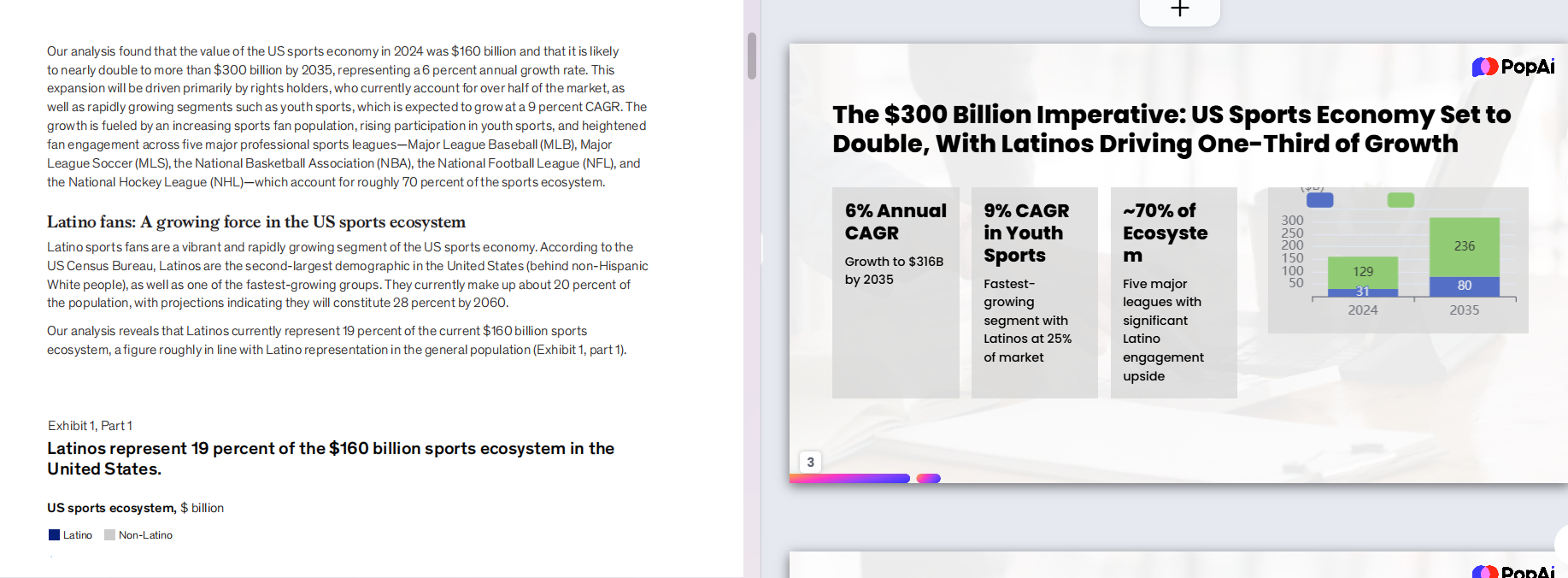
PopAi AI Presentation is worth considering when you are not starting from a clean prompt or a finished brand template. Many real presentations begin with messy source material: a research article, a PDF report, a meeting transcript, bullet notes from a sales call, a product brief, a founder’s rough idea, or a document that is too long to turn into slides manually. PopAi is positioned for this document-to-presentation and idea-to-outline stage.
The value is moving from a blank page to an editable deck structure faster. You can use PopAi to create a first presentation outline, review the logic, refine the message, and then decide where to finalize the visuals. For some users, PopAi may be the main presentation creation environment. For others, it may be the fastest way to create the structured draft before moving into a preferred design or delivery tool.
- Use PopAi when you have a document that needs to become presentation-ready slides.
- Use PopAi when your notes are scattered and you need a logical deck sequence.
- Use PopAi when a business idea needs to become a pitch deck outline before visual design begins.
- Use PopAi when a research summary, product brief, or sales note set is too dense to manually restructure.
- Use PopAi when the hard part is deciding what each slide should say, not only how each slide should look.
Workflow example one: a student has a 12-page research document and needs a class presentation. Instead of manually copying paragraphs into slides, the student can use PopAi AI Presentation to turn the research material into a structured deck draft. The first review should focus on whether the introduction, key findings, examples, and conclusion are in the right order. After that, the student can simplify text, add citations where required by the assignment, and improve visuals for classroom delivery.
Workflow example two: a sales professional has call notes, customer pain points, product information, and a rough objection-handling list. PopAi can help organize those notes into a sales presentation with a problem section, customer context, proposed solution, proof points to verify, implementation steps, and next action. The sales professional still needs to check claims, tailor examples to the client, and ensure any numbers or promises are accurate.
Workflow example three: a founder has a product idea but no clear pitch deck. PopAi can help turn the idea into a pitch outline with sections such as problem, target customer, proposed solution, market context, product approach, business model assumptions, go-to-market plan, team, traction if available, and ask. The founder should then refine business logic, remove unsupported claims, and adapt the deck for investors, partners, or internal planning.
This does not mean PopAi is universally the best ai presentation tool for every case. Canva may be better when the priority is final visual polish. Gamma may be better when the priority is a fast prompt-generated narrative. PopAi is a strong fit when the source material is unstructured and you need help turning it into a clear, editable deck before final design decisions.
Use PopAi to structure the deck from documents, notes, or rough ideas; review and refine the message; then finalize visuals in the presentation environment that best fits your delivery requirements.
Decision Checklist: Which AI Presentation Tool Should You Use?
This section gives you a practical checklist for choosing based on constraints instead of vague tool rankings.
The right AI presentation tool depends on your starting material, final format, editing expectations, and audience. Before choosing, define the job clearly. Are you trying to create a polished brand deck, generate a quick narrative, summarize a long document, collaborate with a team, present live, export to another format, or produce a leave-behind PDF?
- Starting material: prompt, document, notes, PDF, outline, transcript, spreadsheet summary, or existing deck.
- Design requirements: simple internal presentation, polished client deck, branded sales material, classroom visual, or marketing asset.
- Brand control: fonts, colors, logos, layout rules, imagery style, and reusable templates.
- AI writing needs: outline generation, section rewriting, summarization, title suggestions, or speaker-note support.
- Document summarization needs: ability to turn dense source material into slide-ready structure.
- Editing flexibility: ease of changing slide order, rewriting sections, adjusting layouts, replacing visuals, and reducing text.
- Collaboration: commenting, sharing, workspace access, permissions, and team review workflow.
- Export and presentation format: live presenting, PDF, image export, editable file needs, offline use, or embedding.
- Budget verification: current pricing, free-tier limits, usage limits, export restrictions, and team-plan requirements.
Students often need speed, clarity, and the ability to turn research into slides. Gamma may help with a quick prompt-based explainer, Canva may help make the final class presentation more visual, and PopAi may be especially useful when the starting point is a research document or rough notes. Teachers often need reusable lesson materials, diagrams, and student-friendly visuals, which can make Canva attractive, while PopAi can help restructure lesson notes or reading material into a deck.
Marketers usually care about brand consistency, campaign visuals, and assets that can be reused across channels. Canva is often a natural fit for that kind of work. Gamma may help draft a campaign narrative quickly, especially for early concept exploration. PopAi can help when a marketer needs to turn a product brief, research notes, or positioning document into a presentation outline before visual development.
Sales teams need a balance of message structure and visual polish. A sales deck must tell a persuasive story, but it also needs to be easy to customize for accounts. PopAi can help turn discovery notes into a structured deck. Canva can help polish client-facing visuals. Gamma can help create quick explainers or internal briefing narratives.
Founders and consultants often move between rough ideas, research, strategy documents, and client-ready decks. Gamma may help draft an idea narrative. PopAi may help organize source material into a pitch or recommendation structure. Canva may help make the final deck look professional for a meeting, demo day, client workshop, or stakeholder update.
- If your main requirement is visual design control, choose Canva first.
- If your main requirement is a fast AI-generated narrative draft, test Gamma first.
- If your main requirement is turning documents, notes, or rough ideas into structured decks, test PopAi first.
- If you need both structure and high design polish, use a two-step workflow: generate and refine the structure, then polish the design.
- Before committing, verify current pricing, free-tier limits, export formats, collaboration features, and presentation options on official product pages.
Choose Canva for design control, Gamma for fast prompt-to-narrative drafts, and PopAi for document-to-deck or idea-to-outline workflows.
Mistakes to Avoid When Comparing AI Presentation Tools
This section helps you avoid choosing a tool based on a polished demo that does not match your real work.
The most common mistake is choosing a tool based only on the first generated output. A beautiful draft can still be hard to edit. A plain draft can still have the best structure. A fast draft can still fail your export requirements. The real test is what happens after generation: editing, fact-checking, tailoring, sharing, and presenting.
- Do not judge only by the first slide or opening section; inspect the full deck structure.
- Do not ignore export needs if the presentation must be shared offline or edited elsewhere.
- Do not assume AI-generated content is accurate; verify facts, numbers, names, dates, and claims.
- Do not overvalue templates if your main problem is content organization.
- Do not overvalue AI writing if your final deck must follow strict brand design rules.
- Do not skip collaboration checks if managers, clients, classmates, or teammates must review the deck.
- Do not forget delivery context: a live pitch, recorded lesson, PDF handout, internal memo, and workshop deck all need different formatting choices.
Another mistake is treating all presentations as the same format. A pitch deck needs a persuasive business story. A class presentation needs learning flow and clarity. A sales deck needs relevance to the buyer. A marketing deck needs visual consistency and positioning. A report summary needs accurate compression of source material. The tool should match the communication task, not just the category name “presentation.”
You should also avoid assuming that export and sharing options will match your workflow. If you need to present in a room with unreliable internet, send a file to a client, edit in another slide tool, collaborate with a team, or archive the final deck, verify the current options before building the full presentation. Export friction is easy to ignore during testing and painful near a deadline.
Accuracy review is non-negotiable. AI can produce confident wording around weak assumptions. If your deck includes market claims, financial projections, research findings, technical descriptions, legal statements, customer quotes, or product capabilities, review the source material and remove anything you cannot support. A cleaner message is better than an impressive slide with questionable content.
- Test the same prompt or source document in Canva, Gamma, PopAi, or any other shortlisted tool.
- Compare outline quality before judging visual style.
- Edit several slides or sections to measure real editing effort.
- Check whether the visual direction fits the audience and brand.
- Verify export, collaboration, and presentation readiness.
- Choose the workflow that gets you closest to a final, accurate, audience-ready deck.
A good AI presentation workflow should reduce rework, not simply create a more impressive first draft.
FAQ
Is Canva or Gamma better for AI presentations?
It depends on your workflow. Canva is usually better for visual design control, polished slide editing, templates, and brand-ready decks. Gamma is usually better for quickly generating a structured narrative from a prompt. PopAi is worth considering when you need to turn documents, notes, research material, or rough ideas into an editable presentation structure.
Which is better for business presentations, Canva or Gamma?
Canva may suit brand-heavy sales, marketing, investor update, and executive decks where visual polish matters. Gamma may suit quick explainers, internal briefings, strategy narratives, and idea overviews. Before choosing, check editing flexibility, export formats, collaboration options, and brand requirements against your actual business workflow.
Can Gamma replace Canva for presentations?
Not always. Gamma and Canva emphasize different workflows. Gamma is useful when you value AI narrative generation and fast draft creation. Canva is stronger when you need detailed visual control, branded layouts, and manual design refinement. Gamma can replace Canva only if its editing, design, export, and presentation options fit your final delivery needs.
Is Canva good for AI-generated pitch decks?
Canva can be useful for polishing a pitch deck visually, especially if you need clean layouts, brand styling, and presentation-ready design. However, you still need to refine the business logic, story structure, audience-specific message, financial claims, and supporting evidence manually.
When should I use PopAi instead of Canva or Gamma?
Use PopAi when your starting point is notes, documents, research material, PDFs, product information, or a rough business idea that needs to become a structured deck. It is especially useful before the design-polish stage, when the main challenge is organizing content into a clear presentation flow.
Create your presentation with one click now
Turn your notes, documents, or rough ideas into a structured deck draft faster with PopAi AI Presentation.
Try PopAi AI Presentation