AI Presentation API & Automation Options: Tools, Code Libraries & QA
Published on September 10, 2026
If you are a developer, RevOps lead, BI analyst, product marketer, or operations manager, AI presentation tools with APIs promise something very practical: fewer manually assembled recurring decks and a cleaner handoff from source data to executive-ready slides. The catch is that “AI PPT automation” can mean several different things: a public REST API, a private enterprise endpoint, a Zapier/Make connector, a Google Slides or PowerPoint automation stack, or a web-only file-to-slides tool.
This guide separates those options. It explains how to evaluate real API capability, how to design an end-to-end slide generation workflow, and where no-code or web-based tools such as PopAi AI Presentation fit when your team wants to test file-to-slides quality before building an integration. API availability changes quickly, so treat vendor links and public documentation as a starting point for procurement—not a substitute for confirming plan limits, security terms, export behavior, and enterprise access with the vendor.
AI Presentation API and Automation Options: What Actually Counts
AI presentation automation usually falls into one of five patterns: native AI deck-generation APIs, document-to-slide APIs, general slide APIs combined with an LLM, code libraries that create PPTX files, and no-code deck builders used for prototyping.
API and automation options to shortlist
| Option | API / automation surface | Best for | Typical limitations | Documentation |
|---|---|---|---|---|
| SlideSpeak | Document-to-presentation API for generating decks from uploaded files and prompts. | Teams that want an API-first route from PDF/DOCX content to PPTX-style output. | Still requires testing for template fidelity, chart editability, citations, and rate limits on your plan. | SlideSpeak API docs |
| Google Slides API + LLM | Use an LLM to create slide JSON, then build and update slides through Google Slides API. | SaaS reporting, internal dashboards, and teams already standardized on Google Workspace. | The API edits slides well, but it does not “think” through the narrative; you must build the content-planning layer. | Google Slides API |
| Microsoft Graph / PowerPoint file workflow | Store, retrieve, permission, and distribute PPTX files through Microsoft 365; combine with PPTX generation libraries. | Enterprise environments where SharePoint, OneDrive, Teams, and PowerPoint are the system of record. | Graph is strong for file and collaboration workflows, but PowerPoint object-level generation usually needs another layer. | Microsoft Graph docs |
| PptxGenJS or python-pptx + LLM | Generate editable PPTX from code using a custom layout engine and AI-produced content structure. | Engineering teams that need deterministic templates, internal hosting, and no vendor lock-in for slide rendering. | You own layout logic, overflow handling, visual design rules, chart rendering, testing, and maintenance. | PptxGenJS / python-pptx |
| Aspose.Slides Cloud | Presentation manipulation, conversion, merging, splitting, and export APIs. | Back-end workflows that need to assemble, convert, or post-process PowerPoint files programmatically. | Not a complete AI storytelling layer by itself; pair it with an LLM or business rules engine. | Aspose.Slides Cloud docs |
| Canva Connect APIs | Design, asset, and export automation around Canva content. | Brand and marketing teams already using Canva for design operations. | Good design platform APIs do not automatically equal full AI deck-generation APIs; confirm presentation-specific workflow needs. | Canva Connect docs |
| Zapier / Make connectors | No-code automation triggers and actions around Google Slides, storage, forms, CRM, and notifications. | Operations teams that need lightweight automation without custom infrastructure. | Often limited for complex layout, large documents, webhooks, versioning, and strict error recovery. | Zapier Google Slides / Make Google Slides |
| PopAi and other creator-first AI deck tools | Web-based file-to-slides, topic-to-slides, template selection, editing, and PPTX/PDF export workflows. | Fast pilots, document summarization, stakeholder review, and teams validating slide quality before engineering a pipeline. | Do not assume public API access unless the vendor provides current developer documentation, authentication details, limits, and contract terms. | Vendor product workflow; request API details directly if programmatic access is required. |
Common API capabilities
- Input generation: create slides from a topic, prompt, outline, PDF, DOCX, PPTX, Markdown, HTML, webpage, image, transcript, or structured JSON.
- Task orchestration: submit a generation job, poll task status, receive a webhook, and download PPTX or PDF when complete.
- Template control: apply a branded PPTX template, use approved layouts, preserve font rules, and control chart palettes.
- Programmatic editing: rewrite copy, summarize sections, translate, regenerate a slide, replace images, update a chart, or insert speaker notes.
- Embedding and distribution: show a scoped deck preview inside a SaaS product, portal, LMS, CRM, customer reporting dashboard, or internal approval flow.
For automation, “AI quality” is only half the buying decision. The other half is whether the generated deck can move through your existing systems without human repair.
A useful comparison is the broader market of AI presentation makers, where some products focus on everyday creators, some on design automation, and some on developer integrations. API-first options appeal to SaaS teams and enterprise IT; visual-first options appeal to marketing, training, and leadership teams that need fast polished output; open-source or code-library approaches appeal to teams that need deployment control and deterministic templates.
Practical takeaway: Start by defining the automation surface. If users only need to upload a report and export a deck, a web workflow may be enough. If decks must be generated nightly from CRM data, stored automatically, logged, retried, and governed, you need a real API or a custom slide-generation stack.
AI Presentation Tools with APIs: Technical Checklist
When a vendor says it has an AI presentation API, ask for the implementation details behind the demo. A production workflow needs predictable job lifecycle, slide-specific controls, export fidelity, and failure handling—not just a prompt box wrapped in JSON.
Review these API details before choosing
- Authentication: API keys, OAuth, scoped tokens, workspace-level permissions, service accounts, and key rotation.
- Request structure: prompt fields, slide count, audience, language, tone, required sections, template ID, source file IDs, callback URL, and output format.
- File upload flow: direct upload, pre-signed URL, maximum file size, OCR support, accepted MIME types, virus scanning, and expiration rules.
- Generation mode: synchronous for small prompt-to-deck tasks, asynchronous for long documents, batch endpoints for recurring report decks.
- Status model: queued, parsing, planning, rendering, needs_review, completed, failed, expired, canceled.
- Webhook design: signed payloads, retry intervals, idempotency keys, event types, and replay protection.
- Presentation-specific controls: maximum slides, speaker notes, citations, slide object model access, editable charts, alt text, font embedding, and master layout preservation.
- Error handling: invalid file, unsupported template, too many slides, layout overflow, missing font, timeout, content policy block, export failure, and quota exceeded.
- Output contract: PPTX download URL, PDF URL, preview link, JSON slide structure, asset URLs, source mapping, and expiration time.
Implementation note: In real workflows, asynchronous generation usually matters more than raw generation speed. A monthly business review deck may take several minutes if it includes a 40-page PDF, chart generation, source-grounded summaries, and brand template matching. A better design submits a job, stores the task ID, listens for a signed webhook, and notifies the user in Slack, email, or the app when the deck is ready.
Illustrative schema only — not a specific vendor endpoint

POST /v1/presentations
Authorization: Bearer YOUR_API_KEY
Content-Type: application/json
Idempotency-Key: q3-sales-review-2026-10

{
  "title": "Q3 Enterprise Sales Review",
  "audience": "executive leadership",
  "language": "en",
  "slide_count": 10,
  "template_id": "brand_enterprise_2026",
  "inputs": [
    { "type": "html", "file_id": "report_9831" },
    { "type": "json", "data_source": "crm_pipeline_summary" }
  ],
  "requirements": {
    "include_speaker_notes": true,
    "preserve_citations": true,
    "editable_charts": true
  },
  "export": ["pptx", "pdf"],
  "webhook_url": "https://example.com/webhooks/deck-ready"
}

Example response:
{
  "job_id": "deck_job_42b7",
  "status": "queued",
  "estimated_completion_seconds": 180
}

Example webhook:
{
  "event": "presentation.completed",
  "job_id": "deck_job_42b7",
  "pptx_url": "https://files.example.com/q3-review.pptx",
  "pdf_url": "https://files.example.com/q3-review.pdf",
  "expires_at": "2026-10-31T23:59:00Z"
}

Example failure:
{
  "event": "presentation.failed",
  "job_id": "deck_job_42b7",
  "error_code": "UNSUPPORTED_TEMPLATE_LAYOUT",
  "message": "Template contains unsupported custom placeholders.",
  "retryable": false
}
The exact schema will vary by platform, but the pattern should be familiar: define the deck intent, attach source material, apply design constraints, request output formats, and receive a completion event. If a vendor cannot explain idempotency, webhook signing, file expiration, and failed-export behavior, the API is probably not ready for unattended production use.
End-to-End Slide Automation Workflows for Teams
The strongest use case for AI slide APIs is not a one-off pitch deck. It is repeatable deck production from systems your team already uses: CRM, BI dashboards, product analytics, customer success notes, support tickets, research documents, or learning management systems.
Example: CRM to executive deck
- Extract: pull opportunity count, pipeline value, stage movement, win rate, churn risk, forecast category, expansion potential, and top account changes from the CRM.
- Validate: reject stale records, flag missing close dates, normalize currencies, and compare totals against the BI dashboard before generation.
- Transform: create a concise JSON summary with metrics, anomalies, risks, and recommended actions.
- Generate: send the summary plus a management-report template to the presentation API.
- Notify: receive a webhook when the deck is generated and post a review link in Slack or Teams.
- Review: require Sales Ops to approve numbers before leaders edit final wording.
- Archive: store the PPTX and source JSON in a cloud folder with the reporting period in the filename.
Case-study workflow: For a regional pipeline review, the raw input might include 1,240 open opportunities, stage-by-stage conversion rates, top 20 slipping deals, weighted pipeline, and quota coverage by region. The transformation layer should not simply ask AI to “summarize sales.” It should calculate the forecast gap, identify stage bottlenecks, isolate deals that moved backward, and produce a slide outline such as: 1) executive summary, 2) pipeline coverage, 3) forecast movement, 4) win-rate trend, 5) top risks, 6) expansion opportunities, 7) regional actions, 8) owner-by-owner next steps.
ROI example: If a Sales Ops analyst spends six hours each month assembling one pipeline deck, and a semi-automated workflow reduces that to 90 minutes of validation and editing, the annual time saving is 54 hours for that deck. At an internal loaded cost of $75/hour, that is $4,050 in labor capacity before counting fewer missed updates, faster Monday reporting, and reduced designer involvement. For a production business case, subtract API fees, engineering setup, template maintenance, and review time rather than treating AI output as free.
The best automated deck is not the one with the most slides. It is the one that preserves decision context: what changed, why it matters, what action is recommended, and who owns the next step.
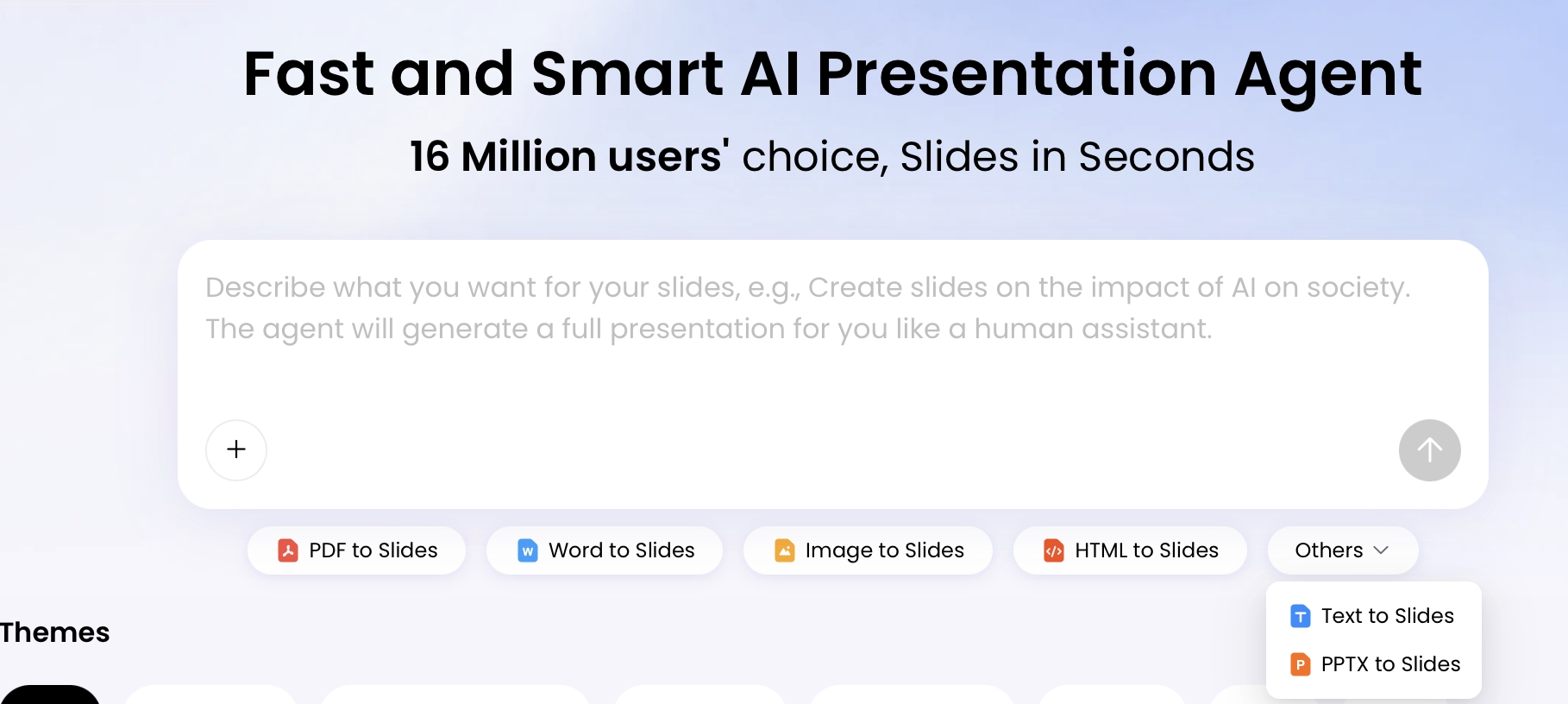
PopAi’s web workflow is useful when teams want to test this file-to-slides chain without developing an API layer immediately. Start from a topic or uploaded materials, inspect the generated outline, create the deck, request edits in natural language, adjust layouts, and export PPTX or PDF. In API procurement terms, use this kind of no-code pilot to discover which source formats, prompts, and templates produce reliable slides before you ask engineering to automate the same pattern.
Inputs, Templates, and Brand Control
Slide automation succeeds or fails on input quality and template discipline. The most reliable pipelines do not send messy source material directly to a deck generator; they pre-process it into clean summaries, tables, headings, and explicit requirements.
Input reliability by format
| Input type | Reliability | Best use case | Common failure mode |
|---|---|---|---|
| Structured JSON / CSV tables | High | Recurring KPI decks, customer QBRs, finance updates. | Numbers are correct but narrative is thin unless you add business context. |
| Markdown or clean HTML | High | Report-to-deck workflows with headings, tables, risks, and actions. | Overly long sections can become crowded slides unless you specify slide limits. |
| DOCX | Medium-high | Policies, research briefs, product notes, training content. | Nested tables, comments, and tracked changes can confuse extraction. |
| Medium | Analyst reports, white papers, static business reviews. | Tables may extract poorly; scanned PDFs require OCR and manual verification. | |
| Existing PPTX | Medium | Refreshing old decks or extracting an outline from legacy material. | Complex masters, grouped objects, and pasted screenshots may not preserve structure. |
| BI screenshots / images | Low-medium | Visual reference or qualitative explanation. | AI may describe the image but cannot reliably recover underlying chart data. |
| Audio / video | Variable | Training recaps, meeting summaries, webinar decks. | Speaker attribution, nuance, and decisions can be lost without transcripts and labels. |
Template requirements for predictable output
- Use fewer approved layouts: one title slide, one section divider, two text layouts, two chart layouts, one table layout, and one closing/action layout are often enough.
- Name placeholders clearly: “Slide title,” “KPI chart,” “Risk table,” and “Speaker notes” are easier for automation to target than decorative labels.
- Control fonts and overflow: decide what happens when German, French, or Spanish text expands beyond English-length placeholders.
- Standardize charts: define approved chart types, color meaning, axis labels, decimal precision, and when to use tables instead of charts.
- Preserve citations: require source references for factual claims, especially for investor, legal, medical, financial, or customer-facing decks.
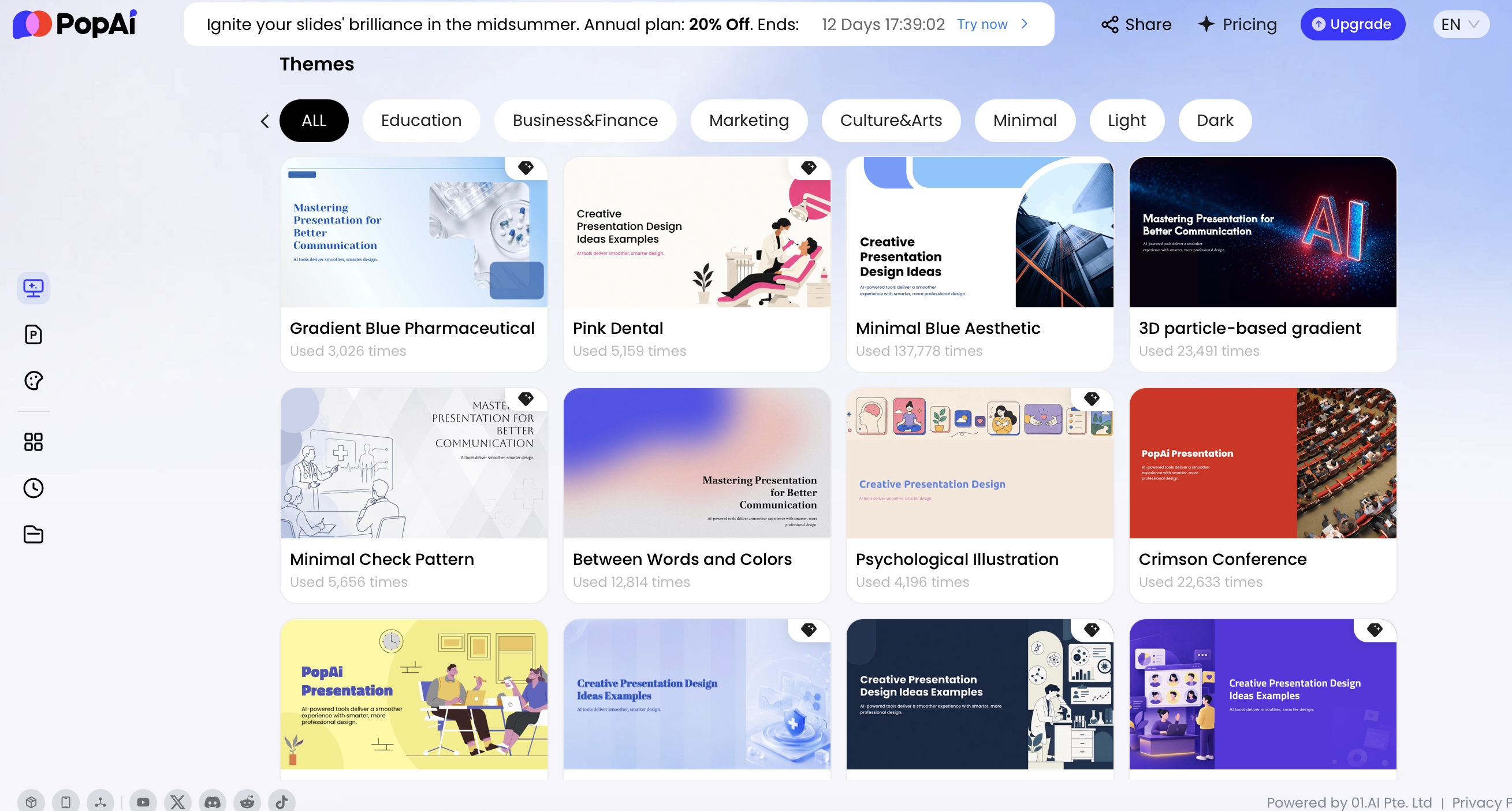
PopAi supports source entries such as PDF, Word, image, HTML, text, and PPTX workflows, plus local upload, drag-and-drop, existing files, and Google Drive connection. Its AI PowerPoint path also includes official templates, personal templates, and uploaded PPTX templates, which makes it useful for testing whether your existing presentation style survives AI-assisted generation. For production API planning, still verify plan availability, template limits, export behavior, and chart editability with the vendor.
Template engineering tip: Treat your PPTX master as a design system, not decoration. Define title hierarchy, chart colors, table styles, logo zones, image crops, accessibility rules, and “do not use” layouts. If a template contains too many conflicting slide masters, automation becomes less predictable.
For chart-heavy decks, check whether the tool can edit underlying data rather than only generating screenshots. In a business review, an attractive chart with the wrong denominator or stale data is worse than a plain table. Your acceptance test should include at least one bar chart, one line chart, one table with more than eight rows, and one chart that needs a footnote explaining methodology.
Editable Exports and Quality Evaluation
Executives, sales teams, educators, and consultants rarely accept a generated deck as final. They edit claims, remove sensitive details, adjust hierarchy, add speaker notes, and adapt slides for the meeting. That is why export quality is a core evaluation criterion for AI presentation tools with APIs.
Use a measurable quality scorecard
| Criterion | Pass threshold for a pilot | What to test | Why it matters |
|---|---|---|---|
| Editability | At least 90% of text boxes and core shapes remain editable in PowerPoint. | Open PPTX, edit titles, body text, shapes, images, and tables. | Prevents decks from becoming static images that designers must rebuild. |
| Brand consistency | No more than two minor brand violations in a 10-slide deck. | Check fonts, colors, spacing, logo placement, chart palettes, and title levels. | Protects company identity across high-volume generated content. |
| Document parsing | All required sections from the source appear in the outline or deck. | Upload long PDFs, HTML reports, tables, and mixed-format files. | Determines whether the system extracts the right message, not just the first text it sees. |
| Chart accuracy | 100% of displayed numbers match the approved source data. | Compare generated charts and tables against CRM, BI, or spreadsheet values. | Reduces risk in sales, finance, operations, and board reporting. |
| Hallucination control | Every factual claim traces back to source material or is clearly marked as interpretation. | Ask for citations, source-grounded summaries, and review checkpoints. | Keeps unsupported claims out of client and executive decks. |
| Accessibility | Readable contrast, logical reading order, and alt-text support for important visuals. | Run accessibility checks in PowerPoint or your review tool. | Important for training, education, government, and enterprise communications. |
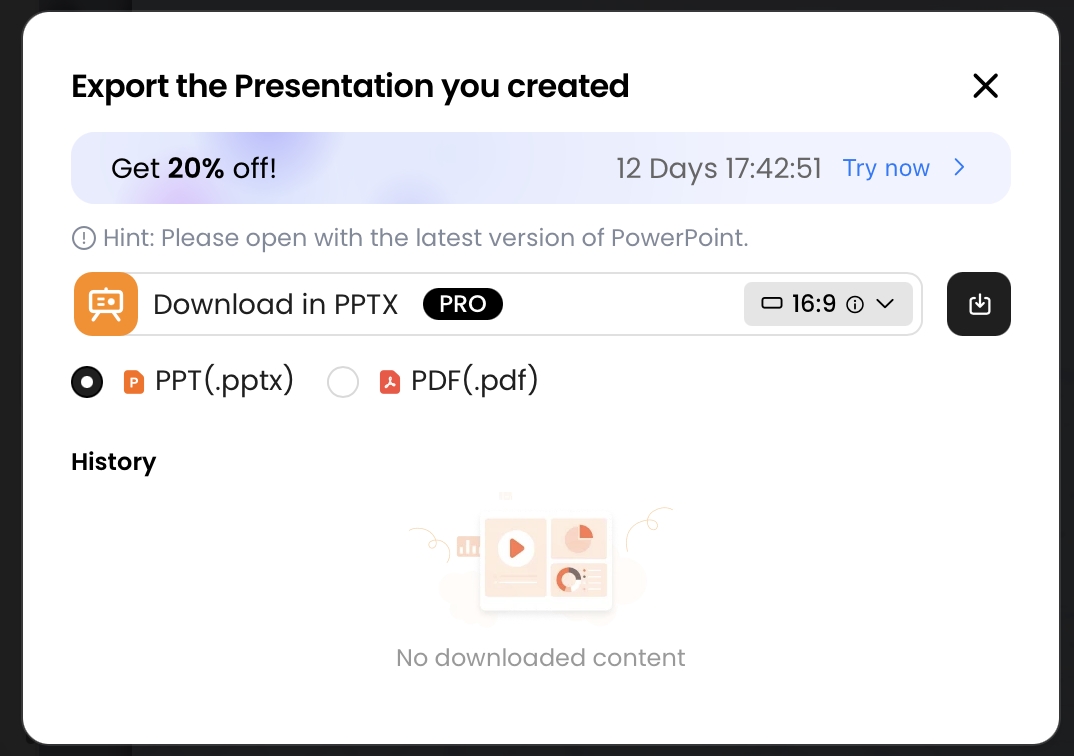
PopAi exports generated decks as PPTX or PDF, and PPTX files should be tested in Microsoft PowerPoint using the same fonts, templates, and chart types your team will use in production. Do not assume perfect format preservation across every layout. A serious pilot should include Windows PowerPoint, Mac PowerPoint, and, if relevant, Google Slides import testing.
Mini case-study test: A practical PopAi HTML-to-slides pilot used a source report with five semantic sections: title, executive summary, KPI table, risk register, and recommended actions. The generated six-slide deck preserved the overall structure, converted the risk register into a slide table with risk, severity, owner, and mitigation fields, and produced an editable PPTX suitable for follow-up review. The main manual fixes were shortening crowded bullets, confirming the table values against the source, and adjusting one slide title to better match the executive audience. That is the level of friction you want to uncover before automating the same workflow through an API or custom stack.
Security, Cost, and Deployment Decisions
Presentation automation often handles confidential strategy, sales numbers, employee training, customer data, product roadmaps, legal summaries, or investor materials. Before adopting any API, confirm the vendor’s data handling, model training policy, storage duration, enterprise controls, and contractual obligations.
Security and compliance questions to ask
- Does the vendor provide SOC 2 Type II, ISO 27001, GDPR/DPA terms, or HIPAA support if your use case requires it?
- Are uploaded files retained, and can admins configure deletion windows?
- Is customer content used for model training by default, or is there a contractual opt-out?
- Can enterprise teams use SSO/SAML, SCIM, RBAC, audit logs, workspace permissions, and admin reporting?
- Are API keys scoped to specific workspaces, projects, service accounts, or environments?
- Does the vendor publish subprocessors and regional data-processing locations?
- Is customer-managed encryption key support available, and is it necessary for your risk profile?
- Does the vendor support private deployment, VPC, on-prem, air-gapped, BYOK, or local model endpoints?
- What is the incident response SLA, and how are security events communicated?
Open-source or self-hosted systems can be attractive when deployment control is the top requirement. A common architecture is: LLM or internal model for outline generation, PptxGenJS or python-pptx for PPTX rendering, object storage for files, a queue for jobs, and Microsoft Graph or Google Drive for distribution. This gives engineering teams strong control over data boundaries, but they also inherit layout bugs, template versioning, monitoring, export compatibility, and long-term maintenance. SaaS tools usually win on setup speed, managed scaling, templates, collaboration, and integrations; self-hosted stacks win when governance and deterministic behavior matter more than convenience.
Cost models to compare
- Per slide or credit: predictable for high-volume batch generation if slide counts are stable.
- Per API call: simple to meter but may hide document parsing, image generation, OCR, storage, or export costs.
- Per seat: useful when human editing and collaboration matter as much as automation.
- Enterprise contract: common for higher concurrency, security reviews, SSO, custom limits, private support, and SLAs.
- Self-hosted operations: may reduce vendor fees but adds infrastructure, monitoring, model, QA, and maintenance costs.
Cost calculation example: For 200 customer QBR decks per quarter, a $3-per-deck API cost is only $600 per quarter. But if each generated deck still requires 45 minutes of analyst cleanup at $70/hour, labor adds $10,500. In that scenario, the winning tool is not the cheapest API; it is the one that reduces rework by preserving charts, templates, source references, and editable PPTX objects.
Do not compare tools only by monthly sticker price. A lower-cost generator that produces inconsistent layouts can become expensive if every deck requires a designer. A more expensive workflow can be cheaper overall if it produces editable PPTX, respects brand templates, reliably summarizes complex documents, and gives operations teams clear logs when generation fails.
Implementation Playbook for Automating Slide Creation
Before writing code, run a controlled pilot. Choose one recurring deck with clear business value: a weekly pipeline update, customer QBR, board metric appendix, onboarding module, policy training deck, or product launch summary.
Step-by-step rollout
- Define the deck contract: audience, meeting purpose, slide count, required sections, data sources, review owner, and final approval owner.
- Prepare source data: convert messy inputs into clean summaries, tables, Markdown, HTML, or JSON before generation.
- Standardize templates: create a limited set of approved deck types instead of letting every user invent layouts.
- Set acceptance criteria: define accuracy, editability, brand consistency, accessibility, and review-time thresholds.
- Generate and review: check structure, facts, chart accuracy, citation support, speaker notes, and export compatibility.
- Add automation: schedule jobs, integrate storage, send notifications, prevent duplicate runs, and track failures.
- Monitor production: log job IDs, input versions, template versions, generation time, reviewer changes, and failed exports.
- Measure impact: compare time saved, rework rate, output quality, stakeholder satisfaction, and cost per approved deck.
PopAi is particularly useful in the early validation stage because teams can test multiple input forms, watch the system organize content before generating slides, use natural language to request edits, adjust themes and layouts, and export PPTX/PDF. Creative Slides supports more visual storytelling, while AI PowerPoint emphasizes template-based generation with official templates, personal templates, and uploaded PPTX templates. Treat those entry points as a practical way to learn whether your use case is document summarization, visual narrative, or branded deck production before choosing an API-first architecture.
Recommended pilot: Take one real monthly report, remove sensitive data if needed, convert it into HTML or DOCX, generate a six-to-ten-slide deck, then ask reviewers to score accuracy, editability, narrative flow, chart fidelity, accessibility, and brand fit. Only automate after the manual pilot produces repeatable quality.
The most common failure modes are predictable: overloaded source documents, unsupported tables, missing fonts, chart labels that need verification, multilingual text expansion, ambiguous instructions, and stakeholders editing generated decks outside the governed workflow. Replace vague prompts with explicit requirements: “Create eight slides for a CFO audience, lead with margin risk, include three KPI charts from the attached table, preserve source references, use a concise executive tone, and end with owner-based action items.”
API Automation Readiness Checklist
Before connecting an API to production data, define how the deck will be generated, validated, reviewed, and rolled back when output is wrong.
| Area | Question to answer | Why it matters |
|---|---|---|
| Input contract | What fields, file types, prompts, and templates are allowed? | Consistent inputs reduce hallucinated structure and broken layouts. |
| Brand system | Which theme, fonts, charts, logos, and layouts must be enforced? | API generation should not create off-brand variations at scale. |
| Quality scoring | How will the system flag missing slides, dense text, bad charts, unsupported claims, and failed exports? | Automation needs measurable rejection criteria. |
| Human approval | Which decks can auto-publish and which require review? | High-stakes decks still need a person accountable for accuracy. |
| Observability | Will you log prompt version, source file, template ID, export status, and reviewer decisions? | Debugging is impossible without generation records. |
| Security | How are keys stored, who can trigger jobs, and what data is retained? | Presentation APIs often touch sensitive business material. |
Start with a limited pilot: one template, one data source, one owner, and one export format. Expand only after the QA report is consistently clean.
API and Automation Options Matrix
This article now treats the topic as a broader automation landscape instead of pretending every tool is a direct AI PPT API.
| Option type | Examples | Best use | Key selection checks |
|---|---|---|---|
| Presentation platform APIs | Google Slides API, Microsoft PowerPoint add-in/Office extensibility, Canva Connect API. | Creating or updating slides inside an existing presentation ecosystem. | Authentication, scopes, template control, asset upload, rate limits, permissions, and export format. |
| Code libraries | PptxGenJS, python-pptx. | Generating repeatable PPTX files from structured data or approved text. | Chart support, images, speaker notes, fonts, templates, tables, and maintenance burden. |
| No-code automation | Zapier, Make, internal workflow builders, webhook-driven pipelines. | Moving data between forms, sheets, documents, CRMs, and presentation steps. | Data mapping, error handling, audit logs, access control, retries, and human approval gates. |
| AI deck creators without public API evidence | Creator-first products, including PopAi-style prompt/document-to-deck workflows when no public API is verified. | Validating prompts, templates, source inputs, and review workflows before engineering a custom API pipeline. | Do not compare these as API tools unless a current public API is documented. |
Recommendation: keep PopAi in the prototype / non-API workflow lane unless current official documentation confirms a public API endpoint for deck generation.
Automation Documentation to Verify
These source links support the factual and standards-based parts of the article. Product features and legal requirements can change, so review the latest official pages before publishing or relying on the deck.
FAQ: AI Presentation Tools with APIs
What is an AI presentation API?
An AI presentation API is a programmable interface that accepts prompts, documents, structured JSON, templates, or data sources and returns a generated presentation, task status, preview link, or export file such as PPTX or PDF.
Can AI-generated PPT files still be edited in PowerPoint?
Often yes, but you should test it. Many tools export PPTX files that open in Microsoft PowerPoint, yet editability varies by text, chart, image, and layout object. Avoid workflows that flatten important slide content into static images.
How should teams choose between SaaS APIs and self-hosted tools?
Choose SaaS APIs when you want speed, managed infrastructure, templates, and workflow integrations. Consider self-hosted or private deployment when data residency, model control, network isolation, or compliance requirements are more important.
What inputs should a slide automation workflow support?
Useful workflows support prompts, PDF, Word, Markdown, HTML, PPTX, images, and structured summaries. For BI reporting, plan how tables, charts, source metrics, and recommendations will be transformed into slide-ready content.
Create a presentation draft faster
Turn prompts, documents, reports, and existing materials into editable presentation drafts faster, then refine the story and export for your next meeting.
Start with PopAi AI Presentation