AI Presentation Tools and Data Privacy: Upload Safety Checklist
If you create decks for clients, executives, students, patients, investors, or internal teams, the privacy question is not just “what did I type into the prompt?” It is also what was inside the file you uploaded, whether the tool stores or trains on that content, who can open the finished deck, and what remains in exports, logs, links, and connected cloud drives.
Quick answer: do not upload confidential, regulated, client-restricted, or NDA-covered material into an AI presentation tool unless your organization has approved the vendor, contract, data-use terms, and sharing controls. Before upload, inspect speaker notes, hidden slides, comments, document properties, embedded spreadsheets, chart data, image metadata, and public links. Free and personal plans often have fewer administrative controls than enterprise plans.
This guide is for solo creators, agencies, educators, finance teams, healthcare and HR teams, enterprise IT, procurement, and legal reviewers who need a practical way to evaluate AI deck tools. It is not legal advice; privacy obligations vary by jurisdiction, contract, data type, and use case. This article is published by PopAi, and PopAi product examples below illustrate presentation workflows rather than a complete legal or security assessment. Review the current privacy policy, enterprise terms, and security documentation for any vendor before uploading sensitive data.
What AI Presentation Tools May Collect From Your Deck Workflow
AI presentation tools may process visible slide content, hidden file data, account activity, and sharing metadata—not only the final text you see on screen.
Visible content you intentionally provide
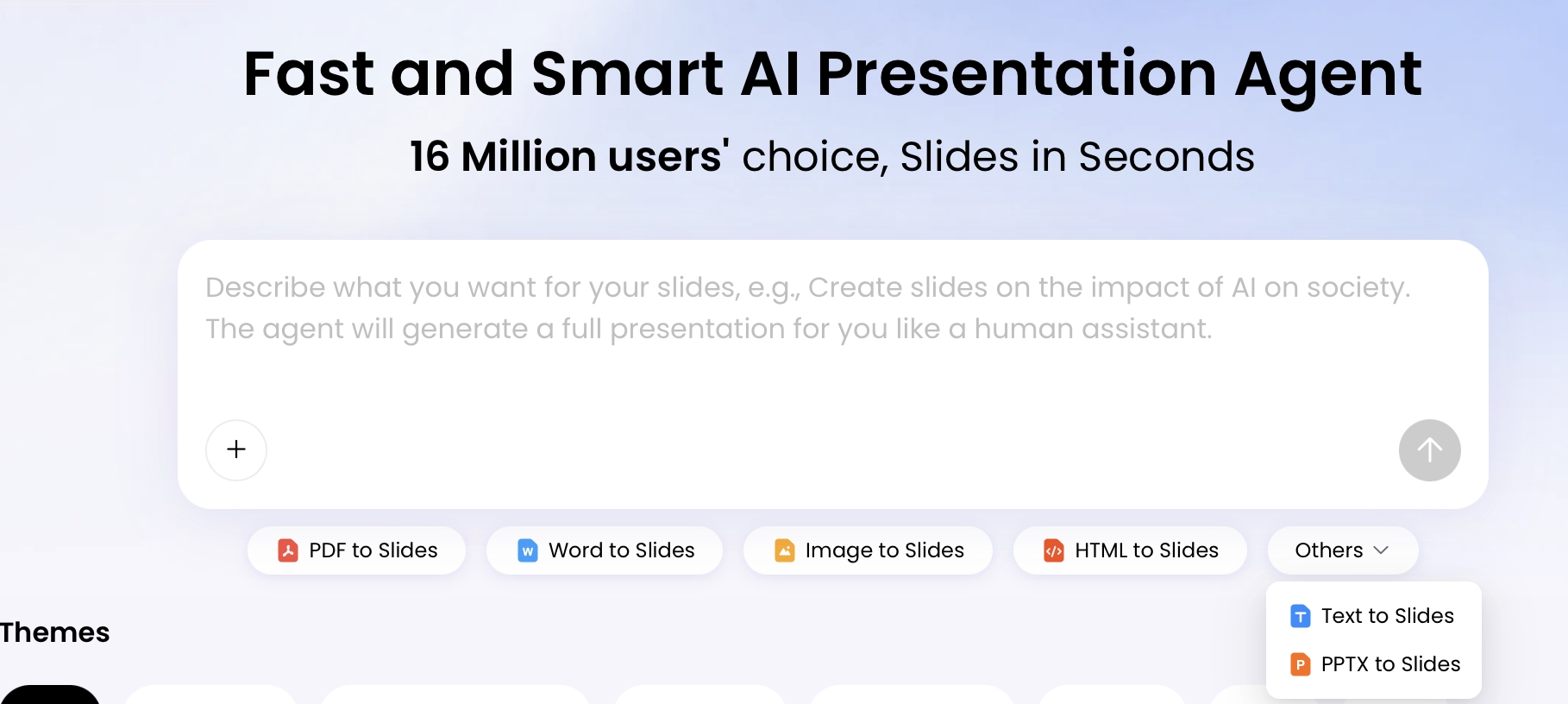
A deck workflow can start with a prompt, PDF report, Word document, PPTX file, meeting transcript, screenshots, images, web pages, audio, video, or a connected cloud drive. In PopAi AI Presentation, for example, users can create slides from a topic or from file inputs such as PDF, DOCX, TXT, MD, XML, HTML, PPTX, image formats, audio, video, and YouTube URLs. Those entry points are useful because they turn messy source material into an organized deck, but they also mean the privacy review must happen before upload—not after the slides look polished.
Visible content includes prompt text, pasted outlines, slide copy, screenshots, chart labels, customer names, market commentary, speaker scripts, and executive recommendations. If the AI system needs the whole source document to summarize it, assume the source document—not just the summary—may be processed.
Hidden file data inside PPTX, PDF, DOCX, XLSX, and images
Presentation files often contain more than the slide canvas. A PPTX can include speaker notes, comments, hidden slides, slide masters, document properties, embedded Excel objects, linked workbooks, previous client logos, unused layouts, and chart data. Microsoft’s own guidance on Document Inspector exists because Office files routinely contain hidden data that authors forget to remove.
PDFs can carry metadata, selectable text, annotations, attachments, form fields, and OCR text behind scanned pages. DOCX files may include tracked changes, comments, author names, custom properties, and embedded objects. Images can contain EXIF metadata such as device, time, and sometimes location. A screenshot of a dashboard can reveal usernames, browser tabs, internal URLs, or customer records even if the slide title is generic.
Workflow metadata, logs, and support access
Beyond the file itself, vendors may collect account identifiers, upload time, IP address, device/browser information, workspace or team ID, file name, cloud-drive source, recipients, export format, and diagnostic logs. Some logs may include prompts, error traces, file names, or snippets needed for debugging. Ask whether support staff can access customer decks, under what approval process, and whether access is logged.
Connected cloud-drive and URL inputs
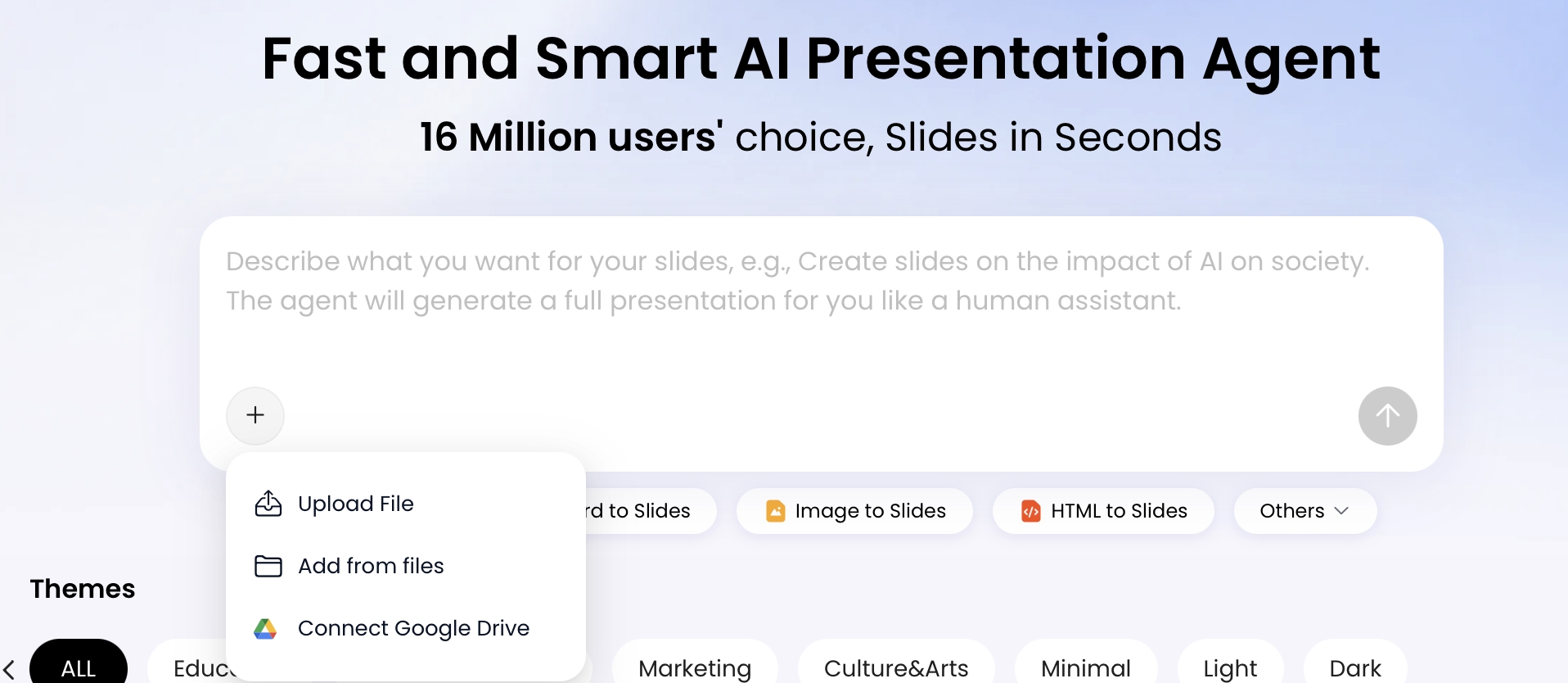
Google Drive, OneDrive, Dropbox, Notion, web-page, and YouTube URL workflows add another permission layer. Check whether the tool receives a copy of the file, a temporary token, a persistent connection, or broad read access to a folder. For web and HTML-to-slides workflows, ask whether the vendor fetches the URL, stores page content, follows links, captures screenshots, or processes any private pages behind authentication.
Privacy risk in presentation generation is rarely one dramatic mistake. It is usually a chain of small disclosures: a confidential note in the speaker field, an embedded worksheet behind a chart, a cloud-drive token with broad access, and a public link forwarded to the wrong audience.
Sensitive Data You Should Not Put Into AI Presentation Tools
Treat sensitive information as restricted unless the tool, plan, contract, and workflow have been approved for that data type.
The highest-risk mistake is uploading non-public material into a free or unapproved AI system because the final deck appears harmless. A clean pitch deck may be built from risky inputs: a customer discovery transcript, payroll spreadsheet, classroom roster, patient case summary, unreleased research, legal memo, source-code architecture, or M&A diligence report. Even if the generated slide contains only a high-level summary, the source material may have been parsed in full.
Do not upload the following to unapproved AI presentation tools:
- Personally identifiable information, student records, medical data, HR files, financial account details, government IDs, or biometric data.
- Client decks, confidential strategy documents, investment memoranda, acquisition targets, legal documents, litigation materials, or NDA-protected information.
- Passwords, API keys, access tokens, source code, security architecture, unreleased product plans, vulnerability reports, or incident details.
- Raw survey responses, interview transcripts, meeting notes, call recordings, or support tickets containing names, emails, phone numbers, addresses, or sensitive opinions.
- Slides with hidden notes, embedded spreadsheets, proprietary templates, brand assets, licensed images, unpublished research, or private image metadata.
Data point: Cisco’s 2024 Data Privacy Benchmark Study reported that 48% of employees entered non-public company information into generative AI tools. For slide teams, the risk is amplified because a single “turn this report into a deck” upload may contain dozens of pages, charts, speaker notes, and appendices that would never be pasted manually into a chatbot.
Case study pattern: Several companies tightened generative AI access after employees were reported to have pasted confidential source code, meeting notes, or internal documents into external AI tools. The deck version of the same mistake is a consultant uploading a client discovery transcript with names in the notes, a teacher uploading a lesson deck with student accommodations on hidden slides, or a startup uploading an investor deck with an embedded financial model behind one chart.
If you are still selecting a tool, compare workflow capabilities and privacy controls together—not separately. A feature-rich list of AI presentation makers is useful only if you also check training policy, retention, deletion, sharing links, subprocessors, and enterprise controls.
Industry-specific upload guidance
| Context | Usually acceptable | Use caution | Avoid unless approved | Recommended action before upload |
|---|---|---|---|---|
| Consulting and agencies | Public market summaries, anonymized personas, generic frameworks | Client pain points with identifiers removed | Client strategy decks, raw interview notes, named accounts, NDA materials | Replace client names with Client A/B, remove quotes that identify speakers, summarize findings instead of uploading transcripts. |
| Finance and startups | Public investor narrative examples, market education slides | Rounded KPI ranges, anonymized pipeline examples | Financial models, cap tables, M&A targets, bank data, unreleased earnings | Use ranges, remove tabs behind charts, screenshot sanitized visuals, and keep exact models offline. |
| Education | Generic lesson objectives, rubrics, public curriculum concepts | De-identified classroom scenarios | Student records, grades, accommodations, disciplinary notes, education records covered by FERPA or similar laws | Remove student names and IDs, strip notes, and use composite examples rather than real learner histories. |
| Healthcare | General wellness education, policy training concepts | Aggregated operational trends without patient identifiers | PHI, patient records, diagnoses, treatment details, appointment data, claims information | Use only approved HIPAA-aligned workflows and contracts where required; otherwise use synthetic examples. |
| HR and people operations | General onboarding, policy, and leadership training | Aggregated engagement themes without small-group identification | Employee files, performance cases, compensation, benefits claims, investigations | Remove employee identifiers, avoid verbatim comments from small teams, and route sensitive cases through approved systems. |
| Legal and compliance | Public regulatory summaries, generic training scenarios | De-identified issue patterns | Privileged memos, litigation strategy, contract drafts, investigation materials | Do not upload privileged or client-confidential materials unless counsel has approved the vendor and terms. |
Free vs. Enterprise AI Presentation Tools: Privacy Differences That Matter
The plan level can change training rights, retention, admin controls, sharing restrictions, support access, and contractual protections.
Free and personal AI tools often optimize for fast sign-up, generous trials, and easy uploads. Enterprise tools usually add contractual and technical protections, such as data processing agreements, no-training commitments, SSO, role-based access, audit logs, tenant separation, deletion workflows, subprocessor disclosures, and security review documents. Those protections are not automatic; verify them for the exact plan, region, and workspace you intend to use.
Privacy scorecard for plan comparison
| Privacy issue | Free/personal risk | Team plan expectation | Enterprise expectation | What to verify |
|---|---|---|---|---|
| Model training | May allow service improvement or training unless opted out | Clear user-content policy | Contractual no-training commitment | Exact policy and DPA wording for prompts, uploads, outputs, and feedback. |
| Retention and deletion | Unclear or user-managed only | Basic delete controls | Retention schedule, admin deletion, backup deletion windows | Whether deleting a deck deletes source files, thumbnails, embeddings, logs, and public links. |
| Public sharing | Easy copy-link sharing, fewer restrictions | Workspace-level link settings | Admin disablement, expiration, access logs, domain restrictions | Whether public links can be revoked, indexed, forwarded, or accessed without authentication. |
| Cloud-drive imports | User grants permissions individually | Limited team controls | Admin restrictions and OAuth app review | Scope of access, token persistence, folder-level permissions, and revocation process. |
| Subprocessors | Often accepted through standard terms | Published list | Notice of changes and contractual flow-down terms | Which providers handle AI processing, storage, analytics, support, and logging. |
| Compliance documents | Privacy policy only | Security overview | DPA, SOC 2 report, pen-test summary, incident terms | Scope, date, exceptions, covered systems, and whether the AI presentation product is included. |
“We do not train on your data” is valuable, but it is not the same as “your data is never stored, logged, accessed by support, shared with subprocessors, retained in backups, or exposed through permissions.”
What good and risky vendor language looks like
- Green: “Customer content is not used to train foundation models. Retention is configurable. Deletion removes user content from active systems within X days and backups within Y days. Subprocessors are listed. Enterprise customers can sign a DPA.”
- Yellow: “We may use content to improve services unless disabled.” This may be workable only for de-identified or low-risk content if your organization accepts the terms.
- Red: “We may use uploaded content for any business purpose,” “public links are not access-controlled,” “deletion is not guaranteed,” or “we cannot disclose subprocessors.” Do not use this for confidential or regulated decks.
SOC 2 Type II is often requested in enterprise procurement because it is an independent audit over a defined period, but it is not a universal certificate of safety. Read the report scope, exceptions, covered systems, encryption practices, retention terms, incident notification obligations, and whether the AI presentation product—not merely the parent company—is covered. For regulated settings, map the workflow to GDPR controller/processor roles, HIPAA protected health information, FERPA education records, cross-border transfers, breach notification rules, state privacy laws, the EU AI Act, Australia’s Privacy Act, or other frameworks relevant to your audience and jurisdiction.
A Privacy-Safe Workflow for AI Presentation Tools
A useful privacy workflow gives creators exact steps for classifying, cleaning, generating, reviewing, sharing, and deleting deck materials.
Use this workflow before converting source material into slides:
- Classify the deck. Mark it public, internal, confidential, regulated, client-restricted, or legally privileged.
- Choose an approved tool. If your organization has an approved AI list, use it. If not, avoid sensitive data and prefer tools with clear privacy documentation, deletion controls, and no-training commitments.
- Create a safe-input copy. Duplicate the original file into a separate folder named something like AI-safe working copy. Never sanitize the only original.
- Sanitize source files. Remove names, emails, IDs, notes, comments, hidden slides, embedded spreadsheets, linked workbooks, tracked changes, image metadata, and document properties.
- Minimize the prompt. Provide only objective, audience, tone, slide count, structure, and de-identified facts. Avoid raw transcripts when a short summary will do.
- Generate an outline first. Review the plan before full slide generation so you can catch unnecessary disclosures early.
- Review output manually. Check for hallucinated data, unsupported claims, accidental re-identification, biased framing, confidential remnants, and overly precise numbers.
- Control exports and sharing. Prefer limited-access files for sensitive work; avoid public links unless they are intentional, time-limited, and revocable.
- Delete or retain intentionally. Follow your retention policy and keep a record of what was uploaded, generated, exported, and shared if the project is sensitive.
Practical file-sanitization checklist
- PowerPoint/PPTX: review speaker notes, comments, hidden slides, slide masters, alt text, document properties, embedded objects, and linked charts. Use PowerPoint’s Document Inspector where available.
- Google Slides: check speaker notes, comments, version history exposure, Drive sharing permissions, linked Sheets charts, and add-ons with access to the file.
- PDF: remove annotations, attachments, form fields, author metadata, hidden OCR text, and redactions that are only visually covered rather than truly removed.
- Word/DOCX: accept or reject tracked changes, delete comments, remove custom properties, inspect headers/footers, and check embedded files.
- Excel/XLSX: remove hidden sheets, formulas with confidential assumptions, pivot caches, named ranges, comments, external connections, and unnecessary tabs before charts are used in slides.
- Images: crop carefully, blur private screens, remove EXIF metadata, and check background details such as badges, whiteboards, addresses, faces, and browser tabs.
- Cloud-drive imports: use a dedicated folder with only the files needed, avoid broad folder permissions, and revoke OAuth/app access after the project if it is no longer needed.
PopAi’s slide-generation flow is useful for illustrating where review points belong. A user can input a topic or upload material, review a planning stage such as Thought Process, Draft, Outline, or content plan depending on the entry point, then select themes, templates, aspect ratio, or layout and continue editing. Treat each stage as a gate: pre-upload cleanup, outline review, generated-slide review, export inspection, and sharing-permission check.
20 Vendor Questions to Ask Before Approving AI Presentation Tools
A procurement checklist is most useful when it groups questions by risk and defines what acceptable answers look like.
Model training and AI processing
- Do you use customer prompts, uploaded files, generated slides, feedback, or edited outputs to train foundation models?
- Does the answer differ by free, pro, team, and enterprise plans?
- Which AI model providers or subprocessors process customer content, and do their terms prohibit training on our data?
- Are extracted text, thumbnails, embeddings, temporary files, or intermediate drafts stored?
Storage, retention, and deletion
- What data is stored, where is it stored, and for how long?
- Can users and administrators delete uploaded files, generated decks, exports, and public links?
- What remains in logs, backups, analytics systems, or support records after deletion?
- Do you support data residency choices or regional processing?
Security controls
- Is data encrypted in transit and at rest?
- How are tenants separated?
- Do support staff have access to customer decks? Under what approval, logging, and time limits?
- Do you have a SOC 2 Type II report, ISO 27001 certification, penetration-test summary, or comparable third-party audit covering this product?
Admin and sharing controls
- Do you support SSO, SAML, SCIM, RBAC, workspace administration, and audit logs?
- Can admins restrict public link sharing, external exports, template uploads, and cloud-drive imports?
- Can we export decks to PPTX/PDF without keeping public links active?
- Can admins see who created, opened, downloaded, shared, or deleted decks?
Compliance and legal terms
- Do you offer a data processing agreement and, where relevant, business associate agreement, education data terms, or regional transfer mechanism?
- Are you a data controller, processor, or both for different data types?
- What is your incident notification timeline and what information is included in notices?
- What contractual terms cover confidentiality, deletion, subprocessors, audit rights, and AI training restrictions?
Request the documents behind the answers: privacy policy, DPA, subprocessor list, security whitepaper, SOC 2 or audit report under NDA, retention schedule, incident response terms, AI training/data-use addendum, and product-specific admin-control documentation. For high-risk use, ask for the exact clause—not a sales summary—that says customer content will not be used to train models.
The presentation-specific questions are easy to miss. For HTML-to-slides, ask whether URLs are fetched, stored, and crawled. For old PPT reconstruction, ask whether slide masters, speaker notes, and embedded assets are retained. For chart editing, ask whether raw spreadsheet data is extracted or stored. For rewriting features, ask whether selected text becomes prompt data. For sharing, ask whether links are public, indexed, revocable, expiring, or access-logged. For exports, ask whether the exported PPTX/PDF preserves metadata, notes, comments, and embedded objects.
Sharing, Exports, and the Privacy Risks After the Deck Is Generated
The finished presentation can leak data through exported files, public links, embedded media, and recipient forwarding.
Risks inside exported PPTX files
Exported PPTX files can still contain editable text, hidden slides, speaker notes, comments, document properties, embedded chart data, linked workbooks, unused layouts, template assets, and alt text. A client may right-click a chart and open the underlying data, inspect slide notes, or find old brand assets in the master. If the deck is sensitive, open the exported file as a recipient would and inspect it before sending.
Risks inside PDFs
PDFs reduce casual editing but are not automatically “safe.” They may preserve metadata, selectable text, annotations, attachments, bookmarks, hidden OCR text, and image content. If you redact, use a real redaction tool rather than placing black rectangles over text. For some external deliveries, “print to PDF” can remove certain interactive elements, but you still need to inspect metadata, links, accessibility text, and visual content.
Risks from public links and shadow AI
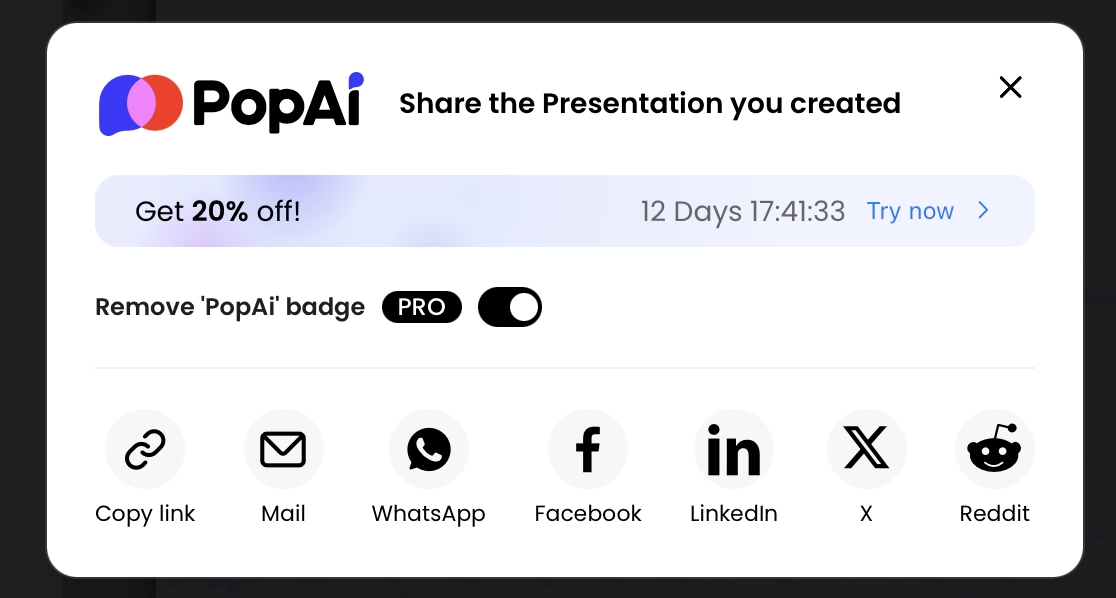
Public presentation links can be forwarded, screenshotted, opened from personal devices, posted into chat channels, or retained after a project ends. If the link does not require authentication, assume anyone with the URL may be able to view it. Test the link in a private browser window or from a non-team account before sharing externally.
Data point: IBM’s Cost of a Data Breach Report repeatedly highlights lack of visibility, shadow data, and unmanaged environments as breach cost drivers. In presentation workflows, that visibility problem grows when employees use unsanctioned tools to upload entire reports, export decks, and distribute public links outside approved systems.
Pre-delivery review checklist
- PowerPoint desktop: open the exported PPTX, run Document Inspector where available, and manually inspect speaker notes, hidden slides, comments, document properties, slide masters, alt text, and embedded objects.
- Charts: right-click charts to check for raw data tabs, linked workbooks, customer labels, named ranges, or overly precise confidential figures.
- PDF export: inspect metadata, selectable text, annotations, attachments, bookmarks, links, and whether notes were included in the export.
- Images and media: confirm images do not reveal private faces, badges, locations, screens, whiteboards, or copyrighted assets you cannot share.
- Links and QR codes: open every link, QR code, embedded video, and shortened URL. Replace links that expose internal systems or personal accounts.
- Sharing permissions: test access in a private browser window or non-team account; disable public access unless it is intentional.
- End-of-project cleanup: revoke public links, rotate shared folders if needed, remove temporary collaborators, and delete safe-input copies according to policy.
What to Do If Sensitive Data Was Uploaded by Mistake
A good response preserves facts, contains exposure, notifies the right people, and prevents the same upload from happening again.
Step 1: Stop and document
If you accidentally upload sensitive material to an AI presentation tool, stop using the session and do not keep testing. Record the tool name, URL, account used, workspace, file name, upload time, type of data involved, prompts entered, output generated, links shared, export downloads, connected cloud-drive source, and whether anyone else accessed or forwarded the deck. Preserve screenshots or audit logs if your organization’s incident process requires them.
Step 2: Assess severity
| Severity | Example | Typical action |
|---|---|---|
| Low | Public content, approved marketing copy, already-published report | Delete if unnecessary, document briefly, reinforce workflow. |
| Medium | Internal non-public roadmap, draft pricing, internal meeting notes | Notify manager or IT/security, revoke links, delete files, review vendor terms. |
| High | Client confidential deck, NDA materials, unreleased financials, legal strategy | Escalate to security, legal, privacy, and client lead; preserve evidence and request vendor confirmation. |
| Critical | Patient data, student records, payroll, credentials, API keys, bank data, security architecture | Activate incident response; rotate credentials if relevant; assess breach notification and contractual obligations. |
Step 3: Contain the exposure
Delete the uploaded file or generated deck if deletion controls are available, but follow internal incident instructions first if evidence preservation is required. Revoke sharing links, remove external collaborators, delete exported files from shared folders, revoke connected cloud-drive access, and rotate credentials or tokens if secrets were included. If a public link was created, check whether the tool provides access logs or view history.
Step 4: Ask the vendor for written confirmation
Contact vendor support or your account representative with a concise request: identify the file/session, state that sensitive data was uploaded by mistake, ask for deletion from active systems and public links, ask about backup retention windows, ask whether the content was used for training or human review, and ask whether any subprocessors processed the data. Keep the response with your incident record.
Step 5: Fix the workflow
After containment, update the process that allowed the mistake. Create a red/yellow/green data classification guide, publish an approved tool list, train employees on hidden PPTX data, add a pre-upload sanitization checklist, and create approved prompt templates that request structure and tone without requiring raw confidential details. For recurring client or regulated work, use a standard “AI-safe input” folder and require a second-person review before upload.
Sources and further reading
For deeper review, consult vendor-specific privacy terms and authoritative guidance, including Cisco’s Data Privacy Benchmark Study, IBM’s Cost of a Data Breach Report, Microsoft’s Document Inspector guidance, the NIST AI Risk Management Framework, the FTC’s business guidance on AI and privacy, the U.S. Department of Education’s FERPA resources, HHS HIPAA guidance, and your local data-protection authority’s rules for cross-border transfers, retention, breach notification, and automated processing.
Data Classification Matrix Before Uploading Files
Classify the file before using any AI presentation workflow. The stricter the data category, the more review you need before upload.
| Data type | Typical examples | Recommended handling |
|---|---|---|
| Public | Published blog posts, public reports, press releases, approved marketing copy. | Usually acceptable, but still verify copyright and attribution. |
| Internal non-sensitive | Project notes, draft outlines, non-confidential process documents. | Remove unnecessary names and old information; use approved work accounts when possible. |
| Confidential business data | Sales pipeline, strategy, financial forecasts, product roadmap, customer feedback. | Use only approved enterprise tools and confirm retention, training, access control, and deletion terms. |
| Personal data | Employee records, student names, user lists, customer contact details. | Minimize, anonymize, or aggregate before upload; confirm legal basis and policy approval. |
| Regulated data | PHI, legal matters, payment data, government identifiers, unreleased financial disclosures. | Do not upload unless the tool, contract, controls, and responsible owner explicitly allow it. |
A privacy-safe deck workflow starts before generation: clean the source file, remove hidden metadata, reduce unnecessary detail, and document who approved the upload.
Regulatory Requirements vs. Product Controls
Do not let a privacy article imply that a presentation tool automatically satisfies GDPR, HIPAA, FERPA, SOC 2, ISO 27001, or sector-specific obligations.
| Topic | What the article can safely explain | What must not be implied without evidence |
|---|---|---|
| Privacy regulations | Teams may have legal duties around personal data, student data, health data, employee data, and cross-border transfers. | That PopAi or any tool is compliant with a regulation just because the article mentions that regulation. |
| Security certifications | Enterprise buyers often ask vendors for SOC 2, ISO 27001, DPA, retention, deletion, and access-control documentation. | That a certification exists unless a current official trust page, contract, or security document proves it. |
| Upload safety | Users should classify source files before uploading and remove secrets, patient data, student records, confidential deal data, or unreleased financials unless approved. | That AI tools can automatically detect and safely handle all restricted information. |
| Company examples | Describe generic risk scenarios such as accidental upload, excessive link sharing, or retention uncertainty. | Unnamed “several companies did X” claims without a source. |
Editorial rule: keep PopAi workflow language limited to verified product behavior. Put compliance requirements in a buyer checklist, not in product-capability claims.
Privacy and AI Governance Sources
These source links support the factual and standards-based parts of the article. Product features and legal requirements can change, so review the latest official pages before publishing or relying on the deck.
FAQ: AI Presentation Tools and Data Privacy
Do AI presentation tools use my slides to train models?
Some tools may use prompts, uploads, or outputs for model improvement, especially in free or personal plans. Others offer no-training commitments in business or enterprise plans. Always verify the privacy policy, DPA, retention terms, and plan-specific settings before uploading confidential content.
Is it safe to upload client decks, financial models, or student data?
Treat those materials as restricted unless your organization has approved the tool and signed the right contractual protections. Remove personal data, client identifiers, hidden speaker notes, financial tabs, and confidential strategy details before using any unapproved AI workflow.
What hidden data can exist inside a PowerPoint file?
A PPTX can contain author names, comments, revision history, hidden slides, speaker notes, embedded spreadsheets, linked data sources, image metadata, and unused master assets. Inspect and sanitize files before uploading or sharing.
Does a no-training promise mean there is no privacy risk?
No. No-training commitments reduce one important risk, but data may still appear in logs, temporary processing stores, subprocessor systems, admin views, exported files, or public sharing links. You still need retention, deletion, access control, and sharing governance.
Create a presentation draft faster
Turn topics, documents, reports, and outlines into editable slides while keeping privacy review built into your workflow from input to export.
Start with PopAi AI Presentation