AI Presentation Generator for Business: Must-have sections
Published on April 21, 2026
For startup founders, marketing managers, and corporate executives, the pressure to deliver a perfect deck is constant. Whether you are pitching for seed funding or presenting a quarterly marketing review, the structure of your presentation can make or break the outcome. In the fast-paced corporate world, an AI presentation generator for business has become a vital ally, helping professionals overcome the paralyzing "blank slide syndrome" and ensuring that no critical business component is overlooked.
Modern AI tools do more than just pick a color scheme; they understand the narrative arc required for professional success. By utilizing an AI presentation generator for business, you can automate the heavy lifting of content organization, allowing you to focus on the nuances of your delivery and the strategic insights that only a human expert can provide.
The Evolution of the AI Presentation Generator for Business
Gone are the days when creating a presentation meant spending hours manually aligning text boxes and hunting for the right stock images. The first generation of slide software gave us templates, but the current generation of AI-driven tools gives us intelligence. An AI presentation generator for business today acts as a co-pilot, suggesting layouts based on the specific intent of your meeting.
These tools utilize Large Language Models (LLMs) to analyze your initial prompt or outline. If you tell the AI you are building a "Series A Pitch Deck," it knows to prioritize sections like traction, market size, and the "ask." This contextual awareness is what separates a generic slide maker from a specialized business tool. It ensures your narrative follows a logical flow that stakeholders expect, reducing the cognitive load on your audience and making your message more persuasive.
Essential Structure: The Core Pillars of a Business Deck
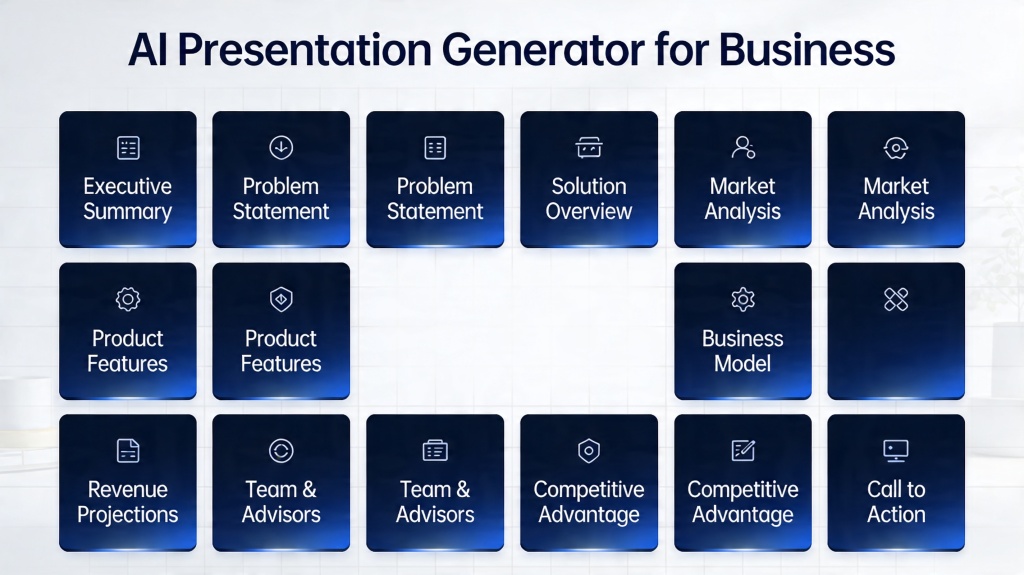
Regardless of the industry, every successful business presentation rests on a few non-negotiable pillars. When using an AI presentation generator for business, you should ensure the tool populates these essential sections:
- The Executive Summary: A high-level overview that captures the essence of your proposal in under two minutes.
- The Problem Statement: Clearly defining the pain point your business or project addresses. Without a clear problem, the solution lacks value.
- The Solution/Value Proposition: How your offering uniquely solves the identified problem and what specific benefits it brings to the table.
- Business Model & Monetization: For external pitches, this is where you explain how the company makes money. For internal decks, this translates to the "Resource & ROI" section.
Pro Tip: When prompting your AI, be specific about your audience. A deck for a technical CTO requires different "pillars" than one for a creative marketing team. Try PopAi's specialized templates to get the tone right instantly.
Data and Analytics: Integrating Evidence with AI
In the business world, claims without data are just opinions. An advanced AI presentation generator for business excels at transforming raw data into compelling visual narratives. Instead of struggling with Excel-to-PowerPoint formatting issues, modern AI can take a CSV or a brief description of your metrics and generate clean, readable charts.
The key here is "data storytelling." The AI doesn't just show a bar chart; it helps highlight the trend—pointing out that "Revenue grew by 40% QoQ" through automated callouts. This level of detail helps your audience immediately grasp the "so what?" behind the numbers, which is the most important part of any data-heavy slide.
Market Positioning and Competitive Analysis Sections
Investors and stakeholders need to know where you stand in the ecosystem. A robust business presentation must include a competitive landscape or a SWOT analysis. Manually researching competitors and mapping them on a 2x2 grid is time-consuming. However, an AI presentation generator for business can often pull real-time market data or use its training data to suggest a competitive matrix.
This section should focus on your "Unfair Advantage." Why will you win? Whether it's proprietary technology, a unique distribution channel, or first-mover advantage, the AI can help draft the copy that emphasizes these strengths against the backdrop of current market trends.
The Call to Action: Closing with Impact
The most common mistake in business presentations is a weak ending. Your final slide shouldn't just say "Thank You" or "Questions?" It needs to be a clear, actionable Call to Action (CTA). Your AI presentation generator for business can help you draft a closing that summarizes the key takeaways and explicitly states the next steps.
Whether you are asking for a specific investment amount, a follow-up meeting, or a budget approval, the CTA should be the most visually prominent part of your conclusion. The AI can suggest different closing styles—from "The Visionary Close" to "The Logical Next Step"—depending on how the rest of the deck was structured.
Common Pitfalls to Avoid in AI-Generated Business Slides
While an AI presentation generator for business is a powerful tool, it is not a complete replacement for human judgment. One major pitfall is "Over-Automation." If you let the AI generate 100% of the content without review, the deck might feel generic or miss the specific "soul" of your company. Always review the AI's suggestions to ensure the tone matches your personal speaking style.
Another pitfall is "Information Overload." Just because an AI can generate five bullet points for every slide doesn't mean it should. The best business presentations are concise. Use the AI to summarize long-winded paragraphs into punchy, readable sentences. Remember: the slides are there to support your speech, not to replace it.
FAQ: Maximizing Your AI Presentation Generator
Can an AI presentation generator handle sensitive financial data?
Most high-end AI tools allow you to input raw data which is then processed locally or via secure servers to create charts. However, always check the privacy policy of your chosen AI presentation generator for business to ensure enterprise-grade security.
How do I ensure the AI-generated content matches my brand voice?
You can guide the AI by providing specific prompts about your brand's tone (e.g., 'professional and minimalist' or 'bold and energetic') and by uploading your brand assets such as logos and color palettes.
Is it possible to export AI-generated slides to PowerPoint?
Yes, leading tools like PopAi allow you to export your generated presentations into standard formats like PPTX or PDF for further manual editing or offline presenting.
Create your presentation with one click now
Transform your ideas into professional business decks in seconds. Experience the power of the ultimate AI presentation generator for business.
Start Generating Now