AI Business Plan Deck: 12-Section Template Guide
July 09, 2026
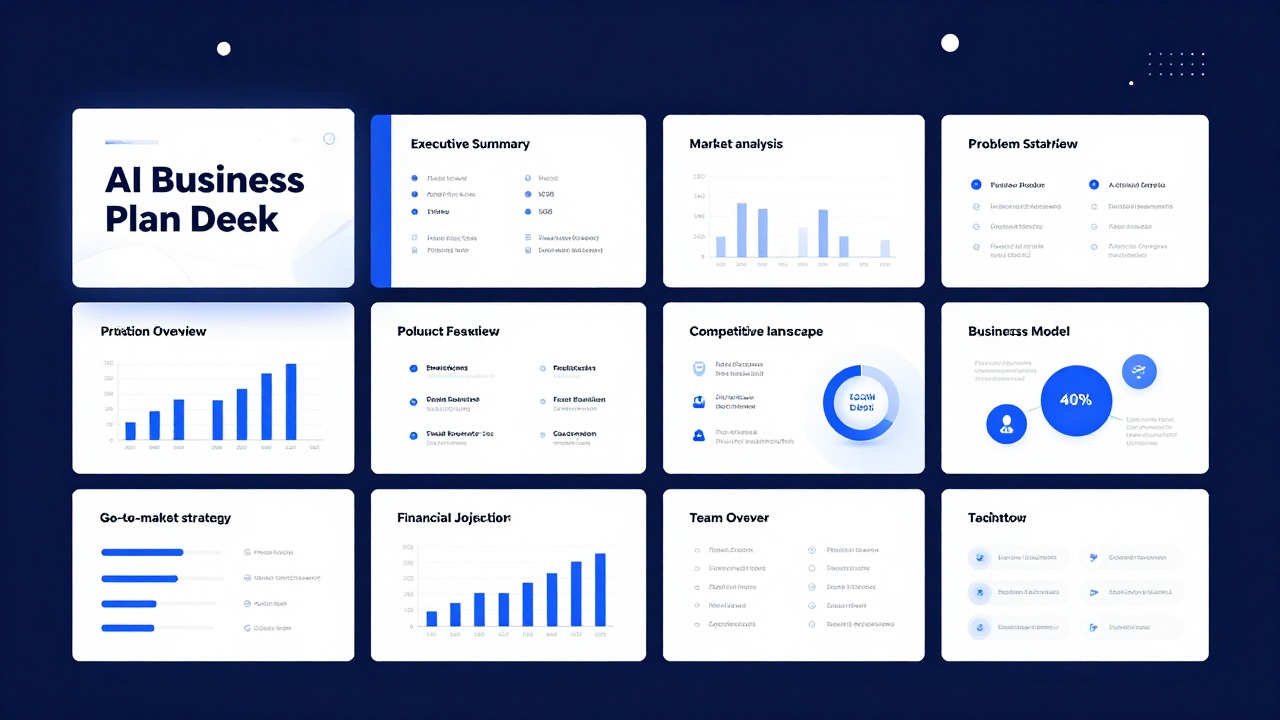
An AI Business Plan Deck should not feel like a random set of attractive startup slides. It should behave like a compressed business plan: clear problem, clear customer, clear offer, clear market logic, clear operating plan, clear numbers, and a clear next step.
The safest way to use AI is to let it create the first structure, not the final judgment. Give the AI your source material, ask it to organize the deck into 12 sections, then verify the market claims, financial assumptions, customer insight, and competitive positioning before presenting.
This rewritten guide gives you the missing template layer: a complete slide-by-slide table with each slide purpose, what to include, and a reusable prompt. You can use it for a startup plan, student entrepreneurship assignment, internal business case, accelerator application, or small-business partner discussion.
Quick Answer: The 12 Slides in an AI Business Plan Deck
Use this slide order when you need a complete planning deck rather than a short fundraising teaser.
| Slide | Purpose | What to include | Prompt to use with AI |
|---|---|---|---|
| 1. Title | Establish the project and context. | Business name, one-line positioning, presenter, audience, date. | Create a title slide for [business name] with one concise positioning line for [audience]. |
| 2. Problem | Show why the business exists. | Customer pain, current workaround, frequency, cost of inaction. | Turn these customer notes into a problem slide with one sharp headline and three evidence-based bullets: [notes]. |
| 3. Solution | Explain what you offer. | Product/service, core benefit, who it helps, why now. | Create a solution slide that connects this offer to the problem without overclaiming: [offer]. |
| 4. Target Market | Define where the business will compete first. | Segment, geography, use case, reachable niche, market boundaries. | Summarize the target market for [business] and separate primary niche from broader market. |
| 5. Customer Profile | Make the buyer concrete. | Persona, trigger, objections, buying criteria, success outcome. | Create a customer profile slide for [persona] including needs, objections, and decision triggers. |
| 6. Business Model | Show how money is made. | Revenue streams, pricing logic, margin drivers, retention logic. | Draft a business model slide explaining revenue, pricing, cost drivers, and repeat purchase logic. |
| 7. Product or Service | Show what is actually delivered. | Offer components, workflow, key features, delivery method, roadmap caveats. | Create a product/service slide that explains what customers get today and what is planned later. |
| 8. Go-to-Market | Explain how you will reach customers. | Channels, launch sequence, sales motion, partnerships, content, referrals. | Turn this launch plan into a go-to-market slide with phased actions and measurable milestones: [plan]. |
| 9. Competitive Landscape | Clarify differentiation. | Competitor categories, alternatives, comparison criteria, honest limitations. | Create a competitor landscape slide comparing alternatives by customer decision criteria, not generic feature claims. |
| 10. Operations Plan | Prove execution is feasible. | Team roles, suppliers, tools, fulfillment, support, risks, dependencies. | Draft an operations slide that explains how the business will deliver consistently with current resources. |
| 11. Financial Overview | Show the economic logic. | Revenue drivers, cost drivers, assumptions, cash needs, break-even direction. | Create a financial overview slide using only the assumptions provided here. Label estimates clearly: [numbers]. |
| 12. Ask / Next Steps | End with the decision needed. | Funding, approval, pilot, partner meeting, class conclusion, timeline. | Write a closing slide with one clear ask, the reason it matters, and the next three actions. |
How to Fill the Template Without Making the Deck Too Dense
Each slide should have one job, one headline claim, and no more detail than the audience can process.
The common AI mistake is trying to include the whole business plan inside the deck. A deck is not a document. Keep detailed research, long financial tables, and process notes in the appendix or speaker notes. The main slides should carry the decision story.
- Use claim-based titles such as “Small clinics lose hours to manual intake” instead of labels like “Problem.”
- Put assumptions in plain language before numbers. The audience needs to know what drives the forecast.
- Avoid invented market-size statistics. If you do not have a verified source, frame the market as a defined niche rather than a giant top-down number.
- Use speaker notes for context, caveats, and methodology so the slide stays readable.
- Keep the final ask specific: money, approval, feedback, a pilot, a meeting, or a decision.
The 12-section table is a starting point. For a five-minute class presentation, combine market and customer profile. For a 30-minute internal review, expand operations, risk, and financial logic.
Prompt Workflow: From Notes to a 12-Section Deck
A good AI deck depends on the input brief more than the tool itself.
Before generating slides, prepare a short input packet: audience, business stage, objective, product description, customer notes, business model assumptions, and known limitations. Then ask AI to produce structure first, not a polished final deck immediately.
- Paste your raw notes and ask for a 12-section outline only.
- Review the outline and remove sections that do not match your audience.
- Ask AI to turn each section into slide headlines and concise bullets.
- Add evidence, numbers, competitor facts, and customer insight manually.
- Generate speaker notes only after the slide narrative is stable.
For example, a founder can paste a two-page product memo into PopAi, ask for an AI Business Plan Deck, and use the generated draft as a working structure. The founder should still rewrite the market slide, financial slide, and ask slide with verified evidence.
Audience Versions: Startup, Student, Internal, and Small Business
The same 12-section deck should change depending on who will judge it.
| Audience | Expand | Compress | Risk if ignored |
|---|---|---|---|
| Investors | Problem, market entry, traction, business model, ask. | Operations details unless they prove advantage. | A deck may look complete but fail to explain why the company can scale. |
| Students | Research logic, required assignment sections, assumptions. | Overly polished sales language. | The deck may look commercial but miss grading criteria. |
| Internal executives | Business case, resource needs, operating impact, risks. | Generic market background. | The deck may not lead to a decision. |
| Lenders / partners | Cash flow logic, delivery reliability, risk controls. | Visionary claims. | The deck may feel exciting but not credible enough for approval. |
When prompting AI, name the audience in the first sentence. “Create a deck for a 10-minute internal budget approval meeting” produces a different structure from “Create a founder pitch for an accelerator interview.”
Final Review Checklist Before Publishing or Presenting
AI can organize your business plan, but human review makes it credible.
- Are all market, competitor, and customer claims backed by real evidence?
- Can you explain every financial assumption without reading the slide?
- Does each slide have one main message rather than a paragraph dump?
- Is the ask specific enough for the audience to act on?
- Have you removed invented statistics, unsupported superlatives, and generic AI phrasing?
Use AI to create the first draft of the deck structure. Do not outsource the business judgment that the deck is supposed to prove.
FAQ
What is an AI Business Plan Deck?
It is a business plan presentation drafted with AI assistance. It usually covers the problem, solution, customer, market, business model, product, go-to-market plan, competition, operations, financial logic, and next steps.
Can AI create the whole business plan deck from one prompt?
AI can create a useful first draft from one detailed prompt, but you should verify market claims, financial assumptions, competitor information, and audience fit before using the deck.
Is a business plan deck the same as a pitch deck?
No. A pitch deck is usually shorter and more persuasive. A business plan deck is broader and more operational, often used for planning, internal review, classes, lenders, or partners.
What should I never let AI invent in this deck?
Do not let AI invent market data, financial projections, legal claims, customer quotes, partnerships, traction, or competitor facts. Add verified evidence yourself.
Create an AI business plan deck draft with PopAi
Turn your notes, business plan, or project brief into an editable 12-section presentation draft, then refine the evidence and financial logic yourself.
Try PopAi AI Presentation