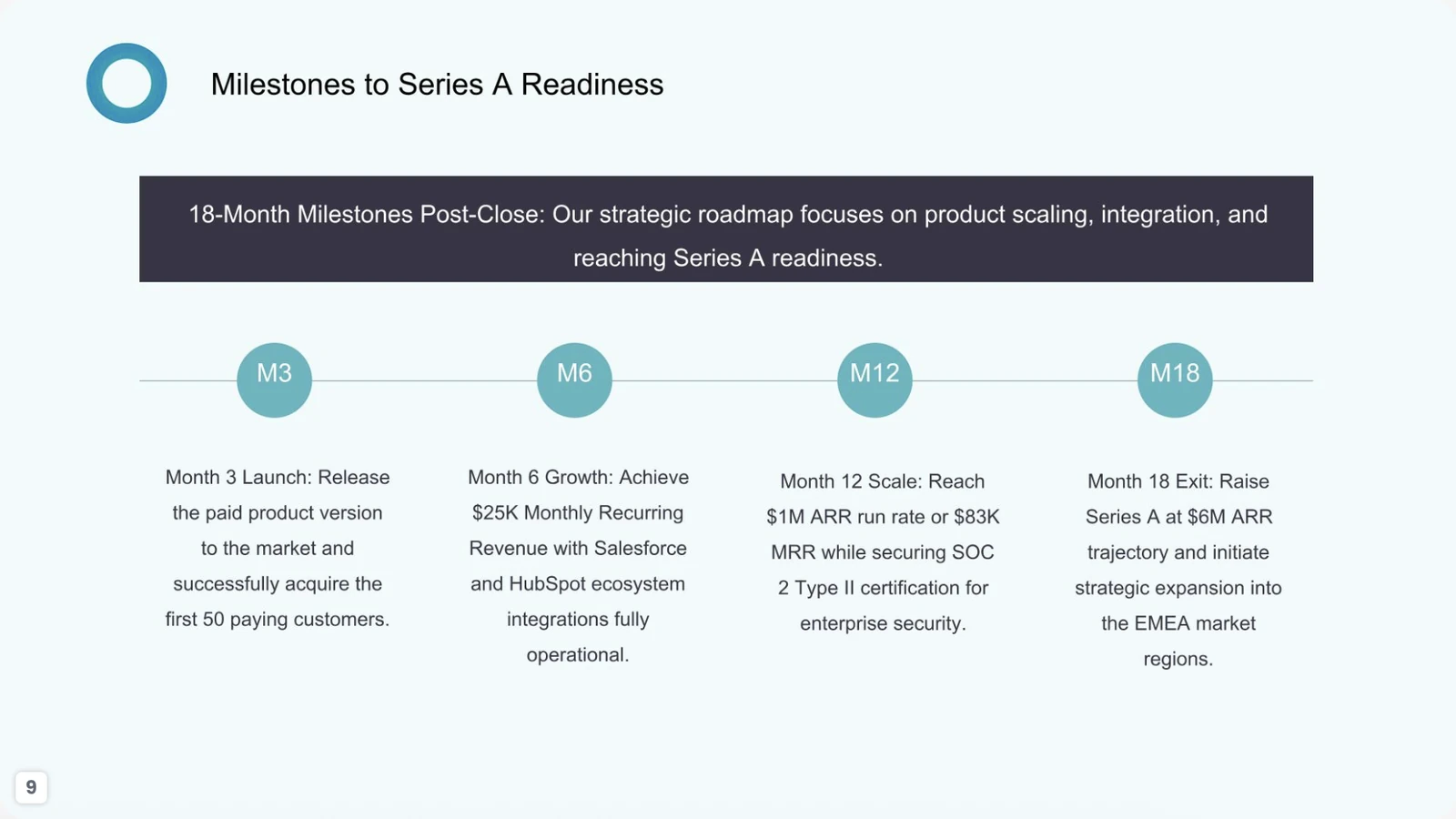
Presentation inspiration

PowerPoint Presentation Examples for Every Use Case

Explore presentation examples for business pitches, marketing plans, sales, company profiles, education, research and project updates. See how strong decks structure the story, use visuals and keep each slide focused—then create your own presentation with PopAi.

Presentation Examples by Purpose

Use these purpose-based examples to study slide structure and visual hierarchy. Each preview is shown in full 16:9, while the card layout gives the image more room and keeps supporting detail expandable.

Important: company names, dates, metrics and claims visible in the screenshots are illustrative AI-generated content—not verified customer results. Replace and source every factual claim before publishing or presenting.

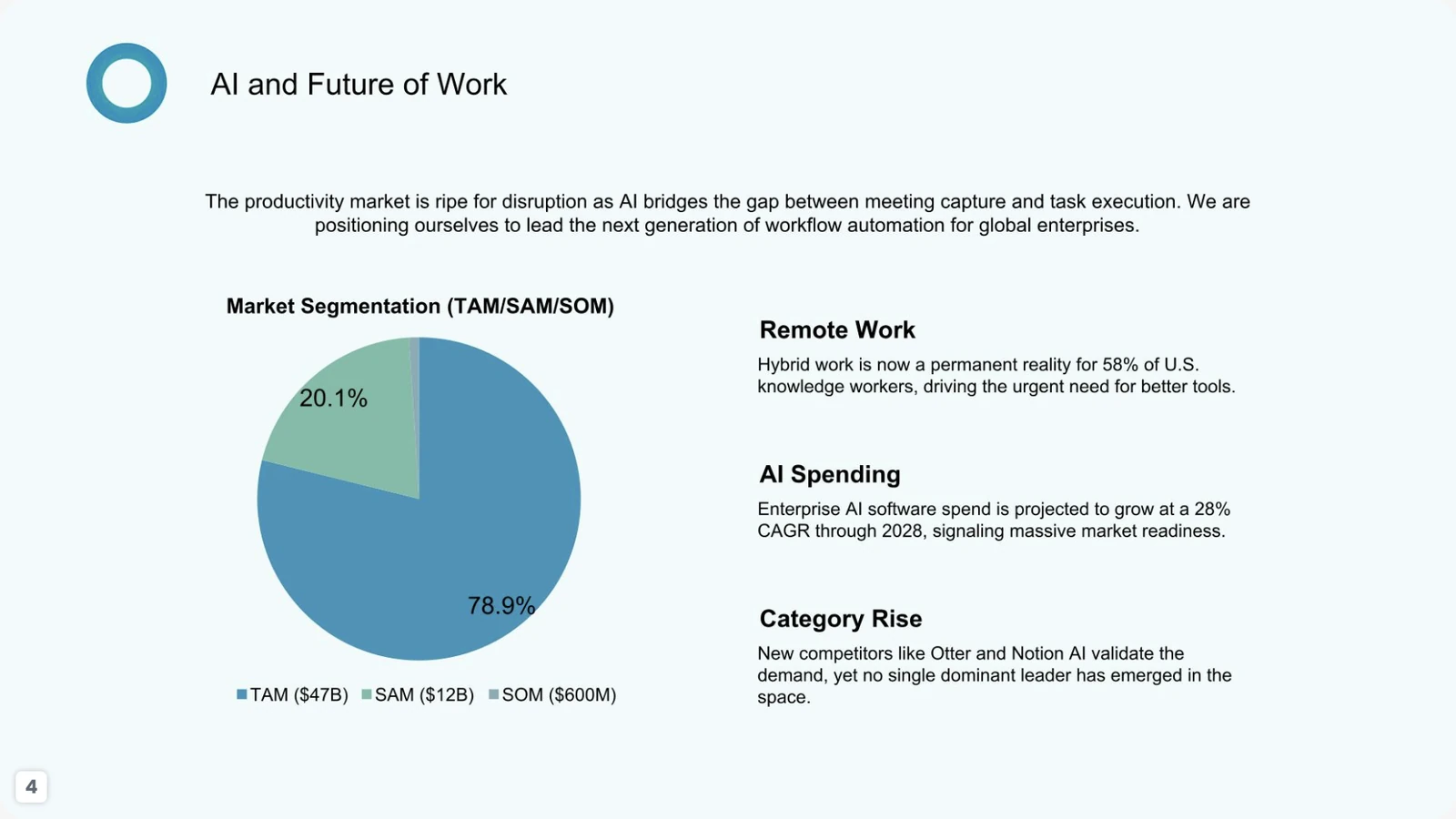
Market opportunity slide with TAM SAM SOM pie chart and future-of-work trends
Marketing · Representative slide

Marketing Plan Presentation Example

Suggested flow: Goals → market segments → audience insight → positioning → channels → measurement.

Representative slide: The “AI and Future of Work” slide combines a market-sizing chart with audience and category context. It works as the market-opportunity section of a marketing plan, not as the entire plan.

AudienceProduct marketing, growth, leadership and investors
Decision supportedChoose the priority market and refine positioning
Evidence, prompt & source

Add verified proof: Sourced TAM, SAM and SOM figures, segment definitions, buyer research, growth assumptions, channel evidence and a measurement plan.

Starter prompt

Create a 10-slide marketing plan for an AI meeting-notes product. Include goals, priority segments, buyer pain points, positioning, message pillars, channels, launch activities, budget assumptions, KPIs and a 90-day plan. Use placeholders for unsourced market figures.

Example source: PopAi-generated fictional MeetMind seed-pitch sample deck. All names, claims and figures shown are illustrative, not verified customer results.
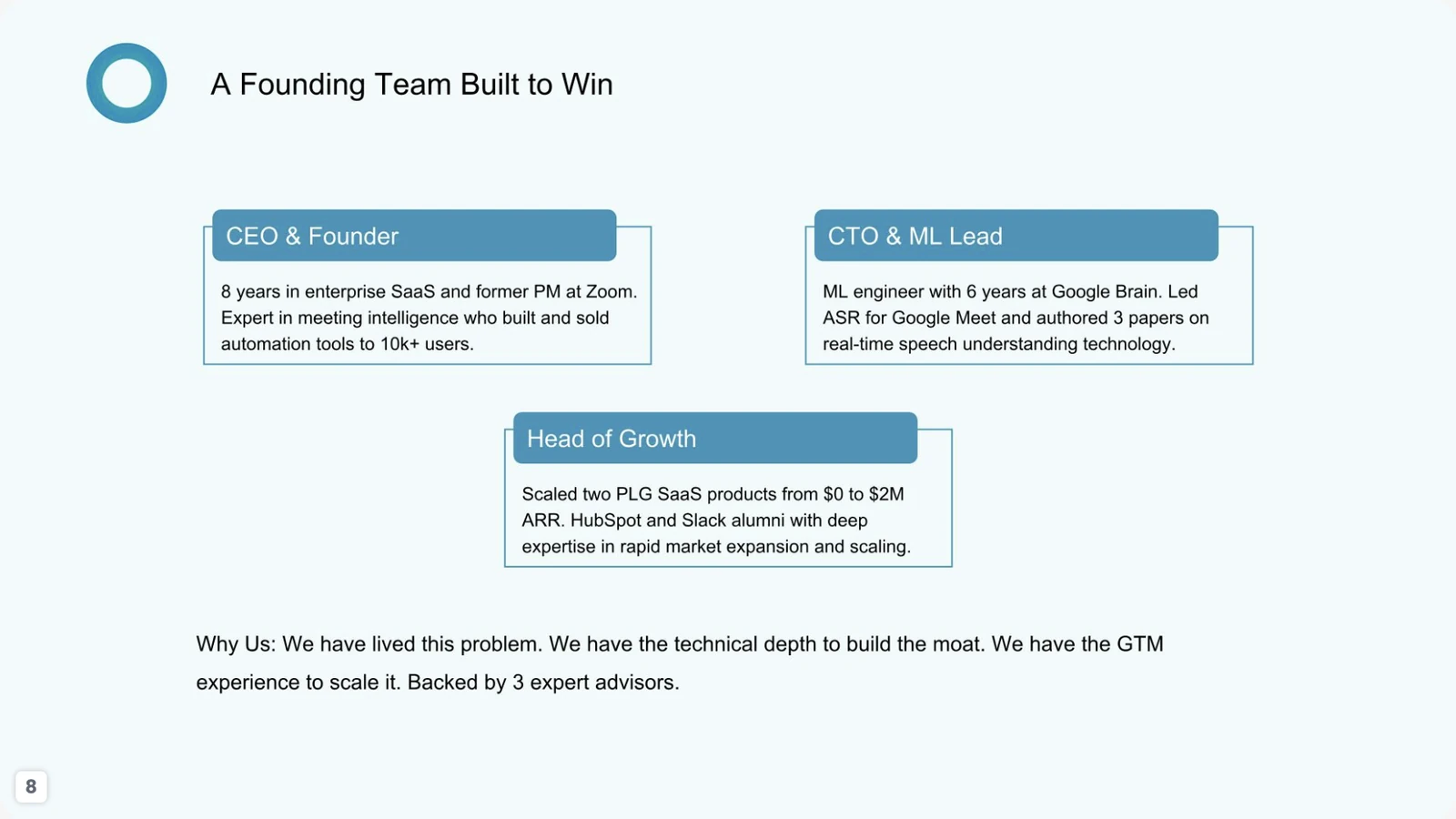
Company profile founding team slide with three leadership roles and short biographies
Company Profile · Representative slide

Company Profile Presentation Example

Suggested flow: Who we are → mission → capabilities → leadership → proof → milestones → contact.

Representative slide: A founding-team slide summarizes three leadership roles and a short “why us” statement. It demonstrates how a company profile can build credibility without turning biographies into long paragraphs.

AudienceInvestors, enterprise buyers, partners and prospective hires
Decision supportedTrust the team and continue the conversation
Evidence, prompt & source

Add verified proof: Verified names, current roles, credentials, employment history, approved headshots and supporting company milestones.

Starter prompt

Create an 8-slide company profile for an AI productivity startup. Cover mission, problem solved, product, capabilities, leadership, milestones, customers or proof, and contact. Do not invent biographies or client logos.

Example source: PopAi-generated fictional MeetMind seed-pitch sample deck. All names, claims and figures shown are illustrative, not verified customer results.
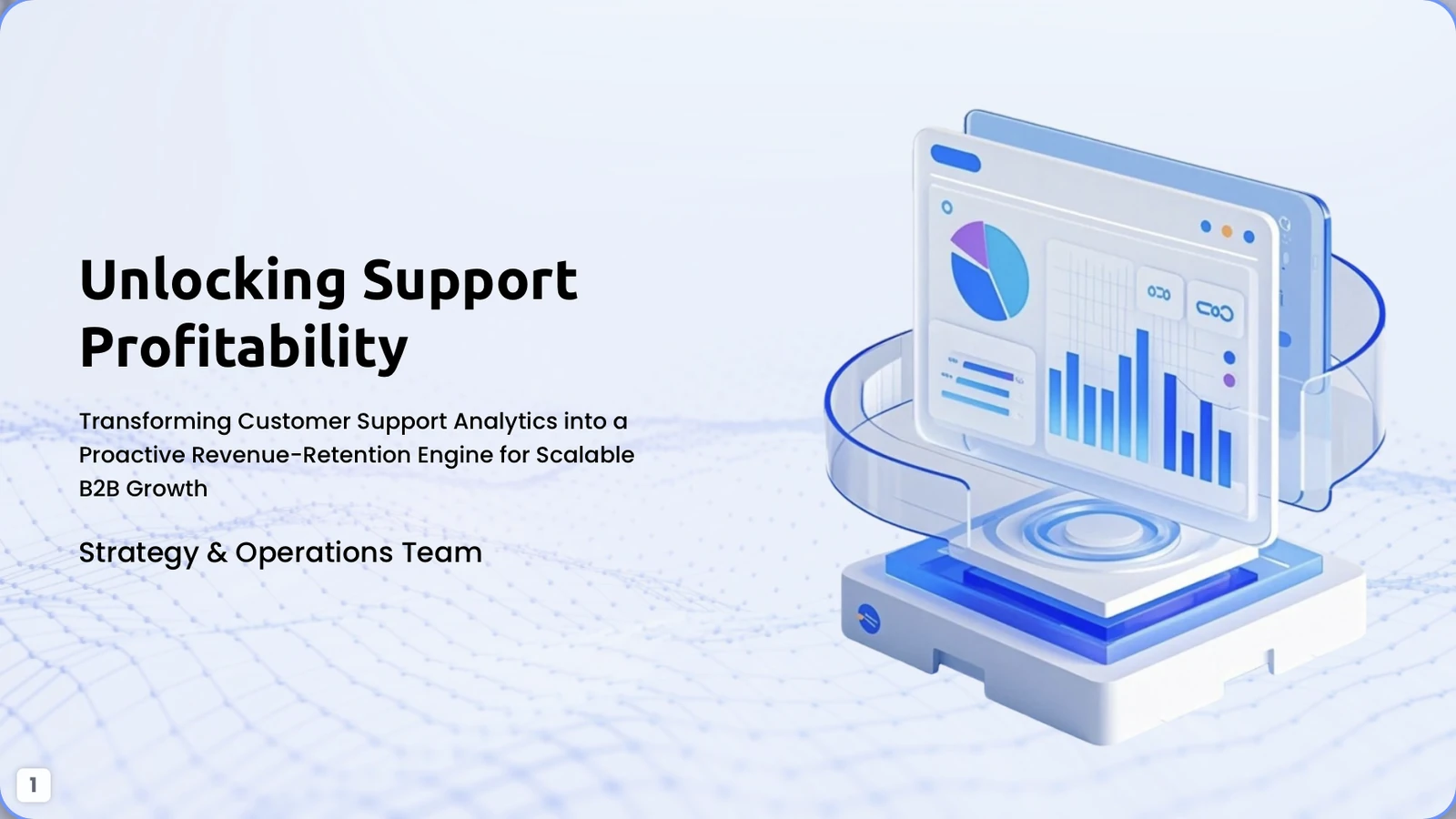
Unlocking Support Profitability B2B sales presentation cover with analytics dashboard illustration
Sales · Representative slide

Sales Presentation Example

Suggested flow: Customer problem → business impact → solution → proof → scope → next step.

Representative slide: The “Unlocking Support Profitability” cover frames customer-support analytics as a revenue-retention opportunity. It gives a B2B sales conversation a clear commercial outcome from the first slide.

AudienceCustomer support leaders, operations executives and finance stakeholders
Decision supportedContinue discovery, request a demo or evaluate a pilot
Evidence, prompt & source

Add verified proof: Customer-specific pain points, sourced benchmarks, expected value, integration scope, security requirements and a concrete CTA.

Starter prompt

Create a 7-slide B2B sales presentation for a customer-support analytics platform. Include the buyer problem, business impact, solution, workflow, proof plan, pilot scope and next step. Separate verified customer data from illustrative assumptions.

Example source: PopAi-generated fictional customer-support profitability sample deck. All names, claims and figures shown are illustrative, not verified customer results.
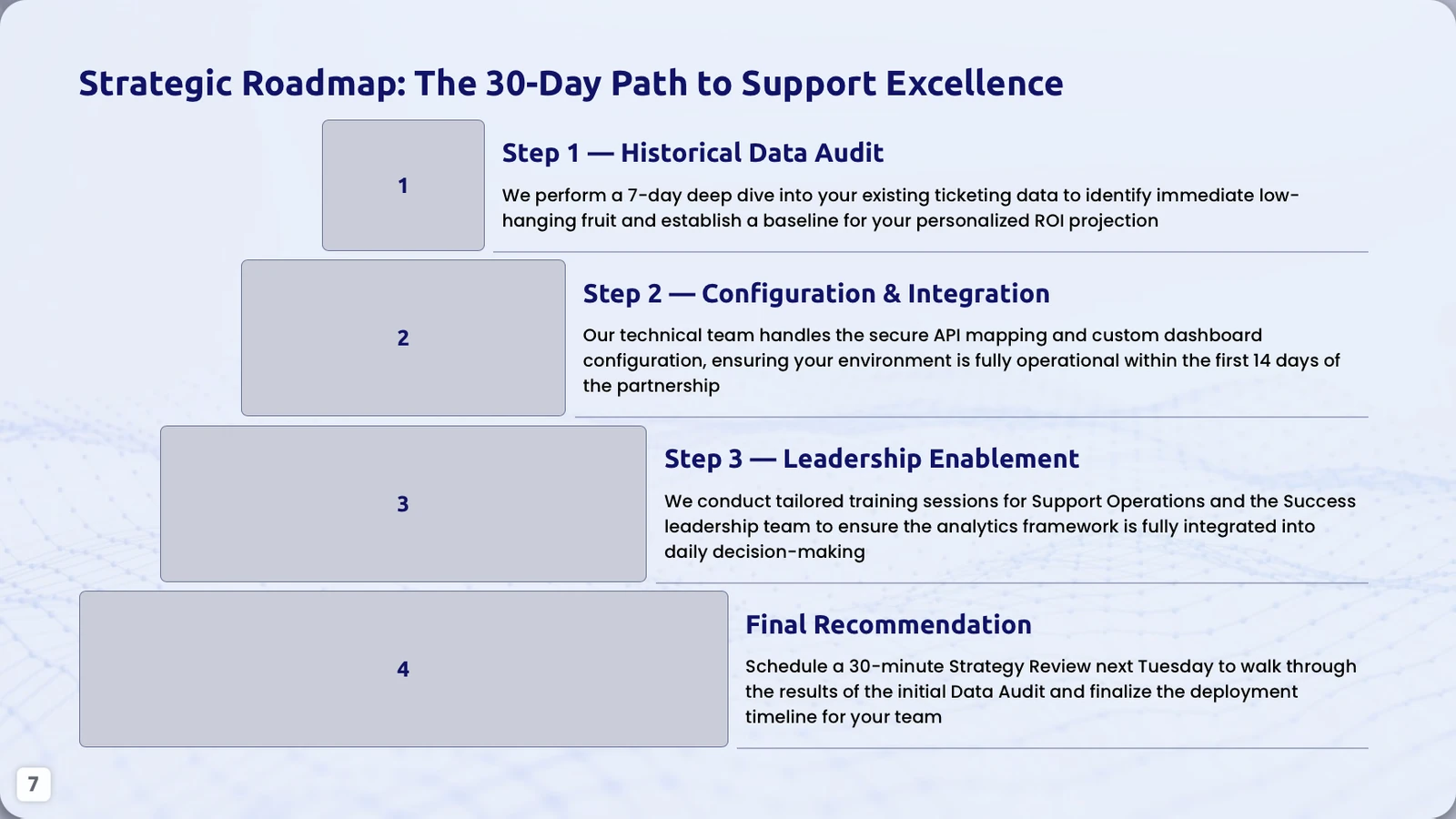
Thirty-day customer support excellence roadmap with four implementation stages
Project · Representative slide

Project Update Presentation Example

Suggested flow: Objective → current state → workstreams → milestones → owners → risks → next step.

Representative slide: A 30-day roadmap turns a broad support-improvement initiative into four visible stages: data audit, configuration, leadership enablement and review.

AudienceExecutive sponsor, support operations and implementation team
Decision supportedApprove the sequence, owners and timing
Evidence, prompt & source

Add verified proof: Actual dates, owners, deliverables, dependencies, success criteria, risks and decision gates.

Starter prompt

Create an 8-slide project update for a 30-day customer-support analytics implementation. Show the objective, current status, four workstreams, milestones, owners, risks, decisions needed and next steps. Use only verified dates and responsibilities.

Example source: PopAi-generated fictional customer-support profitability sample deck. All names, claims and figures shown are illustrative, not verified customer results.
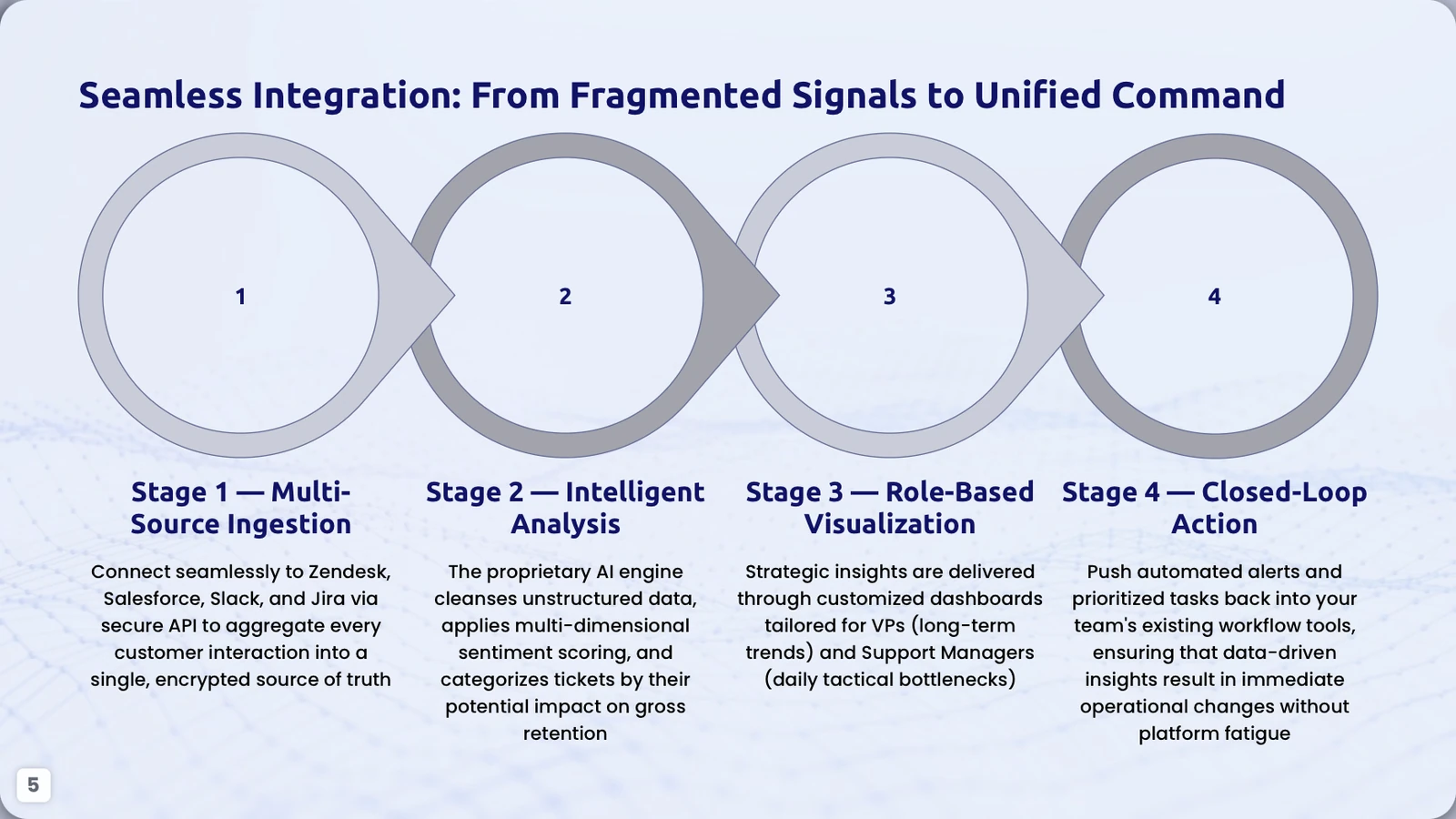
Training slide showing a four-stage integration process from data sources to action
Training · Representative slide

Training Presentation Example

Suggested flow: Learning goal → process → example → practice → exception handling → recap.

Representative slide: The four-stage integration diagram converts a complex implementation into teachable steps: source ingestion, analysis, visualization and action.

AudienceNew users, implementation teams and support operations
Decision supportedUnderstand the sequence and each team’s responsibility
Evidence, prompt & source

Add verified proof: Accurate system names, prerequisites, data-handling rules, responsible roles, exceptions and support resources.

Starter prompt

Create a 9-slide training deck explaining how a support-analytics workflow moves from data sources to action. Include objectives, prerequisites, four process stages, an example, common mistakes, a short exercise and recap. Do not invent integrations.

Example source: PopAi-generated fictional customer-support profitability sample deck. All names, claims and figures shown are illustrative, not verified customer results.
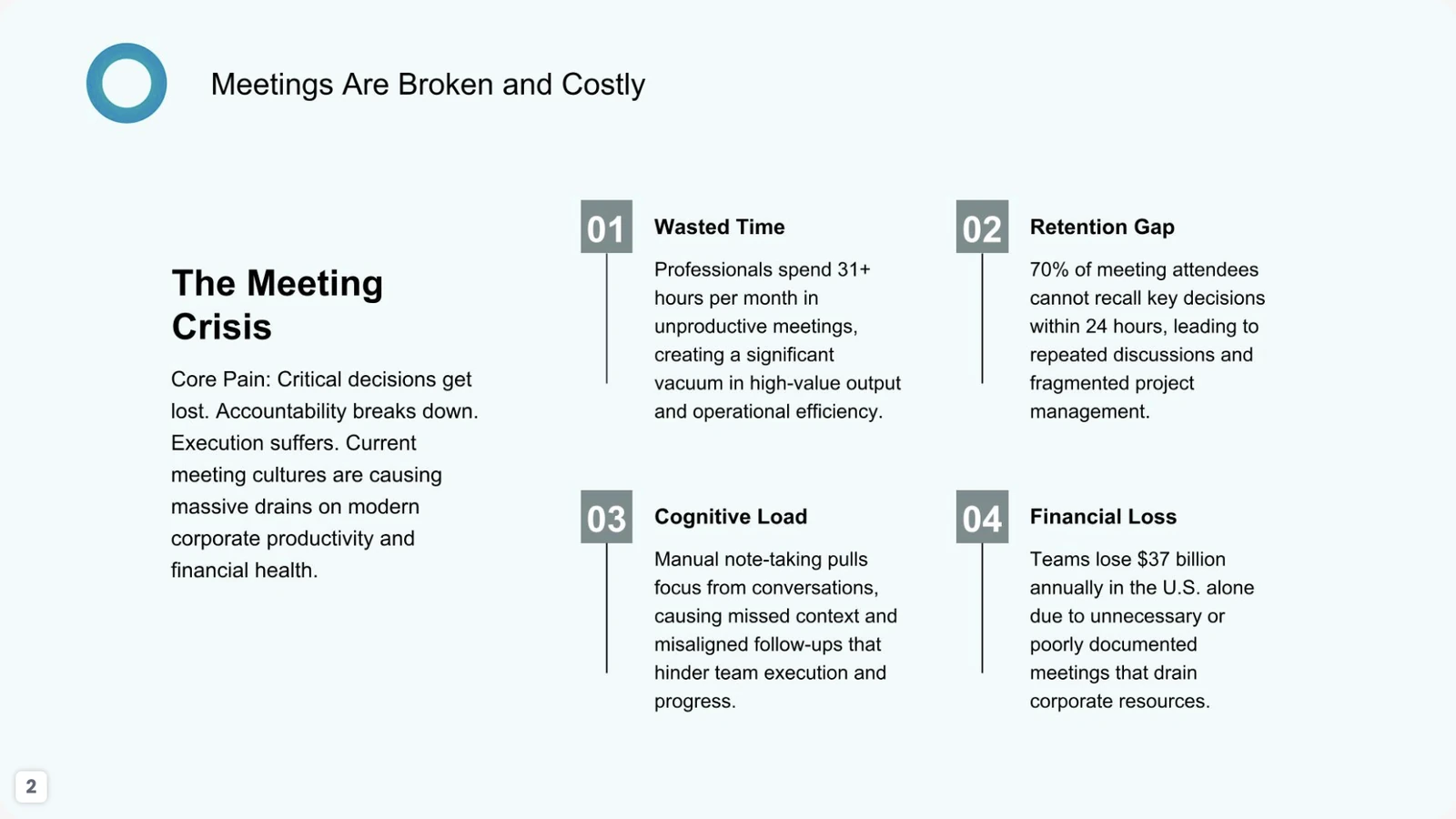
Academic-style problem analysis slide organizing a meeting productivity issue into four dimensions
Academic · Representative slide

Academic Presentation Example

Suggested flow: Research question → context → evidence → analysis → conclusion → references.

Representative slide: The meeting-crisis slide organizes one problem into four analytical dimensions. It can support an academic argument only after every statistic and claim is replaced with cited, verifiable evidence.

AudienceStudents, faculty and academic reviewers
Decision supportedUnderstand the research problem and judge whether the framing is supported
Evidence, prompt & source

Add verified proof: Primary sources, complete citations, operational definitions, methodology, publication dates, limitations and a reference slide.

Starter prompt

Create a 10-slide academic presentation about meeting productivity. Include a research question, literature context, method, evidence, analysis, limitations, conclusion and references. Cite every factual claim and leave unsupported figures blank.

Example source: PopAi-generated fictional MeetMind seed-pitch sample deck. All names, claims and figures shown are illustrative, not verified customer results.
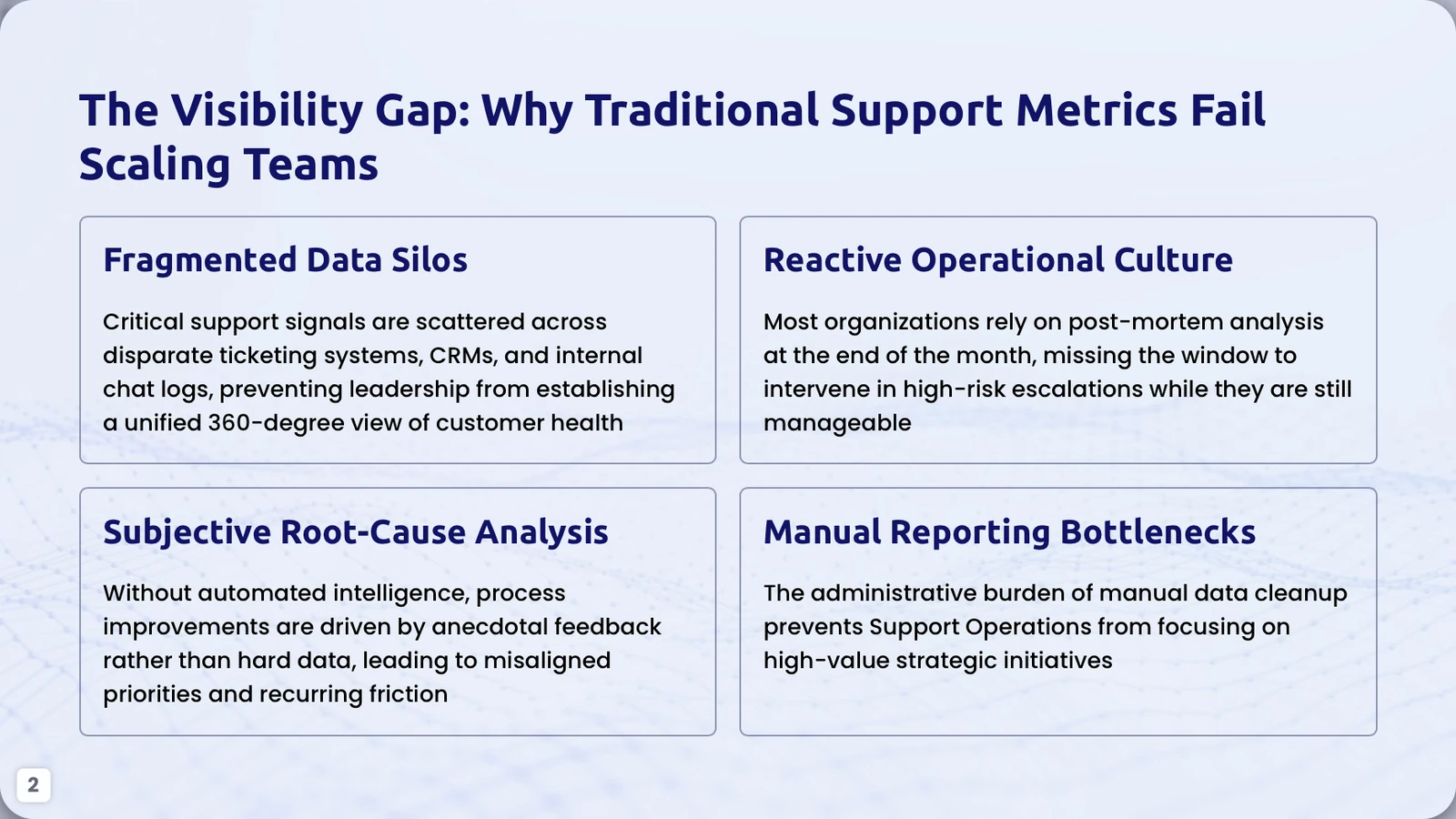
Research synthesis slide grouping customer support visibility gaps into four root-cause themes
Research · Representative slide

Research Presentation Example

Suggested flow: Background → research questions → method → themes → evidence → limitations → implications.

Representative slide: The “Visibility Gap” slide groups qualitative root causes into four themes: data silos, reactive culture, subjective analysis and manual reporting. It is a useful synthesis layout for interview or operational research.

AudienceResearch leads, operations teams and decision-makers
Decision supportedValidate the problem themes and set research or improvement priorities
Evidence, prompt & source

Add verified proof: Sample description, research method, coded themes, supporting quotes with permission, quantitative validation and limitations.

Starter prompt

Create a 10-slide operational research presentation on customer-support visibility gaps. Include background, research questions, method, participant or data sample, four themes, evidence, limitations, implications and next steps. Clearly label illustrative findings.

Example source: PopAi-generated fictional customer-support profitability sample deck. All names, claims and figures shown are illustrative, not verified customer results.
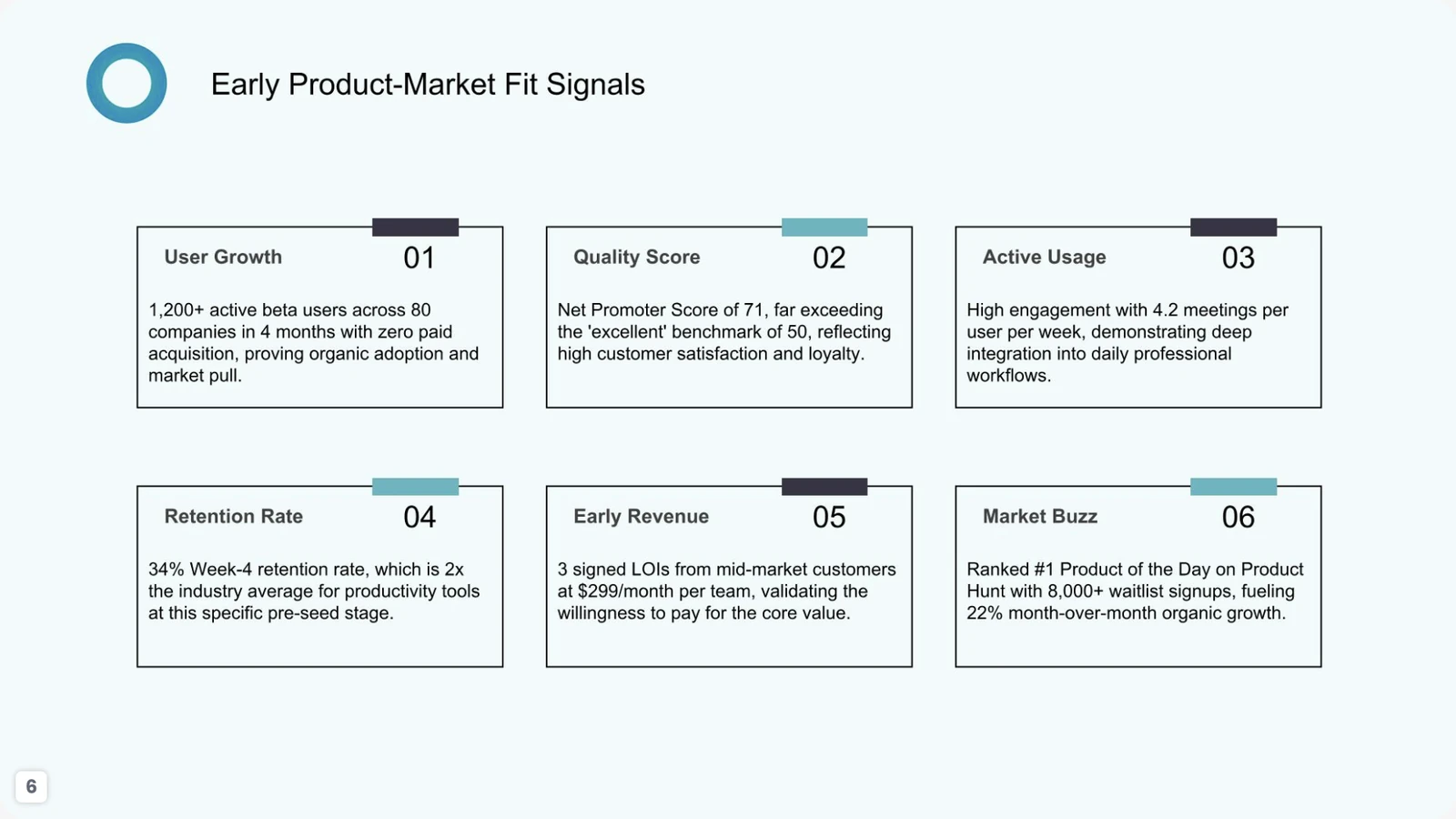
Annual review scorecard slide with six product-market fit signal metrics
Annual Review · Representative slide

Annual Review Presentation Example

Suggested flow: Period overview → KPIs → wins → challenges → lessons → outlook → priorities.

Representative slide: The product-market-fit signals slide organizes six metrics into a scannable scorecard. The same pattern works for an annual or quarterly review when definitions and reporting periods are explicit.

AudienceBoard members, executives, investors and cross-functional teams
Decision supportedUnderstand performance and agree on the next period’s priorities
Evidence, prompt & source

Add verified proof: Verified metric definitions, reporting period, source systems, baselines, targets, material exceptions and owner commentary.

Starter prompt

Create a 12-slide annual review for a SaaS startup. Cover period overview, user growth, engagement, retention, revenue, quality, major wins, challenges, lessons, outlook and priorities. Do not invent performance numbers.

Example source: PopAi-generated fictional MeetMind seed-pitch sample deck. All names, claims and figures shown are illustrative, not verified customer results.
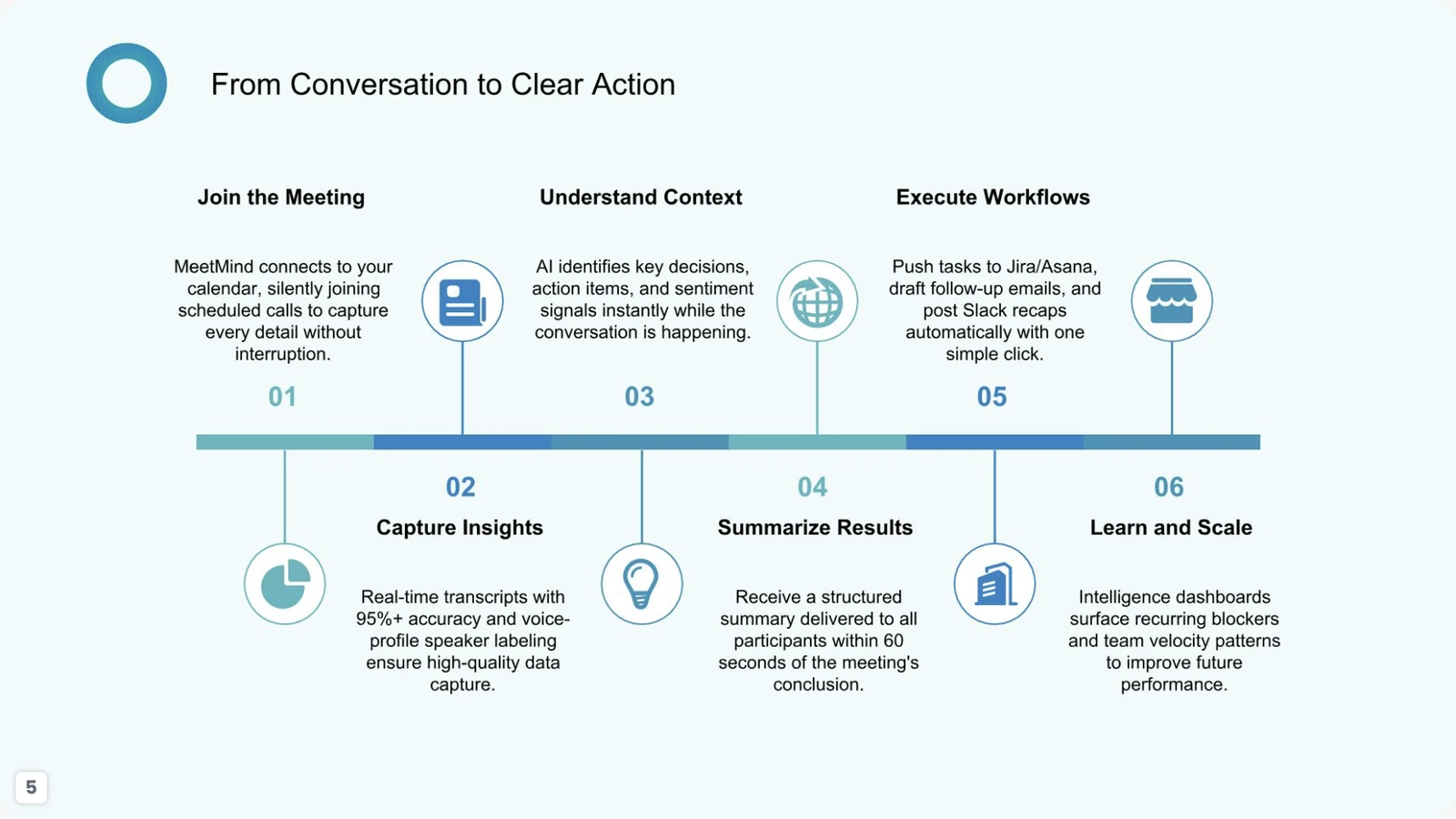
Product presentation slide showing a six-step workflow from joining a meeting to executing actions
Product · Representative slide

Product Presentation Example

Suggested flow: User problem → workflow → features → value → proof → roadmap → CTA.

Representative slide: The six-step “From Conversation to Clear Action” slide explains the product journey from joining a meeting through capture, understanding, summarization, workflow execution and learning.

AudienceProspects, users, partners and sales-enablement teams
Decision supportedUnderstand how the product works and whether to try or evaluate it
Evidence, prompt & source

Add verified proof: Accurate product screens, current integrations, workflow steps, permissions, performance boundaries and availability.

Starter prompt

Create a 10-slide product presentation for an AI meeting-notes platform. Explain the user problem, end-to-end workflow, core capabilities, integrations, value, proof plan, security, roadmap and CTA. Flag anything not yet released.

Example source: PopAi-generated fictional MeetMind seed-pitch sample deck. All names, claims and figures shown are illustrative, not verified customer results.
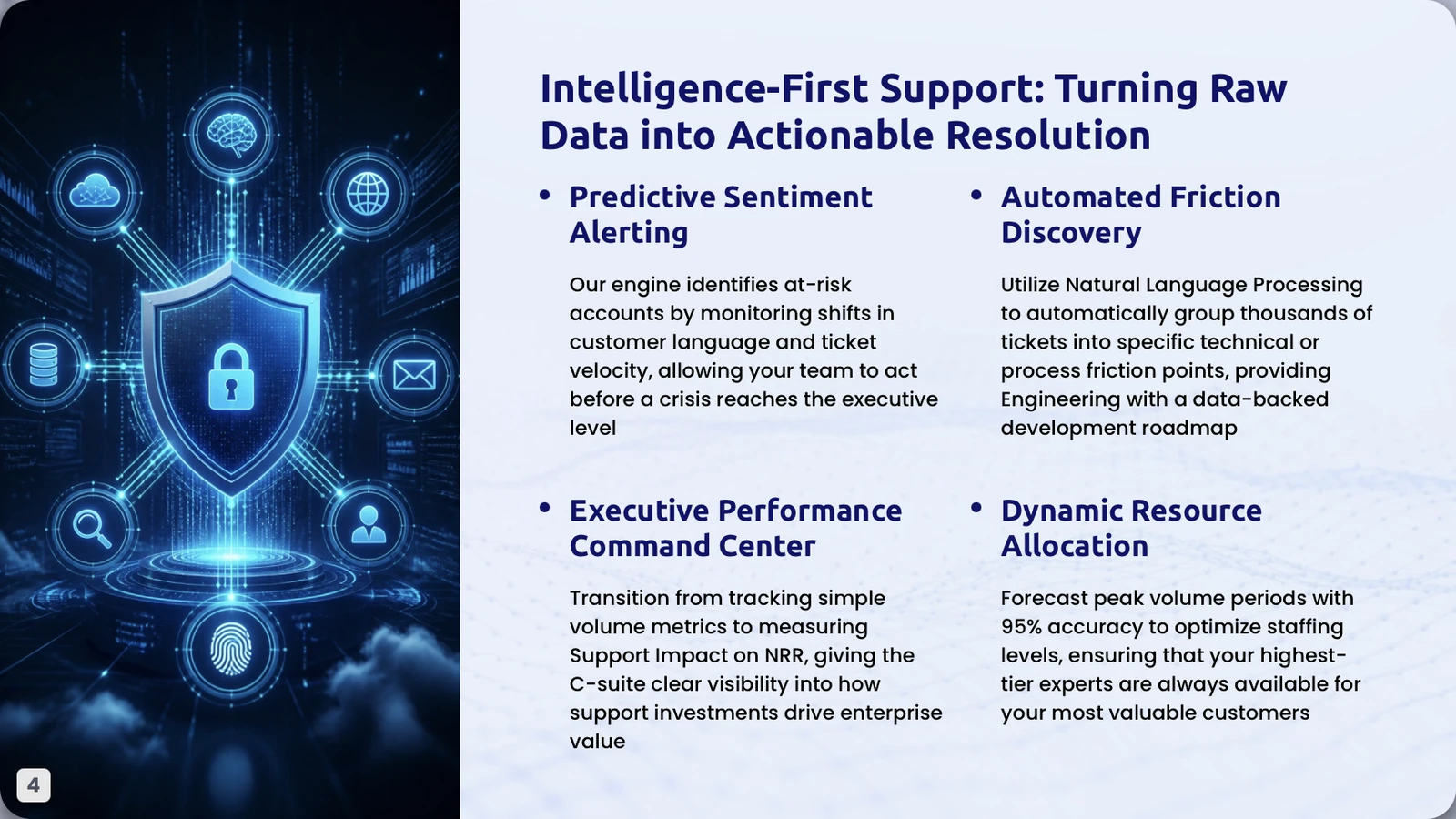
Project proposal slide describing an intelligence-first customer support solution and resource allocation
Proposal · Representative slide

Project Proposal Presentation Example

Suggested flow: Need → proposed solution → scope → benefits → resources → timeline → budget → decision.

Representative slide: The intelligence-first support slide connects predictive alerts, friction discovery, executive reporting and resource allocation to an implementation proposal.

AudienceClient sponsor, operations, engineering, security and procurement
Decision supportedApprove discovery, a pilot or the proposed implementation approach
Evidence, prompt & source

Add verified proof: Architecture, scope, data sources, security controls, integration assumptions, forecast method, team, timeline, pricing and exclusions.

Starter prompt

Create a 10-slide proposal for an intelligence-first customer-support analytics pilot. Include current need, proposed solution, scope, integrations, security, deliverables, timeline, team, budget framework, risks, success metrics and decision requested. Label all assumptions.

Example source: PopAi-generated fictional customer-support profitability sample deck. All names, claims and figures shown are illustrative, not verified customer results.
Real PopAi workspace previews

What Presentation Examples Look Like in the Editor

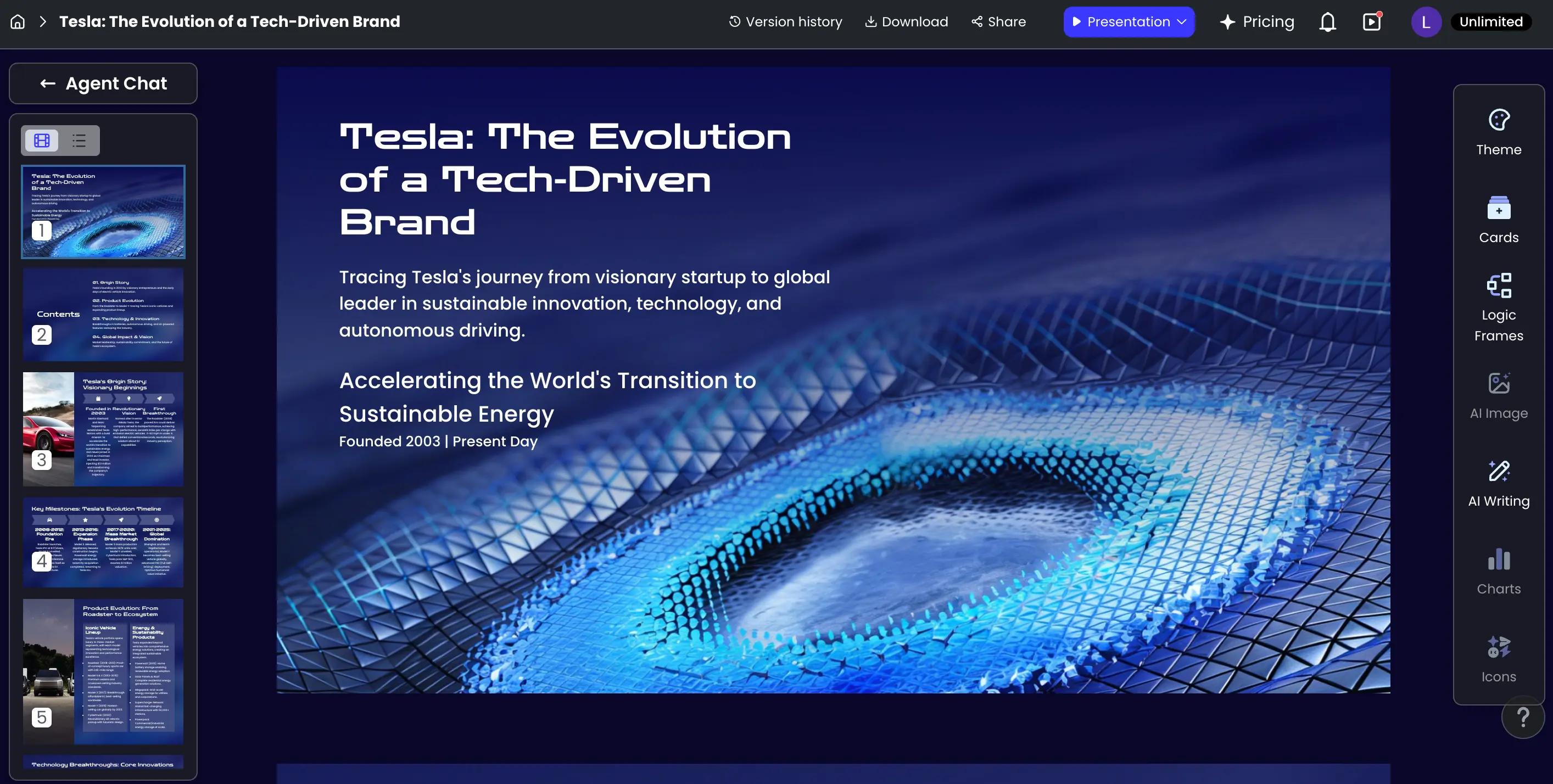
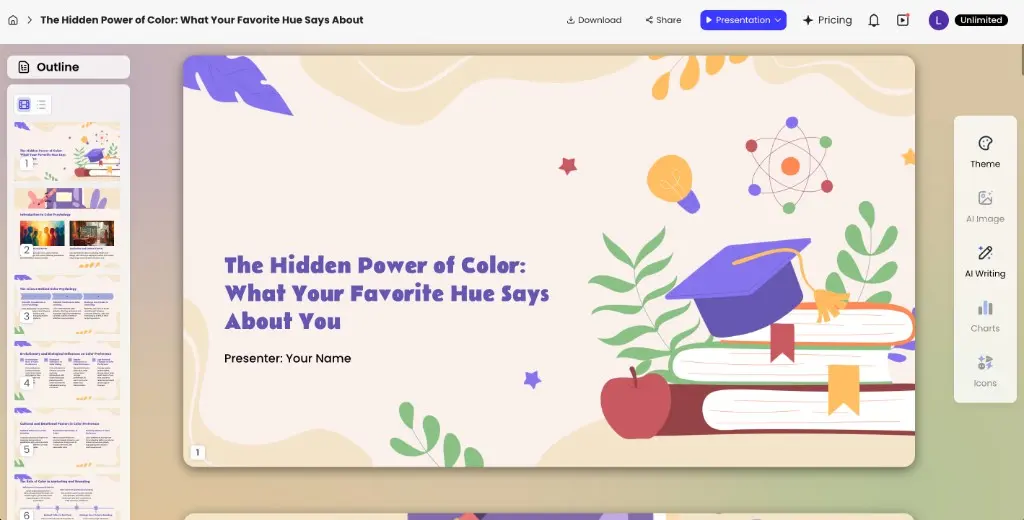
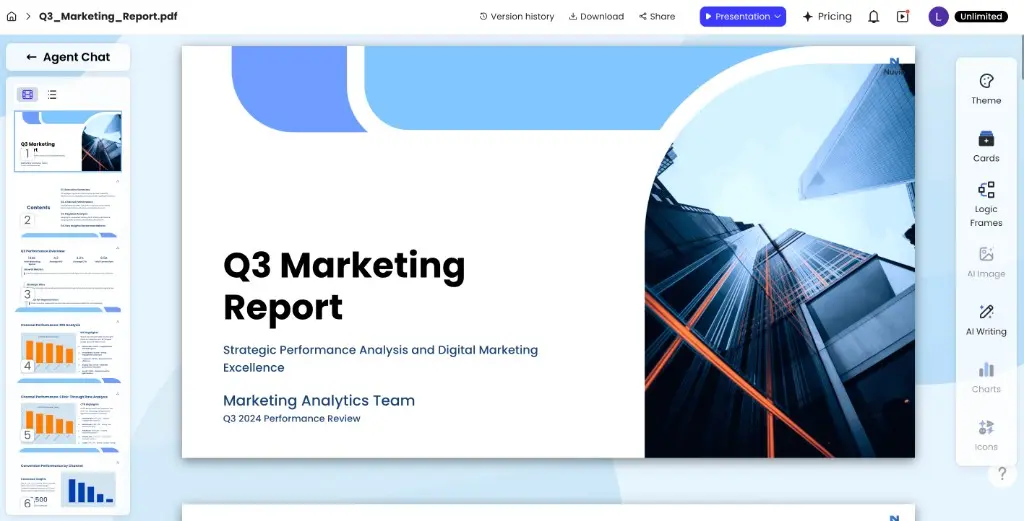
The screenshots below show three common presentation contexts in PopAi: a business pitch, an education or training deck, and a marketing report. They are useful references for scale, slide navigation and visual hierarchy.

Business pitch presentation open in the PopAi editor

Business & pitch

Use a decisive opening, visible proof and a clear ask.

Education presentation open in the PopAi editor

Education & training

Break information into teachable steps and visual examples.

Marketing report presentation open in the PopAi editor

Marketing & sales

Lead with audience insight, performance and next actions.

What Makes a Good PowerPoint Presentation?

The strongest PowerPoint presentation examples usually share a few principles. They are easy to scan, visually consistent and organized around the audience rather than around every piece of information the presenter has available.

  • One main idea per slide: each slide should have a clear job in the story.
  • A visible narrative: the audience should understand why one slide follows the previous one.
  • Readable typography: prioritize clarity over decorative font choices.
  • Consistent color and layout: visual consistency makes the deck easier to follow.
  • Useful visuals: charts, diagrams and images should clarify the message rather than decorate empty space.
  • Strong ending: conclude with the recommendation, takeaway, decision or next step the audience needs.

How to Use These Presentation Examples

Do not copy a sample deck slide by slide. Use examples to understand the structure that works for a specific goal, then rebuild the story around your own audience, evidence and message.

  • Choose the closest use case.
  • Study the slide sequence.
  • Identify the key message on each slide.
  • Reuse the logic, not another company's claims or data.
  • Adapt the visual style to your brand and presentation context.

From Source Material to a Finished Example

A useful example shows more than a title slide. It also demonstrates how the story is created, styled and edited.

PopAi prompt and file upload step

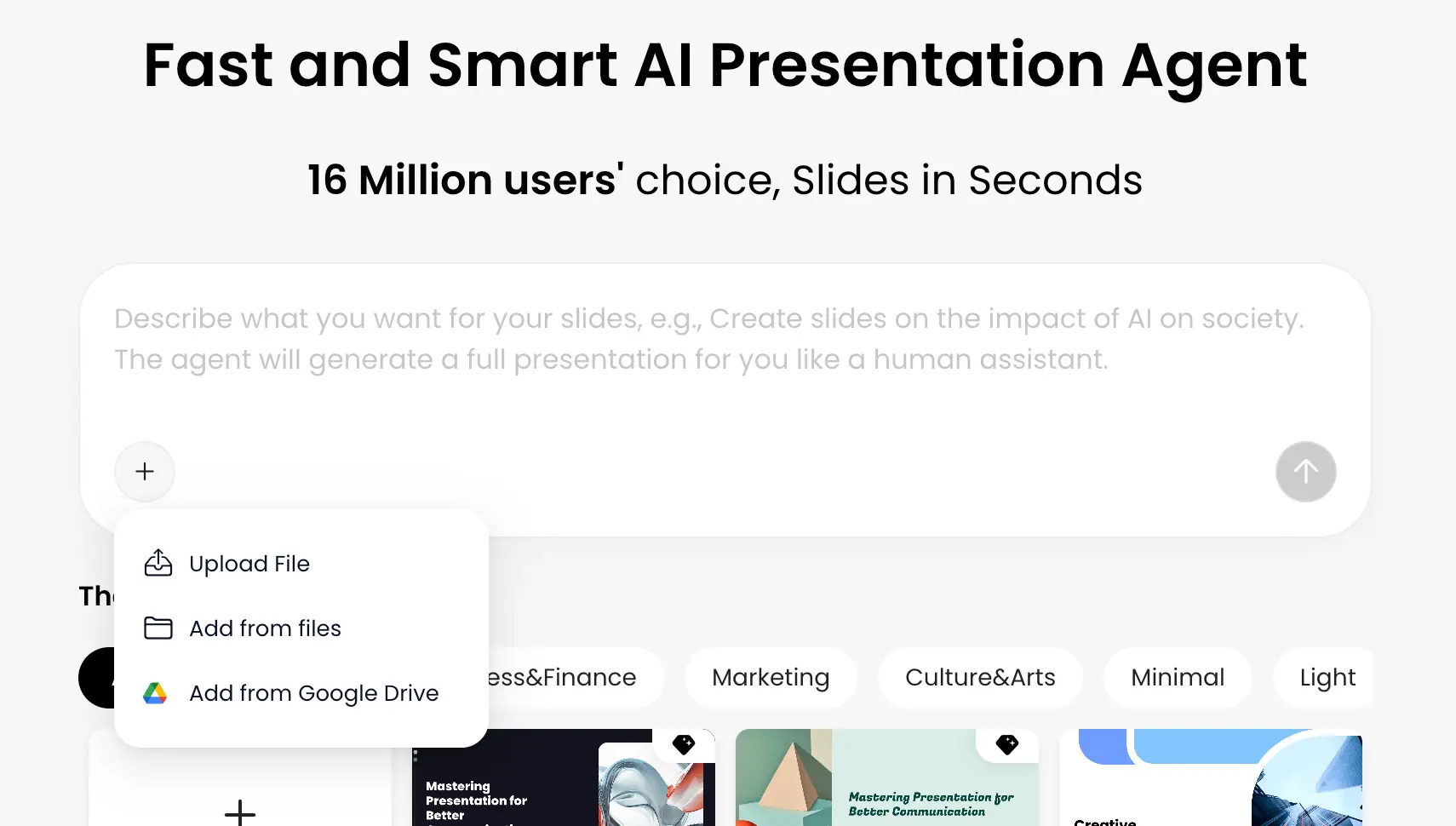
1. Add a topic or source

Describe the audience and decision, or upload the document that contains the facts.

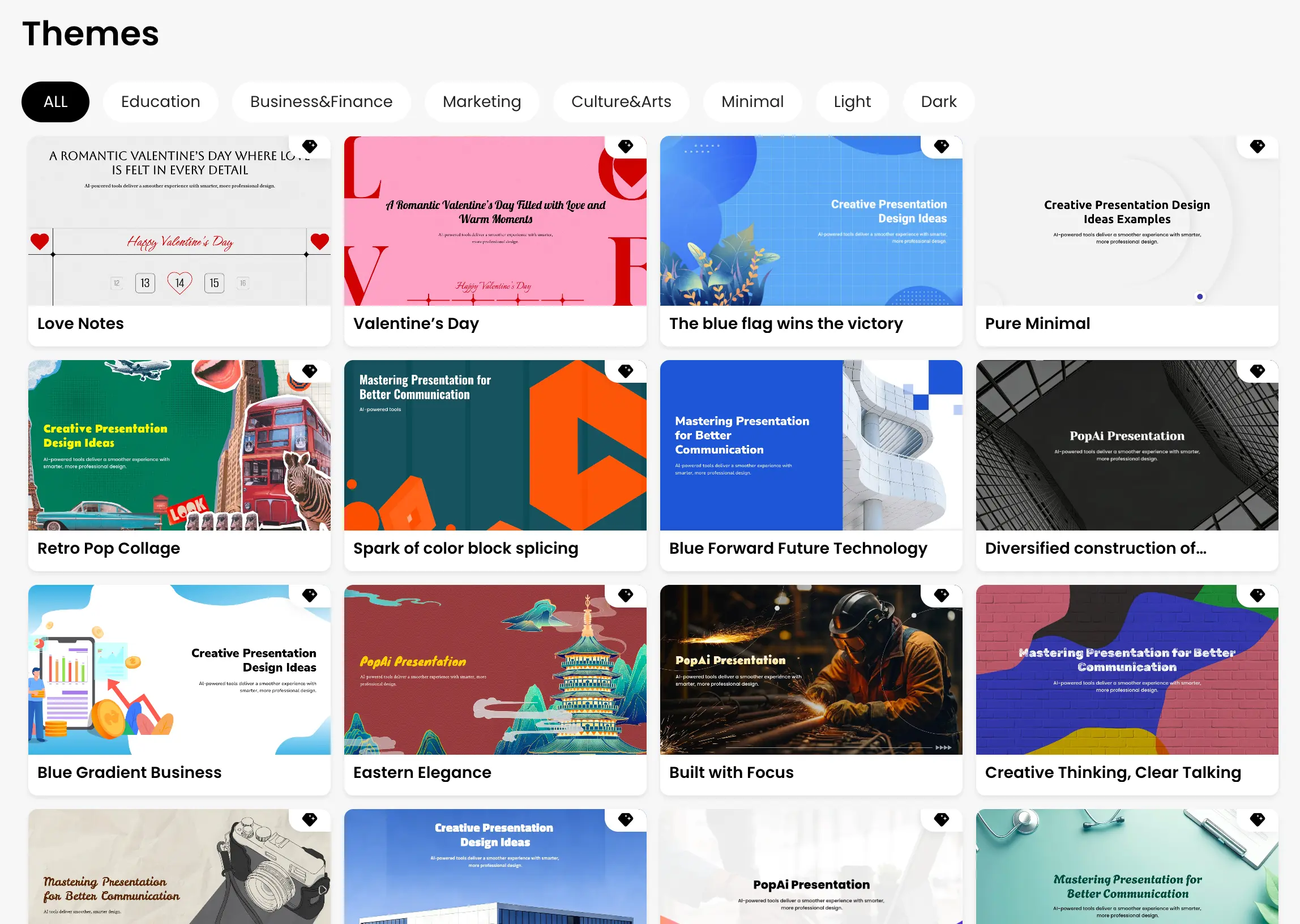
PopAi presentation template gallery

2. Choose a visual direction

Select a style that fits the subject, audience and presentation environment.

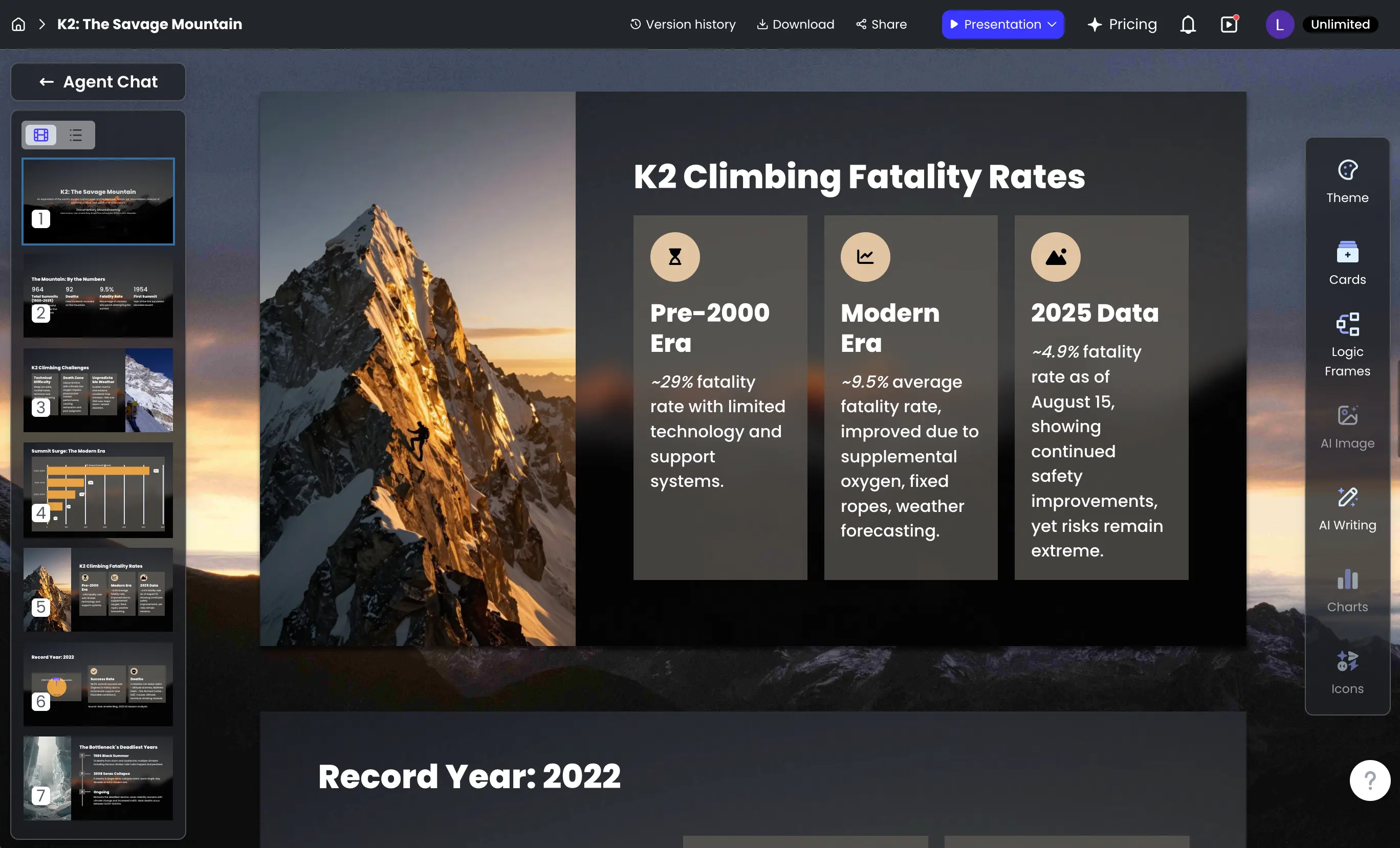
PopAi presentation editor and export controls

3. Edit, verify and export

Refine the wording and visuals, check claims and sources, then export or share.

Turn an Example into Your Own Presentation

Use the examples above to decide what your deck needs to communicate, then let PopAi help build the first draft. Start with a prompt or source file, review the proposed outline, generate the presentation, refine the content and export it as PPTX or PDF.

Create a Presentation with PopAi

Frequently Asked Questions

What are good PowerPoint presentation examples to study?

Start with examples that match your goal, such as business pitches, marketing plans, company profiles, project updates, training decks or academic presentations. The most useful example is the one that solves a similar communication problem.

What should every PowerPoint presentation include?

The exact slides depend on the purpose, but most strong presentations need a clear opening, a logical sequence of supporting points, relevant evidence or visuals, and a conclusion or next step.

How many slides should a presentation have?

There is no universal number. Use enough slides to communicate the message clearly without splitting ideas into unnecessary pages. Presentation length should reflect the audience, purpose and available speaking time.

Can AI create a presentation based on an example?

Yes. Use the example to identify the structure and style you want, then give PopAi the topic, audience, purpose and source material. Review the generated outline and slides before using the presentation.

Can I export an AI-generated presentation to PowerPoint?

PopAi supports PPTX export, so you can continue editing the generated presentation in compatible PowerPoint software after reviewing the deck.